tire type LINCOLN CONTINENTAL 2018 User Guide
[x] Cancel search | Manufacturer: LINCOLN, Model Year: 2018, Model line: CONTINENTAL, Model: LINCOLN CONTINENTAL 2018Pages: 615, PDF Size: 5.31 MB
Page 355 of 615
You are strongly urged to buy a reliabletire pressure gauge, as automaticservice station gauges may beinaccurate. Ford recommends the useof a digital or dial-type tire pressuregauge rather than a stick-type tirepressure gauge.
Use the recommended cold inflationpressure for optimum tire performanceand wear. Under-inflation orover-inflation may cause uneventreadwear patterns
WARNING: Under-inflation is themost common cause of tire failures andmay result in severe tire cracking, treadseparation or blowout, with unexpectedloss of vehicle control and increased riskof injury. Under-inflation increasessidewall flexing and rolling resistance,resulting in heat buildup and internaldamage to the tire. It also may result inunnecessary tire stress, irregular wear,loss of vehicle control and accidents. A
tire can lose up to half of its air pressureand not appear to be flat!
Always inflate your tires to the Fordrecommended inflation pressure evenif it is less than the maximum inflationpressure information found on the tire.The Ford recommended tire inflationpressure is found on the SafetyCompliance Certification Label (affixedto either the door hinge pillar, door-latchpost, or the door edge that meets thedoor-latch post, next to the driver'sseating position), or Tire Label which islocated on the B-Pillar or the edge of thedriver’s door. Failure to follow the tirepressure recommendations can causeuneven treadwear patterns andadversely affect the way your vehiclehandles
Maximum Inflation Pressure is the tiremanufacturer's maximum permissible
pressure and the pressure at which themaximum load can be carried by the tire.This pressure is normally higher than themanufacturer’s recommended coldinflation pressure which can be foundon the Safety Compliance CertificationLabel (affixed to either the door hingepillar, door-latch post, or the door edge
that meets the door-latch post, next tothe driver's seating position), or TireLabel which is located on the B-Pillar orthe edge of the driver’s door. The coldinflation pressure should never be setlower than the recommended pressureon the Safety Compliance CertificationLabel or Tire Label.
When weather temperature changesoccur, tire inflation pressures alsochange. A 10°F (6°C) temperature dropcan cause a corresponding drop of 1 psi(7 kPa) in inflation pressure. Check yourtire pressures frequently and adjustthem to the proper pressure which canbe found on the Safety ComplianceCertification Label or Tire Label.
To check the pressure in your tire(s):
1. Make sure the tires are cool,meaning they are not hot fromdriving even a mile.
352
Continental (CPL) Canada/United States of America, enUSA, Edition date: 201706, Second-Printing
Wheels and Tires
Page 356 of 615
![LINCOLN CONTINENTAL 2018 User Guide Note:If you are checking tire pressurewhen the tire is hot, (for example drivenmore than 1 mile [1.6 kilometers]), neverbleed or reduce air pressure. The tiresare hot from driving and it is normal for](/img/15/58982/w960_58982-355.png "LINCOLN CONTINENTAL 2018 User Guide Note:If you are checking tire pressurewhen the tire is hot, (for example drivenmore than 1 mile [1.6 kilometers]), neverbleed or reduce air pressure. The tiresare hot from driving and it is normal for")
Note:If you are checking tire pressurewhen the tire is hot, (for example drivenmore than 1 mile [1.6 kilometers]), neverbleed or reduce air pressure. The tiresare hot from driving and it is normal forpressures to increase aboverecommended cold pressures. A hot tireat or below recommended cold inflationpressure could be significantlyunder-inflated.
Note:If you have to drive a distance toget air for your tire(s), check and recordthe tire pressure first and add theappropriate air pressure when you getto the pump. It is normal for tires to heatup and the air pressure inside to go upas you drive.
2.Remove the cap from the valve on
one tire, then firmly press the tiregauge onto the valve and measurethe pressure.
3. Add enough air to reach therecommended air pressure.
Note:If you overfill the tire, release airby pressing on the metal stem in thecenter of the valve. Then recheck thepressure with your tire gauge.
4. Replace the valve cap.
5.Repeat this procedure for each tire,including the spare.
Note:Some spare tires operate at ahigher inflation pressure than the othertires. For T type mini-spare tires, see theDissimilar spare wheel and tireassembly information for a description.Store and maintain at 60 psi (4.15 bar).For full-size and dissimilar spare tires,see the Dissimilar spare wheel and tireassembly information for a description.Store and maintain at the higher of thefront and rear inflation pressure as
shown on the Tire Label.
6.Visually inspect the tires to makesure there are no nails or otherobjects embedded that could pokea hole in the tire and cause an airleak.
7. Check the sidewalls to make surethere are no gouges, cuts or bulges.
Inspecting Your Tires and Wheel ValveStems
Periodically inspect the tire treads foruneven or excessive wear and removeobjects such as stones, nails or glassthat may be wedged in the treadgrooves. Check the tire and valve stemsfor holes, cracks, or cuts that may permitair leakage and repair or replace the tireand replace the valve stem. Inspect thetire sidewalls for cracking, cuts, bruisesand other signs of damage or excessivewear. If internal damage to the tire issuspected, have the tire demounted andinspected in case it needs to be repairedor replaced. For your safety, tires that
are damaged or show signs of excessivewear should not be used because theyare more likely to blow out or fail.
353
Continental (CPL) Canada/United States of America, enUSA, Edition date: 201706, Second-Printing
Wheels and Tires
Page 358 of 615
U.S. DOT Tire Identification Number
Both U.S. and Canada Federalregulations require tire manufacturersto place standardized information on thesidewall of all tires. This informationidentifies and describes the fundamentalcharacteristics of the tire and alsoprovides a U.S. DOT Tire IdentificationNumber for safety standard certificationand in case of a recall.
This begins with the letters DOT andindicates that the tire meets all federalstandards. The next two numbers orletters are the plant code designatingwhere it was manufactured, the next twoare the tire size code and the last fournumbers represent the week and yearthe tire was built. For example, the
numbers 317 mean the 31st week of1997. After 2000 the numbers go to fourdigits. For example, 2501 means the25th week of 2001. The numbers inbetween are identification codes usedfor traceability. This information is usedto contact customers if a tire defectrequires a recall.
Tire Replacement Requirements
Your vehicle is equipped with tiresdesigned to provide a safe ride andhandling capability.
WARNING: Only use replacementtires and wheels that are the same size,load index, speed rating and type (suchas P-metric versus LT-metric orall-season versus all-terrain) as thoseoriginally provided by Ford. Therecommended tire and wheel size maybe found on either the SafetyCompliance Certification Label (affixedto either the door hinge pillar, door-latchpost, or the door edge that meets thedoor-latch post, next to the driver’sseating position), or the Tire Label whichis located on the B-Pillar or edge of thedriver’s door. If this information is notfound on these labels, then you shouldcontact your authorized dealer as soon
as possible. Use of any tire or wheel notrecommended by Ford can affect thesafety and performance of your vehicle,which could result in an increased riskof loss of vehicle control, vehiclerollover, personal injury and death.
WARNING: To reduce the risk ofserious injury, when mountingreplacement tires and wheels, youshould not exceed the maximumpressure indicated on the sidewall of thetire to set the beads without additionalprecautions listed below. If the beadsdo not seat at the maximum pressureindicated, re-lubricate and try again.
WARNING: When inflating the tirefor mounting pressures up to 20 psi
(1.38 bar) greater than the maximumpressure on the tire sidewall, thefollowing precautions must be taken toprotect the person mounting the tire:
WARNING: 1. Make sure that youhave the correct tire and wheel size.
355
Continental (CPL) Canada/United States of America, enUSA, Edition date: 201706, Second-Printing
Wheels and Tires
Page 368 of 615
Dissimilar Spare Wheel and TireAssembly Information
WARNING: Failure to follow theseguidelines could result in an increased riskof loss of vehicle control, injury or death.
If you have a dissimilar spare wheel and tire,then it is intended for temporary use only.This means that if you need to use it, youshould replace it as soon as possible with aroad wheel and tire assembly that is thesame size and type as the road tires andwheels that were originally provided. If thedissimilar spare tire or wheel is damaged, itshould be replaced rather than repaired.
A dissimilar spare wheel and tire assemblyis defined as a spare wheel and tire assemblythat is different in brand, size or appearancefrom the road tires and wheels and can beone of three types:
1. T-type mini-spare: This spare tire beginswith the letter T for tire size and may haveTemporary Use Only molded in the sidewall.
•Do not exceed the maximum speedlabeled on the tire and wheel assembly.This maximum speed can be either on alabel affixed to the wheel or molded intothe tire.
2. Full-size dissimilar spare with label onwheel: This spare tire has a label on thewheel that states: THIS WHEEL AND TIREASSEMBLY FOR TEMPORARY USE ONLY.
When driving with one of the dissimilar sparetires listed above, do not:
•Exceed 50 mph (80 km/h).
•Load the vehicle beyond maximumvehicle load rating listed on the SafetyCompliance Label.
•Tow a trailer.
•Use snow chains on the end of thevehicle with the dissimilar spare tire.
•Use more than one dissimilar spare tireat a time.
•Use commercial car washing equipment.
•Try to repair the dissimilar spare tire.
Use of one of the dissimilar spare tires listedabove at any one wheel location can lead toimpairment of the following:
•Handling, stability and brakingperformance.
•Comfort and noise.
•Ground clearance and parking at curbs.
•Winter weather driving capability.
•Wet weather driving capability.
•All-wheel driving capability, if applicable.
3. Full-size dissimilar spare without labelon wheel
When driving with the full-size dissimilarspare wheel and tire assembly, do not:
•Exceed 70 mph (113 km/h).
•Use more than one dissimilar sparewheel and tire assembly at a time.
•Use commercial car washing equipment.
•Use snow chains on the end of thevehicle with the dissimilar spare wheeland tire assembly.
365
Continental (CPL) Canada/United States of America, enUSA, Edition date: 201706, Second-Printing
Wheels and Tires
Page 593 of 615
SUNA Products and/or Services are intendedas an aid to personal motoring and travelplanning, and do not provide comprehensiveor accurate information on all occasions. Onoccasions, you may experience additionaldelay as a result of using SUNA Productsand/or Services. You acknowledge that it isnot intended, or suitable, for use inapplications where time of arrival or drivingdirections may impact the safety of the publicor yourself.
4. Use of SUNA Products and Serviceswhile driving
You, and other authorised drivers of thevehicle in which SUNA Products and/orServices are available or installed and active,remain at all times responsible for observingall relevant laws and codes of safe driving.In particular, you agree to only activelyoperate SUNA Products and/or Serviceswhen the Vehicle is at a complete stop andit is safe to do so.
5. Service Continuity and Reception of theSUNA Traffic Channel
We will use reasonable endeavours toprovide the SUNA Traffic Channel 24 hoursa day, 365 days a year. The SUNA TrafficChannel may occasionally be unavailable fortechnical reasons or for plannedmaintenance. We will try to performmaintenance at times when congestion islight. We reserve the right to withdraw SUNAProducts and/or Services at any time.
Also, we cannot assure the uninterruptedreception of the SUNA Traffic ChannelRDS-TMC signal at any particular location.
6. Limitation of Liability
Neither Intelematics (nor its suppliers or themanufacturer of your device (the“Suppliers”)) shall be liable to you or to anythird party for any damages either direct,indirect, incidental, consequential orotherwise arising out of the use of or inabilityto use SUNA Products and/or Services evenif Intelematics or a Supplier has been advisedof the possibility of such damages. You alsoacknowledge that the neither Intelematicsnor any Supplier guarantees nor make anywarranties that relate to the availability,accuracy or completeness of SUNA Products
and/or Services, and to the extent which itis lawful to do so, both Intelematics and eachSupplier excludes any warranties whichmight otherwise be implied by any State orFederal legislation in relation to SUNAProducts and/or Services.
7. Please Note
Great care has been taken in preparing thismanual. Constant product development maymean that some information is not entirelyup-to-date. The information in this documentis subject to change without notice.
TYPE APPROVALS
Radio Frequency Certification Logosfor Tire Pressure Monitoring Sensor(s)
590
Continental (CPL) Canada/United States of America, enUSA, Edition date: 201706, Second-Printing
AppendicesE207816
Page 606 of 615
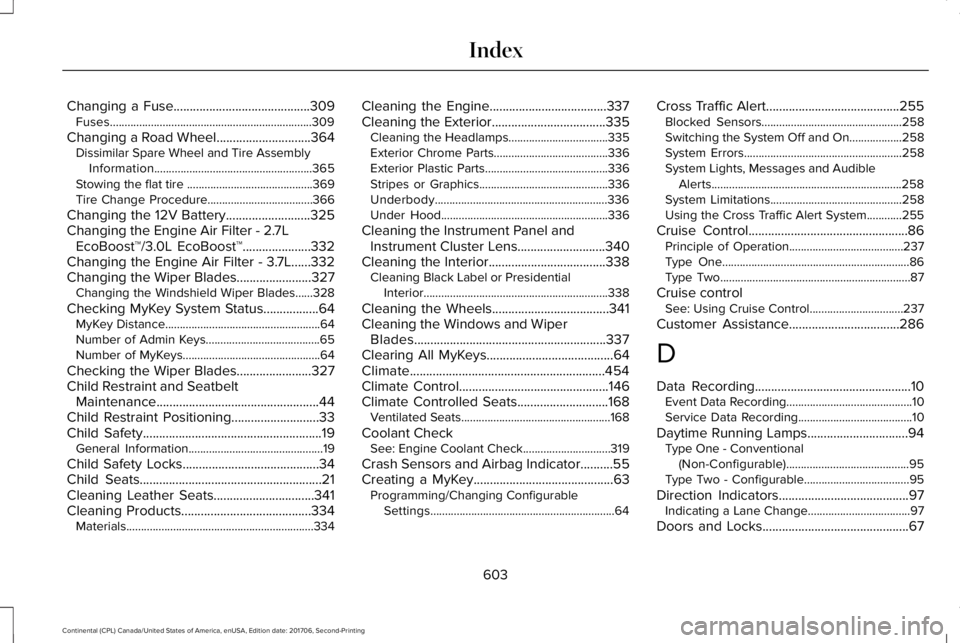
Changing a Fuse..........................................309Fuses.....................................................................309
Changing a Road Wheel.............................364Dissimilar Spare Wheel and Tire AssemblyInformation......................................................365Stowing the flat tire ...........................................369Tire Change Procedure....................................366
Changing the 12V Battery..........................325Changing the Engine Air Filter - 2.7LEcoBoost™/3.0L EcoBoost™.....................332Changing the Engine Air Filter - 3.7L......332Changing the Wiper Blades.......................327Changing the Windshield Wiper Blades......328
Checking MyKey System Status.................64MyKey Distance.....................................................64Number of Admin Keys.......................................65Number of MyKeys...............................................64
Checking the Wiper Blades.......................327Child Restraint and SeatbeltMaintenance..................................................44Child Restraint Positioning...........................33Child Safety.......................................................19General Information..............................................19
Child Safety Locks..........................................34Child Seats........................................................21Cleaning Leather Seats...............................341Cleaning Products........................................334Materials................................................................334
Cleaning the Engine....................................337Cleaning the Exterior...................................335Cleaning the Headlamps..................................335Exterior Chrome Parts.......................................336Exterior Plastic Parts..........................................336Stripes or Graphics............................................336Underbody...........................................................336Under Hood.........................................................336
Cleaning the Instrument Panel andInstrument Cluster Lens...........................340Cleaning the Interior....................................338Cleaning Black Label or PresidentialInterior...............................................................338
Cleaning the Wheels....................................341Cleaning the Windows and WiperBlades...........................................................337Clearing All MyKeys.......................................64Climate............................................................454Climate Control..............................................146Climate Controlled Seats............................168Ventilated Seats...................................................168
Coolant CheckSee: Engine Coolant Check..............................319
Crash Sensors and Airbag Indicator..........55Creating a MyKey...........................................63Programming/Changing ConfigurableSettings...............................................................64
Cross Traffic Alert.........................................255Blocked Sensors................................................258Switching the System Off and On..................258System Errors......................................................258System Lights, Messages and AudibleAlerts.................................................................258System Limitations.............................................258Using the Cross Traffic Alert System............255
Cruise Control.................................................86Principle of Operation.......................................237Type One................................................................86Type Two.................................................................87
Cruise controlSee: Using Cruise Control................................237
Customer Assistance..................................286
D
Data Recording................................................10Event Data Recording...........................................10Service Data Recording.......................................10
Daytime Running Lamps...............................94Type One - Conventional(Non-Configurable)..........................................95Type Two - Configurable....................................95
Direction Indicators........................................97Indicating a Lane Change...................................97
Doors and Locks.............................................67
603
Continental (CPL) Canada/United States of America, enUSA, Edition date: 201706, Second-Printing
Index
Page 614 of 615
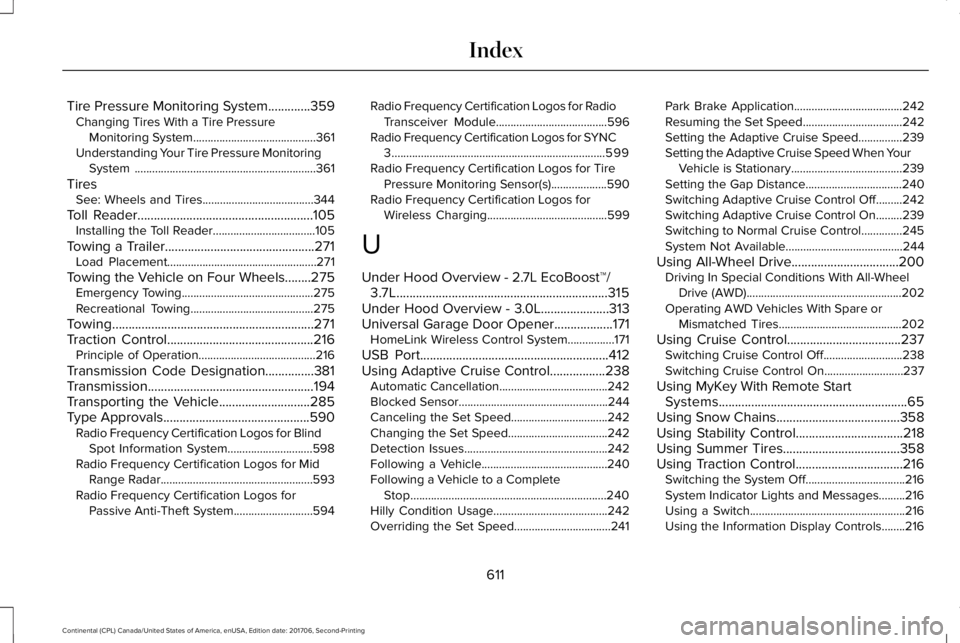
Tire Pressure Monitoring System.............359Changing Tires With a Tire PressureMonitoring System..........................................361Understanding Your Tire Pressure MonitoringSystem ..............................................................361
TiresSee: Wheels and Tires......................................344
Toll Reader......................................................105Installing the Toll Reader...................................105
Towing a Trailer..............................................271Load Placement...................................................271
Towing the Vehicle on Four Wheels........275Emergency Towing.............................................275Recreational Towing..........................................275
Towing..............................................................271Traction Control.............................................216Principle of Operation........................................216
Transmission Code Designation...............381Transmission...................................................194Transporting the Vehicle............................285Type Approvals.............................................590Radio Frequency Certification Logos for BlindSpot Information System.............................598Radio Frequency Certification Logos for MidRange Radar....................................................593Radio Frequency Certification Logos forPassive Anti-Theft System...........................594
Radio Frequency Certification Logos for RadioTransceiver Module......................................596Radio Frequency Certification Logos for SYNC3.........................................................................599Radio Frequency Certification Logos for TirePressure Monitoring Sensor(s)...................590Radio Frequency Certification Logos forWireless Charging.........................................599
U
Under Hood Overview - 2.7L EcoBoost™/3.7L.................................................................315Under Hood Overview - 3.0L.....................313Universal Garage Door Opener..................171HomeLink Wireless Control System................171
USB Port..........................................................412Using Adaptive Cruise Control.................238Automatic Cancellation.....................................242Blocked Sensor...................................................244Canceling the Set Speed.................................242Changing the Set Speed..................................242Detection Issues.................................................242Following a Vehicle...........................................240Following a Vehicle to a CompleteStop...................................................................240Hilly Condition Usage.......................................242Overriding the Set Speed.................................241
Park Brake Application.....................................242Resuming the Set Speed..................................242Setting the Adaptive Cruise Speed...............239Setting the Adaptive Cruise Speed When YourVehicle is Stationary......................................239Setting the Gap Distance.................................240Switching Adaptive Cruise Control Off.........242Switching Adaptive Cruise Control On.........239Switching to Normal Cruise Control..............245System Not Available........................................244
Using All-Wheel Drive.................................200Driving In Special Conditions With All-WheelDrive (AWD).....................................................202Operating AWD Vehicles With Spare orMismatched Tires..........................................202
Using Cruise Control...................................237Switching Cruise Control Off...........................238Switching Cruise Control On...........................237
Using MyKey With Remote StartSystems..........................................................65Using Snow Chains......................................358Using Stability Control.................................218Using Summer Tires....................................358Using Traction Control.................................216Switching the System Off..................................216System Indicator Lights and Messages.........216Using a Switch.....................................................216Using the Information Display Controls........216
611
Continental (CPL) Canada/United States of America, enUSA, Edition date: 201706, Second-Printing
Index