wheel LINCOLN CONTINENTAL 2018 Owner's Manual
[x] Cancel search | Manufacturer: LINCOLN, Model Year: 2018, Model line: CONTINENTAL, Model: LINCOLN CONTINENTAL 2018Pages: 615, PDF Size: 5.31 MB
Page 136 of 615
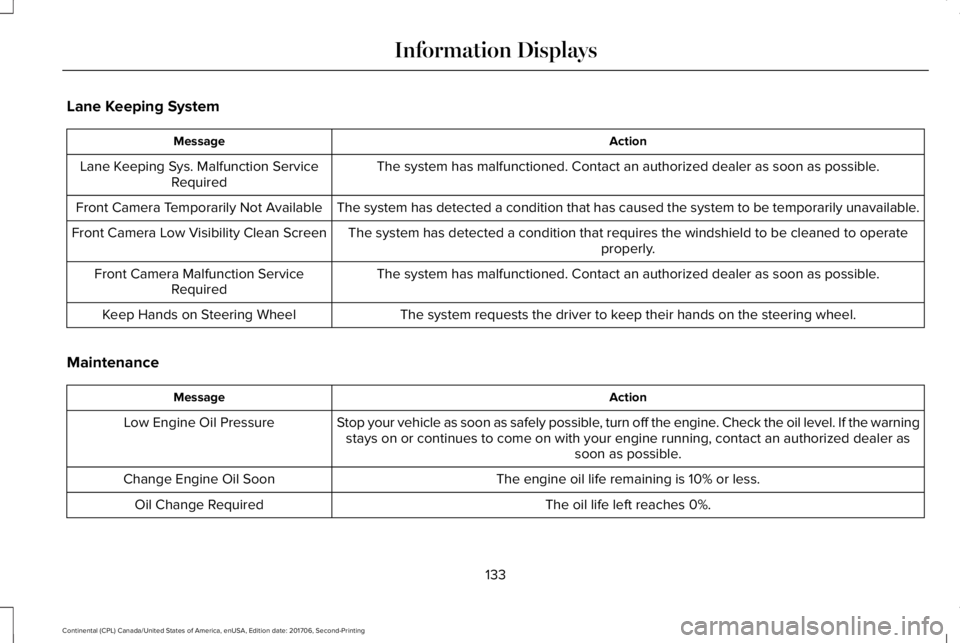
Lane Keeping System
ActionMessage
The system has malfunctioned. Contact an authorized dealer as soon as possible.Lane Keeping Sys. Malfunction ServiceRequired
The system has detected a condition that has caused the system to be temporarily unavailable.Front Camera Temporarily Not Available
The system has detected a condition that requires the windshield to be cleaned to operateproperly.Front Camera Low Visibility Clean Screen
The system has malfunctioned. Contact an authorized dealer as soon as possible.Front Camera Malfunction ServiceRequired
The system requests the driver to keep their hands on the steering wheel.Keep Hands on Steering Wheel
Maintenance
ActionMessage
Stop your vehicle as soon as safely possible, turn off the engine. Check the oil level. If the warningstays on or continues to come on with your engine running, contact an authorized dealer assoon as possible.
Low Engine Oil Pressure
The engine oil life remaining is 10% or less.Change Engine Oil Soon
The oil life left reaches 0%.Oil Change Required
133
Continental (CPL) Canada/United States of America, enUSA, Edition date: 201706, Second-Printing
Information Displays
Page 146 of 615
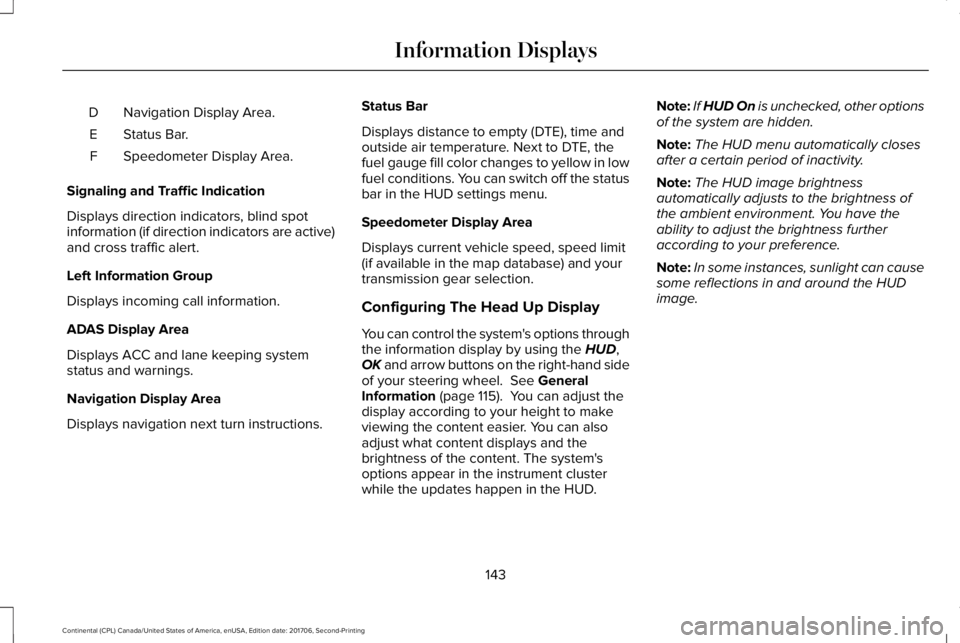
Navigation Display Area.D
Status Bar.E
Speedometer Display Area.F
Signaling and Traffic Indication
Displays direction indicators, blind spotinformation (if direction indicators are active)and cross traffic alert.
Left Information Group
Displays incoming call information.
ADAS Display Area
Displays ACC and lane keeping systemstatus and warnings.
Navigation Display Area
Displays navigation next turn instructions.
Status Bar
Displays distance to empty (DTE), time andoutside air temperature. Next to DTE, thefuel gauge fill color changes to yellow in lowfuel conditions. You can switch off the statusbar in the HUD settings menu.
Speedometer Display Area
Displays current vehicle speed, speed limit(if available in the map database) and yourtransmission gear selection.
Configuring The Head Up Display
You can control the system's options throughthe information display by using the HUD,OK and arrow buttons on the right-hand sideof your steering wheel. See GeneralInformation (page 115). You can adjust thedisplay according to your height to makeviewing the content easier. You can alsoadjust what content displays and thebrightness of the content. The system'soptions appear in the instrument clusterwhile the updates happen in the HUD.
Note:If HUD On is unchecked, other optionsof the system are hidden.
Note:The HUD menu automatically closesafter a certain period of inactivity.
Note:The HUD image brightnessautomatically adjusts to the brightness ofthe ambient environment. You have theability to adjust the brightness furtheraccording to your preference.
Note:In some instances, sunlight can causesome reflections in and around the HUDimage.
143
Continental (CPL) Canada/United States of America, enUSA, Edition date: 201706, Second-Printing
Information Displays
Page 150 of 615
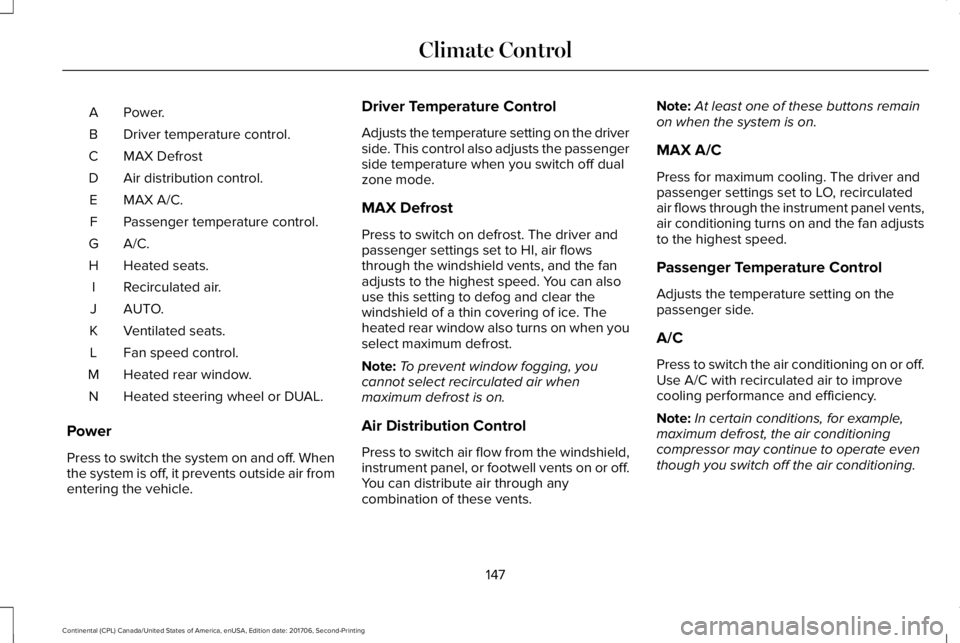
Power.A
Driver temperature control.B
MAX DefrostC
Air distribution control.D
MAX A/C.E
Passenger temperature control.F
A/C.G
Heated seats.H
Recirculated air.I
AUTO.J
Ventilated seats.K
Fan speed control.L
Heated rear window.M
Heated steering wheel or DUAL.N
Power
Press to switch the system on and off. Whenthe system is off, it prevents outside air fromentering the vehicle.
Driver Temperature Control
Adjusts the temperature setting on the driverside. This control also adjusts the passengerside temperature when you switch off dualzone mode.
MAX Defrost
Press to switch on defrost. The driver andpassenger settings set to HI, air flowsthrough the windshield vents, and the fanadjusts to the highest speed. You can alsouse this setting to defog and clear thewindshield of a thin covering of ice. Theheated rear window also turns on when youselect maximum defrost.
Note:To prevent window fogging, youcannot select recirculated air whenmaximum defrost is on.
Air Distribution Control
Press to switch air flow from the windshield,instrument panel, or footwell vents on or off.You can distribute air through anycombination of these vents.
Note:At least one of these buttons remainon when the system is on.
MAX A/C
Press for maximum cooling. The driver andpassenger settings set to LO, recirculatedair flows through the instrument panel vents,air conditioning turns on and the fan adjuststo the highest speed.
Passenger Temperature Control
Adjusts the temperature setting on thepassenger side.
A/C
Press to switch the air conditioning on or off.Use A/C with recirculated air to improvecooling performance and efficiency.
Note:In certain conditions, for example,maximum defrost, the air conditioningcompressor may continue to operate eventhough you switch off the air conditioning.
147
Continental (CPL) Canada/United States of America, enUSA, Edition date: 201706, Second-Printing
Climate Control
Page 151 of 615
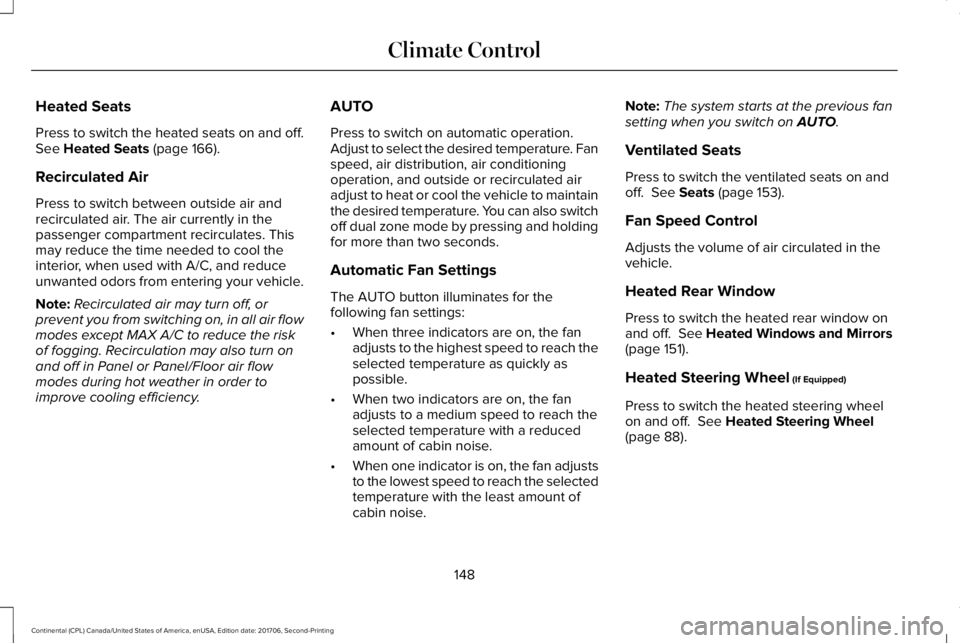
Heated Seats
Press to switch the heated seats on and off.See Heated Seats (page 166).
Recirculated Air
Press to switch between outside air andrecirculated air. The air currently in thepassenger compartment recirculates. Thismay reduce the time needed to cool theinterior, when used with A/C, and reduceunwanted odors from entering your vehicle.
Note:Recirculated air may turn off, orprevent you from switching on, in all air flowmodes except MAX A/C to reduce the riskof fogging. Recirculation may also turn onand off in Panel or Panel/Floor air flowmodes during hot weather in order toimprove cooling efficiency.
AUTO
Press to switch on automatic operation.Adjust to select the desired temperature. Fanspeed, air distribution, air conditioningoperation, and outside or recirculated airadjust to heat or cool the vehicle to maintainthe desired temperature. You can also switchoff dual zone mode by pressing and holdingfor more than two seconds.
Automatic Fan Settings
The AUTO button illuminates for thefollowing fan settings:
•When three indicators are on, the fanadjusts to the highest speed to reach theselected temperature as quickly aspossible.
•When two indicators are on, the fanadjusts to a medium speed to reach theselected temperature with a reducedamount of cabin noise.
•When one indicator is on, the fan adjuststo the lowest speed to reach the selectedtemperature with the least amount ofcabin noise.
Note:The system starts at the previous fansetting when you switch on AUTO.
Ventilated Seats
Press to switch the ventilated seats on andoff. See Seats (page 153).
Fan Speed Control
Adjusts the volume of air circulated in thevehicle.
Heated Rear Window
Press to switch the heated rear window onand off. See Heated Windows and Mirrors(page 151).
Heated Steering Wheel (If Equipped)
Press to switch the heated steering wheelon and off. See Heated Steering Wheel(page 88).
148
Continental (CPL) Canada/United States of America, enUSA, Edition date: 201706, Second-Printing
Climate Control
Page 155 of 615
Windshield Wiper De-icer (If Equipped)
The windshield wiper de-icer turns on in lowtemperatures or when you manually switchthe heated rear window on.
CABIN AIR FILTER
Your vehicle is equipped with a cabin airfilter, which gives you and your passengersthe following benefits:
•It improves your driving comfort byreducing particle and odor concentration.
•It improves the interior compartmentcleanliness.
•It protects the climate controlcomponents from particle deposits.
You can locate the cabin air filter behind theglove box.
Note:Make sure you have a cabin air filterinstalled at all times. This prevents foreignobjects from entering the system. Runningthe system without a filter in place couldresult in degradation or damage to thesystem.
Replace the filter at regular intervals. SeeScheduled Maintenance (page 523).
For additional cabin air filter information, orto replace the filter, see a qualifiedtechnician.
REMOTE START
The system adjusts the interior temperaturedepending on your chosen settings duringremote start.
You cannot adjust the climate control settingduring remote start operation. When youswitch the ignition on, the climate controlsystem returns to the previous settings. Youcan now make adjustments.
Some features may remain on if they turn onduring remote start:
•Driver heated seat.
•Driver ventilated seat.
•Heated steering wheel.
•Heated mirrors.
•Heated rear window.
•Windshield wiper de-icer.
Note:If the passenger heated or ventilatedseats are on when you switch the vehicleoff, they default to the driver setting whenyou switch the vehicle on.
You can adjust the default remote startsettings using the information displaycontrols. See Information Displays (page115).
Automatic Settings
In hot weather, the system sets to 72°F(22°C). The ventilated seats set to high (ifavailable, and if you select AUTO in theinformation display).
In moderate weather, the system heats orcools (based on pre-selected settings). Therear defroster, heated mirrors and heated orventilated seats do not turn on.
In cold weather, the system sets to 72°F(22°C). The heated seats and heated steeringwheel set to high (if available, and if youselect AUTO in the information display). Therear defroster and heated mirrors turn on.
152
Continental (CPL) Canada/United States of America, enUSA, Edition date: 201706, Second-Printing
Climate Control
Page 156 of 615
SITTING IN THE CORRECT
POSITION
WARNING: Sitting improperly, out ofposition or with the seatback reclined too farcan take weight off the seat cushion andaffect the decision of the passenger sensingsystem, resulting in serious injury or deathin the event of a crash. Always sit uprightagainst your seat back, with your feet on thefloor.
WARNING: Do not recline the seatbackas this can cause the occupant to slide underthe safety belt, resulting in serious injury inthe event of a crash.
WARNING: Do not place objects higherthan the seatback to reduce the risk ofserious injury in the event of a crash orduring heavy braking.
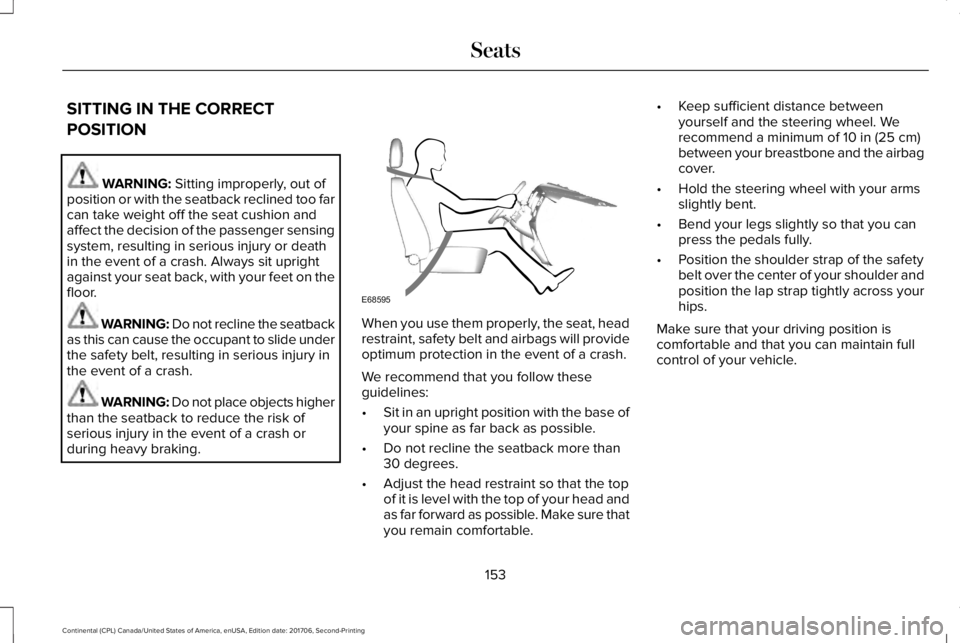
When you use them properly, the seat, headrestraint, safety belt and airbags will provideoptimum protection in the event of a crash.
We recommend that you follow theseguidelines:
•Sit in an upright position with the base ofyour spine as far back as possible.
•Do not recline the seatback more than30 degrees.
•Adjust the head restraint so that the topof it is level with the top of your head andas far forward as possible. Make sure thatyou remain comfortable.
•Keep sufficient distance betweenyourself and the steering wheel. Werecommend a minimum of 10 in (25 cm)between your breastbone and the airbagcover.
•Hold the steering wheel with your armsslightly bent.
•Bend your legs slightly so that you canpress the pedals fully.
•Position the shoulder strap of the safetybelt over the center of your shoulder andposition the lap strap tightly across yourhips.
Make sure that your driving position iscomfortable and that you can maintain fullcontrol of your vehicle.
153
Continental (CPL) Canada/United States of America, enUSA, Edition date: 201706, Second-Printing
SeatsE68595
Page 198 of 615
Park (P)
With the transmission in park (P), your vehiclelocks the transmission and prevents thewheels from turning. Always come to acomplete stop before putting your vehicleinto and out of park (P). An audible chimesounds once you select park (P).
When the ignition is turned off, the vehiclewill automatically shift into park (P). If theignition is turned off while the vehicle ismoving, it will first shift into neutral (N) untila slow enough speed is reached. The vehiclewill then shift into park (P) automatically.
Automatic Return to Park
Note:This feature will not operate when yourvehicle is in Stay in Neutral mode or neutraltow.
Your vehicle has a safety feature that willautomatically shift your vehicle into park (P)when any of the following conditions occur:
•You turn the ignition off
•You open the driver's door with yoursafety belt unlatched
•Your safety belt is unlatched while thedriver's door is open
If you turn your vehicle off while moving, yourvehicle will first shift into neutral (N) until itslows down enough to shift into park (P)automatically.
Note:If you have waited an extended periodof time (2-15 minutes) before starting yourvehicle, unlatching your safety belt will causethis feature to activate, even with the driver'sdoor closed.
Note:This feature may not work properly ifthe door ajar switch is malfunctioning. If yourdoor ajar indicator does not illuminate whenyou open the driver’s door or the indicatorilluminates with the driver’s door closed, seeyour authorized dealer.
Reverse (R)
With the transmission in reverse (R), yourvehicle will move backward. Always cometo a complete stop before shifting into andout of reverse (R).
Neutral (N)
With the transmission in neutral (N), you canstart your vehicle and it is free to roll. Holdthe brake pedal down while in this position.
Stay in Neutral mode
Stay in Neutral mode allows your vehicle tostay in neutral (N) when you exit the vehicle.Your vehicle must be stationary to enter thismode.
To enter Stay in Neutral mode:
1. Press the neutral (N) button on yourshifter assembly.
2. A message will appear in yourinformation display screen prompting youto press the neutral (N) button again toenter Stay in Neutral mode.
3. Press the neutral (N) button again toenter Stay in Neutral mode.
195
Continental (CPL) Canada/United States of America, enUSA, Edition date: 201706, Second-Printing
Transmission
Page 199 of 615
A message will appear in your informationdisplay screen when your vehicle hasentered Stay in Neutral mode.
Note:During this mode the N button willflash continuously and your instrumentcluster will display N as the selected gear.
Exiting Stay in Neutral mode
To disable Stay in Neutral mode selectanother gear. See the Putting the Vehiclein Gear for instructions on how to do this.
Entering a Carwash
Note:Always put your vehicle in Stay inNeutral mode when entering an automaticcar wash. Failure to do this could result invehicle damage not covered by warranty.
Drive (D)
The normal driving position for the best fueleconomy.
Sport (S)
Putting the vehicle in sport (S):
•Provides additional engine braking andextends lower gear operation to enhanceperformance for uphill climbs, hilly terrainor mountainous areas. This will increaseengine RPM during engine braking.
•Provides additional lower gear operationthrough the automatic transmission shiftstrategy.
•Provides gear selection more quickly andat higher engine speeds.
SelectShift™ Automatic Transmission
Your vehicle is equipped with a SelectShiftAutomatic transmission gearshift lever. TheSelectShift Automatic transmission gives youthe ability to change gears up or down asdesired.
In order to prevent the engine from runningat too low an RPM, which may cause it tostall, SelectShift still automatically makessome downshifts if it has determined thatyou have not downshifted in time. AlthoughSelectShift makes some downshifts for you,it still allows you to downshift at any time aslong as the SelectShift determines thatdamage will not be caused to the enginefrom over-revving.
Note:Engine damage may occur if youmaintain excessive engine revving withoutshifting.
SelectShift does not automatically upshift,even if the engine is approaching the RPMlimit. It must be shifted manually by pressingthe + button. Notice should be taken of theshift indicator lamp, which alerts the driverwhen to shift to ensure the highest level ofefficiency and fuel economy.
Pull the + paddle on the steering wheel toactivate SelectShift.
•Pull the right paddle (+) to upshift.
•Pull the left paddle (–) to downshift.
196
Continental (CPL) Canada/United States of America, enUSA, Edition date: 201706, Second-Printing
Transmission
Page 201 of 615
The instrument cluster displays your currentlyselected gear. If a gear is requested but notavailable due to vehicle conditions (lowspeed, too high engine speed for requestedgear selection), the current gear will flashthree times.
Note:At full accelerator pedal travel thetransmission will auto downshift to ensuremaximum performance.
Brake-Shift Interlock Override
WARNING: When doing this procedure,you need to take the transmission out of park(P) which means your vehicle can roll freely.To avoid unwanted vehicle movement,always fully apply the parking brake prior todoing this procedure. Use wheels chocks ifappropriate.
WARNING: Do not drive your vehicleuntil you verify that the stoplamps areworking.
WARNING: If the parking brake is fullyreleased, but the brake warning lampremains illuminated, the brakes may not beworking properly. Have your vehicle checkedas soon as possible.
Note:See your authorized dealer as soonas possible if this procedure is used.
Note:For some markets this feature is notavailable.
Note:This feature only operates if your12-volt battery has power. If the vehiclebattery voltage is not sufficient, use anexternal 12 volt power source (for example,jumper cables, a battery charger or jumppack) to operate interlock override switch.
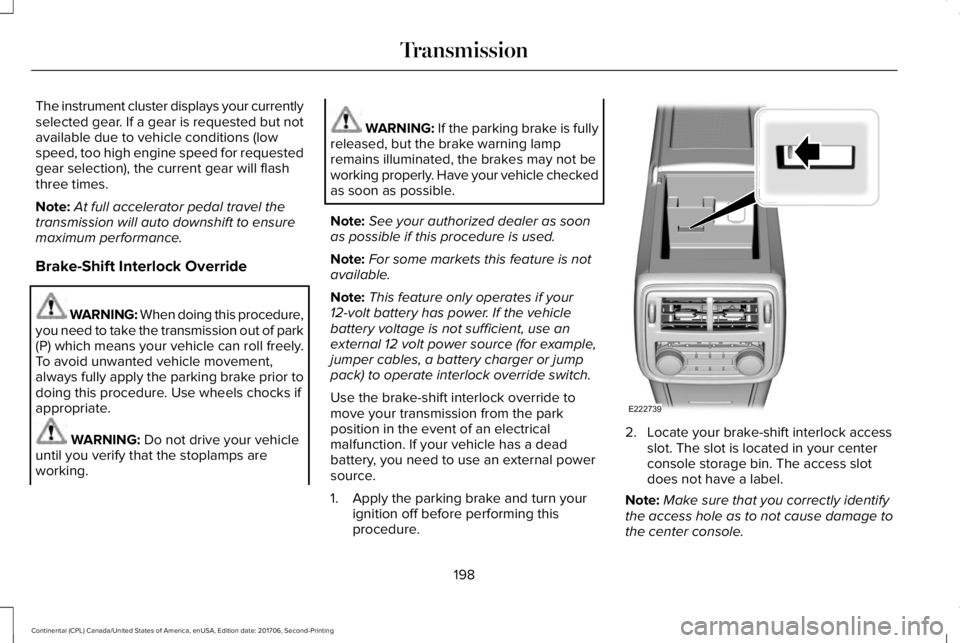
Use the brake-shift interlock override tomove your transmission from the parkposition in the event of an electricalmalfunction. If your vehicle has a deadbattery, you need to use an external powersource.
1. Apply the parking brake and turn yourignition off before performing thisprocedure.
2. Locate your brake-shift interlock accessslot. The slot is located in your centerconsole storage bin. The access slotdoes not have a label.
Note:Make sure that you correctly identifythe access hole as to not cause damage tothe center console.
198
Continental (CPL) Canada/United States of America, enUSA, Edition date: 201706, Second-Printing
TransmissionE222739
Page 203 of 615
USING ALL-WHEEL DRIVE
All-Wheel Drive (AWD) uses all four wheelsto power the vehicle. This increases traction,enabling you to drive over terrain and roadconditions that a conventional two-wheeldrive vehicle cannot. The AWD system isactive all the time and requires no input fromthe operator.
Note:Your vehicle may be equipped withDynamic Torque Vectoring. This feature usesall four wheels to power the vehicle andindependently controls the torque to eachrear wheel. In addition, the system has theability to over speed the outside rear wheelin a turn. This increases traction andhandling performance, allowing the vehicleto travel through road conditions and havepath following capability superior toconventional two-wheel drive and AWDvehicles. The Dynamic Torque Vectoringsystem is active all the time and requires noinput from the operator.
Note:Your AWD vehicle is not intended foroff-road use. The AWD feature gives yourvehicle some limited off-road capabilities inwhich driving surfaces are relatively level,obstruction-free and otherwise similar tonormal on-road driving conditions. Operatingyour vehicle under other than thoseconditions could subject the vehicle toexcessive stress which might result indamage which is not covered under yourwarranty.
Note:When an AWD system fault is present,the warning AWD Malfunction ServiceRequired displays in the information display.The AWD system is not functioning correctlyand defaulted to front-wheel drive. Whenthis warning displays, have your vehicleserviced at an authorized dealer.
Note: The AWD OFF message may alsoappear in the information display if the AWDsystem overheats and defaults to front-wheeldrive. This may occur if the vehicle isoperated in extreme conditions withexcessive wheel slip, such as deep sand. To resume normal AWD function as soon aspossible, stop the vehicle in a safe locationand stop the engine for at least 10 minutes. After the engine has been restarted and theAWD system has adequately cooled, theAWD OFF message will turn off and normalAWD function returns. If the engine is notstopped, the AWD OFF message turns offwhen the system cools and normal AWDfunction returns.
200
Continental (CPL) Canada/United States of America, enUSA, Edition date: 201706, Second-Printing
All-Wheel Drive (If Equipped)