transmission LINCOLN CONTINENTAL 2018 Owner's Guide
[x] Cancel search | Manufacturer: LINCOLN, Model Year: 2018, Model line: CONTINENTAL, Model: LINCOLN CONTINENTAL 2018Pages: 615, PDF Size: 5.31 MB
Page 212 of 615
GENERAL INFORMATION
Note:Occasional brake noise is normal. If ametal-to-metal, continuous grinding orcontinuous squeal sound is present, thebrake linings may be worn-out. Have thesystem checked by an authorized dealer. Ifyour vehicle has continuous vibration orshudder in the steering wheel while braking,have it checked by an authorized dealer.
Note:Brake dust may accumulate on thewheels, even under normal drivingconditions. Some dust is inevitable as thebrakes wear and does not contribute tobrake noise. See Cleaning the Wheels(page 341).
Note:Depending on applicable laws andregulations in the country for which yourvehicle was originally built, your brake lampsmay flash during heavy braking. Followingthis, your hazard lights may also flash whenyour vehicle comes to a stop.
See Warning Lamps andIndicators (page 110).
Wet brakes result in reduced brakingefficiency. Gently press the brake pedal afew times when driving from a car wash orstanding water to dry the brakes.
Brake Over Accelerator
In the event the accelerator pedal becomesstuck or entrapped, apply steady and firmpressure to the brake pedal to slow thevehicle and reduce engine power. If youexperience this condition, apply the brakesand bring your vehicle to a safe stop. Movethe transmission to park (P), switch theengine off and apply the parking brake.Inspect the accelerator pedal for anyinterference. If none are found and thecondition persists, have your vehicle towedto the nearest authorized dealer.
Brake Assist
Brake assist detects when you brake rapidlyby measuring the rate at which you press thebrake pedal. It provides maximum brakingefficiency as long as you press the pedal,and can reduce stopping distances in criticalsituations.
Anti-lock Brake System
This system helps you maintain steeringcontrol during emergency stops by keepingthe brakes from locking.
If it illuminates when you aredriving, this indicates amalfunction. Your vehiclecontinues to have normal braking withoutthe anti-lock brake system function. Haveyour vehicle checked as soon as possible.
It also momentarily illuminates when youswitch the ignition on to confirm the lamp isfunctional. If it does not illuminate when youswitch the ignition on, or begins to flash atany time, have the system checked by anauthorized dealer.
It illuminates when you engage theparking brake and the ignition ison.
If it illuminates when your vehicle is moving,make sure the parking brake is disengaged.If the parking brake is disengaged, thisindicates low brake fluid level or a brakesystem fault. Have your vehicle immediatelychecked.
209
Continental (CPL) Canada/United States of America, enUSA, Edition date: 201706, Second-Printing
BrakesE144522 E144522
Page 216 of 615
HILL START ASSIST
WARNING: The system does notreplace the parking brake. When you leaveyour vehicle, always apply the parking brakeand shift the transmission into park (P) forautomatic transmission or first gear formanual transmission.
WARNING: You must remain in yourvehicle when the system turns on. At alltimes, you are responsible for controllingyour vehicle, supervising the system andintervening, if required. Failure to take caremay result in the loss of control of yourvehicle, serious personal injury or death.
WARNING: The system turns off if thereis a malfunction or if you excessively rev theengine.
The system makes it easier to pull awaywhen your vehicle is on a slope without theneed to use the parking brake.
When the system activates, your vehicleremains stationary on a slope for a fewseconds after you release the brake pedal.This allows you time to move your foot fromthe brake to the accelerator pedal. Thebrakes release when the engine hasdeveloped sufficient torque to prevent yourvehicle from rolling down the slope. This isan advantage when pulling away on a slope,for example from a car park ramp, trafficlights or when reversing uphill into a parkingspace.
The system activates on any slope thatcauses your vehicle to roll.
Note:There is no warning lamp to indicatethe system is either on or off.
Using Hill Start Assist
1. Press the brake pedal to bring yourvehicle to a complete standstill. Keep thebrake pedal pressed and shift into firstgear when facing uphill or reverse (R)when facing downhill.
2. The system activates if the sensorsdetect that your vehicle is on a slope.
3. When you remove your foot from thebrake pedal, your vehicle remains on theslope without rolling away for a fewseconds. This hold time increases if youare in the process of driving off.
4. Pull away in the normal manner.
Switching the System On and Off
Vehicles with Manual Transmission
You can switch this feature on or off in theinformation display. The system remembersthe last setting when you start your vehicle.
Vehicles with Automatic Transmission
The system turns on when you switch theignition on and you cannot switch the systemoff.
AUTO HOLD
WARNING: The system does notreplace the parking brake. When you leaveyour vehicle, always apply the parking brake.
213
Continental (CPL) Canada/United States of America, enUSA, Edition date: 201706, Second-Printing
Brakes
Page 218 of 615
Note:When in reverse (R), Auto Hold doesnot function.
When Auto Hold is off, your vehicle behavesthe same as a vehicle without Auto Hold.
There is an Auto Hold indicator lamp in theinstrument cluster that has two modes, activeand unavailable.
The Auto Hold (ACTIVE) indicatorlight illuminates in the informationdisplay when the system holdsyour vehicle stationary. When in active mode,press the brake pedal and the Auto Holdbutton to switch Auto Hold off.
The Auto Hold (UNAVAILABLE)indicator light illuminates in theinformation display when thesystem is on but unavailable to hold yourvehicle (for example, during Active ParkAssist, Stay in Neutral Mode, or when youdo not fasten your seatbelt or close thedoor).
Note:Make sure you switch off Auto Holdor use the Stay in Neutral mode before youenter a car wash. See AutomaticTransmission (page 194).
Using Auto Hold
1. Bring your vehicle to a stop by pressingthe brake pedal. After coming to a stop,the green Auto Hold (ACTIVE) indicatorlamp illuminates in the informationdisplay.
2.Release the brake pedal. The Auto Hold(ACTIVE) indicator light remainsilluminated in the information display andAuto Hold will hold your vehicle at a stop.
3. When you press the accelerator pedal,Auto Hold releases the brakes and allowsyou to drive off. Once you drive off, thegreen Auto Hold (ACTIVE) indicator nolonger illuminates in the informationdisplay.
215
Continental (CPL) Canada/United States of America, enUSA, Edition date: 201706, Second-Printing
BrakesE197933 E197934
Page 222 of 615
PRINCIPLE OF OPERATION
WARNING: To help avoid personalinjury, always use caution when in reverse(R) and when using the sensing system.
WARNING: The system may not detectobjects with surfaces that absorb reflection.Always drive with due care and attention.Failure to take care may result in a crash.
WARNING: Traffic control systems,inclement weather, air brakes, externalmotors and fans may affect the correctoperation of the sensing system.This maycause reduced performance or false alerts.
WARNING: The system may not detectsmall or moving objects, particularly thoseclose to the ground.
Note:If your vehicle is equipped withMyKey™, the sensing system cannot beturned off when a MyKey™ is present. SeePrinciple of Operation (page 62).
Note:Keep the sensors, located on thebumper or fascia, free from snow, ice andlarge accumulations of dirt. If the sensorsare covered, the system’s accuracy can beaffected. Do not clean the sensors with sharpobjects.
Note:If your vehicle sustains damage to thebumper or fascia, leaving it misaligned orbent, the sensing zone may be alteredcausing inaccurate measurement ofobstacles or false alerts.
Note:Certain add-on devices installedaround the bumper or fascia may createfalse alerts. For example, large trailerhitches, bike or surfboard racks, license platebrackets, bumper covers or any other devicethat may block the normal detection zoneof the system. Remove the add-on device toprevent false alerts.
Note:When a trailer is connected to yourvehicle, the rear parking aid may detect thetrailer and therefore provide an alert. Disablethe rear parking aid when a trailer isconnected to prevent the alert.
The sensing system warns the driver ofobstacles within a certain range of yourvehicle. The system turns on automaticallywhenever you switch the ignition on.
The system can be switched off through theinformation display menu or from the pop-upmessage that appears once you shift thetransmission into reverse (R). See GeneralInformation (page 115).
If a fault is present in the system, a warningmessage appears in the information display.See Information Messages (page 123).
REAR PARKING AID
The rear sensors are only active when thetransmission is in reverse (R). As your vehiclemoves closer to the obstacle, the rate of theaudible warning increases. When theobstacle is less than 12 in (30 cm) away, thewarning sounds continuously. If the systemdetects a stationary or receding objectfarther than 12 in (30 cm) from the corners ofthe bumper, the tone sounds for only threeseconds. Once the system detects an objectapproaching, the warning sounds again.
219
Continental (CPL) Canada/United States of America, enUSA, Edition date: 201706, Second-Printing
Parking Aids
Page 223 of 615
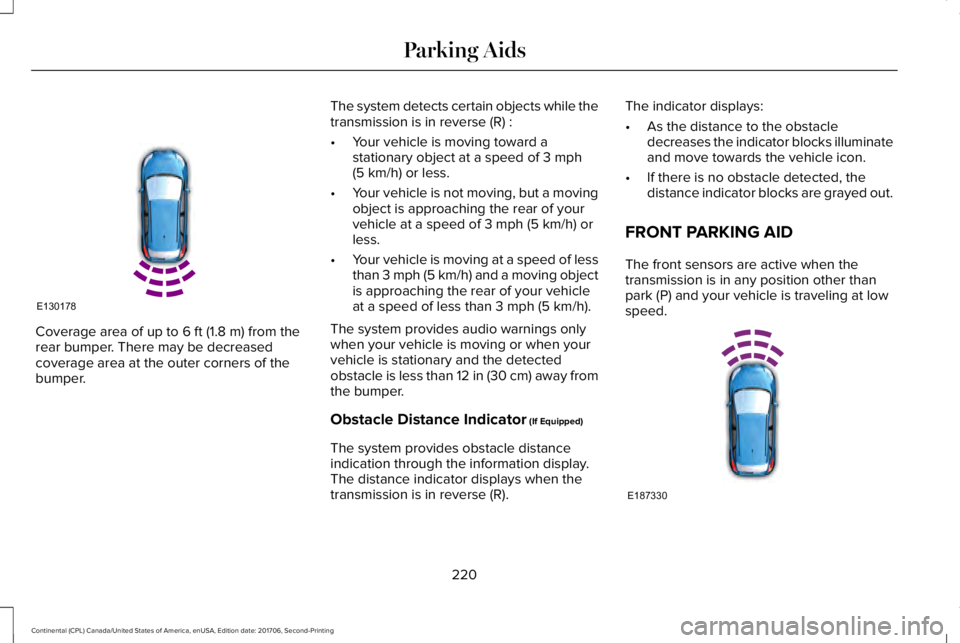
Coverage area of up to 6 ft (1.8 m) from therear bumper. There may be decreasedcoverage area at the outer corners of thebumper.
The system detects certain objects while thetransmission is in reverse (R) :
•Your vehicle is moving toward astationary object at a speed of 3 mph(5 km/h) or less.
•Your vehicle is not moving, but a movingobject is approaching the rear of yourvehicle at a speed of 3 mph (5 km/h) orless.
•Your vehicle is moving at a speed of lessthan 3 mph (5 km/h) and a moving objectis approaching the rear of your vehicleat a speed of less than 3 mph (5 km/h).
The system provides audio warnings onlywhen your vehicle is moving or when yourvehicle is stationary and the detectedobstacle is less than 12 in (30 cm) away fromthe bumper.
Obstacle Distance Indicator (If Equipped)
The system provides obstacle distanceindication through the information display.The distance indicator displays when thetransmission is in reverse (R).
The indicator displays:
•As the distance to the obstacledecreases the indicator blocks illuminateand move towards the vehicle icon.
•If there is no obstacle detected, thedistance indicator blocks are grayed out.
FRONT PARKING AID
The front sensors are active when thetransmission is in any position other thanpark (P) and your vehicle is traveling at lowspeed.
220
Continental (CPL) Canada/United States of America, enUSA, Edition date: 201706, Second-Printing
Parking AidsE130178 E187330
Page 224 of 615
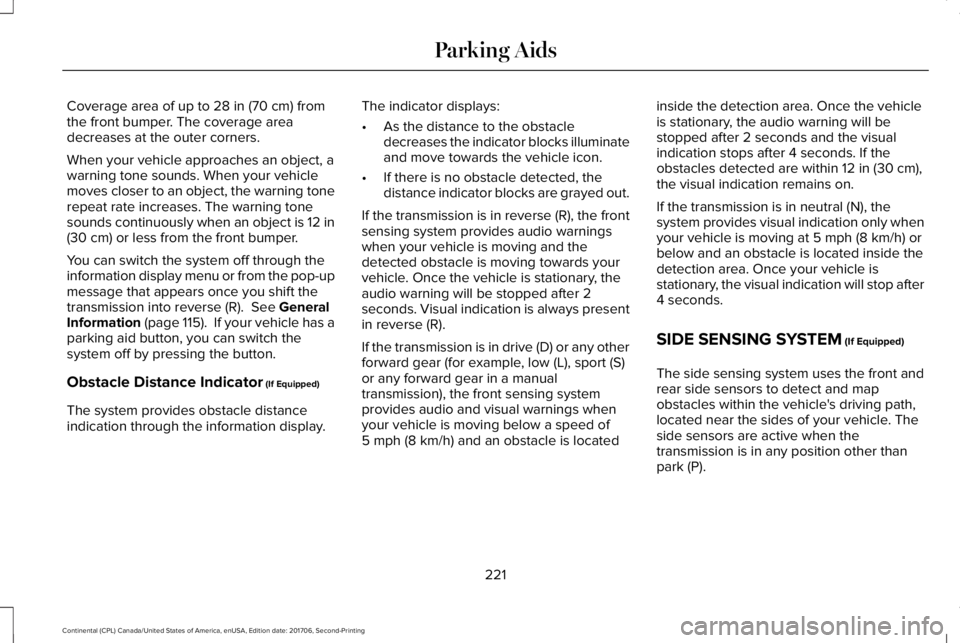
Coverage area of up to 28 in (70 cm) fromthe front bumper. The coverage areadecreases at the outer corners.
When your vehicle approaches an object, awarning tone sounds. When your vehiclemoves closer to an object, the warning tonerepeat rate increases. The warning tonesounds continuously when an object is 12 in(30 cm) or less from the front bumper.
You can switch the system off through theinformation display menu or from the pop-upmessage that appears once you shift thetransmission into reverse (R). See GeneralInformation (page 115). If your vehicle has aparking aid button, you can switch thesystem off by pressing the button.
Obstacle Distance Indicator (If Equipped)
The system provides obstacle distanceindication through the information display.
The indicator displays:
•As the distance to the obstacledecreases the indicator blocks illuminateand move towards the vehicle icon.
•If there is no obstacle detected, thedistance indicator blocks are grayed out.
If the transmission is in reverse (R), the frontsensing system provides audio warningswhen your vehicle is moving and thedetected obstacle is moving towards yourvehicle. Once the vehicle is stationary, theaudio warning will be stopped after 2seconds. Visual indication is always presentin reverse (R).
If the transmission is in drive (D) or any otherforward gear (for example, low (L), sport (S)or any forward gear in a manualtransmission), the front sensing systemprovides audio and visual warnings whenyour vehicle is moving below a speed of5 mph (8 km/h) and an obstacle is located
inside the detection area. Once the vehicleis stationary, the audio warning will bestopped after 2 seconds and the visualindication stops after 4 seconds. If theobstacles detected are within 12 in (30 cm),the visual indication remains on.
If the transmission is in neutral (N), thesystem provides visual indication only whenyour vehicle is moving at 5 mph (8 km/h) orbelow and an obstacle is located inside thedetection area. Once your vehicle isstationary, the visual indication will stop after4 seconds.
SIDE SENSING SYSTEM (If Equipped)
The side sensing system uses the front andrear side sensors to detect and mapobstacles within the vehicle's driving path,located near the sides of your vehicle. Theside sensors are active when thetransmission is in any position other thanpark (P).
221
Continental (CPL) Canada/United States of America, enUSA, Edition date: 201706, Second-Printing
Parking Aids
Page 225 of 615
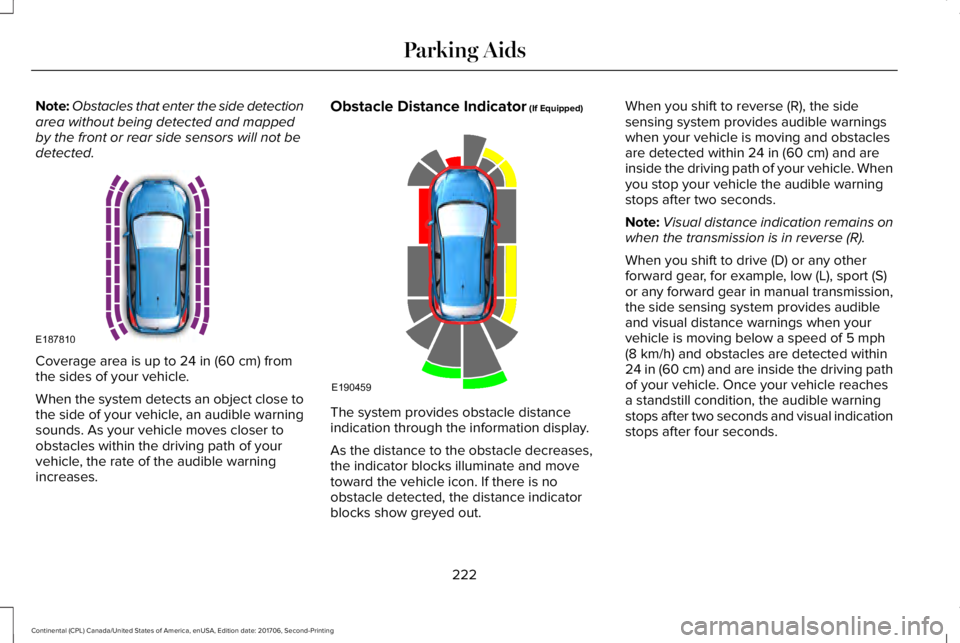
Note:Obstacles that enter the side detectionarea without being detected and mappedby the front or rear side sensors will not bedetected.
Coverage area is up to 24 in (60 cm) fromthe sides of your vehicle.
When the system detects an object close tothe side of your vehicle, an audible warningsounds. As your vehicle moves closer toobstacles within the driving path of yourvehicle, the rate of the audible warningincreases.
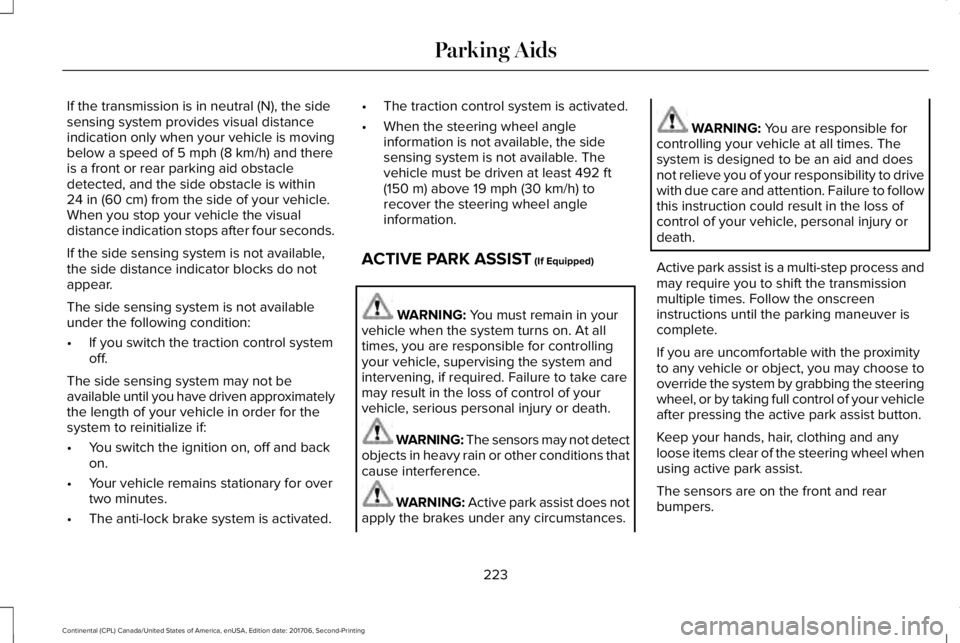
Obstacle Distance Indicator (If Equipped)
The system provides obstacle distanceindication through the information display.
As the distance to the obstacle decreases,the indicator blocks illuminate and movetoward the vehicle icon. If there is noobstacle detected, the distance indicatorblocks show greyed out.
When you shift to reverse (R), the sidesensing system provides audible warningswhen your vehicle is moving and obstaclesare detected within 24 in (60 cm) and areinside the driving path of your vehicle. Whenyou stop your vehicle the audible warningstops after two seconds.
Note:Visual distance indication remains onwhen the transmission is in reverse (R).
When you shift to drive (D) or any otherforward gear, for example, low (L), sport (S)or any forward gear in manual transmission,the side sensing system provides audibleand visual distance warnings when yourvehicle is moving below a speed of 5 mph(8 km/h) and obstacles are detected within24 in (60 cm) and are inside the driving pathof your vehicle. Once your vehicle reachesa standstill condition, the audible warningstops after two seconds and visual indicationstops after four seconds.
222
Continental (CPL) Canada/United States of America, enUSA, Edition date: 201706, Second-Printing
Parking AidsE187810 E190459
Page 226 of 615
If the transmission is in neutral (N), the sidesensing system provides visual distanceindication only when your vehicle is movingbelow a speed of 5 mph (8 km/h) and thereis a front or rear parking aid obstacledetected, and the side obstacle is within24 in (60 cm) from the side of your vehicle.When you stop your vehicle the visualdistance indication stops after four seconds.
If the side sensing system is not available,the side distance indicator blocks do notappear.
The side sensing system is not availableunder the following condition:
•If you switch the traction control systemoff.
The side sensing system may not beavailable until you have driven approximatelythe length of your vehicle in order for thesystem to reinitialize if:
•You switch the ignition on, off and backon.
•Your vehicle remains stationary for overtwo minutes.
•The anti-lock brake system is activated.
•The traction control system is activated.
•When the steering wheel angleinformation is not available, the sidesensing system is not available. Thevehicle must be driven at least 492 ft(150 m) above 19 mph (30 km/h) torecover the steering wheel angleinformation.
ACTIVE PARK ASSIST (If Equipped)
WARNING: You must remain in yourvehicle when the system turns on. At alltimes, you are responsible for controllingyour vehicle, supervising the system andintervening, if required. Failure to take caremay result in the loss of control of yourvehicle, serious personal injury or death.
WARNING: The sensors may not detectobjects in heavy rain or other conditions thatcause interference.
WARNING: Active park assist does notapply the brakes under any circumstances.
WARNING: You are responsible forcontrolling your vehicle at all times. Thesystem is designed to be an aid and doesnot relieve you of your responsibility to drivewith due care and attention. Failure to followthis instruction could result in the loss ofcontrol of your vehicle, personal injury ordeath.
Active park assist is a multi-step process andmay require you to shift the transmissionmultiple times. Follow the onscreeninstructions until the parking maneuver iscomplete.
If you are uncomfortable with the proximityto any vehicle or object, you may choose tooverride the system by grabbing the steeringwheel, or by taking full control of your vehicleafter pressing the active park assist button.
Keep your hands, hair, clothing and anyloose items clear of the steering wheel whenusing active park assist.
The sensors are on the front and rearbumpers.
223
Continental (CPL) Canada/United States of America, enUSA, Edition date: 201706, Second-Printing
Parking Aids
Page 232 of 615
Note:If the system detects an object is veryclose to your vehicle and it may be unsafeto continue the maneuver, it may instruct youto stop your vehicle. The system may notprovide any further instruction. Steeringassistance continues to operate but youmust decide if it is safe to continue themaneuver.
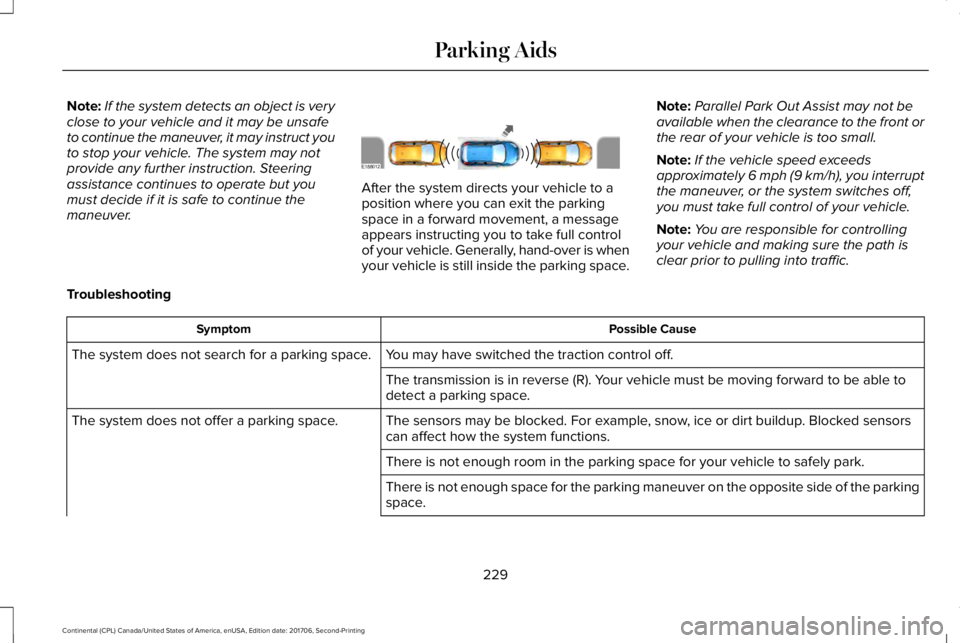
After the system directs your vehicle to aposition where you can exit the parkingspace in a forward movement, a messageappears instructing you to take full controlof your vehicle. Generally, hand-over is whenyour vehicle is still inside the parking space.
Note:Parallel Park Out Assist may not beavailable when the clearance to the front orthe rear of your vehicle is too small.
Note:If the vehicle speed exceedsapproximately 6 mph (9 km/h), you interruptthe maneuver, or the system switches off,you must take full control of your vehicle.
Note:You are responsible for controllingyour vehicle and making sure the path isclear prior to pulling into traffic.
Troubleshooting
Possible CauseSymptom
You may have switched the traction control off.The system does not search for a parking space.
The transmission is in reverse (R). Your vehicle must be moving forward to be able todetect a parking space.
The sensors may be blocked. For example, snow, ice or dirt buildup. Blocked sensorscan affect how the system functions.The system does not offer a parking space.
There is not enough room in the parking space for your vehicle to safely park.
There is not enough space for the parking maneuver on the opposite side of the parkingspace.
229
Continental (CPL) Canada/United States of America, enUSA, Edition date: 201706, Second-Printing
Parking AidsE188012
Page 233 of 615
Possible CauseSymptom
The parking space is more than 5 ft (1.5 m) or less than 2 ft (0.5 m) away.
The vehicle speed is greater than 22 mph (35 km/h) for parallel parking or greater than19 mph (30 km/h) for perpendicular parking.
You recently disconnected or replaced the battery. After you reconnect the battery youmust drive your vehicle on a straight road for a short period of time.
Your vehicle is rolling in the opposite direction of the current transmission position. Forexample, rolling forward when in reverse (R).The system does not correctly position your vehiclein a parking space.
An irregular curb along the parking space prevents the system from correctly aligningyour vehicle.
Vehicles or objects bordering the space may not be correctly parked.
Your vehicle stopped too far past the parking space.
The tires may not be correctly installed or maintained. For example, not inflated correctly,improper size, or of different sizes.
A repair or alteration changes the detection capabilities.
230
Continental (CPL) Canada/United States of America, enUSA, Edition date: 201706, Second-Printing
Parking Aids