traction control LINCOLN CONTINENTAL 2020 Owner's Manual
[x] Cancel search | Manufacturer: LINCOLN, Model Year: 2020, Model line: CONTINENTAL, Model: LINCOLN CONTINENTAL 2020Pages: 609, PDF Size: 6.24 MB
Page 360 of 609
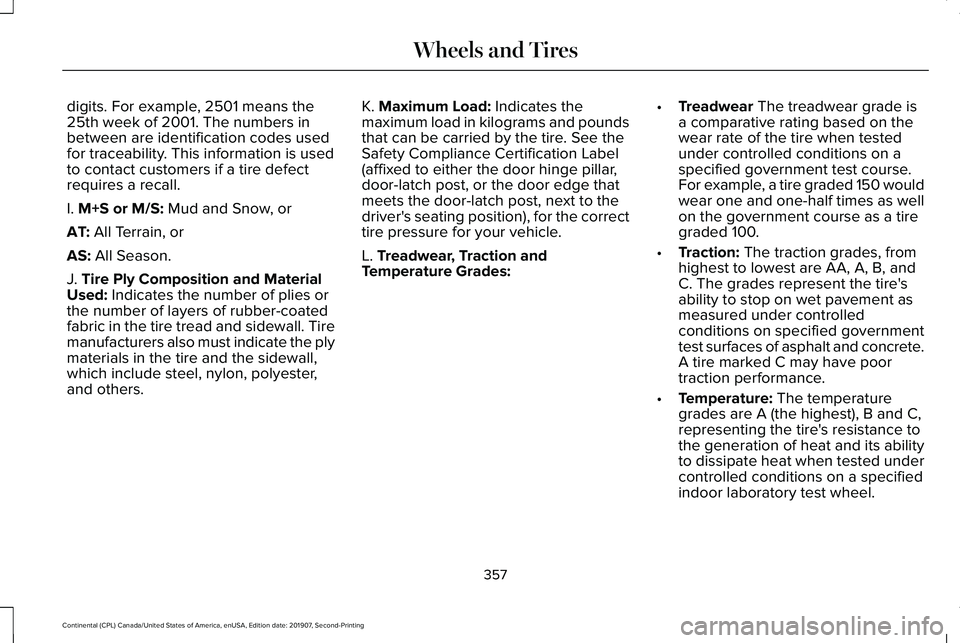
digits. For example, 2501 means the
25th week of 2001. The numbers in
between are identification codes used
for traceability. This information is used
to contact customers if a tire defect
requires a recall.
I. M+S or M/S: Mud and Snow, or
AT:
All Terrain, or
AS:
All Season.
J.
Tire Ply Composition and Material
Used: Indicates the number of plies or
the number of layers of rubber-coated
fabric in the tire tread and sidewall. Tire
manufacturers also must indicate the ply
materials in the tire and the sidewall,
which include steel, nylon, polyester,
and others. K.
Maximum Load: Indicates the
maximum load in kilograms and pounds
that can be carried by the tire. See the
Safety Compliance Certification Label
(affixed to either the door hinge pillar,
door-latch post, or the door edge that
meets the door-latch post, next to the
driver's seating position), for the correct
tire pressure for your vehicle.
L.
Treadwear, Traction and
Temperature Grades: •
Treadwear
The treadwear grade is
a comparative rating based on the
wear rate of the tire when tested
under controlled conditions on a
specified government test course.
For example, a tire graded 150 would
wear one and one-half times as well
on the government course as a tire
graded 100.
• Traction:
The traction grades, from
highest to lowest are AA, A, B, and
C. The grades represent the tire's
ability to stop on wet pavement as
measured under controlled
conditions on specified government
test surfaces of asphalt and concrete.
A tire marked C may have poor
traction performance.
• Temperature:
The temperature
grades are A (the highest), B and C,
representing the tire's resistance to
the generation of heat and its ability
to dissipate heat when tested under
controlled conditions on a specified
indoor laboratory test wheel.
357
Continental (CPL) Canada/United States of America, enUSA, Edition date: 201907, Second-Printing Wheels and Tires
Page 369 of 609
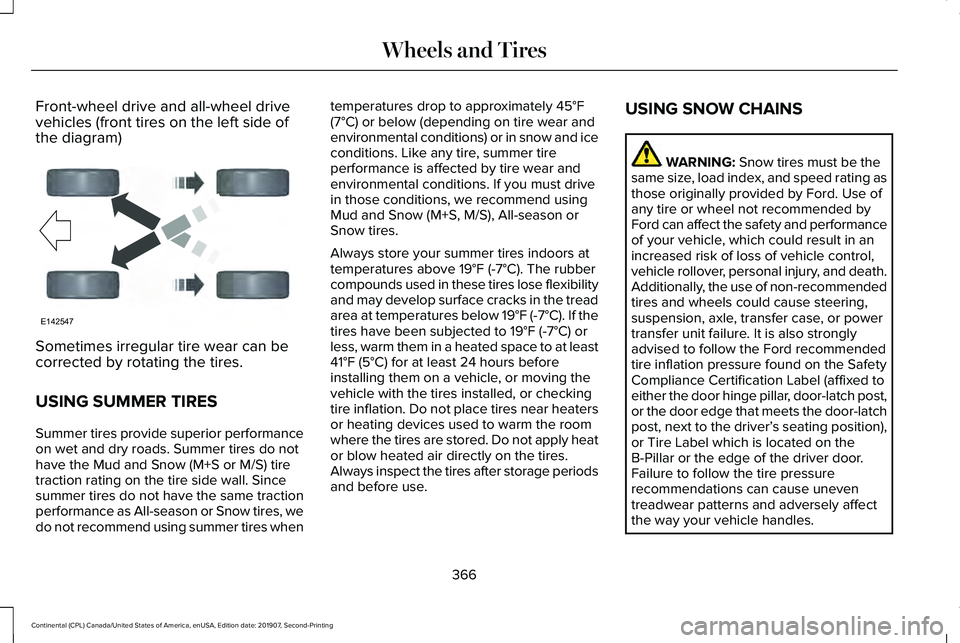
Front-wheel drive and all-wheel drive
vehicles (front tires on the left side of
the diagram)
Sometimes irregular tire wear can be
corrected by rotating the tires.
USING SUMMER TIRES
Summer tires provide superior performance
on wet and dry roads. Summer tires do not
have the Mud and Snow (M+S or M/S) tire
traction rating on the tire side wall. Since
summer tires do not have the same traction
performance as All-season or Snow tires, we
do not recommend using summer tires when temperatures drop to approximately 45°F
(7°C) or below (depending on tire wear and
environmental conditions) or in snow and ice
conditions. Like any tire, summer tire
performance is affected by tire wear and
environmental conditions. If you must drive
in those conditions, we recommend using
Mud and Snow (M+S, M/S), All-season or
Snow tires.
Always store your summer tires indoors at
temperatures above
19°F (-7°C). The rubber
compounds used in these tires lose flexibility
and may develop surface cracks in the tread
area at temperatures below
19°F (-7°C). If the
tires have been subjected to 19°F (-7°C) or
less, warm them in a heated space to at least
41°F (5°C)
for at least 24 hours before
installing them on a vehicle, or moving the
vehicle with the tires installed, or checking
tire inflation. Do not place tires near heaters
or heating devices used to warm the room
where the tires are stored. Do not apply heat
or blow heated air directly on the tires.
Always inspect the tires after storage periods
and before use. USING SNOW CHAINS WARNING:
Snow tires must be the
same size, load index, and speed rating as
those originally provided by Ford. Use of
any tire or wheel not recommended by
Ford can affect the safety and performance
of your vehicle, which could result in an
increased risk of loss of vehicle control,
vehicle rollover, personal injury, and death.
Additionally, the use of non-recommended
tires and wheels could cause steering,
suspension, axle, transfer case, or power
transfer unit failure. It is also strongly
advised to follow the Ford recommended
tire inflation pressure found on the Safety
Compliance Certification Label (affixed to
either the door hinge pillar, door-latch post,
or the door edge that meets the door-latch
post, next to the driver’ s seating position),
or Tire Label which is located on the
B-Pillar or the edge of the driver door.
Failure to follow the tire pressure
recommendations can cause uneven
treadwear patterns and adversely affect
the way your vehicle handles.
366
Continental (CPL) Canada/United States of America, enUSA, Edition date: 201907, Second-Printing Wheels and TiresE142547
Page 370 of 609
The tires on your vehicle may have
all-weather treads to provide traction in rain
and snow. However, in some climates you
may need to use snow chains.
Your vehicle may not be compatible with
snow chain or cable usage with the
factory-fitted wheels and tires. Only certain
chains or snow cables have been approved
by Ford as safe for use on your vehicle with
the following tire size: 235/50R18. You
should only install chains or cables sized at
10 mm or less in dimension as measured on
the sidewall of your tire. Not all S-class snow
chains meet these restrictions. Chains of this
size restriction will include a tensioning
device. The chains should be mounted in
pairs on the front tires only. If you need to
use chains, it is recommended that steel
wheels (of the same size and specification)
be used, as chains may chip aluminum
wheels.
Follow these guidelines when using traction
devices:
•
If possible, avoid fully loading your
vehicle
• Purchase chains or cables from a
manufacturer that clearly labels body to
tire dimension restrictions.
• When driving with snow chains or cables,
do not exceed 30 mph (48 km/h) or the
maximum speed recommended by the
chain manufacturer; whichever is less.
• Drive cautiously. If you hear the chains
or cables rub or bang against the vehicle,
stop and retighten them. If this does not
work, remove the chains or cables and
prevent vehicle damage.
• Remove the chains or cables when they
are no longer needed. Do not use the
chains or cables on dry roads.
• If a temporary spare tire is mounted on
your vehicle, do not use snow chains on
the axle with the temporary spare tire.
If you have any questions regarding snow
tires or snow chains, please contact your
authorized dealer. TIRE PRESSURE MONITORING
SYSTEM WARNING:
The tire pressure
monitoring system is not a substitute for
manually checking tire pressures. You
should periodically check tire pressures
using a pressure gauge. Failure to correctly
maintain tire pressures could increase the
risk of tire failure, loss of control, vehicle
rollover and personal injury.
Note: You should only use tire sealants in
roadside emergencies as they could cause
damage to the tire pressure monitoring
system sensor.
Note: If the tire pressure monitoring system
sensor becomes damaged, it will not
function.
367
Continental (CPL) Canada/United States of America, enUSA, Edition date: 201907, Second-Printing Wheels and Tires
Page 484 of 609
Adjusting the Guidance Prompt Volume
Turn the volume control when a guidance
prompt plays to adjust the volume.
Note:
If you have inadvertently adjusted the
volume to zero, press the turn indicator
button to play the last voice prompt and then
adjust the volume to the desired level.
Muting Guidance Prompts Select the mute option on the
screen to mute guidance prompts.
Note: The system mutes the next and all
future guidance prompts.
Adding Waypoints
You can add a waypoint to a navigation route
as a destination along your route. You can
add up to five waypoints.
1. Select the search option on the map.
2. Set a destination.
3. Select Add Waypoint.
4. Select
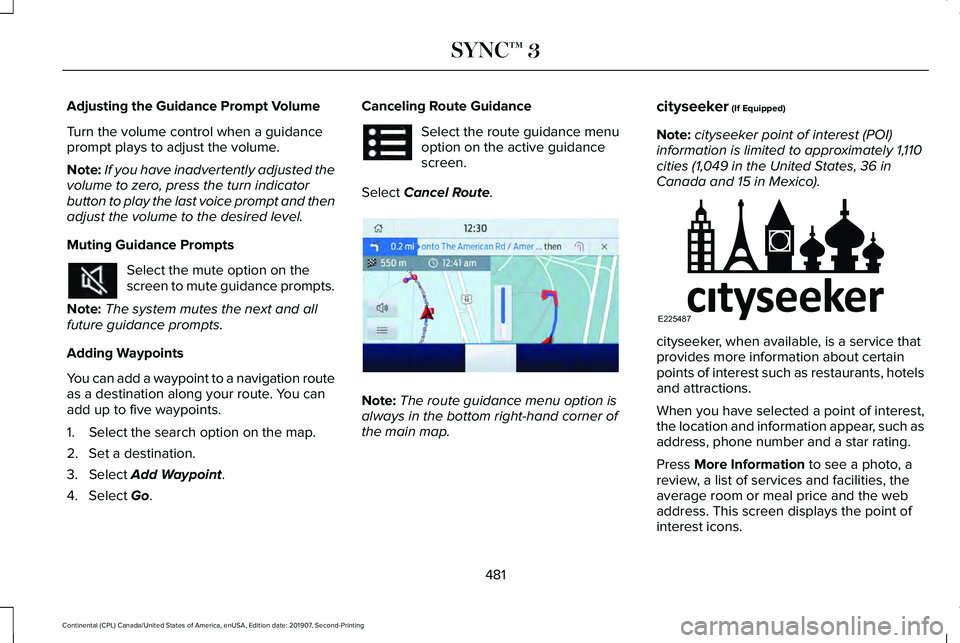
Go. Canceling Route Guidance Select the route guidance menu
option on the active guidance
screen.
Select
Cancel Route. Note:
The route guidance menu option is
always in the bottom right-hand corner of
the main map. cityseeker
(If Equipped)
Note: cityseeker point of interest (POI)
information is limited to approximately 1,110
cities (1,049 in the United States, 36 in
Canada and 15 in Mexico). cityseeker, when available, is a service that
provides more information about certain
points of interest such as restaurants, hotels
and attractions.
When you have selected a point of interest,
the location and information appear, such as
address, phone number and a star rating.
Press
More Information to see a photo, a
review, a list of services and facilities, the
average room or meal price and the web
address. This screen displays the point of
interest icons.
481
Continental (CPL) Canada/United States of America, enUSA, Edition date: 201907, Second-Printing SYNC™ 3 E294817 E225487
Page 555 of 609
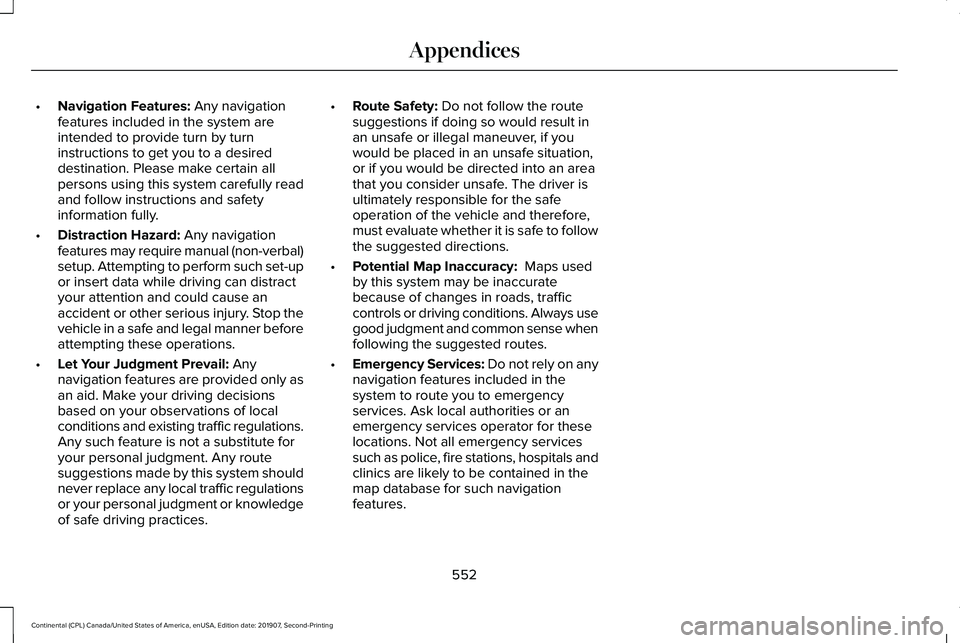
•
Navigation Features: Any navigation
features included in the system are
intended to provide turn by turn
instructions to get you to a desired
destination. Please make certain all
persons using this system carefully read
and follow instructions and safety
information fully.
• Distraction Hazard:
Any navigation
features may require manual (non-verbal)
setup. Attempting to perform such set-up
or insert data while driving can distract
your attention and could cause an
accident or other serious injury. Stop the
vehicle in a safe and legal manner before
attempting these operations.
• Let Your Judgment Prevail:
Any
navigation features are provided only as
an aid. Make your driving decisions
based on your observations of local
conditions and existing traffic regulations.
Any such feature is not a substitute for
your personal judgment. Any route
suggestions made by this system should
never replace any local traffic regulations
or your personal judgment or knowledge
of safe driving practices. •
Route Safety:
Do not follow the route
suggestions if doing so would result in
an unsafe or illegal maneuver, if you
would be placed in an unsafe situation,
or if you would be directed into an area
that you consider unsafe. The driver is
ultimately responsible for the safe
operation of the vehicle and therefore,
must evaluate whether it is safe to follow
the suggested directions.
• Potential Map Inaccuracy:
Maps used
by this system may be inaccurate
because of changes in roads, traffic
controls or driving conditions. Always use
good judgment and common sense when
following the suggested routes.
• Emergency Services:
Do not rely on any
navigation features included in the
system to route you to emergency
services. Ask local authorities or an
emergency services operator for these
locations. Not all emergency services
such as police, fire stations, hospitals and
clinics are likely to be contained in the
map database for such navigation
features.
552
Continental (CPL) Canada/United States of America, enUSA, Edition date: 201907, Second-Printing Appendices
Page 607 of 609
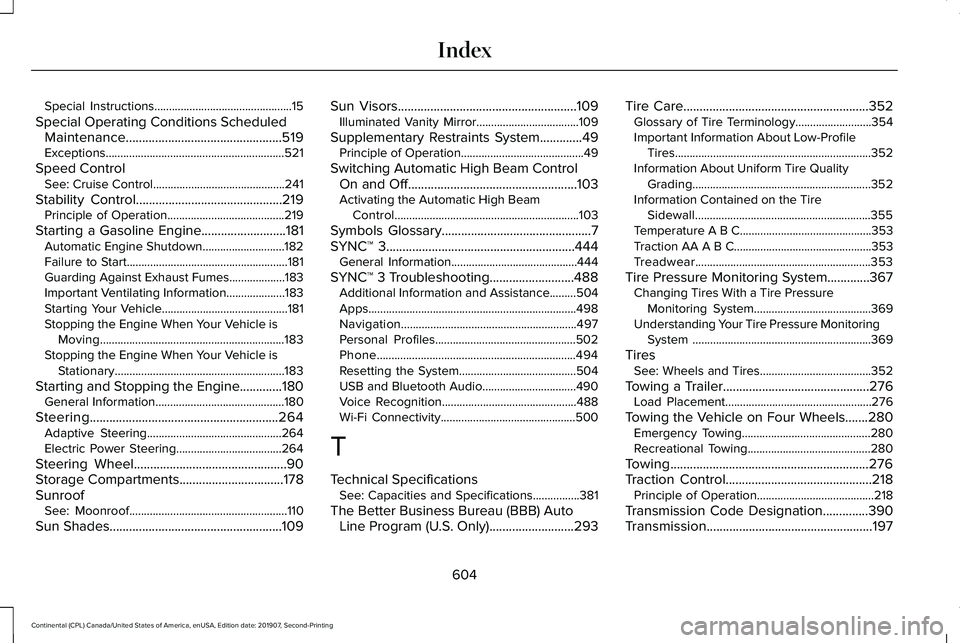
Special Instructions...............................................15
Special Operating Conditions Scheduled Maintenance................................................519
Exceptions.............................................................521
Speed Control See: Cruise Control.............................................241
Stability Control.............................................219
Principle of Operation........................................219
Starting a Gasoline Engine..........................181 Automatic Engine Shutdown............................182
Failure to Start.......................................................181
Guarding Against Exhaust Fumes...................183
Important Ventilating Information ....................183
Starting Your Vehicle...........................................181
Stopping the Engine When Your Vehicle is Moving...............................................................183
Stopping the Engine When Your Vehicle is Stationary..........................................................183
Starting and Stopping the Engine
.............180
General Information............................................180
Steering..........................................................264 Adaptive Steering..............................................264
Electric Power Steering....................................264
Steering Wheel
...............................................90
Storage Compartments................................178
Sunroof See: Moonroof......................................................110
Sun Shades
.....................................................109 Sun Visors.......................................................109
Illuminated Vanity Mirror...................................109
Supplementary Restraints System
.............49
Principle of Operation..........................................49
Switching Automatic High Beam Control On and Off....................................................103
Activating the Automatic High Beam Control
...............................................................103
Symbols Glossary
..............................................7
SYNC™ 3..........................................................444 General Information...........................................444
SYNC™ 3 Troubleshooting..........................488 Additional Information and Assistance.........
504
Apps.......................................................................498
Navigation............................................................497
Personal Profiles................................................502
Phone....................................................................494
Resetting the System........................................504
USB and Bluetooth Audio................................490
Voice Recognition..............................................488
Wi-Fi Connectivity..............................................500
T
Technical Specifications See: Capacities and Specifications................381
The Better Business Bureau (BBB) Auto Line Program (U.S. Only)..........................293 Tire Care.........................................................352
Glossary of Tire Terminology..........................354
Important Information About Low-Profile
Tires...................................................................352
Information About Uniform Tire Quality Grading.............................................................352
Information Contained on the Tire Sidewall............................................................355
Temperature A B C.............................................353
Traction AA A B C...............................................353
Treadwear............................................................353
Tire Pressure Monitoring System.............367
Changing Tires With a Tire Pressure
Monitoring System........................................369
Understanding Your Tire Pressure Monitoring System .............................................................369
Tires See: Wheels and Tires......................................352
Towing a Trailer.............................................276 Load Placement..................................................276
Towing the Vehicle on Four Wheels.......280 Emergency Towing............................................280
Recreational Towing..........................................280
Towing.............................................................276
Traction Control
.............................................218
Principle of Operation........................................218
Transmission Code Designation..............390
Transmission...................................................197
604
Continental (CPL) Canada/United States of America, enUSA, Edition date: 201907, Second-Printing Index
Page 608 of 609
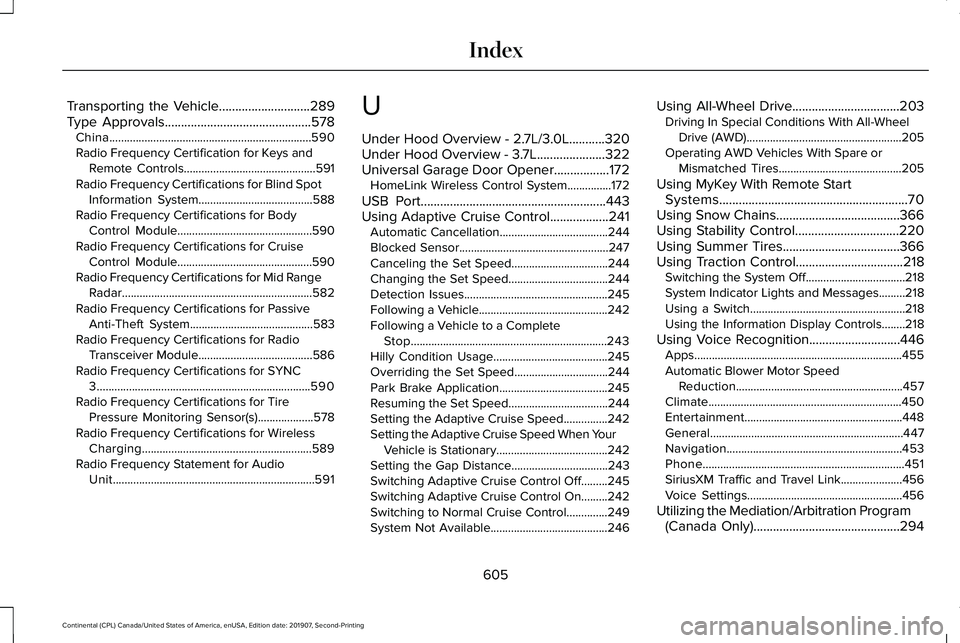
Transporting the Vehicle............................289
Type Approvals.............................................578
China.....................................................................590
Radio Frequency Certification for Keys and
Remote Controls.............................................591
Radio Frequency Certifications for Blind Spot Information System.......................................588
Radio Frequency Certifications for Body Control Module..............................................590
Radio Frequency Certifications for Cruise Control Module..............................................590
Radio Frequency Certifications for Mid Range Radar.................................................................582
Radio Frequency Certifications for Passive Anti-Theft System..........................................583
Radio Frequency Certifications for Radio Transceiver Module.......................................
586
Radio Frequency Certifications for SYNC 3........................................................................\
.590
Radio Frequency Certifications for Tire Pressure Monitoring Sensor(s)...................578
Radio Frequency Certifications for Wireless Charging..........................................................589
Radio Frequency Statement for Audio Unit.....................................................................591 U
Under Hood Overview - 2.7L/3.0L...........320
Under Hood Overview - 3.7L.....................322
Universal Garage Door Opener.................172
HomeLink Wireless Control System...............
172
USB Port
.........................................................443
Using Adaptive Cruise Control..................241 Automatic Cancellation.....................................244
Blocked Sensor...................................................247
Canceling the Set Speed.................................244
Changing the Set Speed..................................244
Detection Issues.................................................245
Following a Vehicle............................................242
Following a Vehicle to a Complete
Stop...................................................................243
Hilly Condition Usage.......................................245
Overriding the Set Speed................................244
Park Brake Application.....................................245
Resuming the Set Speed..................................244
Setting the Adaptive Cruise Speed...............242
Setting the Adaptive Cruise Speed When Your Vehicle is Stationary......................................242
Setting the Gap Distance.................................243
Switching Adaptive Cruise Control Off.........245
Switching Adaptive Cruise Control On.........242
Switching to Normal Cruise Control..............249
System Not Available........................................246 Using All-Wheel Drive
.................................203
Driving In Special Conditions With All-Wheel
Drive (AWD).....................................................205
Operating AWD Vehicles With Spare or Mismatched Tires..........................................205
Using MyKey With Remote Start Systems..........................................................70
Using Snow Chains
......................................366
Using Stability Control................................220
Using Summer Tires....................................366
Using Traction Control
.................................218
Switching the System Off..................................218
System Indicator Lights and Messages.........218
Using a Switch.....................................................218
Using the Information Display Controls........218
Using Voice Recognition............................446 Apps.......................................................................455
Automatic Blower Motor Speed
Reduction.........................................................457
Climate..................................................................450
Entertainment......................................................448
General..................................................................447
Navigation............................................................453
Phone.....................................................................451
SiriusXM Traffic and Travel Link.....................456
Voice Settings.....................................................456
Utilizing the Mediation/Arbitration Program (Canada Only)
.............................................294
605
Continental (CPL) Canada/United States of America, enUSA, Edition date: 201907, Second-Printing Index