service indicator LINCOLN CORSAIR 2020 User Guide
[x] Cancel search | Manufacturer: LINCOLN, Model Year: 2020, Model line: CORSAIR, Model: LINCOLN CORSAIR 2020Pages: 591, PDF Size: 6 MB
Page 227 of 591
PRINCIPLE OF OPERATION
The traction control system helps avoid drive
wheel spin and loss of traction.
If your vehicle begins to slide, the system
applies the brakes to individual wheels and,
when needed, reduces engine power at the
same time. If the wheels spin when
accelerating on slippery or loose surfaces,
the system reduces engine power in order
to increase traction.
USING TRACTION CONTROL
WARNING: The stability and traction
control light illuminates steadily if the
system detects a failure. Make sure you
did not manually disable the traction
control system using the information
display controls or the switch. If the stability
control and traction control light is still illuminating steadily, have the system
serviced by an authorized dealer
immediately. Operating your vehicle with
the traction control disabled could lead to
an increased risk of loss of vehicle control,
vehicle rollover, personal injury and death.
The system automatically turns on each time
you switch the ignition on.
If your vehicle is stuck in mud or snow,
switching traction control off may be
beneficial as this allows the wheels to spin.
Note: When you switch traction control off,
stability control remains fully active.
Switching the System Off
When you switch the system off or on, a
message appears in the information display
showing system status.
You can switch the system off by either using
the information display controls or the switch. Using the Information Display Controls
You can switch this feature off or on in the
information display. See General Information
(page
123).
Using a Switch
(If Equipped)
Use the traction control switch on the
instrument panel to switch the system off or
on.
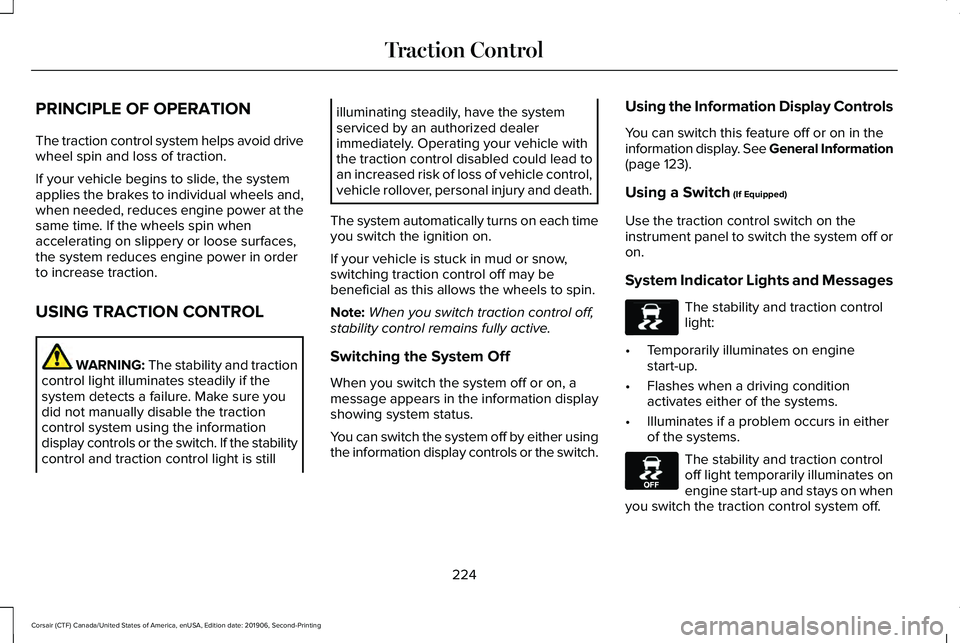
System Indicator Lights and Messages The stability and traction control
light:
• Temporarily illuminates on engine
start-up.
• Flashes when a driving condition
activates either of the systems.
• Illuminates if a problem occurs in either
of the systems. The stability and traction control
off light temporarily illuminates on
engine start-up and stays on when
you switch the traction control system off.
224
Corsair (CTF) Canada/United States of America, enUSA, Edition date: 201906, Second-Printing Traction ControlE138639 E130458
Page 302 of 591
If you need to arrange roadside assistance
for yourself, Lincoln Motor Company
reimburses a reasonable amount for towing
to the nearest Lincoln dealership within
100 mi (160 km). To obtain reimbursement
information, United States clients, call
1-800-521-4140. Clients need to submit their
original receipts.
Vehicles Sold in Canada: Getting
Roadside Assistance
To fully assist you should you have a vehicle
concern, Lincoln Motor Company offers a
complimentary roadside assistance program.
This program is eligible within Canada or the
continental United States.
The service is available 24 hours a day,
seven days a week.
This program is separate from the New
Vehicle Limited Warranty, beginning from
the original warranty start date and lasts the
life of the vehicle for the original owner.
Subsequent owners receive coverage that
is concurrent with the 6 years or
70,000 mi
(110,000 km) (whichever occurs first)
powertrain warranty coverage period. Note:
Canadian roadside coverage and
benefits may differ from the U.S. coverage.
For complete program coverage details,
review your warranty guide, contact your
dealer, call us in Canada at 1-800-387-9333,
or visit our website at
www.lincolncanada.com.
If you purchased your vehicle in Canada and
require roadside assistance, please call
1-800-387-9333 or contact Roadside
Assistance using the Lincoln Way mobile
app.
Note: For quick reference, complete the
roadside assistance identification card found
in the glove compartment of your vehicle
and place it in your wallet.
HAZARD FLASHERS
Note: The hazard flashers operate when the
ignition is in any position, or if the key is not
in the ignition. If used when the vehicle is not
running, the battery loses charge. As a result,
there may be insufficient power to restart
your vehicle. The flasher control is on the
instrument panel. Use your hazard
flashers when your vehicle is
creating a safety hazard for other motorists.
• Press the flasher control and all front and
rear direction indicators flash.
• Press the button again to switch them off.
FUEL SHUTOFF WARNING:
If your vehicle has been
involved in a crash, have the fuel system
checked. Failure to follow this instruction
could result in fire, personal injury or death.
Note: When you try to restart your vehicle
after a fuel shutoff, the vehicle makes sure
that various systems are safe to restart.
Once the vehicle determines the systems
are safe, then the vehicle allows you to
restart.
Note: In the event that your vehicle does not
restart after your third attempt, contact a
qualified technician.
299
Corsair (CTF) Canada/United States of America, enUSA, Edition date: 201906, Second-Printing Roadside Emergencies
Page 470 of 591
Adjusting the Guidance Prompt Volume
Turn the volume control when a guidance
prompt plays to adjust the volume.
Note:
If you have inadvertently adjusted the
volume to zero, press the turn indicator
button to play the last voice prompt and then
adjust the volume to the desired level.
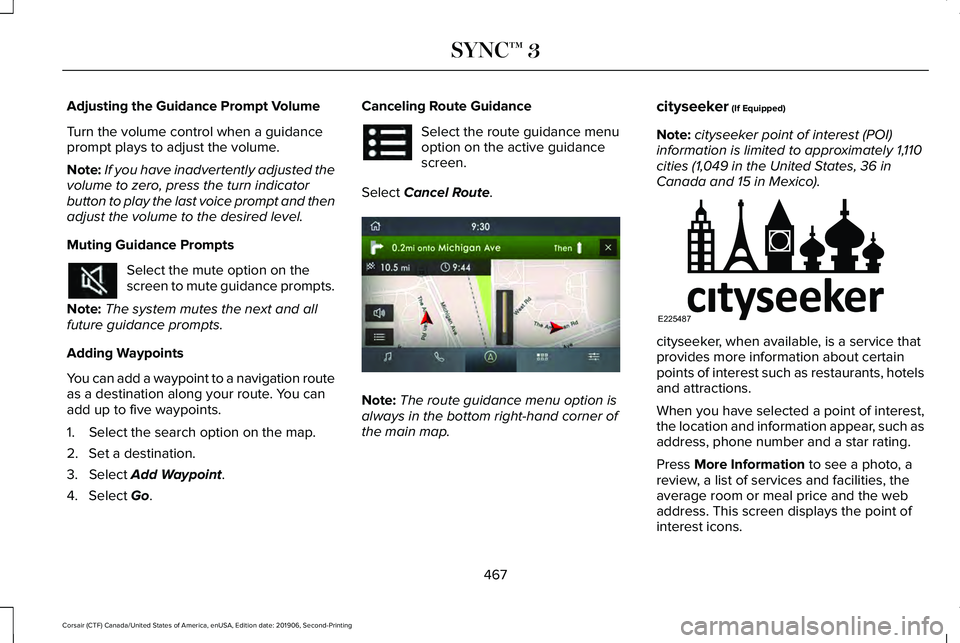
Muting Guidance Prompts Select the mute option on the
screen to mute guidance prompts.
Note: The system mutes the next and all
future guidance prompts.
Adding Waypoints
You can add a waypoint to a navigation route
as a destination along your route. You can
add up to five waypoints.
1. Select the search option on the map.
2. Set a destination.
3. Select Add Waypoint.
4. Select
Go. Canceling Route Guidance Select the route guidance menu
option on the active guidance
screen.
Select
Cancel Route. Note:
The route guidance menu option is
always in the bottom right-hand corner of
the main map. cityseeker
(If Equipped)
Note: cityseeker point of interest (POI)
information is limited to approximately 1,110
cities (1,049 in the United States, 36 in
Canada and 15 in Mexico). cityseeker, when available, is a service that
provides more information about certain
points of interest such as restaurants, hotels
and attractions.
When you have selected a point of interest,
the location and information appear, such as
address, phone number and a star rating.
Press
More Information to see a photo, a
review, a list of services and facilities, the
average room or meal price and the web
address. This screen displays the point of
interest icons.
467
Corsair (CTF) Canada/United States of America, enUSA, Edition date: 201906, Second-Printing SYNC™ 3 E297860 E225487
Page 512 of 591
At Every Oil Change Interval as Indicated by the Information Display
1
Inspect the exhaust system and heat shields.
Inspect the rear axle and U-joints for all-wheel drive vehicles.
Inspect the half-shaft boots.
Inspect the steering linkage, ball joints, suspension, tie-rod ends, driveshaft and the U-joints.
Inspect the tires, tire wear and measure the tread depth.
Inspect the wheels and related components for abnormal noise, wear, looseness or drag.
1 Do not exceed one year or 10,000 mi (16,000 km) between service intervals.
2 Reset the Intelligent Oil-Life Monitor after engine oil and filter change\
s.
See Oil Change Indicator Reset (page 331). Brake Fluid Maintenance
1
Change the brake fluid. 2
Every 3 Years
1 Perform this maintenance item every 3 years. Do not exceed the designated time for the interval.
2 Brake fluid servicing requires special equipment available at your authorize\
d dealer.
509
Corsair (CTF) Canada/United States of America, enUSA, Edition date: 201906, Second-Printing Scheduled Maintenance
Page 517 of 591
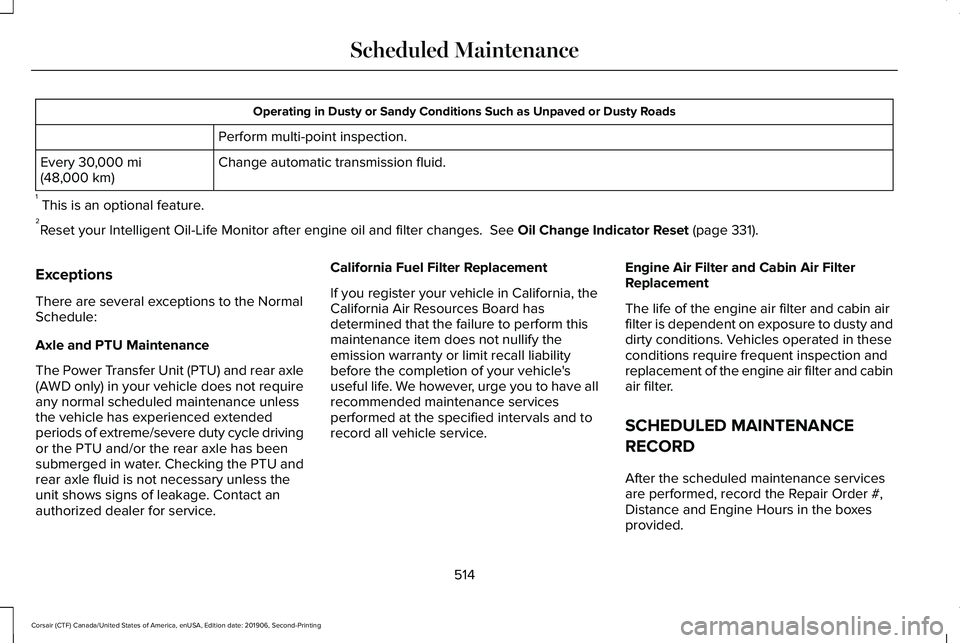
Operating in Dusty or Sandy Conditions Such as Unpaved or Dusty Roads
Perform multi-point inspection.
Change automatic transmission fluid.
Every 30,000 mi
(48,000 km)
1 This is an optional feature.
2 Reset your Intelligent Oil-Life Monitor after engine oil and filter chang\
es.
See Oil Change Indicator Reset (page 331).
Exceptions
There are several exceptions to the Normal
Schedule:
Axle and PTU Maintenance
The Power Transfer Unit (PTU) and rear axle
(AWD only) in your vehicle does not require
any normal scheduled maintenance unless
the vehicle has experienced extended
periods of extreme/severe duty cycle driving
or the PTU and/or the rear axle has been
submerged in water. Checking the PTU and
rear axle fluid is not necessary unless the
unit shows signs of leakage. Contact an
authorized dealer for service. California Fuel Filter Replacement
If you register your vehicle in California, the
California Air Resources Board has
determined that the failure to perform this
maintenance item does not nullify the
emission warranty or limit recall liability
before the completion of your vehicle's
useful life. We however, urge you to have all
recommended maintenance services
performed at the specified intervals and to
record all vehicle service.
Engine Air Filter and Cabin Air Filter
Replacement
The life of the engine air filter and cabin air
filter is dependent on exposure to dusty and
dirty conditions. Vehicles operated in these
conditions require frequent inspection and
replacement of the engine air filter and cabin
air filter.
SCHEDULED MAINTENANCE
RECORD
After the scheduled maintenance services
are performed, record the Repair Order #,
Distance and Engine Hours in the boxes
provided.
514
Corsair (CTF) Canada/United States of America, enUSA, Edition date: 201906, Second-Printing Scheduled Maintenance
Page 580 of 591
Creating a MyKey.............................................71
Programming and Changing Configurable
Settings...............................................................72
Creating a Vehicle Wi-Fi Hotspot..............418 Connecting a Device to the Wi-Fi
Hotspot..............................................................418
Finding the Wi-Fi Hotspot Name and Password...........................................................418
Cross Traffic Alert.........................................268 Cross Traffic Alert Behavior When Trailer is
Attached............................................................271
Cross Traffic Alert Indicator.............................272
Cross Traffic Alert Information Messages.........................................................272
Cross Traffic Alert System Limitations............
271
Cross Traffic Alert System Sensors.................271
Switching the System On and Off...................271
Using Cross Traffic Alert...................................268
Cruise Control...............................................243
Cruise Control Indicators
...........................244
Cruise Control - Vehicles With: Adaptive Cruise Control With Lane Centering
.......92
Cruise Control - Vehicles With: Cruise Control............................................................93
Customer Assistance
..................................305 D
Data Recording
................................................12
Comfort, Convenience and Entertainment
Data.......................................................................14
Event Data...............................................................13
Service Data............................................................12
Services That Third Parties Provide..................14
Services That We Provide....................................14
Vehicles With a Modem.......................................15
Vehicles With an Emergency Call System.......16
Vehicles With SYNC..............................................15
Daytime Running Lamps - Vehicles With: Configurable Daytime Running
Lamps............................................................100
Daytime Running Lamps - Vehicles With: Daytime Running Lamps (DRL)...............100
Declaration of Conformity..........................570
Declaration of Conformity - Vehicles With: SYNC 3..........................................................571
Radio Frequency Statement.............................
571
Digital Radio..................................................422 HD Radio Reception and Station
Troubleshooting.............................................423
Direction Indicators
......................................103
Indicating a Lane Change.................................103
Doors and Locks.............................................75 Drive Mode Control
.....................................279
Drive Modes.........................................................279
Drive Modes..................................................279 Conserve..............................................................279
Deep Conditions.................................................279
Excite.....................................................................280
Normal..................................................................\
.280
Slippery.................................................................280
Driver Alert.....................................................259 Using Driver Alert...............................................260
Driver and Passenger Airbags
....................50
Children and Airbags............................................51
Proper Driver and Front Passenger Seating
Adjustment..........................................................51
Driver and Passenger Knee Airbags.........55
Driving Aids
...................................................259
Driving Hints..................................................295
Driving Through Water
...............................295
DRL See: Daytime Running Lamps - Vehicles With:
Configurable Daytime Running Lamps......100
See: Daytime Running Lamps - Vehicles With: Daytime Running Lamps (DRL)...................100
E
Economical Driving
......................................295
577
Corsair (CTF) Canada/United States of America, enUSA, Edition date: 201906, Second-Printing Index
Page 582 of 591
F
Fastening the Seatbelts................................40
How to Extract Seatbelts in the Rear
Outermost Positions........................................43
Seatbelt Locking Modes......................................41
Using a Sliding Clip...............................................41
Using Seatbelts During Pregnancy...................41
Flat Tire See: Changing a Road Wheel.........................376
Floor Mats
......................................................296
Fog Lamps - Front See: Front Fog Lamps........................................100
Front Fog Lamps...........................................100 Front Fog Lamp Indicator...................................101
Switching the Front Fog Lamps On or
Off.......................................................................100
Front Parking Aid.........................................229 Object Distance Indicator.................................231
Front Passenger Sensing System..............52
Fuel and Refueling.........................................191
Fuel Consumption
.........................................197
Advertised Capacity...........................................197
Calculating Fuel Economy................................197
Filling the Fuel Tank............................................197
Fuel Filler Funnel Location
.........................192
Fuel Filter........................................................344 Fuel Quality.....................................................192
Choosing the Right Fuel....................................192
Fuel Shutoff
...................................................299
Fuses................................................................314
Fuse Specification Chart.............................314 Engine Compartment Fuse Box.......................314
Passenger Compartment Fuse Box...............322
G
Garage Door Opener...................................174
Garage Door Opener See: Universal Garage Door Opener.............174
Gauges - Vehicles With: 12.3 Inch Instrument Cluster Display Screen
.........116
Engine Coolant Temperature Gauge..............118
Fuel Gauge.............................................................117
Left and Right Information Group.....................117
Status Bar................................................................117
Gauges - Vehicles With: 6.5 Inch Instrument Cluster Display Screen
.........114
Engine Coolant Temperature Gauge..............115
Fuel Gauge............................................................115
Information Bar.....................................................115
Information Display..............................................115
Gearbox See: Transmission..............................................203 General Information on Radio
Frequencies....................................................61
Intelligent Access..................................................61
General Maintenance Information
...........502
Multi-Point Inspection.......................................505
Owner Checks and Services...........................504
Protecting Your Investment.............................502
Why Maintain Your Vehicle?............................502
Why Maintain Your Vehicle at Your
Dealership?.....................................................502
Getting Assistance Outside the U.S. and Canada.........................................................309
Getting the Services You Need................305 Away From Home..............................................305
Global Opening and Closing......................109 Closing the Windows.........................................109
Opening the Windows.......................................109
H
Hazard Flashers...........................................299
Headlamp Adjusting See: Adjusting the Headlamps.......................
342
Headlamp Exit Delay....................................100
Headlamp Removal See: Removing a Headlamp............................345
Headrest See: Head Restraints..........................................159
579
Corsair (CTF) Canada/United States of America, enUSA, Edition date: 201906, Second-Printing Index
Page 587 of 591
Reverse Braking Assist –
Troubleshooting.........................................222
Reverse Braking Assist – Frequently Asked
Questions.........................................................223
Reverse Braking Assist – Information Messages.........................................................222
Roadside Assistance
...................................298
Vehicles Sold in Canada: Getting Roadside
Assistance.......................................................299
Vehicles sold in the United States: Getting Roadside Assistance....................................298
Vehicles Sold in the United States: Using Roadside Assistance....................................298
Roadside Emergencies
...............................298
Roof Racks and Load Carriers...................281 Maximum Recommended Load
Amounts...........................................................282
Running-In See: Breaking-In.................................................295
Running Out of Fuel.....................................193 Adding Fuel From a Portable Fuel
Container..........................................................193
Filling a Portable Fuel Container.....................
193
S
Safety Canopy™
...............................................56
Safety Precautions.........................................191 Satellite Radio
...............................................425
Satellite Radio Electronic Serial Number
(ESN)..................................................................426
Satellite Radio Reception Factors..................425
SiriusXM Satellite Radio Service....................426
Troubleshooting..................................................427
Scheduled Maintenance Record...............514
Scheduled Maintenance............................502
Seatbelt Extensions.......................................46
Seatbelt Height Adjustment.........................43
Seatbelt Reminder
..........................................44
Seatbelt Status......................................................45
Seatbelts...........................................................39 Principle of Operation..........................................39
Seatbelt Warning Lamp and Indicator Chime..............................................................43
Conditions of operation......................................
44
Seats.................................................................158
Security..............................................................87
Selecting a Drive Mode
..............................279
Settings...........................................................478 911 Assist...............................................................479
Ambient Lighting................................................479
Audio......................................................................478
Automatic Updates............................................479
Bluetooth..............................................................478
Charge Settings..................................................479
Clock......................................................................478 Display...................................................................479
Driver Assist.........................................................479
General..................................................................479
Lincoln Way..........................................................479
Message Center.................................................479
Mobile Apps.........................................................479
Multi Contour Seats...........................................479
Navigation............................................................479
Personal Profiles.................................................479
Phone.....................................................................478
Seats......................................................................479
Sound.....................................................................478
Valet Mode...........................................................479
Vehicle...................................................................479
Voice Control.......................................................479
Setting the Adaptive Cruise Control Gap
.................................................................251
Following a Vehicle.............................................251
Setting the Adaptive Cruise Control Speed...........................................................250
Manually Changing the Set Speed................250
Setting the Adaptive Cruise Speed from a Complete Stop...............................................250
Setting the Cruise Control Speed............243 Changing the Set Speed..................................243
Side Airbags
.....................................................54
Side Sensing System....................................231 Object Distance Indicator................................232
584
Corsair (CTF) Canada/United States of America, enUSA, Edition date: 201906, Second-Printing Index
Page 590 of 591
General..................................................................353
Miscellaneous......................................................354
Removing Vehicle From Storage....................354
Tires.......................................................................354
Vehicle Wi-Fi Hotspot...................................418
Ventilation See: Climate Control..........................................152
VIN See: Vehicle Identification Number...............390
Voice Control...................................................92
W
Warning Lamps and Indicators
...................118
Adaptive Cruise Control.....................................118
Anti-Lock Braking System..................................118
Auto Hold Active..................................................118
Auto Hold Unavailable........................................119
Automatic High Beam Control..........................118
Auto Start-stop......................................................119
Battery.....................................................................119
Blind Spot Monitor...............................................119
Brake System Warning Lamp............................119
Cruise Control.......................................................119
Direction Indicator................................................119
Distance Alert........................................................119
Door Ajar...............................................................120
Electric Park Brake..............................................120 Engine Oil..............................................................120
Engine or Motor Coolant Temperature..........120
Fasten Rear Seatbelt..........................................120
Fasten Seatbelt....................................................120
Front Airbag..........................................................120
Front Fog Lamps.................................................120
High Beam............................................................120
Hood Ajar..............................................................120
Lamps On...............................................................121
Liftgate Ajar............................................................121
Low Beam Warning..............................................121
Low Fuel Level......................................................121
Low Tire Pressure Warning................................121
Low Washer Fluid.................................................121
Powertrain Fault....................................................121
Rear Fog Lamps Indicator..................................121
Service Engine Soon...........................................121
Stability Control...................................................122
Stability Control Off.............................................122
Stop Safely Now..................................................122
Tow Haul Indicator..............................................122
Washer Fluid Check.....................................343
Washers See: Cleaning the Exterior...............................347
See: Wipers and Washers..................................95
Waxing.............................................................348 Welcome Lighting
.........................................103
Switching the Welcome Lighting On or
Off.......................................................................103
What Is 911 Assist............................................59
What Is Adaptive Cruise Control With Lane Centering.....................................................245
What Is Automatic High Beam Control..........................................................106
What Is Cruise Control................................243
What Is Drive Mode Control......................279
What Is Intelligent Adaptive Cruise Control..........................................................245
What Is Phone As a Key................................67
What Is Reverse Braking Assist................220
Wheel Nuts See: Changing a Road Wheel.........................376
Wheels and Tires.........................................355 General Information...........................................355
Technical Specifications...................................383
Windows and Mirrors...................................108
Windshield Washers
.......................................97
Front Camera Washer..........................................97
Windshield Wipers
.........................................95
Intermittent Wipe..................................................95
Speed Dependent Wipers..................................95
Wiper Blades See: Checking the Wiper Blades...................
344
Wipers and Washers......................................95
587
Corsair (CTF) Canada/United States of America, enUSA, Edition date: 201906, Second-Printing Index