remote start LINCOLN CORSAIR 2020 Owner's Manual
[x] Cancel search | Manufacturer: LINCOLN, Model Year: 2020, Model line: CORSAIR, Model: LINCOLN CORSAIR 2020Pages: 591, PDF Size: 6 MB
Page 170 of 591
Linking a Personal Profile to Your Remote
Control or Mobile Device
You can save preset memory positions for
up to three remote controls by assigning a
remote control to a personal profile using
the touchscreen. You can assign three
additional remote controls set up as Phone
as a Key.
Use the touchscreen to link a remote control,
mobile device or both to a personal profile.
1. Switch the ignition on and leave the
vehicle in park (P).
2. Select the Personal Profiles button under
Settings.
3. Touch the arrow for the profile you wish to link to a remote control or mobile
device.
4. Select remote control, mobile device, or
both.
5. Follow the instructions on the display.
Note: To successfully link a mobile device,
the mobile device must be in your vehicle,
and must have previously been setup as a
remote control for your vehicle. Note:
If more than one linked remote control
is in range, the memory function moves to
the settings of the first key to initiate a
memory recall.
Note: The guest profile consists of existing
settings when there is no driver profile
created. After you create a driver profile, the
guest profile serves as an additional driver
profile.
Note: You cannot link a personalized name,
a memory seat button or a remote control
to a guest profile.
Personal Settings
Personal Profiles allow you to personalize
positional settings such as seats and mirrors,
as well as non-positional settings such as
radio, navigation, driver assist and system
settings. See SYNC™ 3 (page 430). You
cannot change the menu locations and
settings of those personalized features with
Personal Profiles.
Note: Non-positional settings save to the
active driver profile whenever you change
a setting. Note:
You can save positional settings if you
press and hold a memory seat button.
Recalling and Changing a Profile
You can recall a profile by:
• Using a remote control or mobile device
linked to a driver profile to access the
remote start feature, press an unlock
button or open the door with the exterior
door handle.
• Pressing a memory seat button linked to
a driver profile.
• Using the Personal Profiles menu on the
touchscreen.
Note: The recalled profile replaces the
previously active profile. If the active profile
is not your preferred profile, you can change
it using any of the three methods listed.
167
Corsair (CTF) Canada/United States of America, enUSA, Edition date: 201906, Second-Printing Seats
Page 174 of 591
Note:
Depending on your remote start
settings, the heated seats may remain on
after you remote start your vehicle. The
heated seats may also turn on when you
start your vehicle if they were on when your
vehicle was turned off.
Rear Seats (If Equipped) WARNING:
Persons who are unable
to feel pain to the skin because of
advanced age, chronic illness, diabetes,
spinal cord injury, medication, alcohol use,
exhaustion, or other physical conditions,
must exercise care when using the seat
heater. The seat heater may cause burns
even at low temperatures, especially if
used for long periods of time. Do not place
anything on the seat that insulates against
heat, such as a blanket or cushion,
because this may cause the seat heater to overheat. Do not puncture the seat with
pins, needles, or other pointed objects
because this may damage the heating
element which may cause the seat heater
to overheat. An overheated seat may
cause serious personal injury.
Do not do the following:
• Place heavy objects on the seat.
• Operate the seat heater if water or any
other liquid spills on the seat. Allow the
seat to dry thoroughly.
Note: The heated seats will only function
when the engine is running.
The rear seat heat controls are located on
the rear of the center console. Press the heated seat symbol to cycle
through the various heat settings and off.
More indicator lights indicate warmer
settings.
CLIMATE CONTROLLED SEATS
(IF
EQUIPPED)
Heated Seats WARNING:
Use caution when using
the heated seat if you are unable to feel
pain to your skin because of advanced
age, chronic illness, diabetes, spinal cord
injury, medication, alcohol use, exhaustion
or other physical conditions. The heated
seat could cause burns even at low
temperatures, especially if used for long
periods of time. Failure to follow this
instruction could result in personal injury.
171
Corsair (CTF) Canada/United States of America, enUSA, Edition date: 201906, Second-Printing SeatsE146322
Page 175 of 591
WARNING: Do not poke sharp
objects into the seat cushion or seat
backrest. This could damage the heated
seat element and cause it to overheat.
Failure to follow this instruction could result
in personal injury. WARNING:
Do not place anything on
the seat that blocks the heat, for example
a seat cover or a cushion. This could cause
the seat to overheat. Failure to follow this
instruction could result in personal injury.
Note: The heated seats switch on during a
remote start if they are enabled.
See
Remote Start (page 156).
Note: The heated seats may also switch on
when you start your vehicle if they were on
when you previously switched your vehicle
off.
Note: Do not do the following:
• Place heavy objects on the seat.
• Operate the seat heater if water or any
other liquid spills on the seat. Allow the
seat to dry thoroughly. Press this symbol to cycle through the
various heat settings and off. More indicator
lights indicate warmer settings.
Automatic Climate Controlled Seats
(If
Equipped)
When you switch the auto setting on, the
climate controlled seats switch between the
heated seats and ventilated seats to match
your climate control setting.
Ventilated Seats
Note: The ventilated seats switch on during
a remote start if they are enabled.
See
Remote Start (page 156). Note:
The ventilated seats may also switch
on when you start your vehicle if they were
on when you previously switched your
vehicle off.
Note: Do not do the following:
• Spill liquid on the front seats. This may
cause the air vent holes to become
blocked and not work properly.
• Place cargo or objects under the seats.
They may block the air intake causing
the air vents to not work properly.
The ventilated seats only function when the
engine is running. Press this symbol to cycle through the
various ventilation settings and off. More
indicator lights indicate higher fan speeds.
If the engine falls below 350 RPM while the
ventilated seats are on, the feature turns
itself off. You need to reactivate it.
172
Corsair (CTF) Canada/United States of America, enUSA, Edition date: 201906, Second-Printing SeatsE146322 E224689
Page 187 of 591
•
Without applying the brake pedal, press
and release the button once when the
ignition is in the on mode, or when the
engine is running but the vehicle is not
moving.
On: All electrical circuits are operational and
the warning lamps and indicators illuminate.
• Without applying the brake pedal, press
and release the button once.
Note: You may have to press the push
button ignition switch twice to switch the
ignition on.
Start:
Starts the engine.
• Press the brake pedal, and then press
the button for any length of time. An
indicator light on the button illuminates
when then ignition is on and when the
engine starts. STARTING A GASOLINE ENGINE
When you start the engine, the idle speed
increases, this helps to warm up the engine.
If the engine idle speed does not slow down,
have your vehicle checked as soon as
possible.
Note:
If your vehicle has remote start, you
can start your vehicle with the remote, and
then drive away by pressing the brake pedal
and pushing a button on the transmission.
This allows you to drive away without
pressing the engine start button.
Before starting the engine, check the
following:
• Make sure all occupants have fastened
their seatbelts.
• Make sure the headlamps and electrical
accessories are off.
• Make sure the parking brake is on.
• Make sure the transmission is in park (P).
Note: Do not touch the accelerator pedal.
1. Fully press the brake pedal.
2. Press the button. The system does not function if:
•
The key frequencies are jammed.
• The key battery has no charge.
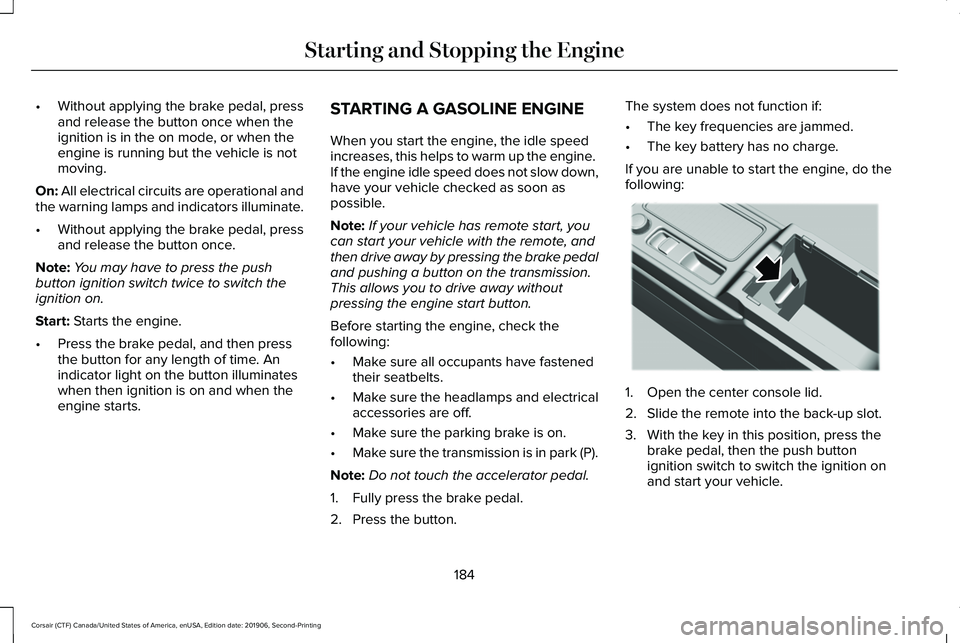
If you are unable to start the engine, do the
following: 1. Open the center console lid.
2. Slide the remote into the back-up slot.
3. With the key in this position, press the
brake pedal, then the push button
ignition switch to switch the ignition on
and start your vehicle.
184
Corsair (CTF) Canada/United States of America, enUSA, Edition date: 201906, Second-Printing Starting and Stopping the EngineE306288
Page 417 of 591
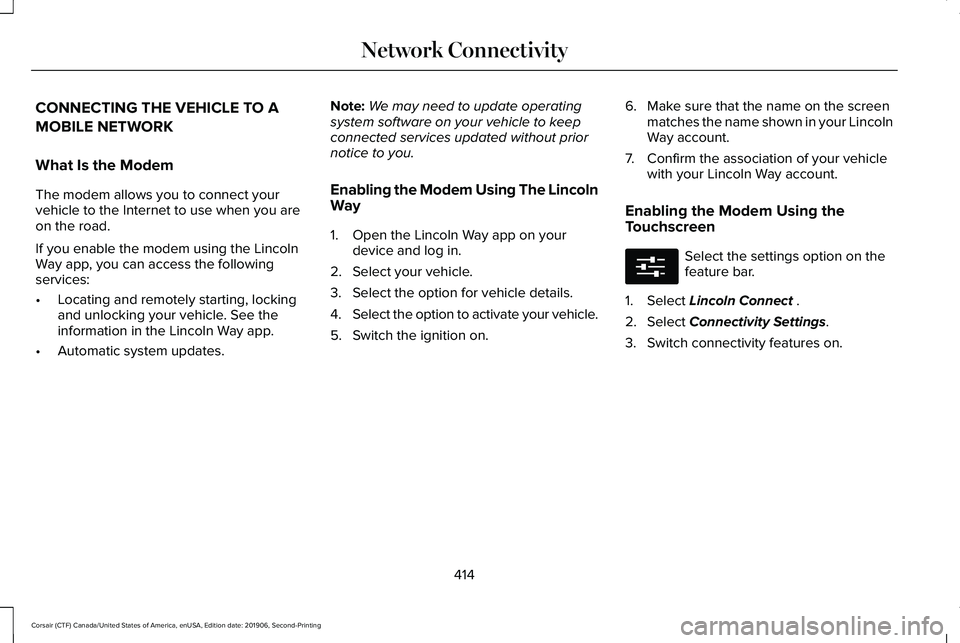
CONNECTING THE VEHICLE TO A
MOBILE NETWORK
What Is the Modem
The modem allows you to connect your
vehicle to the Internet to use when you are
on the road.
If you enable the modem using the Lincoln
Way app, you can access the following
services:
•
Locating and remotely starting, locking
and unlocking your vehicle. See the
information in the Lincoln Way app.
• Automatic system updates. Note:
We may need to update operating
system software on your vehicle to keep
connected services updated without prior
notice to you.
Enabling the Modem Using The Lincoln
Way
1. Open the Lincoln Way app on your device and log in.
2. Select your vehicle.
3. Select the option for vehicle details.
4. Select the option to activate your vehicle.
5. Switch the ignition on. 6. Make sure that the name on the screen
matches the name shown in your Lincoln
Way account.
7. Confirm the association of your vehicle with your Lincoln Way account.
Enabling the Modem Using the
Touchscreen Select the settings option on the
feature bar.
1. Select Lincoln Connect .
2. Select
Connectivity Settings.
3. Switch connectivity features on.
414
Corsair (CTF) Canada/United States of America, enUSA, Edition date: 201906, Second-Printing Network ConnectivityE280315
Page 498 of 591
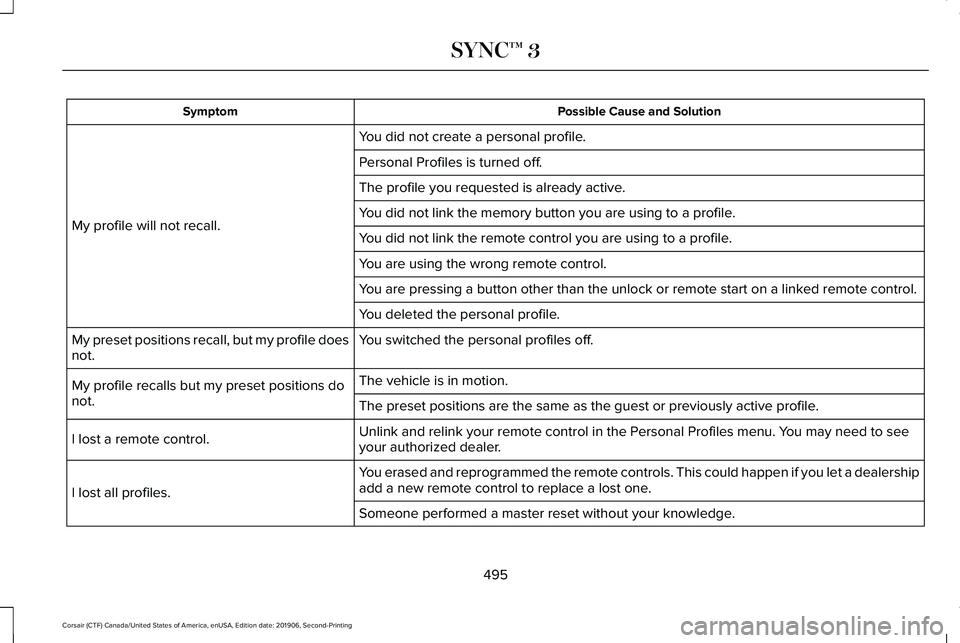
Possible Cause and Solution
Symptom
You did not create a personal profile.
My profile will not recall. Personal Profiles is turned off.
The profile you requested is already active.
You did not link the memory button you are using to a profile.
You did not link the remote control you are using to a profile.
You are using the wrong remote control.
You are pressing a button other than the unlock or remote start on a link\
ed remote control.
You deleted the personal profile.
You switched the personal profiles off.
My preset positions recall, but my profile does
not.
The vehicle is in motion.
My profile recalls but my preset positions do
not. The preset positions are the same as the guest or previously active prof\
ile.
Unlink and relink your remote control in the Personal Profiles menu. You may need to see
your authorized dealer.
I lost a remote control.
You erased and reprogrammed the remote controls. This could happen if you\
let a dealership
add a new remote control to replace a lost one.
I lost all profiles.
Someone performed a master reset without your knowledge.
495
Corsair (CTF) Canada/United States of America, enUSA, Edition date: 201906, Second-Printing SYNC™ 3
Page 583 of 591
Head Restraints.............................................159
Folding the Rear Seat Outermost Head
Restraint............................................................160
Installing the Head Restraint.............................161
Lowering the Head Restraint...........................160
Raising the Head Restraint...............................
160
Removing the Head Restraint..........................160
Tilting the Front Seat Head Restraint............160
Head Up Display...........................................148 Configuring The Head Up Display..................148
Head Up Display Overview..............................149
Maintaining Your Head Up Display..................151
Heated Exterior Mirrors...............................155
Heated Rear Window
...................................155
Heated Seats..................................................170
Front Seats............................................................170
Rear Seats..............................................................171
Heated Steering Wheel.................................94
Heated Windshield
.......................................155
Windshield Wiper De-Icer.................................155
Heating See: Climate Control..........................................152
Hill Start Assist...............................................217 Switching the System On and Off...................218
Using Hill Start Assist.........................................218 Hints on Controlling the Interior
Climate..........................................................154
Defogging the Side Windows in Cold Weather.............................................................155
General Hints........................................................154
Quickly Cooling the Interior.............................155
Quickly Heating the Interior.............................155
Recommended Settings for Cooling..............
155
Recommended Settings for Heating..............155
Hints on Driving With Anti-Lock Brakes...........................................................215
Hood Lock See: Opening and Closing the Hood............327
Horn
....................................................................94
How Does Adaptive Cruise Control With Stop and Go Work
.....................................245
I
In California (U.S. Only)...............................306
Information Display Control
.........................94
Information Displays.....................................123
General Information............................................123
Information Messages.................................128 Active Park............................................................128
Adaptive Cruise Control....................................129
Adaptive Headlamps..........................................129
AdvanceTrac ™ and Traction Control................
130Alarm......................................................................130
Automatic Engine Shutdown.............................
131
AWD........................................................................\
.131
Battery and Charging System..........................132
Blind Spot Information and Cross Traffic Alert System...............................................................133
Doors and Locks..................................................134
Driver Alert............................................................135
Fuel........................................................................\
.135
Hill Start Assist.....................................................136
Keys and Intelligent Access..............................136
Lane Keeping System.........................................137
Maintenance.........................................................138
MyKey.....................................................................139
Park Aid..................................................................140
Park Brake..............................................................141
Power Steering....................................................142
Pre-Collision Assist.............................................143
Remote Start.........................................................143
Seats.......................................................................143
Starting System ...................................................144
Stop Safely Now..................................................144
Tire Pressure Monitoring System....................145
Trailer......................................................................145
Transmission.........................................................146
Installing Child Restraints.............................26 Child Restraints.....................................................26
Using Lap and Shoulder Belts...........................26
580
Corsair (CTF) Canada/United States of America, enUSA, Edition date: 201906, Second-Printing Index
Page 584 of 591
Using Lower Anchors and Tethers for
CHildren (LATCH).............................................29
Using Tether Straps...............................................31
Instrument Cluster..........................................114
Instrument Lighting Dimmer........................99
Instrument Panel..............................................21
Interior Lamps................................................104 Front Interior Lamp.............................................104
Rear Interior Lamps.............................................104
Interior Mirror
....................................................111
Auto-Dimming Mirror...........................................112
Introduction.........................................................9
J
Jump Starting the Vehicle..........................300 Connecting the Jumper Cables .....................301
Preparing Your Vehicle......................................301
Removing the Jumper Cables........................302
Starting the Engine............................................302
K
Keyless Entry
....................................................79
SECURICODE™ KEYLESS ENTRY
KEYPAD...............................................................79
Keyless Starting
.............................................183
Ignition Modes.....................................................183 Keys and Remote Controls............................61
L
Lane Keeping System.................................260
Switching the System On and Off...................261
Liftgate...............................................................82
Lighting Control
..............................................98
Flashing High Beam Headlamps......................99
Lighting Control Selections................................98
Switching High Beam Headlamps On and
Off........................................................................\
.98
Lighting..............................................................98 General Information.............................................98
Lincoln Automotive Financial Services......16
Lincoln Protect
..............................................499
Lincoln Protect (CANADA ONLY)...................500
Lincoln Protect Extended Service Plans (U.S.
Only)..................................................................499
Load Carriers See: Roof Racks and Load Carriers................281
Load Carrying
.................................................281
Load Limit.......................................................283
Special Loading Instructions for Owners of
Pick-up Trucks and Utility-type
Vehicles............................................................287
Vehicle Loading - with and without a Trailer................................................................283 Locking and Unlocking..................................75
Activating Intelligent Access..............................
76
Autolock..................................................................78
Autounlock..............................................................78
Battery Saver..........................................................79
Illuminated Entry....................................................78
Illuminated Exit.......................................................78
Mechanical Key.....................................................76
Opening a Rear Door from Inside.....................76
Power Door Locks................................................75
Remote Control.....................................................75
Smart Unlocks........................................................77
Welcome Lighting.................................................79
Luggage Covers............................................281
Lug Nuts See: Changing a Road Wheel.........................376
M
Maintenance..................................................327 General Information...........................................327
Memory Function
..........................................165
Easy Entry and Exit Feature..............................166
Linking a PreSet Position to Your Remote
Control ..............................................................166
Personal Profiles..................................................166
Saving a PreSet Position...................................
165
581
Corsair (CTF) Canada/United States of America, enUSA, Edition date: 201906, Second-Printing Index
Page 586 of 591
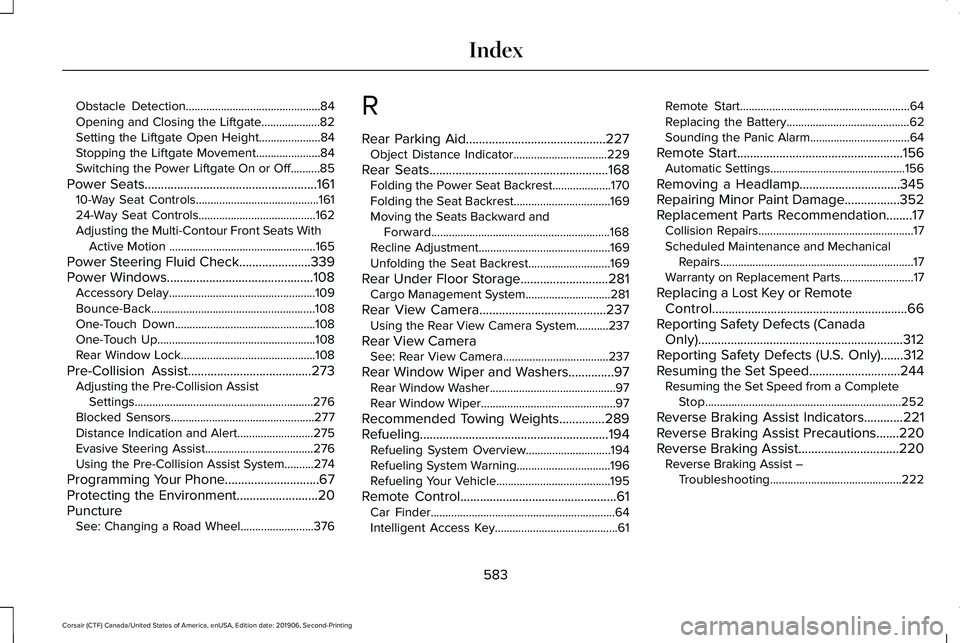
Obstacle Detection..............................................84
Opening and Closing the Liftgate....................82
Setting the Liftgate Open Height.....................84
Stopping the Liftgate Movement......................84
Switching the Power Liftgate On or Off..........85
Power Seats.....................................................161 10-Way Seat Controls..........................................161
24-Way Seat Controls........................................162
Adjusting the Multi-Contour Front Seats With
Active Motion ..................................................165
Power Steering Fluid Check......................339
Power Windows
.............................................108
Accessory Delay..................................................109
Bounce-Back........................................................108
One-Touch Down................................................108
One-Touch Up......................................................108
Rear Window Lock..............................................108
Pre-Collision Assist
......................................273
Adjusting the Pre-Collision Assist
Settings.............................................................276
Blocked Sensors.................................................277
Distance Indication and Alert..........................275
Evasive Steering Assist.....................................276
Using the Pre-Collision Assist System..........274
Programming Your Phone.............................67
Protecting the Environment.........................20
Puncture See: Changing a Road Wheel.........................376 R
Rear Parking Aid...........................................227
Object Distance Indicator................................
229
Rear Seats.......................................................168 Folding the Power Seat Backrest....................170
Folding the Seat Backrest.................................
169
Moving the Seats Backward and Forward.............................................................168
Recline Adjustment.............................................169
Unfolding the Seat Backrest............................169
Rear Under Floor Storage...........................281 Cargo Management System.............................281
Rear View Camera
.......................................237
Using the Rear View Camera System...........237
Rear View Camera See: Rear View Camera....................................
237
Rear Window Wiper and Washers..............97 Rear Window Washer...........................................97
Rear Window Wiper..............................................97
Recommended Towing Weights..............289
Refueling ..........................................................
194
Refueling System Overview.............................194
Refueling System Warning................................
196
Refueling Your Vehicle.......................................195
Remote Control
................................................61
Car Finder...............................................................64
Intelligent Access Key..........................................61 Remote Start..........................................................64
Replacing the Battery..........................................
62
Sounding the Panic Alarm..................................64
Remote Start
...................................................156
Automatic Settings..............................................156
Removing a Headlamp
...............................345
Repairing Minor Paint Damage.................352
Replacement Parts Recommendation
........17
Collision Repairs.....................................................17
Scheduled Maintenance and Mechanical
Repairs..................................................................17
Warranty on Replacement Parts.........................17
Replacing a Lost Key or Remote Control............................................................66
Reporting Safety Defects (Canada Only)...............................................................312
Reporting Safety Defects (U.S. Only)
.......312
Resuming the Set Speed............................244 Resuming the Set Speed from a Complete
Stop...................................................................252
Reverse Braking Assist Indicators............221
Reverse Braking Assist Precautions.......220
Reverse Braking Assist...............................220 Reverse Braking Assist –
Troubleshooting.............................................222
583
Corsair (CTF) Canada/United States of America, enUSA, Edition date: 201906, Second-Printing Index
Page 589 of 591
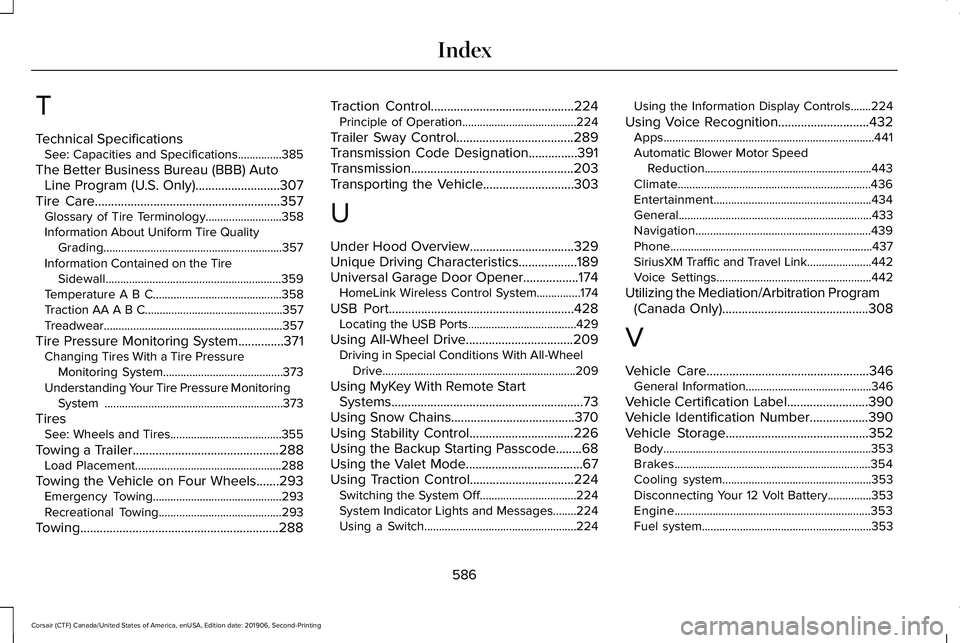
T
Technical Specifications
See: Capacities and Specifications...............385
The Better Business Bureau (BBB) Auto Line Program (U.S. Only)..........................307
Tire Care
.........................................................357
Glossary of Tire Terminology..........................358
Information About Uniform Tire Quality Grading.............................................................357
Information Contained on the Tire Sidewall............................................................359
Temperature A B C............................................358
Traction AA A B C...............................................357
Treadwear.............................................................357
Tire Pressure Monitoring System..............371 Changing Tires With a Tire Pressure
Monitoring System.........................................373
Understanding Your Tire Pressure Monitoring System .............................................................373
Tires See: Wheels and Tires......................................355
Towing a Trailer
.............................................288
Load Placement..................................................288
Towing the Vehicle on Four Wheels
.......293
Emergency Towing............................................293
Recreational Towing..........................................293
Towing.............................................................288 Traction Control
............................................224
Principle of Operation.......................................224
Trailer Sway Control....................................289
Transmission Code Designation
...............391
Transmission..................................................203
Transporting the Vehicle............................303
U
Under Hood Overview................................329
Unique Driving Characteristics..................189
Universal Garage Door Opener.................174 HomeLink Wireless Control System...............174
USB Port
.........................................................428
Locating the USB Ports.....................................429
Using All-Wheel Drive
.................................209
Driving in Special Conditions With All-Wheel
Drive..................................................................209
Using MyKey With Remote Start Systems...........................................................73
Using Snow Chains
......................................370
Using Stability Control................................226
Using the Backup Starting Passcode........68
Using the Valet Mode....................................67
Using Traction Control................................224 Switching the System Off.................................224
System Indicator Lights and Messages........
224
Using a Switch....................................................224 Using the Information Display Controls.......224
Using Voice Recognition............................432 Apps........................................................................\
441
Automatic Blower Motor Speed
Reduction.........................................................443
Climate..................................................................436
Entertainment
......................................................434
General..................................................................433
Navigation............................................................439
Phone.....................................................................437
SiriusXM Traffic and Travel Link......................
442
Voice Settings.....................................................442
Utilizing the Mediation/Arbitration Program (Canada Only)
.............................................308
V
Vehicle Care
..................................................346
General Information...........................................346
Vehicle Certification Label
.........................390
Vehicle Identification Number..................390
Vehicle Storage............................................352
Body.......................................................................353
Brakes...................................................................354
Cooling system...................................................353
Disconnecting Your 12 Volt Battery...............353
Engine...................................................................353
Fuel system..........................................................353
586
Corsair (CTF) Canada/United States of America, enUSA, Edition date: 201906, Second-Printing Index