high beam LINCOLN CORSAIR 2020 Owners Manual
[x] Cancel search | Manufacturer: LINCOLN, Model Year: 2020, Model line: CORSAIR, Model: LINCOLN CORSAIR 2020Pages: 591, PDF Size: 6 MB
Page 5 of 591
Phone as a Key – Troubleshooting
...........68
MyKey™
Principle of Operation ..................................
70
Creating a MyKey ............................................
71
Clearing All MyKeys ......................................
72
Checking MyKey System Status ................
72
Using MyKey With Remote Start Systems ........................................................................\
.
73
MyKey – Troubleshooting ............................
73
Doors and Locks
Locking and Unlocking .................................
75
Keyless Entry ...................................................
79
Liftgate
Power Liftgate ................................................
82
Security
Passive Anti-Theft System ...........................
87
Anti-Theft Alarm .............................................
88Steering Wheel
Adjusting the Steering Wheel - Vehicles
With: Manual Adjustable Steering
Column .........................................................
90
Adjusting the Steering Wheel - Vehicles With: Power Adjustable Steering Column
........................................................................\
90
Audio Control .................................................
92
Voice Control ..................................................
92
Cruise Control - Vehicles With: Adaptive Cruise Control With Lane Centering
........................................................................\
92
Cruise Control - Vehicles With: Cruise Control .........................................................
93
Information Display Control ........................
94
Heated Steering Wheel ...............................
94
Horn ..................................................................
94
Wipers and Washers
Windshield Wipers ........................................
95
Autowipers ......................................................
96
Windshield Washers ......................................
97
Rear Window Wiper and Washers .............
97Lighting
General Information
......................................
98
Lighting Control .............................................
98
Autolamps .......................................................
99
Instrument Lighting Dimmer .......................
99
Headlamp Exit Delay ..................................
100
Daytime Running Lamps - Vehicles With: Configurable Daytime Running Lamps
.......................................................................
100
Daytime Running Lamps - Vehicles With: Daytime Running Lamps (DRL) ............
100
Front Fog Lamps ..........................................
100
Adaptive Headlamps ...................................
101
Direction Indicators .....................................
103
Welcome Lighting ........................................
103
Interior Lamps ...............................................
104
Ambient Lighting ..........................................
104
Automatic High Beam Control
What Is Automatic High Beam Control .......................................................................
106
Switching Automatic High Beam Control On and Off .................................................
106
2
Corsair (CTF) Canada/United States of America, enUSA, Edition date: 201906, Second-Printing Table of Contents
Page 6 of 591
Automatic High Beam Control Indicators
.......................................................................107
Overriding Automatic High Beam Control .......................................................................
107
Windows and Mirrors
Power Windows ............................................
108
Global Opening and Closing ....................
109
Exterior Mirrors ..............................................
110
Interior Mirror ..................................................
111
Sun Visors .......................................................
112
Moonroof .........................................................
112
Instrument Cluster
Gauges - Vehicles With: 6.5 Inch Instrument Cluster Display Screen .......
114
Gauges - Vehicles With: 12.3 Inch Instrument Cluster Display Screen .......
116
Warning Lamps and Indicators ..................
118
Audible Warnings and Indicators .............
122
Information Displays
General Information .....................................
123
Personalized Settings .................................
127Information Messages
................................
128
Head Up Display ..........................................
148
Climate Control
Automatic Climate Control ........................
152
Hints on Controlling the Interior Climate .......................................................................
154
Heated Windshield ......................................
155
Heated Rear Window ..................................
155
Heated Exterior Mirrors ..............................
155
Cabin Air Filter ..............................................
156
Remote Start ..................................................
156
Seats
Sitting in the Correct Position ...................
158
Head Restraints ............................................
159
Power Seats ....................................................
161
Memory Function .........................................
165
Rear Seats ......................................................
168
Heated Seats .................................................
170
Climate Controlled Seats ............................
171Garage Door Opener
Universal Garage Door Opener
................
174
Auxiliary Power Points
Auxiliary Power Points ................................
178
Wireless Accessory Charging ...................
179
Storage Compartments
Overhead Console ......................................
182
Starting and Stopping the Engine
General Information .....................................
183
Keyless Starting ............................................
183
Starting a Gasoline Engine ........................
184
Engine Block Heater ....................................
187
Unique Driving Characteristics
Auto-Start-Stop .............................................
189
Fuel and Refueling
Safety Precautions ........................................
191
Fuel Quality ...................................................
192
3
Corsair (CTF) Canada/United States of America, enUSA, Edition date: 201906, Second-Printing Table of Contents
Page 101 of 591
GENERAL INFORMATION
Condensation in the Exterior Front
Lamps and Rear Lamps
Exterior front lamps and rear lamps have
vents to accommodate normal changes in
air pressure.
Condensation can be a natural by-product
of this design. When moist air enters the
lamp assembly through the vents, there is a
possibility that condensation can occur when
the temperature is cold. When normal
condensation occurs, a fine mist can form on
the interior of the lens. The fine mist
eventually clears and exits through the vents
during normal operation.
Clearing time may take as long as 48 hours
under dry weather conditions.
Examples of acceptable condensation are:
•
The presence of a fine mist (no streaks,
drip marks or large droplets).
• A fine mist covers less than 50% of the
lens. Examples of unacceptable condensation are:
•
A water puddle inside the lamp.
• Streaks, drip marks or large droplets
present on the interior of the lens.
If you see any unacceptable condensation,
have your vehicle checked by an authorized
dealer.
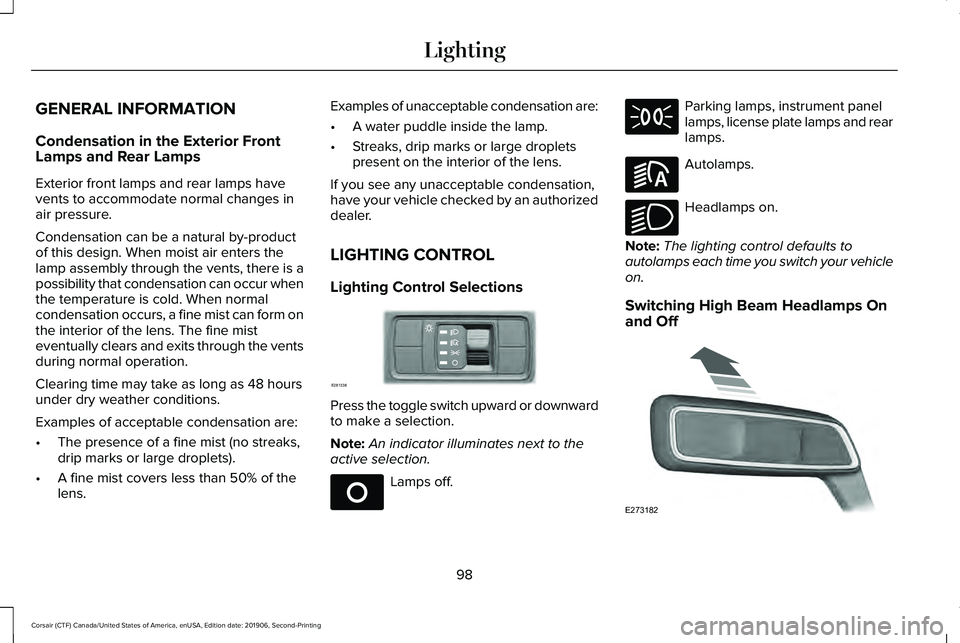
LIGHTING CONTROL
Lighting Control Selections Press the toggle switch upward or downward
to make a selection.
Note:
An indicator illuminates next to the
active selection. Lamps off. Parking lamps, instrument panel
lamps, license plate lamps and rear
lamps.
Autolamps.
Headlamps on.
Note: The lighting control defaults to
autolamps each time you switch your vehicle
on.
Switching High Beam Headlamps On
and Off 98
Corsair (CTF) Canada/United States of America, enUSA, Edition date: 201906, Second-Printing LightingE281338 E265031 E281240 E270968 E273182
Page 102 of 591
Push the lever away from you to
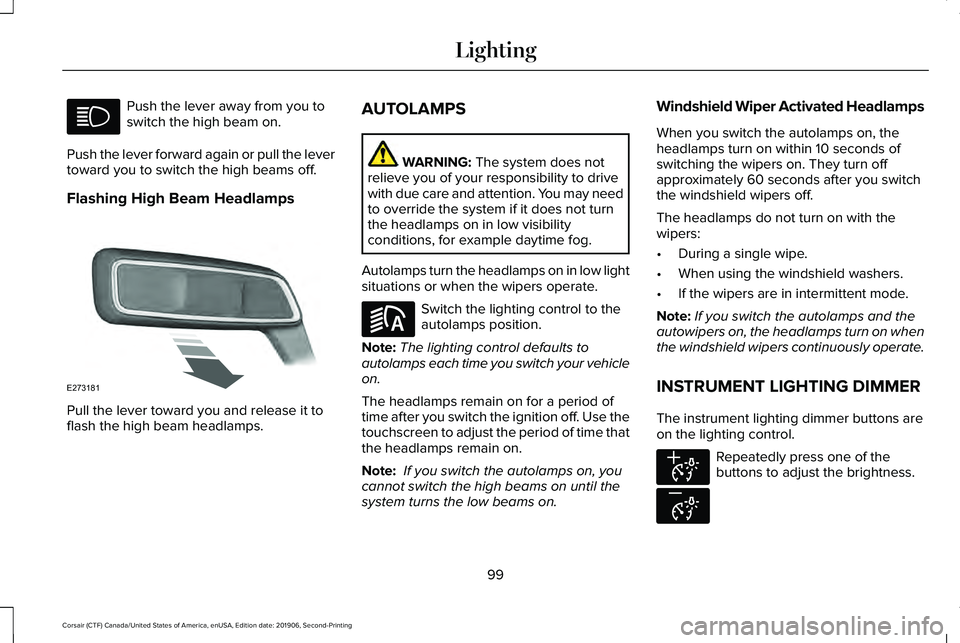
switch the high beam on.
Push the lever forward again or pull the lever
toward you to switch the high beams off.
Flashing High Beam Headlamps Pull the lever toward you and release it to
flash the high beam headlamps. AUTOLAMPS WARNING: The system does not
relieve you of your responsibility to drive
with due care and attention. You may need
to override the system if it does not turn
the headlamps on in low visibility
conditions, for example daytime fog.
Autolamps turn the headlamps on in low light
situations or when the wipers operate. Switch the lighting control to the
autolamps position.
Note: The lighting control defaults to
autolamps each time you switch your vehicle
on.
The headlamps remain on for a period of
time after you switch the ignition off. Use the
touchscreen to adjust the period of time that
the headlamps remain on.
Note: If you switch the autolamps on, you
cannot switch the high beams on until the
system turns the low beams on. Windshield Wiper Activated Headlamps
When you switch the autolamps on, the
headlamps turn on within 10 seconds of
switching the wipers on. They turn off
approximately 60 seconds after you switch
the windshield wipers off.
The headlamps do not turn on with the
wipers:
•
During a single wipe.
• When using the windshield washers.
• If the wipers are in intermittent mode.
Note: If you switch the autolamps and the
autowipers on, the headlamps turn on when
the windshield wipers continuously operate.
INSTRUMENT LIGHTING DIMMER
The instrument lighting dimmer buttons are
on the lighting control. Repeatedly press one of the
buttons to adjust the brightness.
99
Corsair (CTF) Canada/United States of America, enUSA, Edition date: 201906, Second-Printing Lighting E273181 E281240 E291299 E296433
Page 104 of 591
You can switch the front fog lamps on if any
of the following occur:
•
You set the lighting control to the parking
lamps position.
• You set the lighting control to the
headlamps position.
• You set the lighting control to the
autolamps position and the headlamps
are on.
The front fog lamp button is on the lighting
control. Press the button to switch the front
fog lamps on or off.
Note: The brightness of the daytime running
lamps may decrease when the front fog
lamps are switched on.
Front Fog Lamp Indicator It illuminates when you switch the
front fog lamps on. ADAPTIVE HEADLAMPS (IF EQUIPPED)
About Adaptive Headlamps
The headlamps are designed to adapt when
you are steering around a curve, or if the
camera detects lane markings indicating a
curve or traffic signs indicating an
intersection.
The system is designed to operate if all of
the following occur:
• You switch the system on through your
vehicle settings.
• You set the lighting control to the
autolamps position.
• The ambient light level is low enough that
high beams are required.
101
Corsair (CTF) Canada/United States of America, enUSA, Edition date: 201906, Second-Printing Lighting
Page 109 of 591
WHAT IS AUTOMATIC HIGH BEAM
CONTROL
The system turns on high beams if it is dark
enough and no other traffic is present. If it
detects an approaching vehicle
’s headlamps
or tail lamps, or street lighting ahead, the
system turns the high beams off. Low beams
remain on.
A camera sensor, centrally mounted behind
the windshield of your vehicle, continuously
monitors conditions to turn the high beams
on and off.
SWITCHING AUTOMATIC HIGH
BEAM CONTROL ON AND OFF WARNING: Do not use the system in
poor visibility, for example fog, heavy rain,
spray or snow.
1. Press
Settings on the touchscreen.
2. Press
Vehicle.
3. Press
Lighting. Activating the Automatic High Beam
Control Switch the lighting control to the
autolamps position.
See
Autolamps (page 99).
Note: The lighting control defaults to
autolamps each time you switch your vehicle
on.
When active, the high beams turn on if:
• The ambient light level is low enough.
• There is no traffic in front of your vehicle.
• The vehicle speed is greater than
approximately
32 mph (51 km/h).
When active, the high beams turn off if:
• The ambient light level is high enough
that high beams are not required.
• The system detects an approaching
vehicle's headlamps or tail lamps.
• The system detects severe rain, snow or
fog.
• The camera is blocked.
• The vehicle speed falls below
approximately
27 mph (44 km/h). Note:
The deactivation speed is lower on
curves.
Note: High beam reactivation may be
delayed in certain curvy road situations.
Note: The system may not operate properly
if the sensor is blocked. Keep the windshield
free from obstruction or damage.
Note: The system may not operate properly
in cold or inclement conditions. You can
switch on the high beams by overriding the
system.
Note: If the system detects a blockage, for
example bird droppings, bug splatter, snow
or ice, the system goes into low beam mode
until you clear the blockage. A message may
appear in the information display if the
camera is blocked.
Note: Using much larger tires or equipping
vehicle accessories such as snowplows can
modify your vehicle's ride height and
degrade automatic high beam control
performance.
106
Corsair (CTF) Canada/United States of America, enUSA, Edition date: 201906, Second-Printing Automatic High Beam Control
(If Equipped)E281240
Page 110 of 591
AUTOMATIC HIGH BEAM
CONTROL INDICATORS
The indicator illuminates to confirm
when the system is ready to assist.
OVERRIDING AUTOMATIC HIGH
BEAM CONTROL WARNING: The system does not
relieve you of your responsibility to drive
with due care and attention. You may need
to override the system if it does not turn
the high beams on or off. WARNING:
You may need to
override the system when approaching
other road users. WARNING:
You may need to
override the system during inclement
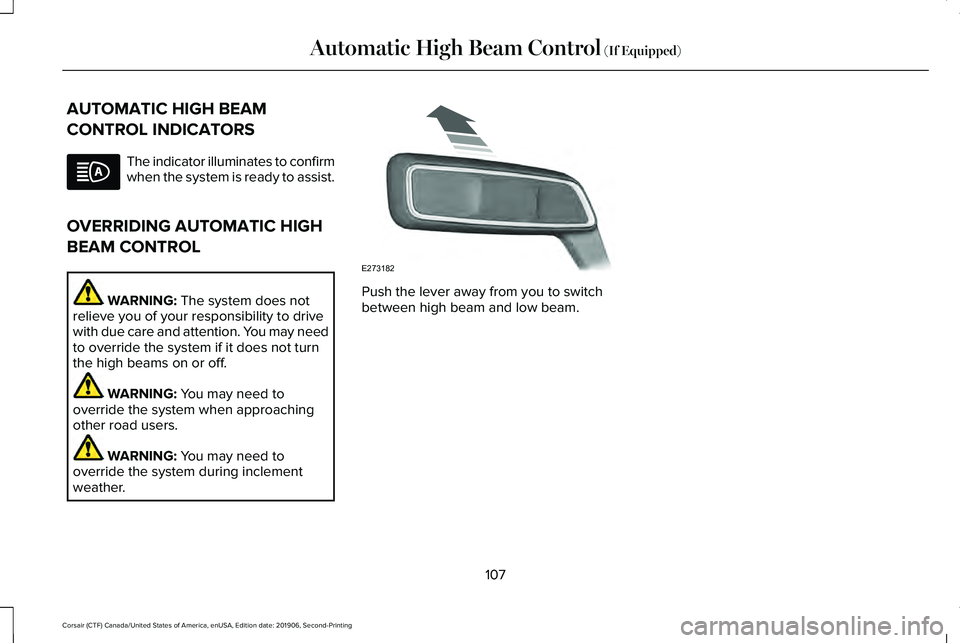
weather. Push the lever away from you to switch
between high beam and low beam.
107
Corsair (CTF) Canada/United States of America, enUSA, Edition date: 201906, Second-Printing Automatic High Beam Control
(If Equipped) E273182
Page 121 of 591
Engine Coolant Temperature Gauge
WARNING: Do not remove the
coolant reservoir cap when the engine is
on or the cooling system is hot. Wait 10
minutes for the cooling system to cool
down. Cover the coolant reservoir cap with
a thick cloth to prevent the possibility of
scalding and slowly remove the cap.
Failure to follow this instruction could result
in personal injury.
Indicates engine coolant temperature. At
normal operating temperature, the level
indicator will be in the normal range. If the
engine coolant temperature exceeds the
normal range, stop your vehicle as soon as
safely possible, switch off the engine and let
the engine cool. WARNING LAMPS AND
INDICATORS
The following warning lamps and indicators
alert you to a vehicle condition that may
become serious. Some lamps illuminate
when you start your vehicle to make sure
they work. If any lamps remain on after
starting your vehicle, refer to the respective
system warning lamp for further information.
Note:
Some warning indicators appear in
the information display and function the
same as a warning lamp, but do not display
when you start your vehicle.
Adaptive Cruise Control
(If Equipped) The speed control system indicator
light changes color to indicate
what mode the system is in.
See
Adaptive Cruise Control Indicators (page
253).
On (white light): Illuminates when you switch
on the adaptive cruise control system. Turns
off when the speed control system is turned
off. Engaged (green light): Illuminates when you
engage the adaptive cruise control system.
Turns off when you disengage the speed
control system.
Anti-Lock Braking System
If it illuminates when you are
driving, this indicates a system
error. You continue to have the
normal braking (without ABS) unless the
brake system warning lamp also illuminates.
Have the system checked by an authorized
dealer.
Automatic High Beam Control (If Equipped) Illuminates when this feature is on.
See
Automatic High Beam
Control Indicators (page 107).
Auto Hold Active Illuminates when the system holds
your vehicle stationary.
118
Corsair (CTF) Canada/United States of America, enUSA, Edition date: 201906, Second-Printing Instrument ClusterE144524 E197933
Page 123 of 591
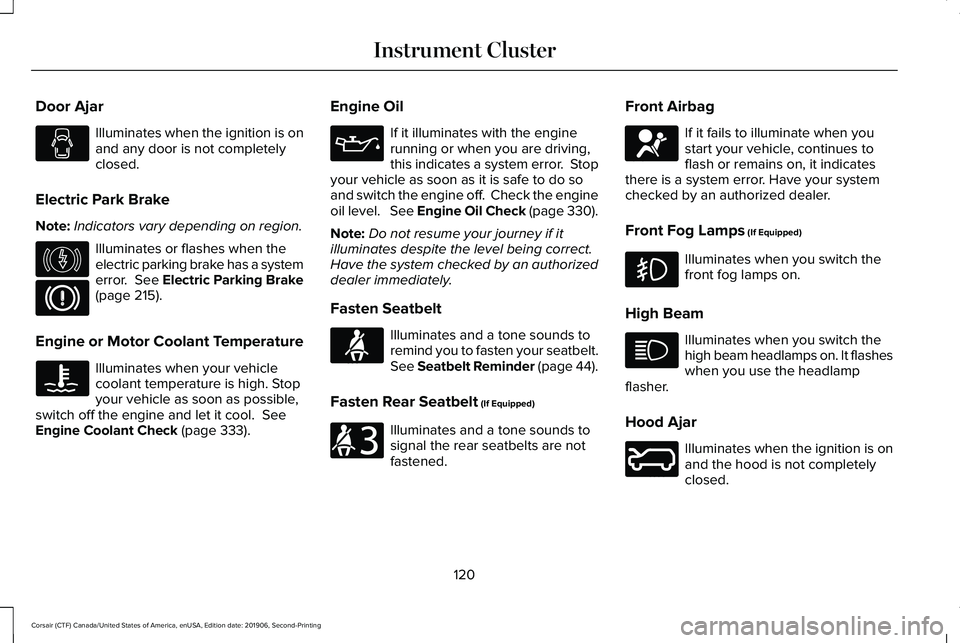
Door Ajar
Illuminates when the ignition is on
and any door is not completely
closed.
Electric Park Brake
Note: Indicators vary depending on region. Illuminates or flashes when the
electric parking brake has a system
error. See Electric Parking Brake
(page 215).
Engine or Motor Coolant Temperature Illuminates when your vehicle
coolant temperature is high. Stop
your vehicle as soon as possible,
switch off the engine and let it cool.
See
Engine Coolant Check (page 333). Engine Oil If it illuminates with the engine
running or when you are driving,
this indicates a system error. Stop
your vehicle as soon as it is safe to do so
and switch the engine off. Check the engine
oil level. See Engine Oil Check (page 330).
Note: Do not resume your journey if it
illuminates despite the level being correct.
Have the system checked by an authorized
dealer immediately.
Fasten Seatbelt Illuminates and a tone sounds to
remind you to fasten your seatbelt.
See
Seatbelt Reminder (page 44).
Fasten Rear Seatbelt
(If Equipped) Illuminates and a tone sounds to
signal the rear seatbelts are not
fastened.Front Airbag If it fails to illuminate when you
start your vehicle, continues to
flash or remains on, it indicates
there is a system error. Have your system
checked by an authorized dealer.
Front Fog Lamps
(If Equipped) Illuminates when you switch the
front fog lamps on.
High Beam Illuminates when you switch the
high beam headlamps on. It flashes
when you use the headlamp
flasher.
Hood Ajar Illuminates when the ignition is on
and the hood is not completely
closed.
120
Corsair (CTF) Canada/United States of America, enUSA, Edition date: 201906, Second-Printing Instrument Cluster E146190 E71880 E206718 E67017 E246598
Page 346 of 591
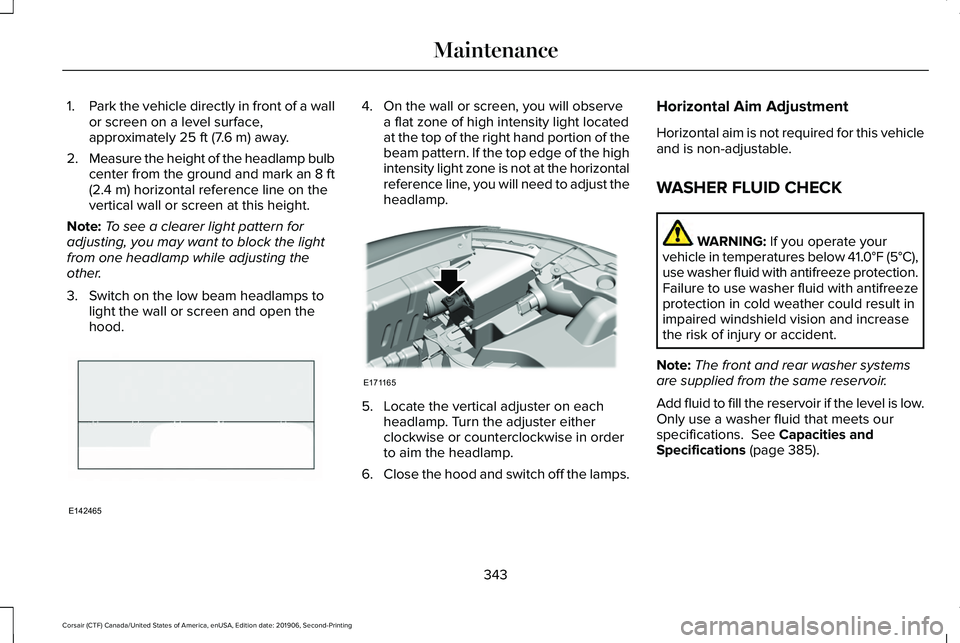
1.
Park the vehicle directly in front of a wall
or screen on a level surface,
approximately 25 ft (7.6 m) away.
2. Measure the height of the headlamp bulb
center from the ground and mark an 8 ft
(2.4 m)
horizontal reference line on the
vertical wall or screen at this height.
Note: To see a clearer light pattern for
adjusting, you may want to block the light
from one headlamp while adjusting the
other.
3. Switch on the low beam headlamps to light the wall or screen and open the
hood. 4. On the wall or screen, you will observe
a flat zone of high intensity light located
at the top of the right hand portion of the
beam pattern. If the top edge of the high
intensity light zone is not at the horizontal
reference line, you will need to adjust the
headlamp. 5. Locate the vertical adjuster on each
headlamp. Turn the adjuster either
clockwise or counterclockwise in order
to aim the headlamp.
6. Close the hood and switch off the lamps. Horizontal Aim Adjustment
Horizontal aim is not required for this vehicle
and is non-adjustable.
WASHER FLUID CHECK
WARNING:
If you operate your
vehicle in temperatures below 41.0°F (5°C),
use washer fluid with antifreeze protection.
Failure to use washer fluid with antifreeze
protection in cold weather could result in
impaired windshield vision and increase
the risk of injury or accident.
Note: The front and rear washer systems
are supplied from the same reservoir.
Add fluid to fill the reservoir if the level is low.
Only use a washer fluid that meets our
specifications.
See Capacities and
Specifications (page 385).
343
Corsair (CTF) Canada/United States of America, enUSA, Edition date: 201906, Second-Printing MaintenanceE142465 E171165