tire pressure LINCOLN CORSAIR 2021 Owners Manual
[x] Cancel search | Manufacturer: LINCOLN, Model Year: 2021, Model line: CORSAIR, Model: LINCOLN CORSAIR 2021Pages: 638, PDF Size: 5.7 MB
Page 11 of 638
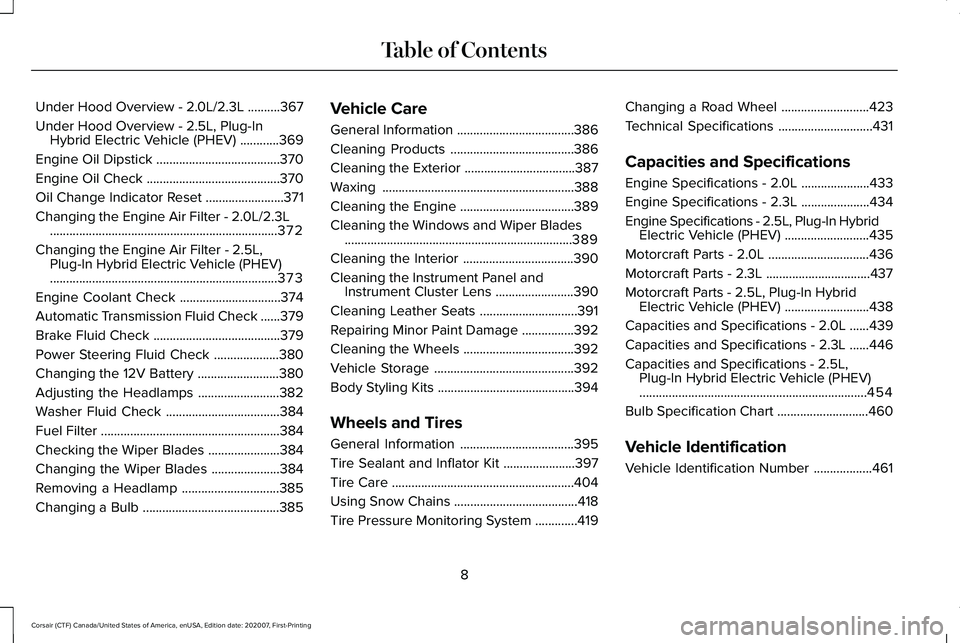
Under Hood Overview - 2.0L/2.3L
..........367
Under Hood Overview - 2.5L, Plug-In Hybrid Electric Vehicle (PHEV) ............
369
Engine Oil Dipstick ......................................
370
Engine Oil Check .........................................
370
Oil Change Indicator Reset ........................
371
Changing the Engine Air Filter - 2.0L/2.3L ......................................................................
372
Changing the Engine Air Filter - 2.5L, Plug-In Hybrid Electric Vehicle (PHEV)
......................................................................
373
Engine Coolant Check ...............................
374
Automatic Transmission Fluid Check ......
379
Brake Fluid Check .......................................
379
Power Steering Fluid Check ....................
380
Changing the 12V Battery .........................
380
Adjusting the Headlamps .........................
382
Washer Fluid Check ...................................
384
Fuel Filter .......................................................
384
Checking the Wiper Blades ......................
384
Changing the Wiper Blades .....................
384
Removing a Headlamp ..............................
385
Changing a Bulb ..........................................
385Vehicle Care
General Information
....................................
386
Cleaning Products ......................................
386
Cleaning the Exterior ..................................
387
Waxing ...........................................................
388
Cleaning the Engine ...................................
389
Cleaning the Windows and Wiper Blades ......................................................................
389
Cleaning the Interior ..................................
390
Cleaning the Instrument Panel and Instrument Cluster Lens ........................
390
Cleaning Leather Seats ..............................
391
Repairing Minor Paint Damage ................
392
Cleaning the Wheels ..................................
392
Vehicle Storage ...........................................
392
Body Styling Kits ..........................................
394
Wheels and Tires
General Information ...................................
395
Tire Sealant and Inflator Kit ......................
397
Tire Care ........................................................
404
Using Snow Chains ......................................
418
Tire Pressure Monitoring System .............
419 Changing a Road Wheel
...........................
423
Technical Specifications .............................
431
Capacities and Specifications
Engine Specifications - 2.0L .....................
433
Engine Specifications - 2.3L .....................
434
Engine Specifications - 2.5L, Plug-In Hybrid Electric Vehicle (PHEV) ..........................
435
Motorcraft Parts - 2.0L ...............................
436
Motorcraft Parts - 2.3L ................................
437
Motorcraft Parts - 2.5L, Plug-In Hybrid Electric Vehicle (PHEV) ..........................
438
Capacities and Specifications - 2.0L ......
439
Capacities and Specifications - 2.3L ......
446
Capacities and Specifications - 2.5L, Plug-In Hybrid Electric Vehicle (PHEV)
......................................................................
454
Bulb Specification Chart ............................
460
Vehicle Identification
Vehicle Identification Number ..................
461
8
Corsair (CTF) Canada/United States of America, enUSA, Edition date: 202007, First-Printing Table of Contents
Page 16 of 638
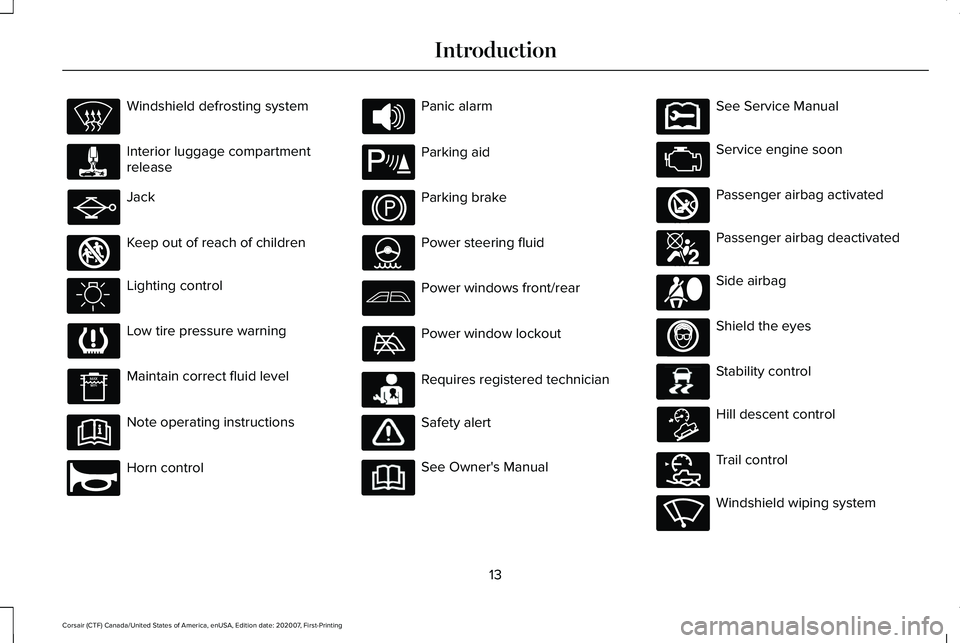
Windshield defrosting system
Interior luggage compartment
release
Jack
Keep out of reach of children
Lighting control
Low tire pressure warning
Maintain correct fluid level
Note operating instructions
Horn control Panic alarm
Parking aid
Parking brake
Power steering fluid
Power windows front/rear
Power window lockout
Requires registered technician
Safety alert
See Owner's Manual See Service Manual
Service engine soon
Passenger airbag activated
Passenger airbag deactivated
Side airbag
Shield the eyes
Stability control
Hill descent control
Trail control
Windshield wiping system
13
Corsair (CTF) Canada/United States of America, enUSA, Edition date: 202007, First-Printing Introduction E161353 E270945 E139213 E231159 E231158 E270849 E270850 E167012 E138639 E163957 E272858 E270969
Page 17 of 638
Windshield wash and wipe
DATA RECORDING WARNING: Do not connect wireless
plug-in devices to the data link connector.
Unauthorized third parties could gain
access to vehicle data and impair the
performance of safety related systems.
Only allow repair facilities that follow our
service and repair instructions to connect
their equipment to the data link connector.
We respect your privacy and are committed
to protecting it. The information contained
in this publication was correct at the time of
going to print but as technology rapidly
changes, we recommend that you visit the
regional Lincoln website for the latest
information. Your vehicle has electronic control units that
have data recording functionality and the
ability to permanently or temporarily store
data. This data could include information on
the condition and status of your vehicle,
vehicle maintenance requirements, events
and malfunctions. The types of data that can
be recorded are described in this section.
Some of the data recorded is stored in event
logs or error logs.
Note:
Error logs are reset following a service
or repair.
Note: We may provide information in
response to requests from law enforcement,
other government authorities and third
parties acting with lawful authority or through
a legal process. Such information could be
used by them in legal proceedings.
Data recorded includes, for example:
• Operating states of system components,
for example, fuel level, tire pressure and
battery charge level.
• Vehicle and component status, for
example, wheel speed, deceleration,
lateral acceleration and seatbelt status. •
Events or errors in essential systems, for
example, headlamps and brakes.
• System responses to driving situations,
for example, airbag deployment and
stability control.
• Environmental conditions, for example,
temperature.
Some of this data, when used in combination
with other information, for example, an
accident report, damage to a vehicle or
eyewitness statements, could be associated
with a specific person.
Service Data
Service data recorders in your vehicle are
capable of collecting and storing diagnostic
information about your vehicle. This
potentially includes information about the
performance or status of various systems
and modules in the vehicle, such as engine,
throttle, steering or brake systems. In order
to properly diagnose and service your
vehicle, Lincoln Motor Company (Lincoln of
Canada, in Canada), and service and repair
facilities may access or share among them
vehicle diagnostic information received
14
Corsair (CTF) Canada/United States of America, enUSA, Edition date: 202007, First-Printing Introduction
Page 132 of 638
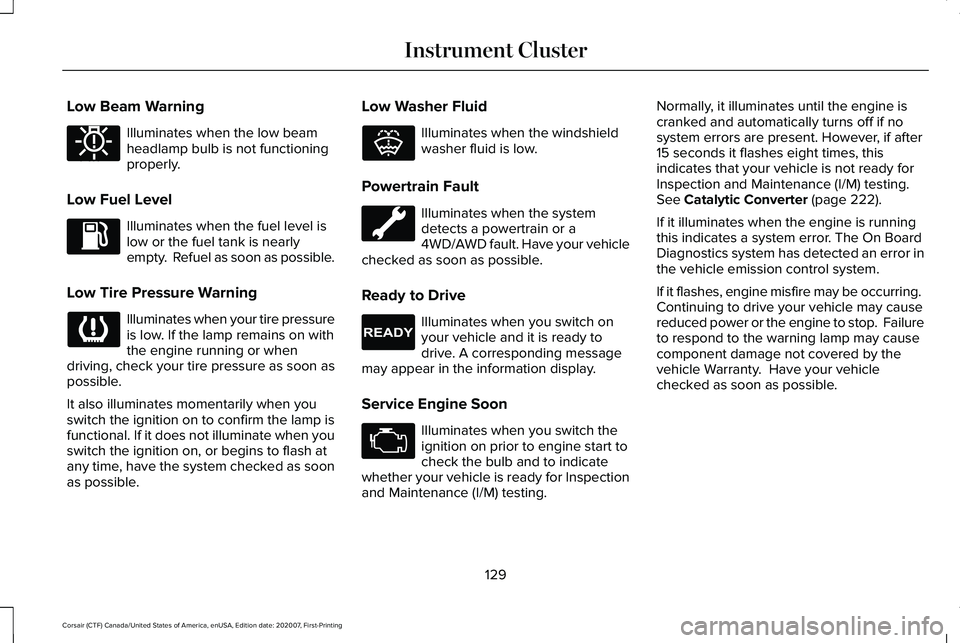
Low Beam Warning
Illuminates when the low beam
headlamp bulb is not functioning
properly.
Low Fuel Level Illuminates when the fuel level is
low or the fuel tank is nearly
empty. Refuel as soon as possible.
Low Tire Pressure Warning Illuminates when your tire pressure
is low. If the lamp remains on with
the engine running or when
driving, check your tire pressure as soon as
possible.
It also illuminates momentarily when you
switch the ignition on to confirm the lamp is
functional. If it does not illuminate when you
switch the ignition on, or begins to flash at
any time, have the system checked as soon
as possible. Low Washer Fluid Illuminates when the windshield
washer fluid is low.
Powertrain Fault Illuminates when the system
detects a powertrain or a
4WD/AWD fault. Have your vehicle
checked as soon as possible.
Ready to Drive Illuminates when you switch on
your vehicle and it is ready to
drive. A corresponding message
may appear in the information display.
Service Engine Soon Illuminates when you switch the
ignition on prior to engine start to
check the bulb and to indicate
whether your vehicle is ready for Inspection
and Maintenance (I/M) testing. Normally, it illuminates until the engine is
cranked and automatically turns off if no
system errors are present. However, if after
15 seconds it flashes eight times, this
indicates that your vehicle is not ready for
Inspection and Maintenance (I/M) testing.
See Catalytic Converter (page 222).
If it illuminates when the engine is running
this indicates a system error. The On Board
Diagnostics system has detected an error in
the vehicle emission control system.
If it flashes, engine misfire may be occurring.
Continuing to drive your vehicle may cause
reduced power or the engine to stop. Failure
to respond to the warning lamp may cause
component damage not covered by the
vehicle Warranty. Have your vehicle
checked as soon as possible.
129
Corsair (CTF) Canada/United States of America, enUSA, Edition date: 202007, First-Printing Instrument ClusterE181350 E132353 E224090
Page 138 of 638

PERSONALIZED SETTINGS
Information On Demand
Note:
On Demand information appears on the right-hand side of the instrument c\
luster in single gauge view and in the center of the instrument
cluster in dual gauge view when you switch on certain drive modes.
Note: Pure EV information is only available when you switch on the Pure EV dri\
ve mode.
Note: Some menu items are regional specific or optional and may appear slightl\
y different or not at all. Information Screens
Calm ScreenPURE EV Trip 1
Trip 2
This Trip
Fuel Economy
Auto StartStop Seatbelts
Tire Pressure
Power Distribution
135
Corsair (CTF) Canada/United States of America, enUSA, Edition date: 202007, First-Printing Information Displays
Page 158 of 638
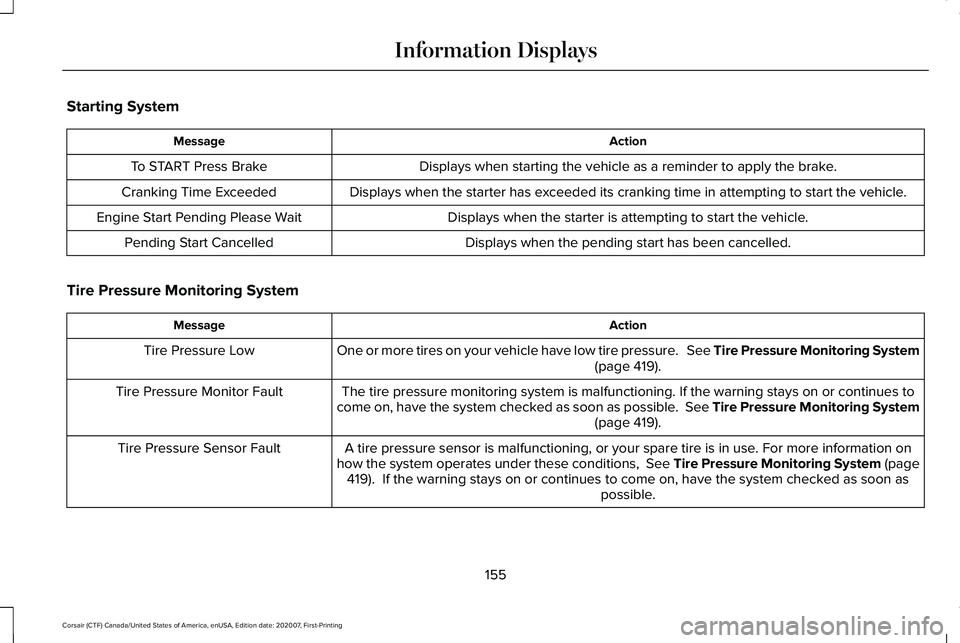
Starting System
Action
Message
Displays when starting the vehicle as a reminder to apply the brake.
To START Press Brake
Displays when the starter has exceeded its cranking time in attempting to start the vehicle.
Cranking Time Exceeded
Displays when the starter is attempting to start the vehicle.
Engine Start Pending Please Wait
Displays when the pending start has been cancelled.
Pending Start Cancelled
Tire Pressure Monitoring System Action
Message
One or more tires on your vehicle have low tire pressure. See Tire Pressure Monitoring System (page 419).
Tire Pressure Low
The tire pressure monitoring system is malfunctioning. If the warning st\
ays on or continues to
come on, have the system checked as soon as possible. See Tire Pressure Monitoring System (page
419).
Tire Pressure Monitor Fault
A tire pressure sensor is malfunctioning, or your spare tire is in use. For more information on
how the system operates under these conditions, See Tire Pressure Monitoring System (page 419
). If the warning stays on or continues to come on, have the system checked as soon as possible.
Tire Pressure Sensor Fault
155
Corsair (CTF) Canada/United States of America, enUSA, Edition date: 202007, First-Printing Information Displays
Page 245 of 638
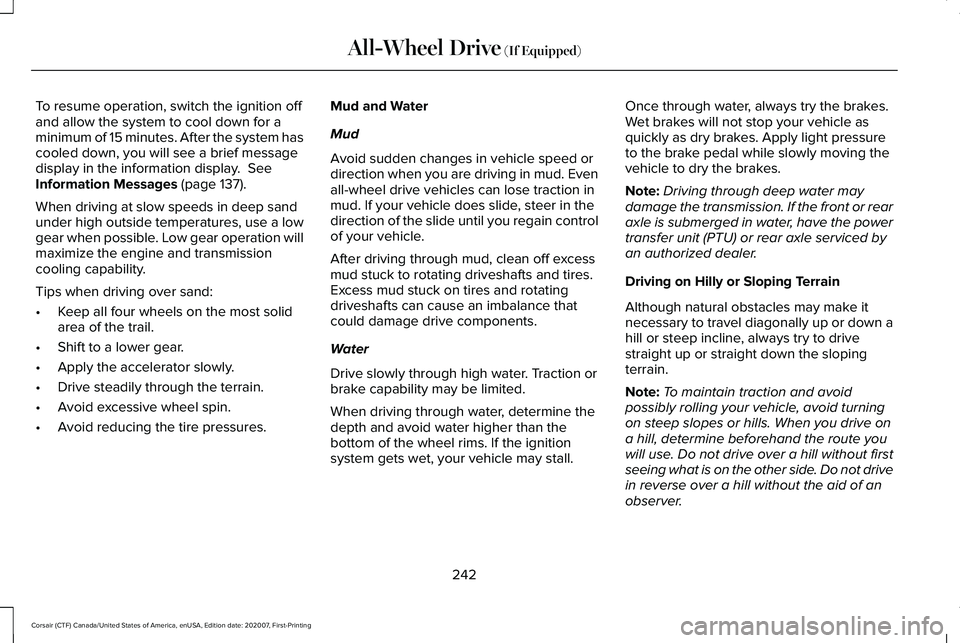
To resume operation, switch the ignition off
and allow the system to cool down for a
minimum of 15 minutes. After the system has
cooled down, you will see a brief message
display in the information display. See
Information Messages (page 137).
When driving at slow speeds in deep sand
under high outside temperatures, use a low
gear when possible. Low gear operation will
maximize the engine and transmission
cooling capability.
Tips when driving over sand:
• Keep all four wheels on the most solid
area of the trail.
• Shift to a lower gear.
• Apply the accelerator slowly.
• Drive steadily through the terrain.
• Avoid excessive wheel spin.
• Avoid reducing the tire pressures. Mud and Water
Mud
Avoid sudden changes in vehicle speed or
direction when you are driving in mud. Even
all-wheel drive vehicles can lose traction in
mud. If your vehicle does slide, steer in the
direction of the slide until you regain control
of your vehicle.
After driving through mud, clean off excess
mud stuck to rotating driveshafts and tires.
Excess mud stuck on tires and rotating
driveshafts can cause an imbalance that
could damage drive components.
Water
Drive slowly through high water. Traction or
brake capability may be limited.
When driving through water, determine the
depth and avoid water higher than the
bottom of the wheel rims. If the ignition
system gets wet, your vehicle may stall. Once through water, always try the brakes.
Wet brakes will not stop your vehicle as
quickly as dry brakes. Apply light pressure
to the brake pedal while slowly moving the
vehicle to dry the brakes.
Note:
Driving through deep water may
damage the transmission. If the front or rear
axle is submerged in water, have the power
transfer unit (PTU) or rear axle serviced by
an authorized dealer.
Driving on Hilly or Sloping Terrain
Although natural obstacles may make it
necessary to travel diagonally up or down a
hill or steep incline, always try to drive
straight up or straight down the sloping
terrain.
Note: To maintain traction and avoid
possibly rolling your vehicle, avoid turning
on steep slopes or hills. When you drive on
a hill, determine beforehand the route you
will use. Do not drive over a hill without first
seeing what is on the other side. Do not drive
in reverse over a hill without the aid of an
observer.
242
Corsair (CTF) Canada/United States of America, enUSA, Edition date: 202007, First-Printing All-Wheel Drive
(If Equipped)
Page 301 of 638
 when I can s\
ee the lane markings on the road?
You are driving too close to the vehicle in front of you.
Transitioning between no lane markin")
Why is the feature not available (line markings are gray) when I can s\
ee the lane markings on the road?
You are driving too close to the vehicle in front of you.
Transitioning between no lane markings to lane markings or vice versa.
There is standing water on the road.
Faint lane markings, for example partial yellow lane markings on concret\
e roads.
Lane width is too narrow or too wide.
The camera has not been calibrated after a windshield replacement.
Driving on tight roads or on uneven roads. Why does the vehicle not come back toward the middle of the lane, as expected, in the aid or alert and aid mode?
High cross winds are present.
There is a large road crown.
Rough roads, grooves or shoulder drop-offs.
Heavy uneven loading of the vehicle or improper tire inflation pressure.
The tires have been changed, or the suspension has been modified.
298
Corsair (CTF) Canada/United States of America, enUSA, Edition date: 202007, First-Printing Driving Aids
Page 391 of 638
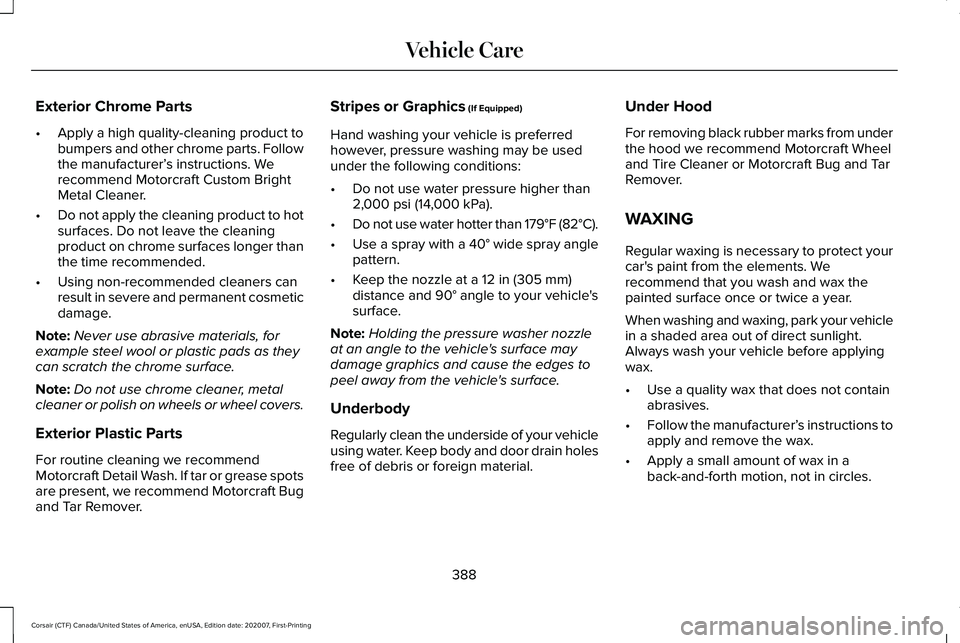
Exterior Chrome Parts
•
Apply a high quality-cleaning product to
bumpers and other chrome parts. Follow
the manufacturer’ s instructions. We
recommend Motorcraft Custom Bright
Metal Cleaner.
• Do not apply the cleaning product to hot
surfaces. Do not leave the cleaning
product on chrome surfaces longer than
the time recommended.
• Using non-recommended cleaners can
result in severe and permanent cosmetic
damage.
Note: Never use abrasive materials, for
example steel wool or plastic pads as they
can scratch the chrome surface.
Note: Do not use chrome cleaner, metal
cleaner or polish on wheels or wheel covers.
Exterior Plastic Parts
For routine cleaning we recommend
Motorcraft Detail Wash. If tar or grease spots
are present, we recommend Motorcraft Bug
and Tar Remover. Stripes or Graphics (If Equipped)
Hand washing your vehicle is preferred
however, pressure washing may be used
under the following conditions:
• Do not use water pressure higher than
2,000 psi (14,000 kPa)
.
• Do not use water hotter than 179°F (82°C).
• Use a spray with a 40° wide spray angle
pattern.
• Keep the nozzle at a
12 in (305 mm)
distance and 90° angle to your vehicle's
surface.
Note: Holding the pressure washer nozzle
at an angle to the vehicle's surface may
damage graphics and cause the edges to
peel away from the vehicle's surface.
Underbody
Regularly clean the underside of your vehicle
using water. Keep body and door drain holes
free of debris or foreign material. Under Hood
For removing black rubber marks from under
the hood we recommend Motorcraft Wheel
and Tire Cleaner or Motorcraft Bug and Tar
Remover.
WAXING
Regular waxing is necessary to protect your
car's paint from the elements. We
recommend that you wash and wax the
painted surface once or twice a year.
When washing and waxing, park your vehicle
in a shaded area out of direct sunlight.
Always wash your vehicle before applying
wax.
•
Use a quality wax that does not contain
abrasives.
• Follow the manufacturer’ s instructions to
apply and remove the wax.
• Apply a small amount of wax in a
back-and-forth motion, not in circles.
388
Corsair (CTF) Canada/United States of America, enUSA, Edition date: 202007, First-Printing Vehicle Care
Page 392 of 638
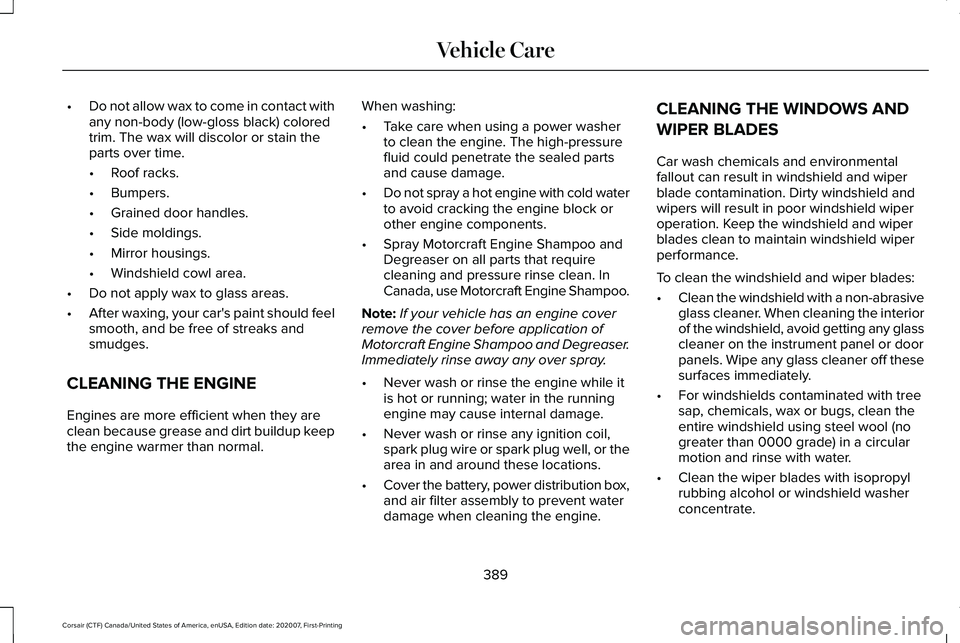
•
Do not allow wax to come in contact with
any non-body (low-gloss black) colored
trim. The wax will discolor or stain the
parts over time.
•Roof racks.
• Bumpers.
• Grained door handles.
• Side moldings.
• Mirror housings.
• Windshield cowl area.
• Do not apply wax to glass areas.
• After waxing, your car's paint should feel
smooth, and be free of streaks and
smudges.
CLEANING THE ENGINE
Engines are more efficient when they are
clean because grease and dirt buildup keep
the engine warmer than normal. When washing:
•
Take care when using a power washer
to clean the engine. The high-pressure
fluid could penetrate the sealed parts
and cause damage.
• Do not spray a hot engine with cold water
to avoid cracking the engine block or
other engine components.
• Spray Motorcraft Engine Shampoo and
Degreaser on all parts that require
cleaning and pressure rinse clean. In
Canada, use Motorcraft Engine Shampoo.
Note: If your vehicle has an engine cover
remove the cover before application of
Motorcraft Engine Shampoo and Degreaser.
Immediately rinse away any over spray.
• Never wash or rinse the engine while it
is hot or running; water in the running
engine may cause internal damage.
• Never wash or rinse any ignition coil,
spark plug wire or spark plug well, or the
area in and around these locations.
• Cover the battery, power distribution box,
and air filter assembly to prevent water
damage when cleaning the engine. CLEANING THE WINDOWS AND
WIPER BLADES
Car wash chemicals and environmental
fallout can result in windshield and wiper
blade contamination. Dirty windshield and
wipers will result in poor windshield wiper
operation. Keep the windshield and wiper
blades clean to maintain windshield wiper
performance.
To clean the windshield and wiper blades:
•
Clean the windshield with a non-abrasive
glass cleaner. When cleaning the interior
of the windshield, avoid getting any glass
cleaner on the instrument panel or door
panels. Wipe any glass cleaner off these
surfaces immediately.
• For windshields contaminated with tree
sap, chemicals, wax or bugs, clean the
entire windshield using steel wool (no
greater than 0000 grade) in a circular
motion and rinse with water.
• Clean the wiper blades with isopropyl
rubbing alcohol or windshield washer
concentrate.
389
Corsair (CTF) Canada/United States of America, enUSA, Edition date: 202007, First-Printing Vehicle Care