traction control LINCOLN CORSAIR 2021 Owners Manual
[x] Cancel search | Manufacturer: LINCOLN, Model Year: 2021, Model line: CORSAIR, Model: LINCOLN CORSAIR 2021Pages: 638, PDF Size: 5.7 MB
Page 8 of 638
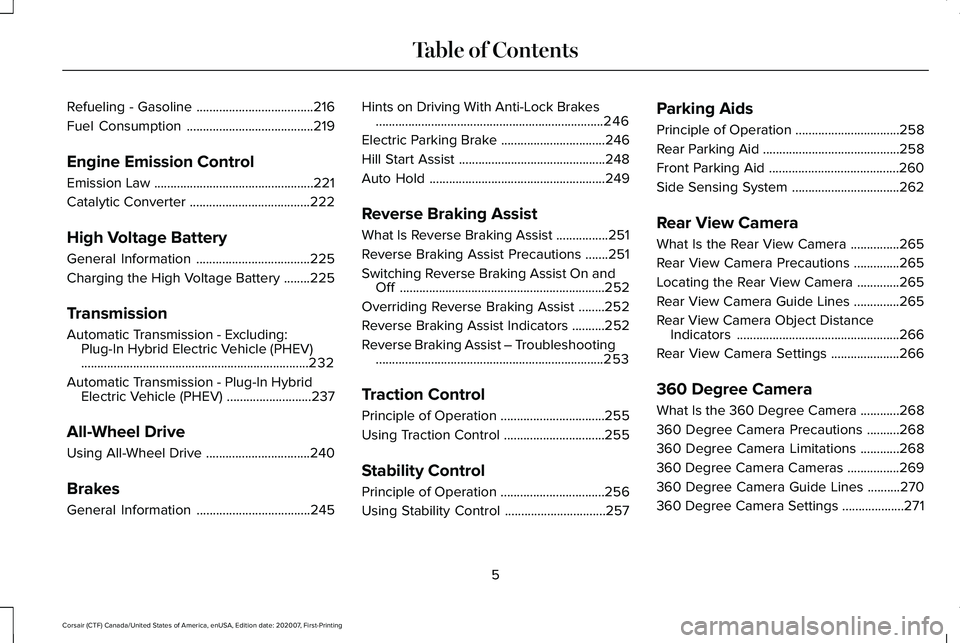
Refueling - Gasoline
....................................216
Fuel Consumption .......................................
219
Engine Emission Control
Emission Law .................................................
221
Catalytic Converter .....................................
222
High Voltage Battery
General Information ...................................
225
Charging the High Voltage Battery ........
225
Transmission
Automatic Transmission - Excluding: Plug-In Hybrid Electric Vehicle (PHEV)
......................................................................
232
Automatic Transmission - Plug-In Hybrid Electric Vehicle (PHEV) ..........................
237
All-Wheel Drive
Using All-Wheel Drive ................................
240
Brakes
General Information ...................................
245Hints on Driving With Anti-Lock Brakes
......................................................................
246
Electric Parking Brake ................................
246
Hill Start Assist .............................................
248
Auto Hold ......................................................
249
Reverse Braking Assist
What Is Reverse Braking Assist ................
251
Reverse Braking Assist Precautions .......
251
Switching Reverse Braking Assist On and Off ...............................................................
252
Overriding Reverse Braking Assist ........
252
Reverse Braking Assist Indicators ..........
252
Reverse Braking Assist – Troubleshooting ......................................................................
253
Traction Control
Principle of Operation ................................
255
Using Traction Control ...............................
255
Stability Control
Principle of Operation ................................
256
Using Stability Control ...............................
257Parking Aids
Principle of Operation
................................
258
Rear Parking Aid ..........................................
258
Front Parking Aid ........................................
260
Side Sensing System .................................
262
Rear View Camera
What Is the Rear View Camera ...............
265
Rear View Camera Precautions ..............
265
Locating the Rear View Camera .............
265
Rear View Camera Guide Lines ..............
265
Rear View Camera Object Distance Indicators ..................................................
266
Rear View Camera Settings .....................
266
360 Degree Camera
What Is the 360 Degree Camera ............
268
360 Degree Camera Precautions ..........
268
360 Degree Camera Limitations ............
268
360 Degree Camera Cameras ................
269
360 Degree Camera Guide Lines ..........
270
360 Degree Camera Settings ...................
271
5
Corsair (CTF) Canada/United States of America, enUSA, Edition date: 202007, First-Printing Table of Contents
Page 76 of 638
Audio System Volume Limit
The audio system maximum volume is
reduced. A message appears in the
information display if you attempt to exceed
the volume limit. Automatic volume control
turns off.
Emergency Assistance
If you set emergency assistance to always
on, you cannot switch it off with a MyKey.
Do Not Disturb
If you set do not disturb to always on, you
cannot switch it off with a MyKey.
Note:
If a phone is connected using Apple
CarPlay or Android Auto while driving with
a MyKey, the driver can receive phone calls
and text messages even if the do not disturb
restriction is on. If the vehicle comes with
satellite radio, the adult content is not
restricted.
Traction Control
If you set traction control to always on, you
cannot switch it off with a MyKey. CREATING A MYKEY
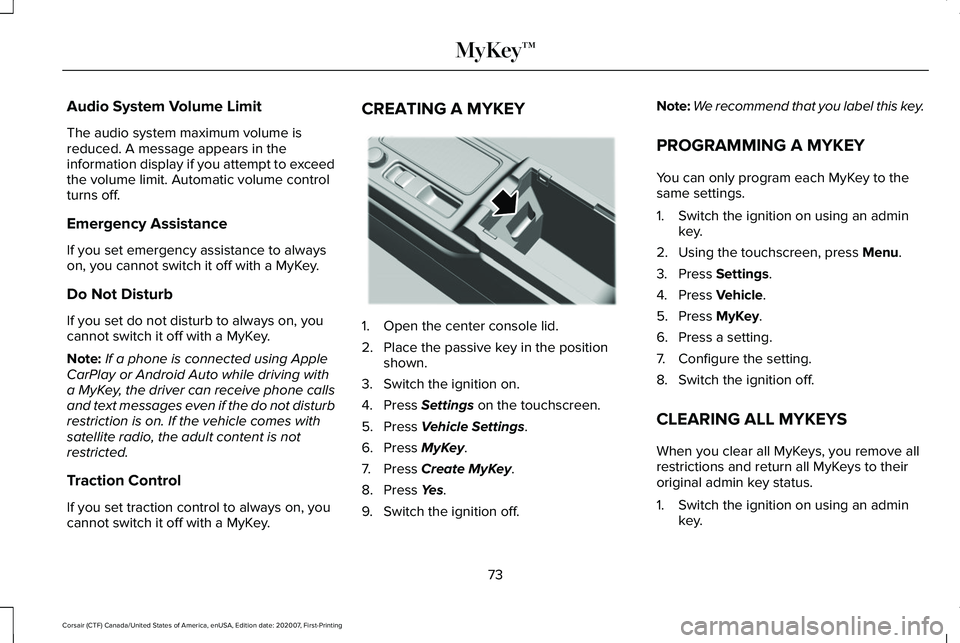
1. Open the center console lid.
2. Place the passive key in the position
shown.
3. Switch the ignition on.
4. Press Settings on the touchscreen.
5. Press
Vehicle Settings.
6. Press
MyKey.
7. Press
Create MyKey.
8. Press
Yes.
9. Switch the ignition off. Note:
We recommend that you label this key.
PROGRAMMING A MYKEY
You can only program each MyKey to the
same settings.
1. Switch the ignition on using an admin key.
2. Using the touchscreen, press
Menu.
3. Press
Settings.
4. Press
Vehicle.
5. Press
MyKey.
6. Press a setting.
7. Configure the setting.
8. Switch the ignition off.
CLEARING ALL MYKEYS
When you clear all MyKeys, you remove all
restrictions and return all MyKeys to their
original admin key status.
1. Switch the ignition on using an admin key.
73
Corsair (CTF) Canada/United States of America, enUSA, Edition date: 202007, First-Printing MyKey™E306288
Page 142 of 638
Adaptive Headlamps (If Equipped)
Action
Message
Displays when a system error has occurred. Have the system checked as soon as possible.
Check Headlamp System See Manual
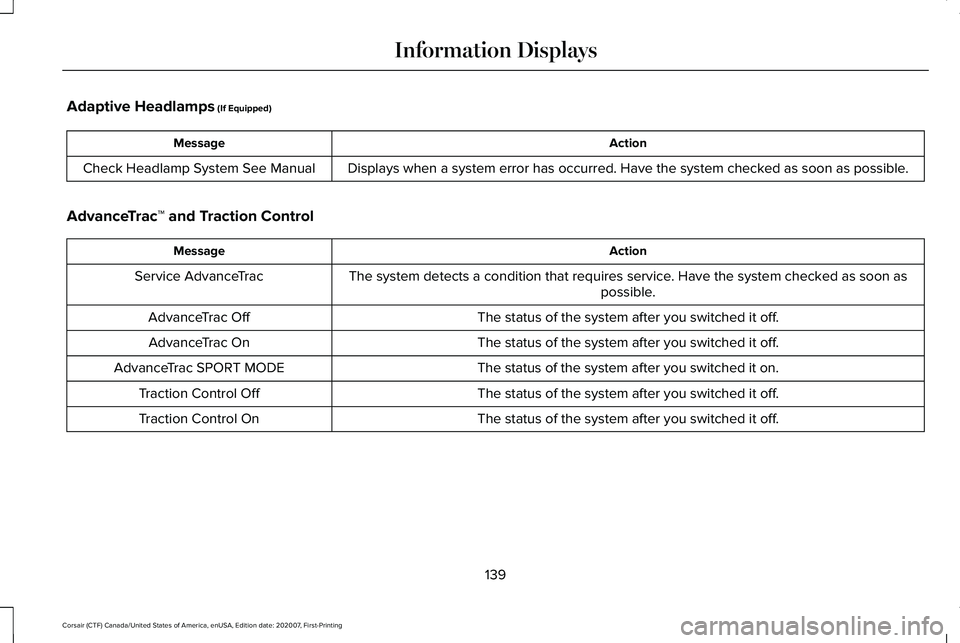
AdvanceTrac ™ and Traction Control Action
Message
The system detects a condition that requires service. Have the system checked as soon as possible.
Service AdvanceTrac
The status of the system after you switched it off.
AdvanceTrac Off
The status of the system after you switched it off.
AdvanceTrac On
The status of the system after you switched it on.
AdvanceTrac SPORT MODE
The status of the system after you switched it off.
Traction Control Off
The status of the system after you switched it off.
Traction Control On
139
Corsair (CTF) Canada/United States of America, enUSA, Edition date: 202007, First-Printing Information Displays
Page 153 of 638
MyKey
Action
Message
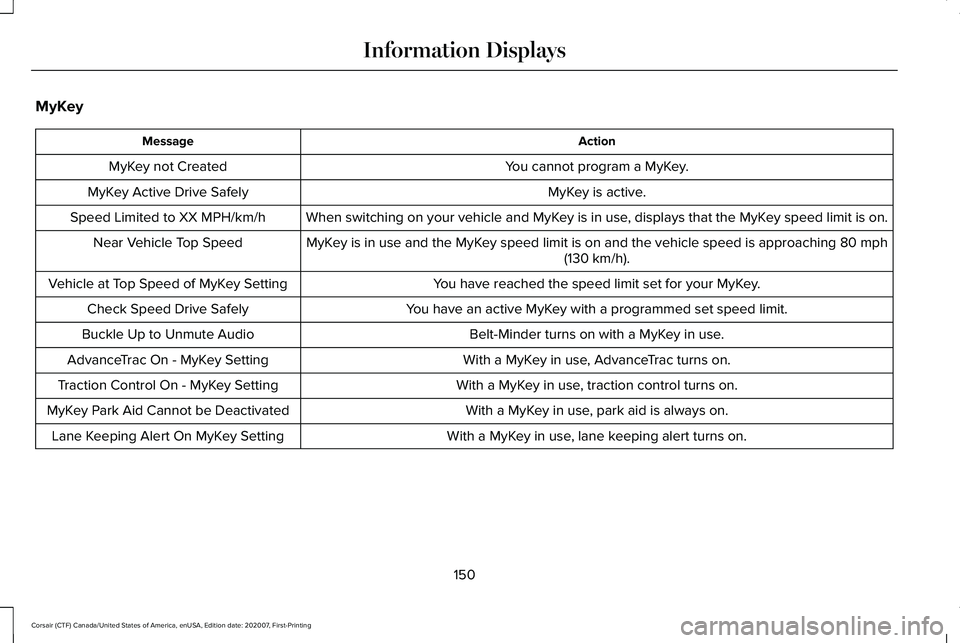
You cannot program a MyKey.
MyKey not Created
MyKey is active.
MyKey Active Drive Safely
When switching on your vehicle and MyKey is in use, displays that the MyKey speed limit is on.
Speed Limited to XX MPH/km/h
MyKey is in use and the MyKey speed limit is on and the vehicle speed is approaching 80 mph
(130 km/h).
Near Vehicle Top Speed
You have reached the speed limit set for your MyKey.
Vehicle at Top Speed of MyKey Setting
You have an active MyKey with a programmed set speed limit.
Check Speed Drive Safely
Belt-Minder turns on with a MyKey in use.
Buckle Up to Unmute Audio
With a MyKey in use, AdvanceTrac turns on.
AdvanceTrac On - MyKey Setting
With a MyKey in use, traction control turns on.
Traction Control On - MyKey Setting
With a MyKey in use, park aid is always on.
MyKey Park Aid Cannot be Deactivated
With a MyKey in use, lane keeping alert turns on.
Lane Keeping Alert On MyKey Setting
150
Corsair (CTF) Canada/United States of America, enUSA, Edition date: 202007, First-Printing Information Displays
Page 243 of 638
USING ALL-WHEEL DRIVE
Note:
When a system malfunction is present,
a warning message appears in the
information display. See Information
Messages (page 137). This means the system
is not functioning correctly and only
front-wheel drive is available. Have your
vehicle checked by an authorized dealer.
Note: When the system overheats and
switches to front-wheel drive, a warning
message appears in the information display.
This may occur if you operate your vehicle
in extreme high load conditions or with
excessive wheel spin (for example, deep
sand). To resume all-wheel drive function,
stop your vehicle in a safe location and turn
off the ignition. When the system cools,
normal all-wheel drive function will return.
Note: When using the spare tire, a warning
message may appear in the information
display. This message turns off after
reinstalling the repaired or replaced road
tire and you switch on the ignition. Note:
Re-install the repaired tire or replace
the tire as soon as possible. Different tire
sizes between the front and rear axles can
cause system damage, or turn off the
all-wheel drive.
This system anticipates wheel spin and
transfers power to the rear wheels before
the spin occurs. Even when wheel spin is not
occurring, the system is continuously
adjusting power distribution to the wheels,
in an attempt to improve straight line and
cornering, both on and off road.
The system automatically turns on every time
you switch on the ignition.
The all-wheel drive system does not require
maintenance.
Your all-wheel drive vehicle is not intended
for off-road use. The AWD feature gives your
vehicle some limited off-road capabilities in
which driving surfaces are relatively level,
obstruction-free and otherwise similar to
normal on-road driving conditions. Operating
your vehicle in other than those conditions
could subject your vehicle to excessive
stress which might result in damage that is
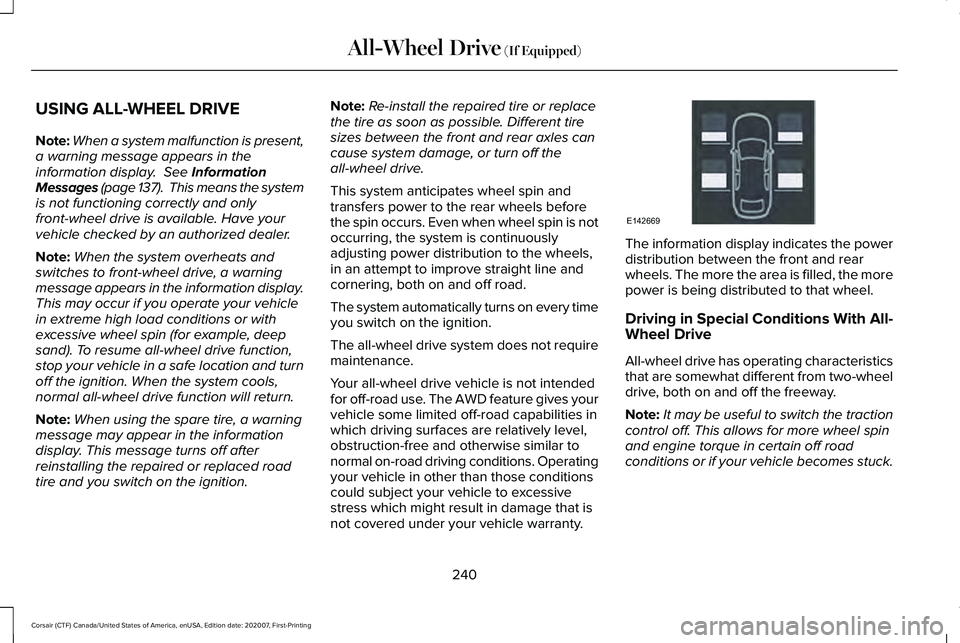
not covered under your vehicle warranty. The information display indicates the power
distribution between the front and rear
wheels. The more the area is filled, the more
power is being distributed to that wheel.
Driving in Special Conditions With All-
Wheel Drive
All-wheel drive has operating characteristics
that are somewhat different from two-wheel
drive, both on and off the freeway.
Note:
It may be useful to switch the traction
control off. This allows for more wheel spin
and engine torque in certain off road
conditions or if your vehicle becomes stuck.
240
Corsair (CTF) Canada/United States of America, enUSA, Edition date: 202007, First-Printing All-Wheel Drive
(If Equipped)E142669
Page 245 of 638
To resume operation, switch the ignition off
and allow the system to cool down for a
minimum of 15 minutes. After the system has
cooled down, you will see a brief message
display in the information display. See
Information Messages (page 137).
When driving at slow speeds in deep sand
under high outside temperatures, use a low
gear when possible. Low gear operation will
maximize the engine and transmission
cooling capability.
Tips when driving over sand:
• Keep all four wheels on the most solid
area of the trail.
• Shift to a lower gear.
• Apply the accelerator slowly.
• Drive steadily through the terrain.
• Avoid excessive wheel spin.
• Avoid reducing the tire pressures. Mud and Water
Mud
Avoid sudden changes in vehicle speed or
direction when you are driving in mud. Even
all-wheel drive vehicles can lose traction in
mud. If your vehicle does slide, steer in the
direction of the slide until you regain control
of your vehicle.
After driving through mud, clean off excess
mud stuck to rotating driveshafts and tires.
Excess mud stuck on tires and rotating
driveshafts can cause an imbalance that
could damage drive components.
Water
Drive slowly through high water. Traction or
brake capability may be limited.
When driving through water, determine the
depth and avoid water higher than the
bottom of the wheel rims. If the ignition
system gets wet, your vehicle may stall. Once through water, always try the brakes.
Wet brakes will not stop your vehicle as
quickly as dry brakes. Apply light pressure
to the brake pedal while slowly moving the
vehicle to dry the brakes.
Note:
Driving through deep water may
damage the transmission. If the front or rear
axle is submerged in water, have the power
transfer unit (PTU) or rear axle serviced by
an authorized dealer.
Driving on Hilly or Sloping Terrain
Although natural obstacles may make it
necessary to travel diagonally up or down a
hill or steep incline, always try to drive
straight up or straight down the sloping
terrain.
Note: To maintain traction and avoid
possibly rolling your vehicle, avoid turning
on steep slopes or hills. When you drive on
a hill, determine beforehand the route you
will use. Do not drive over a hill without first
seeing what is on the other side. Do not drive
in reverse over a hill without the aid of an
observer.
242
Corsair (CTF) Canada/United States of America, enUSA, Edition date: 202007, First-Printing All-Wheel Drive
(If Equipped)
Page 246 of 638
Start climbing a steep slope or hill in a low
gear rather than downshifting to a low gear
from a high gear after you have started your
climb. This reduces strain on the engine and
the possibility of stalling.
If your vehicle stalls, do not try to turn
around. Turning could cause the vehicle to
roll over. Instead, reverse back to a safe
location.
Apply just enough power to the wheels to
climb the hill. Too much power will cause the
tires to slip, spin or lose traction, and you
could lose control of your vehicle. To avoid brake overheating, come down a
hill in the same gear you used to go up the
hill. Do not come down in neutral. Move the
transmission selector lever to a lower gear.
When descending a steep hill, avoid sudden
hard braking to keep the front wheels rolling
and to maintain your vehicle's steering.
Your vehicle has anti-lock brakes. Apply the
brakes steadily. Do not pump the brake
pedal.
Driving on Snow and Ice
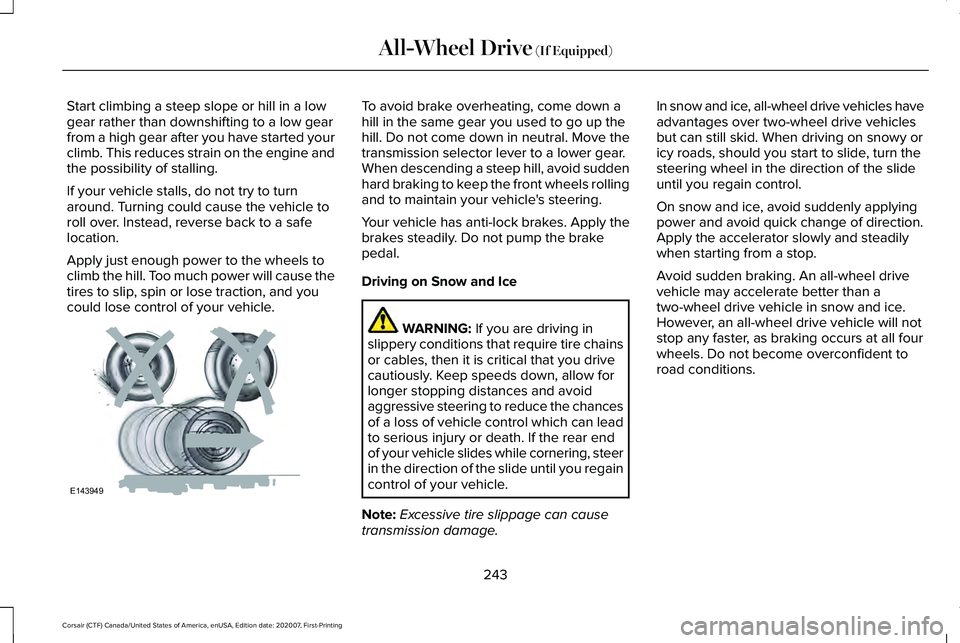
WARNING: If you are driving in
slippery conditions that require tire chains
or cables, then it is critical that you drive
cautiously. Keep speeds down, allow for
longer stopping distances and avoid
aggressive steering to reduce the chances
of a loss of vehicle control which can lead
to serious injury or death. If the rear end
of your vehicle slides while cornering, steer
in the direction of the slide until you regain
control of your vehicle.
Note: Excessive tire slippage can cause
transmission damage. In snow and ice, all-wheel drive vehicles have
advantages over two-wheel drive vehicles
but can still skid. When driving on snowy or
icy roads, should you start to slide, turn the
steering wheel in the direction of the slide
until you regain control.
On snow and ice, avoid suddenly applying
power and avoid quick change of direction.
Apply the accelerator slowly and steadily
when starting from a stop.
Avoid sudden braking. An all-wheel drive
vehicle may accelerate better than a
two-wheel drive vehicle in snow and ice.
However, an all-wheel drive vehicle will not
stop any faster, as braking occurs at all four
wheels. Do not become overconfident to
road conditions.
243
Corsair (CTF) Canada/United States of America, enUSA, Edition date: 202007, First-Printing All-Wheel Drive
(If Equipped)E143949
Page 257 of 638
Reverse Braking Assist – Frequently
Asked Questions
Why is reverse braking assist unavailable?
•
Make sure that all doors, liftgate and
hood are closed. Drive the vehicle on a
straight road for a short period. If the
message remains, contact an authorized
dealer.
• Make sure the cross traffic alert system
is on. See Cross Traffic Alert (page 301).
• Make sure the rear parking aid system is
on.
See Rear Parking Aid (page 258).
• Make sure traction control is on.
See
Traction Control (page 255).
• The vehicle has sustained a rear end
impact. Contact an authorized dealer to
have the sensors checked for proper
coverage and operation.
• An ABS, traction control or stability
control event may have occurred.
Reverse braking assist resumes
operation when the event is complete. •
Make sure the rear view camera and 360
degree camera are not dirty or
obstructed. If dirty, clean the camera. If
the message still appears after cleaning
the camera, wait a short time and the
message should clear. If the message
does not clear, contact an authorized
dealer.
• Make sure there are no blocked or
faulted sensors.
See Cross Traffic Alert
(page 301).
• You recently had your vehicle serviced,
or the battery disconnected. Drive your
vehicle a short distance to resume
system operation.
• Reverse braking assist does not function
when you connect a trailer. Operation
resumes when you disconnect the trailer.
Note: If the answers to why the system is
unavailable do not assist in returning reverse
braking assist to available, have the system
checked as soon as possible.
254
Corsair (CTF) Canada/United States of America, enUSA, Edition date: 202007, First-Printing Reverse Braking Assist
(If Equipped)
Page 258 of 638
PRINCIPLE OF OPERATION
The traction control system helps avoid drive
wheel spin and loss of traction.
If your vehicle begins to slide, the system
applies the brakes to individual wheels and,
when needed, reduces engine power at the
same time. If the wheels spin when
accelerating on slippery or loose surfaces,
the system reduces engine power in order
to increase traction.
USING TRACTION CONTROL
WARNING: The stability and traction
control light illuminates steadily if the
system detects a failure. Make sure you
did not manually disable the traction
control system using the information
display controls or the switch. If the stability
control and traction control light is still illuminating steadily, have the system
serviced by an authorized dealer
immediately. Operating your vehicle with
the traction control disabled could lead to
an increased risk of loss of vehicle control,
vehicle rollover, personal injury and death.
The system automatically turns on each time
you switch the ignition on.
If your vehicle is stuck in mud or snow,
switching traction control off may be
beneficial as this allows the wheels to spin.
Note: When you switch traction control off,
stability control remains fully active.
Switching the System Off
When you switch the system off or on, a
message appears in the information display
showing system status.
You can switch the system off by either using
the information display controls or the switch. Using the Information Display Controls
You can switch this feature off or on in the
information display. See General Information
(page
131).
Using a Switch
(If Equipped)
Use the traction control switch on the
instrument panel to switch the system off or
on.
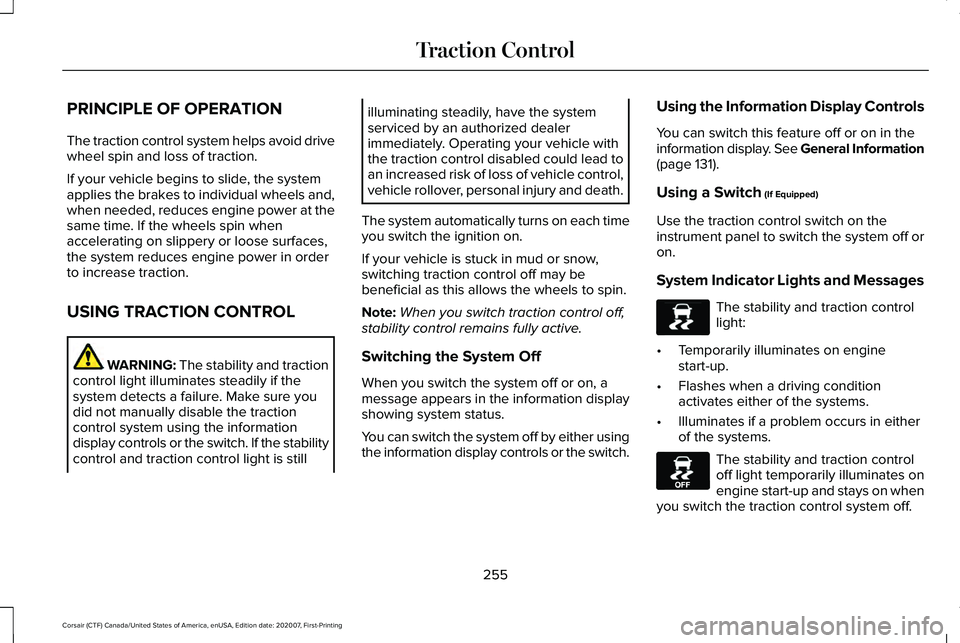
System Indicator Lights and Messages The stability and traction control
light:
• Temporarily illuminates on engine
start-up.
• Flashes when a driving condition
activates either of the systems.
• Illuminates if a problem occurs in either
of the systems. The stability and traction control
off light temporarily illuminates on
engine start-up and stays on when
you switch the traction control system off.
255
Corsair (CTF) Canada/United States of America, enUSA, Edition date: 202007, First-Printing Traction ControlE138639 E130458
Page 259 of 638
PRINCIPLE OF OPERATION
WARNING: Vehicle modifications
involving braking system, aftermarket roof
racks, suspension, steering system, tire
construction and wheel and tire size may
change the handling characteristics of your
vehicle and may adversely affect the
performance of the electronic stability
control system. In addition, installing any
stereo loudspeakers may interfere with
and adversely affect the electronic stability
control system. Install any aftermarket
stereo loudspeaker as far as possible from
the front center console, the tunnel, and
the front seats in order to minimize the risk
of interfering with the electronic stability
control sensors. Reducing the
effectiveness of the electronic stability
control system could lead to an increased
risk of loss of vehicle control, vehicle
rollover, personal injury and death. WARNING:
Remember that even
advanced technology cannot defy the laws
of physics. It’ s always possible to lose
control of a vehicle due to inappropriate
driver input for the conditions. Aggressive
driving on any road condition can cause
you to lose control of your vehicle
increasing the risk of personal injury or
property damage. Activation of the
electronic stability control system is an
indication that at least some of the tires
have exceeded their ability to grip the
road; this could reduce the operator’ s
ability to control the vehicle potentially
resulting in a loss of vehicle control, vehicle
rollover, personal injury and death. If your
electronic stability control system activates,
SLOW DOWN.
The system automatically turns on each time
you switch the ignition on.
If a fault occurs in either the stability control
or the traction control system, you may
experience the following conditions: •
The stability and traction control light
illuminates steadily.
• The stability control and traction control
systems do not enhance your vehicle's
ability to maintain traction of the wheels.
If a driving condition activates either the
stability control or the traction control system
you may experience the following conditions:
• The stability and traction control light
flashes.
• Your vehicle slows down.
• Reduced engine power.
• A vibration in the brake pedal.
• The brake pedal is stiffer than usual.
• If the driving condition is severe and your
foot is not on the brake, the brake pedal
may move as the system applies higher
brake force.
The stability control system has several
features built into it to help you maintain
control of your vehicle:
256
Corsair (CTF) Canada/United States of America, enUSA, Edition date: 202007, First-Printing Stability Control