USB LINCOLN CORSAIR 2022 Owner's Manual
[x] Cancel search | Manufacturer: LINCOLN, Model Year: 2022, Model line: CORSAIR, Model: LINCOLN CORSAIR 2022Pages: 676, PDF Size: 7.67 MB
Page 563 of 676

Possible Cause and Resolution
Symptom
–Incorrect device settings.
•Make sure that your device does not have an auto-install program or active \
security
settings.
• Check that your device is not set only to charge.
– Device lock screen enabled.
•Unlock your device before connecting it.
The system does not recognize my device. –Device limitation.
•Do not leave your device in your vehicle during very hot or very cold we\
ather condi-
tions.
– Cable connection issue.
•Correctly connect the cable to your device and the vehicle USB port.
– Incompatible cable.
•Use the cable recommended by the manufacturer of your device.
The system does not understand the name of
a track or artist. –
Device limitation. Bluetooth® does not support voice commands.
• Connect your device to a USB port.
• If you have an iOS device, press and hold the voice control button on the steering
wheel to use Siri to play specific tracks.
560
2022 Corsair (CTF) Canada/United States of America, enUSA, Edition date: 202106, First-Printing SYNC™ 3
Page 565 of 676

Possible Cause and Resolution
Symptom
Sometimes I cannot hear a track playing on
my device. –
Device malfunction.
•Disconnect your device. Switch your device off and on to reset it and try again.
When I disconnect my iOS device the audio
volume is set to maximum. –
Device limitation.
•Turn the volume down on your device.
If the system does not play the tracks on your USB device in the correct\
order, the following
information could help:
The system does not play the tracks on my
USB drive in the correct order.
–If you are selecting USB as the audio source when the system is still in\
dexing, SYNC plays
tracks sorted alphabetically by file name in the root directory.
– If you are selecting USB as the audio source after the system has finish\
ed indexing, SYNC
plays all tracks sorted alphabetically by the title in the ID3 tag regar\
dless of where they
are located. SYNC uses the file name if the title in the ID3 tag does not exist.
– If you are selecting the option to play all tracks from the browsing men\
u, SYNC plays all
tracks sorted alphabetically by the title in the ID3 tag regardless of w\
here they are located.
SYNC uses the file name if the title in the ID3 tag does not exist.
– If you are selecting a track when using the explore device option, SYNC plays tracks
sorted alphabetically by file name in the folder you have selected. SYNC then plays all
tracks in any subfolders in the folder you have selected.
562
2022 Corsair (CTF) Canada/United States of America, enUSA, Edition date: 202106, First-Printing SYNC™ 3
Page 566 of 676

Phone
Possible Cause and Resolution
Symptom
During a call, I can hear excessive background
noise. –
Incorrect cell phone settings.
•Check and adjust the audio settings on your cell phone. Refer to your cell phone's
user manual.
During a call, I can hear the other person but
they cannot hear me. –
Cell phone malfunction.
•Switch your cell phone on and off, and vehicle Bluetooth® on and off and try again.
– Cell phone microphone muted.
•Unmute your cell phone microphone.
– Privacy mode is enabled.
•Switch off privacy mode.
During a call, I cannot hear the other person
and they cannot hear me. –
System restart required.
•Switch the ignition off and open the door. Close the door and lock the vehicle. Wait
until the touchscreen is off and any illuminated USB ports are not illum\
inated. Unlock
the vehicle, switch the ignition on and try again.
563
2022 Corsair (CTF) Canada/United States of America, enUSA, Edition date: 202106, First-Printing SYNC™ 3
Page 570 of 676

Apps
Possible Cause and Resolution
Symptom
The system cannot find any apps. –Incompatible device.
•You need an Android device with OS 4.3 or higher or an iOS device with iO\
S 8.0 or
higher. Pair and connect your Android device to find compatible apps. Connect yo\
ur
iOS device to a USB port or pair and connect using Bluetooth®.
I have a compatible device and it is correctly
connected but the system still cannot find any
apps. –
Compatible apps are not installed on your device.
•Download and install the latest version of the app.
– Compatible apps are not running on your device.
•Start the apps to allow the system to find them and make sure you sign in to any apps
if required.
– Incorrect app settings.
•Check and adjust the app settings on your device and allow SYNC to access the app
if required.
I have a compatible device, it is correctly
connected and my apps are running but the
system still cannot find any apps. –
Apps failed to fully close.
•Restart the apps and try again.
• If you have an Android device with apps that have an exit or quit option\
, use this and
then restart the apps. Alternatively, use the force stop option in the settings menu on
your device.
• If you have an iOS device with iOS 8.0 or higher, tap the home button on your device
twice and then swipe the app upward to close it.
567
2022 Corsair (CTF) Canada/United States of America, enUSA, Edition date: 202106, First-Printing SYNC™ 3
Page 675 of 676
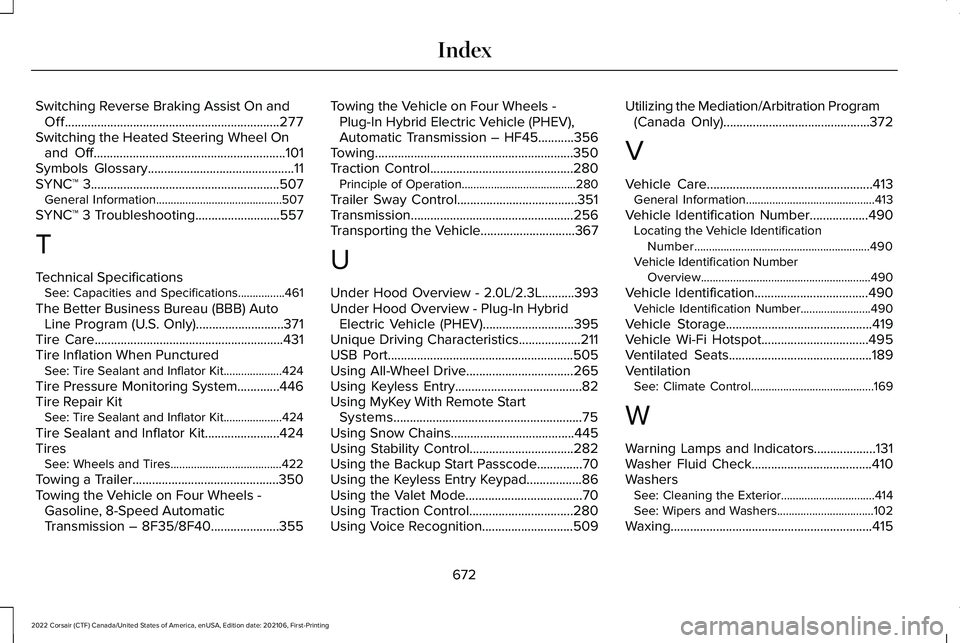
Switching Reverse Braking Assist On and
Off..................................................................277
Switching the Heated Steering Wheel On and Off...........................................................101
Symbols Glossary.............................................11
SYNC™ 3..........................................................507
General Information...........................................507
SYNC™ 3 Troubleshooting
..........................557
T
Technical Specifications See: Capacities and Specifications................461
The Better Business Bureau (BBB) Auto Line Program (U.S. Only)...........................371
Tire Care..........................................................431
Tire Inflation When Punctured See: Tire Sealant and Inflator Kit....................424
Tire Pressure Monitoring System.............446
Tire Repair Kit See: Tire Sealant and Inflator Kit....................424
Tire Sealant and Inflator Kit.......................424
Tires See: Wheels and Tires......................................422
Towing a Trailer.............................................350
Towing the Vehicle on Four Wheels - Gasoline, 8-Speed Automatic
Transmission – 8F35/8F40
.....................355 Towing the Vehicle on Four Wheels -
Plug-In Hybrid Electric Vehicle (PHEV),
Automatic Transmission – HF45...........356
Towing.............................................................350
Traction Control............................................280 Principle of Operation.......................................
280
Trailer Sway Control.....................................351
Transmission ..................................................
256
Transporting the Vehicle.............................367
U
Under Hood Overview - 2.0L/2.3L..........393
Under Hood Overview - Plug-In Hybrid Electric Vehicle (PHEV)............................395
Unique Driving Characteristics
...................211
USB Port.........................................................505
Using All-Wheel Drive.................................265
Using Keyless Entry.......................................82
Using MyKey With Remote Start Systems..........................................................75
Using Snow Chains
......................................445
Using Stability Control................................282
Using the Backup Start Passcode..............70
Using the Keyless Entry Keypad.................86
Using the Valet Mode....................................70
Using Traction Control
................................280
Using Voice Recognition............................509 Utilizing the Mediation/Arbitration Program
(Canada Only)
.............................................372
V
Vehicle Care
...................................................413
General Information............................................413
Vehicle Identification Number
..................490
Locating the Vehicle Identification
Number............................................................490
Vehicle Identification Number Overview..........................................................490
Vehicle Identification...................................490 Vehicle Identification Number........................490
Vehicle Storage
.............................................419
Vehicle Wi-Fi Hotspot.................................495
Ventilated Seats............................................189
Ventilation See: Climate Control..........................................169
W
Warning Lamps and Indicators...................131
Washer Fluid Check.....................................410
Washers See: Cleaning the Exterior................................414
See: Wipers and Washers.................................102
Waxing..............................................................415
672
2022 Corsair (CTF) Canada/United States of America, enUSA, Edition date: 202106, First-Printing Index