mirror LINCOLN CORSAIR 2022 Owner's Manual
[x] Cancel search | Manufacturer: LINCOLN, Model Year: 2022, Model line: CORSAIR, Model: LINCOLN CORSAIR 2022Pages: 676, PDF Size: 7.67 MB
Page 327 of 676
BLIND SPOT INFORMATION
SYSTEM
WARNING: Do not use the blind spot
information system as a replacement for
using the interior and exterior mirrors or
looking over your shoulder before
changing lanes. The blind spot information
system is not a replacement for careful
driving. WARNING:
The system may not
operate properly during severe weather
conditions, for example snow, ice, heavy
rain and spray. Always drive with due care
and attention. Failure to take care may
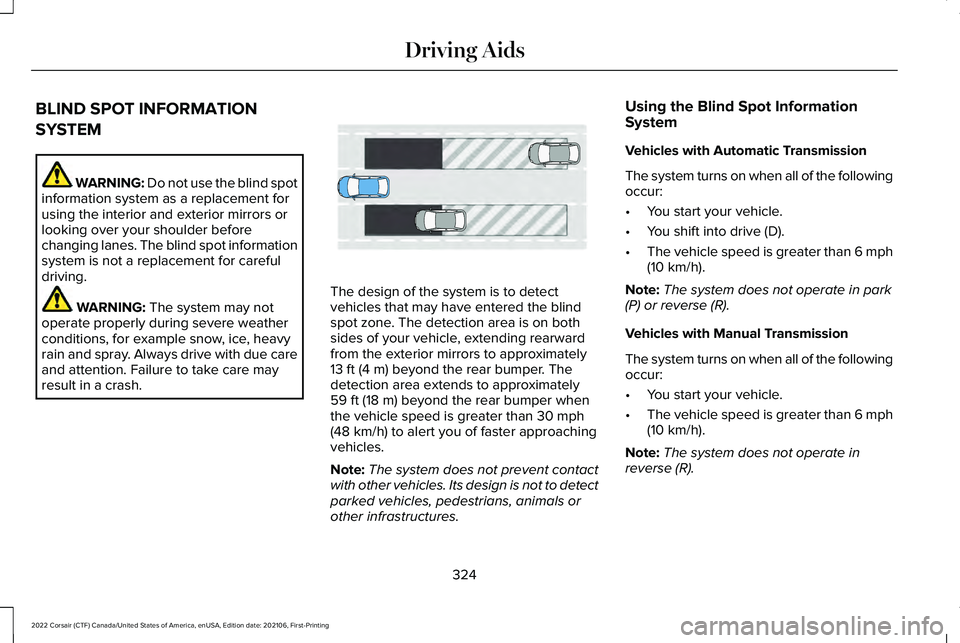
result in a crash. The design of the system is to detect
vehicles that may have entered the blind
spot zone. The detection area is on both
sides of your vehicle, extending rearward
from the exterior mirrors to approximately
13 ft (4 m)
beyond the rear bumper. The
detection area extends to approximately
59 ft (18 m)
beyond the rear bumper when
the vehicle speed is greater than 30 mph
(48 km/h) to alert you of faster approaching
vehicles.
Note: The system does not prevent contact
with other vehicles. Its design is not to detect
parked vehicles, pedestrians, animals or
other infrastructures. Using the Blind Spot Information
System
Vehicles with Automatic Transmission
The system turns on when all of the following
occur:
•
You start your vehicle.
• You shift into drive (D).
• The vehicle speed is greater than
6 mph
(10 km/h).
Note: The system does not operate in park
(P) or reverse (R).
Vehicles with Manual Transmission
The system turns on when all of the following
occur:
• You start your vehicle.
• The vehicle speed is greater than
6 mph
(10 km/h).
Note: The system does not operate in
reverse (R).
324
2022 Corsair (CTF) Canada/United States of America, enUSA, Edition date: 202106, First-Printing Driving AidsE255695
Page 328 of 676
System Lights and Messages
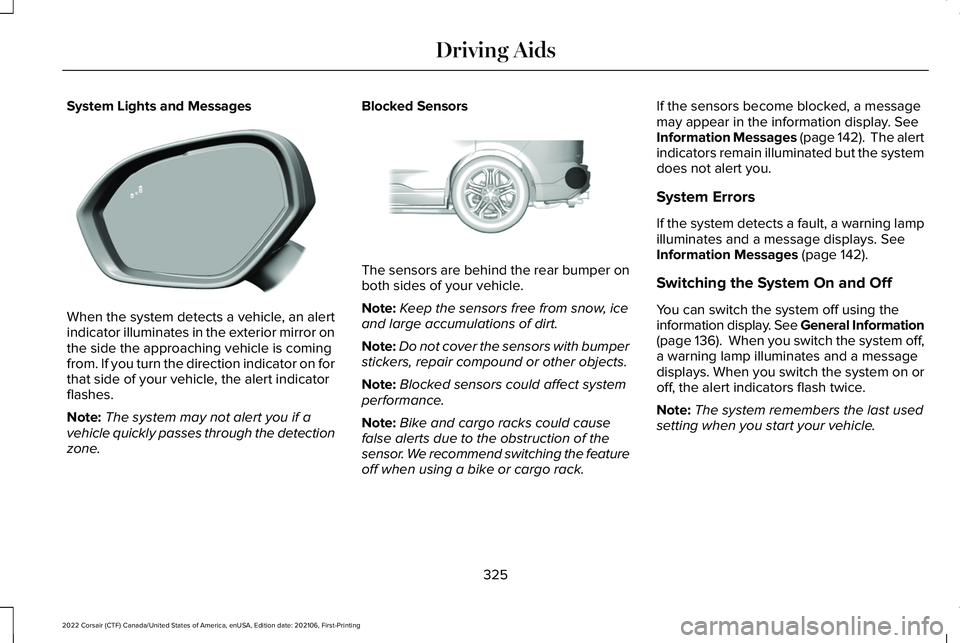
When the system detects a vehicle, an alert
indicator illuminates in the exterior mirror on
the side the approaching vehicle is coming
from. If you turn the direction indicator on for
that side of your vehicle, the alert indicator
flashes.
Note:
The system may not alert you if a
vehicle quickly passes through the detection
zone. Blocked Sensors
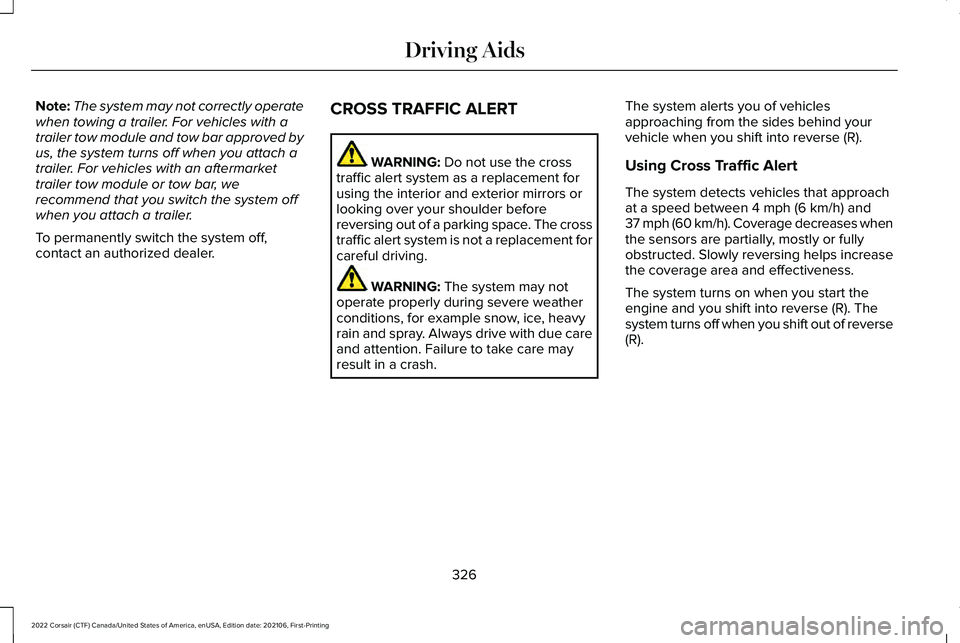
The sensors are behind the rear bumper on
both sides of your vehicle.
Note:
Keep the sensors free from snow, ice
and large accumulations of dirt.
Note: Do not cover the sensors with bumper
stickers, repair compound or other objects.
Note: Blocked sensors could affect system
performance.
Note: Bike and cargo racks could cause
false alerts due to the obstruction of the
sensor. We recommend switching the feature
off when using a bike or cargo rack. If the sensors become blocked, a message
may appear in the information display. See
Information Messages (page 142). The alert
indicators remain illuminated but the system
does not alert you.
System Errors
If the system detects a fault, a warning lamp
illuminates and a message displays.
See
Information Messages (page 142).
Switching the System On and Off
You can switch the system off using the
information display. See General Information
(page
136). When you switch the system off,
a warning lamp illuminates and a message
displays. When you switch the system on or
off, the alert indicators flash twice.
Note: The system remembers the last used
setting when you start your vehicle.
325
2022 Corsair (CTF) Canada/United States of America, enUSA, Edition date: 202106, First-Printing Driving AidsE309221 E205199
Page 329 of 676
Note:
The system may not correctly operate
when towing a trailer. For vehicles with a
trailer tow module and tow bar approved by
us, the system turns off when you attach a
trailer. For vehicles with an aftermarket
trailer tow module or tow bar, we
recommend that you switch the system off
when you attach a trailer.
To permanently switch the system off,
contact an authorized dealer. CROSS TRAFFIC ALERT WARNING: Do not use the cross
traffic alert system as a replacement for
using the interior and exterior mirrors or
looking over your shoulder before
reversing out of a parking space. The cross
traffic alert system is not a replacement for
careful driving. WARNING:
The system may not
operate properly during severe weather
conditions, for example snow, ice, heavy
rain and spray. Always drive with due care
and attention. Failure to take care may
result in a crash. The system alerts you of vehicles
approaching from the sides behind your
vehicle when you shift into reverse (R).
Using Cross Traffic Alert
The system detects vehicles that approach
at a speed between
4 mph (6 km/h) and
37 mph (60 km/h). Coverage decreases when
the sensors are partially, mostly or fully
obstructed. Slowly reversing helps increase
the coverage area and effectiveness.
The system turns on when you start the
engine and you shift into reverse (R). The
system turns off when you shift out of reverse
(R).
326
2022 Corsair (CTF) Canada/United States of America, enUSA, Edition date: 202106, First-Printing Driving Aids
Page 332 of 676
Switching the System On and Off
To switch the system on or off, adjust the
settings using the touchscreen. See Settings
(page 555).
Note: The system turns on every time you
switch the ignition on. To permanently switch
the system off, contact an authorized dealer.
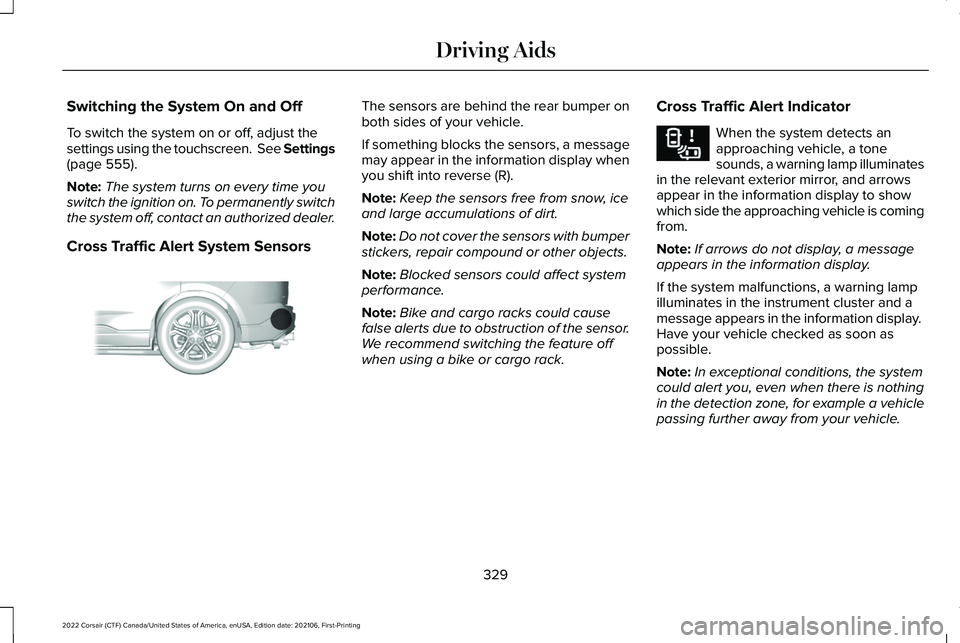
Cross Traffic Alert System Sensors The sensors are behind the rear bumper on
both sides of your vehicle.
If something blocks the sensors, a message
may appear in the information display when
you shift into reverse (R).
Note:
Keep the sensors free from snow, ice
and large accumulations of dirt.
Note: Do not cover the sensors with bumper
stickers, repair compound or other objects.
Note: Blocked sensors could affect system
performance.
Note: Bike and cargo racks could cause
false alerts due to obstruction of the sensor.
We recommend switching the feature off
when using a bike or cargo rack. Cross Traffic Alert Indicator When the system detects an
approaching vehicle, a tone
sounds, a warning lamp illuminates
in the relevant exterior mirror, and arrows
appear in the information display to show
which side the approaching vehicle is coming
from.
Note: If arrows do not display, a message
appears in the information display.
If the system malfunctions, a warning lamp
illuminates in the instrument cluster and a
message appears in the information display.
Have your vehicle checked as soon as
possible.
Note: In exceptional conditions, the system
could alert you, even when there is nothing
in the detection zone, for example a vehicle
passing further away from your vehicle.
329
2022 Corsair (CTF) Canada/United States of America, enUSA, Edition date: 202106, First-Printing Driving AidsE205199 E268294
Page 343 of 676
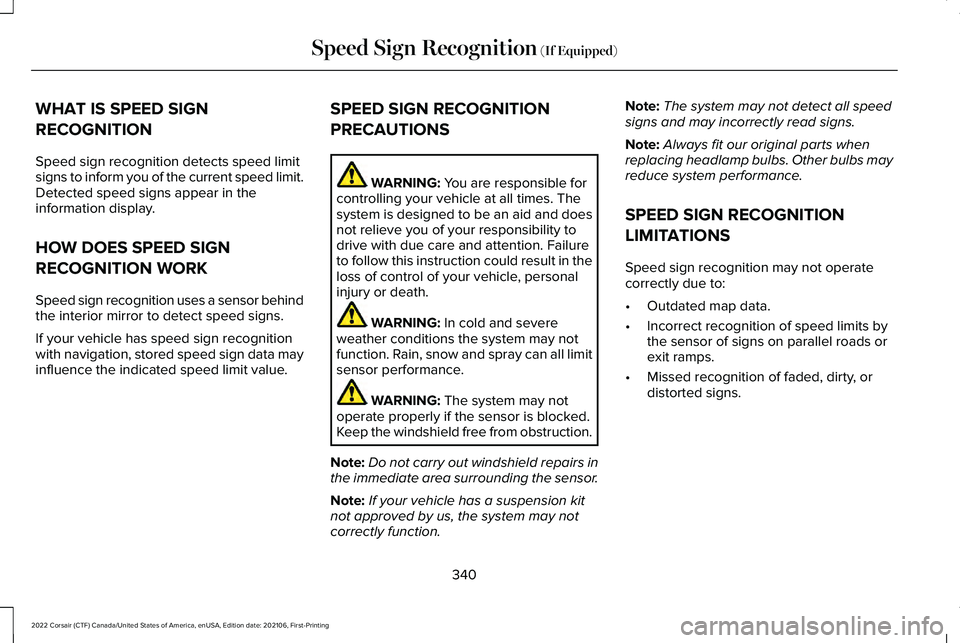
WHAT IS SPEED SIGN
RECOGNITION
Speed sign recognition detects speed limit
signs to inform you of the current speed limit.
Detected speed signs appear in the
information display.
HOW DOES SPEED SIGN
RECOGNITION WORK
Speed sign recognition uses a sensor behind
the interior mirror to detect speed signs.
If your vehicle has speed sign recognition
with navigation, stored speed sign data may
influence the indicated speed limit value.
SPEED SIGN RECOGNITION
PRECAUTIONS WARNING: You are responsible for
controlling your vehicle at all times. The
system is designed to be an aid and does
not relieve you of your responsibility to
drive with due care and attention. Failure
to follow this instruction could result in the
loss of control of your vehicle, personal
injury or death. WARNING:
In cold and severe
weather conditions the system may not
function. Rain, snow and spray can all limit
sensor performance. WARNING:
The system may not
operate properly if the sensor is blocked.
Keep the windshield free from obstruction.
Note: Do not carry out windshield repairs in
the immediate area surrounding the sensor.
Note: If your vehicle has a suspension kit
not approved by us, the system may not
correctly function. Note:
The system may not detect all speed
signs and may incorrectly read signs.
Note: Always fit our original parts when
replacing headlamp bulbs. Other bulbs may
reduce system performance.
SPEED SIGN RECOGNITION
LIMITATIONS
Speed sign recognition may not operate
correctly due to:
• Outdated map data.
• Incorrect recognition of speed limits by
the sensor of signs on parallel roads or
exit ramps.
• Missed recognition of faded, dirty, or
distorted signs.
340
2022 Corsair (CTF) Canada/United States of America, enUSA, Edition date: 202106, First-Printing Speed Sign Recognition
(If Equipped)
Page 390 of 676
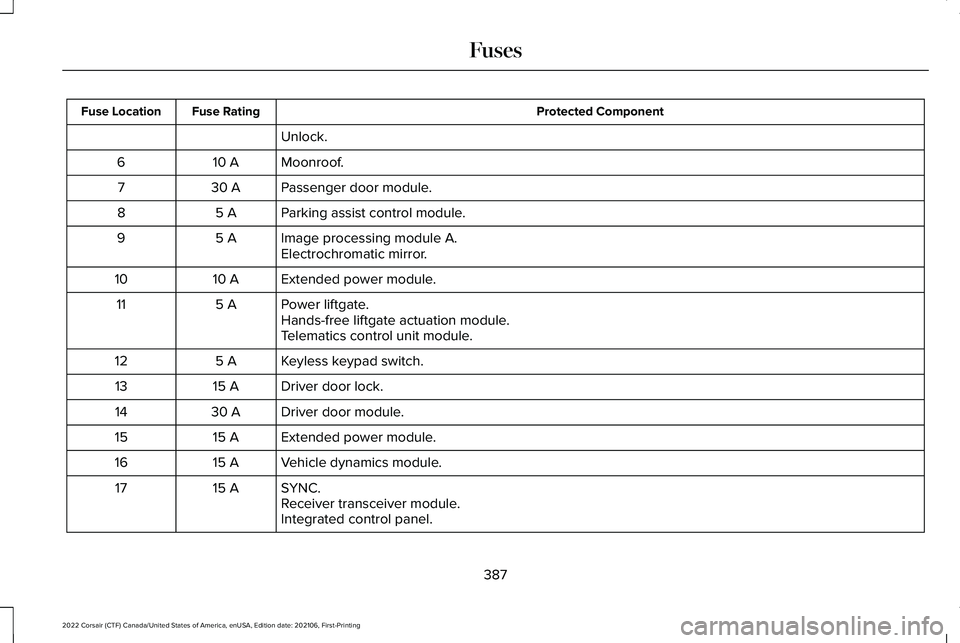
Protected Component
Fuse Rating
Fuse Location
Unlock.
Moonroof.
10 A
6
Passenger door module.
30 A
7
Parking assist control module.
5 A
8
Image processing module A.
5 A
9
Electrochromatic mirror.
Extended power module.
10 A
10
Power liftgate.
5 A
11
Hands-free liftgate actuation module.
Telematics control unit module.
Keyless keypad switch.
5 A
12
Driver door lock.
15 A
13
Driver door module.
30 A
14
Extended power module.
15 A
15
Vehicle dynamics module.
15 A
16
SYNC.
15 A
17
Receiver transceiver module.
Integrated control panel.
387
2022 Corsair (CTF) Canada/United States of America, enUSA, Edition date: 202106, First-Printing Fuses
Page 419 of 676
•
Do not allow wax to come in contact with
any non-body (low-gloss black) colored
trim. The wax will discolor or stain the
parts over time.
•Roof racks.
• Bumpers.
• Grained door handles.
• Side moldings.
• Mirror housings.
• Windshield cowl area.
• Do not apply wax to glass areas.
• After waxing, your car's paint should feel
smooth, and be free of streaks and
smudges.
CLEANING THE ENGINE
Engines are more efficient when they are
clean because grease and dirt buildup keep
the engine warmer than normal. When washing:
•
Take care when using a power washer
to clean the engine. The high-pressure
fluid could penetrate the sealed parts
and cause damage.
• Do not spray a hot engine with cold water
to avoid cracking the engine block or
other engine components.
• Spray Motorcraft Engine Shampoo and
Degreaser on all parts that require
cleaning and pressure rinse clean. In
Canada, use Motorcraft Engine Shampoo.
Note: If your vehicle has an engine cover
remove the cover before application of
Motorcraft Engine Shampoo and Degreaser.
Immediately rinse away any over spray.
• Never wash or rinse the engine while it
is hot or running; water in the running
engine may cause internal damage.
• Never wash or rinse any ignition coil,
spark plug wire or spark plug well, or the
area in and around these locations.
• Cover the battery, power distribution box,
and air filter assembly to prevent water
damage when cleaning the engine. CLEANING THE WINDOWS AND
WIPER BLADES
Car wash chemicals and environmental
fallout can result in windshield and wiper
blade contamination. Dirty windshield and
wipers will result in poor windshield wiper
operation. Keep the windshield and wiper
blades clean to maintain windshield wiper
performance.
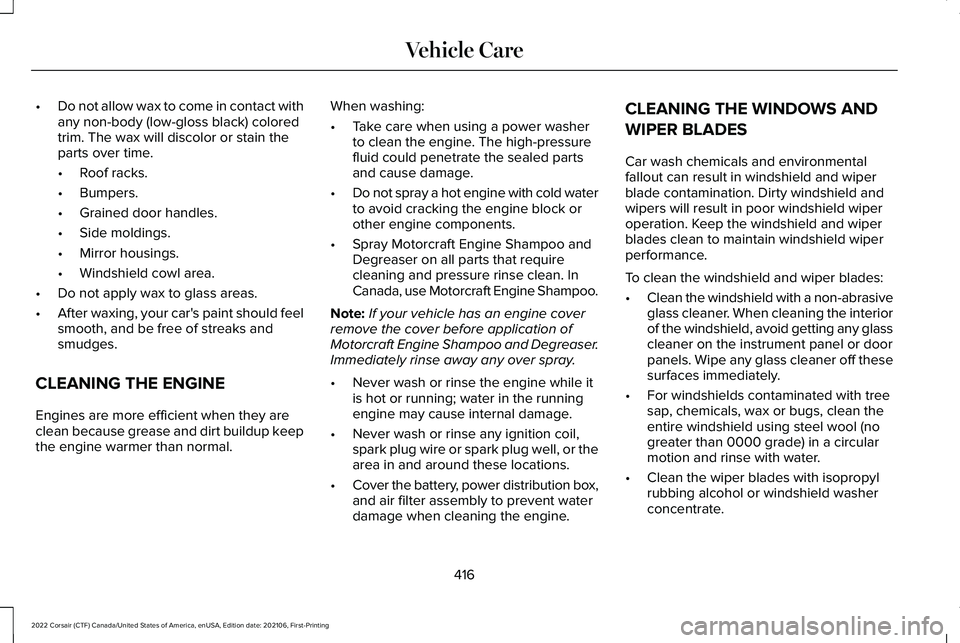
To clean the windshield and wiper blades:
•
Clean the windshield with a non-abrasive
glass cleaner. When cleaning the interior
of the windshield, avoid getting any glass
cleaner on the instrument panel or door
panels. Wipe any glass cleaner off these
surfaces immediately.
• For windshields contaminated with tree
sap, chemicals, wax or bugs, clean the
entire windshield using steel wool (no
greater than 0000 grade) in a circular
motion and rinse with water.
• Clean the wiper blades with isopropyl
rubbing alcohol or windshield washer
concentrate.
416
2022 Corsair (CTF) Canada/United States of America, enUSA, Edition date: 202106, First-Printing Vehicle Care
Page 538 of 676
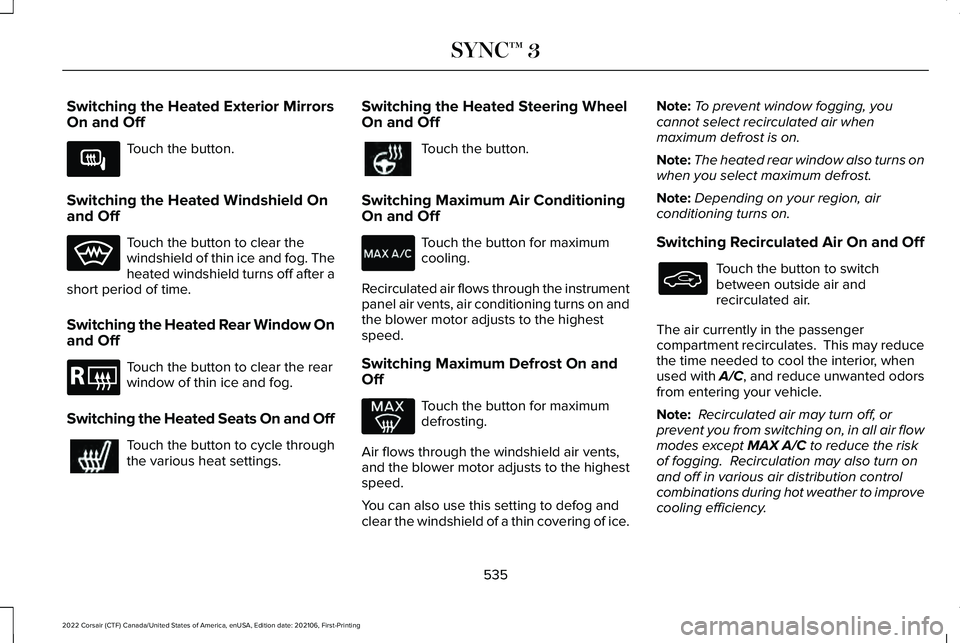
Switching the Heated Exterior Mirrors
On and Off
Touch the button.
Switching the Heated Windshield On
and Off Touch the button to clear the
windshield of thin ice and fog. The
heated windshield turns off after a
short period of time.
Switching the Heated Rear Window On
and Off Touch the button to clear the rear
window of thin ice and fog.
Switching the Heated Seats On and Off Touch the button to cycle through
the various heat settings. Switching the Heated Steering Wheel
On and Off Touch the button.
Switching Maximum Air Conditioning
On and Off Touch the button for maximum
cooling.
Recirculated air flows through the instrument
panel air vents, air conditioning turns on and
the blower motor adjusts to the highest
speed.
Switching Maximum Defrost On and
Off Touch the button for maximum
defrosting.
Air flows through the windshield air vents,
and the blower motor adjusts to the highest
speed.
You can also use this setting to defog and
clear the windshield of a thin covering of ice. Note:
To prevent window fogging, you
cannot select recirculated air when
maximum defrost is on.
Note: The heated rear window also turns on
when you select maximum defrost.
Note: Depending on your region, air
conditioning turns on.
Switching Recirculated Air On and Off Touch the button to switch
between outside air and
recirculated air.
The air currently in the passenger
compartment recirculates. This may reduce
the time needed to cool the interior, when
used with A/C, and reduce unwanted odors
from entering your vehicle.
Note: Recirculated air may turn off, or
prevent you from switching on, in all air flow
modes except MAX A/C to reduce the risk
of fogging. Recirculation may also turn on
and off in various air distribution control
combinations during hot weather to improve
cooling efficiency.
535
2022 Corsair (CTF) Canada/United States of America, enUSA, Edition date: 202106, First-Printing SYNC™ 3E266189 E184884
Page 669 of 676
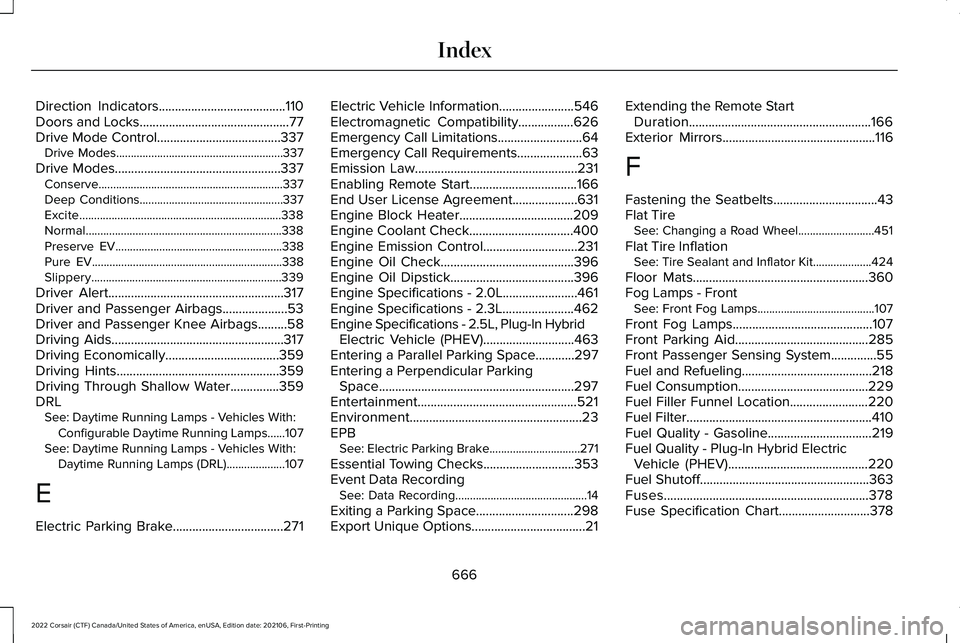
Direction Indicators.......................................110
Doors and Locks..............................................77
Drive Mode Control......................................337 Drive Modes.........................................................337
Drive Modes...................................................337 Conserve...............................................................337
Deep Conditions.................................................337
Excite.....................................................................338
Normal...................................................................338
Preserve EV.........................................................338
Pure EV.................................................................338
Slippery.................................................................339
Driver Alert
......................................................317
Driver and Passenger Airbags....................53
Driver and Passenger Knee Airbags
.........58
Driving Aids.....................................................317
Driving Economically...................................359
Driving Hints..................................................359
Driving Through Shallow Water...............359
DRL See: Daytime Running Lamps - Vehicles With:
Configurable Daytime Running Lamps......107
See: Daytime Running Lamps - Vehicles With: Daytime Running Lamps (DRL)....................107
E
Electric Parking Brake..................................271 Electric Vehicle Information.......................546
Electromagnetic Compatibility
.................626
Emergency Call Limitations..........................64
Emergency Call Requirements....................63
Emission Law
..................................................231
Enabling Remote Start.................................166
End User License Agreement....................631
Engine Block Heater...................................209
Engine Coolant Check................................400
Engine Emission Control
.............................231
Engine Oil Check.........................................396
Engine Oil Dipstick......................................396
Engine Specifications - 2.0L.......................461
Engine Specifications - 2.3L......................462
Engine Specifications - 2.5L, Plug-In Hybrid Electric Vehicle (PHEV)............................463
Entering a Parallel Parking Space............297
Entering a Perpendicular Parking Space
............................................................297
Entertainment.................................................521
Environment.....................................................23
EPB See: Electric Parking Brake...............................
271
Essential Towing Checks............................353
Event Data Recording See: Data Recording.............................................14
Exiting a Parking Space..............................298
Export Unique Options...................................21 Extending the Remote Start
Duration........................................................166
Exterior Mirrors...............................................116
F
Fastening the Seatbelts
................................43
Flat Tire See: Changing a Road Wheel..........................451
Flat Tire Inflation See: Tire Sealant and Inflator Kit....................424
Floor Mats
......................................................360
Fog Lamps - Front See: Front Fog Lamps........................................107
Front Fog Lamps
...........................................107
Front Parking Aid.........................................285
Front Passenger Sensing System..............55
Fuel and Refueling
........................................218
Fuel Consumption........................................229
Fuel Filler Funnel Location........................220
Fuel Filter
.........................................................410
Fuel Quality - Gasoline................................219
Fuel Quality - Plug-In Hybrid Electric Vehicle (PHEV)...........................................220
Fuel Shutoff
....................................................363
Fuses...............................................................378
Fuse Specification Chart............................378
666
2022 Corsair (CTF) Canada/United States of America, enUSA, Edition date: 202106, First-Printing Index
Page 670 of 676
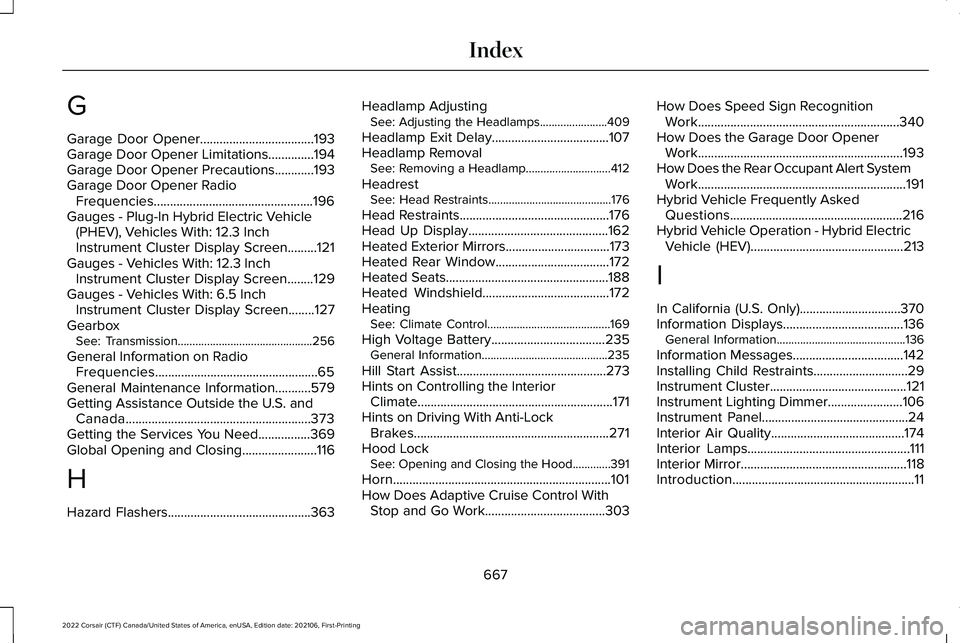
G
Garage Door Opener...................................193
Garage Door Opener Limitations..............194
Garage Door Opener Precautions............193
Garage Door Opener Radio Frequencies.................................................196
Gauges - Plug-In Hybrid Electric Vehicle (PHEV), Vehicles With: 12.3 Inch
Instrument Cluster Display Screen.........121
Gauges - Vehicles With: 12.3 Inch Instrument Cluster Display Screen........129
Gauges - Vehicles With: 6.5 Inch Instrument Cluster Display Screen........127
Gearbox See: Transmission..............................................256
General Information on Radio Frequencies..................................................65
General Maintenance Information...........579
Getting Assistance Outside the U.S. and Canada.........................................................373
Getting the Services You Need................369
Global Opening and Closing.......................116
H
Hazard Flashers............................................363 Headlamp Adjusting
See: Adjusting the Headlamps.......................409
Headlamp Exit Delay
....................................107
Headlamp Removal See: Removing a Headlamp.............................412
Headrest See: Head Restraints..........................................176
Head Restraints
..............................................176
Head Up Display...........................................162
Heated Exterior Mirrors................................173
Heated Rear Window
...................................172
Heated Seats..................................................188
Heated Windshield.......................................172
Heating See: Climate Control..........................................169
High Voltage Battery...................................235 General Information...........................................235
Hill Start Assist..............................................273
Hints on Controlling the Interior Climate
............................................................171
Hints on Driving With Anti-Lock Brakes............................................................271
Hood Lock See: Opening and Closing the Hood.............391
Horn...................................................................101
How Does Adaptive Cruise Control With Stop and Go Work
.....................................303 How Does Speed Sign Recognition
Work..............................................................340
How Does the Garage Door Opener Work...............................................................193
How Does the Rear Occupant Alert System Work
................................................................191
Hybrid Vehicle Frequently Asked Questions.....................................................216
Hybrid Vehicle Operation - Hybrid Electric Vehicle (HEV)...............................................213
I
In California (U.S. Only)...............................370
Information Displays
.....................................136
General Information............................................136
Information Messages
..................................142
Installing Child Restraints.............................29
Instrument Cluster
..........................................121
Instrument Lighting Dimmer.......................106
Instrument Panel
.............................................24
Interior Air Quality.........................................174
Interior Lamps
..................................................111
Interior Mirror...................................................118
Introduction........................................................11
667
2022 Corsair (CTF) Canada/United States of America, enUSA, Edition date: 202106, First-Printing Index