lock LINCOLN CORSAIR 2023 Owners Manual
[x] Cancel search | Manufacturer: LINCOLN, Model Year: 2023, Model line: CORSAIR, Model: LINCOLN CORSAIR 2023Pages: 690, PDF Size: 15.04 MB
Page 552 of 690
HOW DO PERSONAL PROFILES
WORK
This feature allows you to create multiplepersonal profiles enabling users topersonalize vehicle’s settings such as seatsand mirrors, as well as non-positional settingslike radio, navigation, driver assist systemsettings. Positional settings are saved byholding a memory seat button.Non-positional settings are saved youchange a setting while a profile is active. Youcan create one profile for each presetmemory seat button along with a guestprofile.
Recalling and Changing a Profile
You can recall a profile using thetouchscreen or the preset button youselected when you created your profile. Youcan also link a remote control and a mobiledevice to your profile, which are used torecall it.
ENABLING OR DISABLING
PERSONAL PROFILES
1.Switch the vehicle on and leave thevehicle in park (P).
2.Press Settings on the touchscreen.
3.Press Personal Profiles.
4.Switch Personal Profiles on or off.
When enabled:
•Unlocking a door with a remote controlor mobile device that is not linked to adriver profile does not change the activeprofile, but remains in the last knownprofile. It does not change the positionalsettings.
•Pressing a memory seat button that isnot linked to a driver profile or saved toa preset setting does not change theactive profile, but remains in the lastknown profile. It does not change thepositional settings.
•Pressing a memory seat button that isnot linked to a driver profile but is savedto a preset setting does not change theactive profile, but remains in the lastknown profile. It recalls the positionalsettings that you saved to that memoryseat button.
548
2023 Corsair (CTF) Canada/United States of America, enUSA, Edition date: 202208, DOMPersonal Profiles
Page 553 of 690
When disabled:
•Unlocking a door with a remote controlor mobile device does not recall anynon-positional settings but still recallspositional settings from the driver profilewhich the remote control or mobiledevice is linked to.
•Pressing a memory seat button that isnot linked to a driver profile or saved toa preset setting does not change thepositional or non-positional settings.
•Pressing a memory seat button that islinked to a driver profile or has saved toa preset setting recalls the positionalsettings that you saved to that memoryseat button.
CREATING A PERSONAL PROFILE
Use the touchscreen to create a personalprofile.
1.Switch the vehicle on and leave thevehicle in park (P).
2.Select the Personal Profiles button underSettings.
3.Follow the instructions on the display.
LINKING OR UNLINKING A
PERSONAL PROFILE TO A REMOTE
CONTROL
You can save preset memory positions forup to three remote controls by assigning aremote control to a personal profile usingthe touchscreen.
Use the touchscreen to link a remote controlto a personal profile.
1.Switch the vehicle on and leave thevehicle in park (P).
2.Select the Personal Profiles button underSettings.
3.Touch the arrow for the profile you wishto link to a remote control.
4.Select remote control.
5.Follow the instructions on the display.
Note:If more than one linked remote controlis in range, the memory function moves tothe settings of the first key to initiate amemory recall.
Note:The guest profile consists of existingsettings when there is no driver profilecreated. After you create a driver profile, theguest profile serves as an additional driverprofile.
Note:You cannot link a remote control to aguest profile.
LINKING OR UNLINKING A
PERSONAL PROFILE TO A DEVICE
Use the touchscreen to link a mobile deviceto a personal profile.
1.Switch the vehicle on and leave thevehicle in park (P).
2.Select the Personal Profiles button underSettings.
3.Touch the arrow for the profile you wishto link to a mobile device.
4.Select mobile device.
5.Follow the instructions on the display.
549
2023 Corsair (CTF) Canada/United States of America, enUSA, Edition date: 202208, DOMPersonal Profiles
Page 558 of 690
This introduces new features and providesupdates to the vehicle's software systems.Make sure to switch Automatic Updates on,set a recurring update schedule and connectyour vehicle to Wi-Fi. Updates could takelonger when not connected to Wi-Fi or couldnot download at all. See Connecting theVehicle to a Wi-Fi Network (page 514). SeeConnecting the Vehicle to a Wi-Fi Network(page 514).
Your vehicle may be able to receive drivablesoftware updates, non-drivable softwareupdates or both. Drivable software updateshappen during normal vehicle usage andrequire limited input from you. You arenotified on your touchscreen and connecteddevice prior to a non-drivable update.
Most updates complete in less than 30minutes, although some updates could takeup to a few hours. Check your touchscreenor connected device for the most accurateestimated update time.
You are notified of the status of the vehiclesoftware update in the touchscreen and onyour connected device. See SoftwareUpdate Indicators (page 555).
Vehicle Software Update Requirements
Non-drivable software updates do not installif any of the following occur:
•Your vehicle is running.
•Your vehicle is switched on.
•Your vehicle is not parked.
•The 12 V battery charge is too low.
•The hazard indicators are switched on.
•The alarm is sounding.
•The doors are open.
•The parking lamps are switched on.
•You are pressing the brake pedal.
•An emergency call is in process.
•Your vehicle is in limp home mode.
Vehicle Software Update Limitations
Once you begin a non-drivable softwareupdate, you cannot:
•Cancel the update.
•Lock, unlock or enter your vehicle unlessyou have a key blade.
•You can open the doors using themechanical latch if child locks are noton.
•Drive your vehicle.
•Start your vehicle.
•Use the remote control to lock, unlock orstart your vehicle.
•Use the alarm, central locks or doortones.
•Use the electronic door locks.
•Charge your vehicle.
•Charging resumes once the updatecompletes.
SOFTWARE UPDATE SETTINGS
To access the Software Updates menu:
554
2023 Corsair (CTF) Canada/United States of America, enUSA, Edition date: 202208, DOMVehicle Software Updates
Page 564 of 690
WHAT IS LINCOLN PROTECT
Protect yourself from the rising cost ofvehicle repairs with the Lincoln Protectextended service plan.
Lincoln Protect Extended Service Plans(United States Only)
Lincoln Protect means peace of mind. It isthe extended service plan backed by Lincoln,and provides more protection beyond theNew Vehicle Limited Warranty coverage.When you visit your Lincoln Dealer, insist ongenuine Lincoln Protect extended serviceplans.
Lincoln Protect Extended Service Plan CanQuickly Pay for Itself
One trip to the Service Center could easilyexceed the price of your Lincoln Protectextended service plan. With Lincoln Protect,you minimize your risk for unexpected repairbills and rising repair costs.
Up to 1000+ Covered Vehicle Components
There are four mechanical Lincoln Protectextended service plans with different levelsof coverage. Ask your authorized dealer fordetails.
1.PremiumCARE - Our most comprehensivecoverage. With over 1,000 coveredcomponents, this plan is so complete itis probably easier to list what is notcovered.
2.ExtraCARE - Covers 113 components, andincludes many high-tech items.
3.BaseCARE - Covers 84 components.
4.PowertrainCARE - Covers 29 criticalcomponents.
Lincoln Protect extended service plans arehonored by all authorized Lincoln dealers inthe United States, Canada and Mexico.
That means you get:
•Reliable, quality service at any Lincoln orFord dealership.
•Repairs performed by factory trainedtechnicians, using genuine parts.
Rental Car Reimbursement
First Day Rental Benefit
If you bring your car into your dealer forservice, we will give you a rental vehicle touse for the day.
Extended Rental Benefits
If your vehicle is kept overnight for coveredrepairs, you are eligible for rental carcoverage, including bumper to bumperwarranty repairs, and field service actions.
Roadside Assistance
Exclusive 24/7 roadside assistance, including:
•Towing, flat-tire change and battery jumpstarts.
•Out of fuel and lock-out assistance.
•Travel expense reimbursement forlodging, meals and rental car.
•Assistance for taxi, shuttle, rental carcoverage and other transportation.
560
2023 Corsair (CTF) Canada/United States of America, enUSA, Edition date: 202208, DOMLincoln Protect
Page 570 of 690
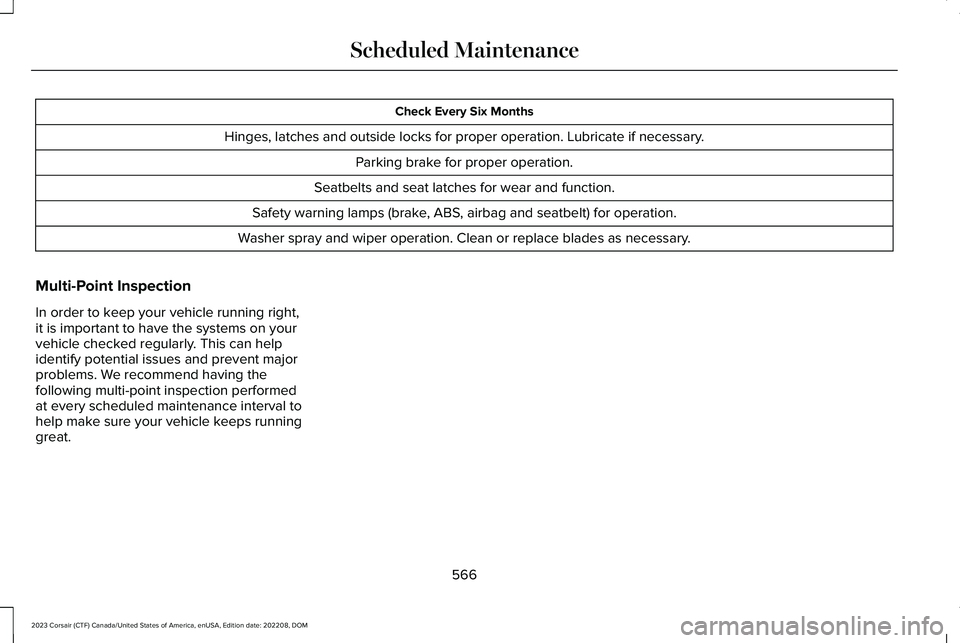
Check Every Six Months
Hinges, latches and outside locks for proper operation. Lubricate if necessary.
Parking brake for proper operation.
Seatbelts and seat latches for wear and function.
Safety warning lamps (brake, ABS, airbag and seatbelt) for operation.
Washer spray and wiper operation. Clean or replace blades as necessary.
Multi-Point Inspection
In order to keep your vehicle running right,it is important to have the systems on yourvehicle checked regularly. This can helpidentify potential issues and prevent majorproblems. We recommend having thefollowing multi-point inspection performedat every scheduled maintenance interval tohelp make sure your vehicle keeps runninggreat.
566
2023 Corsair (CTF) Canada/United States of America, enUSA, Edition date: 202208, DOMScheduled Maintenance
Page 666 of 690
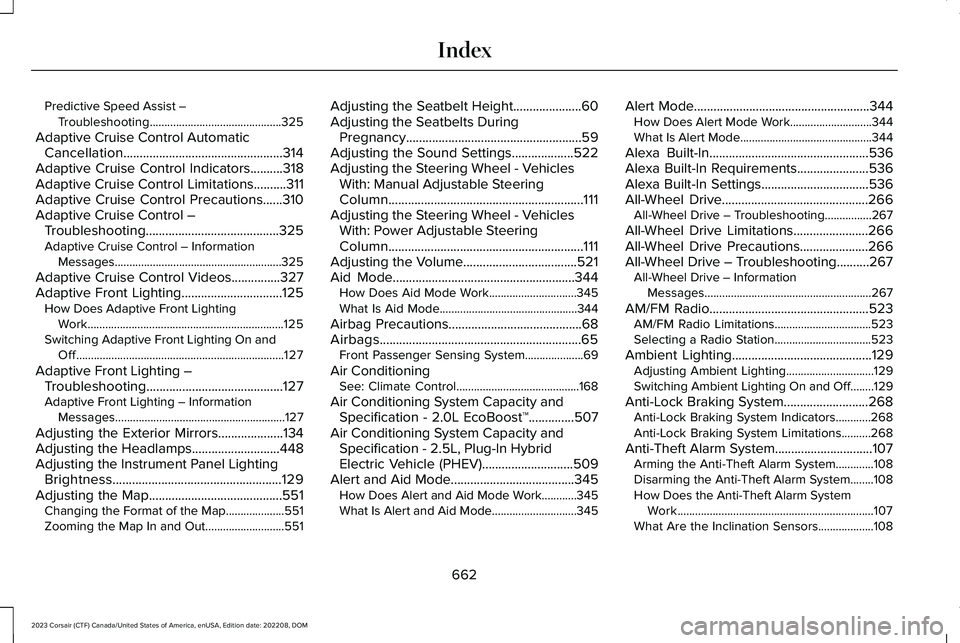
Predictive Speed Assist –Troubleshooting.............................................325
Adaptive Cruise Control AutomaticCancellation.................................................314Adaptive Cruise Control Indicators..........318Adaptive Cruise Control Limitations..........311Adaptive Cruise Control Precautions......310Adaptive Cruise Control –Troubleshooting.........................................325Adaptive Cruise Control – InformationMessages.........................................................325
Adaptive Cruise Control Videos...............327Adaptive Front Lighting...............................125How Does Adaptive Front LightingWork...................................................................125Switching Adaptive Front Lighting On andOff.......................................................................127
Adaptive Front Lighting –Troubleshooting..........................................127Adaptive Front Lighting – InformationMessages..........................................................127
Adjusting the Exterior Mirrors....................134Adjusting the Headlamps...........................448Adjusting the Instrument Panel LightingBrightness....................................................129Adjusting the Map.........................................551Changing the Format of the Map....................551Zooming the Map In and Out...........................551
Adjusting the Seatbelt Height.....................60Adjusting the Seatbelts DuringPregnancy......................................................59Adjusting the Sound Settings...................522Adjusting the Steering Wheel - VehiclesWith: Manual Adjustable SteeringColumn............................................................111Adjusting the Steering Wheel - VehiclesWith: Power Adjustable SteeringColumn............................................................111Adjusting the Volume...................................521Aid Mode........................................................344How Does Aid Mode Work..............................345What Is Aid Mode...............................................344
Airbag Precautions.........................................68Airbags..............................................................65Front Passenger Sensing System....................69
Air ConditioningSee: Climate Control..........................................168
Air Conditioning System Capacity andSpecification - 2.0L EcoBoost™..............507Air Conditioning System Capacity andSpecification - 2.5L, Plug-In HybridElectric Vehicle (PHEV)............................509Alert and Aid Mode......................................345How Does Alert and Aid Mode Work............345What Is Alert and Aid Mode.............................345
Alert Mode......................................................344How Does Alert Mode Work............................344What Is Alert Mode.............................................344
Alexa Built-In.................................................536Alexa Built-In Requirements......................536Alexa Built-In Settings.................................536All-Wheel Drive.............................................266All-Wheel Drive – Troubleshooting................267
All-Wheel Drive Limitations.......................266All-Wheel Drive Precautions.....................266All-Wheel Drive – Troubleshooting..........267All-Wheel Drive – InformationMessages.........................................................267
AM/FM Radio.................................................523AM/FM Radio Limitations.................................523Selecting a Radio Station.................................523
Ambient Lighting...........................................129Adjusting Ambient Lighting..............................129Switching Ambient Lighting On and Off........129
Anti-Lock Braking System..........................268Anti-Lock Braking System Indicators............268Anti-Lock Braking System Limitations..........268
Anti-Theft Alarm System..............................107Arming the Anti-Theft Alarm System.............108Disarming the Anti-Theft Alarm System........108How Does the Anti-Theft Alarm SystemWork...................................................................107What Are the Inclination Sensors...................108
662
2023 Corsair (CTF) Canada/United States of America, enUSA, Edition date: 202208, DOMIndex
Page 667 of 690
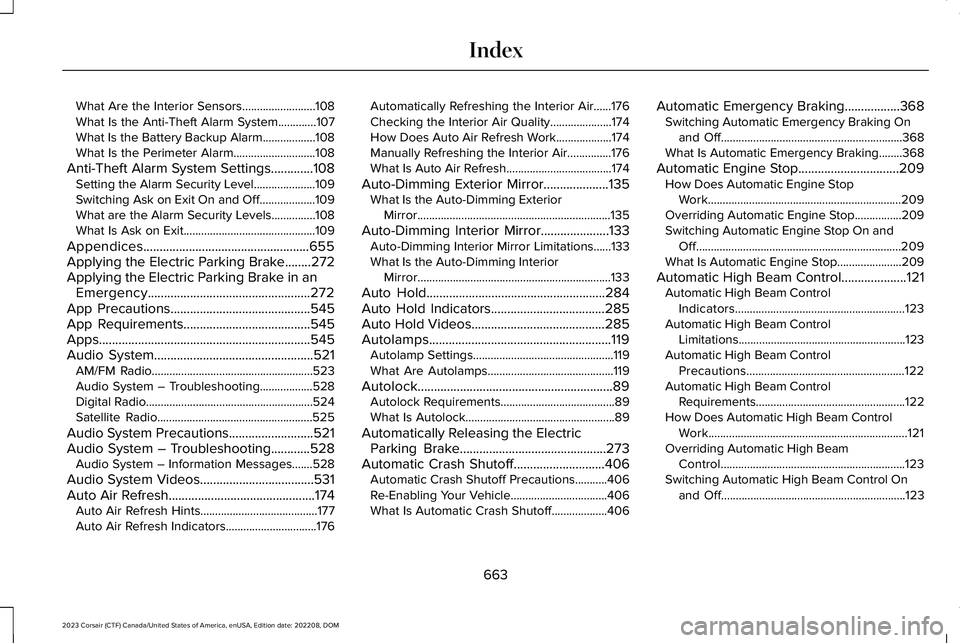
What Are the Interior Sensors.........................108What Is the Anti-Theft Alarm System.............107What Is the Battery Backup Alarm..................108What Is the Perimeter Alarm............................108
Anti-Theft Alarm System Settings.............108Setting the Alarm Security Level.....................109Switching Ask on Exit On and Off...................109What are the Alarm Security Levels...............108What Is Ask on Exit.............................................109
Appendices...................................................655Applying the Electric Parking Brake........272Applying the Electric Parking Brake in anEmergency..................................................272App Precautions...........................................545App Requirements.......................................545Apps.................................................................545Audio System.................................................521AM/FM Radio.......................................................523Audio System – Troubleshooting..................528Digital Radio.........................................................524Satellite Radio.....................................................525
Audio System Precautions..........................521Audio System – Troubleshooting............528Audio System – Information Messages.......528
Audio System Videos...................................531Auto Air Refresh.............................................174Auto Air Refresh Hints........................................177Auto Air Refresh Indicators...............................176
Automatically Refreshing the Interior Air......176Checking the Interior Air Quality.....................174How Does Auto Air Refresh Work...................174Manually Refreshing the Interior Air...............176What Is Auto Air Refresh....................................174
Auto-Dimming Exterior Mirror....................135What Is the Auto-Dimming ExteriorMirror..................................................................135
Auto-Dimming Interior Mirror.....................133Auto-Dimming Interior Mirror Limitations......133What Is the Auto-Dimming InteriorMirror..................................................................133
Auto Hold.......................................................284Auto Hold Indicators...................................285Auto Hold Videos.........................................285Autolamps........................................................119Autolamp Settings................................................119What Are Autolamps...........................................119
Autolock............................................................89Autolock Requirements.......................................89What Is Autolock...................................................89
Automatically Releasing the ElectricParking Brake.............................................273Automatic Crash Shutoff............................406Automatic Crash Shutoff Precautions...........406Re-Enabling Your Vehicle.................................406What Is Automatic Crash Shutoff...................406
Automatic Emergency Braking.................368Switching Automatic Emergency Braking Onand Off..............................................................368What Is Automatic Emergency Braking........368
Automatic Engine Stop...............................209How Does Automatic Engine StopWork..................................................................209Overriding Automatic Engine Stop................209Switching Automatic Engine Stop On andOff......................................................................209What Is Automatic Engine Stop......................209
Automatic High Beam Control....................121Automatic High Beam ControlIndicators..........................................................123Automatic High Beam ControlLimitations.........................................................123Automatic High Beam ControlPrecautions......................................................122Automatic High Beam ControlRequirements...................................................122How Does Automatic High Beam ControlWork....................................................................121Overriding Automatic High BeamControl...............................................................123Switching Automatic High Beam Control Onand Off...............................................................123
663
2023 Corsair (CTF) Canada/United States of America, enUSA, Edition date: 202208, DOMIndex
Page 668 of 690
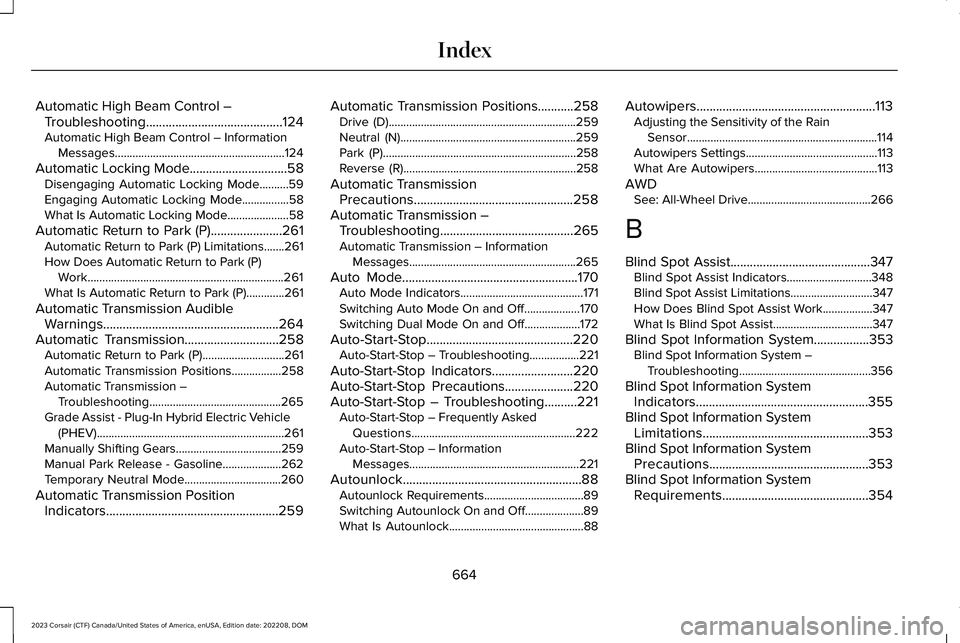
Automatic High Beam Control –Troubleshooting..........................................124Automatic High Beam Control – InformationMessages..........................................................124
Automatic Locking Mode..............................58Disengaging Automatic Locking Mode..........59Engaging Automatic Locking Mode................58What Is Automatic Locking Mode.....................58
Automatic Return to Park (P)......................261Automatic Return to Park (P) Limitations.......261How Does Automatic Return to Park (P)Work...................................................................261What Is Automatic Return to Park (P).............261
Automatic Transmission AudibleWarnings......................................................264Automatic Transmission.............................258Automatic Return to Park (P)............................261Automatic Transmission Positions.................258Automatic Transmission –Troubleshooting.............................................265Grade Assist - Plug-In Hybrid Electric Vehicle(PHEV)................................................................261Manually Shifting Gears....................................259Manual Park Release - Gasoline....................262Temporary Neutral Mode.................................260
Automatic Transmission PositionIndicators.....................................................259
Automatic Transmission Positions...........258Drive (D)................................................................259Neutral (N)............................................................259Park (P)..................................................................258Reverse (R)...........................................................258
Automatic TransmissionPrecautions.................................................258Automatic Transmission –Troubleshooting.........................................265Automatic Transmission – InformationMessages.........................................................265
Auto Mode......................................................170Auto Mode Indicators..........................................171Switching Auto Mode On and Off...................170Switching Dual Mode On and Off...................172
Auto-Start-Stop.............................................220Auto-Start-Stop – Troubleshooting.................221
Auto-Start-Stop Indicators.........................220Auto-Start-Stop Precautions.....................220Auto-Start-Stop – Troubleshooting..........221Auto-Start-Stop – Frequently AskedQuestions........................................................222Auto-Start-Stop – InformationMessages..........................................................221
Autounlock.......................................................88Autounlock Requirements..................................89Switching Autounlock On and Off....................89What Is Autounlock..............................................88
Autowipers.......................................................113Adjusting the Sensitivity of the RainSensor.................................................................114Autowipers Settings.............................................113What Are Autowipers..........................................113
AWDSee: All-Wheel Drive..........................................266
B
Blind Spot Assist...........................................347Blind Spot Assist Indicators.............................348Blind Spot Assist Limitations............................347How Does Blind Spot Assist Work.................347What Is Blind Spot Assist..................................347
Blind Spot Information System.................353Blind Spot Information System –Troubleshooting.............................................356
Blind Spot Information SystemIndicators.....................................................355Blind Spot Information SystemLimitations...................................................353Blind Spot Information SystemPrecautions.................................................353Blind Spot Information SystemRequirements.............................................354
664
2023 Corsair (CTF) Canada/United States of America, enUSA, Edition date: 202208, DOMIndex
Page 669 of 690
Blind Spot Information System –Troubleshooting.........................................356Blind Spot Information System – InformationMessages.........................................................356
Bluetooth®......................................................544Body Control Module Fuse Box................421Accessing the Body Control Module FuseBox......................................................................421Identifying the Fuses in the Body ControlModule Fuse Box...........................................422Locating the Body Control Module FuseBox......................................................................421
Bonnet LockSee: Opening and Closing the Hood............426
Booster Seats..................................................52Brake Coach...................................................157Brake Fluid Specification...........................270Brake Over Accelerator..............................268Brake Precautions........................................268Brakes.............................................................268Anti-Lock Braking System................................268Brakes – Troubleshooting................................270
Brakes – Troubleshooting..........................270Brakes – Frequently Asked Questions.........270Brakes – Information Messages.....................270Brakes – Warning Lamps.................................270
Breaking-In.....................................................394
C
Calculating Payload.....................................380Calculating the Load Limit.........................380Canceling the Set Speed.............................317Capacities and Specifications...................495Catalytic Converter......................................233Catalytic Converter – Troubleshooting........234
Catalytic Converter Precautions...............233Catalytic Converter –Troubleshooting.........................................234Catalytic Converter – Warning Lamps..........234
Center Console............................................204Opening the Center Console..........................204
Center Display Limitations.........................532Center Display Overview...........................532Center Display Overview Videos.............533Center Display Precautions.......................532Changing a Flat Tire....................................487Changing a Road Wheel.............................487Changing the Fuel Filter..............................441Changing the Language..............................158Changing the Measurement Unit..............158Changing the Remote ControlBattery.............................................................79Changing the Temperature Unit................158Changing the Tire Pressure Unit...............158
Changing the Vehicle Wi-Fi Hotspot Nameor Password.................................................519Charge Port Indicators................................247Charging a Device........................................199Charging a Wireless Device......................202Charging Equipment...................................236Charging Your Vehicle................................236AC Charging........................................................248Charging Your Vehicle –Troubleshooting.............................................256
Charging Your Vehicle Precautions.........236Charging Your Vehicle –Troubleshooting.........................................256Charging Your Vehicle – Frequently AskedQuestions.........................................................257Charging Your Vehicle – InformationMessages.........................................................256
Charging Your Vehicle Videos..................257Checking the Brake Fluid..........................269Checking the Seatbelts.................................62Checking the Tire Pressures......................471Checking the Wiper Blades.........................115Children and Airbags.....................................69Child Restraint Anchor Points......................43Locating the Child Restraint Lower AnchorPoints...................................................................44Locating the Child Restraint Top TetherAnchor Points....................................................44
665
2023 Corsair (CTF) Canada/United States of America, enUSA, Edition date: 202208, DOMIndex
Page 670 of 690
What Are the Child Restraint AnchorPoints...................................................................43
Child Restraints...............................................44Child Restraint Position Information.................44Child Restraints Recommendation...................46
Child Safety......................................................42Child Restraint Anchor Points............................43Child Restraints......................................................44Installing Child Restraints....................................47
Child Safety Locks..........................................55Child Safety Precautions...............................42Cleaning Products.........................................451Cleaning the Exterior..................................452Cleaning Camera Lenses and Sensors........454Cleaning Chrome, Aluminium or StainlessSteel..................................................................453Cleaning Headlamps and Rear Lamps.........452Cleaning Stripes or Graphics..........................453Cleaning the Engine Compartment...............453Cleaning the Exterior Precautions.................452Cleaning the Underbody..................................454Cleaning Wheels................................................453Cleaning Windows and Wiper Blades..........452
Cleaning the Interior....................................454Cleaning Carpets and Floor Mats..................456Cleaning Displays and Screens......................454Cleaning Fabric...................................................455Cleaning Leather................................................455
Cleaning Moonroof Tracks...............................456Cleaning Plastic..................................................454Cleaning Seatbelts.............................................456Cleaning the Instrument Panel.......................454Cleaning Vinyl.....................................................455
Climate Control..............................................168Auto Mode.............................................................170
Climate Control Hints...................................172Closing the Liftgate......................................102Closing the Hands-Free Liftgate.....................103Closing the Liftgate From Inside YourVehicle...............................................................102Closing the Liftgate From Outside YourVehicle...............................................................102Closing the Liftgate Using the RemoteControl...............................................................103
Cold Weather Precautions.........................394Configuring the Trip Computer..................159Connected Navigation.................................551Connected Vehicle.......................................514Connected Vehicle – Troubleshooting..........515Connecting the Vehicle to a MobileNetwork.............................................................514
Connected Vehicle Data...............................29Connected Vehicle Limitations..................514Connected Vehicle Requirements............514
Connected Vehicle –Troubleshooting..........................................515Connected Vehicle – Frequently AskedQuestions..........................................................515
Connected Vehicle Videos.........................518Connecting a Bluetooth® Device.............544Connecting a Trailer....................................386Connecting a Trailer Precautions.............386Connecting the Vehicle to a MobileNetwork.........................................................514Connecting Lincoln Way to the Modem........514Enabling and Disabling the Modem...............514What Is the Modem.............................................514
Connecting the Vehicle to a Wi-FiNetwork.........................................................514Connecting Your Phone.............................538Contacting Us...................................................19Coolant............................................................437Adding Coolant...................................................438Changing the Coolant.......................................439Checking the Coolant Level............................437Coolant – Information Messages....................441Coolant – Warning Lamps................................440Managing the Coolant Temperature.............439
Cooling System Capacity and Specification- 2.0L EcoBoost™........................................503
666
2023 Corsair (CTF) Canada/United States of America, enUSA, Edition date: 202208, DOMIndex