height LINCOLN CORSAIR 2023 User Guide
[x] Cancel search | Manufacturer: LINCOLN, Model Year: 2023, Model line: CORSAIR, Model: LINCOLN CORSAIR 2023Pages: 690, PDF Size: 15.04 MB
Page 66 of 690
When the initial warning expires for thedriver, more warnings are provided for thedriver and front passenger. This warning tonesounds if you or your front passenger do notfasten the seatbelt buckle and the vehiclespeed exceeds 6 mph (10 km/h).
This tone also sounds if an occupantunfastens the rear seatbelt buckle or itbecomes unfastened.
SWITCHING THE SEATBELTREMINDER ON AND OFF
WARNING: While the system allowsyou to deactivate it, this system is designedto improve your chances of being safelybelted and surviving an accident. Werecommend you leave the systemactivated for yourself and others who mayuse the vehicle.
Note:The driver and front passengerwarnings switch off independently. Whenyou perform this procedure for one seatingposition, do not buckle the other position asthis cancels the process.
Read Steps 1 - 4 before proceeding with theprogramming procedure.
Make sure that:
•You set the parking brake.
•The transmission is in park (P).
•The ignition is off.
•You close all vehicle doors.
•You unfasten the driver and frontpassenger seatbelts.
1.Switch the ignition on. Do not start theengine.
2.Wait about one minute until the seatbeltwarning light switches off. After Step 2,wait an additional five seconds beforeproceeding with Step 3. Once you startStep 3, you must complete the procedurewithin 30 seconds.
3.For the seating position you are switchingoff, fasten then unfasten the seatbeltthree times at a moderate speed, endingin the unfastened state. After Step 3, theseatbelt warning light switches on.
4.When the seatbelt warning light is on,fasten then unfasten the seatbelt. AfterStep 4, the seatbelt warning light flashesfor confirmation.
This switches the feature off for that seatingposition if it is currently on.
This switches the feature on for that seatingposition if it is currently off.
CHECKING THE SEATBELTS
Check the seatbelts and child restraintsperiodically to make sure they work properlyand are not damaged. Make sure there areno nicks, tears or cuts. Replace if necessary.
Check the following seatbelt assemblies aftera crash.
•Retractors.
•Buckles.
•Front seatbelt buckle assemblies.
•Shoulder belt height adjusters.
•Shoulder belt guide on seat backrest.
•Child restraint LATCH and tether anchors.
•Attaching hardware.
62
2023 Corsair (CTF) Canada/United States of America, enUSA, Edition date: 202208, DOMSeatbelts
Page 105 of 690
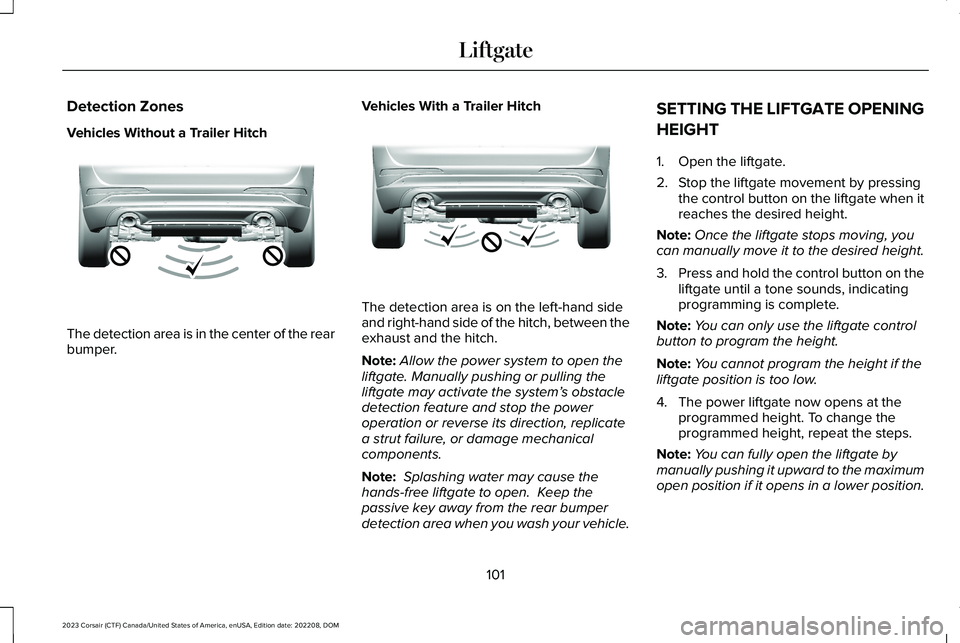
Detection Zones
Vehicles Without a Trailer Hitch
The detection area is in the center of the rearbumper.
Vehicles With a Trailer Hitch
The detection area is on the left-hand sideand right-hand side of the hitch, between theexhaust and the hitch.
Note:Allow the power system to open theliftgate. Manually pushing or pulling theliftgate may activate the system’s obstacledetection feature and stop the poweroperation or reverse its direction, replicatea strut failure, or damage mechanicalcomponents.
Note: Splashing water may cause thehands-free liftgate to open. Keep thepassive key away from the rear bumperdetection area when you wash your vehicle.
SETTING THE LIFTGATE OPENING
HEIGHT
1.Open the liftgate.
2.Stop the liftgate movement by pressingthe control button on the liftgate when itreaches the desired height.
Note:Once the liftgate stops moving, youcan manually move it to the desired height.
3.Press and hold the control button on theliftgate until a tone sounds, indicatingprogramming is complete.
Note:You can only use the liftgate controlbutton to program the height.
Note:You cannot program the height if theliftgate position is too low.
4.The power liftgate now opens at theprogrammed height. To change theprogrammed height, repeat the steps.
Note:You can fully open the liftgate bymanually pushing it upward to the maximumopen position if it opens in a lower position.
101
2023 Corsair (CTF) Canada/United States of America, enUSA, Edition date: 202208, DOMLiftgateE310717 E310718
Page 106 of 690
Note:The system recalls the newprogrammed height until you reprogram it,even if you disconnect the battery.
CLOSING THE LIFTGATE
CLOSING THE LIFTGATE FROM INSIDEYOUR VEHICLE
WARNING: Make sure all personsare clear of the power liftgate area beforeusing the power liftgate control.
With the transmission in park (P),press the button on the instrumentpanel.
Note: Make sure that you close the liftgatebefore operating or moving your vehicle,especially in an enclosure, like a garage ora parking structure. This could damage theliftgate and its components.
Note: Make sure the area behind yourvehicle is free from obstruction and thatthere is enough room for you to operate theliftgate. Objects too close to your vehicle,for example a wall, garage door or anothervehicle may come into contact with themoving liftgate. This could damage theliftgate and its components.
Note:Make sure that you fully close theliftgate to prevent cargo from falling out.
CLOSING THE LIFTGATE FROMOUTSIDE YOUR VEHICLE
WARNING: Make sure all personsare clear of the power liftgate area beforeusing the power liftgate control.
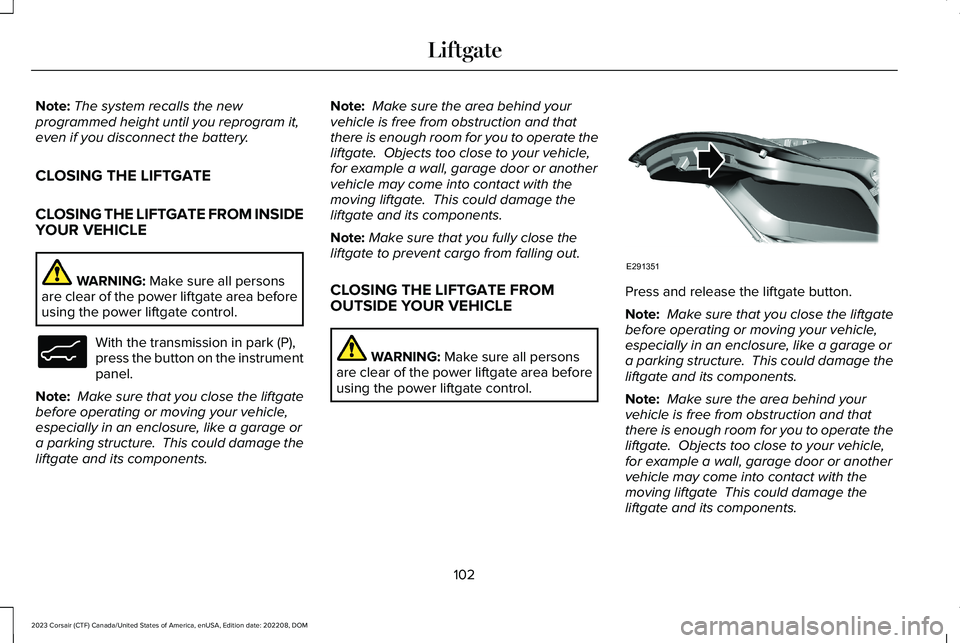
Press and release the liftgate button.
Note: Make sure that you close the liftgatebefore operating or moving your vehicle,especially in an enclosure, like a garage ora parking structure. This could damage theliftgate and its components.
Note: Make sure the area behind yourvehicle is free from obstruction and thatthere is enough room for you to operate theliftgate. Objects too close to your vehicle,for example a wall, garage door or anothervehicle may come into contact with themoving liftgate This could damage theliftgate and its components.
102
2023 Corsair (CTF) Canada/United States of America, enUSA, Edition date: 202208, DOMLiftgateE138633 E291351
Page 164 of 690
WHAT IS THE HEAD UP DISPLAY
The system displays information on a displayscreen in your field of vision, allowing you tokeep your eyes on the road. You can selectwhich information the system displays.
SWITCHING THE HEAD UP
DISPLAY ON AND OFF
Use the instrument cluster controls on thesteering wheel to navigate to the head updisplay menu.
ActionMenu Item
Press the OK button.HUD
Press the OK button.HUD On
Note:The system remembers the last settingwhen you start the engine.
HEAD UP DISPLAY SETTINGS
You can control the system's options throughthe instrument cluster display by using theHUD, OK and arrow buttons on your steeringwheel. See Using the Instrument ClusterDisplay Controls (page 154).
You can adjust the display according to yourheight to make viewing the content easier.You can also adjust what content displaysand the brightness of the content. Thesystem's options appear in the instrumentcluster while the updates happen in the headup display.
Note:If HUD On is unchecked, other optionsof the system are hidden.
Note:The head up display menuautomatically closes after a certain periodof inactivity.
Note:The head up display image brightnessautomatically adjusts to the brightness ofthe ambient environment. You have theability to adjust the brightness furtheraccording to your preference.
Note:In some instances, sunlight can causesome reflections in and around the head updisplay image.
160
2023 Corsair (CTF) Canada/United States of America, enUSA, Edition date: 202208, DOMHead Up Display (If Equipped)
Page 186 of 690
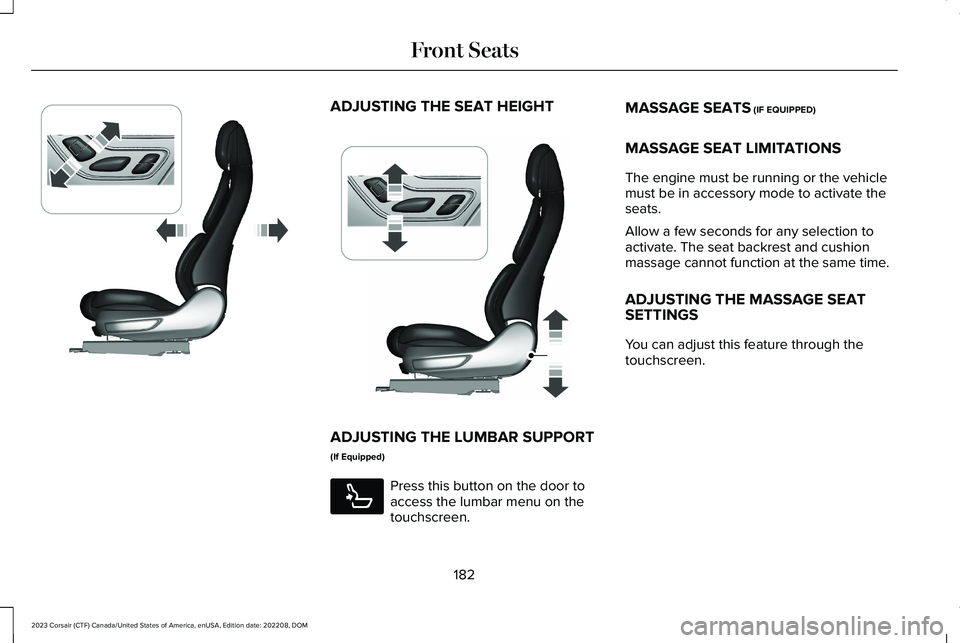
ADJUSTING THE SEAT HEIGHT
ADJUSTING THE LUMBAR SUPPORT
(If Equipped)
Press this button on the door toaccess the lumbar menu on thetouchscreen.
MASSAGE SEATS (IF EQUIPPED)
MASSAGE SEAT LIMITATIONS
The engine must be running or the vehiclemust be in accessory mode to activate theseats.
Allow a few seconds for any selection toactivate. The seat backrest and cushionmassage cannot function at the same time.
ADJUSTING THE MASSAGE SEATSETTINGS
You can adjust this feature through thetouchscreen.
182
2023 Corsair (CTF) Canada/United States of America, enUSA, Edition date: 202208, DOMFront SeatsE348865 E349633 E285278
Page 453 of 690
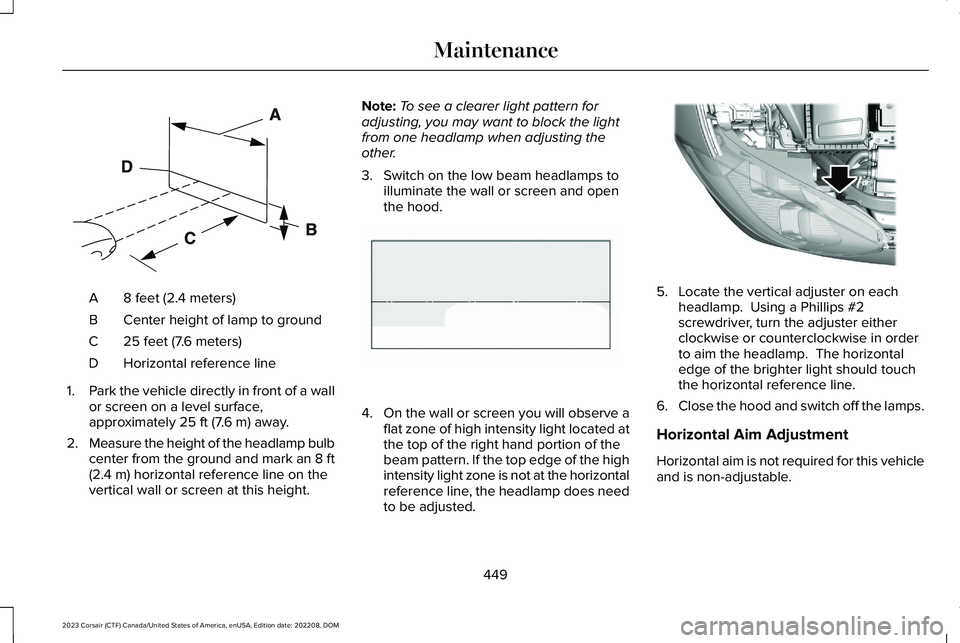
8 feet (2.4 meters)A
Center height of lamp to groundB
25 feet (7.6 meters)C
Horizontal reference lineD
1.Park the vehicle directly in front of a wallor screen on a level surface,approximately 25 ft (7.6 m) away.
2.Measure the height of the headlamp bulbcenter from the ground and mark an 8 ft(2.4 m) horizontal reference line on thevertical wall or screen at this height.
Note:To see a clearer light pattern foradjusting, you may want to block the lightfrom one headlamp when adjusting theother.
3.Switch on the low beam headlamps toilluminate the wall or screen and openthe hood.
4.On the wall or screen you will observe aflat zone of high intensity light located atthe top of the right hand portion of thebeam pattern. If the top edge of the highintensity light zone is not at the horizontalreference line, the headlamp does needto be adjusted.
5.Locate the vertical adjuster on eachheadlamp. Using a Phillips #2screwdriver, turn the adjuster eitherclockwise or counterclockwise in orderto aim the headlamp. The horizontaledge of the brighter light should touchthe horizontal reference line.
6.Close the hood and switch off the lamps.
Horizontal Aim Adjustment
Horizontal aim is not required for this vehicleand is non-adjustable.
449
2023 Corsair (CTF) Canada/United States of America, enUSA, Edition date: 202208, DOMMaintenanceE142592 E142465 E307889
Page 466 of 690
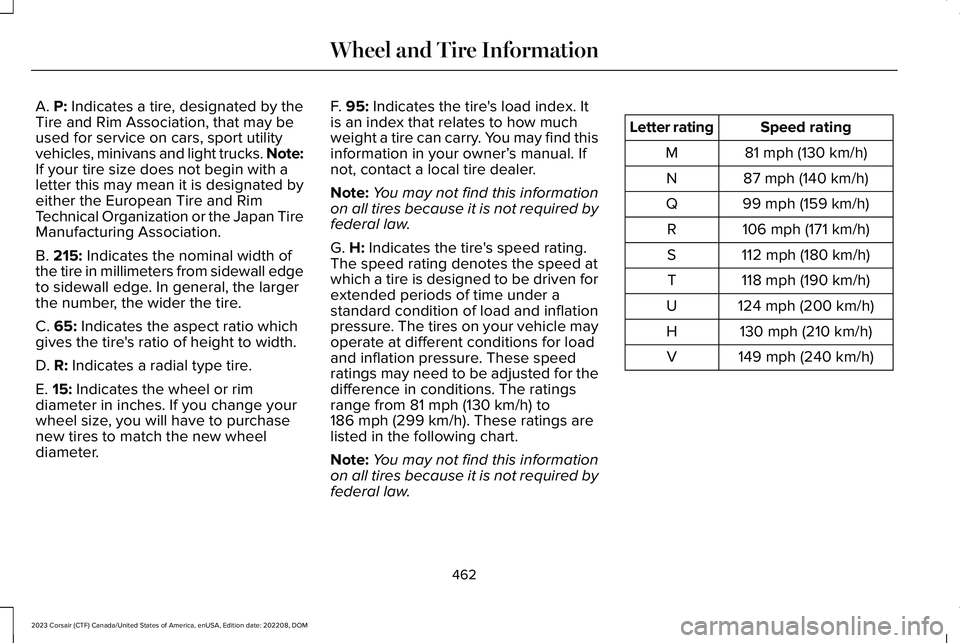
A. P: Indicates a tire, designated by theTire and Rim Association, that may beused for service on cars, sport utilityvehicles, minivans and light trucks. Note:If your tire size does not begin with aletter this may mean it is designated byeither the European Tire and RimTechnical Organization or the Japan TireManufacturing Association.
B. 215: Indicates the nominal width ofthe tire in millimeters from sidewall edgeto sidewall edge. In general, the largerthe number, the wider the tire.
C. 65: Indicates the aspect ratio whichgives the tire's ratio of height to width.
D. R: Indicates a radial type tire.
E. 15: Indicates the wheel or rim
diameter in inches. If you change yourwheel size, you will have to purchasenew tires to match the new wheeldiameter.
F. 95: Indicates the tire's load index. Itis an index that relates to how muchweight a tire can carry. You may find thisinformation in your owner’s manual. Ifnot, contact a local tire dealer.
Note:You may not find this informationon all tires because it is not required byfederal law.
G. H: Indicates the tire's speed rating.The speed rating denotes the speed atwhich a tire is designed to be driven forextended periods of time under astandard condition of load and inflationpressure. The tires on your vehicle mayoperate at different conditions for loadand inflation pressure. These speedratings may need to be adjusted for thedifference in conditions. The ratings
range from 81 mph (130 km/h) to186 mph (299 km/h). These ratings arelisted in the following chart.
Note:You may not find this informationon all tires because it is not required byfederal law.
Speed ratingLetter rating
81 mph (130 km/h)M
87 mph (140 km/h)N
99 mph (159 km/h)Q
106 mph (171 km/h)R
112 mph (180 km/h)S
118 mph (190 km/h)T
124 mph (200 km/h)U
130 mph (210 km/h)H
149 mph (240 km/h)V
462
2023 Corsair (CTF) Canada/United States of America, enUSA, Edition date: 202208, DOMWheel and Tire Information
Page 469 of 690
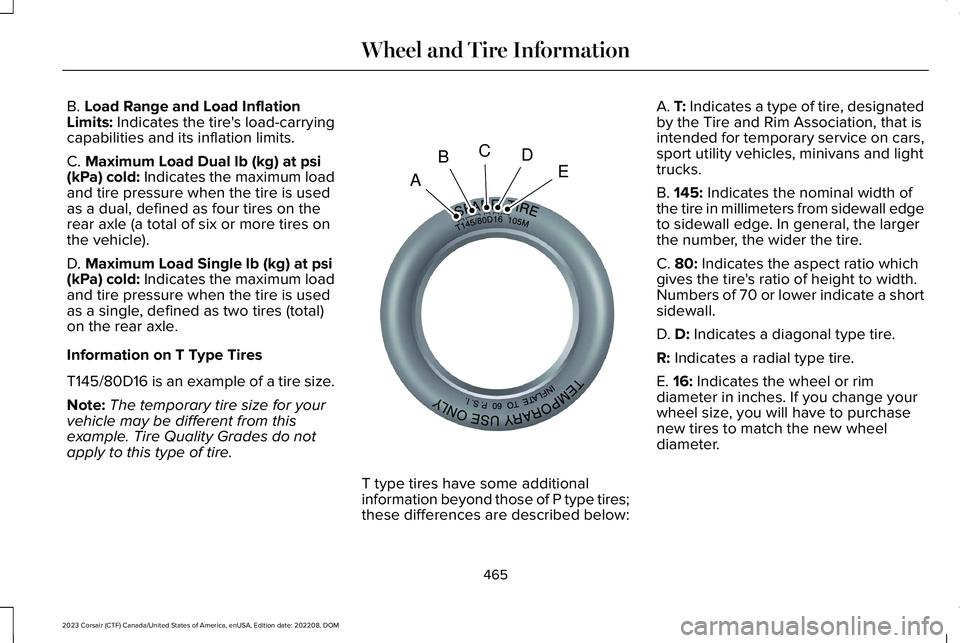
B. Load Range and Load InflationLimits: Indicates the tire's load-carryingcapabilities and its inflation limits.
C. Maximum Load Dual lb (kg) at psi(kPa) cold: Indicates the maximum loadand tire pressure when the tire is usedas a dual, defined as four tires on therear axle (a total of six or more tires onthe vehicle).
D. Maximum Load Single lb (kg) at psi(kPa) cold: Indicates the maximum loadand tire pressure when the tire is usedas a single, defined as two tires (total)on the rear axle.
Information on T Type Tires
T145/80D16 is an example of a tire size.
Note:The temporary tire size for yourvehicle may be different from thisexample. Tire Quality Grades do notapply to this type of tire.
T type tires have some additionalinformation beyond those of P type tires;these differences are described below:
A. T: Indicates a type of tire, designatedby the Tire and Rim Association, that isintended for temporary service on cars,sport utility vehicles, minivans and lighttrucks.
B. 145: Indicates the nominal width ofthe tire in millimeters from sidewall edgeto sidewall edge. In general, the largerthe number, the wider the tire.
C. 80: Indicates the aspect ratio whichgives the tire's ratio of height to width.Numbers of 70 or lower indicate a shortsidewall.
D. D: Indicates a diagonal type tire.
R: Indicates a radial type tire.
E. 16: Indicates the wheel or rimdiameter in inches. If you change your
wheel size, you will have to purchasenew tires to match the new wheeldiameter.
465
2023 Corsair (CTF) Canada/United States of America, enUSA, Edition date: 202208, DOMWheel and Tire InformationABCDEE142545
Page 476 of 690
When the tread is worn down to onesixteenth of an inch (2 mm), tires mustbe replaced to help prevent your vehiclefrom skidding and hydroplaning. Built-intreadwear indicators, or wear bars,which look like narrow strips of smoothrubber across the tread will appear onthe tire when the tread is worn down toone sixteenth of an inch (2 mm).
When the tire tread wears down to thesame height as these wear bars, the tireis worn out and must be replaced.
The tires should also be balancedperiodically. An unbalanced tire andwheel assembly may result in irregulartire wear.
Periodically inspect the tire treads foruneven or excessive wear and remove
objects such as stones, nails or glassthat may be wedged in the treadgrooves.
INSPECTING THE TIRE FOR
DAMAGE
Inspect the tire sidewalls for cracking,cuts, bruises and other signs of damageor excessive wear. If internal damage tothe tire is suspected, have the tiredismounted and inspected in case itneeds to be repaired or replaced. Foryour safety, tires that are damaged orshow signs of excessive wear shouldnot be used because they are morelikely to blow out or fail.
Periodically inspect the tire treads andsidewalls for damage, such as bulges inthe tread or sidewalls, cracks in thetread groove and separation in the treador sidewall. If damage is observed orsuspected, have the tire inspected by atire professional.
Safety Practices
WARNING: If your vehicle isstuck in snow, mud or sand, do notrapidly spin the tires; spinning the tirescan tear the tire and cause anexplosion. A tire can explode in as littleas three to five seconds.
WARNING: Do not spin thewheels at over 34 mph (55 km/h). Thetires may fail and injure a passengeror bystander.
Highway Hazards
No matter how carefully you drive, thereis always the possibility that you could
eventually have a flat tire on thehighway. Drive slowly to the closest safearea out of traffic. This could furtherdamage the flat tire, but your safety ismore important.
472
2023 Corsair (CTF) Canada/United States of America, enUSA, Edition date: 202208, DOMTire Care
Page 495 of 690
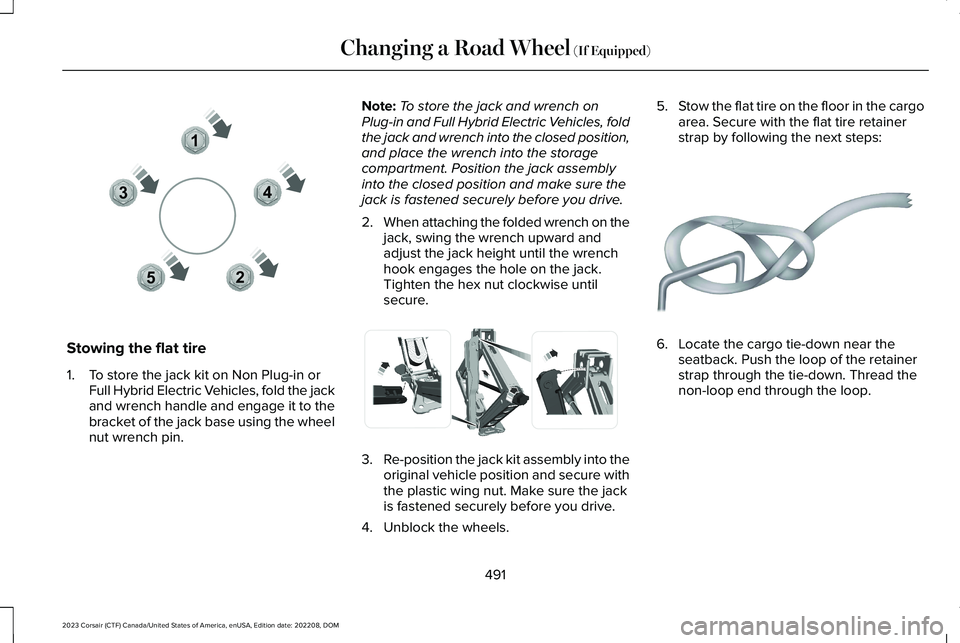
Stowing the flat tire
1.To store the jack kit on Non Plug-in orFull Hybrid Electric Vehicles, fold the jackand wrench handle and engage it to thebracket of the jack base using the wheelnut wrench pin.
Note:To store the jack and wrench onPlug-in and Full Hybrid Electric Vehicles, foldthe jack and wrench into the closed position,and place the wrench into the storagecompartment. Position the jack assemblyinto the closed position and make sure thejack is fastened securely before you drive.
2.When attaching the folded wrench on thejack, swing the wrench upward andadjust the jack height until the wrenchhook engages the hole on the jack.Tighten the hex nut clockwise untilsecure.
3.Re-position the jack kit assembly into theoriginal vehicle position and secure withthe plastic wing nut. Make sure the jackis fastened securely before you drive.
4.Unblock the wheels.
5.Stow the flat tire on the floor in the cargoarea. Secure with the flat tire retainerstrap by following the next steps:
6.Locate the cargo tie-down near theseatback. Push the loop of the retainerstrap through the tie-down. Thread thenon-loop end through the loop.
491
2023 Corsair (CTF) Canada/United States of America, enUSA, Edition date: 202208, DOMChanging a Road Wheel (If Equipped)12345E306781 E294121 E142906