remote control LINCOLN CORSAIR 2023 Owner's Guide
[x] Cancel search | Manufacturer: LINCOLN, Model Year: 2023, Model line: CORSAIR, Model: LINCOLN CORSAIR 2023Pages: 690, PDF Size: 15.04 MB
Page 188 of 690
VENTILATED SEATS (IF EQUIPPED)
SWITCHING THE VENTILATED SEATSON AND OFF
The vehicle must be running to use thisfeature.
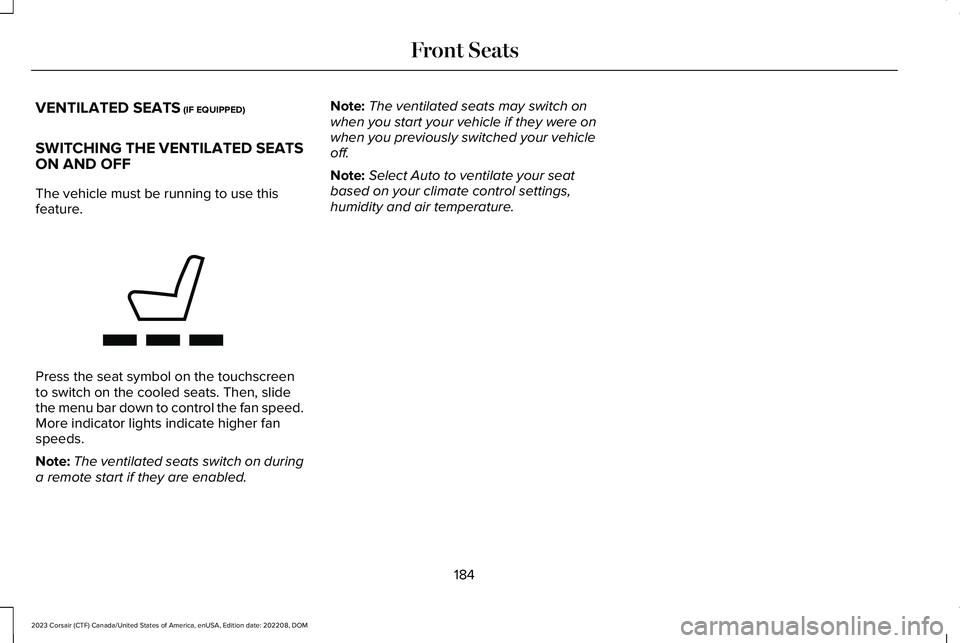
Press the seat symbol on the touchscreento switch on the cooled seats. Then, slidethe menu bar down to control the fan speed.More indicator lights indicate higher fanspeeds.
Note:The ventilated seats switch on duringa remote start if they are enabled.
Note:The ventilated seats may switch onwhen you start your vehicle if they were onwhen you previously switched your vehicleoff.
Note:Select Auto to ventilate your seatbased on your climate control settings,humidity and air temperature.
184
2023 Corsair (CTF) Canada/United States of America, enUSA, Edition date: 202208, DOMFront SeatsE368423
Page 196 of 690
HOW DOES THE MEMORY
FUNCTION WORK
The memory function recalls the position ofthese features:
•Driver seat.
•Power mirrors.
•Optional power steering column.
MEMORY FUNCTION
PRECAUTIONS
WARNING: Before activating thememory seat, make sure that the areaimmediately surrounding the seat is clearof obstructions and that all occupants areclear of moving parts.
WARNING: Do not use the memoryfunction when your vehicle is moving.
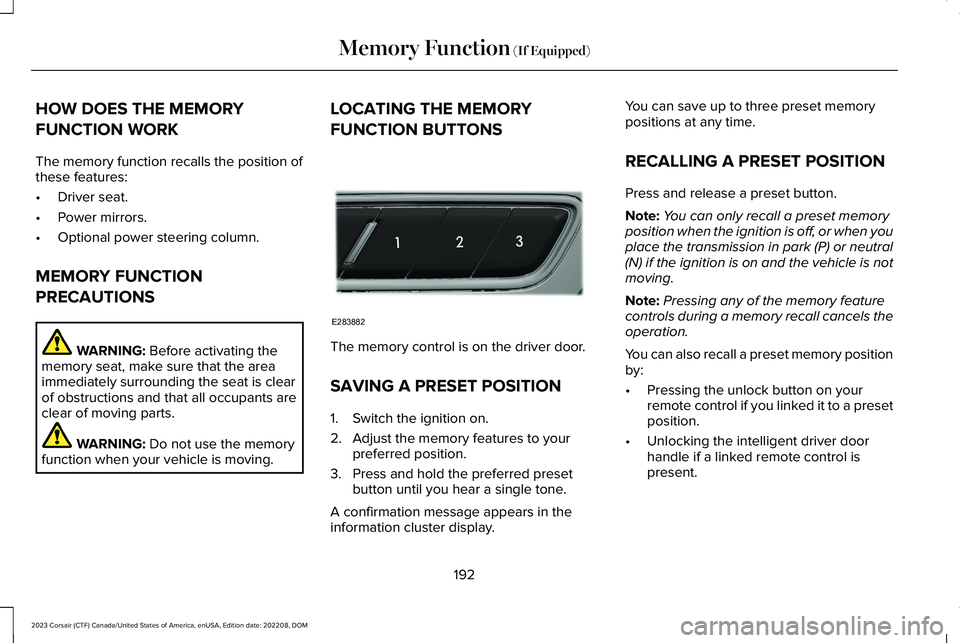
LOCATING THE MEMORY
FUNCTION BUTTONS
The memory control is on the driver door.
SAVING A PRESET POSITION
1.Switch the ignition on.
2.Adjust the memory features to yourpreferred position.
3.Press and hold the preferred presetbutton until you hear a single tone.
A confirmation message appears in theinformation cluster display.
You can save up to three preset memorypositions at any time.
RECALLING A PRESET POSITION
Press and release a preset button.
Note:You can only recall a preset memoryposition when the ignition is off, or when youplace the transmission in park (P) or neutral(N) if the ignition is on and the vehicle is notmoving.
Note:Pressing any of the memory featurecontrols during a memory recall cancels theoperation.
You can also recall a preset memory positionby:
•Pressing the unlock button on yourremote control if you linked it to a presetposition.
•Unlocking the intelligent driver doorhandle if a linked remote control ispresent.
192
2023 Corsair (CTF) Canada/United States of America, enUSA, Edition date: 202208, DOMMemory Function (If Equipped)E283882
Page 197 of 690
Note:Using a linked remote control to recallyour memory position when the ignition isoff moves the seat and steering column tothe easy entry position.
193
2023 Corsair (CTF) Canada/United States of America, enUSA, Edition date: 202208, DOMMemory Function (If Equipped)
Page 198 of 690
GARAGE DOOR OPENER
INTRODUCTION
HomeLink Wireless Control System
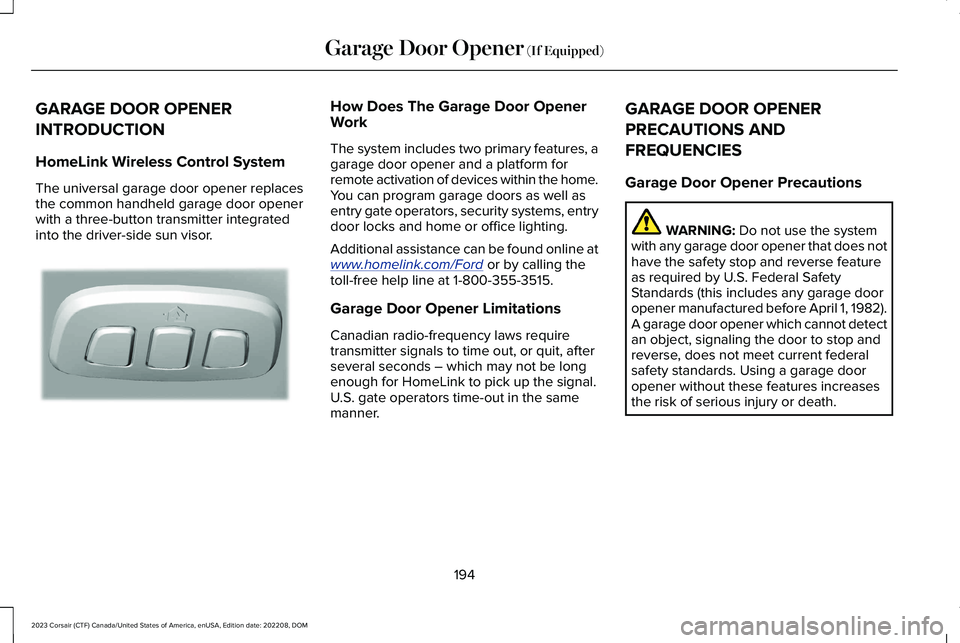
The universal garage door opener replacesthe common handheld garage door openerwith a three-button transmitter integratedinto the driver-side sun visor.
How Does The Garage Door OpenerWork
The system includes two primary features, agarage door opener and a platform forremote activation of devices within the home.You can program garage doors as well asentry gate operators, security systems, entrydoor locks and home or office lighting.
Additional assistance can be found online atwww.homelink.com/Ford or by calling thetoll-free help line at 1-800-355-3515.
Garage Door Opener Limitations
Canadian radio-frequency laws requiretransmitter signals to time out, or quit, afterseveral seconds – which may not be longenough for HomeLink to pick up the signal.U.S. gate operators time-out in the samemanner.
GARAGE DOOR OPENER
PRECAUTIONS AND
FREQUENCIES
Garage Door Opener Precautions
WARNING: Do not use the systemwith any garage door opener that does nothave the safety stop and reverse featureas required by U.S. Federal SafetyStandards (this includes any garage dooropener manufactured before April 1, 1982).A garage door opener which cannot detectan object, signaling the door to stop andreverse, does not meet current federalsafety standards. Using a garage dooropener without these features increasesthe risk of serious injury or death.
194
2023 Corsair (CTF) Canada/United States of America, enUSA, Edition date: 202208, DOMGarage Door Opener (If Equipped)E188211
Page 201 of 690
3.Hold your handheld garage doortransmitter 1–3 in (2–8 cm) away from theHomeLink button you want to program.
4.Press and hold the handheld transmitterbutton you want to program whilewatching the indicator on HomeLink.Continue to hold the handheld buttonuntil the HomeLink indicator flashesrapidly or is continuously on.
Note:You may need to use a differentmethod if you live in Canada or havedifficulties programming your gate operatoror garage door opener.
5.Press and hold the HomeLink button youprogrammed for two seconds, thenrelease. You may need to do this twiceto activate the door.
Note:If the indicator stays on, theprogramming is complete.
Note:If the HomeLink indicator flashesrapidly, repeat Step 5.
Note:If your device still does not operate,you must program your garage door.
6.To program additional buttons, repeatSteps 1–4.
Note:Make sure you keep the originalremote control transmitter for use in othervehicles as well as for future systemprogramming.
Programming the Garage Door Openerto your Garage Door Opener Motor
Note:Make sure that the garage door andsecurity device are free from obstructionwhen you are programming. Do not programthe system with the vehicle in the garage.
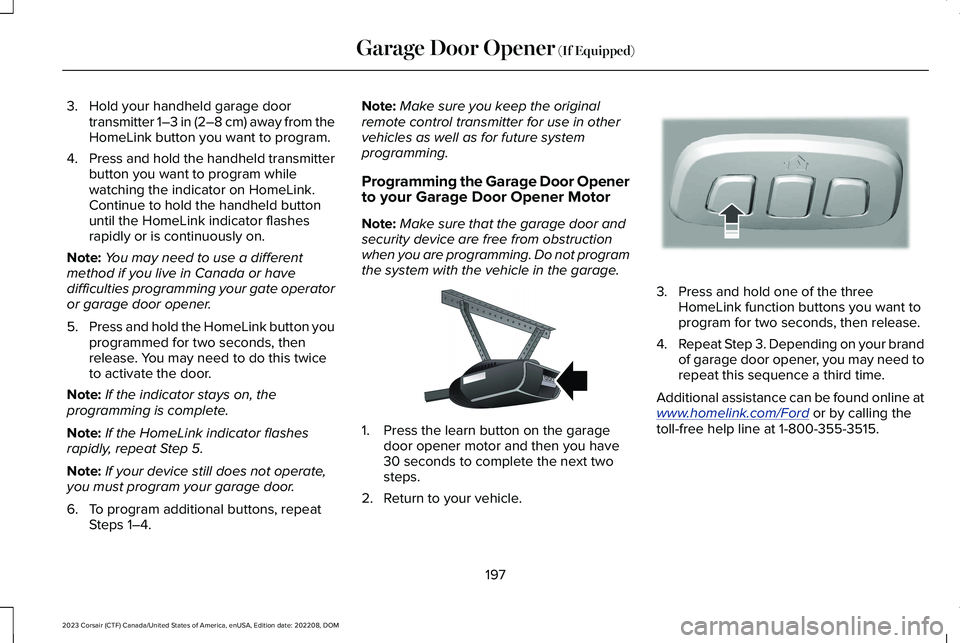
1.Press the learn button on the garagedoor opener motor and then you have30 seconds to complete the next twosteps.
2.Return to your vehicle.
3.Press and hold one of the threeHomeLink function buttons you want toprogram for two seconds, then release.
4.Repeat Step 3. Depending on your brandof garage door opener, you may need torepeat this sequence a third time.
Additional assistance can be found online atwww.homelink.com/Ford or by calling thetoll-free help line at 1-800-355-3515.
197
2023 Corsair (CTF) Canada/United States of America, enUSA, Edition date: 202208, DOMGarage Door Opener (If Equipped)E142659 E188212
Page 206 of 690
WHAT IS THE WIRELESS
ACCESSORY CHARGER
The wireless accessory charger allows youto charge one compatible Qi wirelesscharging device on the charging area.
WIRELESS ACCESSORY CHARGER
PRECAUTIONS
WARNING: Wireless chargingdevices can affect the operation ofimplanted medical devices, includingcardiac pacemakers. If you have anyimplanted medical devices, we recommendthat you consult with your physician.
Keep the charging area clean and removeforeign objects prior to charging a device.
Do not place items with a magnetic strip orradio-frequency identification chip, forexample passports, parking tickets,transportation passes or credit cards, nearthe charging area when charging a device.Damage could occur to the magnetic stripor radio-frequency identification chip.
Do not place metal objects, for exampleremote controls, coins and candy wrappers,on or near the charging area when charginga device. Metal objects may heat up anddegrade the charging performance, inaddition to causing interruptions in charging.
Charging could be interrupted, degraded, orcould stop if any of the following occur:
•The system detects a foreign object.
•The device is misaligned on the chargingarea.
•The device moves on the active chargingarea when the vehicle is in motion.
•The vehicle ambient temperature is toohigh.
•You attempt to charge a non-Qicompatible device on the wirelesscharger.
Note:During charging, the device and thecharger could heat up, this is normal. If thebattery gets hotter than usual, the devicemay stop charging.
LOCATING THE WIRELESS
ACCESSORY CHARGER
The charging area is on the centerconsole or in the media bin belowthe instrument panel.
CHARGING A WIRELESS DEVICE
Place the device on the center of thecharging surface with the charging sidedown. The charging stops after your devicereaches a full charge.
You can use the charger when the vehicleis in accessory mode, when the vehicle isrunning, or when SYNC is on.
Displays on the status bar whenwireless charging is in progress.
202
2023 Corsair (CTF) Canada/United States of America, enUSA, Edition date: 202208, DOMWireless Accessory Charger (If Equipped)E297549 E263583
Page 210 of 690
All electrical circuits and accessories areoperational and the warning lamps andindicators illuminate.
Note:Your vehicle has a battery saverfeature that shuts your vehicle off when itdetects a certain amount of battery drain, orafter approximately 30 minutes of inactivityin accessory mode.
Note:The system may not function if theremote control is close to metal objects orelectronic devices, for example keys or acell phone.
Note:You need a valid key inside yourvehicle to switch the ignition on and start theengine.
STARTING THE ENGINE
STARTING A GASOLINE ENGINE
Before starting your vehicle, check thefollowing:
•Make sure that the headlamps andelectrical accessories are off.
•Make sure that the parking brake is on.
•Make sure that the transmission is in park(P).
1.Fully press the brake pedal.
Note:Do not touch the accelerator pedal.
2.Press the push button ignition switch.
Note:The engine may continue cranking forup to 15 seconds or until it starts.
Note:The engine takes longer to start atlower temperatures. It may crank for severalseconds when very cold.
STARTING A HYBRID ELECTRICVEHICLE SYSTEM
Before starting your vehicle, check thefollowing:
•Make sure the headlamps and electricalaccessories are off.
•Make sure the parking brake is on.
•Make sure the transmission is in park (P).
Note:Do not touch the accelerator pedal.
1.Fully press the brake pedal.
2.Press the push button ignition switch.
When you start your vehicle, agreen indicator light appears in theinstrument cluster letting you knowthat your vehicle is ready for driving. Sinceyour vehicle is equipped with a silent keystart, the engine may not start when yourvehicle starts.
206
2023 Corsair (CTF) Canada/United States of America, enUSA, Edition date: 202208, DOMStarting and Stopping the EngineE357998 E357998 E354490
Page 250 of 690
Note:When plugging into an unfamiliar walloutlet, let the vehicle charge for severalminutes before leaving it unattended. Thered indicator illuminates if not charging. Theunit turns off if a breaker or infrastructureground fault circuit interrupter (GFCI) istripped. You can view vehicle chargingstatus remotely via the Lincoln Way app.
Mobile Power Cord Auto-Restart
Auto-restart helps make sure that yourvehicle is charged and ready for use whenneeded. A charge could be interrupted iferrors are detected. Charging resumes oncethe error is no longer detected. The redindicator illuminates during an errorcondition.
The exception to the immediate auto-restartis when the interruption is due to a chargerground fault circuit interrupter (GFCI) event.The charger attempts to restart 15 minutesafter a ground fault circuit interrupter (GFCI)event. After the fourth attempt to restart, thecharger shuts down and the red indicatorstays on.
If the fault persists, do not continue to try tocharge your vehicle. Contact your authorizeddealer.
MOVING AND STORAGEINSTRUCTIONS
Make sure you wrap the mobile power cordafter charging. Store the mobile power cordin the storage bag supplied with the mobilepower cord.
When charging is complete, replace themobile power cord in the luggagecompartment.
Note:Do not hold the mobile power cord bythe power cable. Hold the complete unit andcarefully place back in the storage bag.
Note:To remove the connector, firmly graspthe connector by the cable or plug and pullaway from the control box.
CARE INSTRUCTIONS
Do not use cleaners or solvents as this coulddamage your mobile power cord. Do notplace stress on the charger cables. If the unitoverheats, remove the mobile power cordfrom direct sunlight.
SAFETY FEATURES
The charger includes the following safetyfeatures to protect against the risk of electricshock:
•Service ground check: The chargerconstantly checks for the presence of aservice ground connection. If the serviceground ever fails, the charger redindicator turns on and shuts down powerto the vehicle.
•Thermal event sensor: Charger modulesenses out-of-ordinary thermal eventsand decreases the charging current orshuts the unit down if required.
246
2023 Corsair (CTF) Canada/United States of America, enUSA, Edition date: 202208, DOMCharging Your Vehicle - Plug-In Hybrid Electric Vehicle (PHEV)
Page 262 of 690
AUTOMATIC TRANSMISSION
PRECAUTIONS
WARNING: When your vehicle isstationary, keep the brake pedal fullypressed when shifting gears. Failure tofollow this instruction could result inpersonal injury, death or property damage.
WARNING: Do not apply the brakepedal and accelerator pedalsimultaneously. Applying both pedalssimultaneously for more than a fewseconds will limit power, which may resultin difficulty maintaining speed in traffic andcould lead to serious injury.
WARNING: Apply the parking brake,shift into park (P), switch the vehicle off andremove the key or remote control beforeyou leave your vehicle. Failure to followthis instruction could result in personalinjury or death.
AUTOMATIC TRANSMISSION
POSITIONS
PARK (P)
WARNING: Shift into park (P) onlywhen your vehicle is stationary.
In park (P) power is not transmitted to thedriven wheels.
Note:A tone sounds if you attempt to exityour vehicle without the vehicle in park (P).
Note:Your vehicle may not shift out of park(P) if the 12V battery has run out of charge.
Note:Your vehicle may not shift out of park(P) if a fuse is blown.
Note:Your vehicle may not shift out of park(P) unless the key or remote control is insideyour vehicle.
Note:The electronic parking brake couldapply when you power your vehicle on withthe selector in park (P).
Note:The electronic parking brake couldapply if you shift to park (P) without fullypressing the brake pedal.
Note:The electronic parking brake couldapply if you shift to park (P) on a slope.
Note:Do not manually release the parkingbrake when the selector is in park (P). SeeAutomatically Releasing the ElectricParking Brake (page 273).
Note:Your vehicle could shift into park (P) ifyou attempt to exit your vehicle without thetransmission in park (P). See How DoesAutomatic Return to Park (P) Work (page261).
Note:A tone could sound when you selectpark (P).
REVERSE (R)
WARNING: Shift into reverse (R) onlywhen your vehicle is stationary.
In reverse (R) power is transmitted to thedriven wheels.
258
2023 Corsair (CTF) Canada/United States of America, enUSA, Edition date: 202208, DOMAutomatic Transmission
Page 409 of 690
Starting the Engine
1.Start the engine of the booster vehicleand moderately rev the engine, or gentlypress the accelerator to keep the enginespeed between 2000 RPM and 3000RPM, as shown in your tachometer.
2.Start the engine of the disabled vehicle.
3.Once you start the disabled vehicle, runboth vehicle engines for an additionalthree minutes before disconnecting thejumper cables.
Removing the Jumper Cables
Remove the jumper cables in the reverseorder that they were connected.
Note:Do not switch the headlamps on whendisconnecting the cables. The peak voltagecould blow the bulbs.
POST-CRASH ALERT SYSTEM
WHAT IS THE POST-CRASH ALERTSYSTEM
The system helps draw attention to yourvehicle in the event of a serious impact.
HOW DOES THE POST-CRASH ALERTSYSTEM WORK
The system is designed to turn the hazardflashers on, turn the courtesy lamps on,intermittently sound the horn and unlock alldoors in the event of a serious impact thatdeploys an airbag or the seatbeltpretensioners.
POST-CRASH ALERT SYSTEMLIMITATIONS
Depending on applicable laws in the countryyour vehicle was built for, the horn does notsound in the event of a serious impact.
SWITCHING THE POST-CRASH ALERTSYSTEM OFF
Press the hazard flasher switch, the unlockbutton on the remote control, the panicbutton on the remote control or cycle theignition to switch the system off.
Note:The alert turns off when the vehiclebattery runs out of charge.
POST IMPACT BRAKING
HOW DOES POST IMPACT BRAKINGWORK
In the event of a moderate to severe crash,the braking system reduces the vehicle’sspeed to prevent or reduce the impact of apotential secondary crash.
POST IMPACT BRAKING LIMITATIONS
Post impact braking does not activate if anyof the following occur:
405
2023 Corsair (CTF) Canada/United States of America, enUSA, Edition date: 202208, DOMCrash and Breakdown Information