cooling LINCOLN CORSAIR 2023 Owners Manual
[x] Cancel search | Manufacturer: LINCOLN, Model Year: 2023, Model line: CORSAIR, Model: LINCOLN CORSAIR 2023Pages: 690, PDF Size: 15.04 MB
Page 9 of 690
Electric Economy..........................................156
Brake Coach..................................................157
Trip Summary.................................................157
Vehicle Charging Status.............................157
Personalized Settings
Changing the Language............................158
Changing the Measurement Unit............158
Changing the Temperature Unit..............158
Changing the Tire Pressure Unit.............158
Trip Computer
Accessing the Trip Computer...................159
Resetting the Trip Computer.....................159
Configuring the Trip Computer................159
Trip Data.........................................................159
Head Up Display
What Is the Head Up Display....................160
Switching the Head Up Display On and Off.......................................................................160
Head Up Display Settings.........................160
Head Up Display Indicators......................162
Head Up Display – Troubleshooting.......164
Remote Start
What Is Remote Start...................................165
Remote Start Precautions..........................165
Remote Start Limitations............................165
Enabling Remote Start................................165
Remotely Starting and Stopping theVehicle........................................................165
Extending the Remote Start Duration.......................................................................166
Remote Start Remote Control Indicators.......................................................................166
Remote Start Settings.................................166
Climate Control
Identifying the Climate Control Unit........168
Switching Climate Control On and Off.......................................................................168
Switching Recirculated Air On and Off.......................................................................168
Switching Air Conditioning On and Off.......................................................................168
Switching Defrost On and Off...................168
Switching Maximum Defrost On and Off.......................................................................169
Switching Maximum Cooling On and Off.......................................................................169
Switching the Heated Wiper Park On andOff................................................................169
Switching the Heated Rear Window Onand Off........................................................169
Setting the Blower Motor Speed.............170
Switching the Heated Mirrors On and Off.......................................................................170
Setting the Temperature............................170
Directing the Flow of Air.............................170
Auto Mode.....................................................170
Climate Control Hints..................................172
Interior Air Quality
What Is the Cabin Air Filter........................174
Replacing the Cabin Air Filter...................174
Auto Air Refresh............................................174
Interior Air Quality – Troubleshooting........................................................................177
5
2023 Corsair (CTF) Canada/United States of America, enUSA, Edition date: 202208, DOMTable of Contents
Page 17 of 690
Driving Economically..................................394
Driving in Special Conditions...................395
Driving Through Shallow Water..............396
Floor Mats......................................................397
Crash and Breakdown
Information
Roadside Assistance..................................399
High Voltage Battery Vehicle Precautions- Plug-In Hybrid Electric Vehicle (PHEV)......................................................................400
Switching the Hazard Flashers On and Off.......................................................................401
Jump Starting the Vehicle.........................402
Post-Crash Alert System...........................405
Post Impact Braking...................................405
Automatic Crash Shutoff...........................406
Transporting the Vehicle...........................406
Fail-Safe Cooling.........................................407
Towing Your Vehicle
Towing Your Vehicle Precautions...........409
Recreationally Towing Your Vehicle -Plug-In Hybrid Electric Vehicle (PHEV)......................................................................409
Recreationally Towing Your Vehicle -Gasoline, AWD.........................................410
Recreationally Towing Your Vehicle -Gasoline, FWD..........................................410
Emergency Towing - Plug-In HybridElectric Vehicle (PHEV)...........................410
Emergency Towing - Gasoline...................411
Towing Your Vehicle – Troubleshooting........................................................................411
Fuses
Fuse Precautions..........................................412
Under Hood Fuse Box................................412
Body Control Module Fuse Box...............421
Identifying Fuse Types...............................425
Fuses – Troubleshooting..........................425
Maintenance
Maintenance Precautions.........................426
Opening and Closing the Hood..............426
Under Hood Overview - 2.0L EcoBoost™......................................................................428
Under Hood Overview - 2.5L, Plug-InHybrid Electric Vehicle (PHEV)............430
Engine Oil......................................................432
Engine Air Filter...........................................434
Coolant...........................................................437
Changing the Fuel Filter.............................441
Drive Belt Routing Overview - 2.0LEcoBoost™.................................................442
12V Battery....................................................442
12V Battery – Troubleshooting................446
Adjusting the Headlamps..........................448
Exterior Bulbs...............................................450
Interior Bulbs................................................450
Maintenance Videos..................................450
Vehicle Care
Cleaning Products.......................................451
Cleaning the Exterior.................................452
Cleaning the Interior...................................454
Repairing Minor Paint Damage................456
Waxing Your Vehicle...................................456
13
2023 Corsair (CTF) Canada/United States of America, enUSA, Edition date: 202208, DOMTable of Contents
Page 18 of 690
Storing Your Vehicle
Preparing Your Vehicle for Storage........458
Removing Your Vehicle From Storage......................................................................459
Wheel and Tire Information
Locating the Tire label...............................460
Department of Transportation Uniform TireQuality Grades........................................460
Information on the Tire Sidewall..............461
Glossary of Tire Terminology...................466
Tire Replacement Requirements............466
Using Snow Chains....................................469
Tire Care
Checking the Tire Pressures.....................471
Inflating the Tires..........................................471
Inspecting the Tire for Wear......................471
Inspecting the Tire for Damage...............472
Inspecting the Wheel Valve Stems.........473
Tire Rotation..................................................473
Tire Sealant and Inflator Kit - Plug-
In Hybrid Electric Vehicle
(PHEV)
What Is the Tire Sealant and Inflator Kit......................................................................475
Tire Sealant and Inflator Kit Precautions......................................................................475
Locating the Tire Sealant and Inflator Kit......................................................................475
Tire Sealant and Inflator Kit Components......................................................................476
Using the Tire Sealant and Inflator Kit......................................................................476
Tire Pressure Monitoring System
What Is the Tire Pressure MonitoringSystem.......................................................482
Tire Pressure Monitoring System Overview......................................................................482
Tire Pressure Monitoring SystemPrecautions...............................................483
Tire Pressure Monitoring SystemLimitations.................................................484
Viewing the Tire Pressures......................484
Tire Pressure Monitoring System –Troubleshooting......................................484
Changing a Road Wheel
Changing a Flat Tire...................................487
Wheel Nuts...................................................493
Capacities and Specifications
Engine Specifications - 2.0L EcoBoost™......................................................................495
Engine Specifications - 2.5L, Plug-In HybridElectric Vehicle (PHEV)..........................496
Motorcraft Parts - 2.0L EcoBoost™..........497
Motorcraft Parts - 2.5L, Plug-In HybridElectric Vehicle (PHEV)..........................498
Engine Oil Capacity and Specification -2.0L EcoBoost™.......................................499
Engine Oil Capacity and Specification -2.5L, Plug-In Hybrid Electric Vehicle(PHEV).........................................................501
Cooling System Capacity and Specification- 2.0L EcoBoost™.....................................503
Cooling System Capacity and Specification- 2.5L, Plug-In Hybrid Electric Vehicle(PHEV)........................................................504
14
2023 Corsair (CTF) Canada/United States of America, enUSA, Edition date: 202208, DOMTable of Contents
Page 172 of 690
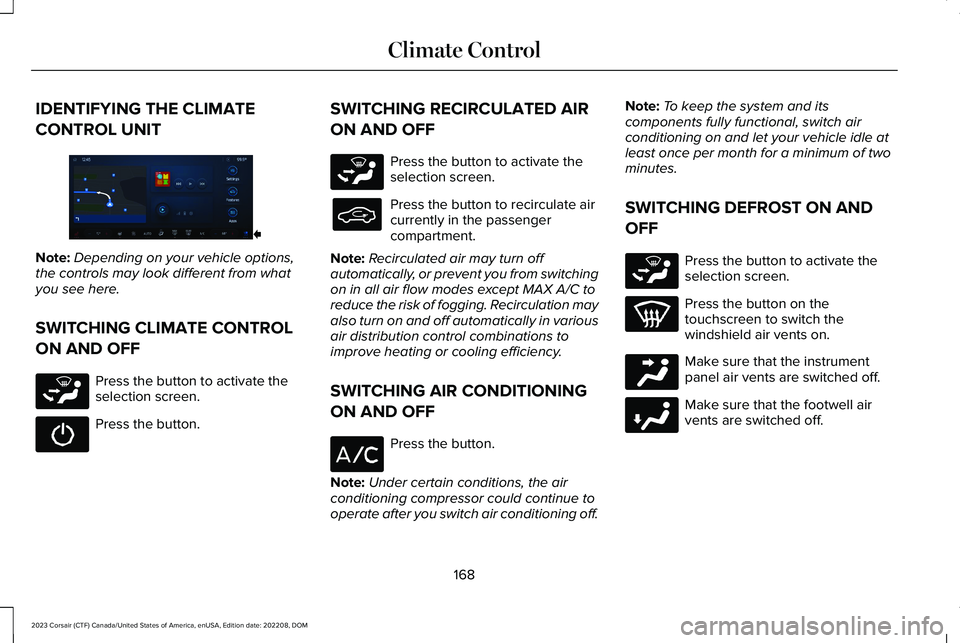
IDENTIFYING THE CLIMATE
CONTROL UNIT
Note:Depending on your vehicle options,the controls may look different from whatyou see here.
SWITCHING CLIMATE CONTROL
ON AND OFF
Press the button to activate theselection screen.
Press the button.
SWITCHING RECIRCULATED AIR
ON AND OFF
Press the button to activate theselection screen.
Press the button to recirculate aircurrently in the passengercompartment.
Note:Recirculated air may turn offautomatically, or prevent you from switchingon in all air flow modes except MAX A/C toreduce the risk of fogging. Recirculation mayalso turn on and off automatically in variousair distribution control combinations toimprove heating or cooling efficiency.
SWITCHING AIR CONDITIONING
ON AND OFF
Press the button.
Note:Under certain conditions, the airconditioning compressor could continue tooperate after you switch air conditioning off.
Note:To keep the system and itscomponents fully functional, switch airconditioning on and let your vehicle idle atleast once per month for a minimum of twominutes.
SWITCHING DEFROST ON AND
OFF
Press the button to activate theselection screen.
Press the button on thetouchscreen to switch thewindshield air vents on.
Make sure that the instrumentpanel air vents are switched off.
Make sure that the footwell airvents are switched off.
168
2023 Corsair (CTF) Canada/United States of America, enUSA, Edition date: 202208, DOMClimate ControlE372889 E265283 E265283 E265283 E244097 E244098
Page 173 of 690
SWITCHING MAXIMUM DEFROST
ON AND OFF
Press the button on thetouchscreen.
Air flows through the windshield air vents,and the blower motor adjusts to the highestspeed.
You can also use this setting to defog andclear the windshield of a thin covering of ice.
Note:You can also press the button on theinstrument panel to switch the maximumdefrost on or off.
Note:To prevent window fogging, youcannot select recirculated air whenmaximum defrost is on.
Note:The heated rear window and airconditioning also turn on when you selectmaximum defrost.
SWITCHING MAXIMUM COOLING
ON AND OFF
Press the button to activate theselection screen.
Press the button.
Note:When you switch maximum coolingoff, air conditioning remains on.
Note:In certain conditions, for example, coldweather, maximum cooling may not activateor could run slow when switched on. Thishelps reduce power consumption from thebattery.
SWITCHING THE HEATED WIPER
PARK ON AND OFF (IF EQUIPPED)
The heated wiper park is anauxiliary feature that supports thewipers to remain functional in coldtemperatures. The feature assistsin defrosting the bottom of thewindshield where the wipers sit when not inuse.
The feature can be activated in two ways;
-When Defrost or MAX defrost button ispressed and ambient temperature is lessthan 2°C.
- Automatically when ambient temperatureis less than 0°C.
SWITCHING THE HEATED REAR
WINDOW ON AND OFF
Press the button to clear the rearwindow of thin ice and fog. Theheated rear window turns off aftera short period of time.
Note:Do not use harsh chemicals, razorblades or other sharp objects to clean orremove decals from the inside of the heatedrear window as this could cause damage tothe heated rear window grid lines notcovered by the vehicle Warranty.
Note:The engine must be running or yourvehicle must be ready to drive to switch thesystem on.
169
2023 Corsair (CTF) Canada/United States of America, enUSA, Edition date: 202208, DOMClimate Control E265283
Page 176 of 690
SWITCHING DUAL MODE ON AND OFF
Press the button to activate theselection screen.
Press the button.
Note:When dual mode is off, setting thetemperature using the driver side controls,sets the temperature for both sides.
Note:Setting the temperature using thepassenger side controls, sets the passengertemperature and switches dual mode on.
CLIMATE CONTROL HINTS
General Hints
•Prolonged use of recirculated air maycause the windows to fog up.
•You may feel a small amount of air fromthe footwell air vents regardless of theair distribution setting.
•To reduce humidity build-up inside yourvehicle, do not drive with the systemswitched off or with recirculated airalways switched on.
•Do not place objects under the frontseats as this may interfere with theairflow to the rear seats.
•Remove any snow, ice or leaves from theair intake area at the base of thewindshield.
•To improve the time to reach acomfortable temperature in hot weather,drive with the windows open until youfeel cold air through the air vents.
Automatic Climate Control
•Adjusting the settings when your vehicleinterior is extremely hot or cold is notnecessary. Automatic mode is bestrecommended to maintain settemperature.
•The system adjusts to heat or cool theinterior to the temperature you select asquickly as possible.
•For the system to function efficiently, theinstrument panel and side air ventsshould be fully open.
•If you press AUTO during cold outsidetemperatures, the system directs air flowto the windshield and side window airvents.In addition, the blower motor mayrun at a slower speed until the enginewarms up.
•If you press AUTO during hottemperatures and the inside of thevehicle is hot, the system usesrecirculated air to maximize interiorcooling. Blower motor speed may alsoreduce until the air cools.
Quickly Heating the Interior
1.Press AUTO.
2.Adjust the temperature function to thesetting you prefer.
Recommended Settings for Heating
1.Press AUTO.
172
2023 Corsair (CTF) Canada/United States of America, enUSA, Edition date: 202208, DOMClimate ControlE265283 E265280
Page 177 of 690
2.Adjust the temperature function to thesetting you prefer. Use 72°F (22°C) as astarting point, then adjust the setting asnecessary.
Quickly Cooling the Interior
1.Press MAX A/C.
2.Drive with the windows open for a shortperiod of time.
Recommended Settings for Cooling
1.Press AUTO.
2.Adjust the temperature function to thesetting you prefer. Use 72°F (22°C) as astarting point, then adjust the setting asnecessary.
Defogging the Side Windows in ColdWeather
1.Press and release defrost or maximumdefrost.
2.Adjust the temperature control to thesetting you prefer. Use 72°F (22°C) as astarting point, then adjust the setting asnecessary.
173
2023 Corsair (CTF) Canada/United States of America, enUSA, Edition date: 202208, DOMClimate Control
Page 217 of 690
WHAT IS A HYBRID ELECTRIC
VEHICLE
A hybrid vehicle has an electric motor and ahigh voltage battery combined with agasoline engine.
HOW DOES A HYBRID ELECTRIC
VEHICLE WORK
The hybrid vehicle combines electric andgasoline propulsion to provide optimalperformance and improved efficiency.
HYBRID ELECTRIC VEHICLE
DRIVING CHARACTERISTICS
The gasoline engine starts and stops toprovide power when required and to savefuel when not needed. When coasting at lowspeeds, coming to a stop or standing, thegas engine normally shuts down and yourvehicle operates in electric-only mode.
Conditions that may cause the gasolineengine to start or remain running include:
•Considerable vehicle acceleration.
•Driving uphill.
•The high voltage battery charge level islow.
•Heating or cooling the vehicle interior inhigh or low outside temperatures.
•The gasoline engine is below normaloperating temperature.
•Towing a trailer.
•Certain selectable drive modes couldcause the engine to run. See Selectinga Drive Mode (page 338).
Your hybrid vehicle also comes with standardhydraulic braking and regenerative braking.Regenerative braking is performed by yourtransmission and captures brake energy andstores it in the high voltage battery.
You could also notice that your enginecontinues to run instead of shutting off duringextended downhill driving. The engine stayson during this engine braking but is not usingany fuel.
You could also hear a slight whine or whistlewhen operating your vehicle. This is thenormal operation of the electric motor in thehybrid system.
Note:Having your engine running is notalways an indication of inefficiency. In somecases, it is actually more efficient thandriving in electric mode.
HYBRID ELECTRIC VEHICLE
INDICATORS
When you start your vehicle, agreen READY indicator lightappears in the instrument clusterletting you know that your vehicle is readyfor driving.
The engine may not start because yourvehicle has a silent key start feature. Thisfuel saving feature allows your vehicle to beready to drive without requiring the gasengine to be running.
213
2023 Corsair (CTF) Canada/United States of America, enUSA, Edition date: 202208, DOMHybrid Electric Vehicle Information - Plug-In Hybrid Electric Vehicle (PHEV)E293827
Page 239 of 690
WHAT IS THE HIGH VOLTAGE
BATTERY
The high voltage battery is a highlysophisticated lithium ion battery system, usedto store electrified energy to power thevehicle.
HIGH VOLTAGE BATTERY
PRECAUTIONS
WARNING: This battery pack shouldonly be serviced by an authorized electricvehicle technician. Improper handling canresult in personal injury or death.
WARNING: Keep your hands andclothing clear of the cooling fan.
WARNING: Apply the parking brake,shift into park (P), switch the ignition offand remove the key before you open thehood or have any service or repair workcompleted. If you do not switch the ignitionoff, the engine could restart at any time.Failure to follow this instruction could resultin personal injury or death.
WARNING: Do not touch theelectronic ignition system parts after youhave switched the ignition on or when theengine is running. The system operates athigh voltage. Failure to adhere to thiswarning could result in serious personalinjury or death.
Your vehicle consists of various high-voltagecomponents and wiring. All of thehigh-voltage power flows through specificwiring assemblies labeled as such or coveredwith a solid orange convolute, or orangestriped tape, or both. Do not come in contactwith these components.
RECYCLING AND DISPOSING OF
THE HIGH VOLTAGE BATTERY
Please recycle in accordance with localregulations.
235
2023 Corsair (CTF) Canada/United States of America, enUSA, Edition date: 202208, DOMHigh Voltage Battery - Plug-In Hybrid Electric Vehicle (PHEV)
Page 257 of 690
Note:By using energy from your chargingsource while plugged in, battery temperaturecan be managed for best drivingperformance and less energy is needed forheating or cooling of the cabin at the startof your drive. This helps maximize yourdriving range.
Note:You can also access this feature usingthe LincolnWay app.
Departure and Comfort Setup
Follow these steps to set departure timesand cabin comfort level.
1.Press the edit button for departure andcomfort on the charge settings screen.
2.Two time settings show for each day ofthe week on the departure timesschedule screen. Select any one.
3.On the Departure Times settings screen,set your desired time, cabin comfort leveland days of the week to repeat. PressSave.
4.Your settings are now shown on thedeparture times schedule screen. Pressback to return to the main charge settingsscreen. The next departure time andcabin temperature display.
Note:Cabin conditioning comfort level couldvary depending on whether you plug into anormal household outlet or a higher poweroutlet or charging station. The poweravailable for conditioning is limited to thecharging station power available. At lowambient temperatures and low chargepower, a small amount of high voltagebattery power in addition to the chargingpower could be used to heat the cabin.
Charging Locations
Press the edit button to setpreferred charging times for aspecific charging location.
Your vehicle prioritizes charging based onyour preferred time settings. You can set twopreferred charging time windows forweekdays and two for weekends. Thisfeature allows you to take advantage ofelectric utility rate plans that offer lowerpricing during certain times of day. Contactyour utility company to see what plans areavailable.
Note:Your vehicle charges during yourpreferred time windows. Charging outsidethese windows only occurs when additionalcharging time is needed to reach themaximum charge limit set for this locationby your next departure time. In this case, thevehicle begins charging right away afterplugging in.
Note:You can also access this feature usingthe LincolnWay app.
Charging Location Setup
Follow these steps to set time andcharge level preferences for acharging location.
1.Press the edit button for charginglocations on the charge settings screen.
253
2023 Corsair (CTF) Canada/United States of America, enUSA, Edition date: 202208, DOMCharging Your Vehicle - Plug-In Hybrid Electric Vehicle (PHEV)E353986 E353986