lock LINCOLN LS 2000 Owner's Manual
[x] Cancel search | Manufacturer: LINCOLN, Model Year: 2000, Model line: LS, Model: LINCOLN LS 2000Pages: 272, PDF Size: 2.36 MB
Page 89 of 272

²Information or emergency assistance can be requested whenever your
key is in the RUN/START position and for six minutes after the vehicle
is turned off.
²An assistance request is initiated by pressing either the Information or
Emergency control located in the overhead console.
²When a control is pressed, status messages will display on the
vehicle's message center (messages can only be displayed when the
key is in the RUN/START position).
²The vehicle's cellular phone automatically places a call to a 24 hour
emergency response center.
²When contact is made, the vehicle sends an electronic data message
to the response center's computer. This data message includes latitude
and longitude coordinates obtained from the vehicle's positioning
system and customer identification information.
²Once the data transmission is complete, the call is forwarded to a
response center operator who confirms your location using a
computerized map.
²The vehicle's cellular handset is locked-out, the phone is automatically
placed in the ªhands-freeº mode and voice communication is
established with the operator through the ªhands-freeº microphone.
²Typically, voice communication with an operator is established within
one minute after an assistance control is pressed.
²The operator verbally obtains details of your situation and, if
necessary, ties your vehicle into a three-way phone call with the
United States Auto Club or local 911 or other emergency services to
dispatch the appropriate assistance to your location.
²In most situations, only the response center can terminate an
assistance request. Once the operator terminates the call the system
will be reset.
General description
Lincoln's Remote Emergency Satellite Cellular Unit (RESCU) is designed
to expedite roadside, emergency or information assistance to motorists
who are uncertain of their location and/or are uncertain of whom to
contact for assistance.
The Lincoln RESCU system utilizes Global Positioning System (GPS)
technology and the nation's cellular phone network to track vehicle
Controls and features
89
Page 92 of 272

Cellular phone interface
The cellular phone must be connected to the vehicle and activated for
the system to work. During an activation, Lincoln RESCU takes control
of the vehicle's cellular phone. If the phone is in use, the call will be
terminated and the Lincoln Security Response Center will automatically
be dialed. The cellular handset becomes inoperative and all voice
communication with the operator is accomplished via the cellular phone's
ªhands-freeº microphone.
When an activation is terminated, your phone is left unlocked, in the ON
state and may not return to its previous call restriction or system
selection setting. It can be reprogrammed to your previous setting as
desired.
Refer to your cellular phone user's manual for further information.
Message center interface
During an activation, Lincoln RESCU communicates with the vehicle's
message center. Status messages describing the sequence of the steps
being executed are displayed, allowing you to visually follow the
activation process. The following messages are typical of those displayed
during an assistance request. They are as shown in the order in which
they would appear:
²INFO REQUEST or S.O.S. REQUEST
²CALL IN PROGRESS
²RINGING RESPONSE CENTER
²SENDING LOCATION DATA
²DATA RECEIVED
²WAITING FOR OPERATOR
Once an assistance request is made, it will typically take less than one
minute until contact is made with an operator. During voice
communication the following messages will alternately toggle on the
display:
²CID XXXXXXXXXX
²LAT XXXXXXXXXX
²LON XXXXXXXXXX
These messages respectively are the customer identification number,
vehicle latitude and vehicle longitude. Under special conditions, the
Controls and features
92
Page 95 of 272

²Positioning capability temporarily degraded after battery
reconnect
When your vehicle is started, the Lincoln RESCU GPS receiver begins
the process of determining vehicle location. The receiver will search the
sky and attempt to acquire signals from all visible satellites. A real-time
clock and an almanac containing detailed information about satellite
constellation are stored in the on-board computer's memory and are used
to expedite the search. If the vehicle's battery is disconnected, the clock
memory is erased and time and date are lost. Once the battery is
reconnected, it could take approximately 15 minutes to reacquire the
clock and for positioning capability to be restored. During this time, the
system will operate but the response center will not be able to identify
your location. In this situation, the operator will depend on you to
provide verbal information regarding vehicle location.
²
Inoperative if cellular signal marginal or unavailable
Since the Lincoln RESCU System utilizes the vehicle's cellular phone, it
can only be operated in geographical areas with cellular coverage.
Although approximately 90 percent of the U.S. population lives and
works in cellular coverage areas, there are various rural or mountainous
areas where coverage is marginal or does not exist. If an activation
occurs in this situation, the messages ªNO CELLULAR SIGNALº and
ªWAITING TO ACQUIREº will alternately be displayed on the message
center. If after several attempts cellular service can not be acquired, the
message ªUNABLE TO PLACE CALLº will be displayed, the assistance
request will be terminated and the phone will return to its normal
operating mode.
²
Inoperative if cellular system is busy
In a particular area, the local cellular system can only handle a limited
number of cellular calls at one time. Once volume has reached the
maximum limit, additional callers are denied access. If an activation
occurs in this situation, the messages ªCELLULAR SYSTEM BUSYº and
ªPLEASE WAITº will alternately be displayed on the message center. If
after several attempts a cellular channel cannot be acquired, the message
ªUNABLE TO PLACE CALLº will be displayed, the assistance request
will be terminated and the phone will return to its normal operating
mode.
Controls and features
95
Page 96 of 272

²Incompatible with cellular PIN feature
Some cellular carriers offer custom phone numbers that are assigned a
personal identification number (PIN). In this situation, the user is
required to enter the PIN with any phone calls made over the network.
The PIN feature is not compatible with the Lincoln RESCU System. At
the time your phone is activated, ask your carrier to assign you a phone
number that does not require a personal identification number. If you
have difficulty obtaining a non-PIN number, contact you dealer or call
the Ford Cellular System Clearinghouse at 1±800±367±3357 for
assistance.
²
Incompatible or performance limited with certain cellular
providers features
Some cellular carriers offer customers various optional features with
their cellular services. Several of these features are not compatible or
could potentially limit the performance of your Lincoln RESCU System.
Some outgoing calls, hotline and NPA restrictions are incompatible
cellular features and must be avoided. Operation is possible with no
incoming calls, call forwarding, busy/no answer transfer and call waiting,
but these features could impact overall system performance. Because
carriers are regularly making new features available to customers, this
list may not be complete. Contact you dealer for assistance if you are
unsure if a particular cellular feature is compatible with your Lincoln
RESCU System.
²
Potential limitations if activated outside home cellular region
At the time you receive your vehicle (or shortly after), you will need to
select a cellular carrier and activate your phone. If desired, carrier
selection can be arranged through your dealer. This carrier is usually
local to your region and will handle call processing and billing services
for your cellular telephone. In order to use your phone when traveling
outside your home cellular region, the services of the carriers local to the
new area will be required. If your home carrier does not have an
agreement with the new local carrier, your phone calls could be
forwarded to an operator and you may be required to provide a credit
card number before your call is processed. If an activation occurs in this
situation, the initial call will be terminated and a second call which
bypasses the response center's computer will be placed.
Unlike during the first call attempt, your cellular handset will not be
locked during the second call, so you will have the option of terminating
the assistance request at any time by pushing either PWR or END on the
Controls and features
96
Page 99 of 272
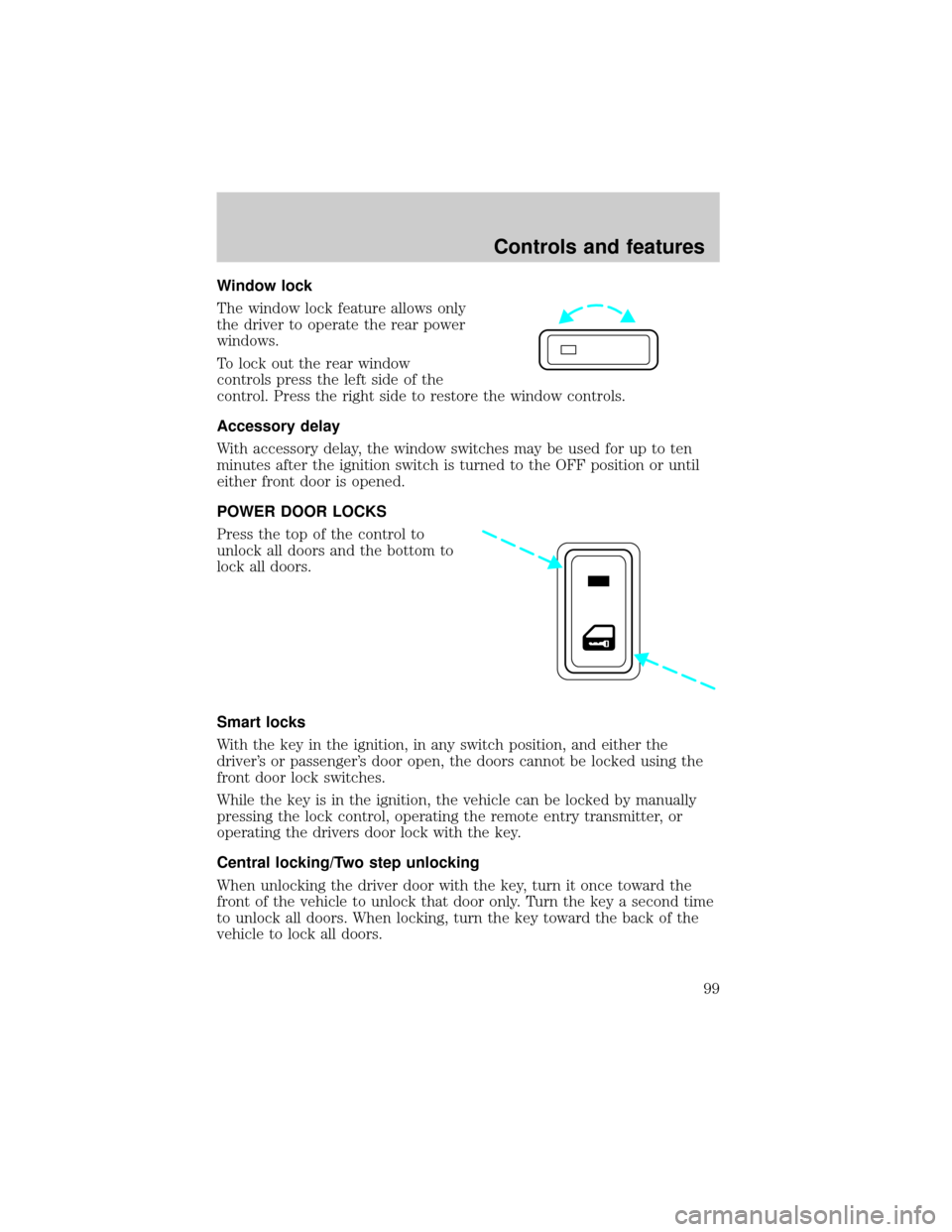
Window lock
The window lock feature allows only
the driver to operate the rear power
windows.
To lock out the rear window
controls press the left side of the
control. Press the right side to restore the window controls.
Accessory delay
With accessory delay, the window switches may be used for up to ten
minutes after the ignition switch is turned to the OFF position or until
either front door is opened.
POWER DOOR LOCKS
Press the top of the control to
unlock all doors and the bottom to
lock all doors.
Smart locks
With the key in the ignition, in any switch position, and either the
driver's or passenger's door open, the doors cannot be locked using the
front door lock switches.
While the key is in the ignition, the vehicle can be locked by manually
pressing the lock control, operating the remote entry transmitter, or
operating the drivers door lock with the key.
Central locking/Two step unlocking
When unlocking the driver door with the key, turn it once toward the
front of the vehicle to unlock that door only. Turn the key a second time
to unlock all doors. When locking, turn the key toward the back of the
vehicle to lock all doors.
Controls and features
99
Page 100 of 272
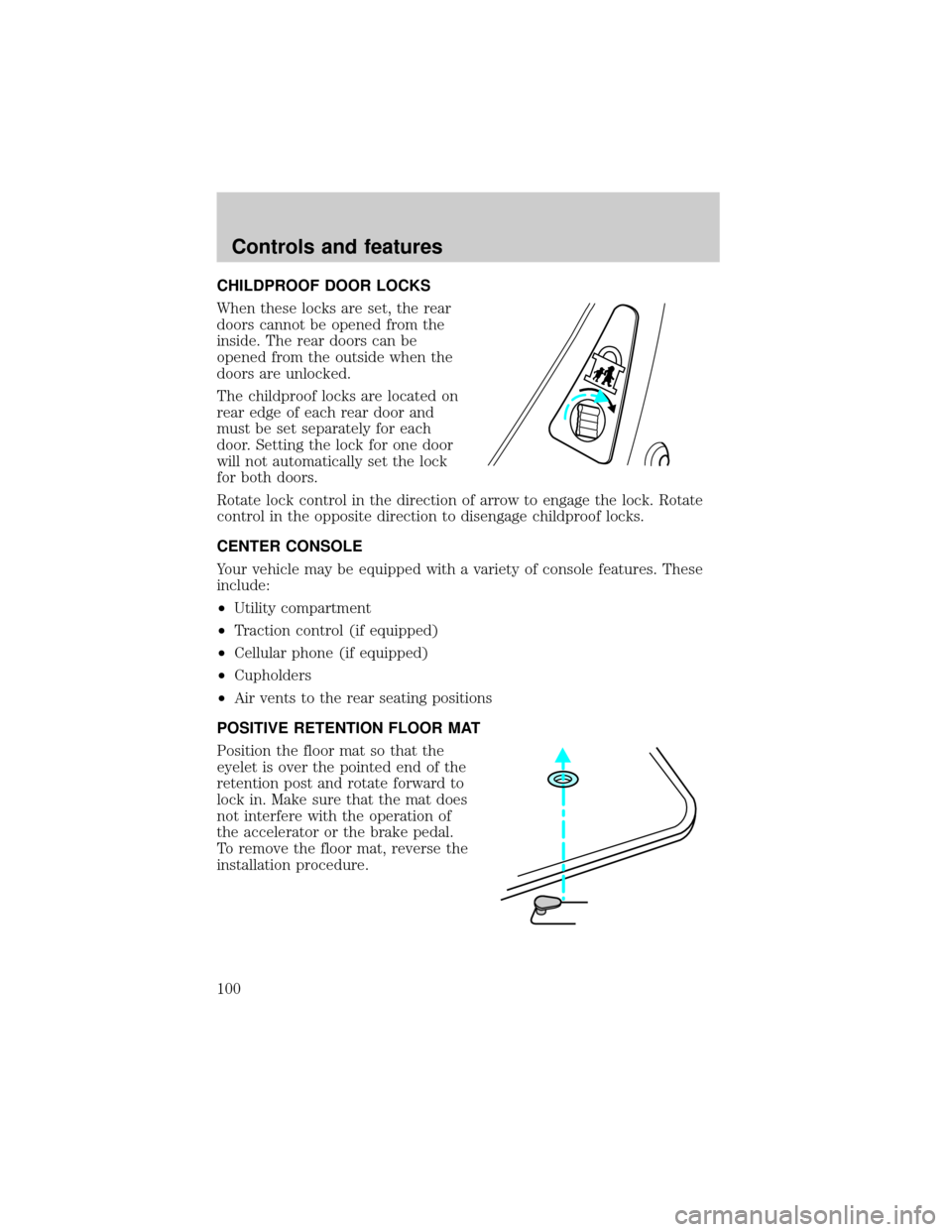
CHILDPROOF DOOR LOCKS
When these locks are set, the rear
doors cannot be opened from the
inside. The rear doors can be
opened from the outside when the
doors are unlocked.
The childproof locks are located on
rear edge of each rear door and
must be set separately for each
door. Setting the lock for one door
will not automatically set the lock
for both doors.
Rotate lock control in the direction of arrow to engage the lock. Rotate
control in the opposite direction to disengage childproof locks.
CENTER CONSOLE
Your vehicle may be equipped with a variety of console features. These
include:
²Utility compartment
²Traction control (if equipped)
²Cellular phone (if equipped)
²Cupholders
²Air vents to the rear seating positions
POSITIVE RETENTION FLOOR MAT
Position the floor mat so that the
eyelet is over the pointed end of the
retention post and rotate forward to
lock in. Make sure that the mat does
not interfere with the operation of
the accelerator or the brake pedal.
To remove the floor mat, reverse the
installation procedure.
Controls and features
100
Page 101 of 272
REMOTE ENTRY SYSTEM
Your remote entry system contains two remote transmitters which
provide remote control of several features. Each remote transmitter will
allow you to:
²unlock the vehicle doors without a key.
²lock all the vehicle doors without a key.
²open the trunk without a key.
²activate the personal alarm.
²open all windows and moonroof (if equipped).
²arm and disarm the perimeter anti-theft system.
²operate the illuminated entry feature.
²operate the memory seat/mirror/steering column feature (if equipped).
The remote transmitter features only operate with the ignition in the
OFF or ACC positions. For vehicles equipped with an automatic
transmission, the remote transmitter features also operate if the ignition
is in the RUN position and the gear shift is in P (Park). The personal
alarm feature, however, will not operate when the ignition is in the RUN
position.
If there is any potential remote keyless entry problem with your vehicle,
ensureALL key fobs(remote entry transmitters) are brought to the
dealership, to aid in troubleshooting.
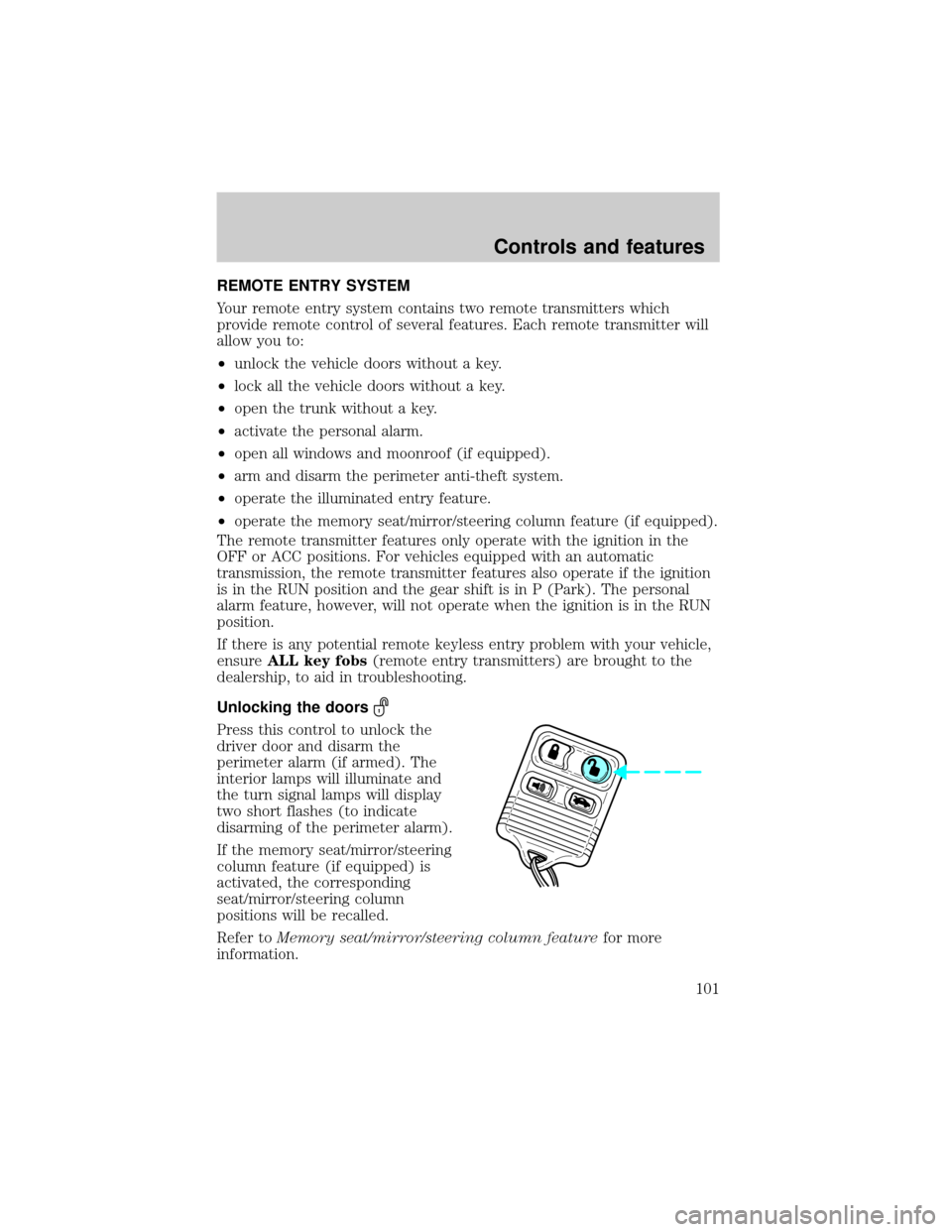
Unlocking the doors
Press this control to unlock the
driver door and disarm the
perimeter alarm (if armed). The
interior lamps will illuminate and
the turn signal lamps will display
two short flashes (to indicate
disarming of the perimeter alarm).
If the memory seat/mirror/steering
column feature (if equipped) is
activated, the corresponding
seat/mirror/steering column
positions will be recalled.
Refer toMemory seat/mirror/steering column featurefor more
information.
Controls and features
101
Page 102 of 272
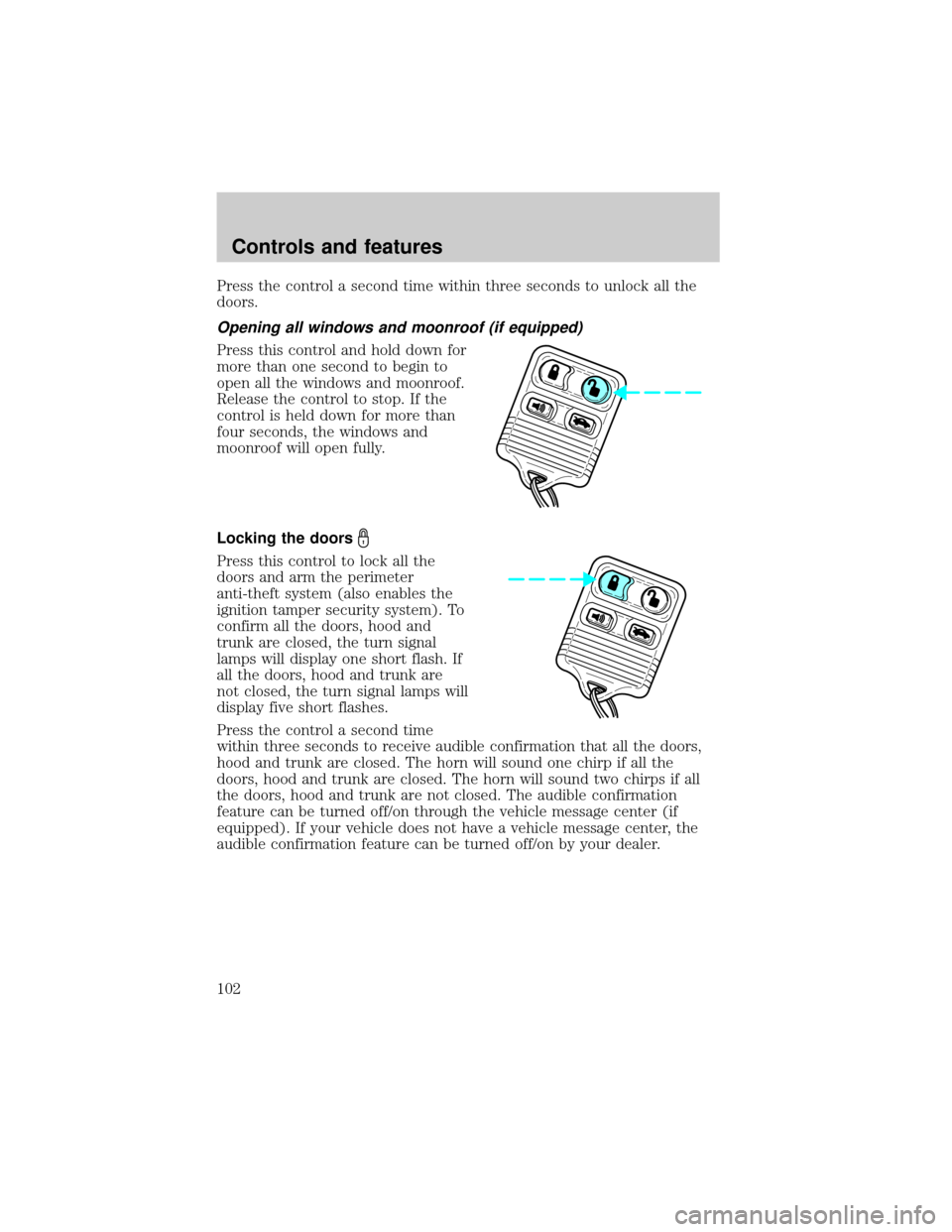
Press the control a second time within three seconds to unlock all the
doors.
Opening all windows and moonroof (if equipped)
Press this control and hold down for
more than one second to begin to
open all the windows and moonroof.
Release the control to stop. If the
control is held down for more than
four seconds, the windows and
moonroof will open fully.
Locking the doors
Press this control to lock all the
doors and arm the perimeter
anti-theft system (also enables the
ignition tamper security system). To
confirm all the doors, hood and
trunk are closed, the turn signal
lamps will display one short flash. If
all the doors, hood and trunk are
not closed, the turn signal lamps will
display five short flashes.
Press the control a second time
within three seconds to receive audible confirmation that all the doors,
hood and trunk are closed. The horn will sound one chirp if all the
doors, hood and trunk are closed. The horn will sound two chirps if all
the doors, hood and trunk are not closed. The audible confirmation
feature can be turned off/on through the vehicle message center (if
equipped). If your vehicle does not have a vehicle message center, the
audible confirmation feature can be turned off/on by your dealer.
Controls and features
102
Page 103 of 272
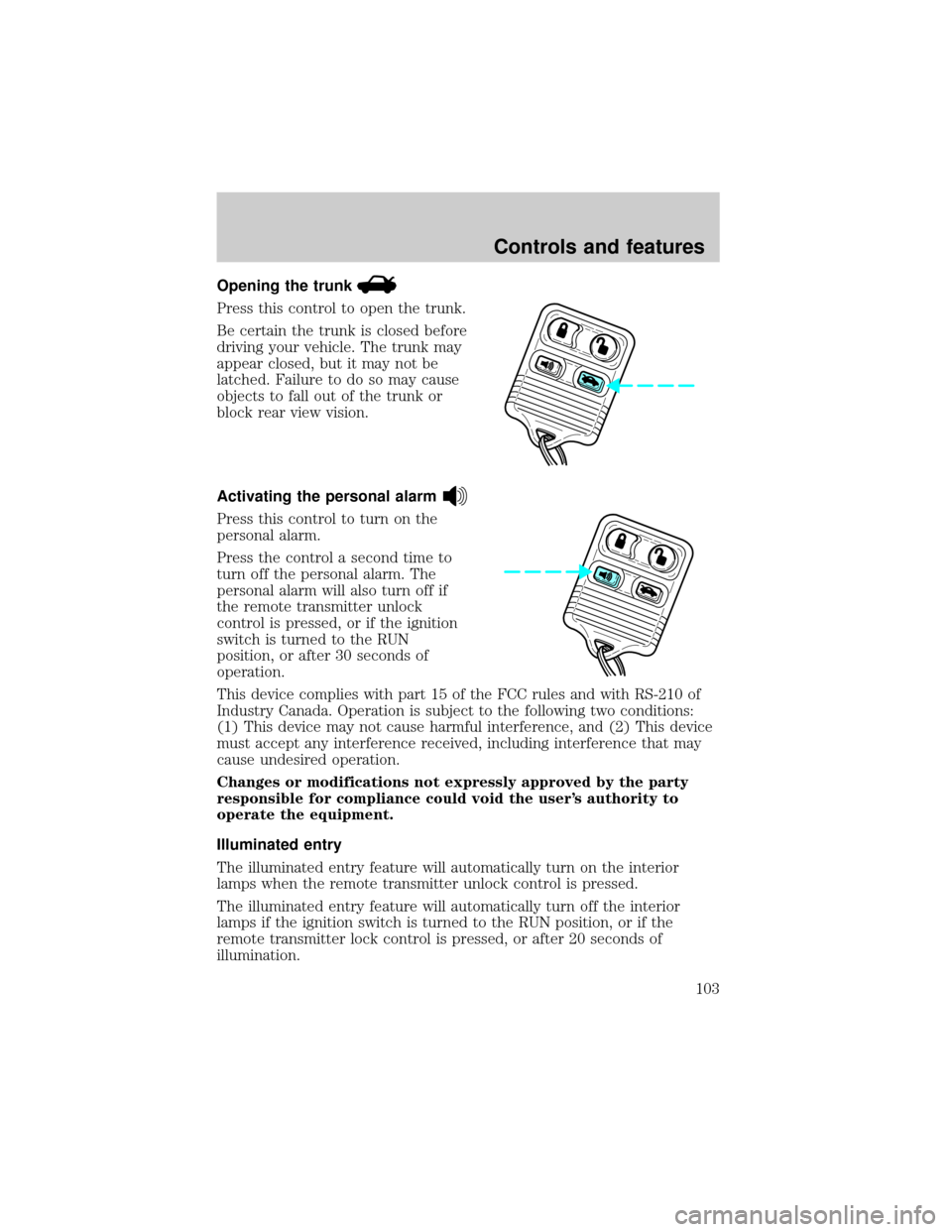
Opening the trunk
Press this control to open the trunk.
Be certain the trunk is closed before
driving your vehicle. The trunk may
appear closed, but it may not be
latched. Failure to do so may cause
objects to fall out of the trunk or
block rear view vision.
Activating the personal alarm
Press this control to turn on the
personal alarm.
Press the control a second time to
turn off the personal alarm. The
personal alarm will also turn off if
the remote transmitter unlock
control is pressed, or if the ignition
switch is turned to the RUN
position, or after 30 seconds of
operation.
This device complies with part 15 of the FCC rules and with RS-210 of
Industry Canada. Operation is subject to the following two conditions:
(1) This device may not cause harmful interference, and (2) This device
must accept any interference received, including interference that may
cause undesired operation.
Changes or modifications not expressly approved by the party
responsible for compliance could void the user's authority to
operate the equipment.
Illuminated entry
The illuminated entry feature will automatically turn on the interior
lamps when the remote transmitter unlock control is pressed.
The illuminated entry feature will automatically turn off the interior
lamps if the ignition switch is turned to the RUN position, or if the
remote transmitter lock control is pressed, or after 20 seconds of
illumination.
Controls and features
103
Page 105 of 272
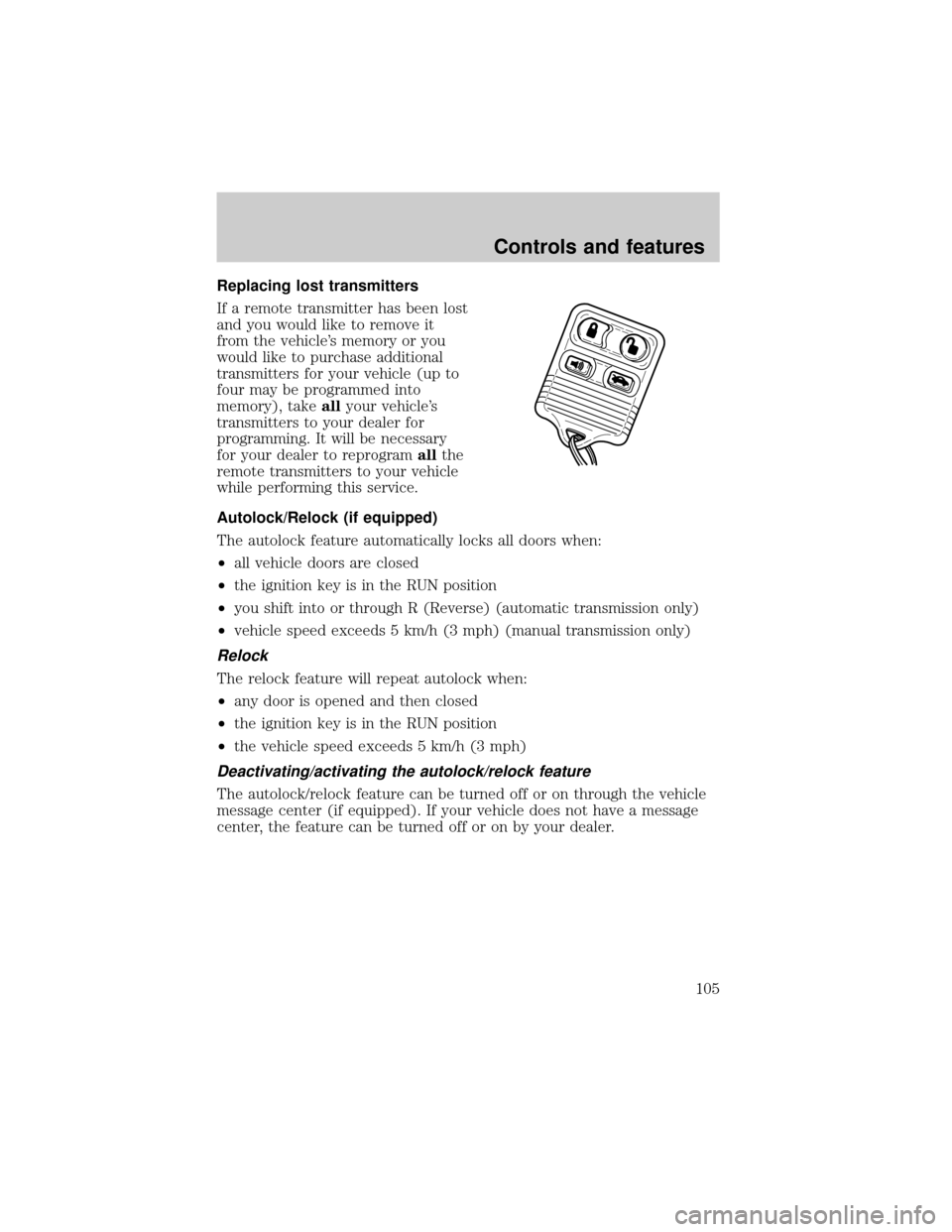
Replacing lost transmitters
If a remote transmitter has been lost
and you would like to remove it
from the vehicle's memory or you
would like to purchase additional
transmitters for your vehicle (up to
four may be programmed into
memory), takeallyour vehicle's
transmitters to your dealer for
programming. It will be necessary
for your dealer to reprogramallthe
remote transmitters to your vehicle
while performing this service.
Autolock/Relock (if equipped)
The autolock feature automatically locks all doors when:
²all vehicle doors are closed
²the ignition key is in the RUN position
²you shift into or through R (Reverse) (automatic transmission only)
²vehicle speed exceeds 5 km/h (3 mph) (manual transmission only)
Relock
The relock feature will repeat autolock when:
²any door is opened and then closed
²the ignition key is in the RUN position
²the vehicle speed exceeds 5 km/h (3 mph)
Deactivating/activating the autolock/relock feature
The autolock/relock feature can be turned off or on through the vehicle
message center (if equipped). If your vehicle does not have a message
center, the feature can be turned off or on by your dealer.
Controls and features
105