brake LINCOLN LS 2002 User Guide
[x] Cancel search | Manufacturer: LINCOLN, Model Year: 2002, Model line: LS, Model: LINCOLN LS 2002Pages: 288, PDF Size: 2.44 MB
Page 66 of 288
Do not remove lamp bulbs unless they will be replaced immediately. If a
bulb is removed for an extended period of time, contaminants may enter
the lamp housings and affect performance.
Using the right bulbs
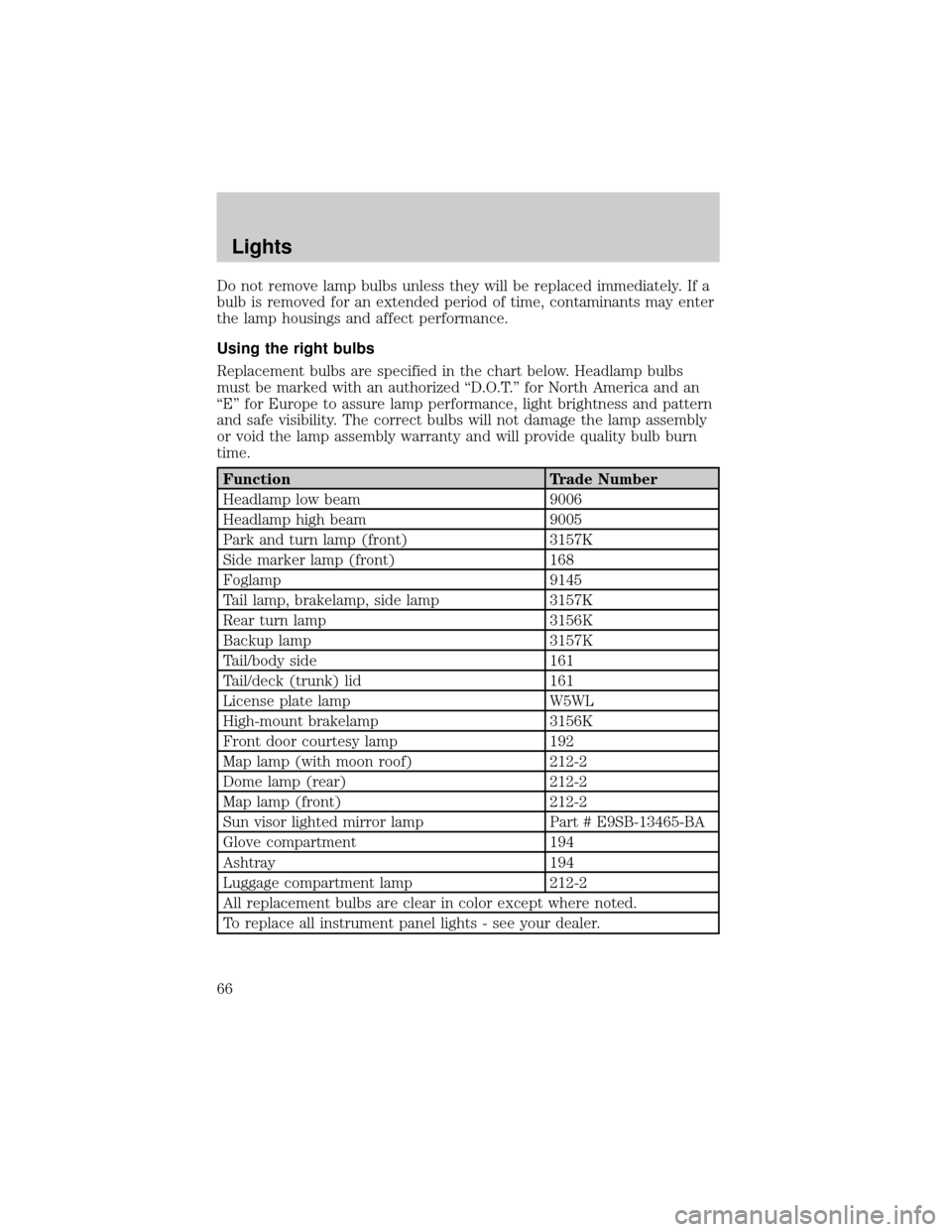
Replacement bulbs are specified in the chart below. Headlamp bulbs
must be marked with an authorized ªD.O.T.º for North America and an
ªEº for Europe to assure lamp performance, light brightness and pattern
and safe visibility. The correct bulbs will not damage the lamp assembly
or void the lamp assembly warranty and will provide quality bulb burn
time.
Function Trade Number
Headlamp low beam 9006
Headlamp high beam 9005
Park and turn lamp (front) 3157K
Side marker lamp (front) 168
Foglamp 9145
Tail lamp, brakelamp, side lamp 3157K
Rear turn lamp 3156K
Backup lamp 3157K
Tail/body side 161
Tail/deck (trunk) lid 161
License plate lamp W5WL
High-mount brakelamp 3156K
Front door courtesy lamp 192
Map lamp (with moon roof) 212-2
Dome lamp (rear) 212-2
Map lamp (front) 212-2
Sun visor lighted mirror lamp Part # E9SB-13465-BA
Glove compartment 194
Ashtray 194
Luggage compartment lamp 212-2
All replacement bulbs are clear in color except where noted.
To replace all instrument panel lights - see your dealer.
Lights
66
Page 68 of 288
4. Turn the headlamps on and make sure they work properly. If the
headlamp was correctly aligned before you changed the bulb, you should
not need to align it again.
Replacing foglamp bulbs
The halogen bulb contains gas under pressure. The bulb may
shatter if the glass envelope is scratched or if the bulb is
dropped. Handle the bulb carefully. Grasp the bulb only by its
base. Avoid touching the glass envelope.
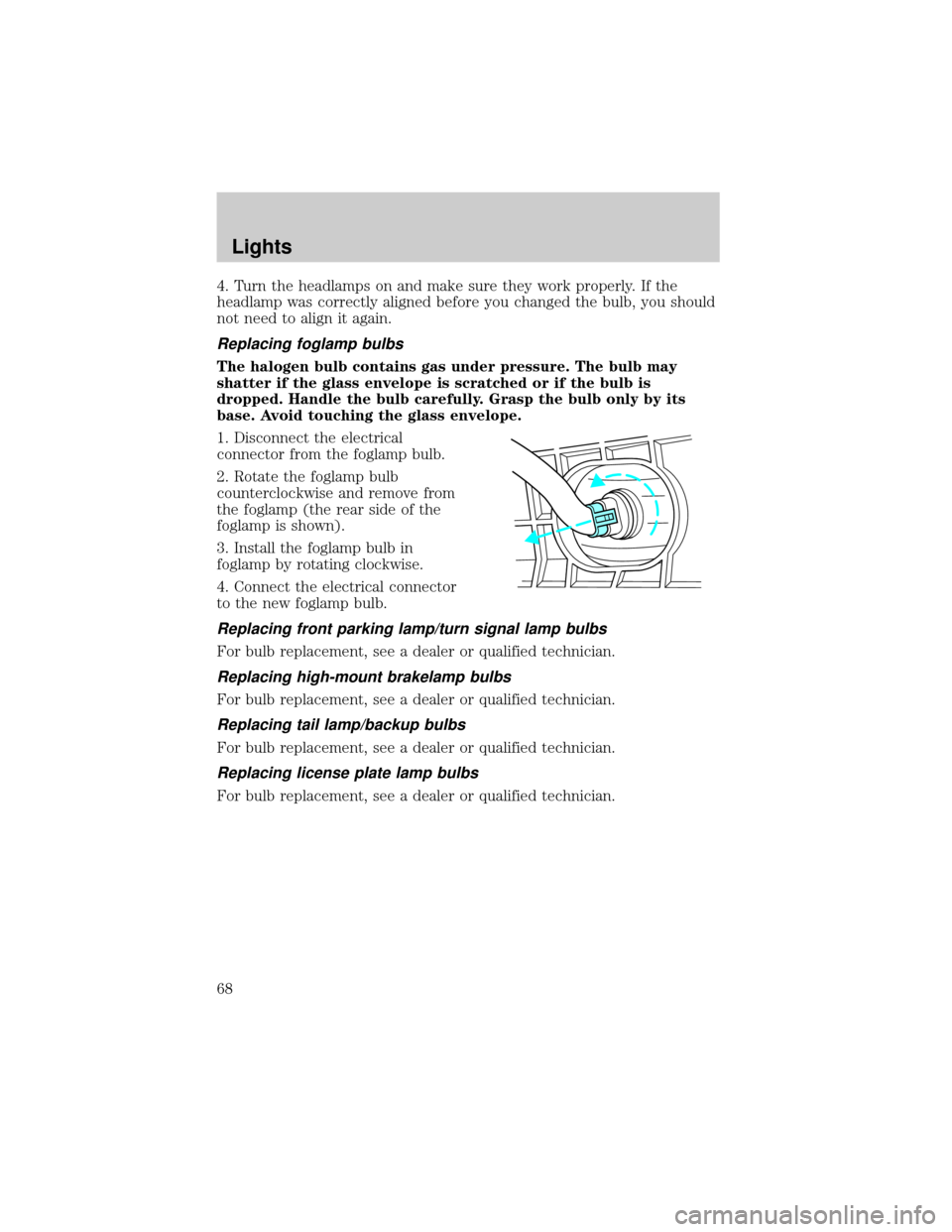
1. Disconnect the electrical
connector from the foglamp bulb.
2. Rotate the foglamp bulb
counterclockwise and remove from
the foglamp (the rear side of the
foglamp is shown).
3. Install the foglamp bulb in
foglamp by rotating clockwise.
4. Connect the electrical connector
to the new foglamp bulb.
Replacing front parking lamp/turn signal lamp bulbs
For bulb replacement, see a dealer or qualified technician.
Replacing high-mount brakelamp bulbs
For bulb replacement, see a dealer or qualified technician.
Replacing tail lamp/backup bulbs
For bulb replacement, see a dealer or qualified technician.
Replacing license plate lamp bulbs
For bulb replacement, see a dealer or qualified technician.
Lights
68
Page 79 of 288
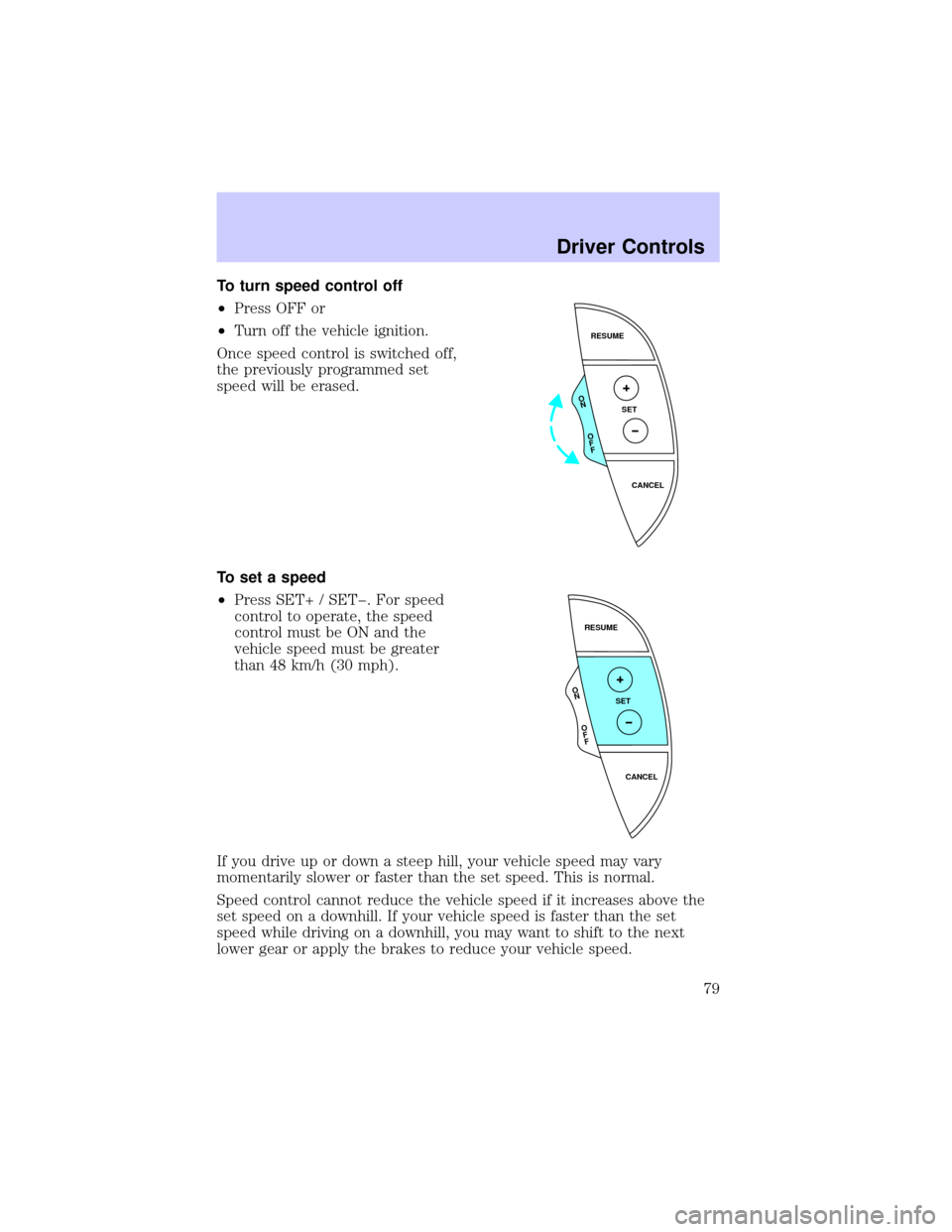
To turn speed control off
²Press OFF or
²Turn off the vehicle ignition.
Once speed control is switched off,
the previously programmed set
speed will be erased.
To set a speed
²Press SET+ / SETþ. For speed
control to operate, the speed
control must be ON and the
vehicle speed must be greater
than 48 km/h (30 mph).
If you drive up or down a steep hill, your vehicle speed may vary
momentarily slower or faster than the set speed. This is normal.
Speed control cannot reduce the vehicle speed if it increases above the
set speed on a downhill. If your vehicle speed is faster than the set
speed while driving on a downhill, you may want to shift to the next
lower gear or apply the brakes to reduce your vehicle speed.
RESUME
SET
CANCEL
O
N
O
F
F
RESUME
SET
CANCEL
O
N
O
F
F
Driver Controls
79
Page 81 of 288
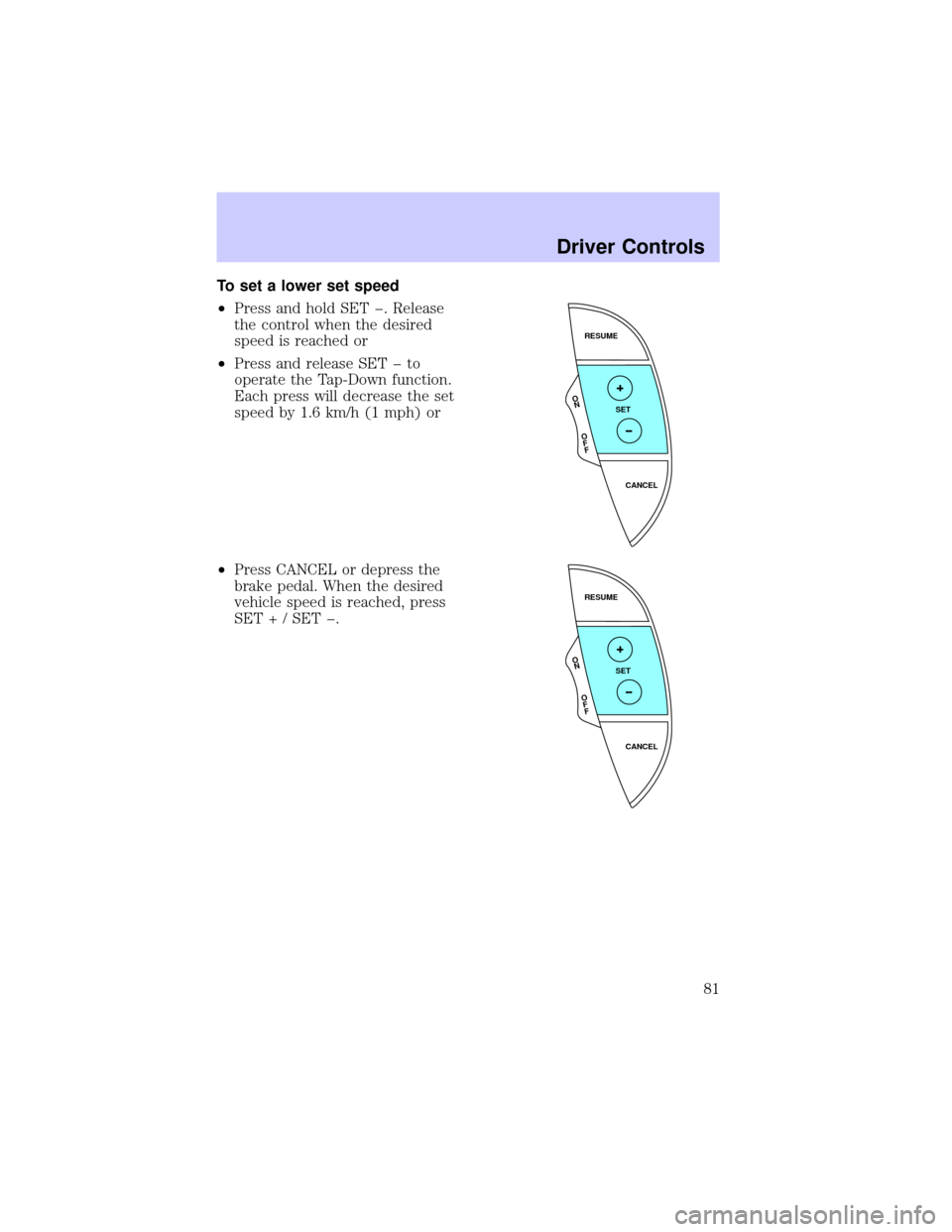
To set a lower set speed
²Press and hold SET þ. Release
the control when the desired
speed is reached or
²Press and release SET þ to
operate the Tap-Down function.
Each press will decrease the set
speed by 1.6 km/h (1 mph) or
²Press CANCEL or depress the
brake pedal. When the desired
vehicle speed is reached, press
SET + / SET þ.
RESUME
SET
CANCEL
O
N
O
F
F
RESUME
SET
CANCEL
O
N
O
F
F
Driver Controls
81
Page 82 of 288
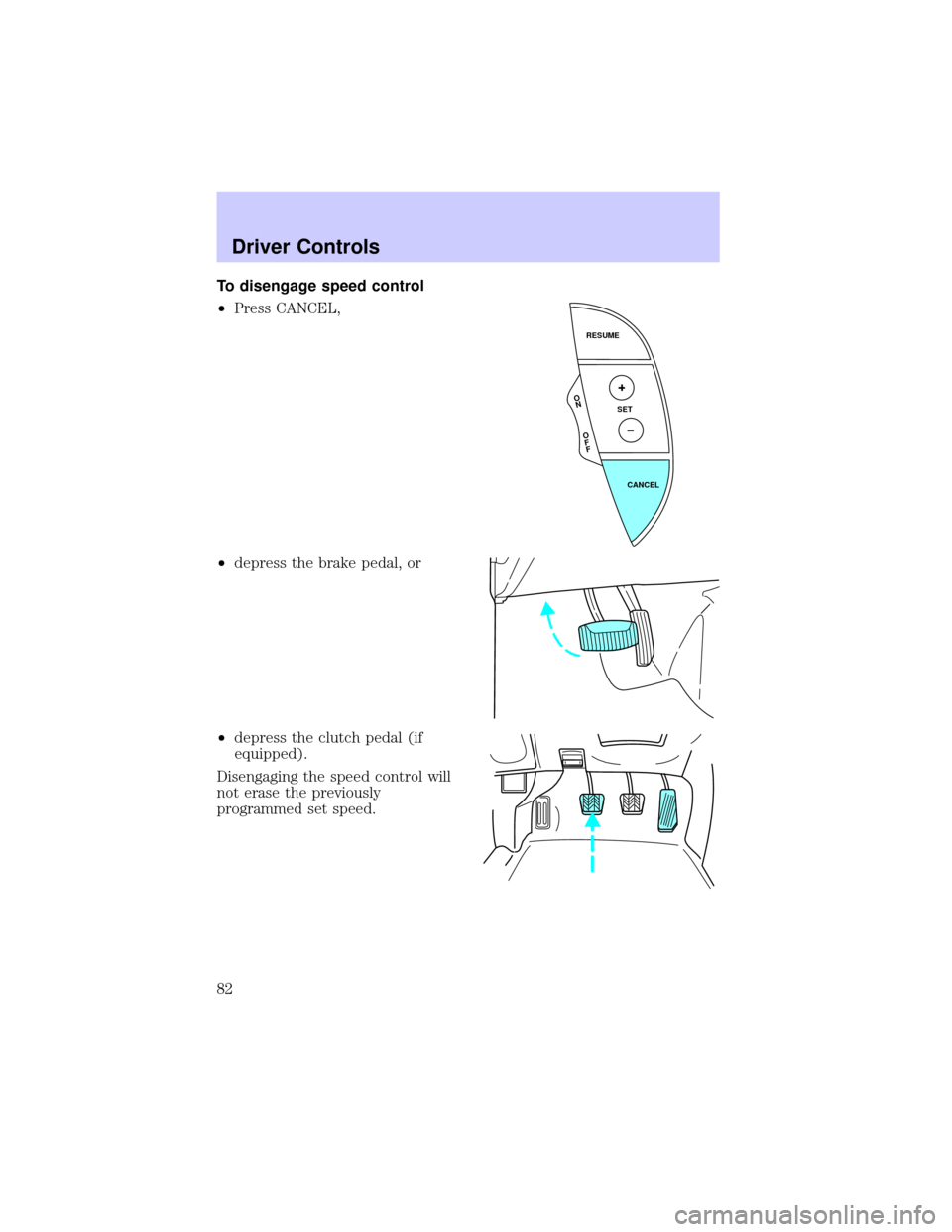
To disengage speed control
²Press CANCEL,
²depress the brake pedal, or
²depress the clutch pedal (if
equipped).
Disengaging the speed control will
not erase the previously
programmed set speed.
RESUME
SET
CANCEL
O
N
O
F
F
Driver Controls
82
Page 95 of 288
STATUS
Selecting this function from the STATUS control causes the message
center to cycle through each of the systems being monitored. For each
of the monitored systems, the message center will indicate either an OK
message or a warning message for four seconds.
The sequence of the status check report is as follows:
²oil life in XX%
²AC (cabin) filter XX%
²charging system
²engine temperature
²brake fluid level
²washer fluid level
²doors closed (driver and passenger side, front and rear). This message
can only be reset by closing the door(s). If the RESET control is
pressed, PLEASE CLOSE DOOR will be displayed.
²trunk status
²exterior lamps (front and rear turn, brake, tail and side repeater lamp
(if equipped) status)
²Traction Controlyor AdvanceTracy(if equipped)
Message center functions
Dist To Empty (DTE)
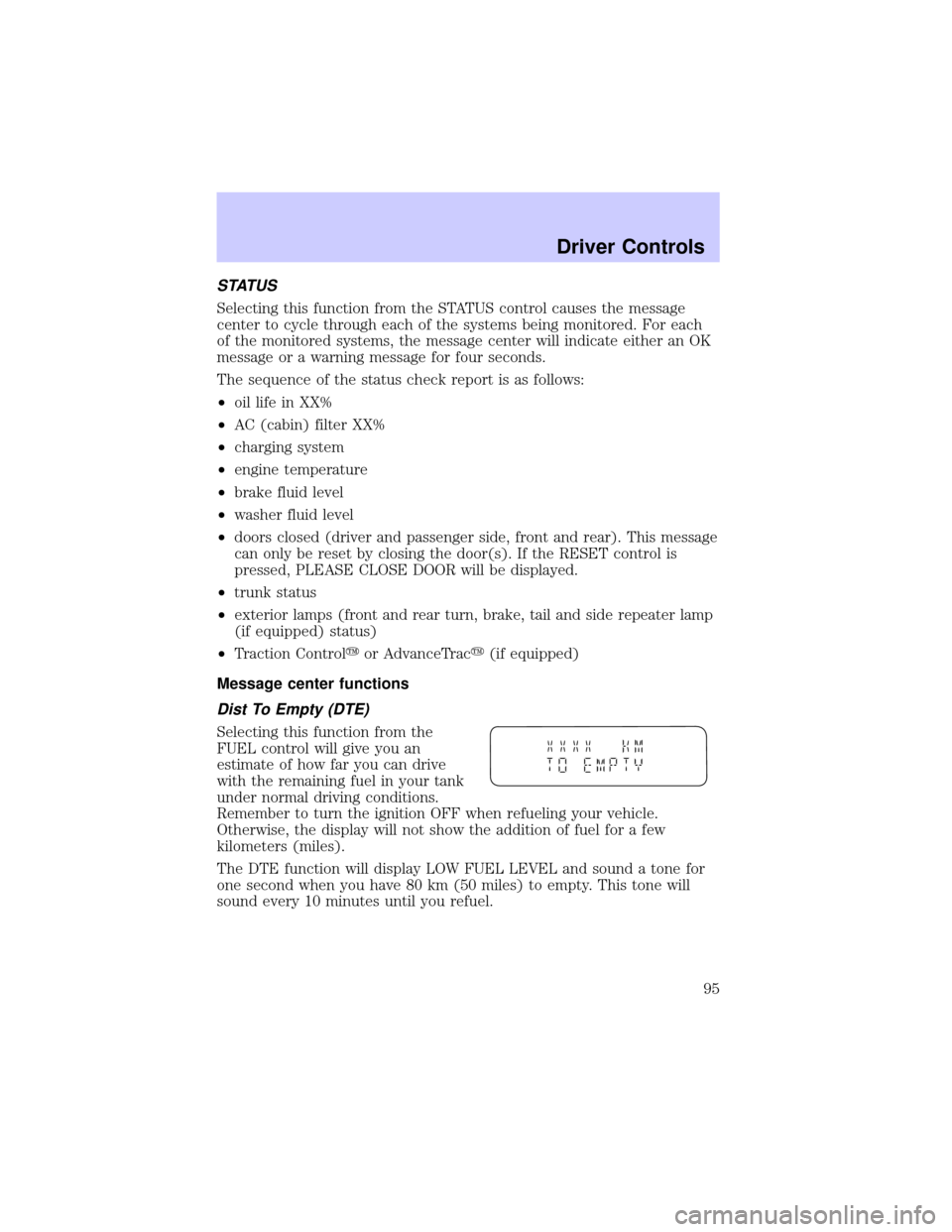
Selecting this function from the
FUEL control will give you an
estimate of how far you can drive
with the remaining fuel in your tank
under normal driving conditions.
Remember to turn the ignition OFF when refueling your vehicle.
Otherwise, the display will not show the addition of fuel for a few
kilometers (miles).
The DTE function will display LOW FUEL LEVEL and sound a tone for
one second when you have 80 km (50 miles) to empty. This tone will
sound every 10 minutes until you refuel.
Driver Controls
95
Page 99 of 288
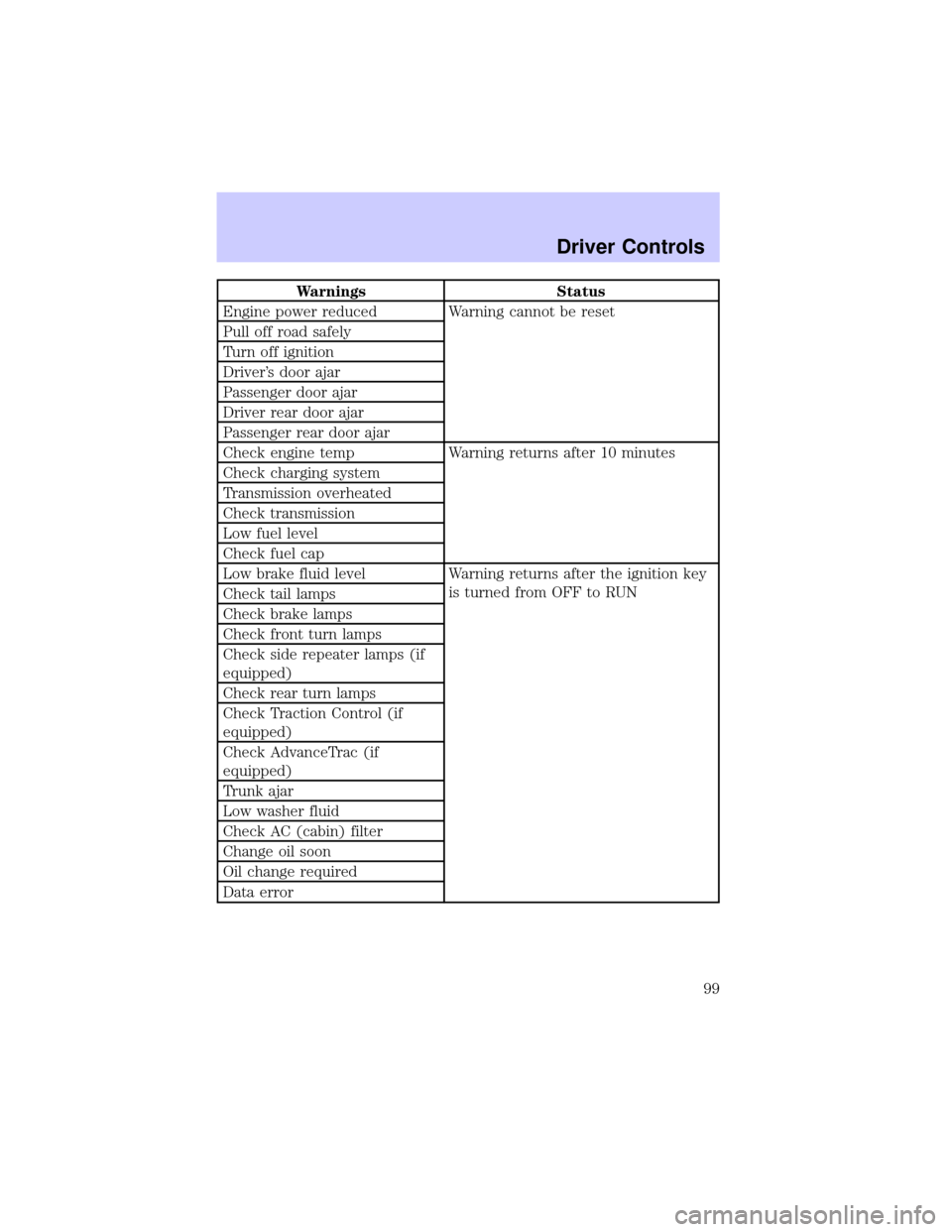
Warnings Status
Engine power reduced Warning cannot be reset
Pull off road safely
Turn off ignition
Driver's door ajar
Passenger door ajar
Driver rear door ajar
Passenger rear door ajar
Check engine temp Warning returns after 10 minutes
Check charging system
Transmission overheated
Check transmission
Low fuel level
Check fuel cap
Low brake fluid level Warning returns after the ignition key
is turned from OFF to RUN
Check tail lamps
Check brake lamps
Check front turn lamps
Check side repeater lamps (if
equipped)
Check rear turn lamps
Check Traction Control (if
equipped)
Check AdvanceTrac (if
equipped)
Trunk ajar
Low washer fluid
Check AC (cabin) filter
Change oil soon
Oil change required
Data error
Driver Controls
99
Page 101 of 288

CHECK TRANSMISSION.Indicates the transmission is not operating
properly. If this warning stays on, contact your dealer as soon as
possible.
LOW FUEL LEVEL.Displayed when you have approximately 80 km
(50 miles) to empty.
CHECK FUEL CAP.Displayed when the fuel filler cap is not properly
installed. Check the fuel filler cap for proper installation. Refer toFuel
filler capin theMaintenance and specificationschapter.
LOW BRAKE FLUID.Indicates the brake fluid level is low and the
brake system should be inspected immediately. Refer toChecking and
adding brake fluidin theMaintenance and specificationschapter.
CHECK TAIL LAMPS.Displayed when the tail lamps are activated and
at least one is burned out. Check the lamps as soon as safely possible
and have the burned out lamp replaced.
CHECK BRAKE LAMPS.Displayed when the brake lamps are
activated and at least one is burned out. Check the lamps as soon as
safely possible and have the burned out lamp replaced. The center
high-mount brakelamp is not monitored.
CHECK FRT TURN LAMPS.Displayed when the turn signals are
activated and at least one is burned out. Check the lamps as soon as
safely possible and have the burned out lamp replaced.
CHECK SIDE REPEATER LAMPS (if equipped).Displayed when
the turn signals are activated and at least one is burned out. Check the
lamps as soon as possible and have the burned out lamp replaced.
CHECK REAR TURN LAMPS.Displayed when the turn signals are
activated and at least one is burned out. Check the lamps as soon as
possible and have the burned out lamp replaced.
CHECK TRACTION CONTROL (if equipped).Displayed when the
Traction Controlysystem is not operating properly. If this message is
displayed on the message centerandthe amber T/C OFF light in the
Traction Controlyon/off switch isnotilluminated, the Traction
Controlysystem will be partially operable. If this warning stays on,
contact your dealer for service as soon as possible. For further
information, refer toTraction controlyin theDrivingchapter.
Driver Controls
101
Page 107 of 288
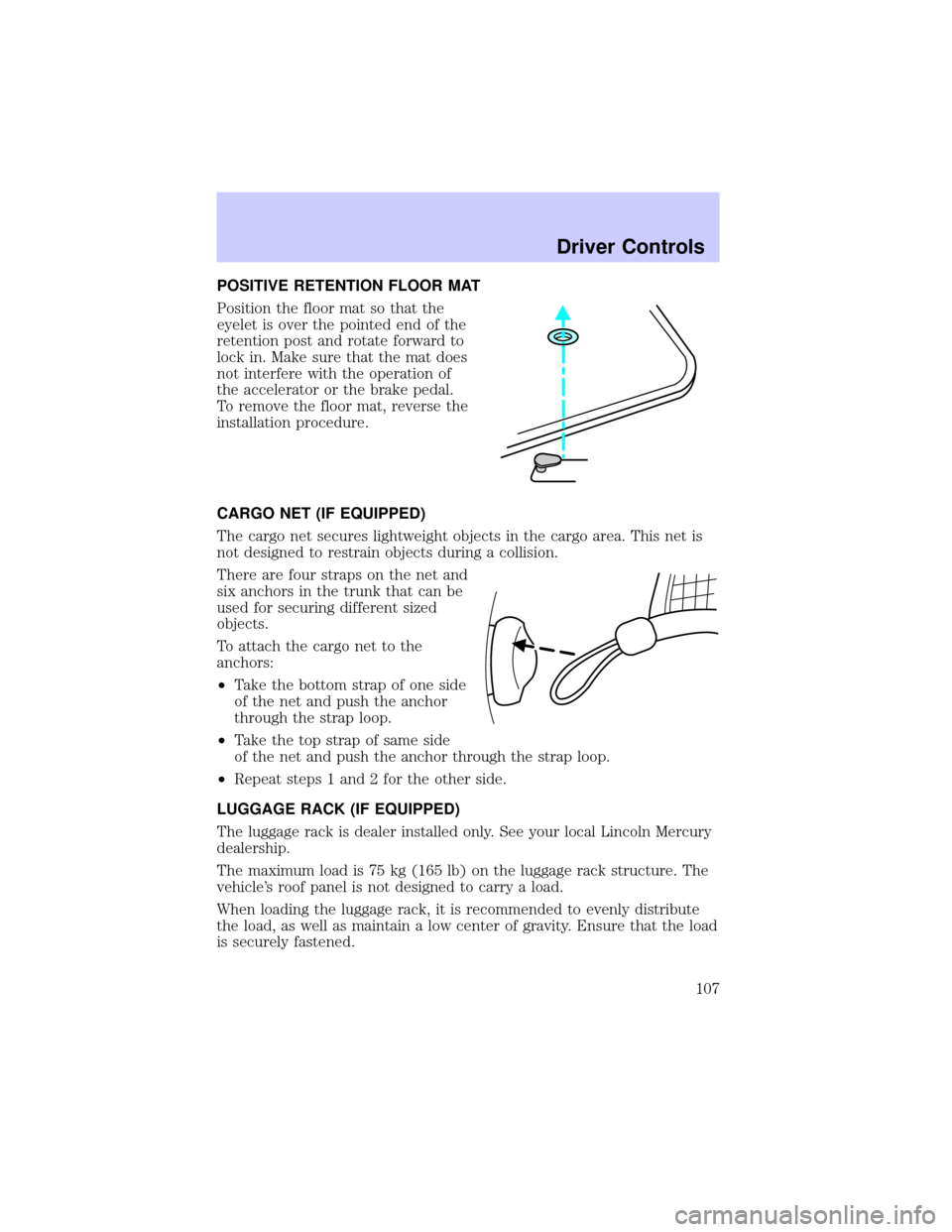
POSITIVE RETENTION FLOOR MAT
Position the floor mat so that the
eyelet is over the pointed end of the
retention post and rotate forward to
lock in. Make sure that the mat does
not interfere with the operation of
the accelerator or the brake pedal.
To remove the floor mat, reverse the
installation procedure.
CARGO NET (IF EQUIPPED)
The cargo net secures lightweight objects in the cargo area. This net is
not designed to restrain objects during a collision.
There are four straps on the net and
six anchors in the trunk that can be
used for securing different sized
objects.
To attach the cargo net to the
anchors:
²Take the bottom strap of one side
of the net and push the anchor
through the strap loop.
²Take the top strap of same side
of the net and push the anchor through the strap loop.
²Repeat steps 1 and 2 for the other side.
LUGGAGE RACK (IF EQUIPPED)
The luggage rack is dealer installed only. See your local Lincoln Mercury
dealership.
The maximum load is 75 kg (165 lb) on the luggage rack structure. The
vehicle's roof panel is not designed to carry a load.
When loading the luggage rack, it is recommended to evenly distribute
the load, as well as maintain a low center of gravity. Ensure that the load
is securely fastened.
Driver Controls
107
Page 125 of 288
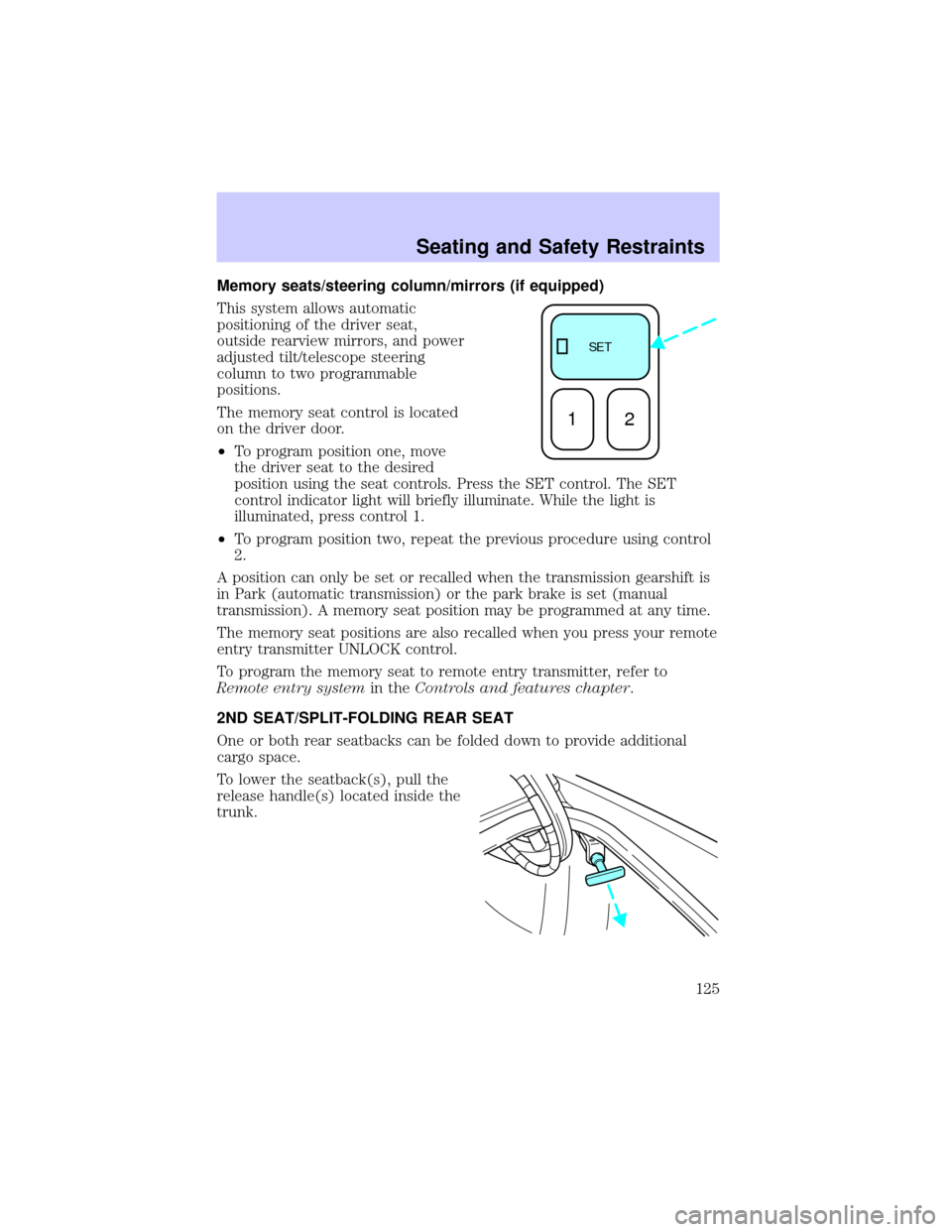
Memory seats/steering column/mirrors (if equipped)
This system allows automatic
positioning of the driver seat,
outside rearview mirrors, and power
adjusted tilt/telescope steering
column to two programmable
positions.
The memory seat control is located
on the driver door.
²To program position one, move
the driver seat to the desired
position using the seat controls. Press the SET control. The SET
control indicator light will briefly illuminate. While the light is
illuminated, press control 1.
²To program position two, repeat the previous procedure using control
2.
A position can only be set or recalled when the transmission gearshift is
in Park (automatic transmission) or the park brake is set (manual
transmission). A memory seat position may be programmed at any time.
The memory seat positions are also recalled when you press your remote
entry transmitter UNLOCK control.
To program the memory seat to remote entry transmitter, refer to
Remote entry systemin theControls and features chapter.
2ND SEAT/SPLIT-FOLDING REAR SEAT
One or both rear seatbacks can be folded down to provide additional
cargo space.
To lower the seatback(s), pull the
release handle(s) located inside the
trunk.
SE T
12
Seating and Safety Restraints
125