fuel LINCOLN LS 2002 User Guide
[x] Cancel search | Manufacturer: LINCOLN, Model Year: 2002, Model line: LS, Model: LINCOLN LS 2002Pages: 288, PDF Size: 2.44 MB
Page 94 of 288
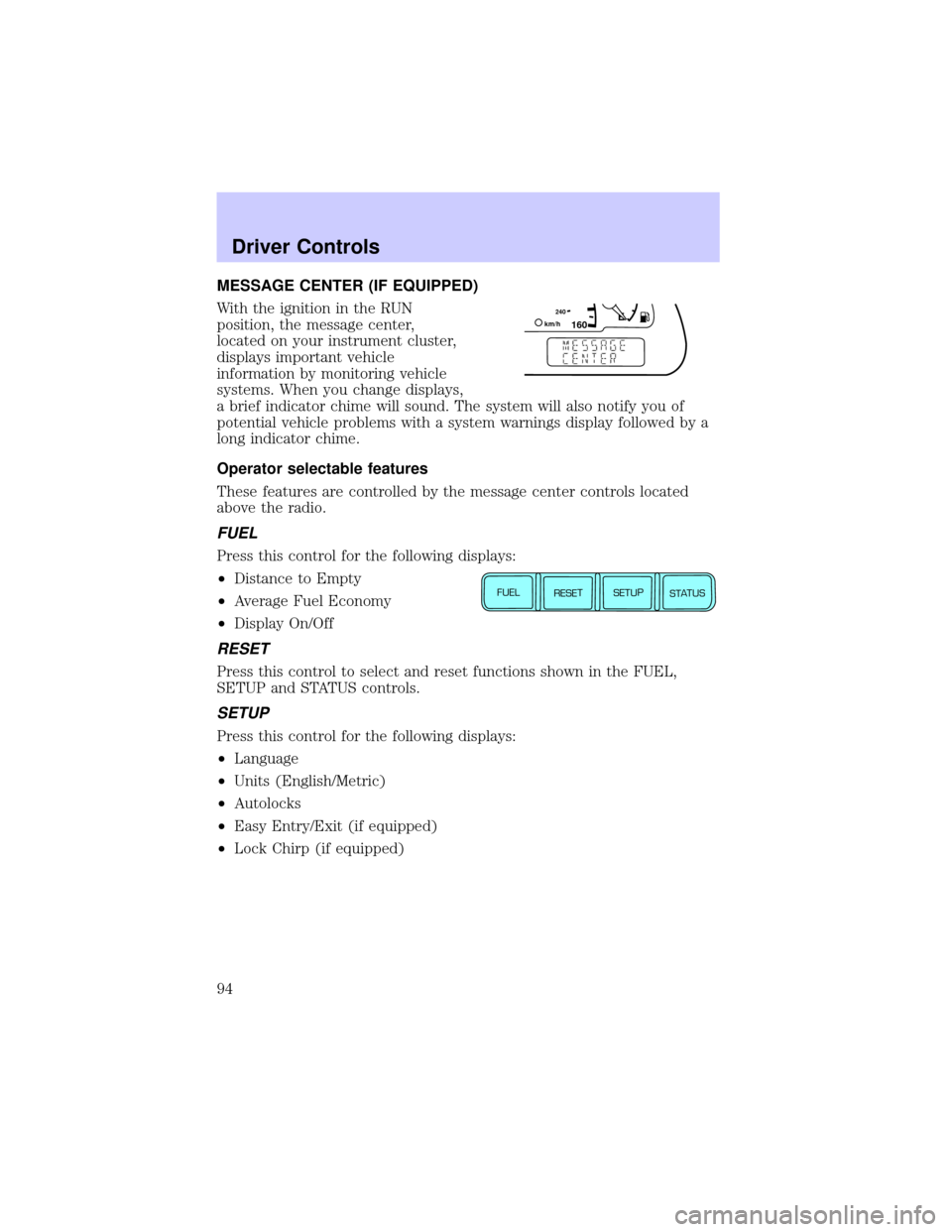
MESSAGE CENTER (IF EQUIPPED)
With the ignition in the RUN
position, the message center,
located on your instrument cluster,
displays important vehicle
information by monitoring vehicle
systems. When you change displays,
a brief indicator chime will sound. The system will also notify you of
potential vehicle problems with a system warnings display followed by a
long indicator chime.
Operator selectable features
These features are controlled by the message center controls located
above the radio.
FUEL
Press this control for the following displays:
²Distance to Empty
²Average Fuel Economy
²Display On/Off
RESET
Press this control to select and reset functions shown in the FUEL,
SETUP and STATUS controls.
SETUP
Press this control for the following displays:
²Language
²Units (English/Metric)
²Autolocks
²Easy Entry/Exit (if equipped)
²Lock Chirp (if equipped)
160240km/hE
FUEL
RESET
SETUP
STATUS
Driver Controls
94
Page 95 of 288
STATUS
Selecting this function from the STATUS control causes the message
center to cycle through each of the systems being monitored. For each
of the monitored systems, the message center will indicate either an OK
message or a warning message for four seconds.
The sequence of the status check report is as follows:
²oil life in XX%
²AC (cabin) filter XX%
²charging system
²engine temperature
²brake fluid level
²washer fluid level
²doors closed (driver and passenger side, front and rear). This message
can only be reset by closing the door(s). If the RESET control is
pressed, PLEASE CLOSE DOOR will be displayed.
²trunk status
²exterior lamps (front and rear turn, brake, tail and side repeater lamp
(if equipped) status)
²Traction Controlyor AdvanceTracy(if equipped)
Message center functions
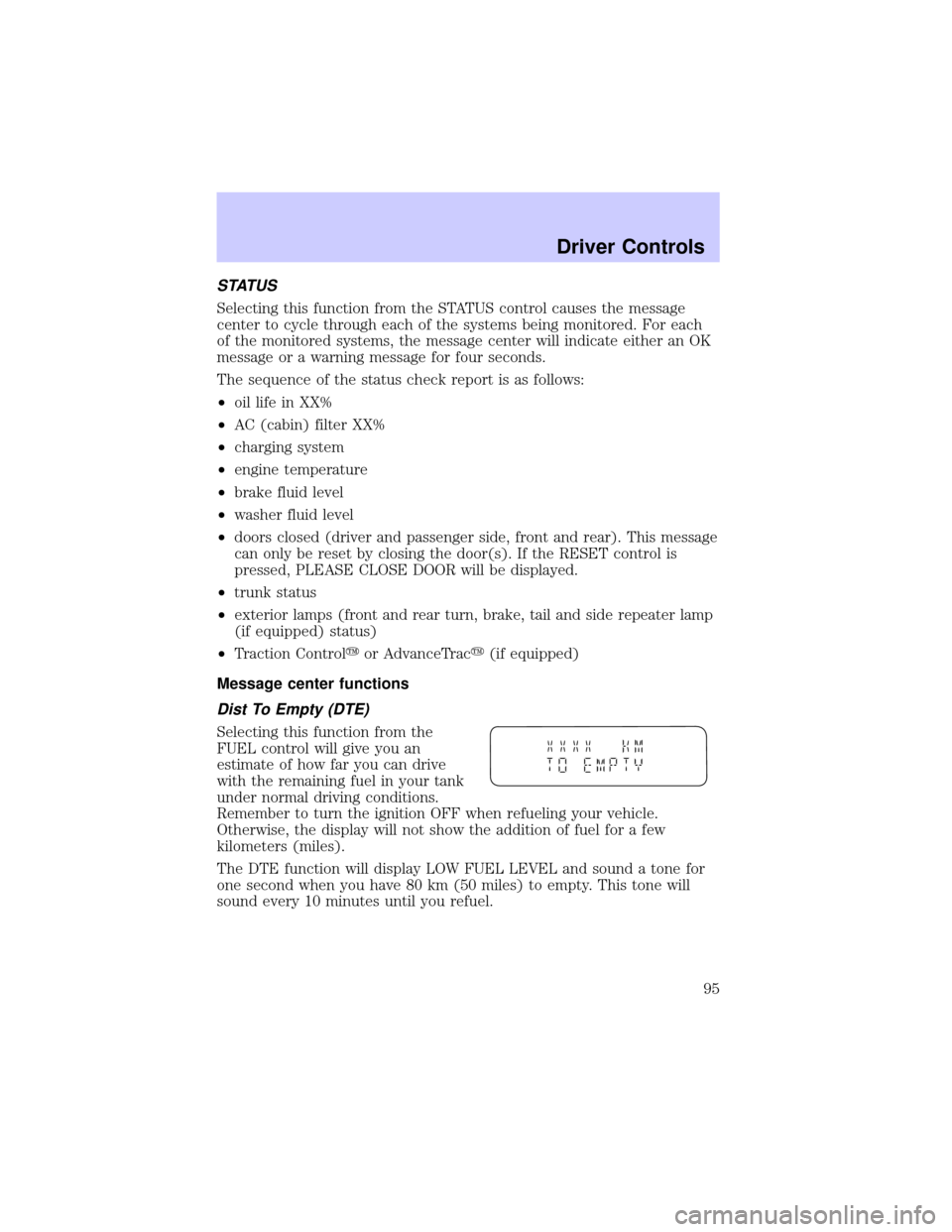
Dist To Empty (DTE)
Selecting this function from the
FUEL control will give you an
estimate of how far you can drive
with the remaining fuel in your tank
under normal driving conditions.
Remember to turn the ignition OFF when refueling your vehicle.
Otherwise, the display will not show the addition of fuel for a few
kilometers (miles).
The DTE function will display LOW FUEL LEVEL and sound a tone for
one second when you have 80 km (50 miles) to empty. This tone will
sound every 10 minutes until you refuel.
Driver Controls
95
Page 96 of 288
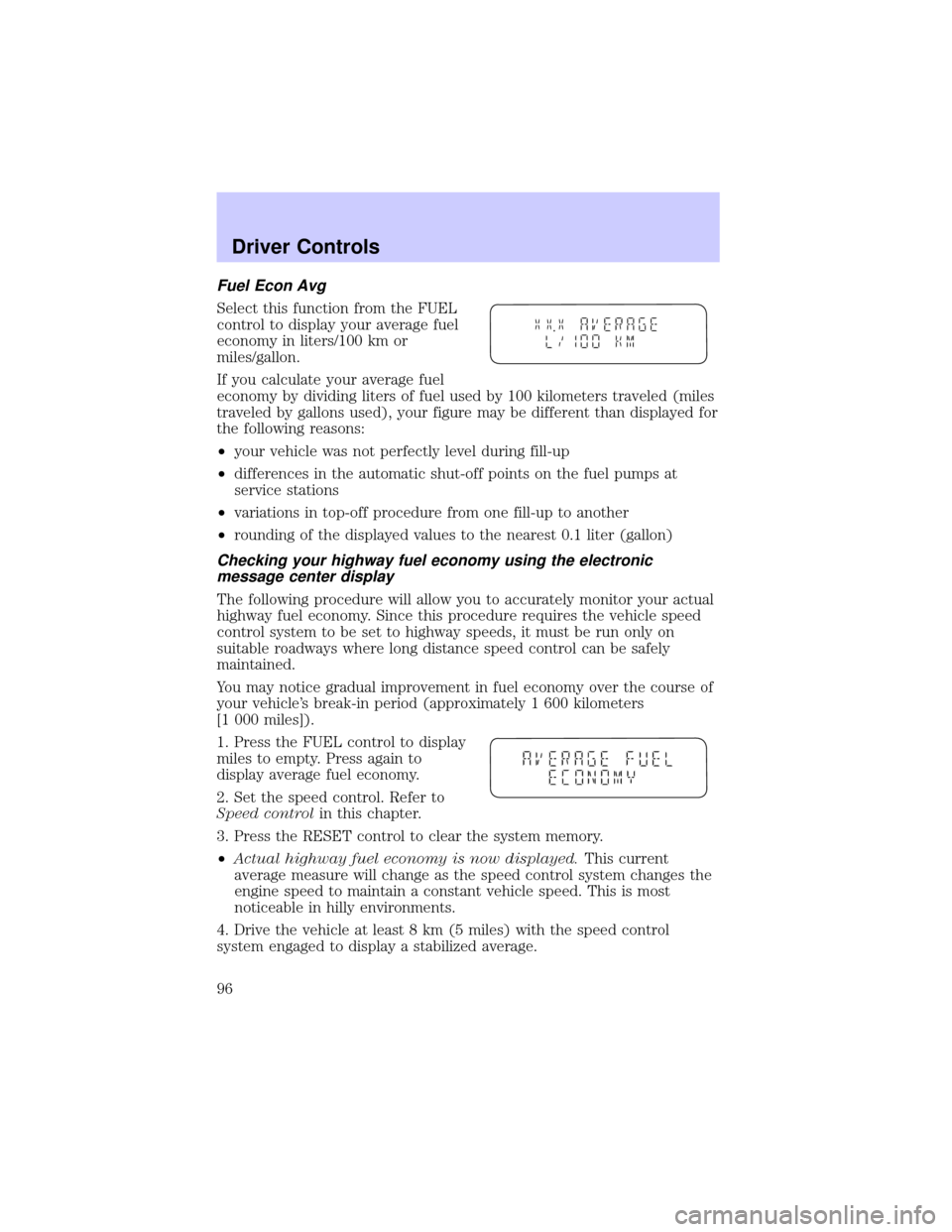
Fuel Econ Avg
Select this function from the FUEL
control to display your average fuel
economy in liters/100 km or
miles/gallon.
If you calculate your average fuel
economy by dividing liters of fuel used by 100 kilometers traveled (miles
traveled by gallons used), your figure may be different than displayed for
the following reasons:
²your vehicle was not perfectly level during fill-up
²differences in the automatic shut-off points on the fuel pumps at
service stations
²variations in top-off procedure from one fill-up to another
²rounding of the displayed values to the nearest 0.1 liter (gallon)
Checking your highway fuel economy using the electronic
message center display
The following procedure will allow you to accurately monitor your actual
highway fuel economy. Since this procedure requires the vehicle speed
control system to be set to highway speeds, it must be run only on
suitable roadways where long distance speed control can be safely
maintained.
You may notice gradual improvement in fuel economy over the course of
your vehicle's break-in period (approximately 1 600 kilometers
[1 000 miles]).
1. Press the FUEL control to display
miles to empty. Press again to
display average fuel economy.
2. Set the speed control. Refer to
Speed controlin this chapter.
3. Press the RESET control to clear the system memory.
²Actual highway fuel economy is now displayed.This current
average measure will change as the speed control system changes the
engine speed to maintain a constant vehicle speed. This is most
noticeable in hilly environments.
4. Drive the vehicle at least 8 km (5 miles) with the speed control
system engaged to display a stabilized average.
Driver Controls
96
Page 97 of 288
5. Record the highway fuel economy for future reference.
It is important to press the RESET control after setting the speed
control to get accurate highway fuel economy readings.
Display On/Off
Select this function from the FUEL control to turn your message center
display OFF or ON.
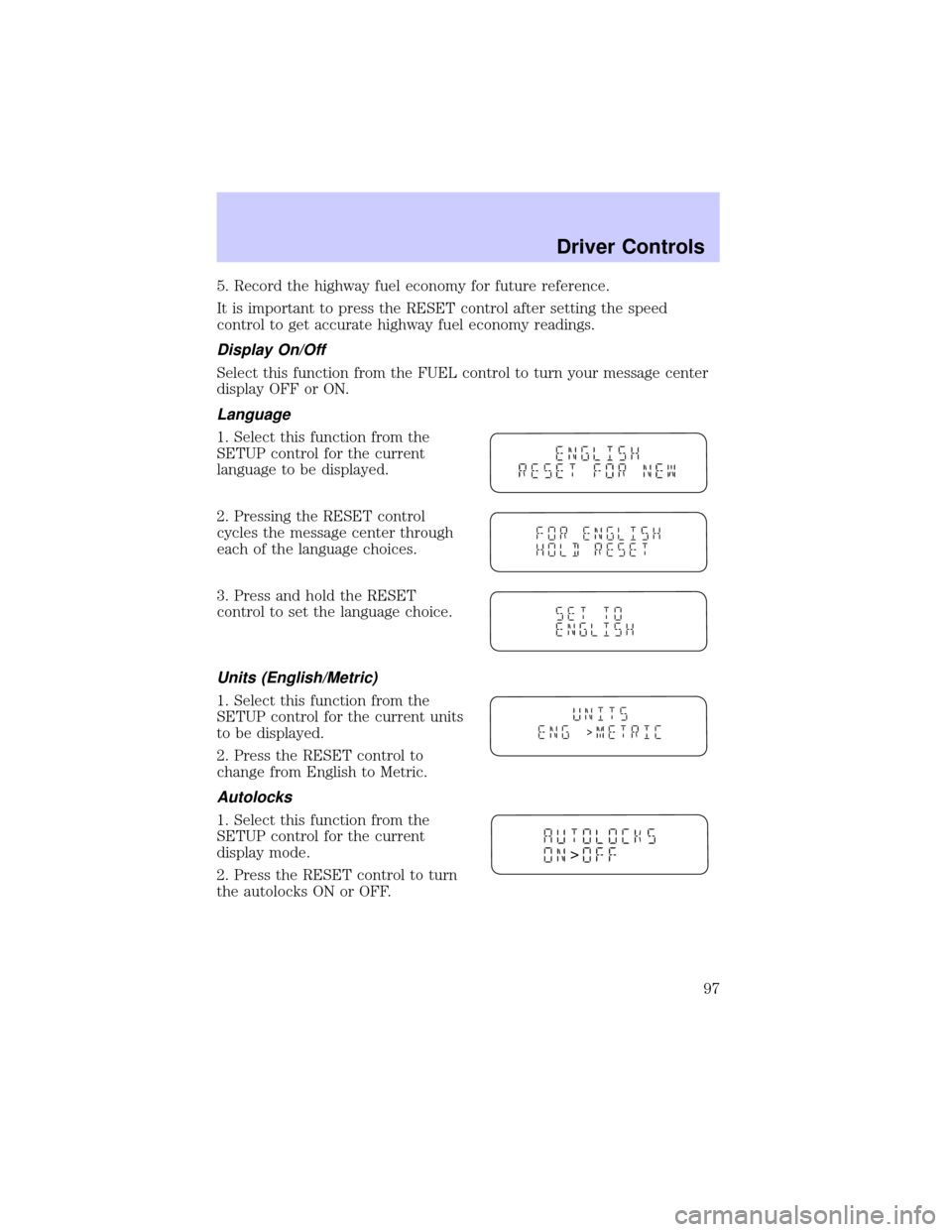
Language
1. Select this function from the
SETUP control for the current
language to be displayed.
2. Pressing the RESET control
cycles the message center through
each of the language choices.
3. Press and hold the RESET
control to set the language choice.
Units (English/Metric)
1. Select this function from the
SETUP control for the current units
to be displayed.
2. Press the RESET control to
change from English to Metric.
Autolocks
1. Select this function from the
SETUP control for the current
display mode.
2. Press the RESET control to turn
the autolocks ON or OFF.
>
>
Driver Controls
97
Page 99 of 288
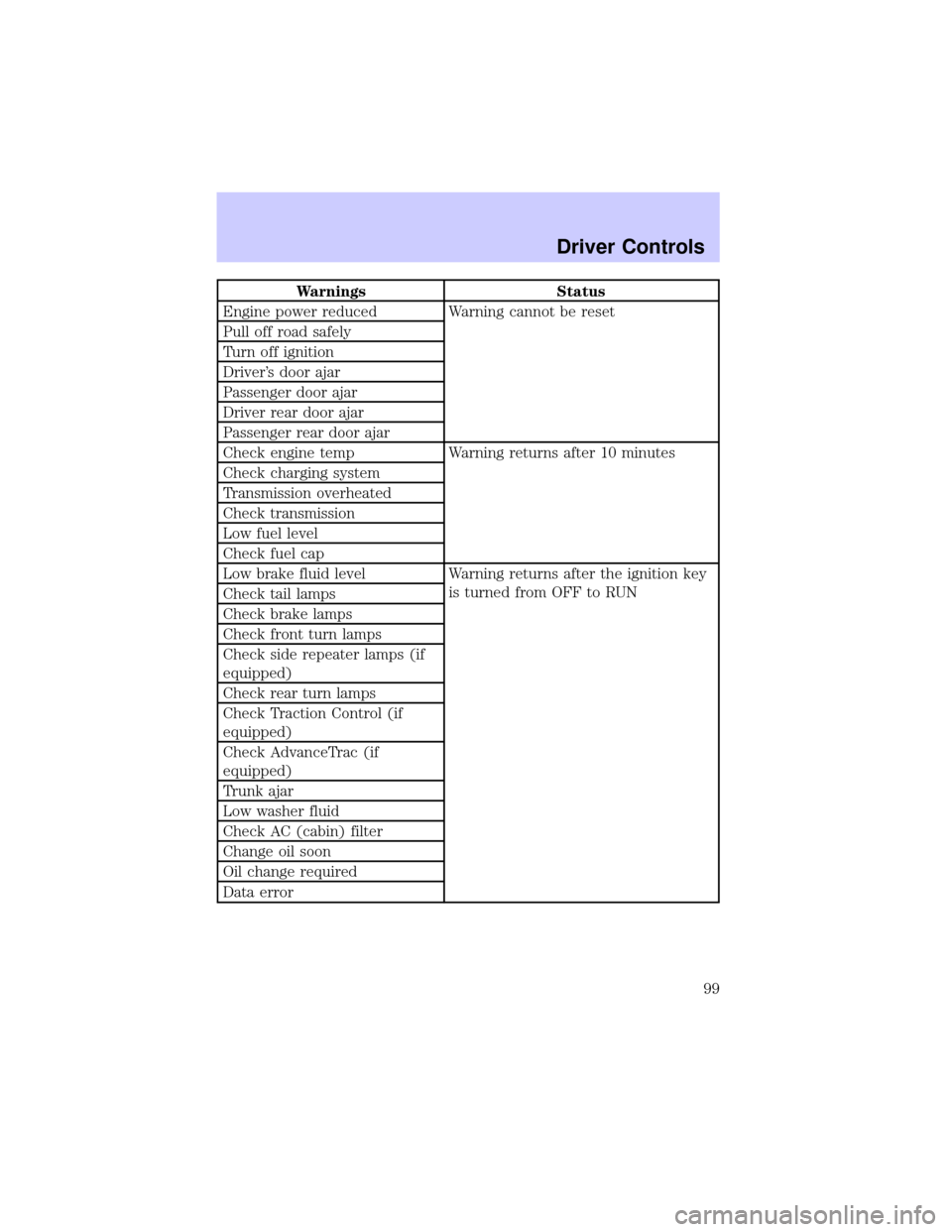
Warnings Status
Engine power reduced Warning cannot be reset
Pull off road safely
Turn off ignition
Driver's door ajar
Passenger door ajar
Driver rear door ajar
Passenger rear door ajar
Check engine temp Warning returns after 10 minutes
Check charging system
Transmission overheated
Check transmission
Low fuel level
Check fuel cap
Low brake fluid level Warning returns after the ignition key
is turned from OFF to RUN
Check tail lamps
Check brake lamps
Check front turn lamps
Check side repeater lamps (if
equipped)
Check rear turn lamps
Check Traction Control (if
equipped)
Check AdvanceTrac (if
equipped)
Trunk ajar
Low washer fluid
Check AC (cabin) filter
Change oil soon
Oil change required
Data error
Driver Controls
99
Page 101 of 288

CHECK TRANSMISSION.Indicates the transmission is not operating
properly. If this warning stays on, contact your dealer as soon as
possible.
LOW FUEL LEVEL.Displayed when you have approximately 80 km
(50 miles) to empty.
CHECK FUEL CAP.Displayed when the fuel filler cap is not properly
installed. Check the fuel filler cap for proper installation. Refer toFuel
filler capin theMaintenance and specificationschapter.
LOW BRAKE FLUID.Indicates the brake fluid level is low and the
brake system should be inspected immediately. Refer toChecking and
adding brake fluidin theMaintenance and specificationschapter.
CHECK TAIL LAMPS.Displayed when the tail lamps are activated and
at least one is burned out. Check the lamps as soon as safely possible
and have the burned out lamp replaced.
CHECK BRAKE LAMPS.Displayed when the brake lamps are
activated and at least one is burned out. Check the lamps as soon as
safely possible and have the burned out lamp replaced. The center
high-mount brakelamp is not monitored.
CHECK FRT TURN LAMPS.Displayed when the turn signals are
activated and at least one is burned out. Check the lamps as soon as
safely possible and have the burned out lamp replaced.
CHECK SIDE REPEATER LAMPS (if equipped).Displayed when
the turn signals are activated and at least one is burned out. Check the
lamps as soon as possible and have the burned out lamp replaced.
CHECK REAR TURN LAMPS.Displayed when the turn signals are
activated and at least one is burned out. Check the lamps as soon as
possible and have the burned out lamp replaced.
CHECK TRACTION CONTROL (if equipped).Displayed when the
Traction Controlysystem is not operating properly. If this message is
displayed on the message centerandthe amber T/C OFF light in the
Traction Controlyon/off switch isnotilluminated, the Traction
Controlysystem will be partially operable. If this warning stays on,
contact your dealer for service as soon as possible. For further
information, refer toTraction controlyin theDrivingchapter.
Driver Controls
101
Page 104 of 288
DATA ERROR.These messages indicate improper operation of the
vehicle network communication between electronic modules.
²Fuel computer
²Engine sensor
²Gear selection
²Door sensor
²Trunk sensor
²Exterior lamps
²Traction Controlyand AdvanceTracy(if equipped)
Contact your dealer as soon as possible if these messages occur on a
regular basis.
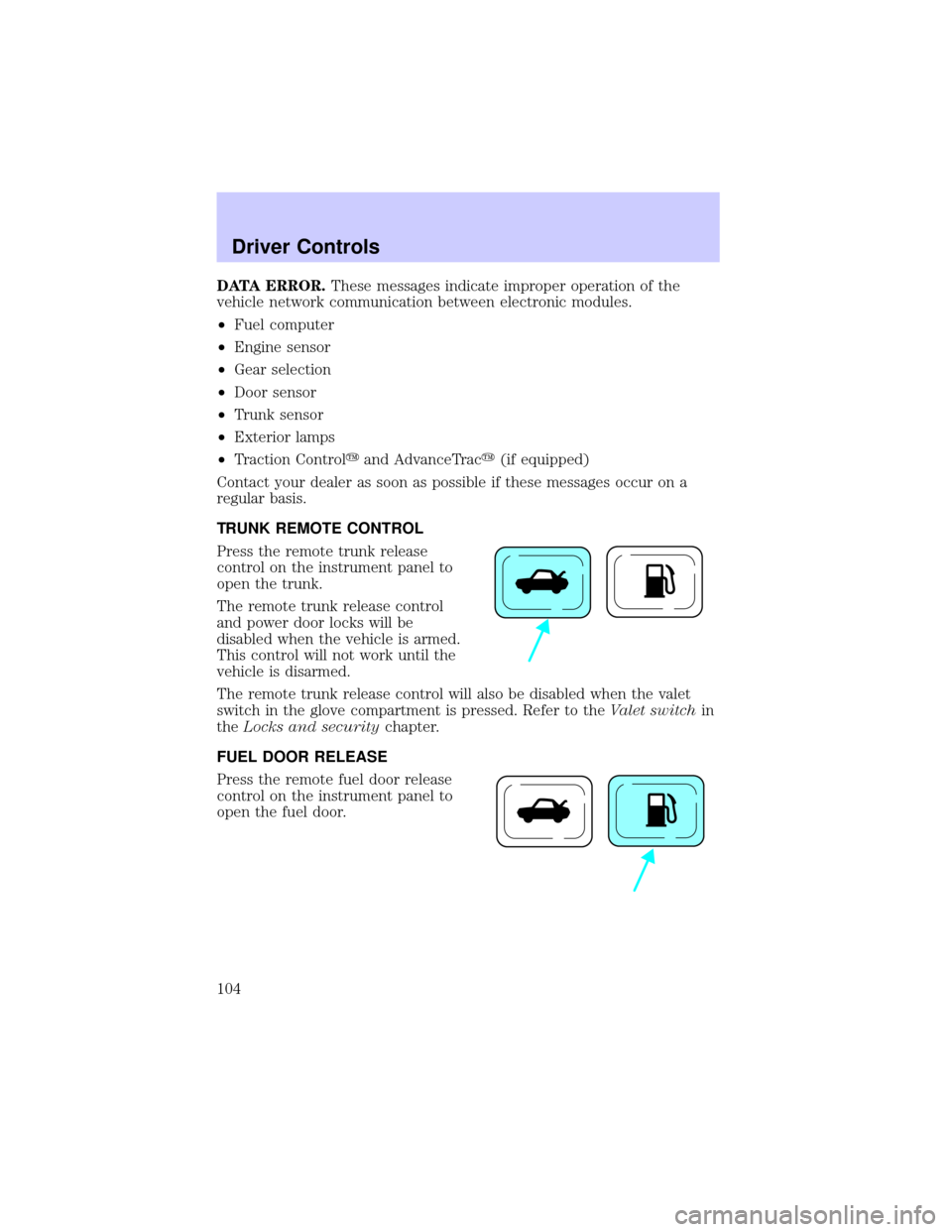
TRUNK REMOTE CONTROL
Press the remote trunk release
control on the instrument panel to
open the trunk.
The remote trunk release control
and power door locks will be
disabled when the vehicle is armed.
This control will not work until the
vehicle is disarmed.
The remote trunk release control will also be disabled when the valet
switch in the glove compartment is pressed. Refer to theValet switchin
theLocks and securitychapter.
FUEL DOOR RELEASE
Press the remote fuel door release
control on the instrument panel to
open the fuel door.
Driver Controls
104
Page 105 of 288
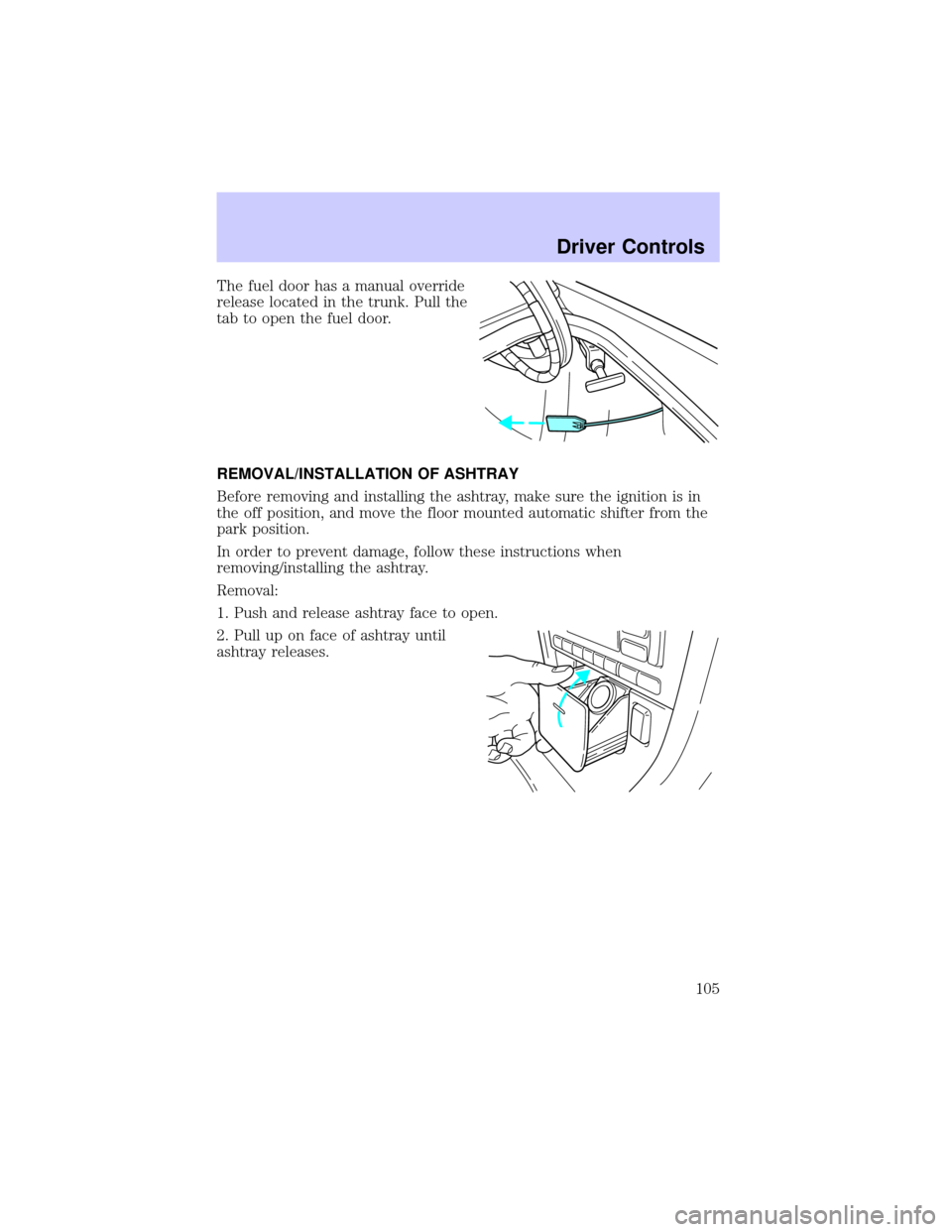
The fuel door has a manual override
release located in the trunk. Pull the
tab to open the fuel door.
REMOVAL/INSTALLATION OF ASHTRAY
Before removing and installing the ashtray, make sure the ignition is in
the off position, and move the floor mounted automatic shifter from the
park position.
In order to prevent damage, follow these instructions when
removing/installing the ashtray.
Removal:
1. Push and release ashtray face to open.
2. Pull up on face of ashtray until
ashtray releases.
Driver Controls
105
Page 156 of 288
STARTING
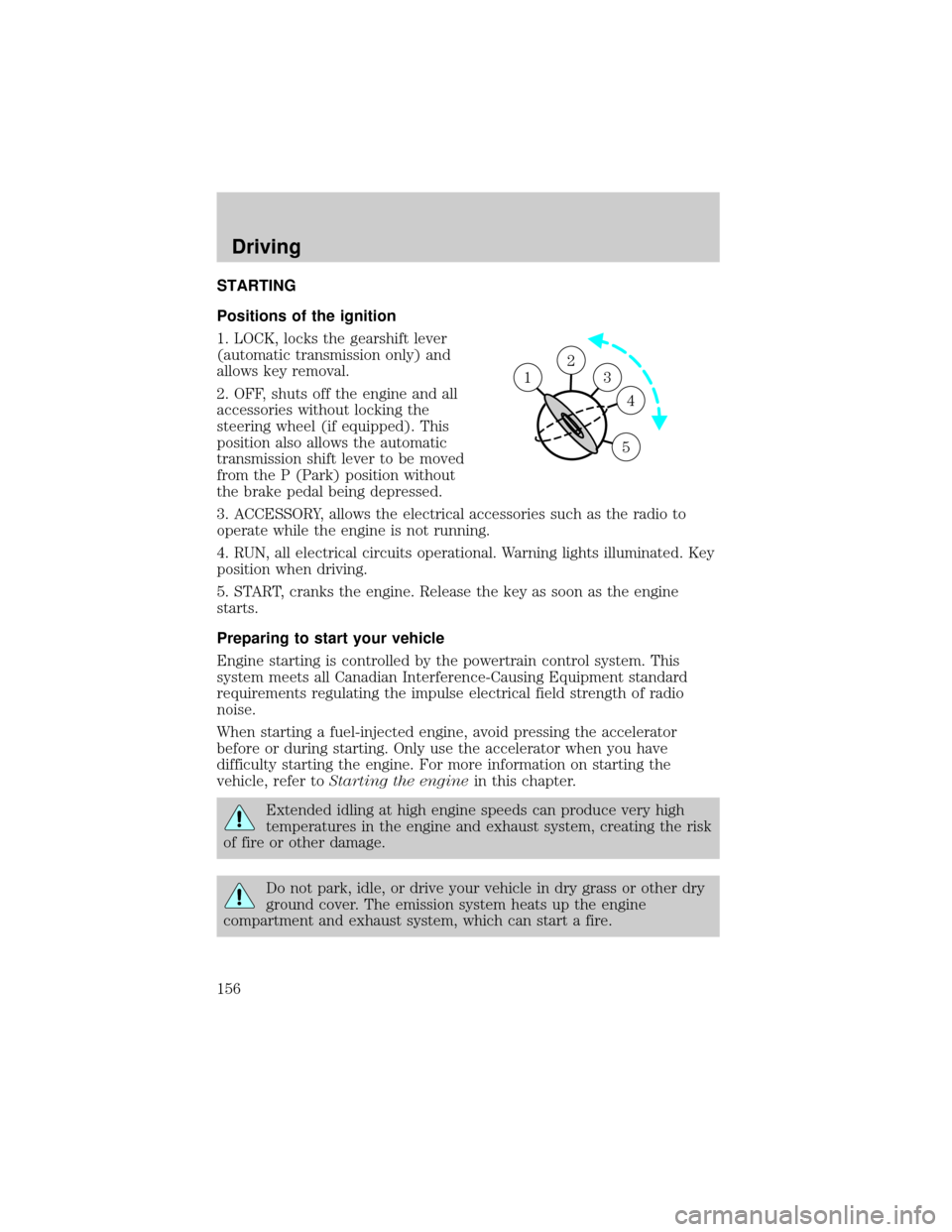
Positions of the ignition
1. LOCK, locks the gearshift lever
(automatic transmission only) and
allows key removal.
2. OFF, shuts off the engine and all
accessories without locking the
steering wheel (if equipped). This
position also allows the automatic
transmission shift lever to be moved
from the P (Park) position without
the brake pedal being depressed.
3. ACCESSORY, allows the electrical accessories such as the radio to
operate while the engine is not running.
4. RUN, all electrical circuits operational. Warning lights illuminated. Key
position when driving.
5. START, cranks the engine. Release the key as soon as the engine
starts.
Preparing to start your vehicle
Engine starting is controlled by the powertrain control system. This
system meets all Canadian Interference-Causing Equipment standard
requirements regulating the impulse electrical field strength of radio
noise.
When starting a fuel-injected engine, avoid pressing the accelerator
before or during starting. Only use the accelerator when you have
difficulty starting the engine. For more information on starting the
vehicle, refer toStarting the enginein this chapter.
Extended idling at high engine speeds can produce very high
temperatures in the engine and exhaust system, creating the risk
of fire or other damage.
Do not park, idle, or drive your vehicle in dry grass or other dry
ground cover. The emission system heats up the engine
compartment and exhaust system, which can start a fire.
2
3
4
5
1
Driving
156
Page 158 of 288
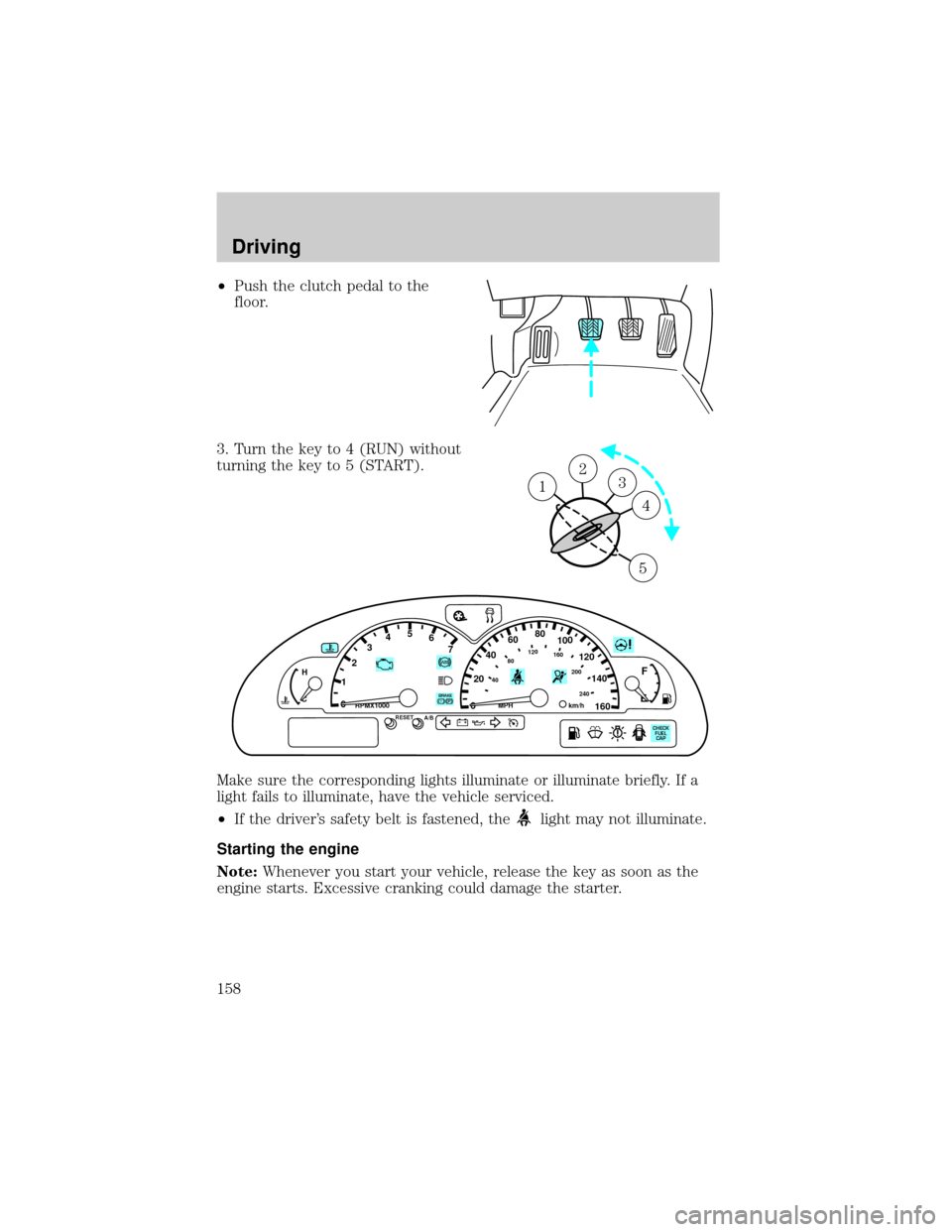
²Push the clutch pedal to the
floor.
3. Turn the key to 4 (RUN) without
turning the key to 5 (START).
Make sure the corresponding lights illuminate or illuminate briefly. If a
light fails to illuminate, have the vehicle serviced.
²If the driver's safety belt is fastened, the
light may not illuminate.
Starting the engine
Note:Whenever you start your vehicle, release the key as soon as the
engine starts. Excessive cranking could damage the starter.
23 1
4
5
P! BRAKE
H
C
1
234567
00
20
406080100
120
140
160
40
80120160
200
240km/hRPMX1000RESETMPHA/B
F
E
CHECK
FUEL
CAP
Driving
158