display LINCOLN LS 2003 Owner's Manual
[x] Cancel search | Manufacturer: LINCOLN, Model Year: 2003, Model line: LS, Model: LINCOLN LS 2003Pages: 288, PDF Size: 3.19 MB
Page 45 of 288
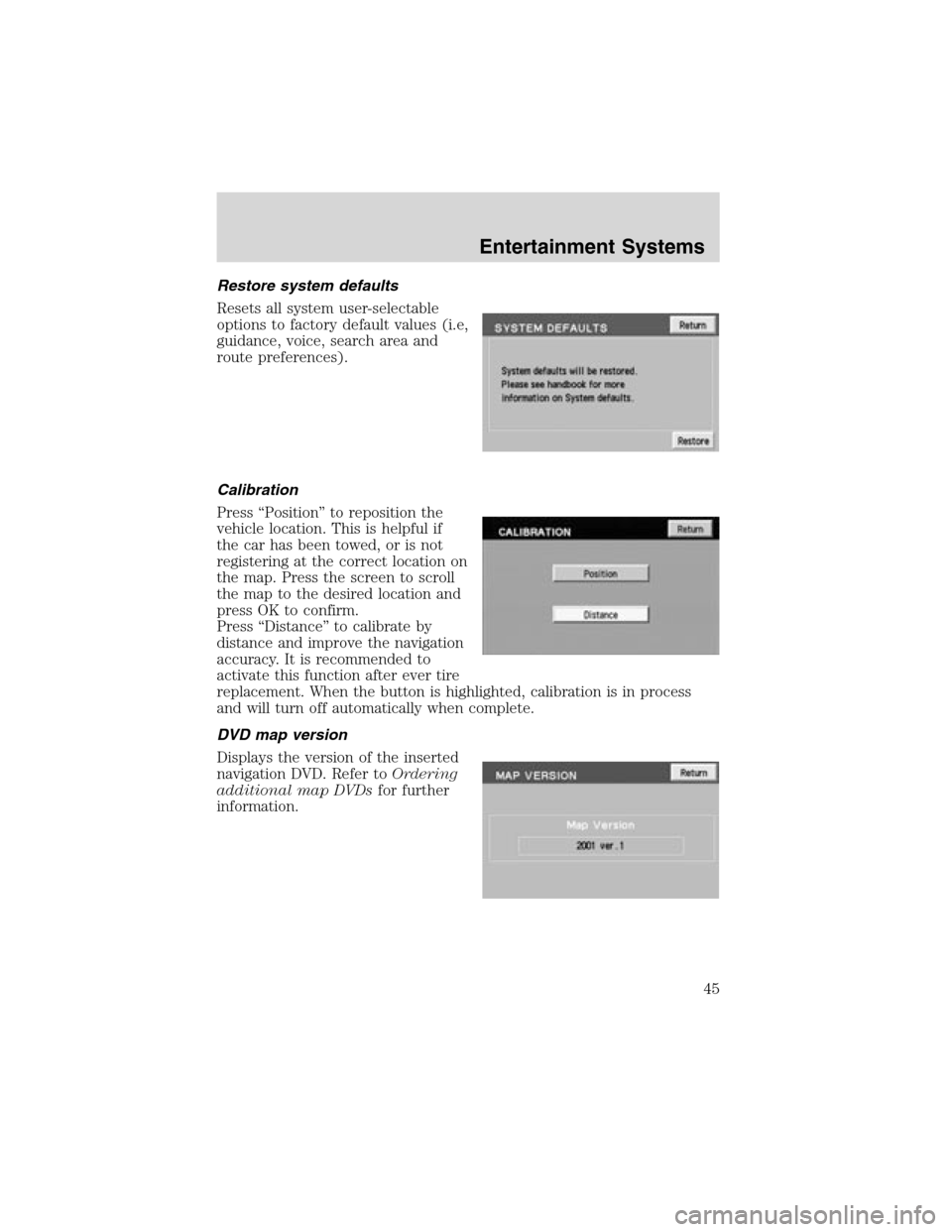
Restore system defaults
Resets all system user-selectable
options to factory default values (i.e,
guidance, voice, search area and
route preferences).
Calibration
Press“Position”to reposition the
vehicle location. This is helpful if
the car has been towed, or is not
registering at the correct location on
the map. Press the screen to scroll
the map to the desired location and
press OK to confirm.
Press“Distance”to calibrate by
distance and improve the navigation
accuracy. It is recommended to
activate this function after ever tire
replacement. When the button is highlighted, calibration is in process
and will turn off automatically when complete.
DVD map version
Displays the version of the inserted
navigation DVD. Refer toOrdering
additional map DVDsfor further
information.
Entertainment Systems
45
Page 46 of 288
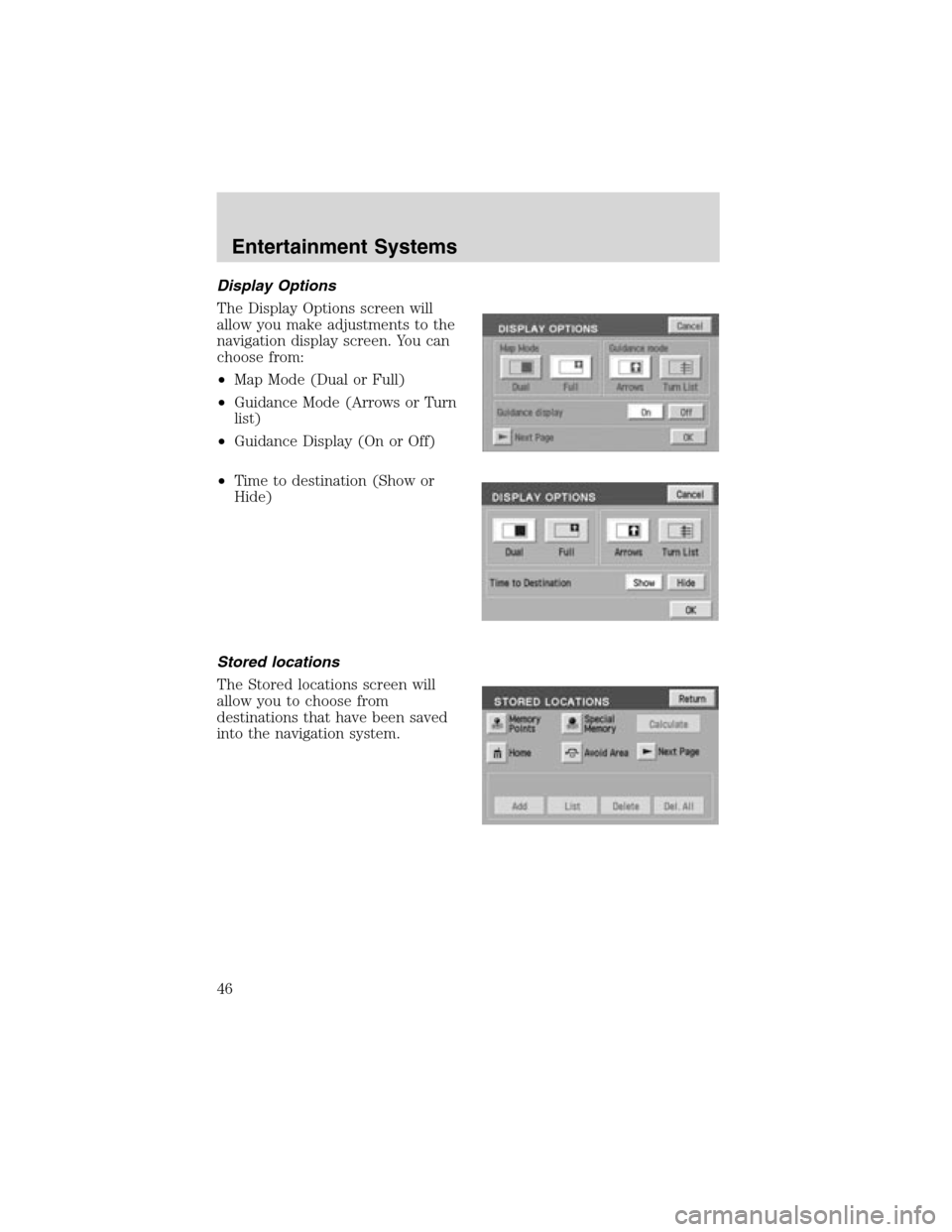
Display Options
The Display Options screen will
allow you make adjustments to the
navigation display screen. You can
choose from:
•Map Mode (Dual or Full)
•Guidance Mode (Arrows or Turn
list)
•Guidance Display (On or Off)
•Time to destination (Show or
Hide)
Stored locations
The Stored locations screen will
allow you to choose from
destinations that have been saved
into the navigation system.
Entertainment Systems
46
Page 48 of 288
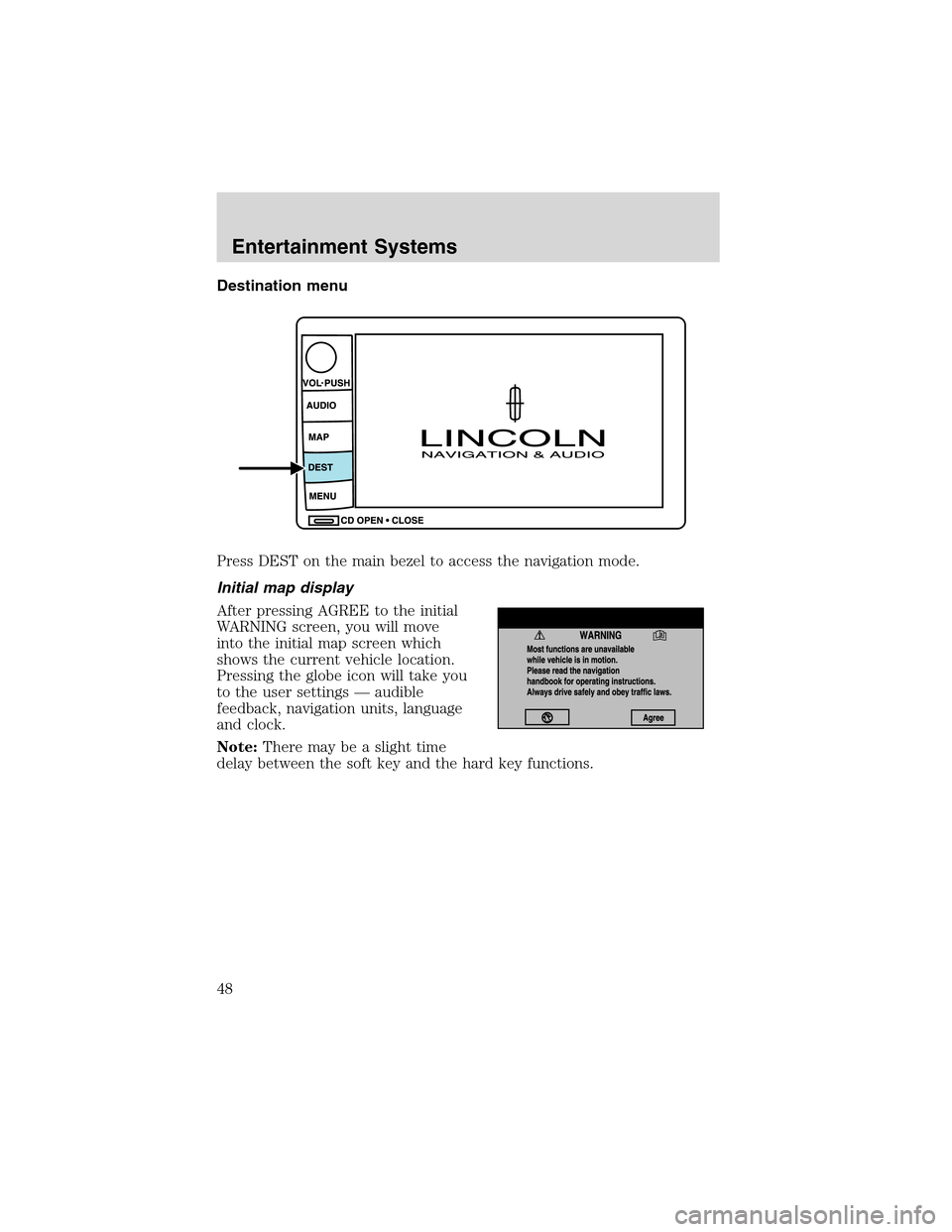
Destination menu
Press DEST on the main bezel to access the navigation mode.
Initial map display
After pressing AGREE to the initial
WARNING screen, you will move
into the initial map screen which
shows the current vehicle location.
Pressing the globe icon will take you
to the user settings—audible
feedback, navigation units, language
and clock.
Note:There may be a slight time
delay between the soft key and the hard key functions.
Entertainment Systems
48
Page 50 of 288
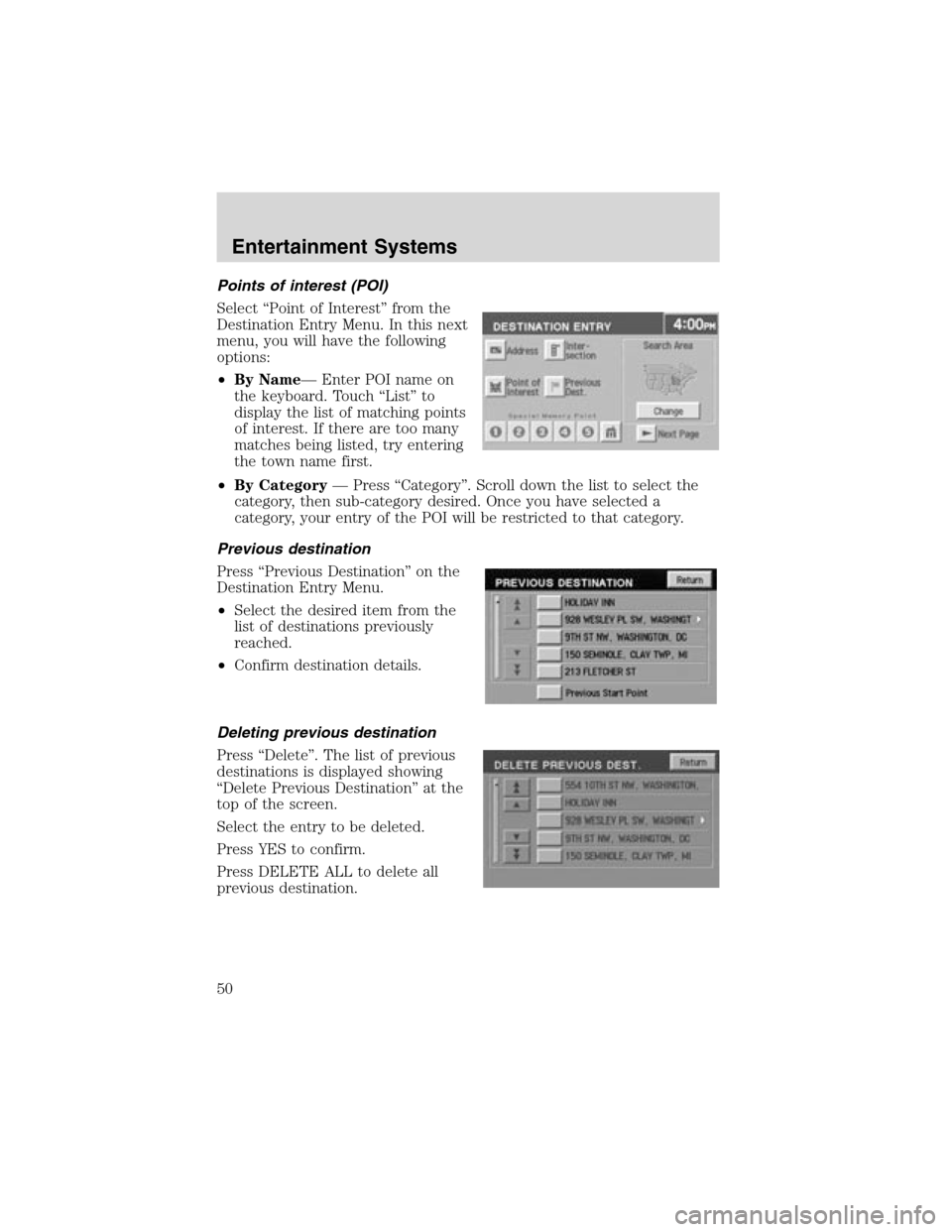
Points of interest (POI)
Select“Point of Interest”from the
Destination Entry Menu. In this next
menu, you will have the following
options:
•By Name—Enter POI name on
the keyboard. Touch“List”to
display the list of matching points
of interest. If there are too many
matches being listed, try entering
the town name first.
•By Category—Press“Category”. Scroll down the list to select the
category, then sub-category desired. Once you have selected a
category, your entry of the POI will be restricted to that category.
Previous destination
Press“Previous Destination”on the
Destination Entry Menu.
•Select the desired item from the
list of destinations previously
reached.
•Confirm destination details.
Deleting previous destination
Press“Delete”. The list of previous
destinations is displayed showing
“Delete Previous Destination”at the
top of the screen.
Select the entry to be deleted.
Press YES to confirm.
Press DELETE ALL to delete all
previous destination.
Entertainment Systems
50
Page 52 of 288
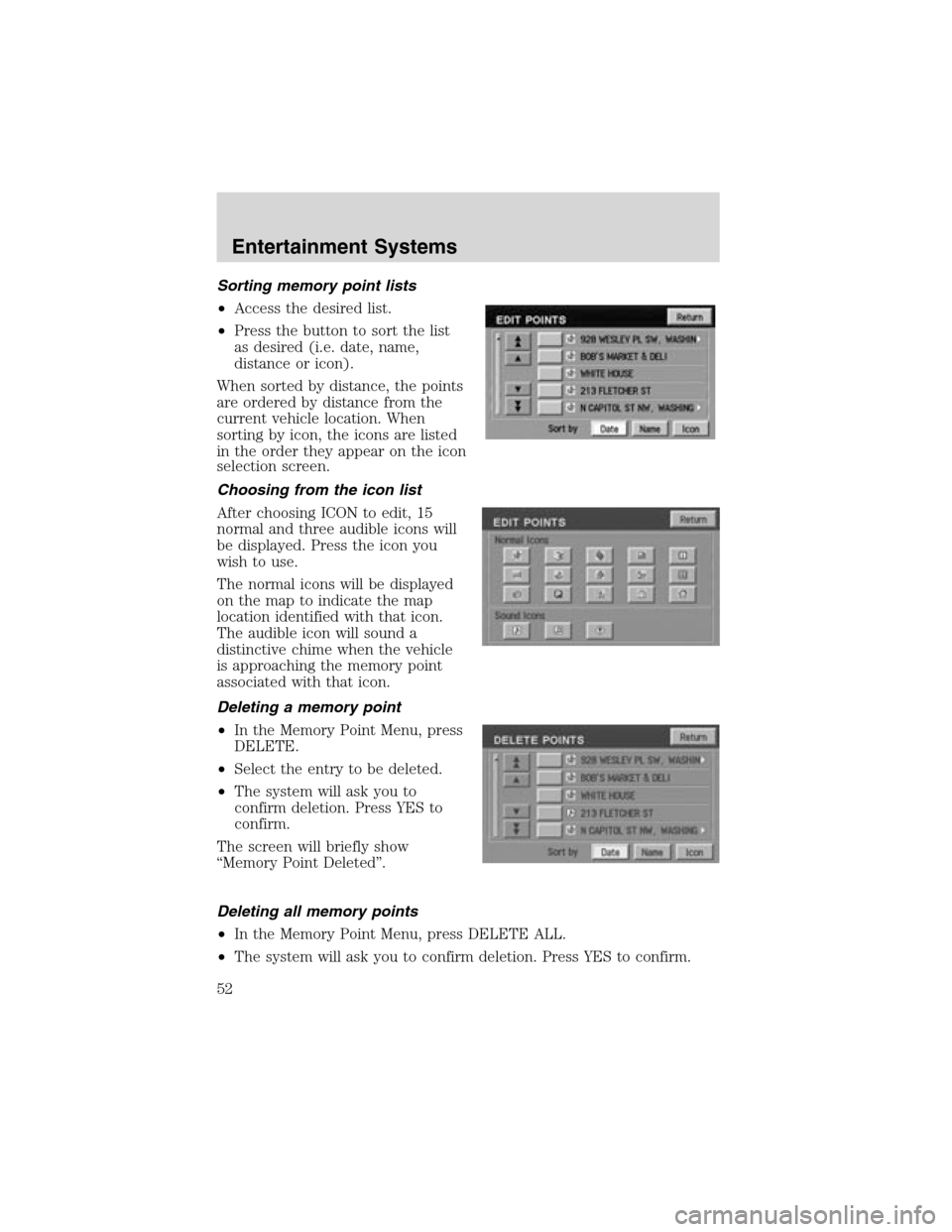
Sortingmemory point lists
•Access the desired list.
•Press the button to sort the list
as desired (i.e. date, name,
distance or icon).
When sorted by distance, the points
are ordered by distance from the
current vehicle location. When
sorting by icon, the icons are listed
in the order they appear on the icon
selection screen.
Choosing from the icon list
After choosing ICON to edit, 15
normal and three audible icons will
be displayed. Press the icon you
wish to use.
The normal icons will be displayed
on the map to indicate the map
location identified with that icon.
The audible icon will sound a
distinctive chime when the vehicle
is approaching the memory point
associated with that icon.
Deleting a memory point
•In the Memory Point Menu, press
DELETE.
•Select the entry to be deleted.
•The system will ask you to
confirm deletion. Press YES to
confirm.
The screen will briefly show
“Memory Point Deleted”.
Deleting all memory points
•In the Memory Point Menu, press DELETE ALL.
•The system will ask you to confirm deletion. Press YES to confirm.
Entertainment Systems
52
Page 54 of 288
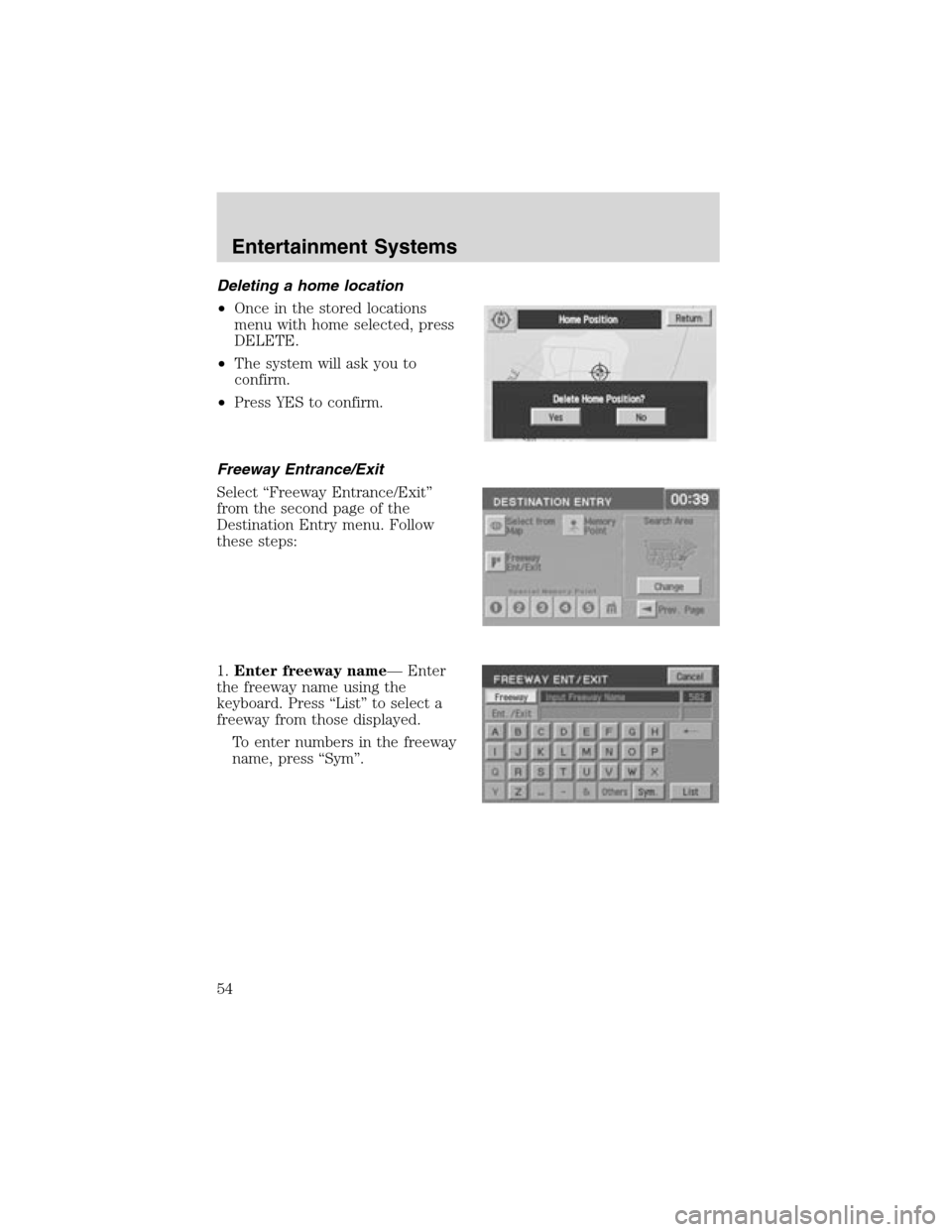
Deletinga home location
•Once in the stored locations
menu with home selected, press
DELETE.
•The system will ask you to
confirm.
•Press YES to confirm.
Freeway Entrance/Exit
Select“Freeway Entrance/Exit”
from the second page of the
Destination Entry menu. Follow
these steps:
1.Enter freeway name—Enter
the freeway name using the
keyboard. Press“List”to select a
freeway from those displayed.
To enter numbers in the freeway
name, press“Sym”.
Entertainment Systems
54
Page 55 of 288
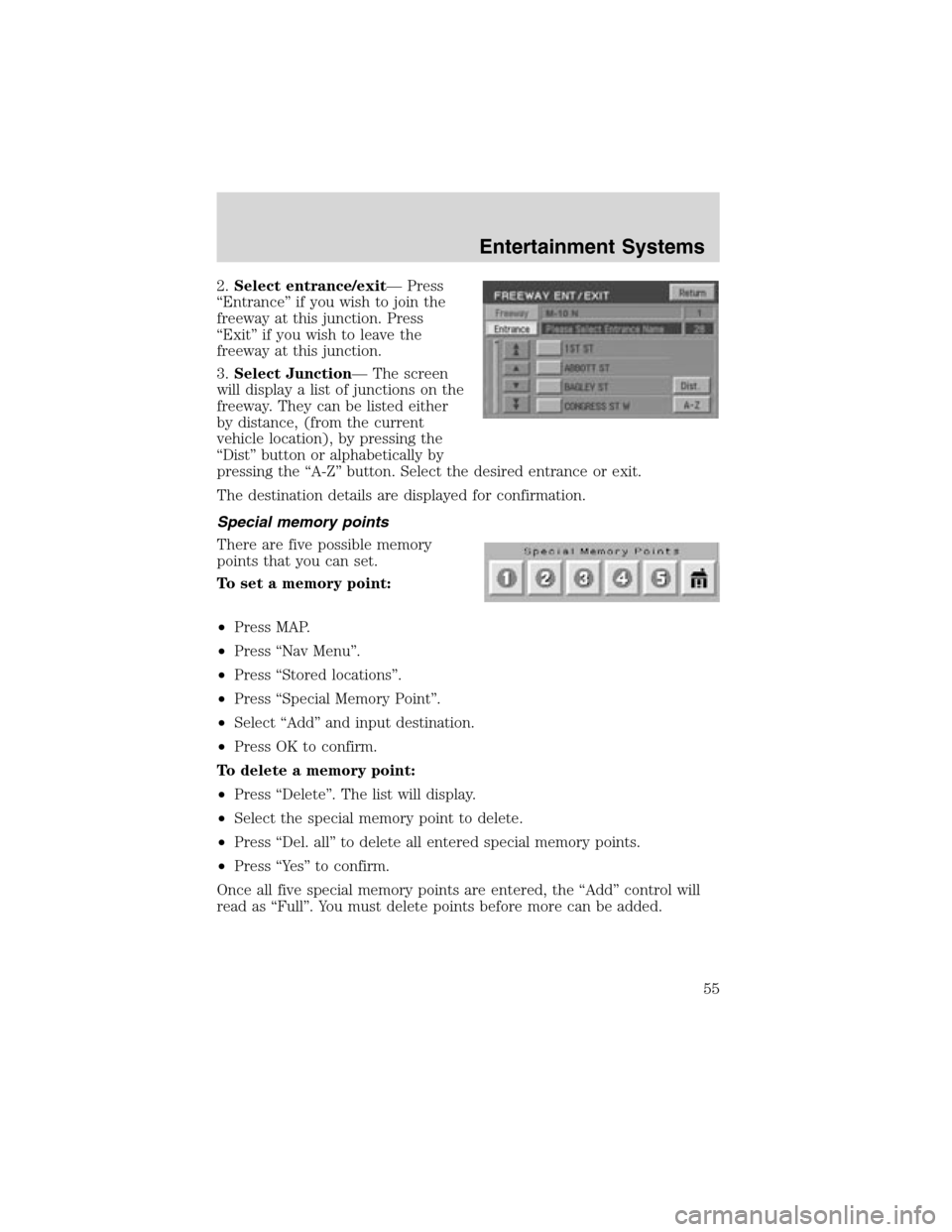
2.Select entrance/exit—Press
“Entrance”if you wish to join the
freeway at this junction. Press
“Exit”if you wish to leave the
freeway at this junction.
3.Select Junction—The screen
will display a list of junctions on the
freeway. They can be listed either
by distance, (from the current
vehicle location), by pressing the
“Dist”button or alphabetically by
pressing the“A-Z”button. Select the desired entrance or exit.
The destination details are displayed for confirmation.
Special memory points
There are five possible memory
points that you can set.
To set a memory point:
•Press MAP.
•Press“Nav Menu”.
•Press“Stored locations”.
•Press“Special Memory Point”.
•Select“Add”and input destination.
•Press OK to confirm.
To delete a memory point:
•Press“Delete”. The list will display.
•Select the special memory point to delete.
•Press“Del. all”to delete all entered special memory points.
•Press“Ye s”to confirm.
Once all five special memory points are entered, the“Add”control will
read as“Full”. You must delete points before more can be added.
Entertainment Systems
55
Page 56 of 288
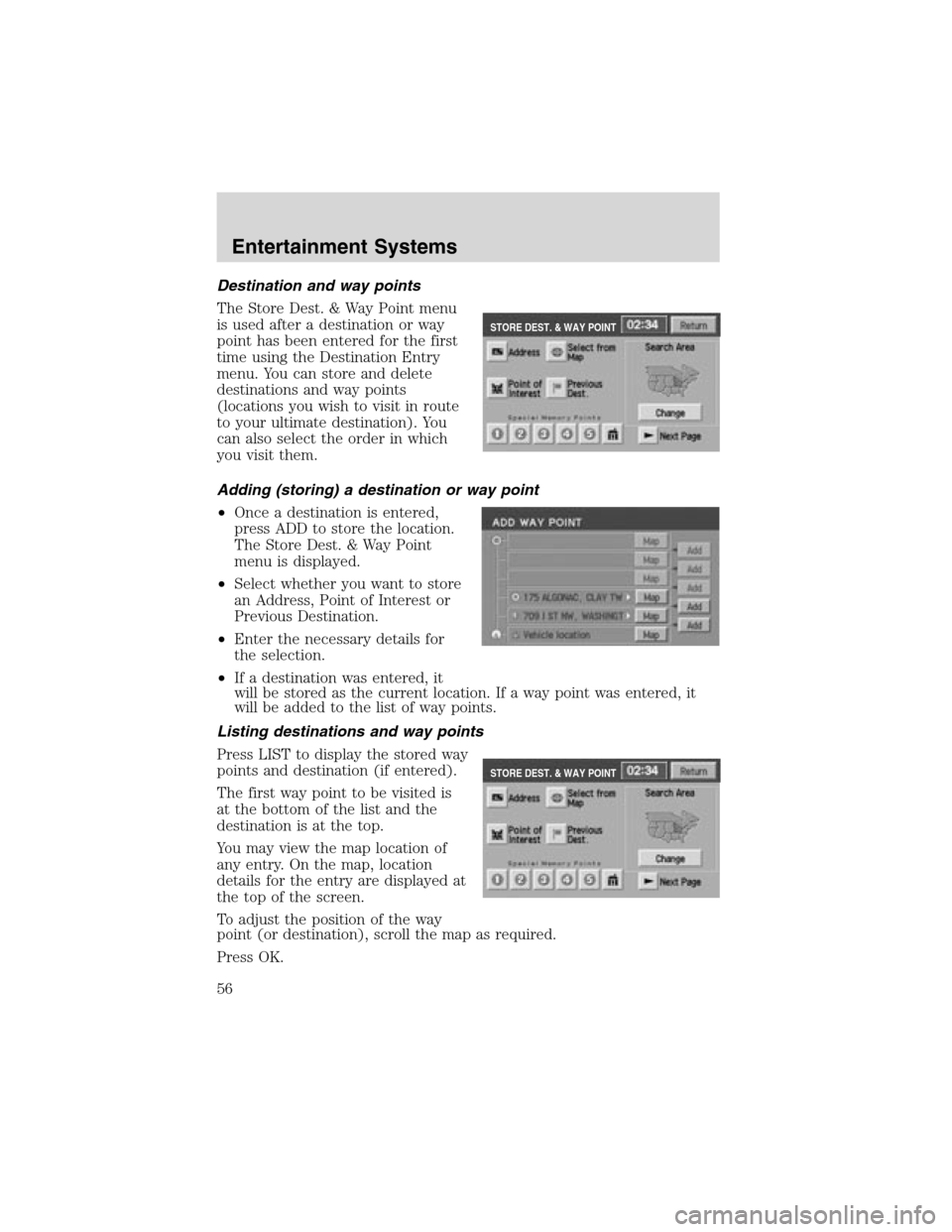
Destination and way points
The Store Dest. & Way Point menu
is used after a destination or way
point has been entered for the first
time using the Destination Entry
menu. You can store and delete
destinations and way points
(locations you wish to visit in route
to your ultimate destination). You
can also select the order in which
you visit them.
Adding (storing) a destination or way point
•Once a destination is entered,
press ADD to store the location.
The Store Dest. & Way Point
menu is displayed.
•Select whether you want to store
an Address, Point of Interest or
Previous Destination.
•Enter the necessary details for
the selection.
•If a destination was entered, it
will be stored as the current location. If a way point was entered, it
will be added to the list of way points.
Listing destinations and way points
Press LIST to display the stored way
points and destination (if entered).
The first way point to be visited is
at the bottom of the list and the
destination is at the top.
You may view the map location of
any entry. On the map, location
details for the entry are displayed at
the top of the screen.
To adjust the position of the way
point (or destination), scroll the map as required.
Press OK.
STORE DEST. & WAY POINT
STORE DEST. & WAY POINT
Entertainment Systems
56
Page 57 of 288
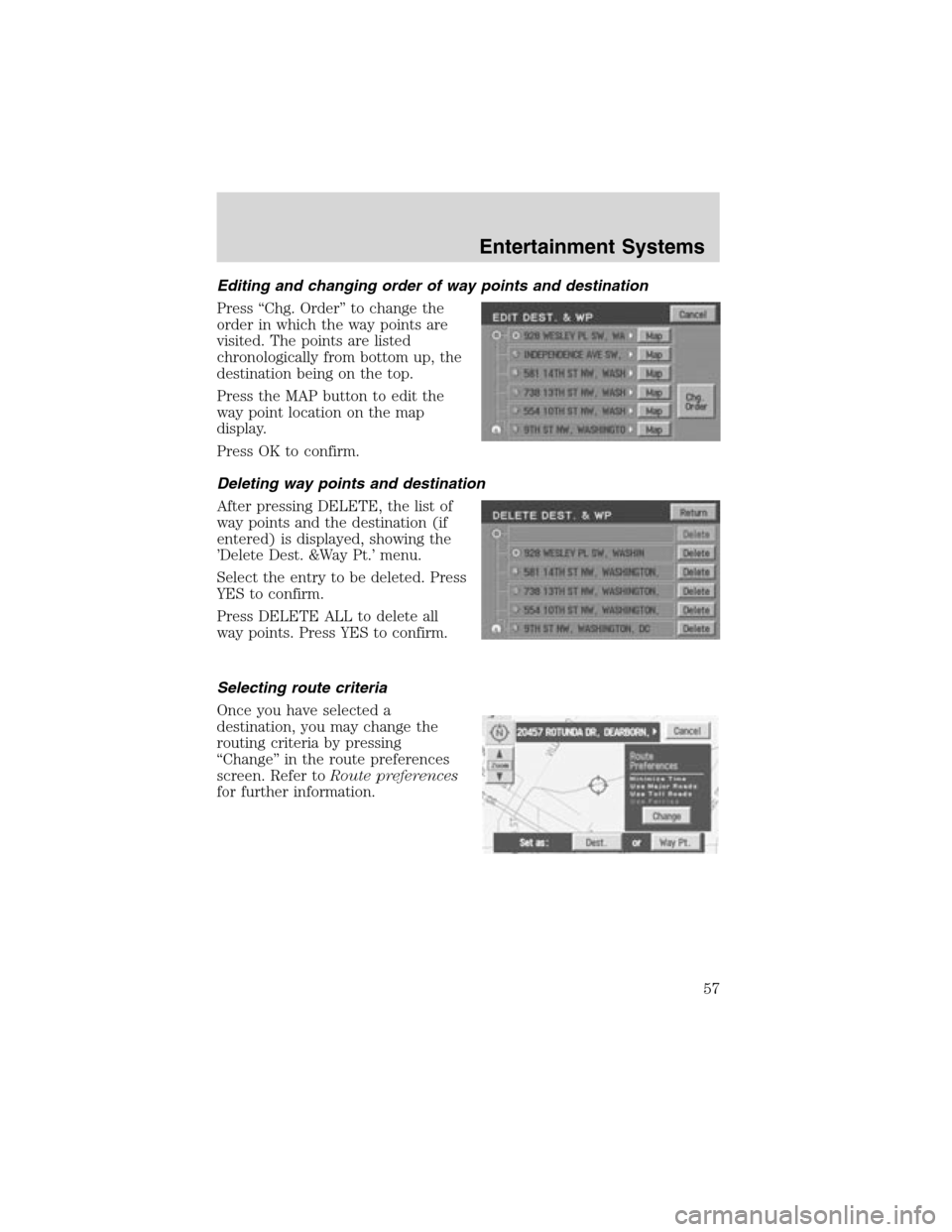
Editing and changing order of way points and destination
Press“Chg. Order”to change the
order in which the way points are
visited. The points are listed
chronologically from bottom up, the
destination being on the top.
Press the MAP button to edit the
way point location on the map
display.
Press OK to confirm.
Deleting way points and destination
After pressing DELETE, the list of
way points and the destination (if
entered) is displayed, showing the
’Delete Dest. &Way Pt.’menu.
Select the entry to be deleted. Press
YES to confirm.
Press DELETE ALL to delete all
way points. Press YES to confirm.
Selecting route criteria
Once you have selected a
destination, you may change the
routing criteria by pressing
“Change”in the route preferences
screen. Refer toRoute preferences
for further information.
Entertainment Systems
57
Page 58 of 288
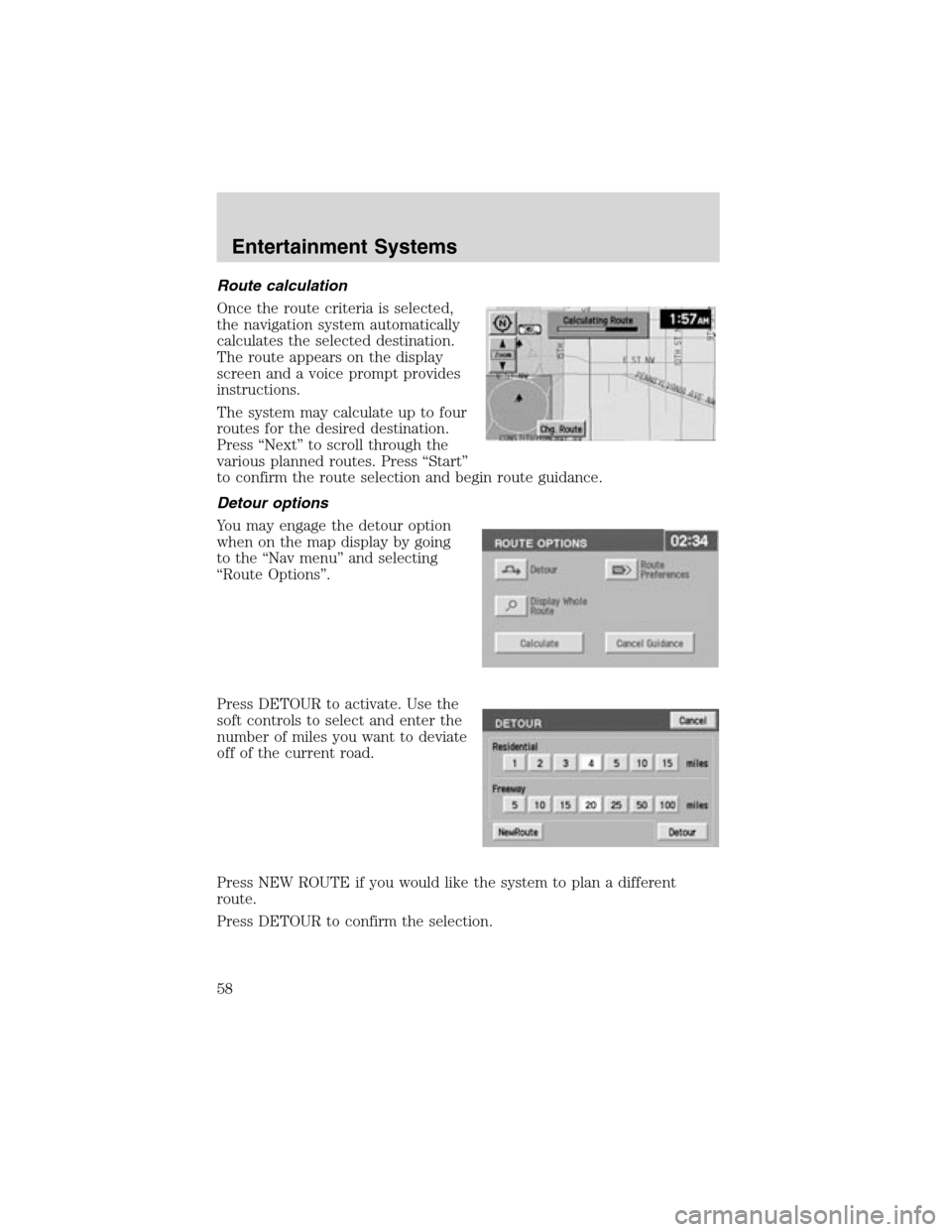
Route calculation
Once the route criteria is selected,
the navigation system automatically
calculates the selected destination.
The route appears on the display
screen and a voice prompt provides
instructions.
The system may calculate up to four
routes for the desired destination.
Press“Next”to scroll through the
various planned routes. Press“Start”
to confirm the route selection and begin route guidance.
Detour options
You may engage the detour option
when on the map display by going
to the“Nav menu”and selecting
“Route Options”.
Press DETOUR to activate. Use the
soft controls to select and enter the
number of miles you want to deviate
off of the current road.
Press NEW ROUTE if you would like the system to plan a different
route.
Press DETOUR to confirm the selection.
Entertainment Systems
58