navigation system LINCOLN LS 2006 Owner's Guide
[x] Cancel search | Manufacturer: LINCOLN, Model Year: 2006, Model line: LS, Model: LINCOLN LS 2006Pages: 320, PDF Size: 4.38 MB
Page 84 of 320
General information
Safety information
Please read and follow all stated safety precautions. Failure to do
so may increase your risk of collision and personal injury. Ford
Motor Company shall not be liable for any damages of any type
arising from failure to follow these guidelines.
Do not attempt to service, repair or modify the system. See your Ford or
Lincoln Mercury dealer.
The driver must not attempt to operate any detailed operation of
the navigation system while the vehicle is in motion. Give full
attention to driving and to the road. Pull off the road and park in a
safe place before performing detailed operations.
If the system is used for an extended period of time with the
vehicle stationary, ensure that the engine is running to avoid
draining the battery.
Do not apply pressure to the display screen.
The navigation system is not a substitute for your personal judgement.
Route suggestions should not supersede local traffic regulations or safe
driving practices.
Do not follow route suggestions if they direct you to perform an unsafe
or illegal maneuver, would place you in an unsafe situation, or would
route you into an area that you consider unsafe.
Drivers should not rely on screen displays while their vehicle is in
motion. Let the voice guide you. If viewing is necessary, pull off the road
to a safe location.
Do not use the navigation system to locate emergency services.
For road safety reasons, the driver should program the system only when
the vehicle is stationary. Certain functions will therefore not operate
while the vehicle is in motion.
The map database DVD does not reflect road detours, closures or
construction, road characteristics such as rough road surface, slope or
grade, weight or height restrictions, traffic congestion, weather or similar
conditions.
To use the system as effectively and safely as possible, obtain an
up-to-date map database DVD whenever they become available.
Set the volume level so that you can hear directions clearly.
2006 Lincoln LS(dew)
Owners Guide (post-2002-fmt)
USA(fus)
Entertainment Systems
84
Page 86 of 320
traffic lights and thunderstorms. Moving away from an interfering
structure (out of its “shadow”) returns your reception to normal.
•Station overload.Weak signals are sometimes captured by stronger
signals when you pass a broadcast tower. A stronger signal may
temporarily overtake a weaker signal and play while the weak station
frequency is displayed.
Principles of GPS (global positioning system) operation
Your system directs you based on information derived from global
positioning satellites, road maps stored on the DVD, sensors in your
vehicle and the desired destination. The system compiles all necessary
information to guide you to your selected destination. Space satellites
determine the vehicle’s current location and transmit position and time
signals to your car.
If the vehicle has been parked for a long period of time, the navigation
function may be temporarily unresponsive. The navigation system will
operate reliably again once GPS reception is available for a few minutes.
Limited GPS reception
System performance may be adversely affected if GPS reception is
interrupted or interference occurs over a distance of several miles. The
following are possible causes for GPS reception being interrupted. If the
vehicle is:
•in multi-story parking garages
•in tunnels and under bridges
•inside or in between buildings
•by forests or tree-lined avenues
•in heavy rain showers and thunderstorms
•in valleys and in mountainous regions
•roads under cliffs
Ensure that you do not have any metal objects on the rear parcel shelf.
If your windows are tinted, ensure that you use non-metal tinting instead
of metal oxide tinting. Both of these factors can interrupt GPS reception.
Cleaning the display
Do not spray cleaning fluid directly onto the unit. Instead, spray onto a
soft cloth and gently wipe the unit. Only recommended products should
be used.
•Recommended products- Rubbing alcohol based cleaner (i.e., methyl
alcohol) or a damp clean cloth.
2006 Lincoln LS(dew)
Owners Guide (post-2002-fmt)
USA(fus)
Entertainment Systems
86
Page 87 of 320
•Not harmful but not recommended- ammonia cleaner, neutral
detergent.
•Harmful to system and not recommended- acid cleaner, alkali cleaner,
benzene cleaner.
Do not clean any part of the system with benzene, paint thinner or any
other solvent.
Do not spill liquids of any kind onto the unit.
Loading the map DVD
•Your navigation DVD unit is located in the trunk.
•Ensure that the vehicle ignition is ON.
•If a DVD is already loaded in the Navigation unit, push the eject
button.
•Load the DVD with the printed side up. Do not allow moisture or
foreign objects to enter the slot.
The navigation system utilizes a database stored in a special format on a
DVD. It is recommended always to use the latest update of this map
DVD.
•The navigation system will only work with DVDs specifically intended
for your navigation system.
•Always store the map DVDs in their protective cases when not in use.
Ordering additional map DVDs
If you wish to order a replacement or additional map, please call
1–888–NAV-MAPS (1–888–628–6277) or to log onto www.navtech.com.
Latest map DVDs
The map content is constantly changing due to new roads, traffic
restrictions, etc. . Therefore, it is not always possible to exactly match
the DVD map with the current roadways. For best results, always use the
latest version of the map DVD. Map information is regularly updated, but
all areas are not necessarily covered to the same level of detail. Some
areas, in particular private roads, may not be included on the database.
To help with accuracy, always use the latest DVD version for navigation.
Customer service
If you need help operating your navigation/audio system, want to report
a map database error or want to obtain a map DVD, please call 1 (888)
628–6277 (NAV-MAPS) or log onto www.navtech.com.
2006 Lincoln LS(dew)
Owners Guide (post-2002-fmt)
USA(fus)
Entertainment Systems
87
Page 111 of 320
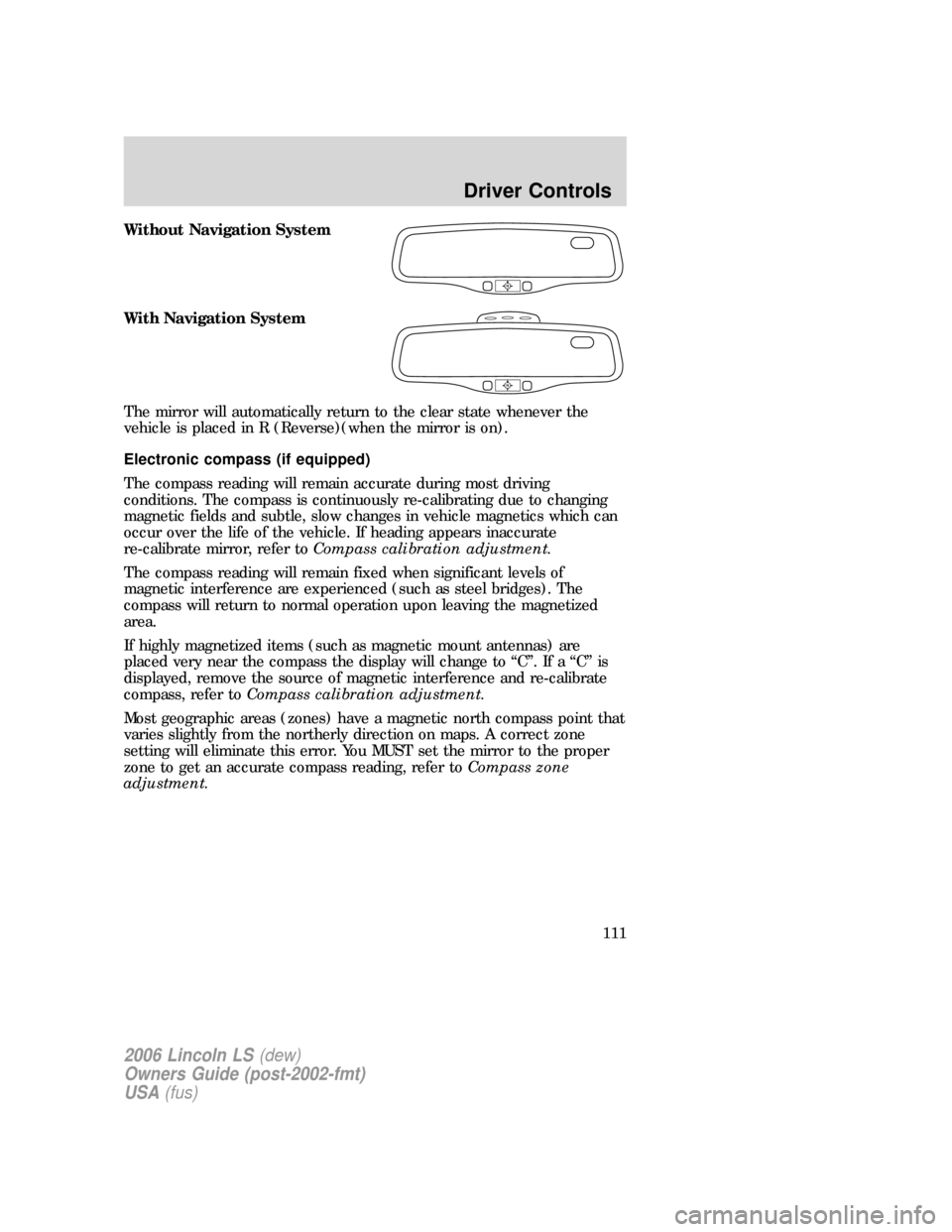
Without Navigation System
With Navigation System
The mirror will automatically return to the clear state whenever the
vehicle is placed in R (Reverse)(when the mirror is on).
Electronic compass (if equipped)
The compass reading will remain accurate during most driving
conditions. The compass is continuously re-calibrating due to changing
magnetic fields and subtle, slow changes in vehicle magnetics which can
occur over the life of the vehicle. If heading appears inaccurate
re-calibrate mirror, refer toCompass calibration adjustment.
The compass reading will remain fixed when significant levels of
magnetic interference are experienced (such as steel bridges). The
compass will return to normal operation upon leaving the magnetized
area.
If highly magnetized items (such as magnetic mount antennas) are
placed very near the compass the display will change to “C”. If a “C” is
displayed, remove the source of magnetic interference and re-calibrate
compass, refer toCompass calibration adjustment.
Most geographic areas (zones) have a magnetic north compass point that
varies slightly from the northerly direction on maps. A correct zone
setting will eliminate this error. You MUST set the mirror to the proper
zone to get an accurate compass reading, refer toCompass zone
adjustment.
2006 Lincoln LS(dew)
Owners Guide (post-2002-fmt)
USA(fus)
Driver Controls
111
Page 120 of 320
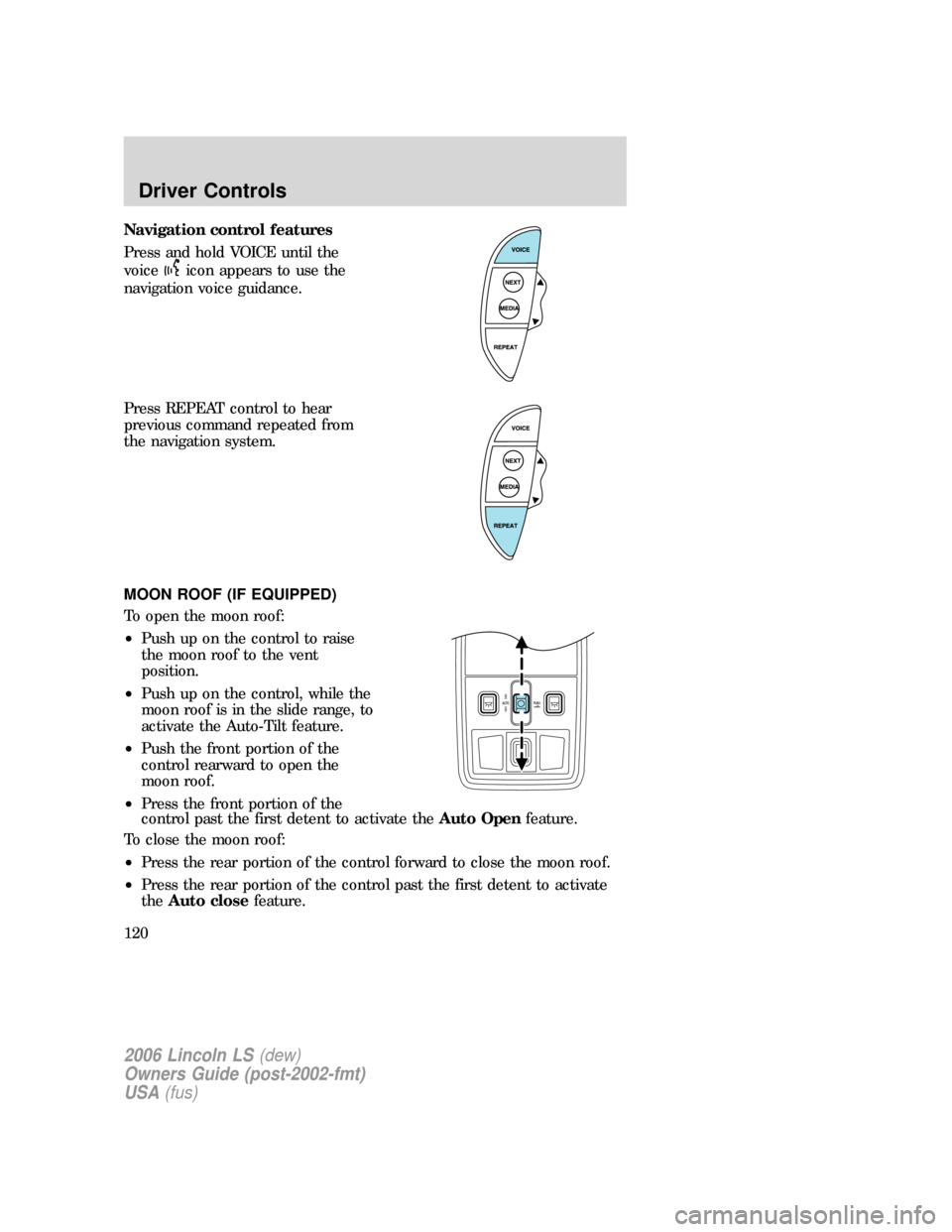
Navigation control features
Press and hold VOICE until the
voice
icon appears to use the
navigation voice guidance.
Press REPEAT control to hear
previous command repeated from
the navigation system.
MOON ROOF (IF EQUIPPED)
To open the moon roof:
•Push up on the control to raise
the moon roof to the vent
position.
•Push up on the control, while the
moon roof is in the slide range, to
activate the Auto-Tilt feature.
•Push the front portion of the
control rearward to open the
moon roof.
•Press the front portion of the
control past the first detent to activate theAuto Openfeature.
To close the moon roof:
•Press the rear portion of the control forward to close the moon roof.
•Press the rear portion of the control past the first detent to activate
theAuto closefeature.
2006 Lincoln LS(dew)
Owners Guide (post-2002-fmt)
USA(fus)
Driver Controls
120
Page 317 of 320
storage .....................................249
Jump-starting your vehicle ......255
K
Keyless entry system ...............149
autolock ...................................148
Keys ...........................................139
positions of the ignition .........219
valet key ..................................139
L
Lamps
autolamp system .......................96
bulb replacement
specifications chart ................101
daytime running light ...............97
fog lamps ...................................98
headlamps .................................96
headlamps, flash to pass ..........97
instrument panel, dimming .....98
interior lamps .................100–102
replacing bulbs ...............100–103
Lane change indicator
(see Turn signal) ......................100
Lights, warning and indicator ....10
anti-lock brakes (ABS) ..........223
Load limits .................................212
Locks
autolock ...................................148
childproof ................................141
doors ........................................139
Lubricant specifications ...306–307
Lug nuts ....................................254
Lumbar support, seats .............156
M
Message center .................126–127select button ...........................126
warning messages ...................130
Mirrors .......................................106
automatic dimming rearview
mirror ......................................110
fold away .................................113
heated ......................................113
programmable memory ..........148
side view mirrors (power) .....113
Moon roof ..................................120
Motorcraft parts ........273, 290, 303
N
Navigation system .......................25
cd functions ..............................43
destination mode ......................67
DVD location .............................87
map mode .................................47
quick start .................................28
radio functions ..........................35
O
Octane rating ............................293
Oil (see Engine oil) ..................279
P
Parking brake ............................223
Parts (see Motorcraft parts) ....303
Pedals (see Power adjustable
foot pedals) ...............................114
Power adjustable foot pedals ...114
Power distribution box
(see Fuses) .......................244, 247
Power door locks ......................139
Power mirrors ...........................113
Power steering ..........................228
2006 Lincoln LS(dew)
Owners Guide (post-2002-fmt)
USA(fus)
Index
317