reset LINCOLN MARK VIII 1997 User Guide
[x] Cancel search | Manufacturer: LINCOLN, Model Year: 1997, Model line: MARK VIII, Model: LINCOLN MARK VIII 1997Pages: 315, PDF Size: 2.18 MB
Page 42 of 315

37
AIR RIDE SWITCH OFFÐ This warning message
is displayed when the AIR SUSPENSION SERVICE
SWITCH is in the OFF position. The air suspension
service switch is located in the vehicle trunk in the
jack stowage area on the left side. For more
information refer to theAir Suspensionsection in
theDrivingchapter.
CHECK AIR RIDE SYSTEMÐ This warning
message is displayed when the Air Suspension
System is not operating properly. If this warning
message is displayed while driving, pull off the road
as soon as safely possible. If the vehicle is loaded
beyond the recommended maximum payload, the
ªCHECK AIR RIDE SYSTEMº message may be
displayed. This is a normal condition if the vehicle
is overloaded. To correct this condition, remove or
redistribute the payload per the recommended
maximum requirements. Turn the ignition switch
from ON to OFF to ON again. If the warning
message reappears, turn the Air Suspension Service
Switch (located in the vehicle trunk in the jackstowage area on the left side) OFF and contact your
dealer for service as soon as safely possible. For
further information refer to theAir Suspension
section in theDrivingchapter.
CHANGE OIL SOON/OIL CHANGE
REQUIREDÐ This warning message is displayed
when the engine oil life remaining is 5% or less.
When Oil Life Left is between 5% and 0%, the
ªCHANGE OIL SOONº message will be displayed.
When Oil Life Left reaches 0%, the ªOIL CHANGE
REQUIREDº message will be displayed.
An oil change is required whenever indicated by
the Message Center. USE ONLY RECOMMENDED
ENGINE OILS (seeEngine Oilin the Index).
The Message Center will tell you the percent of oil
left during System Check. This percentage is based
on your driving history and the time since your last
oil change. In order to ensure accurate oil life left
indications, you should only perform the following
OIL CHANGE RESET Procedure after you have the
oil changed.
File:03fnis8.ex
Update:Thu Jun 27 10:00:37 1996
Page 43 of 315

38OIL CHANGE RESET PROCEDURE Ð This
procedure allows you to reset the oil monitoring
system to 100% (or your Personalized Oil Reset
Percentage) after each oil change.
1. Press the VEHICLE SETTINGS control until the
ªOIL CHANGE RESETº display appears.
2. Then press the RESET switch and hold it for 5
seconds while the display counts down to
trigger an oil change reset.
3. After a successful reset the Message Center will
display ªOIL LIFE RESET TO 100%º. If you
have established a Personalized Oil Reset
Percentage, the display will show that
percentage instead of 100%. To ensure accurate
oil life indicators, perform this reset procedure
only after an oil change. For more information
on Personalized Oil Reset Percentage see the
section onPersonalized Oil Reset Percentage.GEAR DISPLAY DATA ERRÐ This warning
message is displayed when the data used to provide
the redundant gear selection display on the
Instrument Cluster is missing or invalid. In this
case, the Instrument cluster redundant gear
selection display is turned off. The driver should use
the mechanical position indication on the center
console gear selector as temporary indication. If this
warning stays on, contact your dealer for service as
soon as safely possible.
File:03fnis8.ex
Update:Thu Jun 27 10:00:37 1996
Page 45 of 315

40Factors Affecting Compass AccuracyMagnetic mounted devices (antennas, racks, etc.)
should not be located on the front third of the
vehicle roof. Placement of these devices near the
compass will cause the compass to be inaccurate. If
these devices are used, for improved accuracy,
recalibrate the compass with the device(s) installed.
Driving near power lines or large iron or steel
structures can temporarily change the compass
heading. Demagnetize the vehicle and recalibrate
the compass if it remains inaccurate after driving
near such objects.Compass AdjustmentsPress and hold the COMPASS control, then press
the RESET control. Next, release both controls. The
display will show the ªCompass Menuº (Figure 1).
The letters on the left side of the arrows indicate
the control to press to perform the adjustment
indicated on the right side of the arrows, as shown
in Figure 1.Figure 1 Ð Compass Menu Mode
To abort this ªcompass menuº or any compass
variation adjustment menu, press any control other
than RESET or FUEL ECONOMY.Variation AdjustmentThe variation adjustment is only needed if you
travel outside your current zone (see Fig. 2). The
following describes the method available for setting
the variation adjustment:
File:03fnis8.ex
Update:Thu Jun 27 10:00:37 1996
Page 46 of 315
41
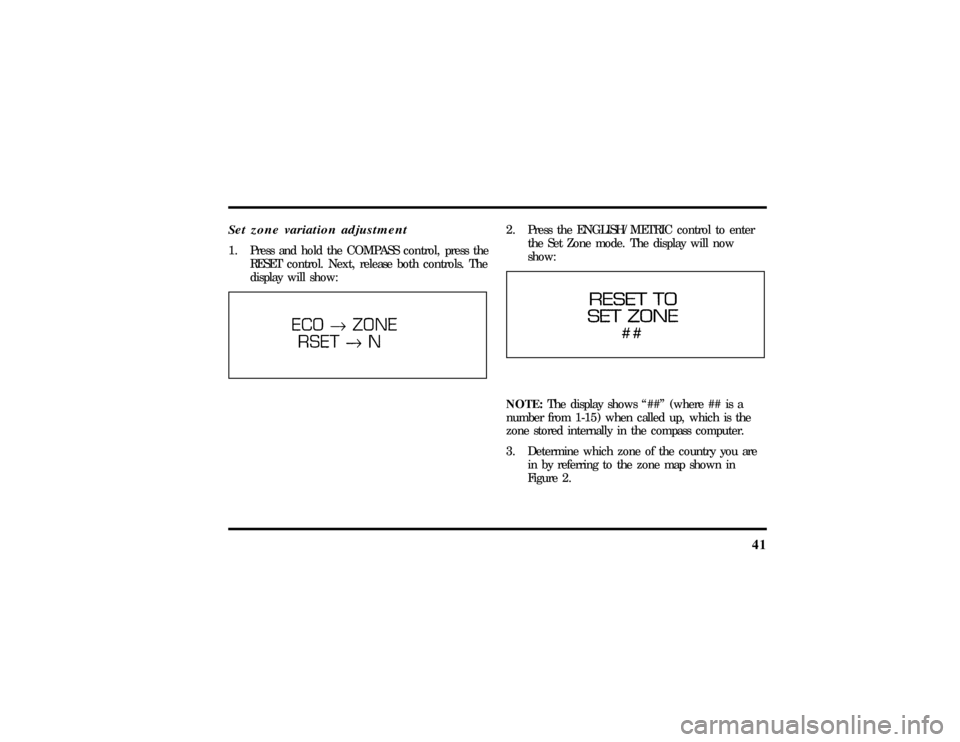
Set zone variation adjustment1. Press and hold the COMPASS control, press the
RESET control. Next, release both controls. The
display will show:
2. Press the ENGLISH/METRIC control to enter
the Set Zone mode. The display will now
show:NOTE:The display shows ª##º (where ## is a
number from 1-15) when called up, which is the
zone stored internally in the compass computer.
3. Determine which zone of the country you are
in by referring to the zone map shown in
Figure 2.
File:03fnis8.ex
Update:Thu Jun 27 10:00:37 1996
Page 47 of 315
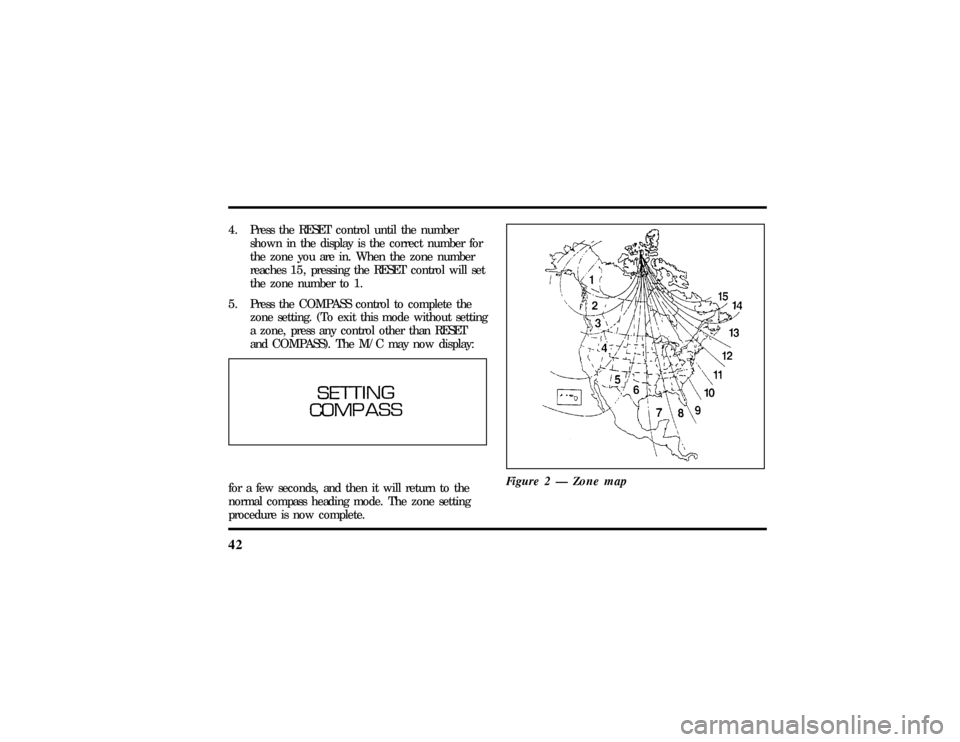
424. Press the RESET control until the number
shown in the display is the correct number for
the zone you are in. When the zone number
reaches 15, pressing the RESET control will set
the zone number to 1.
5. Press the COMPASS control to complete the
zone setting. (To exit this mode without setting
a zone, press any control other than RESET
and COMPASS). The M/C may now display:for a few seconds, and then it will return to the
normal compass heading mode. The zone setting
procedure is now complete.Figure 2 Ð Zone map
File:03fnis8.ex
Update:Thu Jun 27 10:00:37 1996
Page 48 of 315
43
Calibration Procedure1. Find an open, level area free from steel
structures and high voltage lines. An empty,
level parking lot is recommended.
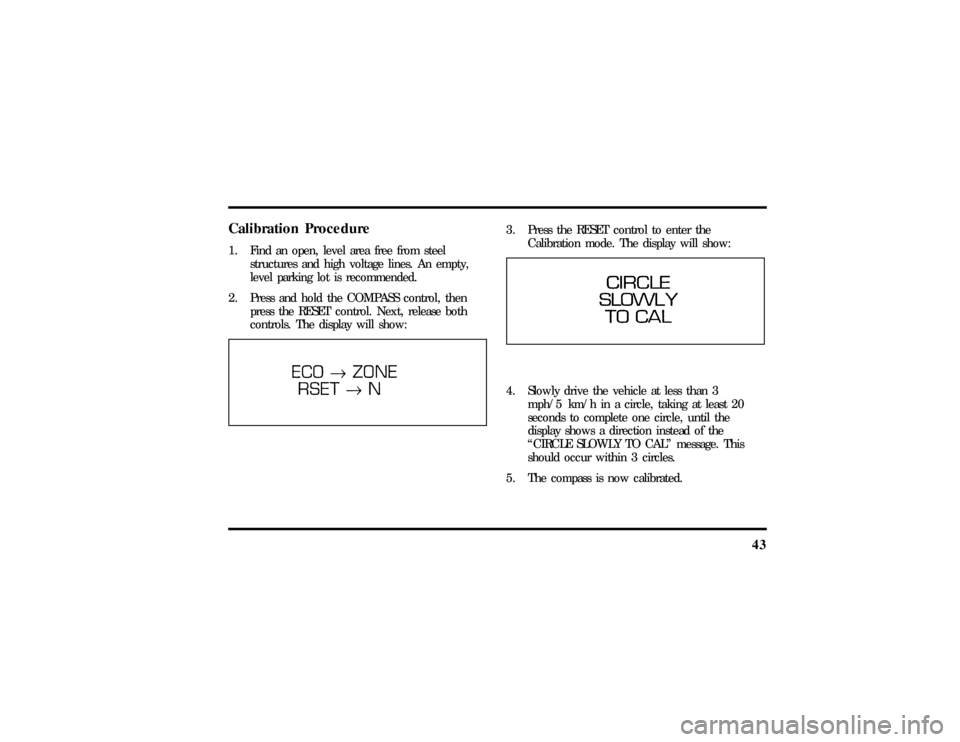
2. Press and hold the COMPASS control, then
press the RESET control. Next, release both
controls. The display will show:
3. Press the RESET control to enter the
Calibration mode. The display will show:4. Slowly drive the vehicle at less than 3
mph/5 km/h in a circle, taking at least 20
seconds to complete one circle, until the
display shows a direction instead of the
ªCIRCLE SLOWLY TO CALº message. This
should occur within 3 circles.
5. The compass is now calibrated.
File:03fnis8.ex
Update:Thu Jun 27 10:00:37 1996
Page 57 of 315

52can set to any desired frequency. These four
methods are described below.q
Using the ªTUNEº function
You can change the frequency up or down one
increment at a time by pressing and releasing either
the left
bor right
aside of the ªTUNEº button.
To change frequencies quickly, press and hold down
either the right or left side of the button.
Manual tuning adjusts your radio to any allowable
broadcast frequency, whether or not a station is
present on that frequency. (SeeAll About Radio
Frequenciesin this section.)
q
Using the ªSEEKº function
Press the right (
a) side of the ªSEEKº button to
select the next listenable station up the frequency
band. Press the left (
b) side of the button to select
the next listenable station down the frequency
band. By pressing and holding the button, listenablestations can be passed over to reach the desired
station.
q
Using the ªSCANº function
Pressing the ªSCANº or ªSCNº button will begin
the scan mode up the frequency band, stopping on
each listenable station for approximately five
seconds.
To stop the scan mode on the presently sampled
station, press the ªSCANº or ªSCNº button again.
q
Setting the station MEMORY PRESET buttons
Your radio is equipped with 6 station memory
buttons. These buttons can be used to select up
to 6 preset AM stations and 12 FM stations (6
in FM1 and 6 in FM2)
File:04fnas8.ex
Update:Wed Jun 19 10:43:44 1996
Page 58 of 315

53
Follow the easy steps below to set these buttons to
the desired frequencies:
1. Select a band, then select a frequency.
2. Press one of the memory preset buttons and
hold the button until the sound returns. That
station is now held in memory on that button.
3. Follow the two steps above for each station
memory preset button you want to set.q
Using the AUTOSET feature
With AUTOSET, you can continually set strong
stations into your memory buttons without
losing your originally set stations.
Press the ªAUTOSETº button once. Your radio
will set the first six strong stations of the band
you are in (AM, FM1, or FM2) into the
memory buttons. The display will show
ªAUTOº, then run through the frequencies
setting the memory buttons.NOTE:If there are fewer than five strong
stations in the frequency band, the remaining
unfilled buttons will store the last strong station
detected on the band.
When all stations are filled, the radio will begin
playing the station stored in memory button 1.
To deactivate the Auto Memory Store mode and
return to manually-set memory button stations,
press the ªAUTOSETº button. Display will show
ªAUTOº then ªOFFº.
Adjusting the tone balance of your radioq
Increasing or decreasing bass response
Press the top
cof the ªBASSº button to increase
bass; press the bottom
dof the ªBASSº button to
decrease bass.
File:04fnas8.ex
Update:Wed Jun 19 10:43:44 1996
Page 127 of 315

122Arming, disarming and resetting your
anti-theft system from the keyless entry
padThe Keyless Entry system will arm the anti-theft
system when you use the 7/8 and 9/0 keys to lock
the doors, and will disarm or reset a triggered
anti-theft alarm when you enter in the five digit
code to unlock the driver's door.Remote Entry SystemWith the remote entry system, you can lock and
unlock the vehicle doors and open the trunk
without using a key. The buttons for the system are
located on the two hand held transmitters that
came with your vehicle. The remote also has a
personal alarm feature.
The system will work with up to four remotes.
Your vehicle came with two remotes. Additional
remotes can be ordered from your dealer.When unlocking a vehicle with the Programmable
Memory Seat/Outside Rear View Mirrors feature,
the seat, the outside mirrors and steering column
will adjust to position that is set for the transmitter
being used.
The remote entry features only operate with the
ignition in the OFF position.
Remote entry transmitter
File:05fncf8.ex
Update:Thu Jun 27 10:02:20 1996
Page 128 of 315

123
Unlocking the doors and opening the
trunkTo unlock the driver's door, press the UNLOCK
control.
To unlock the passenger's door, press the UNLOCK
control a second time within five (5) seconds of
unlocking the driver's door.
To open the trunk, press the TRUNK button twice
within five (5) seconds.Locking the doorsTo lock all the doors, press the LOCK control. This
will also arm the anti-theft system (if equipped).
To signal that the doors are locked the horn will
chirp if the horn chirp feature is turned ON in the
driver settings menu in the message center.
Activating the remote personal alarmIf you wish to activate the remote personal alarm,
press the PANIC control. This will honk the horn
and flash the parking lamps and tail lamps for
approximately two minutes and forty-five seconds.
You can turn it OFF by pressing the PANIC control
again or by turning the ignition key to the RUN
position.Arming and Disarming the Alarm
SystemYour vehicle is equipped with the factory installed
anti-theft system. The remote entry system will
automatically arm it when the doors are locked
with the remote entry LOCK button. The remote
entry UNLOCK button will disarm or reset a
triggered anti-theft alarm.
The remote entry system is designed to work with
the factory installed anti-theft system. It may not
work with other anti-theft systems.
File:05fncf8.ex
Update:Thu Jun 27 10:02:20 1996