light LINCOLN MARK VIII 1998 User Guide
[x] Cancel search | Manufacturer: LINCOLN, Model Year: 1998, Model line: MARK VIII, Model: LINCOLN MARK VIII 1998Pages: 170, PDF Size: 1.37 MB
Page 32 of 170
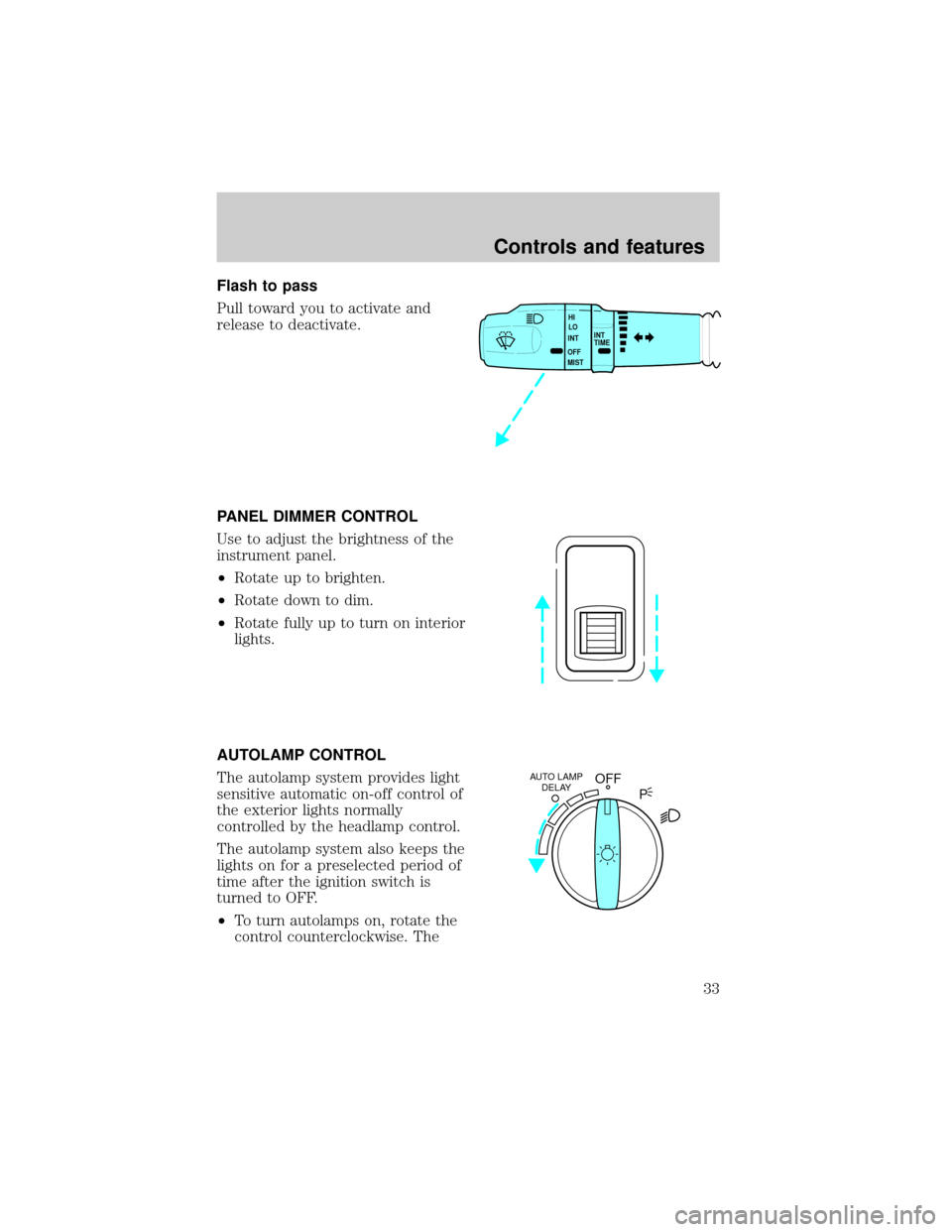
Flash to pass
Pull toward you to activate and
release to deactivate.
PANEL DIMMER CONTROL
Use to adjust the brightness of the
instrument panel.
²Rotate up to brighten.
²Rotate down to dim.
²Rotate fully up to turn on interior
lights.
AUTOLAMP CONTROL
The autolamp system provides light
sensitive automatic on-off control of
the exterior lights normally
controlled by the headlamp control.
The autolamp system also keeps the
lights on for a preselected period of
time after the ignition switch is
turned to OFF.
²To turn autolamps on, rotate the
control counterclockwise. The
INT
TIME HI
LO
INT
OFF
MIST
OFFAUTO LAMP
DELAY
P
Controls and features
33
Page 36 of 170
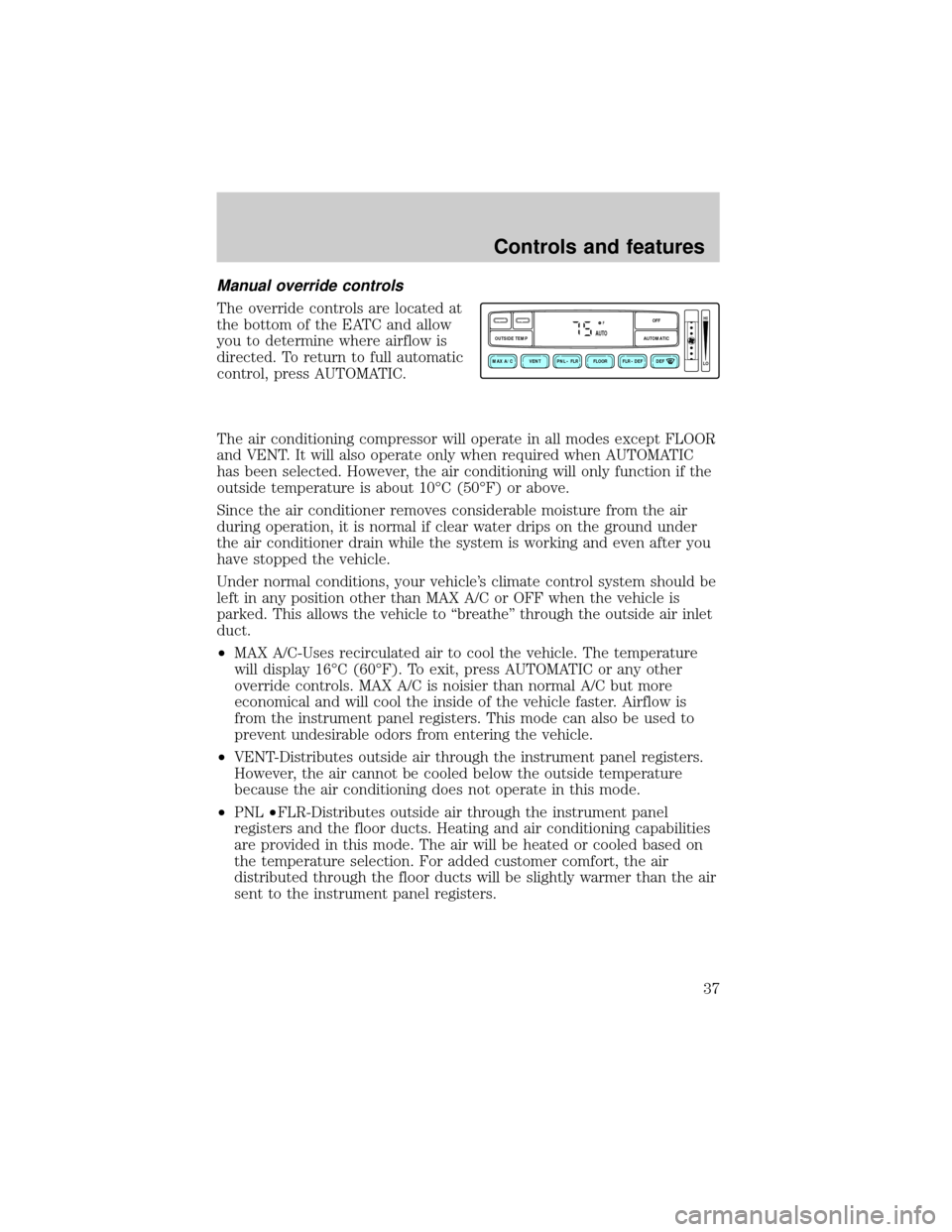
Manual override controls
The override controls are located at
the bottom of the EATC and allow
you to determine where airflow is
directed. To return to full automatic
control, press AUTOMATIC.
The air conditioning compressor will operate in all modes except FLOOR
and VENT. It will also operate only when required when AUTOMATIC
has been selected. However, the air conditioning will only function if the
outside temperature is about 10ÉC (50ÉF) or above.
Since the air conditioner removes considerable moisture from the air
during operation, it is normal if clear water drips on the ground under
the air conditioner drain while the system is working and even after you
have stopped the vehicle.
Under normal conditions, your vehicle's climate control system should be
left in any position other than MAX A/C or OFF when the vehicle is
parked. This allows the vehicle to ªbreatheº through the outside air inlet
duct.
²MAX A/C-Uses recirculated air to cool the vehicle. The temperature
will display 16ÉC (60ÉF). To exit, press AUTOMATIC or any other
override controls. MAX A/C is noisier than normal A/C but more
economical and will cool the inside of the vehicle faster. Airflow is
from the instrument panel registers. This mode can also be used to
prevent undesirable odors from entering the vehicle.
²VENT-Distributes outside air through the instrument panel registers.
However, the air cannot be cooled below the outside temperature
because the air conditioning does not operate in this mode.
²PNL²FLR-Distributes outside air through the instrument panel
registers and the floor ducts. Heating and air conditioning capabilities
are provided in this mode. The air will be heated or cooled based on
the temperature selection. For added customer comfort, the air
distributed through the floor ducts will be slightly warmer than the air
sent to the instrument panel registers.
VENT PNL • FLR FLOOR FLR • DEF DEF
HI
LO
MAX A/C
OUTSIDE TEMP AUTOMATICOFFFAUTO
Controls and features
37
Page 37 of 170
²FLOOR-Allows for maximum heating by distributing outside air
through the floor ducts. However, the air cannot be cooled below the
outside temperature because the air conditioning does not operate in
this mode.
²FLR²DEF-Distributes outside air through the windshield defroster
ducts and the floor ducts. Heating and air conditioning capabilities are
provided in this mode. The air will be heated or cooled based on the
temperature selection. For added customer comfort, the air
distributed through the floor ducts will be slightly warmer than the air
sent to the windshield defroster ducts. If the temperature is about
10ÉC (50ÉF) or higher, the air conditioner will automatically
dehumidify the air to prevent fogging.
²DEF
-Distributes outside air through the windshield defroster
ducts. It can be used to clear ice or fog from the windshield. If the
outside air temperature is about 10ÉC (50ÉF) or higher, the air
conditioner will automatically dehumidify the air to prevent fogging.
²OFF-Outside air is shut out and the fan will not operate. For short
periods of time only, use this mode to prevent undesirable odors from
entering the vehicle.
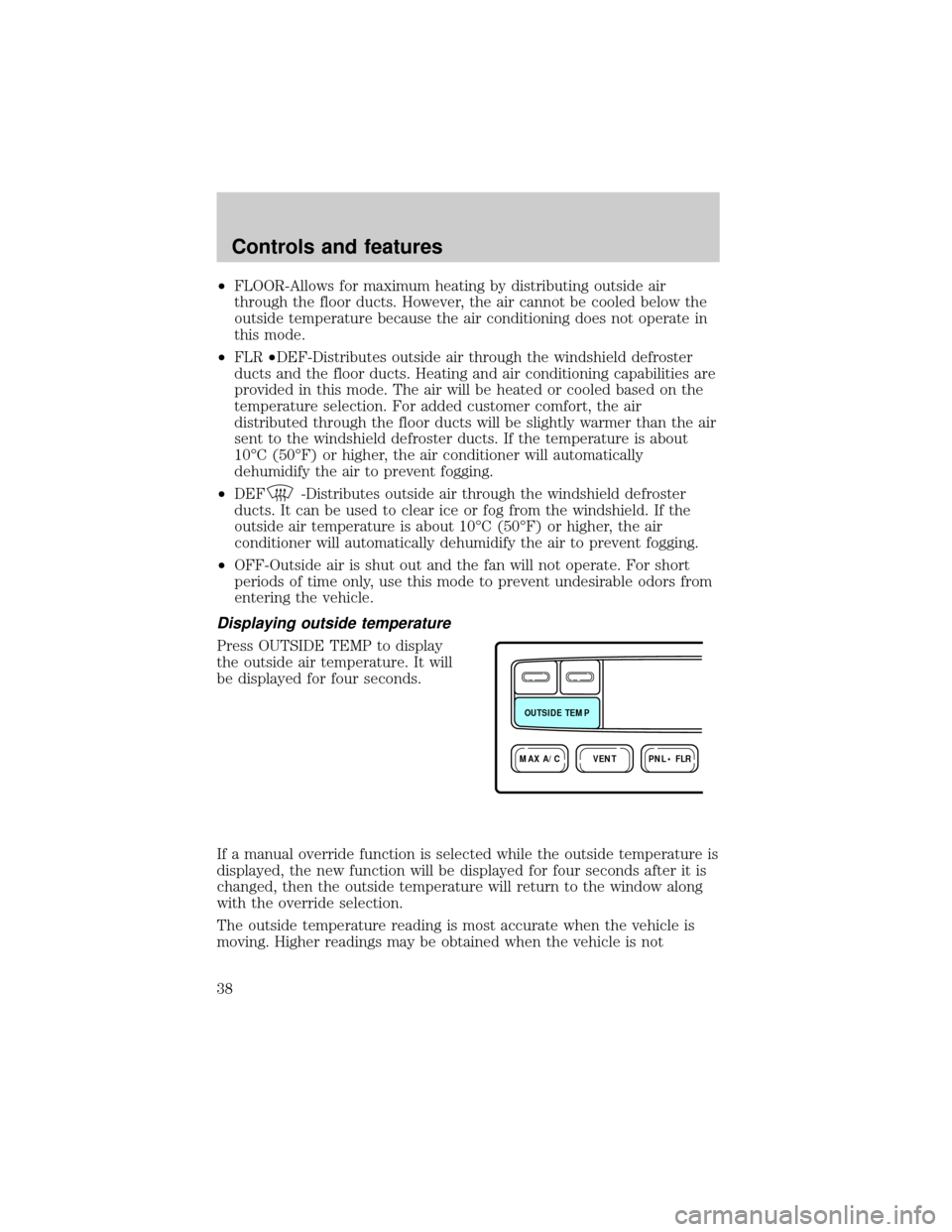
Displaying outside temperature
Press OUTSIDE TEMP to display
the outside air temperature. It will
be displayed for four seconds.
If a manual override function is selected while the outside temperature is
displayed, the new function will be displayed for four seconds after it is
changed, then the outside temperature will return to the window along
with the override selection.
The outside temperature reading is most accurate when the vehicle is
moving. Higher readings may be obtained when the vehicle is not
VENTPNL • FLRMAX A/C
OUTSIDE TEMP
Controls and features
38
Page 39 of 170
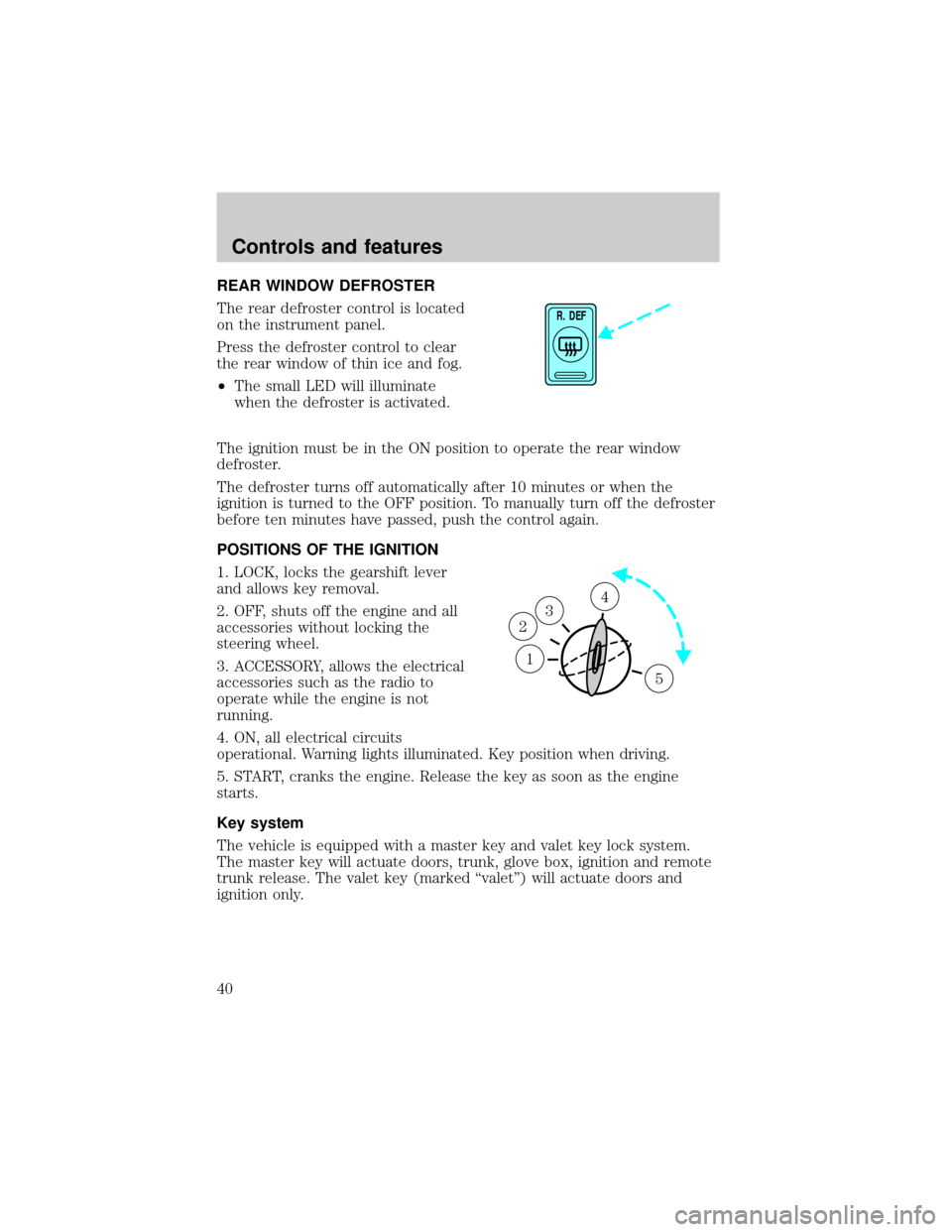
REAR WINDOW DEFROSTER
The rear defroster control is located
on the instrument panel.
Press the defroster control to clear
the rear window of thin ice and fog.
²The small LED will illuminate
when the defroster is activated.
The ignition must be in the ON position to operate the rear window
defroster.
The defroster turns off automatically after 10 minutes or when the
ignition is turned to the OFF position. To manually turn off the defroster
before ten minutes have passed, push the control again.
POSITIONS OF THE IGNITION
1. LOCK, locks the gearshift lever
and allows key removal.
2. OFF, shuts off the engine and all
accessories without locking the
steering wheel.
3. ACCESSORY, allows the electrical
accessories such as the radio to
operate while the engine is not
running.
4. ON, all electrical circuits
operational. Warning lights illuminated. Key position when driving.
5. START, cranks the engine. Release the key as soon as the engine
starts.
Key system
The vehicle is equipped with a master key and valet key lock system.
The master key will actuate doors, trunk, glove box, ignition and remote
trunk release. The valet key (marked ªvaletº) will actuate doors and
ignition only.
R. DEF
1
3
2
4
5
Controls and features
40
Page 40 of 170
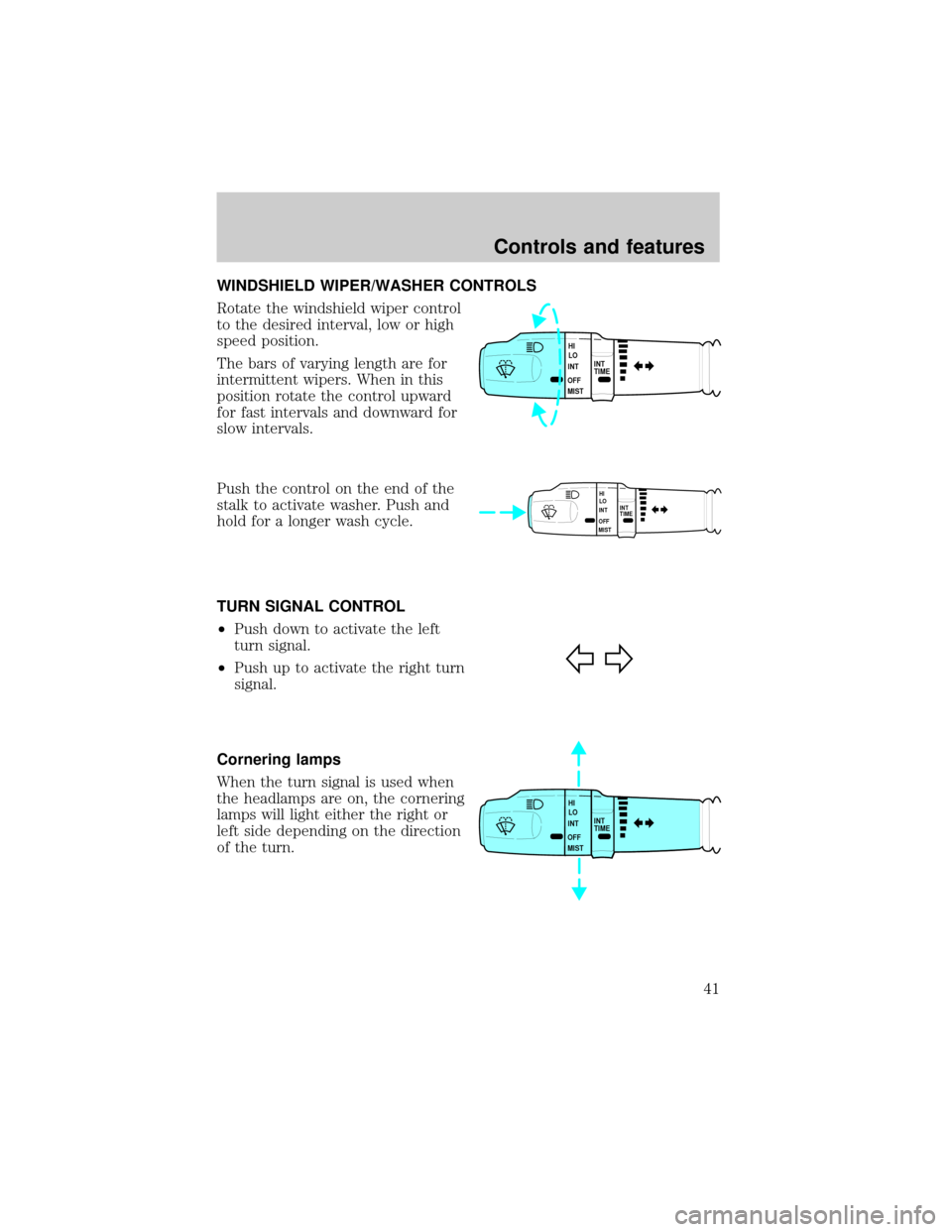
WINDSHIELD WIPER/WASHER CONTROLS
Rotate the windshield wiper control
to the desired interval, low or high
speed position.
The bars of varying length are for
intermittent wipers. When in this
position rotate the control upward
for fast intervals and downward for
slow intervals.
Push the control on the end of the
stalk to activate washer. Push and
hold for a longer wash cycle.
TURN SIGNAL CONTROL
²Push down to activate the left
turn signal.
²Push up to activate the right turn
signal.
Cornering lamps
When the turn signal is used when
the headlamps are on, the cornering
lamps will light either the right or
left side depending on the direction
of the turn.
INT
TIME HI
LO
INT
OFF
MIST
INT
TIME HI
LO
INT
OFF
MIST
INT
TIME HI
LO
INT
OFF
MIST
Controls and features
41
Page 46 of 170
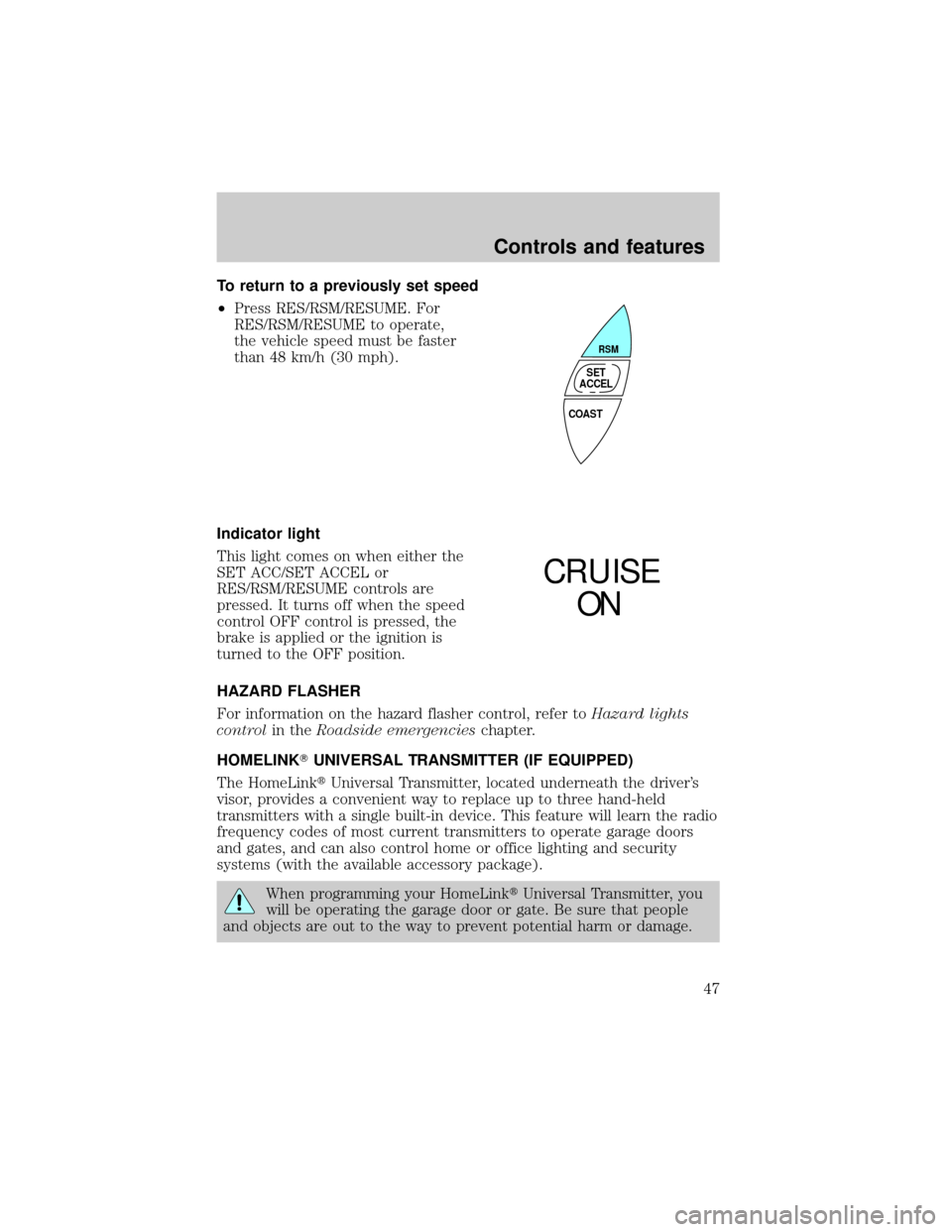
To return to a previously set speed
²Press RES/RSM/RESUME. For
RES/RSM/RESUME to operate,
the vehicle speed must be faster
than 48 km/h (30 mph).
Indicator light
This light comes on when either the
SET ACC/SET ACCEL or
RES/RSM/RESUME controls are
pressed. It turns off when the speed
control OFF control is pressed, the
brake is applied or the ignition is
turned to the OFF position.
HAZARD FLASHER
For information on the hazard flasher control, refer toHazard lights
controlin theRoadside emergencieschapter.
HOMELINKTUNIVERSAL TRANSMITTER (IF EQUIPPED)
The HomeLinktUniversal Transmitter, located underneath the driver's
visor, provides a convenient way to replace up to three hand-held
transmitters with a single built-in device. This feature will learn the radio
frequency codes of most current transmitters to operate garage doors
and gates, and can also control home or office lighting and security
systems (with the available accessory package).
When programming your HomeLinktUniversal Transmitter, you
will be operating the garage door or gate. Be sure that people
and objects are out to the way to prevent potential harm or damage.
COAST
RSM
SET
ACCEL
CRUISE
ON
Controls and features
47
Page 47 of 170
Do not use the HomeLinktUniversal Transmitter with any garage door
opener that lacks safety stop and reverse features as required by U.S.
federal safety standards (this includes any garage door opener model
manufactured before April 1, 1982). A garage door which cannot detect
an object, signaling the door to stop and reverse, does not meet current
U.S. federal safety standards. For more information on this matter, call
toll-free: 1±800±355±3515.
Programming
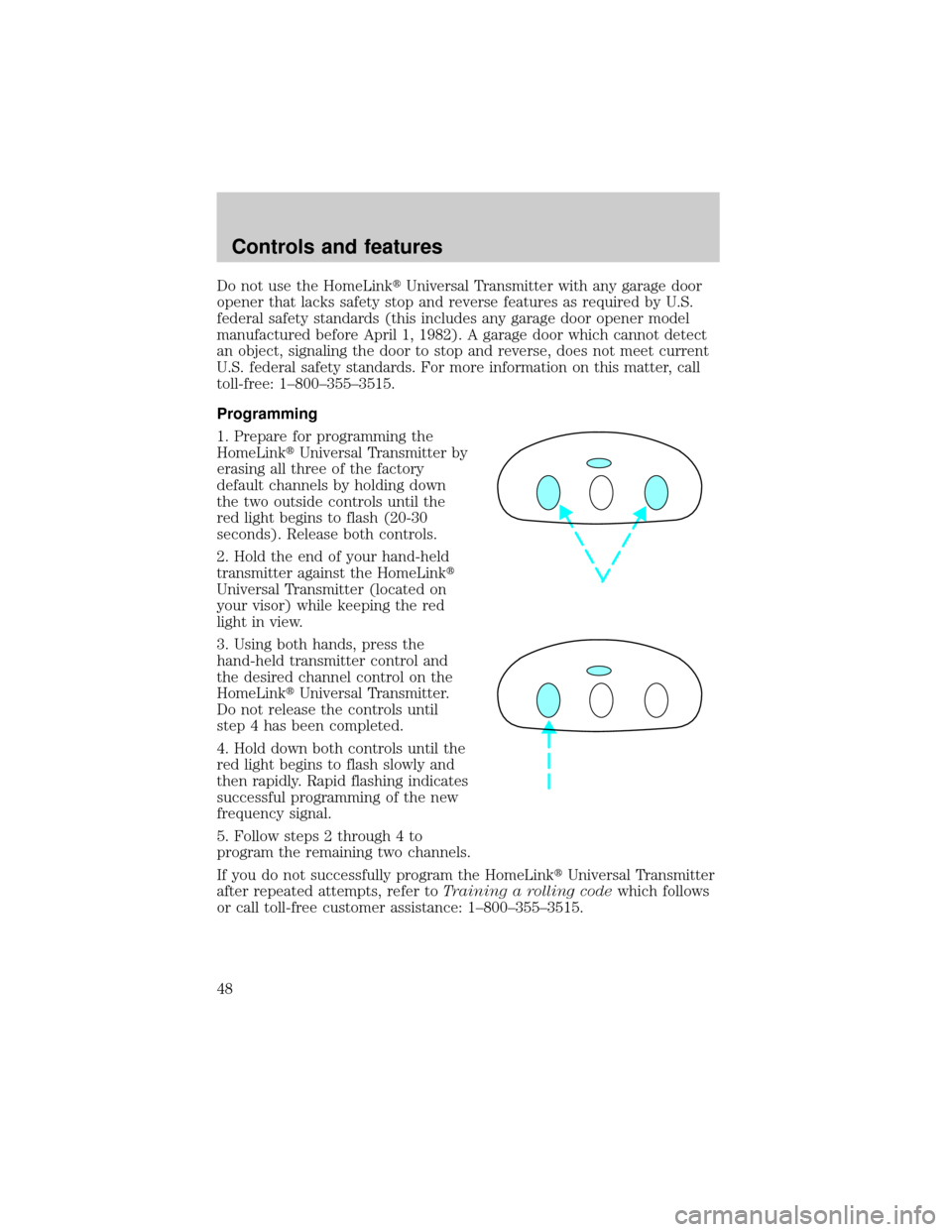
1. Prepare for programming the
HomeLinktUniversal Transmitter by
erasing all three of the factory
default channels by holding down
the two outside controls until the
red light begins to flash (20-30
seconds). Release both controls.
2. Hold the end of your hand-held
transmitter against the HomeLinkt
Universal Transmitter (located on
your visor) while keeping the red
light in view.
3. Using both hands, press the
hand-held transmitter control and
the desired channel control on the
HomeLinktUniversal Transmitter.
Do not release the controls until
step 4 has been completed.
4. Hold down both controls until the
red light begins to flash slowly and
then rapidly. Rapid flashing indicates
successful programming of the new
frequency signal.
5. Follow steps 2 through 4 to
program the remaining two channels.
If you do not successfully program the HomeLinktUniversal Transmitter
after repeated attempts, refer toTraining a rolling codewhich follows
or call toll-free customer assistance: 1±800±355±3515.
Controls and features
48
Page 48 of 170
Note to Canadian residents
During programming, your hand-held transmitter may automatically stop
transmitting after two seconds which may not be long enough to
program the HomeLinktUniversal Transmitter.
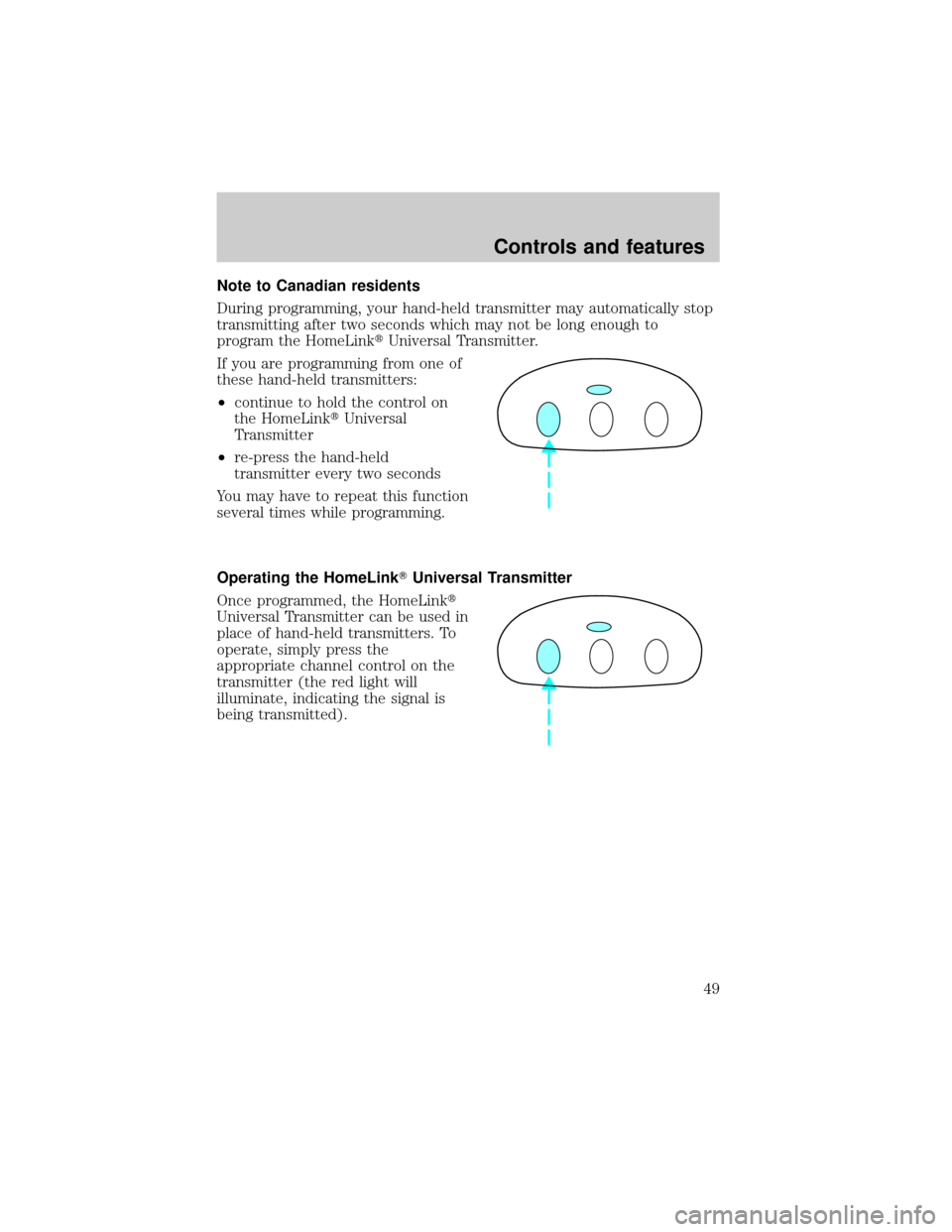
If you are programming from one of
these hand-held transmitters:
²continue to hold the control on
the HomeLinktUniversal
Transmitter
²re-press the hand-held
transmitter every two seconds
You may have to repeat this function
several times while programming.
Operating the HomeLinkTUniversal Transmitter
Once programmed, the HomeLinkt
Universal Transmitter can be used in
place of hand-held transmitters. To
operate, simply press the
appropriate channel control on the
transmitter (the red light will
illuminate, indicating the signal is
being transmitted).
Controls and features
49
Page 49 of 170
Training a rolling code system
Rolling code systems (garage door openers which are ªcode protectedº)
may be determined by the following:
²The hand-held transmitter appears to program the HomeLinkt
Universal Transmitter but does not activate the garage door.
²The garage door opener was manufactured after 1995.
Follow these steps to train a garage door with the rolling code feature:
1. Locate the training control on the garage door opener receiver. Refer
to the garage door opener manual or call 1±800±355±3515 if there is
difficulty locating the training control.
2. Press the training control on the garage door opener receiver until the
training light (next to the control) begins to flash (1-2 seconds).
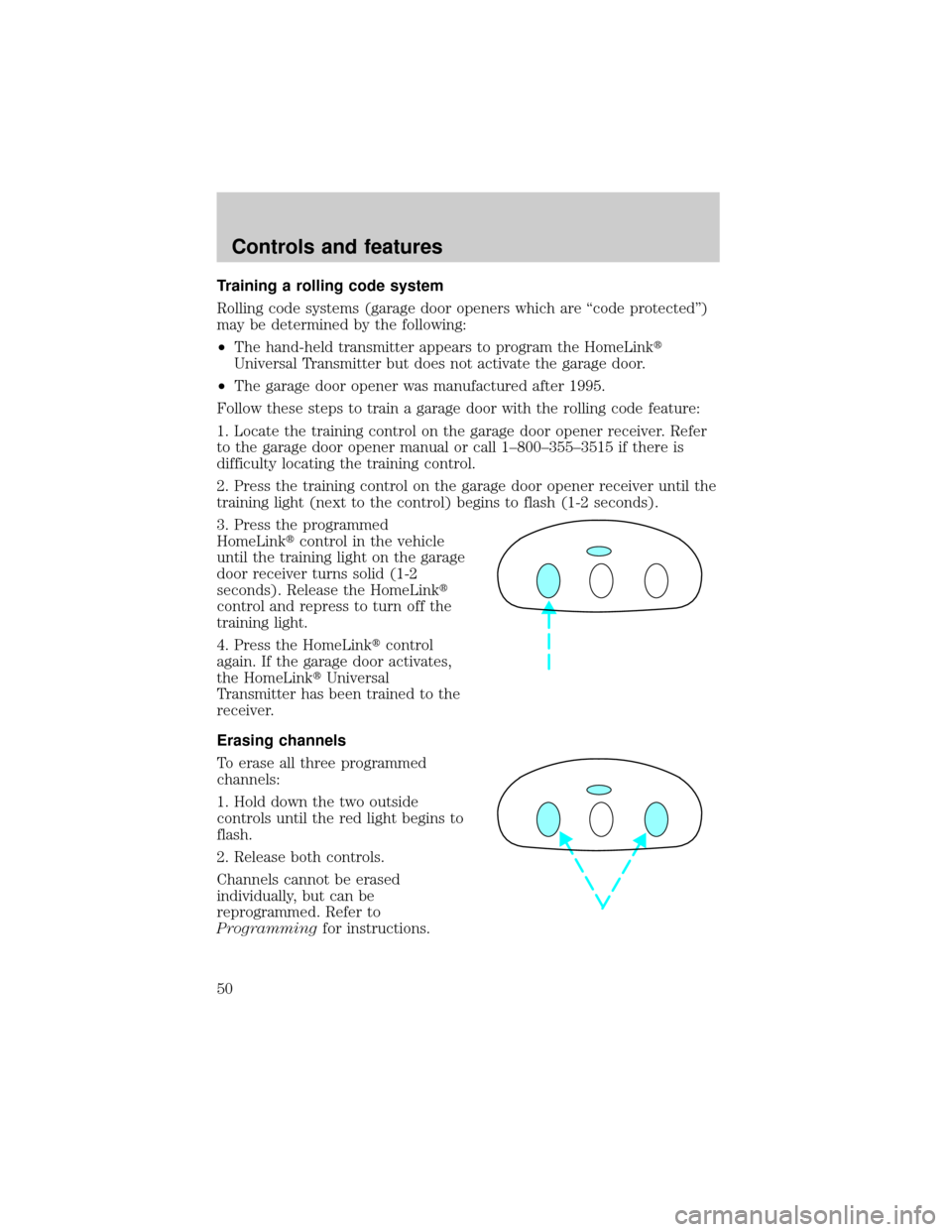
3. Press the programmed
HomeLinktcontrol in the vehicle
until the training light on the garage
door receiver turns solid (1-2
seconds). Release the HomeLinkt
control and repress to turn off the
training light.
4. Press the HomeLinktcontrol
again. If the garage door activates,
the HomeLinktUniversal
Transmitter has been trained to the
receiver.
Erasing channels
To erase all three programmed
channels:
1. Hold down the two outside
controls until the red light begins to
flash.
2. Release both controls.
Channels cannot be erased
individually, but can be
reprogrammed. Refer to
Programmingfor instructions.
Controls and features
50
Page 56 of 170
Auto save
Any change made by the driver to one or more of the above Personality
Memory settings will be updated and saved automatically. The display,
DRIVER 1 (or DRIVER 2) SETTING SAVED, will appear on the Message
Center for five seconds as a confirmation of the update to Personality
Memory.
If the driver does not use the remote entry transmitter or keyless entry
keypad to unlock the doors when entering the vehicle, or does not select
the Memory 1 or Memory 2, then any change to the Personality Memory
settings will not be automatically saved. Instead, the driver will be
prompted by the Message Center: ªIDENTIFY DRIVER TO SAVE.º Press
SELECT (located on the right side of the instrument cluster) to identify
yourself; otherwise, the new setting (and any subsequent changes) will
not be saved.
Turning Personality off
The Personality Memory feature can be turned off using the Memory
OFF control on the driver's door. The amber indicator will be lit when
the feature is turned off. Selecting either Memory 1 or Memory 2 will
turn on the Personality Memory feature and recall the saved settings.
When Personality is off, the vehicle will function normally. When
Personality is off and the driver tries to make a setting change, there will
be no prompts on the Message Center asking which driver to save the
setting to.
CENTER CONSOLE
Your vehicle is equipped with a variety of console features. These
include:
²utility compartment
²cupholders
²ashtray and lighter
²rear ashtray
Use only soft cups in the cupholder. Hard objects can injure you
in a collision.
Controls and features
57