light LINCOLN MKC 2017 Workshop Manual
[x] Cancel search | Manufacturer: LINCOLN, Model Year: 2017, Model line: MKC, Model: LINCOLN MKC 2017Pages: 538, PDF Size: 4.8 MB
Page 172 of 538
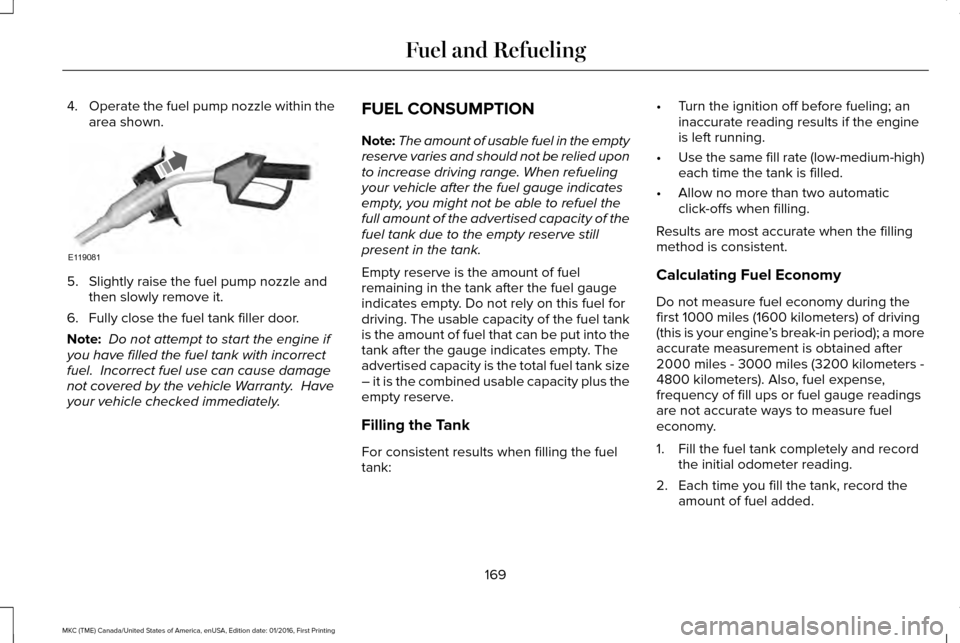
4.
Operate the fuel pump nozzle within the
area shown. 5. Slightly raise the fuel pump nozzle and
then slowly remove it.
6. Fully close the fuel tank filler door.
Note: Do not attempt to start the engine if
you have filled the fuel tank with incorrect
fuel. Incorrect fuel use can cause damage
not covered by the vehicle Warranty. Have
your vehicle checked immediately. FUEL CONSUMPTION
Note:
The amount of usable fuel in the empty
reserve varies and should not be relied upon
to increase driving range. When refueling
your vehicle after the fuel gauge indicates
empty, you might not be able to refuel the
full amount of the advertised capacity of the
fuel tank due to the empty reserve still
present in the tank.
Empty reserve is the amount of fuel
remaining in the tank after the fuel gauge
indicates empty. Do not rely on this fuel for
driving. The usable capacity of the fuel tank
is the amount of fuel that can be put into the
tank after the gauge indicates empty. The
advertised capacity is the total fuel tank size
– it is the combined usable capacity plus the
empty reserve.
Filling the Tank
For consistent results when filling the fuel
tank: •
Turn the ignition off before fueling; an
inaccurate reading results if the engine
is left running.
• Use the same fill rate (low-medium-high)
each time the tank is filled.
• Allow no more than two automatic
click-offs when filling.
Results are most accurate when the filling
method is consistent.
Calculating Fuel Economy
Do not measure fuel economy during the
first 1000 miles (1600 kilometers) of driving
(this is your engine ’s break-in period); a more
accurate measurement is obtained after
2000 miles - 3000 miles (3200 kilometers -
4800 kilometers). Also, fuel expense,
frequency of fill ups or fuel gauge readings
are not accurate ways to measure fuel
economy.
1. Fill the fuel tank completely and record the initial odometer reading.
2. Each time you fill the tank, record the amount of fuel added.
169
MKC (TME) Canada/United States of America, enUSA, Edition date: 01/2016, First Printing Fuel and RefuelingE119081
Page 173 of 538
3.
After at least three to five tank fill ups, fill
the fuel tank and record the current
odometer reading.
4. Subtract your initial odometer reading from the current odometer reading.
5. Calculate fuel economy by dividing miles
traveled by gallons used (For Metric:
Multiply liters used by 100, then divide
by kilometers traveled).
Keep a record for at least one month and
record the type of driving (city or highway).
This provides an accurate estimate of the
vehicle ’s fuel economy under current driving
conditions. Additionally, keeping records
during summer and winter show how
temperature impacts fuel economy. In
general, lower temperatures mean lower fuel
economy. EMISSION CONTROL SYSTEM WARNINGS
Do not park, idle, or drive your vehicle
in dry grass or other dry ground cover.
The emission system heats up the engine
compartment and exhaust system, which can
start a fire. Exhaust leaks may result in entry of
harmful and potentially lethal fumes
into the passenger compartment. If you smell
exhaust fumes inside your vehicle, have your
dealer inspect your vehicle immediately. Do
not drive if you smell exhaust fumes. Your vehicle is equipped with various
emission control components and a catalytic
converter that will enable your vehicle to
comply with applicable exhaust emission
standards. To make sure that the catalytic
converter and other emission control
components continue to work properly:
•
Use only the specified fuel listed.
• Avoid running out of fuel. •
Do not turn off the ignition while your
vehicle is moving, especially at high
speeds.
• Have the items listed in scheduled
maintenance information performed
according to the specified schedule.
The scheduled maintenance items listed in
scheduled maintenance information are
essential to the life and performance of your
vehicle and to its emissions system. See
Scheduled Maintenance (page 472).
If you use parts other than Ford, Motorcraft
or Ford-authorized parts for maintenance
replacements, or for service of components
affecting emission control, such non-Ford
parts should be the equivalent to genuine
Ford Motor Company parts in performance
and durability.
Illumination of the service engine soon
indicator, charging system warning light or
the temperature warning light, fluid leaks,
strange odors, smoke or loss of engine
power could indicate that the emission
control system is not working properly.
170
MKC (TME) Canada/United States of America, enUSA, Edition date: 01/2016, First Printing Fuel and Refueling
Page 176 of 538
AUTOMATIC TRANSMISSION
WARNINGS
Always set the parking brake fully and
make sure your vehicle is in park (P).
Turn the ignition off whenever you leave your
vehicle. Do not apply the brake pedal and
accelerator pedal simultaneously.
Applying both pedals simultaneously for
more than three seconds will limit engine
rpm, which may result in difficulty maintaining
speed in traffic and could lead to serious
injury. Push Button Shift Transmission
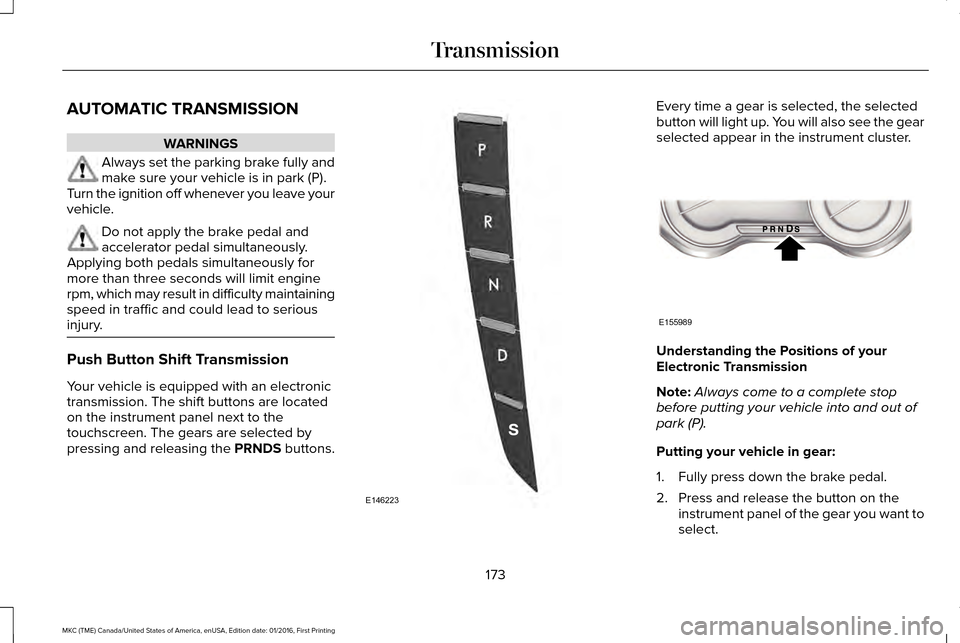
Your vehicle is equipped with an electronic
transmission. The shift buttons are located
on the instrument panel next to the
touchscreen. The gears are selected by
pressing and releasing the PRNDS buttons. Every time a gear is selected, the selected
button will light up. You will also see the gear
selected appear in the instrument cluster.
Understanding the Positions of your
Electronic Transmission
Note:
Always come to a complete stop
before putting your vehicle into and out of
park (P).
Putting your vehicle in gear:
1. Fully press down the brake pedal.
2. Press and release the button on the instrument panel of the gear you want to
select.
173
MKC (TME) Canada/United States of America, enUSA, Edition date: 01/2016, First Printing TransmissionE146223 E155989
Page 181 of 538
Automatic Transmission Adaptive
Learning
This feature increases durability and provides
consistent shift feel over the life of your
vehicle. A new vehicle or transmission may
have firm or soft shifts. This operation will
not affect function or durability of your
transmission and is normal. Over time, the
adaptive learning process will fully update
transmission operation. Additionally, the
strategy must be relearned whenever the
battery is disconnected or a new battery is
installed.
If Your Vehicle Gets Stuck In Mud or
Snow
Note:
Do not rock your vehicle if your engine
is not at normal operating temperature or
damage to your transmission may occur.
Note: Do not rock your vehicle for more than
a minute or damage to your transmission
and tires may occur, or your engine may
overheat. If your vehicle gets stuck in mud or snow,
you can help rock your vehicle out by shifting
between forward and reverse gears,
stopping between shifts in a steady pattern.
Press lightly on the accelerator in each gear.
178
MKC (TME) Canada/United States of America, enUSA, Edition date: 01/2016, First Printing Transmission
Page 184 of 538
To resume operation, switch the ignition off
and allow the system to cool down for a
minimum of 15 minutes. After the system has
cooled down, you will see a brief message
display in the information display. See
Information Messages (page 114).
When driving at slow speeds in deep sand
under high outside temperatures, use a low
gear when possible. Low gear operation will
maximize the engine and transmission
cooling capability.
Tips when driving over sand:
• Keep all four wheels on the most solid
area of the trail.
• Shift to a lower gear.
• Apply the accelerator slowly.
• Drive steadily through the terrain.
• Avoid excessive wheel spin.
• Avoid reducing the tire pressures. Mud and Water
Mud
Avoid sudden changes in vehicle speed or
direction when you are driving in mud. Even
all-wheel drive vehicles can lose traction in
mud. If your vehicle does slide, steer in the
direction of the slide until you regain control
of your vehicle.
After driving through mud, clean off excess
mud stuck to rotating driveshafts and tires.
Excess mud stuck on tires and rotating
driveshafts can cause an imbalance that
could damage drive components.
Water
Drive slowly through high water. Traction or
brake capability may be limited.
When driving through water, determine the
depth and avoid water higher than the
bottom of the wheel rims. If the ignition
system gets wet, your vehicle may stall. Once through water, always try the brakes.
Wet brakes will not stop your vehicle as
quickly as dry brakes. Apply light pressure
to the brake pedal while slowly moving the
vehicle to dry the brakes.
Note:
Driving through deep water may
damage the transmission. If the front or rear
axle is submerged in water, have the power
transfer unit (PTU) or rear axle serviced by
an authorized dealer.
Driving on Hilly or Sloping Terrain
Although natural obstacles may make it
necessary to travel diagonally up or down a
hill or steep incline, always try to drive
straight up or straight down the sloping
terrain.
Note: To maintain traction and avoid
possibly rolling your vehicle, avoid turning
on steep slopes or hills. When you drive on
a hill, determine beforehand the route you
will use. Do not drive over a hill without first
seeing what is on the other side. Do not drive
in reverse over a hill without the aid of an
observer.
181
MKC (TME) Canada/United States of America, enUSA, Edition date: 01/2016, First Printing All-Wheel Drive
(If Equipped)
Page 186 of 538
Make sure that you allow sufficient distance
between your vehicle and other vehicles for
stopping. On ice and snow, you should drive
more slowly than usual, and consider using
one of the lower gears. In emergency
stopping situations, steadily apply the brake.
Your vehicle has a four wheel anti-lock brake
system, do not pump the brake pedal. See
Hints on Driving With Anti-Lock Brakes
(page
184).
If Your Vehicle Gets Stuck In Mud or Snow
If your vehicle becomes stuck in mud or
snow, shift between forward and reverse
gears, and, in a steady pattern, stop between
shifts. Press lightly on the accelerator with
each shift. Rocking your vehicle this way may
dislodge your vehicle.
Note: Do not rock your vehicle if the engine
is not at normal operating temperature,
damage to the transmission may occur.
Note: Do not rock your vehicle for more than
a minute, damage to the transmission and
tires may occur or the engine may overheat. Maintenance and Modifications
The suspension and steering systems on
your vehicle provides predictable
performance whether your vehicle is loaded
or empty. For this reason, we recommend
that you do not make modifications to your
vehicle (lift kits or stabilizer bars) or use
replacement parts not equivalent to the
original factory equipment.
We recommend that you use caution when
your vehicle has either a high load or device
(ladder or luggage racks). Modifications to
your vehicle that raise the center of gravity
may cause your vehicle to tip if you should
lose vehicle control.
Failure to maintain your vehicle correctly may
void the warranty, increase your repair cost,
reduce vehicle performance and operational
capabilities, and adversely affect you and
your passenger's safety. We recommend that
you frequently inspect your vehicle's chassis
components if your vehicle is subject to
off-road use.
183
MKC (TME) Canada/United States of America, enUSA, Edition date: 01/2016, First Printing All-Wheel Drive
(If Equipped)
Page 187 of 538
GENERAL INFORMATION
Note:
Occasional brake noise is normal. If a
metal-to-metal, continuous grinding or
continuous squeal sound is present, the
brake linings may be worn-out. Have the
system checked by an authorized dealer. If
your vehicle has continuous vibration or
shudder in the steering wheel while braking,
have it checked by an authorized dealer.
Note: Brake dust may accumulate on the
wheels, even under normal driving
conditions. Some dust is inevitable as the
brakes wear and does not contribute to
brake noise. See Cleaning the Alloy Wheels
(page 312).
Note: Depending on applicable laws and
regulations in the country for which your
vehicle was originally built, your brake lamps
may flash during heavy braking. Following
this, your hazard lights may also flash when
your vehicle comes to a stop. See
Warning Lamps and
Indicators (page 103). Wet brakes result in reduced braking
efficiency. Gently press the brake pedal a
few times when driving from a car wash or
standing water to dry the brakes.
Brake Over Accelerator
In the event the accelerator pedal becomes
stuck or entrapped, apply steady and firm
pressure to the brake pedal to slow the
vehicle and reduce engine power. If you
experience this condition, apply the brakes
and bring your vehicle to a safe stop. Move
the transmission to park (P), switch the
engine off and apply the parking brake.
Inspect the accelerator pedal for any
interference. If none are found and the
condition persists, have your vehicle towed
to the nearest authorized dealer.
Brake Assist
Brake assist detects when you brake rapidly
by measuring the rate at which you press the
brake pedal. It provides maximum braking
efficiency as long as you press the pedal,
and can reduce stopping distances in critical
situations. Anti-lock Brake System
This system helps you maintain steering
control during emergency stops by keeping
the brakes from locking. This lamp momentarily illuminates
when you turn the ignition on. If
the light does not illuminate during
start up, remains on or flashes, the system
may be disabled. Have the system checked
by an authorized dealer. If the anti-lock brake
system is disabled, normal braking is still
effective. If the brake warning lamp
illuminates when you release the
parking brake, have the system
checked by an authorized dealer.
HINTS ON DRIVING WITH ANTI-
LOCK BRAKES
Note: When the system is operating, the
brake pedal may pulse and may travel
further. Maintain pressure on the brake
pedal. You may also hear a noise from the
system. This is normal.
184
MKC (TME) Canada/United States of America, enUSA, Edition date: 01/2016, First Printing BrakesE144522 E144522
Page 189 of 538
Applying the electric parking brake
when the vehicle is moving
WARNINGS
Applying the electric parking brake
while moving will result in use of the
anti-lock braking system. Do not use the
electric parking brake system when the
vehicle is moving unless the normal brake
system is unable to stop the vehicle. With the exception of emergency
conditions (for example, the brake
pedal does not work or is blocked), do not
apply the electric parking brake while the
vehicle is moving. On bends, or poor road
surfaces or weather conditions, emergency
braking can cause the vehicle to skid out of
control or off the road. If you apply the electric parking brake when
your vehicle is moving, the brake system
warning lamp will illuminate and a warning
chime will sound. See Instrument Cluster
(page 101). If your vehicle speed is above 4 mph (6
km/h), the braking force is applied as long
as the switch is applied. Release or press the
switch or press the accelerator pedal to stop
the braking force.
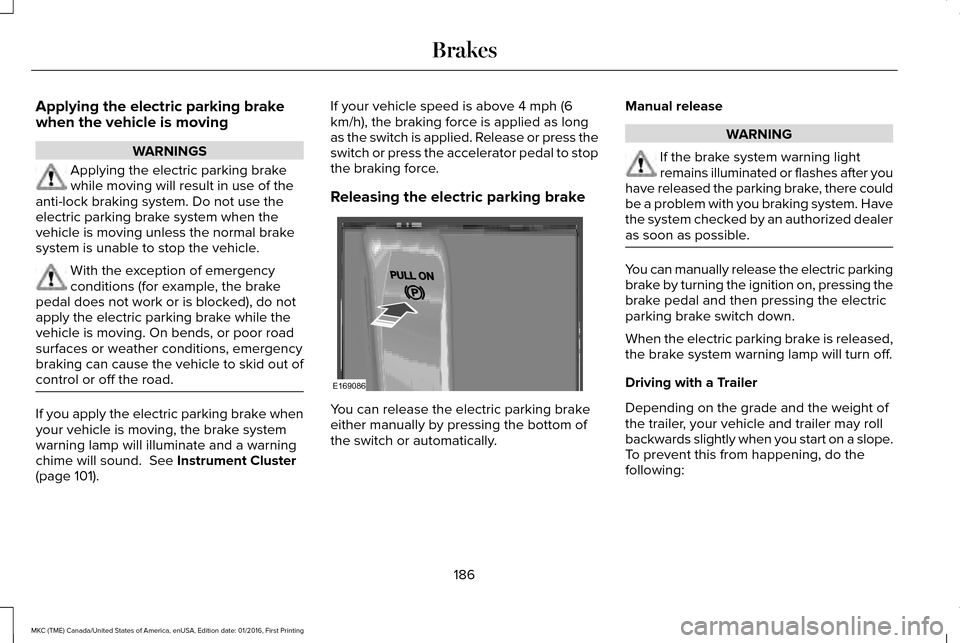
Releasing the electric parking brake
You can release the electric parking brake
either manually by pressing the bottom of
the switch or automatically.Manual release WARNING
If the brake system warning light
remains illuminated or flashes after you
have released the parking brake, there could
be a problem with you braking system. Have
the system checked by an authorized dealer
as soon as possible. You can manually release the electric parking
brake by turning the ignition on, pressing the
brake pedal and then pressing the electric
parking brake switch down.
When the electric parking brake is released,
the brake system warning lamp will turn off.
Driving with a Trailer
Depending on the grade and the weight of
the trailer, your vehicle and trailer may roll
backwards slightly when you start on a slope.
To prevent this from happening, do the
following:
186
MKC (TME) Canada/United States of America, enUSA, Edition date: 01/2016, First Printing BrakesE169086
Page 190 of 538
1.
Pull the switch and hold it in this position.
2. Drive your vehicle, then release the switch when you notice that the engine
has developed sufficient driving force.
Automatic release - drive away release
Your vehicle will automatically release the
parking brake if all of the following conditions
exist:
• The driver door is closed.
• The vehicle is accelerated.
• There are no faults detected in the
parking brake system.
Note: The driver door must be closed and
the driver safety belt must be fastened
before this feature will operate.
Note: If the electric parking brake warning
lamp stays illuminated, the electric parking
brake will not automatically release. You
must release the electric parking brake using
the electric parking brake switch.
Note: The engine must be running and the
accelerator pedal must be pressed before
the drive away release feature will operate. The brake system warning lamp will go off
to confirm that the electric parking brake has
been released.
Note:
The electric parking brake drive away
release makes starting on a hill easier. This
feature will release the parking brake
automatically when the vehicle has sufficient
drive force to move up the hill. To assure
drive away release when starting uphill,
press the accelerator pedal quickly.
Battery With No Charge WARNING
You will not be able to apply or release
the electric parking brake if the battery
is low or has no charge. If the battery is low or has no charge, use
jumper cables and a booster battery.AUTO HOLD WARNINGS
The system does not replace the
parking brake. When you leave your
vehicle, always apply the parking brake. You must remain in your vehicle when
the system turns on. At all times, you
are responsible for controlling your vehicle,
supervising the system and intervening, if
required. Failure to take care may result in
the loss of control of your vehicle, serious
personal injury or death. The system will turn off if a malfunction
is apparent. Failure to take care may
result in the loss of control of your vehicle,
serious personal injury or death. Auto Hold is a feature that uses your
vehicle's brake to hold your vehicle at a stop
once your vehicle has reached a standstill
condition. For example, Auto Hold can assist
you while stopping at traffic lights or while
in traffic jams by holding the brake pressure
for you once you bring your vehicle to a stop.
187
MKC (TME) Canada/United States of America, enUSA, Edition date: 01/2016, First Printing Brakes
Page 191 of 538
Switch Auto Hold off during vehicle or trailer
towing.
Note:
In case of a malfunction in the system
while Auto Hold actively holds the vehicle
(for example, low power supply), a message
appears in the information display. If you see
this message, press the brake pedal
immediately.
Note: Auto Hold only activates if the system
recognizes it is applying enough brake
pressure. On a steep hill or incline, you may
need to press the brake pedal to activate
the Auto Hold system.
Note: When the parking brake automatically
applies, the red brake lamp appears. This is
normal. When you press the accelerator
pedal, the drive away release feature
automatically releases the parking brake.
Note: Auto Hold works on all road gradients
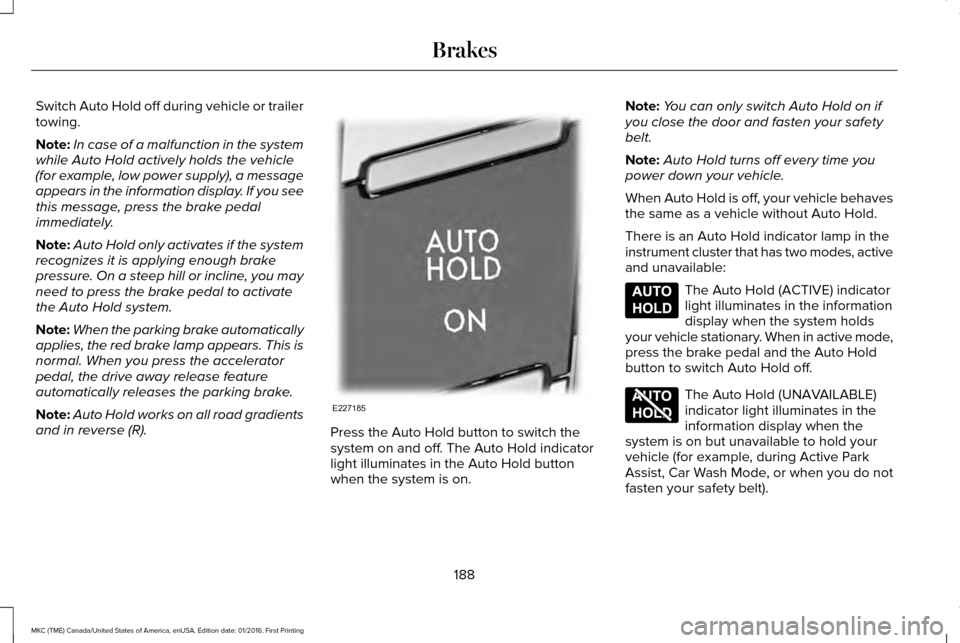
and in reverse (R). Press the Auto Hold button to switch the
system on and off. The Auto Hold indicator
light illuminates in the Auto Hold button
when the system is on.Note:
You can only switch Auto Hold on if
you close the door and fasten your safety
belt.
Note: Auto Hold turns off every time you
power down your vehicle.
When Auto Hold is off, your vehicle behaves
the same as a vehicle without Auto Hold.
There is an Auto Hold indicator lamp in the
instrument cluster that has two modes, active
and unavailable: The Auto Hold (ACTIVE) indicator
light illuminates in the information
display when the system holds
your vehicle stationary. When in active mode,
press the brake pedal and the Auto Hold
button to switch Auto Hold off. The Auto Hold (UNAVAILABLE)
indicator light illuminates in the
information display when the
system is on but unavailable to hold your
vehicle (for example, during Active Park
Assist, Car Wash Mode, or when you do not
fasten your safety belt).
188
MKC (TME) Canada/United States of America, enUSA, Edition date: 01/2016, First Printing BrakesE227185 E197933 E197934