lock LINCOLN MKC 2018 Workshop Manual
[x] Cancel search | Manufacturer: LINCOLN, Model Year: 2018, Model line: MKC, Model: LINCOLN MKC 2018Pages: 571, PDF Size: 4.39 MB
Page 179 of 571
3. The gearshift button you select willilluminate and the selected gear willappear in the instrument cluster.
4. Release the brake pedal and yourtransmission will remain in the selectedgear.
Note:If you attempt to leave your vehiclewhile it is in gear, the vehicle willautomatically shift into park (P). Safety beltand door monitors determine your intent andmake the shift for you. During this time, amessage will appear in the informationdisplay screen prompting you to make theshift.
Note:To put your vehicle in gear with thedoor open, perform steps 1-4. See theAutomatic Return to Park section in thischapter for more information on this feature.
Park (P)
With the transmission in park (P), your vehiclelocks the transmission and prevents the frontwheels from turning. Always come to acomplete stop before putting your vehicleinto and out of park (P). An audible chimesounds once you select park (P).
When the ignition is turned off, the vehiclewill automatically shift into park (P). If theignition is turned off while the vehicle ismoving, it will first shift into neutral (N) untila slow enough speed is reached. The vehiclewill then shift into park (P) automatically.
Automatic Return to Park
Note:This feature will not operate when yourvehicle is in Stay in Neutral mode or neutraltow.
Your vehicle has a safety feature that willautomatically shift your vehicle into park (P)when any of the following conditions occur:
•You turn the ignition off
•You open the driver's door with yoursafety belt unlatched
•Your safety belt is unlatched while thedriver's door is open
If you turn the ignition off while your vehicleis moving, your vehicle will first shift intoneutral (N) until it slows down enough to shiftinto park (P) automatically.
Note:If you have waited an extended periodof time, (2-15 minutes) before starting yourvehicle, unlatching your safety belt will causethis feature to activate, even with the driver'sdoor closed.
Note:This feature may not work properly ifthe door ajar switch is malfunctioning. If yourdoor ajar indicator does not illuminate whenyou open the driver’s door or the indicatorilluminates with the driver’s door closed, seeyour authorized dealer.
Reverse (R)
With the transmission in reverse (R), yourvehicle will move backward. Always cometo a complete stop before shifting into andout of reverse (R).
Neutral (N)
With the transmission in neutral (N), you canstart your vehicle and it is free to roll. Holdthe brake pedal down while in this position.
176
MKC (TME) Canada/United States of America, JJ7J 19A321 AA enUSA, Edition date: 201707, Second Printing
Transmission
Page 181 of 571
Upshifts when accelerating (recommended for best fuel economy)
mph (km/h)Gear Upshift
ToFrom
15 mph (24 km/h)21
25 mph (40 km/h)32
40 mph (64 km/h)43
45 mph (72 km/h)54
50 mph (80 km/h)65
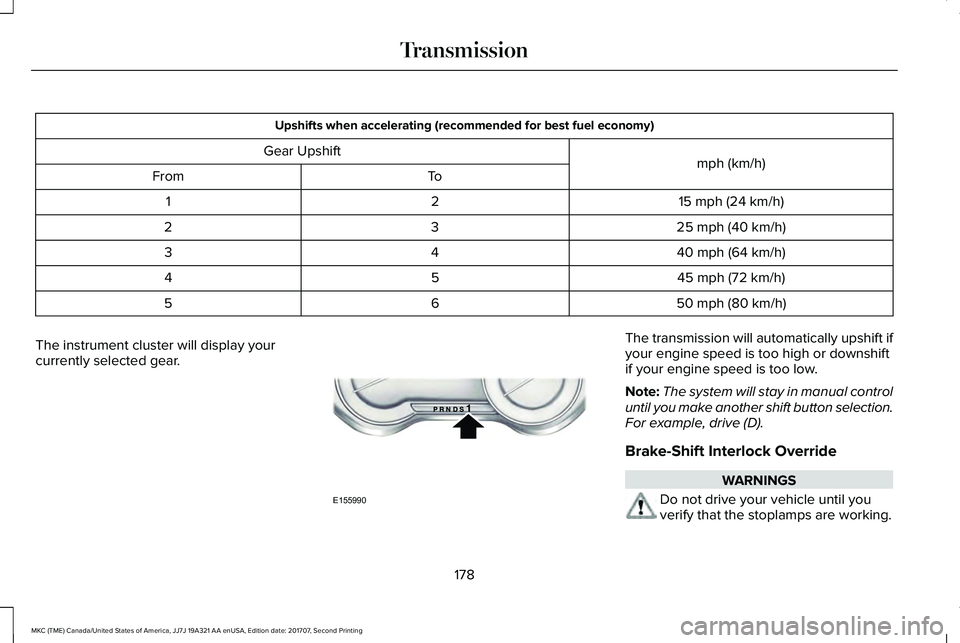
The instrument cluster will display yourcurrently selected gear.
The transmission will automatically upshift ifyour engine speed is too high or downshiftif your engine speed is too low.
Note:The system will stay in manual controluntil you make another shift button selection.For example, drive (D).
Brake-Shift Interlock Override
WARNINGS
Do not drive your vehicle until youverify that the stoplamps are working.
178
MKC (TME) Canada/United States of America, JJ7J 19A321 AA enUSA, Edition date: 201707, Second Printing
TransmissionE155990
Page 182 of 571
WARNINGS
When doing this procedure, you needto take the transmission out of park (P)which means your vehicle can roll freely. Toavoid unwanted vehicle movement, alwaysfully apply the parking brake prior to doingthis procedure. Use wheels chocks ifappropriate.
If the parking brake is fully released,but the brake warning lamp remainsilluminated, the brakes may not be workingproperly. Have your vehicle checked as soonas possible.
Note:See your authorized dealer as soonas possible if this procedure is used.
Note:For some markets this feature isdisabled.
Note:This feature will only function if your12-volt battery has power. If vehicle batteryvoltage is not sufficient, an external 12-voltpower source (for example, jumper cables,battery charger or jump pack) may berequired to function the interlock overrideswitch.
Use the brake-shift interlock override tomove your transmission from the parkposition in the event of an electricalmalfunction. If your vehicle has a deadbattery, an external power source will berequired.
1. Apply the parking brake and turn yourignition off before performing thisprocedure.
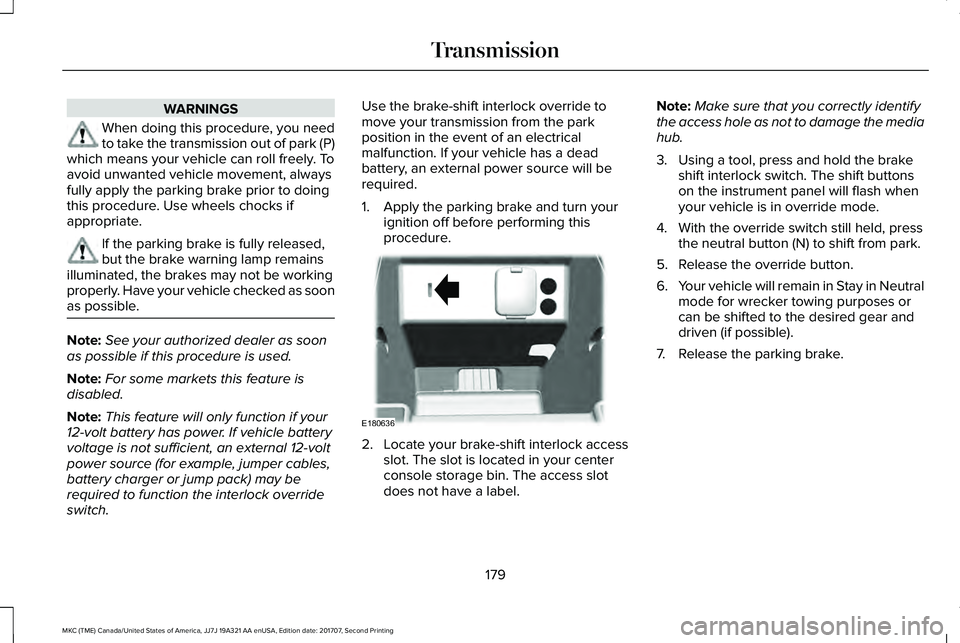
2. Locate your brake-shift interlock accessslot. The slot is located in your centerconsole storage bin. The access slotdoes not have a label.
Note:Make sure that you correctly identifythe access hole as not to damage the mediahub.
3. Using a tool, press and hold the brakeshift interlock switch. The shift buttonson the instrument panel will flash whenyour vehicle is in override mode.
4. With the override switch still held, pressthe neutral button (N) to shift from park.
5. Release the override button.
6.Your vehicle will remain in Stay in Neutralmode for wrecker towing purposes orcan be shifted to the desired gear anddriven (if possible).
7. Release the parking brake.
179
MKC (TME) Canada/United States of America, JJ7J 19A321 AA enUSA, Edition date: 201707, Second Printing
TransmissionE180636
Page 187 of 571
Start climbing a steep slope or hill in a lowgear rather than downshifting to a low gearfrom a high gear after you have started yourclimb. This reduces strain on the engine andthe possibility of stalling.
If your vehicle stalls, do not try to turnaround. Turning could cause the vehicle toroll over. Instead, reverse back to a safelocation.
Apply just enough power to the wheels toclimb the hill. Too much power will cause thetires to slip, spin or lose traction, and youcould lose control of your vehicle.
To avoid brake overheating, come down ahill in the same gear you used to go up thehill. Do not come down in neutral. Move thetransmission selector lever to a lower gear.When descending a steep hill, avoid suddenhard braking to keep the front wheels rollingand to maintain your vehicle's steering.
Your vehicle has anti-lock brakes. Apply thebrakes steadily. Do not pump the brakepedal.
Driving on Snow and Ice
WARNING
If you are driving in slippery conditionsthat require tire chains or cables, thenit is critical that you drive cautiously. Keepspeeds down, allow for longer stoppingdistances and avoid aggressive steering toreduce the chances of a loss of vehiclecontrol which can lead to serious injury ordeath. If the rear end of your vehicle slideswhile cornering, steer in the direction of theslide until you regain control of your vehicle.
Note:Excessive tire slippage can causetransmission damage.
In snow and ice, all-wheel drive vehicles haveadvantages over two-wheel drive vehiclesbut can still skid. When driving on snowy oricy roads, should you start to slide, turn thesteering wheel in the direction of the slideuntil you regain control.
On snow and ice, avoid suddenly applyingpower and avoid quick change of direction.Apply the accelerator slowly and steadilywhen starting from a stop.
Avoid sudden braking. An all-wheel drivevehicle may accelerate better than atwo-wheel drive vehicle in snow and ice.However, an all-wheel drive vehicle will notstop any faster, as braking occurs at all fourwheels. Do not become overconfident toroad conditions.
184
MKC (TME) Canada/United States of America, JJ7J 19A321 AA enUSA, Edition date: 201707, Second Printing
All-Wheel Drive (If Equipped)E143949
Page 188 of 571
Make sure that you allow sufficient distancebetween your vehicle and other vehicles forstopping. On ice and snow, you should drivemore slowly than usual, and consider usingone of the lower gears. In emergencystopping situations, steadily apply the brake.Your vehicle has a four wheel anti-lock brakesystem, do not pump the brake pedal. SeeHints on Driving With Anti-Lock Brakes(page 187).
If Your Vehicle Gets Stuck In Mud or Snow
If your vehicle becomes stuck in mud orsnow, shift between forward and reversegears, and, in a steady pattern, stop betweenshifts. Press lightly on the accelerator witheach shift. Rocking your vehicle this way maydislodge your vehicle.
Note:Do not rock your vehicle if the engineis not at normal operating temperature,damage to the transmission may occur.
Note:Do not rock your vehicle for more thana minute, damage to the transmission andtires may occur or the engine may overheat.
Maintenance and Modifications
The suspension and steering systems onyour vehicle provides predictableperformance whether your vehicle is loadedor empty. For this reason, we recommendthat you do not make modifications to yourvehicle (lift kits or stabilizer bars) or usereplacement parts not equivalent to theoriginal factory equipment.
We recommend that you use caution whenyour vehicle has either a high load or device(ladder or luggage racks). Modifications toyour vehicle that raise the center of gravitymay cause your vehicle to tip if you shouldlose vehicle control.
Failure to maintain your vehicle correctly mayvoid the warranty, increase your repair cost,reduce vehicle performance and operationalcapabilities, and adversely affect you andyour passenger's safety. We recommend thatyou frequently inspect your vehicle's chassiscomponents if your vehicle is subject tooff-road use.
185
MKC (TME) Canada/United States of America, JJ7J 19A321 AA enUSA, Edition date: 201707, Second Printing
All-Wheel Drive (If Equipped)
Page 189 of 571
GENERAL INFORMATION
Note: Occasional brake noise is normal. Ifa metal-to-metal, continuous grinding orcontinuous squeal sound is present, thebrake linings may be worn-out and anauthorized dealer should check them. If thevehicle has continuous vibration or shudderin the steering wheel while braking, anauthorized dealer should check your vehicle.
Note:Brake dust may accumulate on thewheels, even under normal drivingconditions. Some dust is inevitable as thebrakes wear and does not contribute tobrake noise. See Cleaning the Wheels(page 312).
See Warning Lamps andIndicators (page 104).
Wet brakes result in reduced brakingefficiency. Gently press the brake pedal afew times when driving from a car wash orstanding water to dry the brakes.
Brake Over Accelerator
In the event the accelerator pedal becomesstuck or entrapped, apply steady and firmpressure to the brake pedal to slow thevehicle and reduce engine power. If youexperience this condition, apply the brakesand bring your vehicle to a safe stop. Switchthe engine off, move the transmission to park(P) and apply the parking brake. Inspect theaccelerator pedal and the area around it forany items or debris that may be obstructingits movement.If none are found and thecondition persists, have your vehicle towedto the nearest authorized dealer.
Emergency Brake Assist
Emergency brake assist detects when youbrake heavily by measuring the rate at whichyou press the brake pedal. It providesmaximum braking efficiency as long as youpress the pedal. Emergency brake assistcan reduce stopping distances in criticalsituations.
Anti-lock Brake System
This system helps you maintain steeringcontrol during emergency stops by keepingthe brakes from locking.
This lamp momentarily illuminateswhen you switch the ignition on. Ifthe light does not illuminate duringstart up, remains on or flashes, the anti-lockbraking system may be disabled. Have thesystem checked by an authorized dealer. Ifthe anti-lock brake system is disabled,normal braking is still effective.
If the brake warning lampilluminates with the parking brakereleased, have your brake systemserviced immediately.
It also illuminates momentarily when youswitch the ignition on to confirm the lamp isfunctional. If it does not illuminate when youswitch the ignition on, or begins to flash atany time, have the system checked by anauthorized dealer.
186
MKC (TME) Canada/United States of America, JJ7J 19A321 AA enUSA, Edition date: 201707, Second Printing
BrakesE138644 E138644
Page 190 of 571
HINTS ON DRIVING WITH ANTI-
LOCK BRAKES
The anti-lock braking system does noteliminate the risks when:
•You drive too closely to the vehicle infront of you.
•Your vehicle is hydroplaning.
•You take corners too fast.
•The road surface is poor.
Note: If the system activates, the brakepedal may pulse and may travel further. Maintain pressure on the brake pedal. Youmay also hear a noise from the system. Thisis normal.
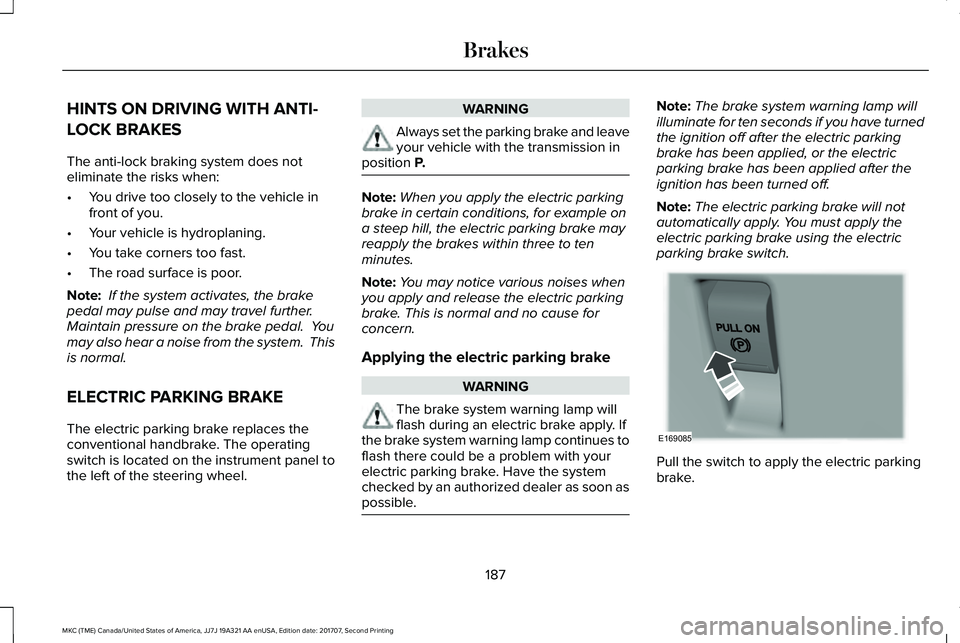
ELECTRIC PARKING BRAKE
The electric parking brake replaces theconventional handbrake. The operatingswitch is located on the instrument panel tothe left of the steering wheel.
WARNING
Always set the parking brake and leaveyour vehicle with the transmission inposition P.
Note:When you apply the electric parkingbrake in certain conditions, for example ona steep hill, the electric parking brake mayreapply the brakes within three to tenminutes.
Note:You may notice various noises whenyou apply and release the electric parkingbrake. This is normal and no cause forconcern.
Applying the electric parking brake
WARNING
The brake system warning lamp willflash during an electric brake apply. Ifthe brake system warning lamp continues toflash there could be a problem with yourelectric parking brake. Have the systemchecked by an authorized dealer as soon aspossible.
Note:The brake system warning lamp willilluminate for ten seconds if you have turnedthe ignition off after the electric parkingbrake has been applied, or the electricparking brake has been applied after theignition has been turned off.
Note:The electric parking brake will notautomatically apply. You must apply theelectric parking brake using the electricparking brake switch.
Pull the switch to apply the electric parkingbrake.
187
MKC (TME) Canada/United States of America, JJ7J 19A321 AA enUSA, Edition date: 201707, Second Printing
BrakesE169085
Page 191 of 571
The brake system warning lamp will flash forapproximately 2 seconds then illuminate toconfirm that the electric parking brake hasbeen applied. See Instrument Cluster (page103).
Applying the electric parking brake
when the vehicle is moving
WARNINGS
Applying the electric parking brakewhile moving will result in use of theanti-lock braking system. Do not use theelectric parking brake system when thevehicle is moving unless the normal brakesystem is unable to stop the vehicle.
With the exception of emergencyconditions (for example, the brakepedal does not work or is blocked), do notapply the electric parking brake while thevehicle is moving. On bends, or poor roadsurfaces or weather conditions, emergencybraking can cause the vehicle to skid out ofcontrol or off the road.
If you apply the electric parking brake whenyour vehicle is moving, the brake systemwarning lamp will illuminate and a warningchime will sound. See Instrument Cluster(page 103).
If your vehicle speed is above 4 mph (6km/h), the braking force is applied as longas the switch is applied. Release or press theswitch or press the accelerator pedal to stopthe braking force.
Releasing the electric parking brake
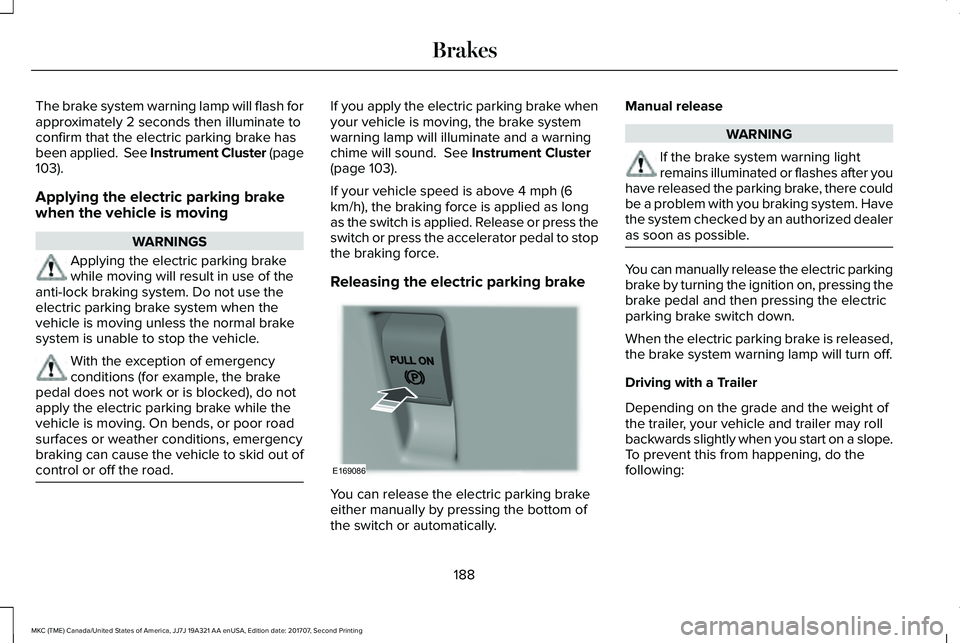
You can release the electric parking brakeeither manually by pressing the bottom ofthe switch or automatically.
Manual release
WARNING
If the brake system warning lightremains illuminated or flashes after youhave released the parking brake, there couldbe a problem with you braking system. Havethe system checked by an authorized dealeras soon as possible.
You can manually release the electric parkingbrake by turning the ignition on, pressing thebrake pedal and then pressing the electricparking brake switch down.
When the electric parking brake is released,the brake system warning lamp will turn off.
Driving with a Trailer
Depending on the grade and the weight ofthe trailer, your vehicle and trailer may rollbackwards slightly when you start on a slope.To prevent this from happening, do thefollowing:
188
MKC (TME) Canada/United States of America, JJ7J 19A321 AA enUSA, Edition date: 201707, Second Printing
BrakesE169086
Page 200 of 571
PRINCIPLE OF OPERATION
WARNINGS
To help avoid personal injury, alwaysuse caution when in reverse (R) andwhen using the sensing system.
The system may not detect objectswith surfaces that absorb reflection.Always drive with due care and attention.Failure to take care may result in a crash.
Traffic control systems, inclementweather, air brakes, external motorsand fans may affect the correct operation ofthe sensing system.This may cause reducedperformance or false alerts.
The system may not detect small ormoving objects, particularly those closeto the ground.
Note:If your vehicle is equipped withMyKey™, the sensing system cannot beturned off when a MyKey™ is present. SeePrinciple of Operation (page 59).
Note:Keep the sensors, located on thebumper or fascia, free from snow, ice andlarge accumulations of dirt. If the sensorsare covered, the system’s accuracy can beaffected. Do not clean the sensors with sharpobjects.
Note:If your vehicle sustains damage to thebumper or fascia, leaving it misaligned orbent, the sensing zone may be alteredcausing inaccurate measurement ofobstacles or false alerts.
Note:Certain add-on devices installedaround the bumper or fascia may createfalse alerts. For example, large trailerhitches, bike or surfboard racks, license platebrackets, bumper covers or any other devicethat may block the normal detection zoneof the system. Remove the add-on device toprevent false alerts.
Note:When a trailer is connected to yourvehicle, the rear parking aid may detect thetrailer and therefore provide an alert. Disablethe rear parking aid when a trailer isconnected to prevent the alert.
The sensing system warns the driver ofobstacles within a certain range of yourvehicle. The system turns on automaticallywhenever you switch the ignition on.
The system can be switched off through theinformation display menu or from the pop-upmessage that appears once you shift thetransmission into reverse (R). See GeneralInformation (page 109).
If a fault is present in the system, a warningmessage appears in the information display.See Information Messages (page 114).
REAR PARKING AID
The rear sensors are only active when thetransmission is in reverse (R). As your vehiclemoves closer to the obstacle, the rate of theaudible warning increases. When theobstacle is less than 12 in (30 cm) away, thewarning sounds continuously. If the systemdetects a stationary or receding objectfarther than 12 in (30 cm) from the corners ofthe bumper, the tone sounds for only threeseconds. Once the system detects an objectapproaching, the warning sounds again.
197
MKC (TME) Canada/United States of America, JJ7J 19A321 AA enUSA, Edition date: 201707, Second Printing
Parking Aids
Page 206 of 571
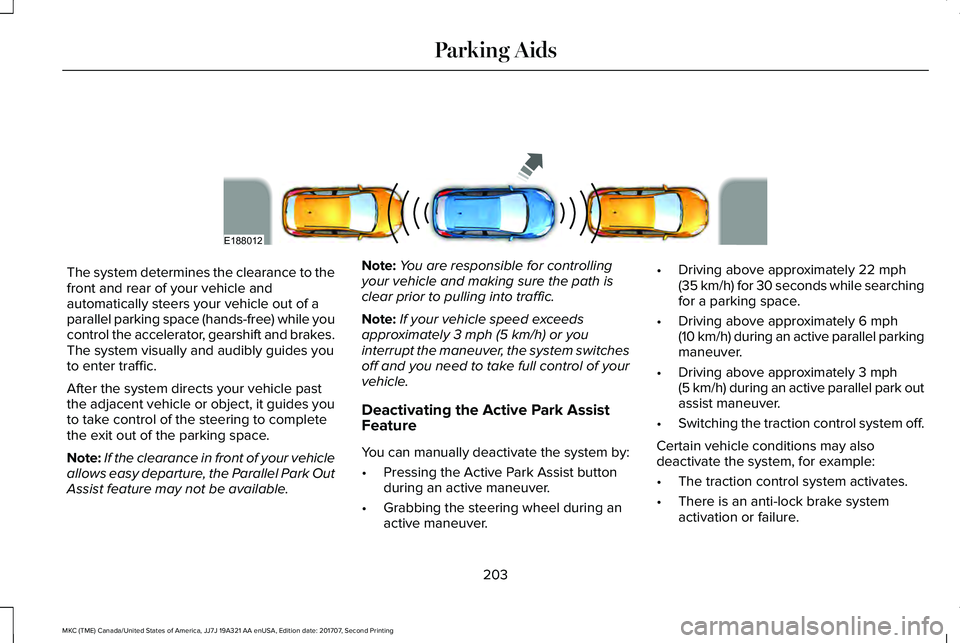
The system determines the clearance to thefront and rear of your vehicle andautomatically steers your vehicle out of aparallel parking space (hands-free) while youcontrol the accelerator, gearshift and brakes.The system visually and audibly guides youto enter traffic.
After the system directs your vehicle pastthe adjacent vehicle or object, it guides youto take control of the steering to completethe exit out of the parking space.
Note:If the clearance in front of your vehicleallows easy departure, the Parallel Park OutAssist feature may not be available.
Note:You are responsible for controllingyour vehicle and making sure the path isclear prior to pulling into traffic.
Note:If your vehicle speed exceedsapproximately 3 mph (5 km/h) or youinterrupt the maneuver, the system switchesoff and you need to take full control of yourvehicle.
Deactivating the Active Park AssistFeature
You can manually deactivate the system by:
•Pressing the Active Park Assist buttonduring an active maneuver.
•Grabbing the steering wheel during anactive maneuver.
•Driving above approximately 22 mph(35 km/h) for 30 seconds while searchingfor a parking space.
•Driving above approximately 6 mph(10 km/h) during an active parallel parkingmaneuver.
•Driving above approximately 3 mph(5 km/h) during an active parallel park outassist maneuver.
•Switching the traction control system off.
Certain vehicle conditions may alsodeactivate the system, for example:
•The traction control system activates.
•There is an anti-lock brake systemactivation or failure.
203
MKC (TME) Canada/United States of America, JJ7J 19A321 AA enUSA, Edition date: 201707, Second Printing
Parking AidsE188012