lock LINCOLN MKC 2018 Repair Manual
[x] Cancel search | Manufacturer: LINCOLN, Model Year: 2018, Model line: MKC, Model: LINCOLN MKC 2018Pages: 571, PDF Size: 4.39 MB
Page 218 of 571
System Not Available
The system may not turn on if there is:
•A blocked sensor.
•High brake temperature.
•A failure in the system or a relatedsystem.
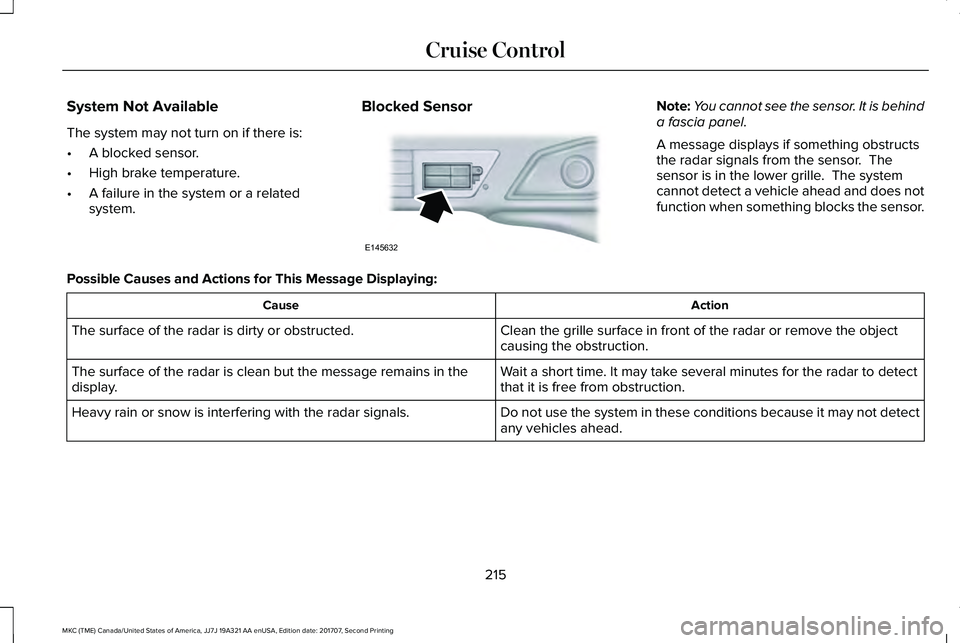
Blocked SensorNote:You cannot see the sensor. It is behinda fascia panel.
A message displays if something obstructsthe radar signals from the sensor. Thesensor is in the lower grille. The systemcannot detect a vehicle ahead and does notfunction when something blocks the sensor.
Possible Causes and Actions for This Message Displaying:
ActionCause
Clean the grille surface in front of the radar or remove the objectcausing the obstruction.The surface of the radar is dirty or obstructed.
Wait a short time. It may take several minutes for the radar to detectthat it is free from obstruction.The surface of the radar is clean but the message remains in thedisplay.
Do not use the system in these conditions because it may not detectany vehicles ahead.Heavy rain or snow is interfering with the radar signals.
215
MKC (TME) Canada/United States of America, JJ7J 19A321 AA enUSA, Edition date: 201707, Second Printing
Cruise ControlE145632
Page 219 of 571
ActionCause
Do not use the system in these conditions because it may not detectany vehicles ahead.Water, snow or ice on the surface of the road may interfere with theradar signals.
Wait a short time or switch to normal cruise control.You are in a desert or remote area with no other vehicles and noroadside objects.
Due to the nature of radar technology, it is possible to get a blockage warning with no actual block. This happens, for example, when drivingin sparse rural or desert environments. A false blocked condition either self clears, or clears after you restart your vehicle.
Switching to Normal Cruise Control
WARNING
Normal cruise control will not brakewhen your vehicle is approachingslower vehicles. Always be aware of whichmode you have selected and apply thebrakes when necessary.
You can change from adaptive cruise controlto normal cruise control through theinformation display.
The cruise control indicator lightreplaces the adaptive cruisecontrol indicator light if you selectnormal cruise control. The gap setting doesnot display, and the system does not respondto lead vehicles. Automatic braking remainsactive to maintain set speed.
216
MKC (TME) Canada/United States of America, JJ7J 19A321 AA enUSA, Edition date: 201707, Second Printing
Cruise ControlE71340
Page 220 of 571
DRIVER ALERT (If Equipped)
PRINCIPLE OF OPERATION
WARNINGS
You are responsible for controlling yourvehicle at all times. The system isdesigned to be an aid and does not relieveyou of your responsibility to drive with duecare and attention. Failure to follow thisinstruction could result in the loss of controlof your vehicle, personal injury or death.
The system may not function if thesensor is blocked.
Take regular rest breaks if you feeltired. Do not wait for the system towarn you.
Certain driving styles may result in thesystem warning you even if you are notfeeling tired.
In cold and severe weather conditionsthe system may not function. Rain,snow and spray can all limit sensorperformance.
WARNINGS
The system will not operate if thesensor cannot track the road lanemarkings.
If damage occurs in the immediate areasurrounding the sensor, have yourvehicle checked as soon as possible.
The system may not correctly operateif your vehicle is fitted with asuspension kit not approved by us.
Note:The system may not operate correctlyif you modify the ride height.
Note:Keep the windshield free fromobstructions. For example, bird droppings,insects, snow or ice.
Note:If the camera is blocked or if thewindshield is damaged, the system may notfunction.
Note:If enabled in the menu, the systemactivates at speeds above 40 mph (64 km/h).When below the activation speed, theinformation display informs the driver thatthe system is unavailable.
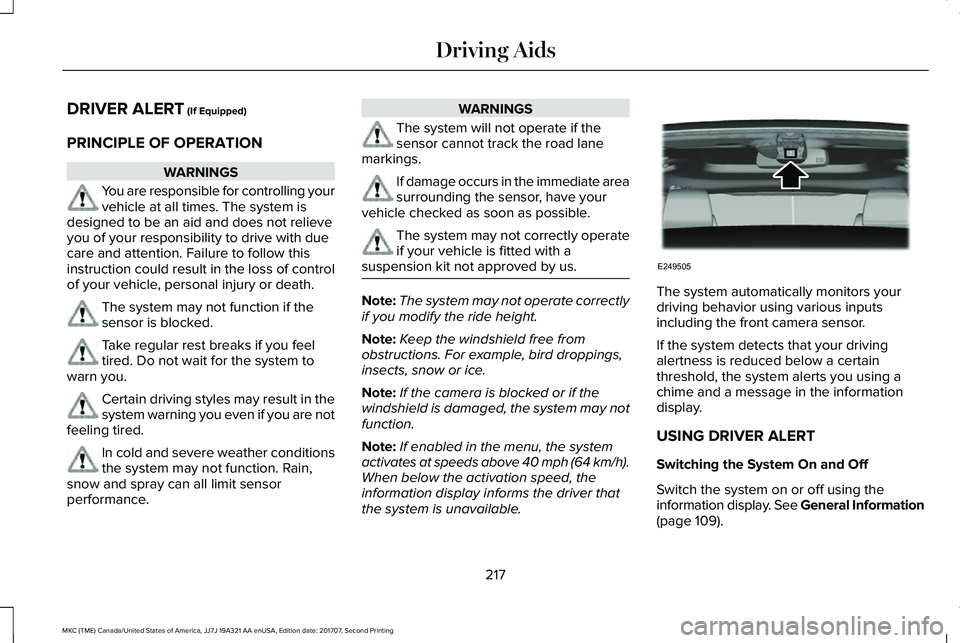
The system automatically monitors yourdriving behavior using various inputsincluding the front camera sensor.
If the system detects that your drivingalertness is reduced below a certainthreshold, the system alerts you using achime and a message in the informationdisplay.
USING DRIVER ALERT
Switching the System On and Off
Switch the system on or off using theinformation display. See General Information(page 109).
217
MKC (TME) Canada/United States of America, JJ7J 19A321 AA enUSA, Edition date: 201707, Second Printing
Driving AidsE249505
Page 222 of 571
LANE KEEPING SYSTEM (If Equipped)
WARNINGS
The system is designed to aid thedriver. It is not intended to replace yourattention and judgment. You are stillresponsible to drive with due care andattention.
Always drive with due care andattention when using and operating thecontrols and features on your vehicle.
At all times, you are responsible forcontrolling your vehicle, supervisingthe system and intervening, if required.Failure to take care may result in the loss ofcontrol of your vehicle, serious personalinjury or death.
In cold and severe weather conditionsthe system may not function. Rain,snow and spray can all limit sensorperformance.
The system will not operate if thesensor cannot track the road lanemarkings.
WARNINGS
The sensor may incorrectly track lanemarkings as other structures or objects.This can result in a false or missed warning.
The system may not operate properlyif the sensor is blocked. Keep thewindshield free from obstruction.
If damage occurs in the immediate areasurrounding the sensor, have yourvehicle checked as soon as possible.
Note:The system works above 40 mph(64 km/h).
Note:The system works as long as thecamera can detect one lane marking.
Note:When you select aid or alert and aidmode and the system detects no steeringactivity for a short period, the system alertsyou to put your hands on the steering wheel.The system may detect a light grip or touchon the steering wheel as hands off driving.
Note:The system may not function if thecamera is blocked, or if the windshield isdamaged or dirty.
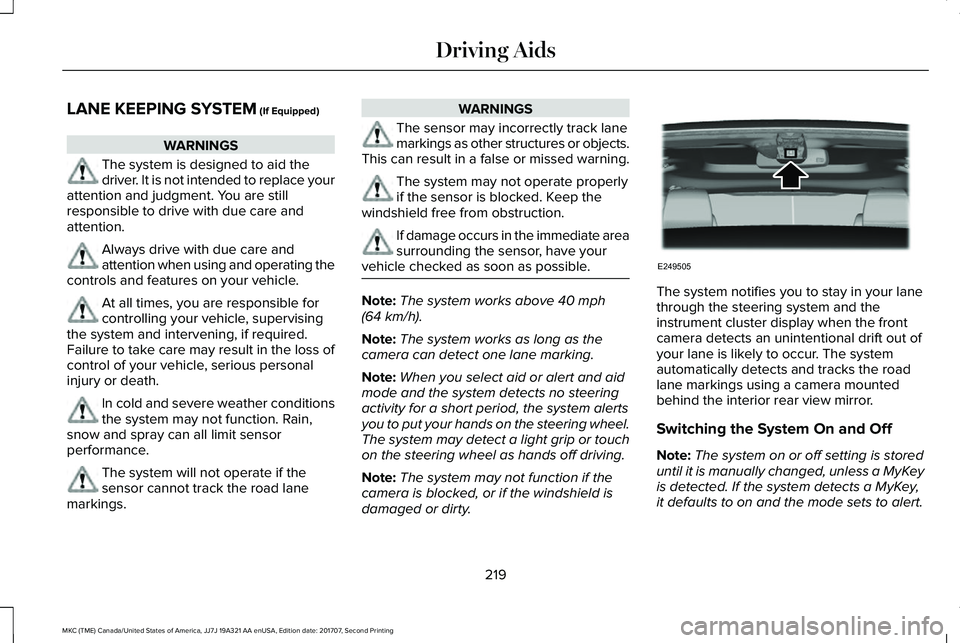
The system notifies you to stay in your lanethrough the steering system and theinstrument cluster display when the frontcamera detects an unintentional drift out ofyour lane is likely to occur. The systemautomatically detects and tracks the roadlane markings using a camera mountedbehind the interior rear view mirror.
Switching the System On and Off
Note:The system on or off setting is storeduntil it is manually changed, unless a MyKeyis detected. If the system detects a MyKey,it defaults to on and the mode sets to alert.
219
MKC (TME) Canada/United States of America, JJ7J 19A321 AA enUSA, Edition date: 201707, Second Printing
Driving AidsE249505
Page 224 of 571
Note:The alert and aid diagrams illustrategeneral zone coverage. They do not provideexact zone parameters.
Intensity: This setting affects the intensity ofthe steering wheel vibration used for the alertand alert + aid modes. This setting does notaffect the aid mode.
•Low
•Normal
•High
System Display
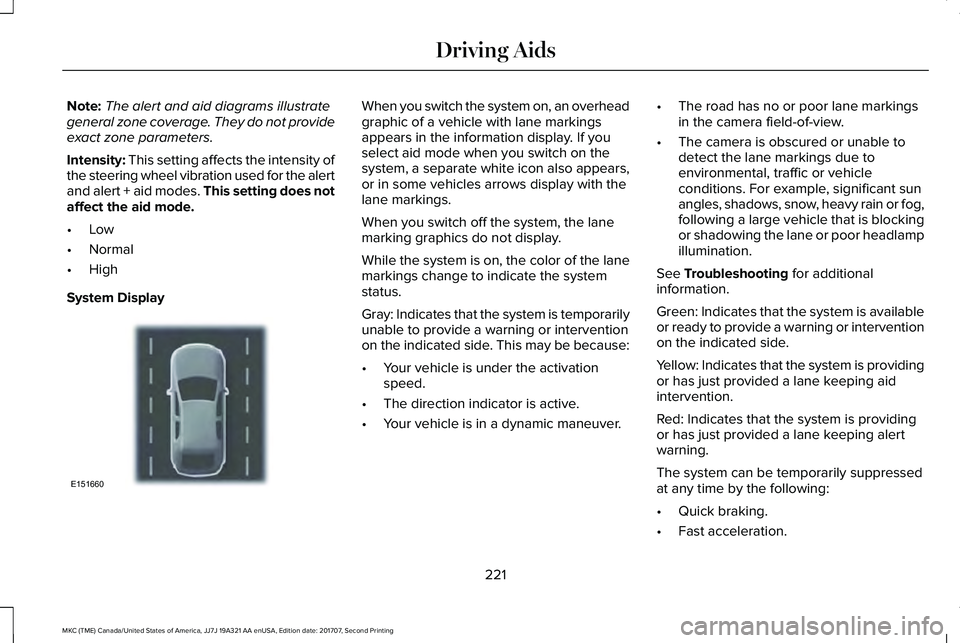
When you switch the system on, an overheadgraphic of a vehicle with lane markingsappears in the information display. If youselect aid mode when you switch on thesystem, a separate white icon also appears,or in some vehicles arrows display with thelane markings.
When you switch off the system, the lanemarking graphics do not display.
While the system is on, the color of the lanemarkings change to indicate the systemstatus.
Gray: Indicates that the system is temporarilyunable to provide a warning or interventionon the indicated side. This may be because:
•Your vehicle is under the activationspeed.
•The direction indicator is active.
•Your vehicle is in a dynamic maneuver.
•The road has no or poor lane markingsin the camera field-of-view.
•The camera is obscured or unable todetect the lane markings due toenvironmental, traffic or vehicleconditions. For example, significant sunangles, shadows, snow, heavy rain or fog,following a large vehicle that is blockingor shadowing the lane or poor headlampillumination.
See Troubleshooting for additionalinformation.
Green: Indicates that the system is availableor ready to provide a warning or interventionon the indicated side.
Yellow: Indicates that the system is providingor has just provided a lane keeping aidintervention.
Red: Indicates that the system is providingor has just provided a lane keeping alertwarning.
The system can be temporarily suppressedat any time by the following:
•Quick braking.
•Fast acceleration.
221
MKC (TME) Canada/United States of America, JJ7J 19A321 AA enUSA, Edition date: 201707, Second Printing
Driving AidsE151660
Page 225 of 571
•Using the turn signal indicator.•Evasive steering maneuver.
•Driving too close to the lane marking.
Troubleshooting
Why is the feature not available (line markings are gray) when I can see the lane markings on the road?
Your vehicle speed is outside the operational range of the feature.
The sun is shining directly into the camera lens.
A quick intentional lane change has occurred.
Your vehicle stays too close to the lane markings.
Driving at high speeds in curves.
The last alert warning or aid intervention occurred a short time ago.
Ambiguous lane markings, for example in construction zones.
Rapid transition from light to dark, or from dark to light.
Sudden offset in lane markings.
ABS or AdvanceTrac™ is active.
There is a camera blockage due to dirt, grime, fog, frost or water on the windshield.
You are driving too close to the vehicle in front of you.
Transitioning between no lane markings to lane markings or vice versa.
222
MKC (TME) Canada/United States of America, JJ7J 19A321 AA enUSA, Edition date: 201707, Second Printing
Driving Aids
Page 228 of 571
System Lights and Messages
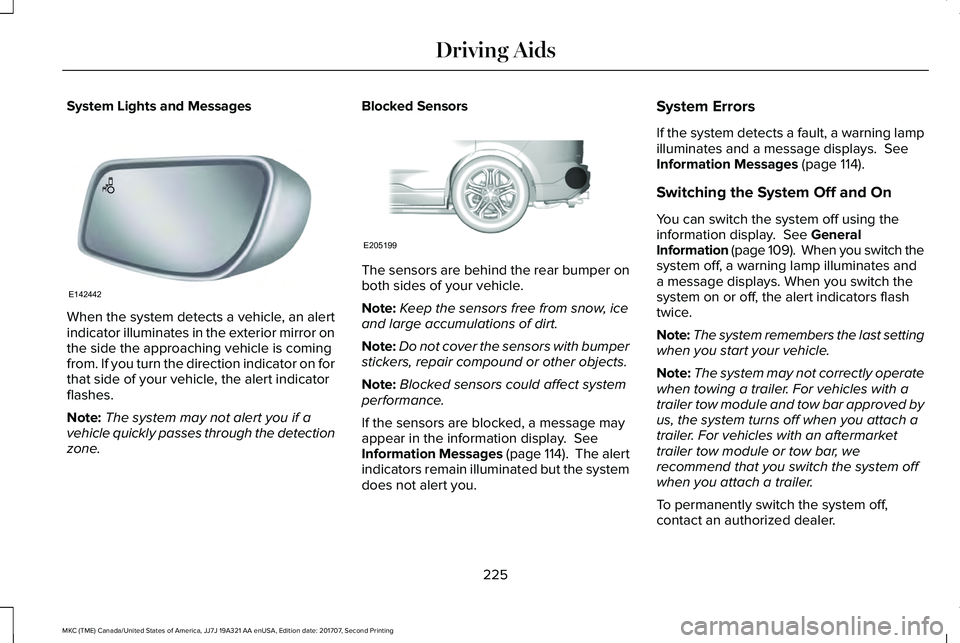
When the system detects a vehicle, an alertindicator illuminates in the exterior mirror onthe side the approaching vehicle is comingfrom. If you turn the direction indicator on forthat side of your vehicle, the alert indicatorflashes.
Note:The system may not alert you if avehicle quickly passes through the detectionzone.
Blocked Sensors
The sensors are behind the rear bumper onboth sides of your vehicle.
Note:Keep the sensors free from snow, iceand large accumulations of dirt.
Note:Do not cover the sensors with bumperstickers, repair compound or other objects.
Note:Blocked sensors could affect systemperformance.
If the sensors are blocked, a message mayappear in the information display. SeeInformation Messages (page 114). The alertindicators remain illuminated but the systemdoes not alert you.
System Errors
If the system detects a fault, a warning lampilluminates and a message displays. SeeInformation Messages (page 114).
Switching the System Off and On
You can switch the system off using theinformation display. See GeneralInformation (page 109). When you switch thesystem off, a warning lamp illuminates anda message displays. When you switch thesystem on or off, the alert indicators flashtwice.
Note:The system remembers the last settingwhen you start your vehicle.
Note:The system may not correctly operatewhen towing a trailer. For vehicles with atrailer tow module and tow bar approved byus, the system turns off when you attach atrailer. For vehicles with an aftermarkettrailer tow module or tow bar, werecommend that you switch the system offwhen you attach a trailer.
To permanently switch the system off,contact an authorized dealer.
225
MKC (TME) Canada/United States of America, JJ7J 19A321 AA enUSA, Edition date: 201707, Second Printing
Driving AidsE142442 E205199
Page 232 of 571
System Lights, Messages and AudibleAlerts
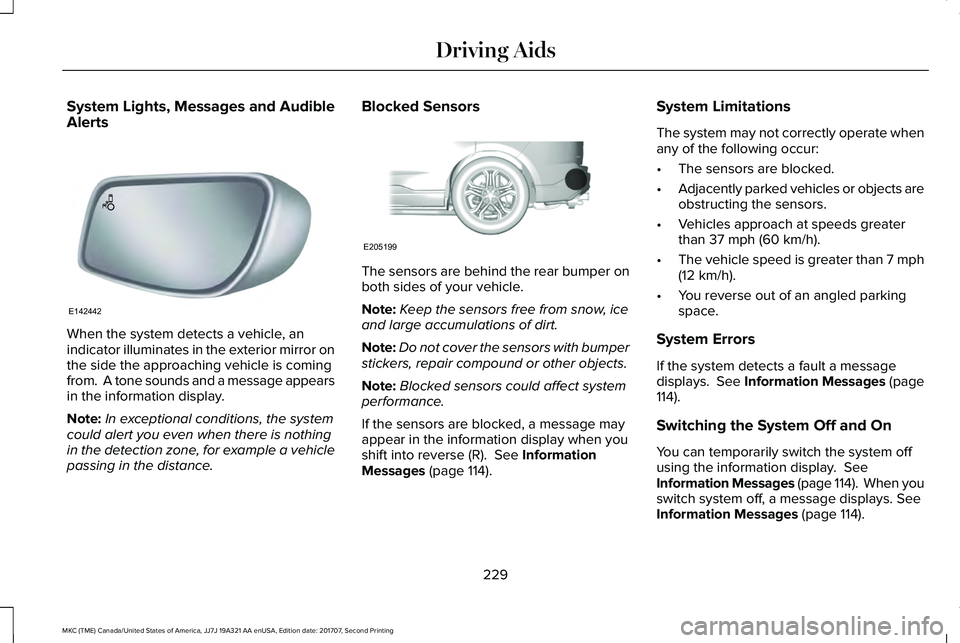
When the system detects a vehicle, anindicator illuminates in the exterior mirror onthe side the approaching vehicle is comingfrom. A tone sounds and a message appearsin the information display.
Note:In exceptional conditions, the systemcould alert you even when there is nothingin the detection zone, for example a vehiclepassing in the distance.
Blocked Sensors
The sensors are behind the rear bumper onboth sides of your vehicle.
Note:Keep the sensors free from snow, iceand large accumulations of dirt.
Note:Do not cover the sensors with bumperstickers, repair compound or other objects.
Note:Blocked sensors could affect systemperformance.
If the sensors are blocked, a message mayappear in the information display when youshift into reverse (R). See InformationMessages (page 114).
System Limitations
The system may not correctly operate whenany of the following occur:
•The sensors are blocked.
•Adjacently parked vehicles or objects areobstructing the sensors.
•Vehicles approach at speeds greaterthan 37 mph (60 km/h).
•The vehicle speed is greater than 7 mph(12 km/h).
•You reverse out of an angled parkingspace.
System Errors
If the system detects a fault a messagedisplays. See Information Messages (page114).
Switching the System Off and On
You can temporarily switch the system offusing the information display. SeeInformation Messages (page 114). When youswitch system off, a message displays. SeeInformation Messages (page 114).
229
MKC (TME) Canada/United States of America, JJ7J 19A321 AA enUSA, Edition date: 201707, Second Printing
Driving AidsE142442 E205199
Page 235 of 571
The brake support system assists you inreducing any collision speed by pre-chargingthe brakes. If the risk of collision continuesto increases after the audio-visual warning,the brake support prepares the brake systemfor rapid braking. The system does notautomatically activate the brakes, but if thebrake pedal is pressed even lightly, thebrakes apply full stopping power.
Using the Collision Warning System
WARNING
The collision warning system's brakesupport reduces collision speed onlyif you brake your vehicle before any collision.You must press your brake pedal as youwould in any typical braking situation.
You can use your information display controlto adjust the warning system's sensitivity toany one of three possible settings. SeeGeneral Information (page 109).
Note:When possible, the manufacturerrecommends using the highest sensitivitysetting. If warnings are too frequent, you canreduce your system's sensitivity. Reducedsensitivity causes fewer and later systemwarnings. See General Information (page109).
Blocked Sensors
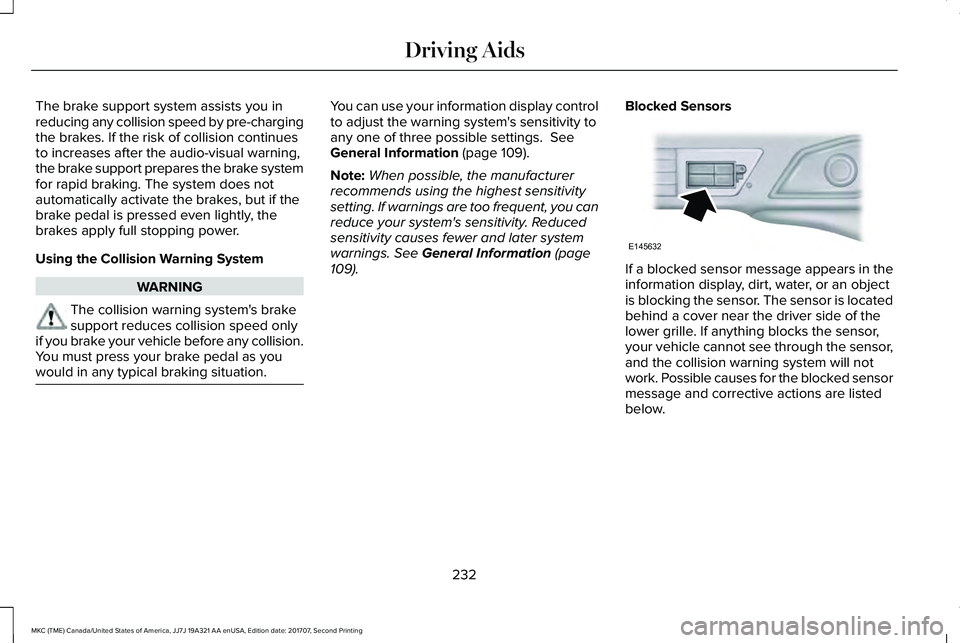
If a blocked sensor message appears in theinformation display, dirt, water, or an objectis blocking the sensor. The sensor is locatedbehind a cover near the driver side of thelower grille. If anything blocks the sensor,your vehicle cannot see through the sensor,and the collision warning system will notwork. Possible causes for the blocked sensormessage and corrective actions are listedbelow.
232
MKC (TME) Canada/United States of America, JJ7J 19A321 AA enUSA, Edition date: 201707, Second Printing
Driving AidsE145632
Page 236 of 571
ActionCause
Clean the radar sensor cover or remove the obstruction.The radar sensor cover in the grille is dirty or obstructed.
Wait a short time. The radar may take several minutes to reset afteryou remove the obstruction.The surface of the radar sensor cover is clean but the messageremains in the display.
The collision warning system is temporarily disabled. Shortly afterweather conditions improve, the collision warning system automaticallyreactivates.
Heavy rain, spray, snow or fog in the air interferes with the radarsignals.
The collision warning system is temporarily disabled. Shortly afterweather conditions improve, the collision warning system automaticallyreactivates.
Swirling water, snow or ice on the road surface interferes with theradar signals.
System Limitations
Due to the nature of radar technology, theremay be certain instances where vehicles donot provide a collision warning. Theseinclude:
•Stationary vehicles or vehicles movingbelow 6 mph (10 km/h).
•Pedestrians or objects in the roadway.
•Oncoming vehicles in the same lane.
•Severe weather conditions (see blockedsensor section).
•Debris build-up on the grille near theheadlamps (see blocked sensor section).
•Small distance to vehicle ahead.
•Large steering wheel and pedalmovements (very active driving style).
Damage to the front end of the vehicle mayalter the radar sensor's coverage area. Thismay result in missed or false collisionwarnings. Have an authorized dealer checkyour radar sensor for proper coverage andoperation.
233
MKC (TME) Canada/United States of America, JJ7J 19A321 AA enUSA, Edition date: 201707, Second Printing
Driving Aids