warning light LINCOLN MKC 2019 User Guide
[x] Cancel search | Manufacturer: LINCOLN, Model Year: 2019, Model line: MKC, Model: LINCOLN MKC 2019Pages: 581, PDF Size: 5.41 MB
Page 56 of 581
CRASH SENSORS AND AIRBAG
INDICATOR
WARNING: Modifying or addingequipment to the front end of your vehicle(including hood, bumper system, frame, frontend body structure, tow hooks and hoodpins) may affect the performance of theairbag system, increasing the risk of injury.Do not modify or add equipment to the frontend of your vehicle.
Your vehicle has a collection of crash andoccupant sensors which provide informationto the restraints control module whichdeploys (activates) the front seatbeltpretensioners, driver airbag, passengerairbag, knee airbag(s), seat mounted sideairbags, and the Safety Canopy. Based onthe type of crash, the restraints controlmodule will deploy the appropriate safetydevices.
The restraints control module also monitorsthe readiness of the above safety devicesplus the crash and occupant sensors. Awarning indicator light in the instrumentcluster indicates the readiness of the safetysystem. If this warning indicator light is notfunctioning and there is another fault withinthe system, the message cluster coulddisplay an airbag failure warning. A tonesounds, a warning indicator light illuminates,or both, until the problem is repaired. Routinemaintenance of the airbag is not required.
A difficulty with the system is indicated byone or more of the following:
The indicator light will notilluminate immediately after youswitch the ignition on.
•The indicator light either flashes or staysilluminated.
•You could hear five tones thatperiodically repeat until the problem isrepaired.
•A message could appear in theinformation display.
If any of these things happen, evenintermittently, have the supplementalrestraint system serviced at an authorizeddealer immediately. Unless serviced, thesystem may not function properly in theevent of a crash.
The seatbelt pretensioners and the airbagsupplemental restraint system are designedto activate when your vehicle sustains frontalor sideways deceleration sufficient to causethe restraints control module to deploy asafety device or when a certain likelihood ofa rollover event is detected by the rolloversensor.
53
MKC (TME) Canada/United States of America, enUSA, Edition date: 201802, Second-Printing
Supplementary Restraints SystemE67017
Page 92 of 581
Headlamp High Beam
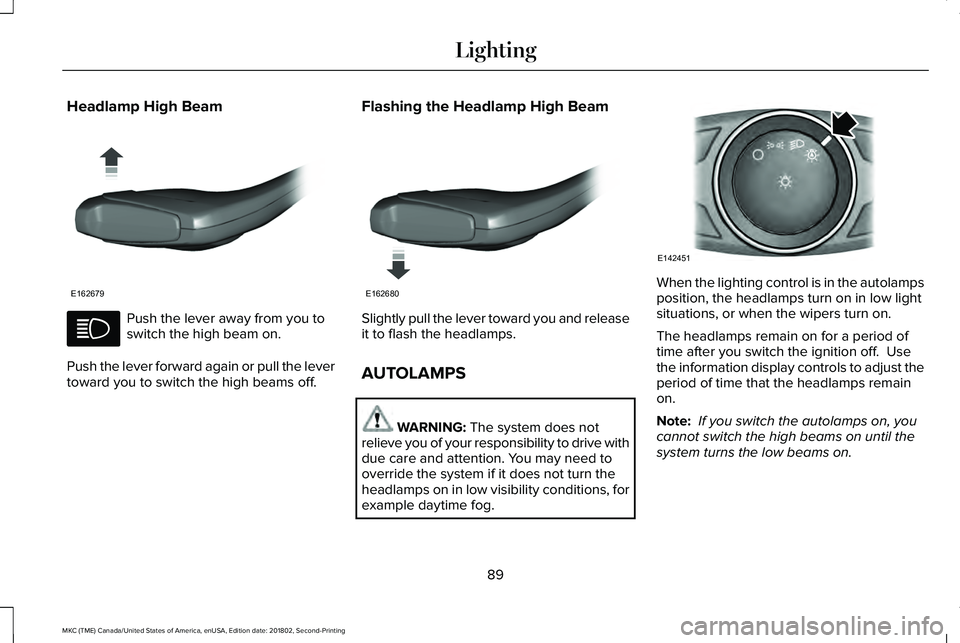
Push the lever away from you toswitch the high beam on.
Push the lever forward again or pull the levertoward you to switch the high beams off.
Flashing the Headlamp High Beam
Slightly pull the lever toward you and releaseit to flash the headlamps.
AUTOLAMPS
WARNING: The system does notrelieve you of your responsibility to drive withdue care and attention. You may need tooverride the system if it does not turn theheadlamps on in low visibility conditions, forexample daytime fog.
When the lighting control is in the autolampsposition, the headlamps turn on in low lightsituations, or when the wipers turn on.
The headlamps remain on for a period oftime after you switch the ignition off. Usethe information display controls to adjust theperiod of time that the headlamps remainon.
Note: If you switch the autolamps on, youcannot switch the high beams on until thesystem turns the low beams on.
89
MKC (TME) Canada/United States of America, enUSA, Edition date: 201802, Second-Printing
LightingE162679 E162680 E142451
Page 93 of 581
Windshield Wiper Activated Headlamps
When you switch the autolamps on, theheadlamps turn on within 10 seconds ofswitching the wipers on. They turn offapproximately 60 seconds after you switchthe windshield wipers off.
The headlamps do not turn on with thewipers:
•During a single wipe.
•When using the windshield washers.
•If the wipers are in intermittent mode.
Note:If you switch the autolamps and theautowipers on, the headlamps turn on whenthe windshield wipers continuously operate.
INSTRUMENT LIGHTING DIMMER
Note:If you disconnect and connect thebattery, or fully discharge and charge thebattery, the illuminated components switchto the maximum setting.
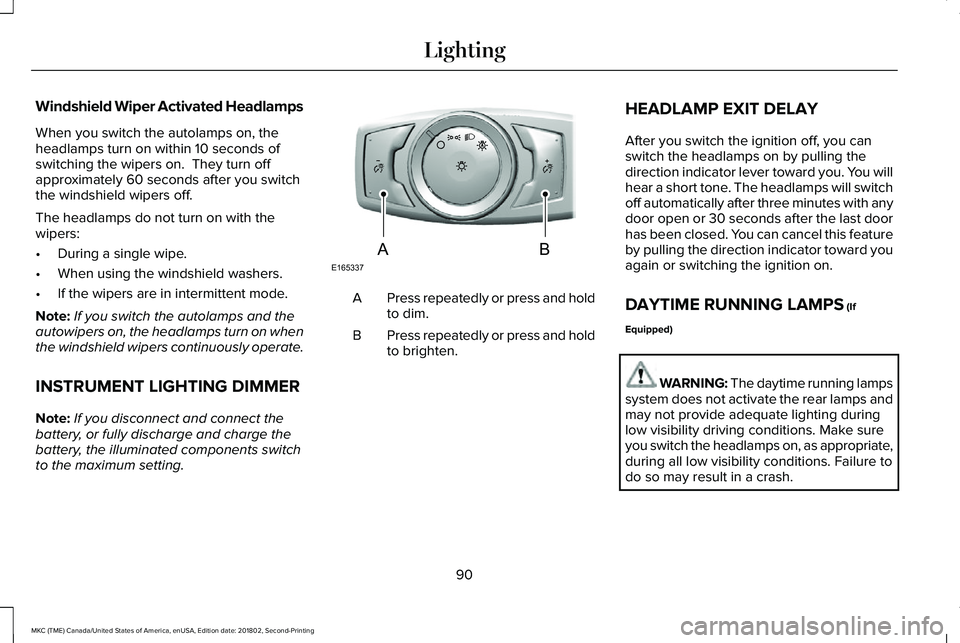
Press repeatedly or press and holdto dim.A
Press repeatedly or press and holdto brighten.B
HEADLAMP EXIT DELAY
After you switch the ignition off, you canswitch the headlamps on by pulling thedirection indicator lever toward you. You willhear a short tone. The headlamps will switchoff automatically after three minutes with anydoor open or 30 seconds after the last doorhas been closed. You can cancel this featureby pulling the direction indicator toward youagain or switching the ignition on.
DAYTIME RUNNING LAMPS (If
Equipped)
WARNING: The daytime running lampssystem does not activate the rear lamps andmay not provide adequate lighting duringlow visibility driving conditions. Make sureyou switch the headlamps on, as appropriate,during all low visibility conditions. Failure todo so may result in a crash.
90
MKC (TME) Canada/United States of America, enUSA, Edition date: 201802, Second-Printing
LightingE165337AB
Page 94 of 581
Type One - Conventional (Non-Configurable)
The daytime running lamps turn on when:
1. Switching the ignition on.
2. The transmission is not in park (P) forvehicles with automatic transmissions, orreleasing the parking brake for vehicleswith manual transmissions.
3. The lighting control is in the off, parkinglamp or autolamps positions.
4. The headlamps are off.
Type Two - Configurable
Switch the daytime running lamps on or offusing the information display. SeeInformation Displays (page 108).
The daytime running lamps turn on when:
1. The lamps are on in the informationdisplay.
2. Switching the ignition on.
3. The transmission is not in park (P) forvehicles with automatic transmissions, orreleasing the parking brake for vehicleswith manual transmissions.
4. The lighting control is in the autolampsposition.
5. The headlamps are off.
The other lighting control switch positionsdo not turn on the daytime running lamps.
If the daytime running lamps are off in theinformation display, the lamps stay off in allswitch positions.
AUTOMATIC HIGH BEAM
CONTROL (If Equipped)
WARNING: The system does notrelieve you of your responsibility to drive withdue care and attention. You may need tooverride the system if it does not turn thehigh beams on or off.
The system turns on high beams if it is darkenough and no other traffic is present. If itdetects an approaching vehicle’s headlampsor tail lamps, or street lighting ahead, thesystem turns off high beams before they candistract other road users. Low beams remainon.
Note:The system may not operate properlyif the sensor is blocked. Keep the windshieldfree from obstruction or damage.
Note:The system may not operate properlyin cold or inclement conditions. You canswitch on the high beams by overriding thesystem.
Note:If the system detects a blockage, forexample bird droppings, bug splatter, snowor ice, the system goes into low beam modeuntil you clear the blockage. A message mayappear in the information display if thecamera is blocked.
Note:Using much larger tires or equippingvehicle accessories such as snowplows canmodify your vehicle's ride height anddegrade automatic high beam controlperformance.
91
MKC (TME) Canada/United States of America, enUSA, Edition date: 201802, Second-Printing
Lighting
Page 98 of 581
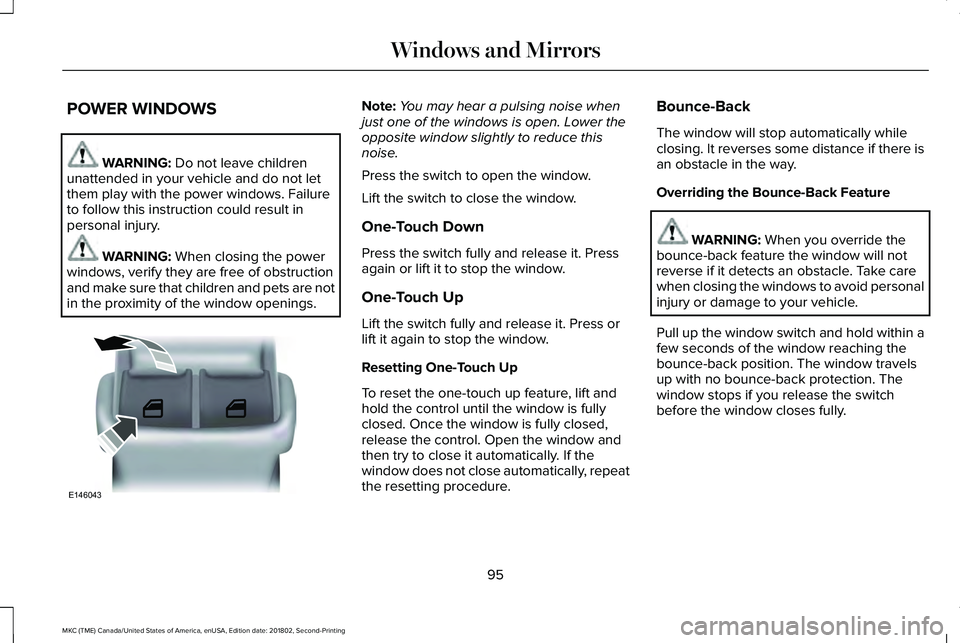
POWER WINDOWS
WARNING: Do not leave childrenunattended in your vehicle and do not letthem play with the power windows. Failureto follow this instruction could result inpersonal injury.
WARNING: When closing the powerwindows, verify they are free of obstructionand make sure that children and pets are notin the proximity of the window openings.
Note:You may hear a pulsing noise whenjust one of the windows is open. Lower theopposite window slightly to reduce thisnoise.
Press the switch to open the window.
Lift the switch to close the window.
One-Touch Down
Press the switch fully and release it. Pressagain or lift it to stop the window.
One-Touch Up
Lift the switch fully and release it. Press orlift it again to stop the window.
Resetting One-Touch Up
To reset the one-touch up feature, lift andhold the control until the window is fullyclosed. Once the window is fully closed,release the control. Open the window andthen try to close it automatically. If thewindow does not close automatically, repeatthe resetting procedure.
Bounce-Back
The window will stop automatically whileclosing. It reverses some distance if there isan obstacle in the way.
Overriding the Bounce-Back Feature
WARNING: When you override thebounce-back feature the window will notreverse if it detects an obstacle. Take carewhen closing the windows to avoid personalinjury or damage to your vehicle.
Pull up the window switch and hold within afew seconds of the window reaching thebounce-back position. The window travelsup with no bounce-back protection. Thewindow stops if you release the switchbefore the window closes fully.
95
MKC (TME) Canada/United States of America, enUSA, Edition date: 201802, Second-Printing
Windows and MirrorsE146043
Page 101 of 581
Loose Mirror
If your auto-folding mirrors are manuallyfolded or unfolded, they may not workproperly even after you re-position them.You need to reset them if:
•The mirrors vibrate when you drive.
•The mirrors feel loose.
•The mirrors do not stay in the folded orunfolded position.
•One of the mirrors is not in its normaldriving position.
To reset the auto-fold feature, use thepower-folding mirror control to fold andunfold the mirrors. You may hear a loud noiseas you reset the mirrors. This sound isnormal. Repeat this process as needed eachtime the mirrors are manually folded orunfolded.
Heated Exterior Mirrors
See Heated Exterior Mirrors (page 135).
Memory Mirrors (If Equipped)
You can save and recall the mirror positionsthrough the memory function. See MemoryFunction (page 143).
Signal Indicator Mirrors
The outer portion of the appropriate mirrorhousing will blink when you switch on theturn signal.
Auto-Dimming Feature (If Equipped)
The driver’s exterior mirror automaticallydims when the interior auto-dimming mirrorturns on.
Lincoln Welcome Mat
Projection lights, on the bottom of the mirrorhousings, project an image onto the grounda short distance from the vehicle. SeeLighting (page 88).
Integrated Blind Spot Mirrors (If Equipped)
WARNING: Objects in the mirror arecloser than they appear.
The blind spot mirror has a wide-angle mirrorinside the exterior mirror that can increasevisibility along the side of your vehicle.
Check the main mirror first before a lanechange, then check the blind spot mirror. Ifno vehicles are present in the blind spotmirror and the traffic in the adjacent lane isat a safe distance, signal that you intend tochange lanes. Glance over your shoulder toverify traffic is clear and carefully changelanes.
98
MKC (TME) Canada/United States of America, enUSA, Edition date: 201802, Second-Printing
Windows and Mirrors
Page 102 of 581
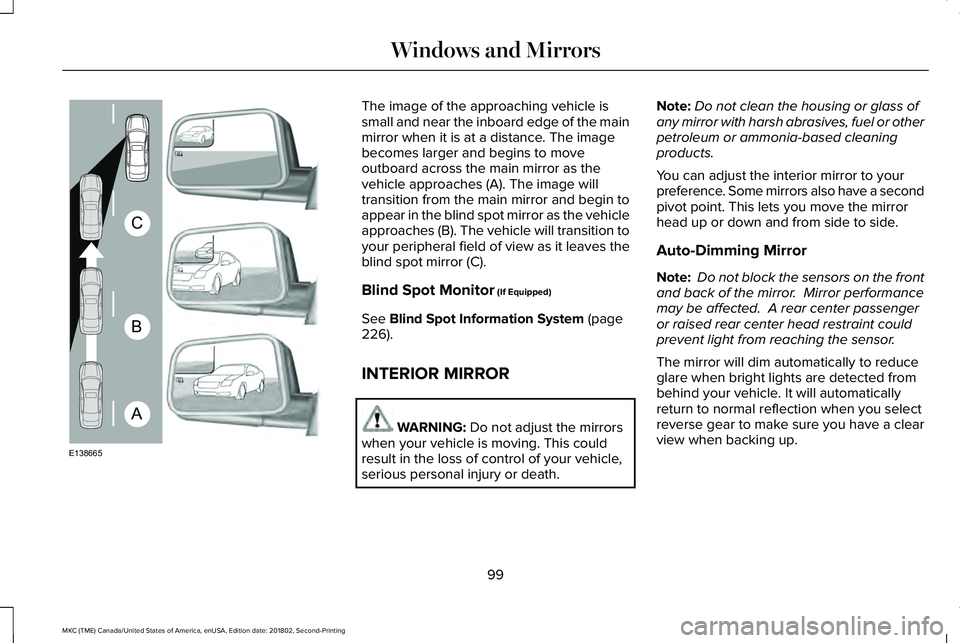
The image of the approaching vehicle issmall and near the inboard edge of the mainmirror when it is at a distance. The imagebecomes larger and begins to moveoutboard across the main mirror as thevehicle approaches (A). The image willtransition from the main mirror and begin toappear in the blind spot mirror as the vehicleapproaches (B). The vehicle will transition toyour peripheral field of view as it leaves theblind spot mirror (C).
Blind Spot Monitor (If Equipped)
See Blind Spot Information System (page226).
INTERIOR MIRROR
WARNING: Do not adjust the mirrorswhen your vehicle is moving. This couldresult in the loss of control of your vehicle,serious personal injury or death.
Note:Do not clean the housing or glass ofany mirror with harsh abrasives, fuel or otherpetroleum or ammonia-based cleaningproducts.
You can adjust the interior mirror to yourpreference. Some mirrors also have a secondpivot point. This lets you move the mirrorhead up or down and from side to side.
Auto-Dimming Mirror
Note: Do not block the sensors on the frontand back of the mirror. Mirror performancemay be affected. A rear center passengeror raised rear center head restraint couldprevent light from reaching the sensor.
The mirror will dim automatically to reduceglare when bright lights are detected frombehind your vehicle. It will automaticallyreturn to normal reflection when you selectreverse gear to make sure you have a clearview when backing up.
99
MKC (TME) Canada/United States of America, enUSA, Edition date: 201802, Second-Printing
Windows and MirrorsA
B
C
E138665
Page 106 of 581
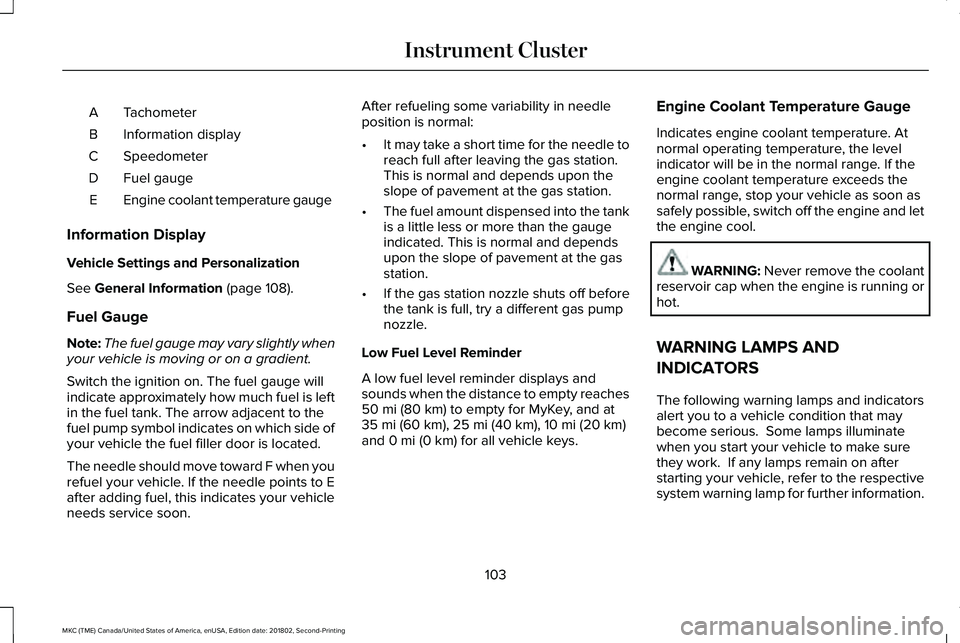
TachometerA
Information displayB
SpeedometerC
Fuel gaugeD
Engine coolant temperature gaugeE
Information Display
Vehicle Settings and Personalization
See General Information (page 108).
Fuel Gauge
Note:The fuel gauge may vary slightly whenyour vehicle is moving or on a gradient.
Switch the ignition on. The fuel gauge willindicate approximately how much fuel is leftin the fuel tank. The arrow adjacent to thefuel pump symbol indicates on which side ofyour vehicle the fuel filler door is located.
The needle should move toward F when yourefuel your vehicle. If the needle points to Eafter adding fuel, this indicates your vehicleneeds service soon.
After refueling some variability in needleposition is normal:
•It may take a short time for the needle toreach full after leaving the gas station.This is normal and depends upon theslope of pavement at the gas station.
•The fuel amount dispensed into the tankis a little less or more than the gaugeindicated. This is normal and dependsupon the slope of pavement at the gasstation.
•If the gas station nozzle shuts off beforethe tank is full, try a different gas pumpnozzle.
Low Fuel Level Reminder
A low fuel level reminder displays andsounds when the distance to empty reaches50 mi (80 km) to empty for MyKey, and at35 mi (60 km), 25 mi (40 km), 10 mi (20 km)and 0 mi (0 km) for all vehicle keys.
Engine Coolant Temperature Gauge
Indicates engine coolant temperature. Atnormal operating temperature, the levelindicator will be in the normal range. If theengine coolant temperature exceeds thenormal range, stop your vehicle as soon assafely possible, switch off the engine and letthe engine cool.
WARNING: Never remove the coolantreservoir cap when the engine is running orhot.
WARNING LAMPS AND
INDICATORS
The following warning lamps and indicatorsalert you to a vehicle condition that maybecome serious. Some lamps illuminatewhen you start your vehicle to make surethey work. If any lamps remain on afterstarting your vehicle, refer to the respectivesystem warning lamp for further information.
103
MKC (TME) Canada/United States of America, enUSA, Edition date: 201802, Second-Printing
Instrument Cluster
Page 109 of 581
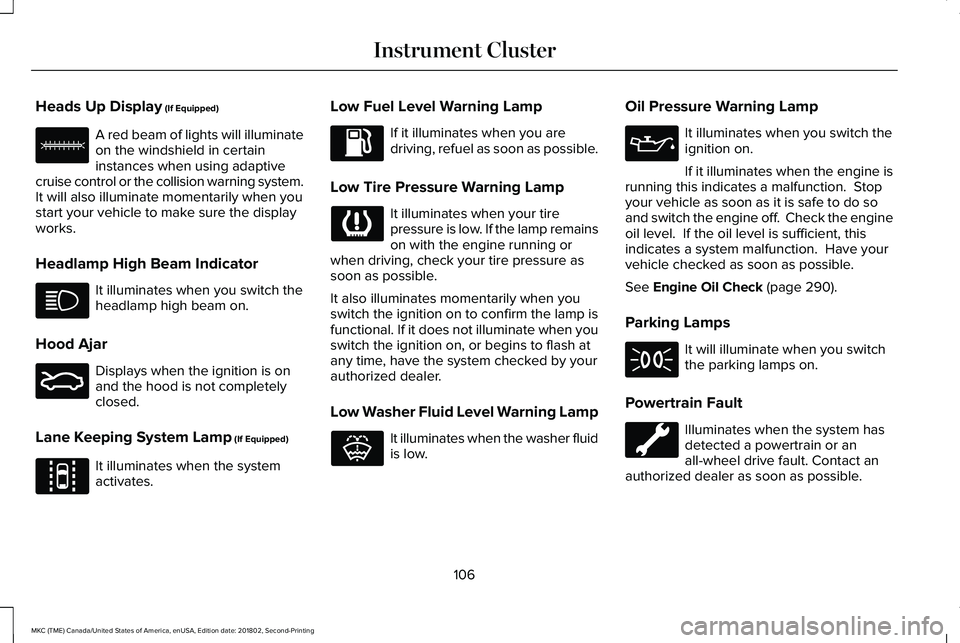
Heads Up Display (If Equipped)
A red beam of lights will illuminateon the windshield in certaininstances when using adaptivecruise control or the collision warning system.It will also illuminate momentarily when youstart your vehicle to make sure the displayworks.
Headlamp High Beam Indicator
It illuminates when you switch theheadlamp high beam on.
Hood Ajar
Displays when the ignition is onand the hood is not completelyclosed.
Lane Keeping System Lamp (If Equipped)
It illuminates when the systemactivates.
Low Fuel Level Warning Lamp
If it illuminates when you aredriving, refuel as soon as possible.
Low Tire Pressure Warning Lamp
It illuminates when your tirepressure is low. If the lamp remainson with the engine running orwhen driving, check your tire pressure assoon as possible.
It also illuminates momentarily when youswitch the ignition on to confirm the lamp isfunctional. If it does not illuminate when youswitch the ignition on, or begins to flash atany time, have the system checked by yourauthorized dealer.
Low Washer Fluid Level Warning Lamp
It illuminates when the washer fluidis low.
Oil Pressure Warning Lamp
It illuminates when you switch theignition on.
If it illuminates when the engine isrunning this indicates a malfunction. Stopyour vehicle as soon as it is safe to do soand switch the engine off. Check the engineoil level. If the oil level is sufficient, thisindicates a system malfunction. Have yourvehicle checked as soon as possible.
See Engine Oil Check (page 290).
Parking Lamps
It will illuminate when you switchthe parking lamps on.
Powertrain Fault
Illuminates when the system hasdetected a powertrain or anall-wheel drive fault. Contact anauthorized dealer as soon as possible.
106
MKC (TME) Canada/United States of America, enUSA, Edition date: 201802, Second-Printing
Instrument ClusterE156133 E159324 E144813 E132353
Page 111 of 581
GENERAL INFORMATION
WARNING: Driving while distractedcan result in loss of vehicle control, crashand injury. We strongly recommend that youuse extreme caution when using any devicethat may take your focus off the road. Yourprimary responsibility is the safe operationof your vehicle. We recommend against theuse of any hand-held device while drivingand encourage the use of voice-operatedsystems when possible. Make sure you areaware of all applicable local laws that mayaffect the use of electronic devices whiledriving.
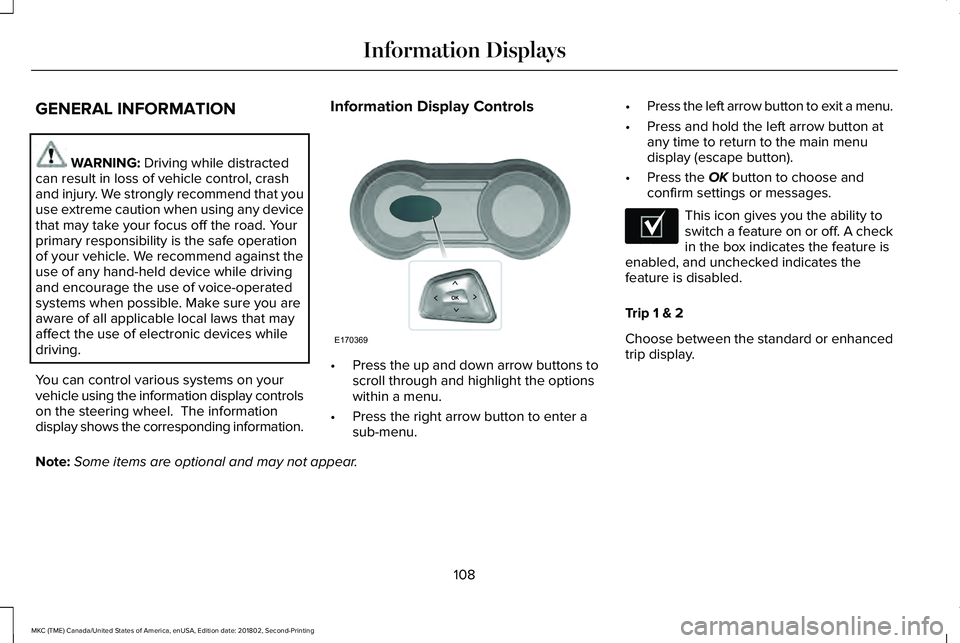
You can control various systems on yourvehicle using the information display controlson the steering wheel. The informationdisplay shows the corresponding information.
Information Display Controls
•Press the up and down arrow buttons toscroll through and highlight the optionswithin a menu.
•Press the right arrow button to enter asub-menu.
•Press the left arrow button to exit a menu.
•Press and hold the left arrow button atany time to return to the main menudisplay (escape button).
•Press the OK button to choose andconfirm settings or messages.
This icon gives you the ability toswitch a feature on or off. A checkin the box indicates the feature isenabled, and unchecked indicates thefeature is disabled.
Trip 1 & 2
Choose between the standard or enhancedtrip display.
Note:Some items are optional and may not appear.
108
MKC (TME) Canada/United States of America, enUSA, Edition date: 201802, Second-Printing
Information DisplaysE170369 E204495