AUX LINCOLN MKC 2019 Owners Manual
[x] Cancel search | Manufacturer: LINCOLN, Model Year: 2019, Model line: MKC, Model: LINCOLN MKC 2019Pages: 581, PDF Size: 5.41 MB
Page 6 of 581
Memory Function.........................................143
Rear Seats......................................................145
Heated Seats.................................................145
Climate Controlled Seats...........................147
Universal Garage Door Opener
Universal Garage Door Opener...............149
Auxiliary Power Points
Auxiliary Power Points................................154
Storage Compartments
Center Console............................................156
Overhead Console......................................156
Rear Seat Armrest........................................156
Starting and Stopping the Engine
General Information.....................................157
Keyless Starting............................................157
Starting a Gasoline Engine........................158
Engine Block Heater....................................161
Unique Driving Characteristics
Auto-Start-Stop.............................................163
Fuel and Refueling
Safety Precautions.......................................166
Fuel Quality...................................................166
Fuel Filler Funnel Location.........................167
Running Out of Fuel.....................................167
Refueling........................................................169
Fuel Consumption........................................172
Engine Emission Control
Emission Law.................................................173
Catalytic Converter......................................174
Transmission
Automatic Transmission..............................177
All-Wheel Drive
Using All-Wheel Drive.................................183
Brakes
General Information.....................................188
Hints on Driving With Anti-Lock Brakes.......................................................................189
Electric Parking Brake.................................189
Hill Start Assist...............................................191
Auto Hold.......................................................192
Traction Control
Principle of Operation.................................195
Using Traction Control................................195
Stability Control
Principle of Operation.................................196
Using Stability Control................................197
Parking Aids
Principle of Operation.................................198
Rear Parking Aid...........................................198
Front Parking Aid.........................................199
Active Park Assist.......................................200
Rear View Camera......................................207
Cruise Control
Principle of Operation.................................210
3
MKC (TME) Canada/United States of America, enUSA, Edition date: 201802, Second-Printing
Table of Contents
Page 157 of 581
12 Volt DC Power Point
WARNING: Do not plug optionalelectrical accessories into the cigar lightersocket. Incorrect use of the cigar lighter cancause damage not covered by the vehiclewarranty, and can result in fire or seriousinjury.
Note:When you switch the ignition on, youcan use the socket to power 12 voltappliances with a maximum current ratingof 15 amps.
If the power supply does not work after youswitch the ignition off, switch the ignition on.Note:Do not hang any accessory from theaccessory plug.
Note:Do not use the power point over thevehicle capacity of 12 volt DC 180 watts ora fuse may blow.
Note:Always keep the power point capsclosed when not in use.
Do not insert objects other than an accessoryplug into the power point. This damages thepower point and may blow the fuse.
Run the vehicle for full capacity use of thepower point.
To prevent the battery from running out ofcharge:
•Do not use the power point longer thannecessary when the engine is notrunning.
•Do not leave devices plugged inovernight or when you park your vehiclefor extended periods.
USB Port and Power Point Locations
USB Ports and Power Points may be in thefollowing locations:
•On the lower instrument panel.
•Inside the center console.
•On the front of the center console.
•On the rear of the center console.
•In the cargo area.
•On the passenger side floor panel.
•3rd row on the quarter trim panels.
Note:Some of the USB ports may not havedata transfer capabilities.
110 Volt AC Power Point (If Equipped)
WARNING: Do not keep electricaldevices plugged in the power pointwhenever the device is not in use. Do notuse any extension cord with the 110 volt ACpower point, since it will defeat the safetyprotection design. Doing so may cause thepower point to overload due to poweringmultiple devices that can reach beyond the150 watt load limit and could result in fire orserious injury.
Note:The power point turns off when youswitch off the ignition, when the vehicle isnot in accessory mode or when the batteryvoltage drops below 11 volts.
You can use the power point for electricdevices that require up to 150 watts. It is onthe rear of the center console.
154
MKC (TME) Canada/United States of America, enUSA, Edition date: 201802, Second-Printing
Auxiliary Power Points
Page 158 of 581
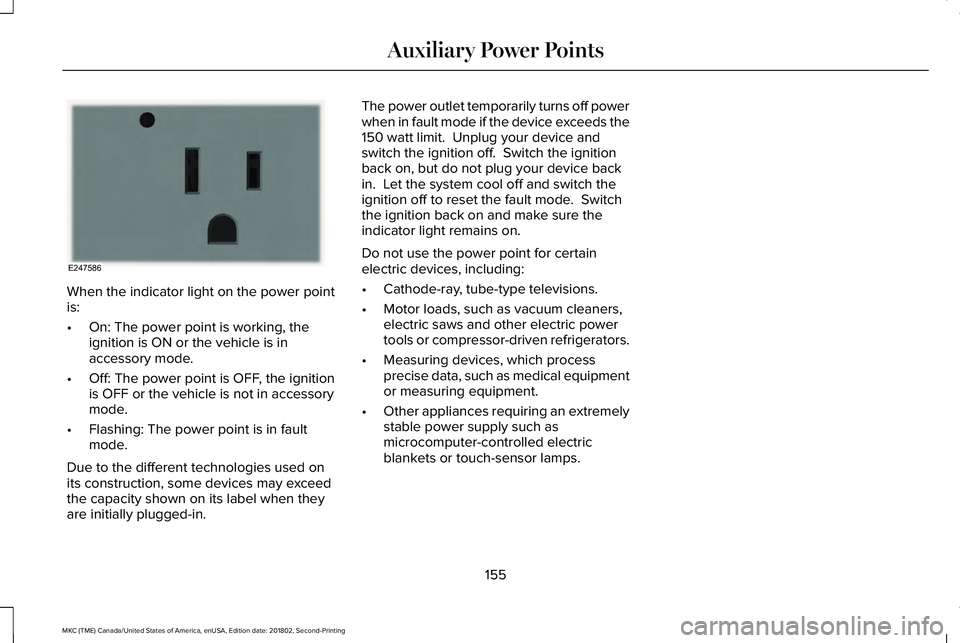
When the indicator light on the power pointis:
•On: The power point is working, theignition is ON or the vehicle is inaccessory mode.
•Off: The power point is OFF, the ignitionis OFF or the vehicle is not in accessorymode.
•Flashing: The power point is in faultmode.
Due to the different technologies used onits construction, some devices may exceedthe capacity shown on its label when theyare initially plugged-in.
The power outlet temporarily turns off powerwhen in fault mode if the device exceeds the150 watt limit. Unplug your device andswitch the ignition off. Switch the ignitionback on, but do not plug your device backin. Let the system cool off and switch theignition off to reset the fault mode. Switchthe ignition back on and make sure theindicator light remains on.
Do not use the power point for certainelectric devices, including:
•Cathode-ray, tube-type televisions.
•Motor loads, such as vacuum cleaners,electric saws and other electric powertools or compressor-driven refrigerators.
•Measuring devices, which processprecise data, such as medical equipmentor measuring equipment.
•Other appliances requiring an extremelystable power supply such asmicrocomputer-controlled electricblankets or touch-sensor lamps.
155
MKC (TME) Canada/United States of America, enUSA, Edition date: 201802, Second-Printing
Auxiliary Power PointsE247586
Page 159 of 581
CENTER CONSOLE
Stow items in the cup holder carefully asitems may become loose during hardbraking, acceleration or crashes, includinghot drinks which may spill.
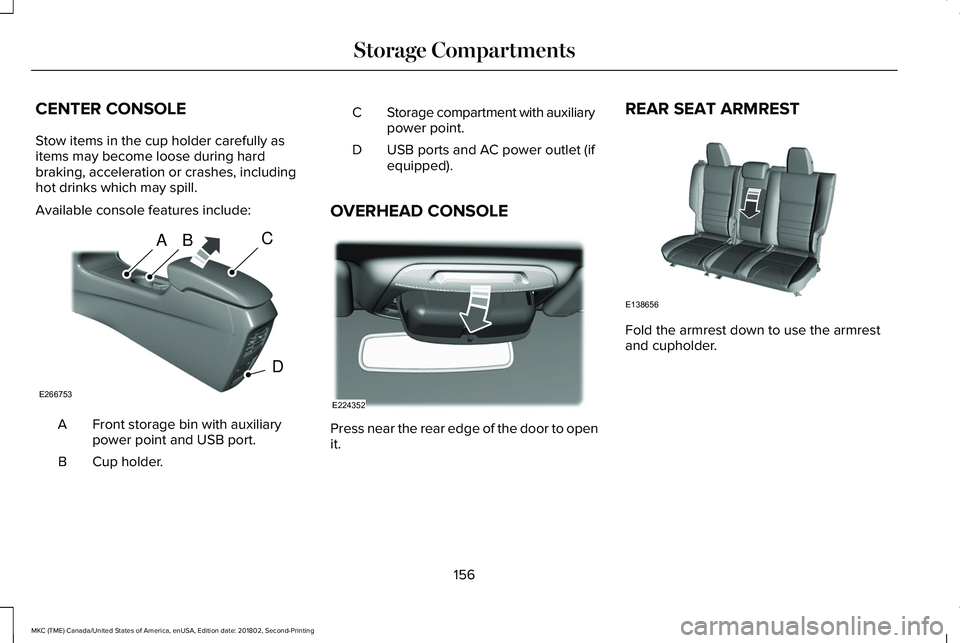
Available console features include:
Front storage bin with auxiliarypower point and USB port.A
Cup holder.B
Storage compartment with auxiliarypower point.C
USB ports and AC power outlet (ifequipped).D
OVERHEAD CONSOLE
Press near the rear edge of the door to openit.
REAR SEAT ARMREST
Fold the armrest down to use the armrestand cupholder.
156
MKC (TME) Canada/United States of America, enUSA, Edition date: 201802, Second-Printing
Storage CompartmentsABC
D
E266753 E224352 E138656
Page 286 of 581
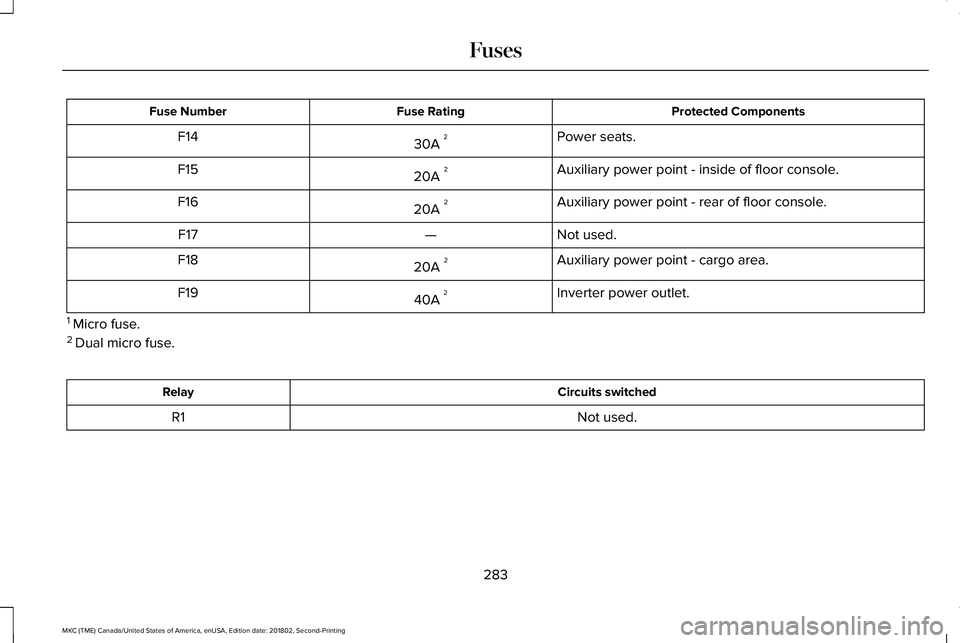
Protected ComponentsFuse RatingFuse Number
Power seats.30A 2F14
Auxiliary power point - inside of floor console.20A 2F15
Auxiliary power point - rear of floor console.20A 2F16
Not used.—F17
Auxiliary power point - cargo area.20A 2F18
Inverter power outlet.40A 2F19
1 Micro fuse.2 Dual micro fuse.
Circuits switchedRelay
Not used.R1
283
MKC (TME) Canada/United States of America, enUSA, Edition date: 201802, Second-Printing
Fuses
Page 291 of 581
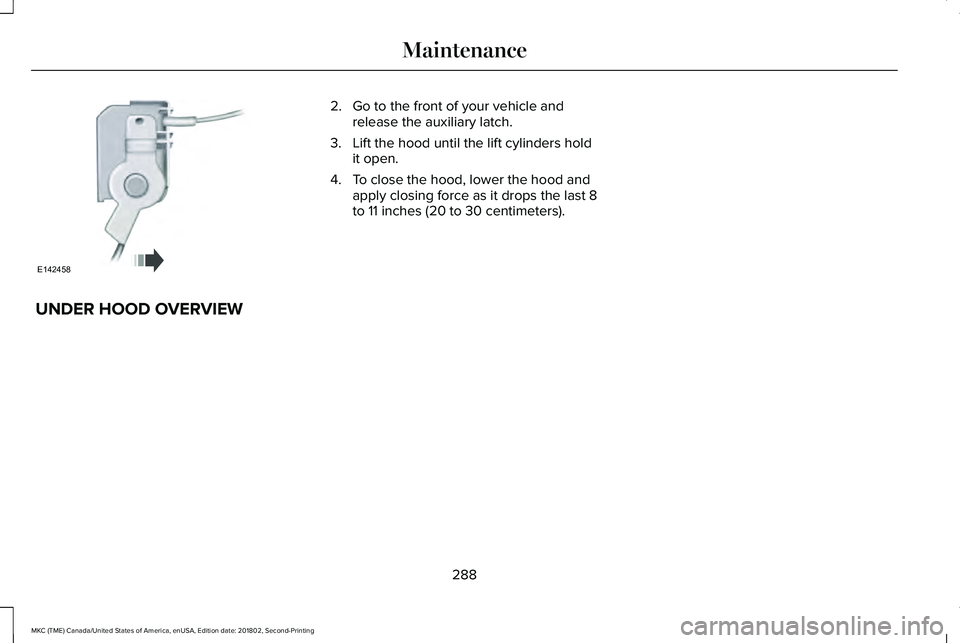
2. Go to the front of your vehicle andrelease the auxiliary latch.
3. Lift the hood until the lift cylinders holdit open.
4. To close the hood, lower the hood andapply closing force as it drops the last 8to 11 inches (20 to 30 centimeters).
UNDER HOOD OVERVIEW
288
MKC (TME) Canada/United States of America, enUSA, Edition date: 201802, Second-Printing
MaintenanceE142458
Page 569 of 581
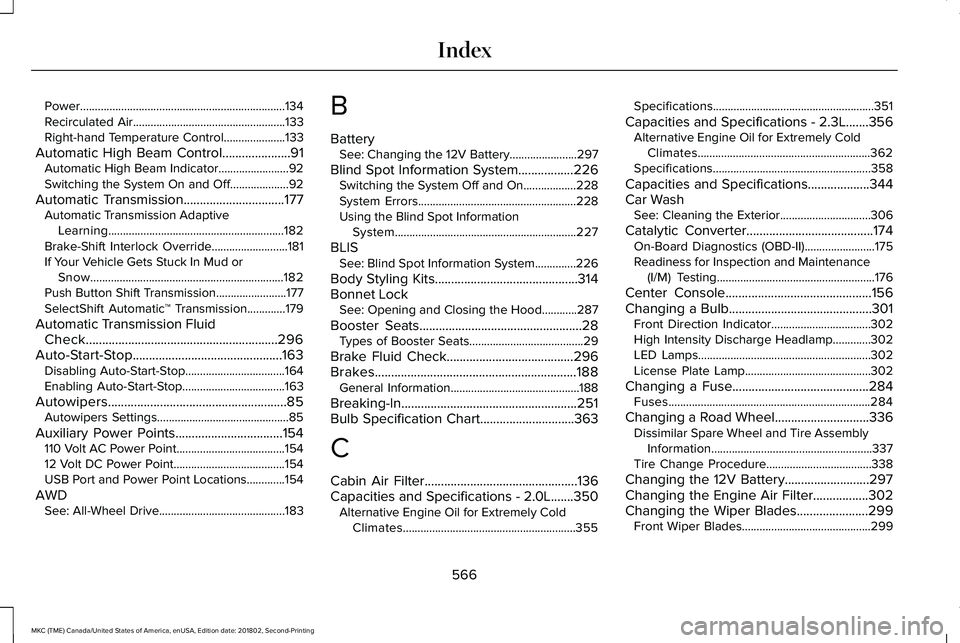
Power......................................................................134Recirculated Air....................................................133Right-hand Temperature Control.....................133
Automatic High Beam Control.....................91Automatic High Beam Indicator........................92Switching the System On and Off....................92
Automatic Transmission...............................177Automatic Transmission AdaptiveLearning............................................................182Brake-Shift Interlock Override..........................181If Your Vehicle Gets Stuck In Mud orSnow..................................................................182Push Button Shift Transmission........................177SelectShift Automatic™ Transmission.............179
Automatic Transmission FluidCheck...........................................................296Auto-Start-Stop..............................................163Disabling Auto-Start-Stop..................................164Enabling Auto-Start-Stop...................................163
Autowipers.......................................................85Autowipers Settings.............................................85
Auxiliary Power Points.................................154110 Volt AC Power Point.....................................15412 Volt DC Power Point......................................154USB Port and Power Point Locations.............154
AWDSee: All-Wheel Drive...........................................183
B
BatterySee: Changing the 12V Battery.......................297
Blind Spot Information System.................226Switching the System Off and On..................228System Errors......................................................228Using the Blind Spot InformationSystem..............................................................227
BLISSee: Blind Spot Information System..............226
Body Styling Kits............................................314Bonnet LockSee: Opening and Closing the Hood............287
Booster Seats..................................................28Types of Booster Seats.......................................29
Brake Fluid Check.......................................296Brakes..............................................................188General Information............................................188
Breaking-In......................................................251Bulb Specification Chart.............................363
C
Cabin Air Filter...............................................136Capacities and Specifications - 2.0L.......350Alternative Engine Oil for Extremely ColdClimates...........................................................355
Specifications.......................................................351
Capacities and Specifications - 2.3L.......356Alternative Engine Oil for Extremely ColdClimates...........................................................362Specifications......................................................358
Capacities and Specifications...................344Car WashSee: Cleaning the Exterior...............................306
Catalytic Converter.......................................174On-Board Diagnostics (OBD-II)........................175Readiness for Inspection and Maintenance(I/M) Testing......................................................176
Center Console.............................................156Changing a Bulb............................................301Front Direction Indicator..................................302High Intensity Discharge Headlamp.............302LED Lamps...........................................................302License Plate Lamp...........................................302
Changing a Fuse..........................................284Fuses.....................................................................284
Changing a Road Wheel.............................336Dissimilar Spare Wheel and Tire AssemblyInformation.......................................................337Tire Change Procedure....................................338
Changing the 12V Battery..........................297Changing the Engine Air Filter.................302Changing the Wiper Blades......................299Front Wiper Blades............................................299
566
MKC (TME) Canada/United States of America, enUSA, Edition date: 201802, Second-Printing
Index