towing LINCOLN MKC 2019 Owners Manual
[x] Cancel search | Manufacturer: LINCOLN, Model Year: 2019, Model line: MKC, Model: LINCOLN MKC 2019Pages: 581, PDF Size: 5.41 MB
Page 7 of 581
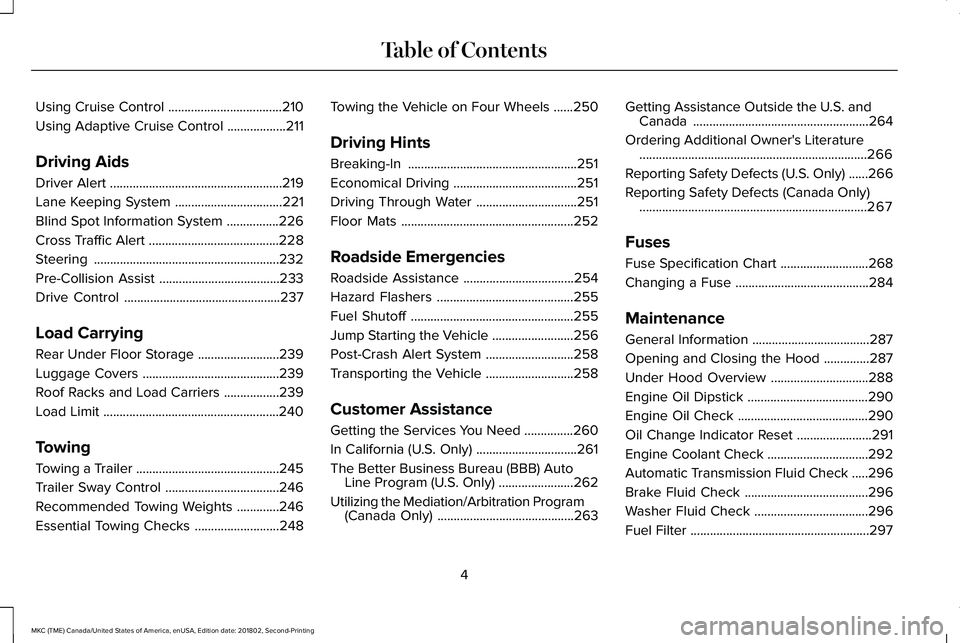
Using Cruise Control...................................210
Using Adaptive Cruise Control..................211
Driving Aids
Driver Alert.....................................................219
Lane Keeping System.................................221
Blind Spot Information System................226
Cross Traffic Alert........................................228
Steering.........................................................232
Pre-Collision Assist.....................................233
Drive Control................................................237
Load Carrying
Rear Under Floor Storage.........................239
Luggage Covers..........................................239
Roof Racks and Load Carriers.................239
Load Limit......................................................240
Towing
Towing a Trailer............................................245
Trailer Sway Control...................................246
Recommended Towing Weights.............246
Essential Towing Checks..........................248
Towing the Vehicle on Four Wheels......250
Driving Hints
Breaking-In....................................................251
Economical Driving......................................251
Driving Through Water...............................251
Floor Mats.....................................................252
Roadside Emergencies
Roadside Assistance..................................254
Hazard Flashers..........................................255
Fuel Shutoff..................................................255
Jump Starting the Vehicle.........................256
Post-Crash Alert System...........................258
Transporting the Vehicle...........................258
Customer Assistance
Getting the Services You Need...............260
In California (U.S. Only)...............................261
The Better Business Bureau (BBB) AutoLine Program (U.S. Only).......................262
Utilizing the Mediation/Arbitration Program(Canada Only)..........................................263
Getting Assistance Outside the U.S. andCanada......................................................264
Ordering Additional Owner's Literature......................................................................266
Reporting Safety Defects (U.S. Only)......266
Reporting Safety Defects (Canada Only)......................................................................267
Fuses
Fuse Specification Chart...........................268
Changing a Fuse.........................................284
Maintenance
General Information....................................287
Opening and Closing the Hood..............287
Under Hood Overview..............................288
Engine Oil Dipstick.....................................290
Engine Oil Check........................................290
Oil Change Indicator Reset.......................291
Engine Coolant Check...............................292
Automatic Transmission Fluid Check.....296
Brake Fluid Check......................................296
Washer Fluid Check...................................296
Fuel Filter.......................................................297
4
MKC (TME) Canada/United States of America, enUSA, Edition date: 201802, Second-Printing
Table of Contents
Page 112 of 581
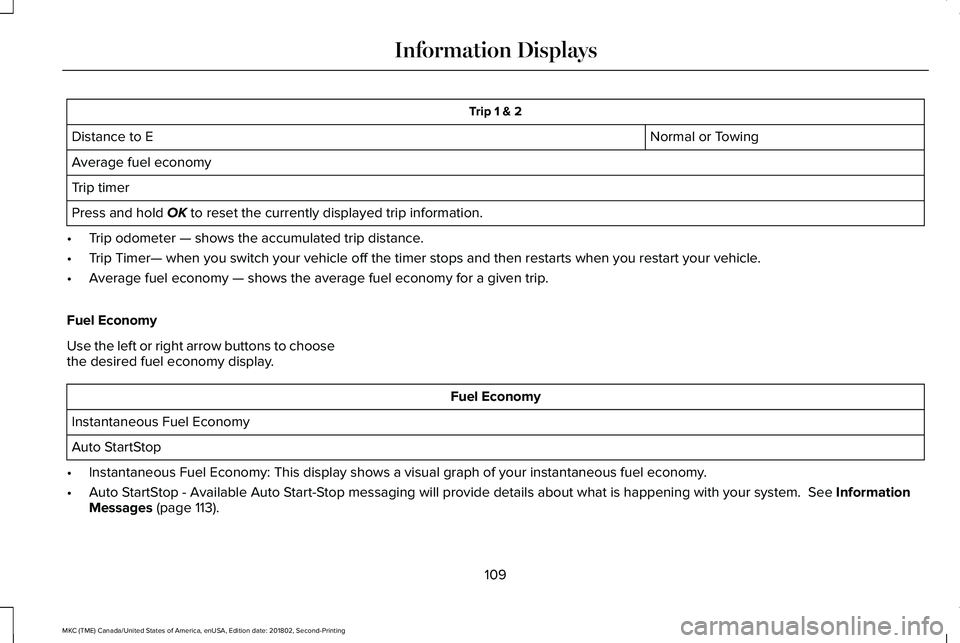
Trip 1 & 2
Normal or TowingDistance to E
Average fuel economy
Trip timer
Press and hold OK to reset the currently displayed trip information.
•Trip odometer — shows the accumulated trip distance.
•Trip Timer— when you switch your vehicle off the timer stops and then restarts when you restart your vehicle.
•Average fuel economy — shows the average fuel economy for a given trip.
Fuel Economy
Use the left or right arrow buttons to choosethe desired fuel economy display.
Fuel Economy
Instantaneous Fuel Economy
Auto StartStop
•Instantaneous Fuel Economy: This display shows a visual graph of your instantaneous fuel economy.
•Auto StartStop - Available Auto Start-Stop messaging will provide details about what is happening with your system. See InformationMessages (page 113).
109
MKC (TME) Canada/United States of America, enUSA, Edition date: 201802, Second-Printing
Information Displays
Page 133 of 581
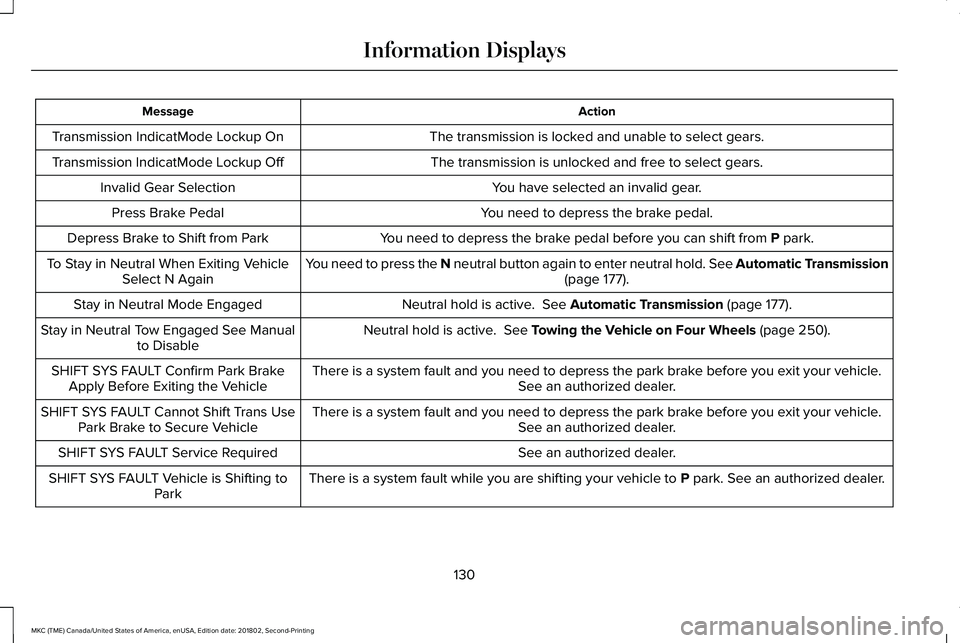
ActionMessage
The transmission is locked and unable to select gears.Transmission IndicatMode Lockup On
The transmission is unlocked and free to select gears.Transmission IndicatMode Lockup Off
You have selected an invalid gear.Invalid Gear Selection
You need to depress the brake pedal.Press Brake Pedal
You need to depress the brake pedal before you can shift from P park.Depress Brake to Shift from Park
You need to press the N neutral button again to enter neutral hold. See Automatic Transmission(page 177).To Stay in Neutral When Exiting VehicleSelect N Again
Neutral hold is active. See Automatic Transmission (page 177).Stay in Neutral Mode Engaged
Neutral hold is active. See Towing the Vehicle on Four Wheels (page 250).Stay in Neutral Tow Engaged See Manualto Disable
There is a system fault and you need to depress the park brake before you exit your vehicle.See an authorized dealer.SHIFT SYS FAULT Confirm Park BrakeApply Before Exiting the Vehicle
There is a system fault and you need to depress the park brake before you exit your vehicle.See an authorized dealer.SHIFT SYS FAULT Cannot Shift Trans UsePark Brake to Secure Vehicle
See an authorized dealer.SHIFT SYS FAULT Service Required
There is a system fault while you are shifting your vehicle to P park. See an authorized dealer.SHIFT SYS FAULT Vehicle is Shifting toPark
130
MKC (TME) Canada/United States of America, enUSA, Edition date: 201802, Second-Printing
Information Displays
Page 134 of 581
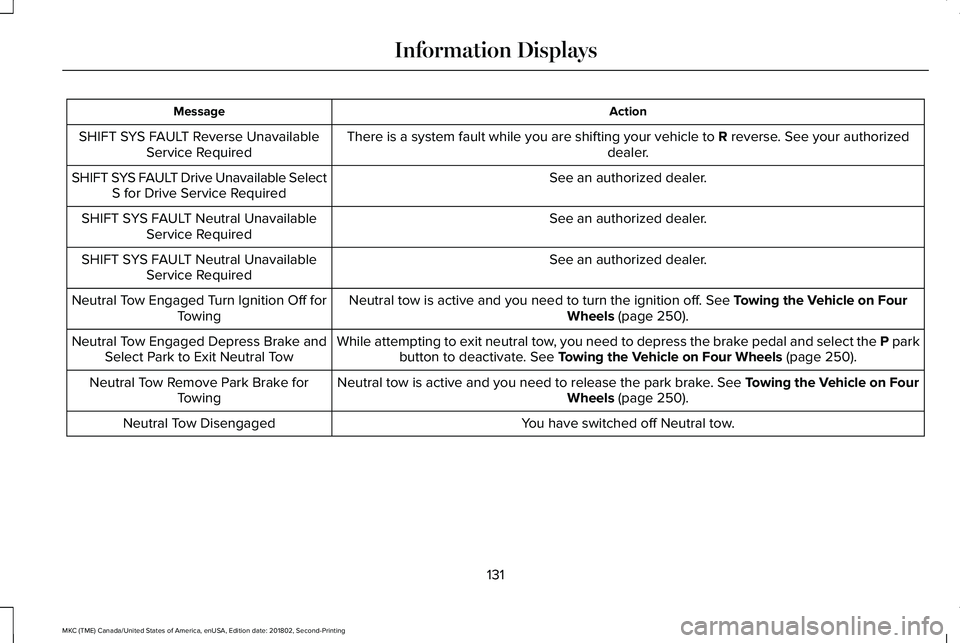
ActionMessage
There is a system fault while you are shifting your vehicle to R reverse. See your authorizeddealer.SHIFT SYS FAULT Reverse UnavailableService Required
See an authorized dealer.SHIFT SYS FAULT Drive Unavailable SelectS for Drive Service Required
See an authorized dealer.SHIFT SYS FAULT Neutral UnavailableService Required
See an authorized dealer.SHIFT SYS FAULT Neutral UnavailableService Required
Neutral tow is active and you need to turn the ignition off. See Towing the Vehicle on FourWheels (page 250).Neutral Tow Engaged Turn Ignition Off forTowing
While attempting to exit neutral tow, you need to depress the brake pedal and select the P parkbutton to deactivate. See Towing the Vehicle on Four Wheels (page 250).Neutral Tow Engaged Depress Brake andSelect Park to Exit Neutral Tow
Neutral tow is active and you need to release the park brake. See Towing the Vehicle on FourWheels (page 250).Neutral Tow Remove Park Brake forTowing
You have switched off Neutral tow.Neutral Tow Disengaged
131
MKC (TME) Canada/United States of America, enUSA, Edition date: 201802, Second-Printing
Information Displays
Page 170 of 581
Your vehicle is designed to operate onregular unleaded gasoline with a minimumpump (R+M)/2 octane rating of 87.
Some fuel stations, particularly those in highaltitude areas, offer fuels posted as regularunleaded gasoline with an octane ratingbelow 87. The use of these fuels could resultin engine damage that will not be coveredby the vehicle warranty.
For best overall vehicle and engineperformance, premium fuel with an octanerating of 91 or higher is recommended. Theperformance gained by using premium fuelis most noticeable in hot weather as well asother conditions, for example when towinga trailer. See Towing (page 245).
Do not be concerned if the enginesometimes knocks lightly. However, if theengine knocks heavily while using fuel withthe recommended octane rating, contact anauthorized dealer to prevent any enginedamage.
We recommend Top Tier detergentgasolines, where available to help minimizeengine deposits and maintain optimal vehicleand engine performance. For additionalinformation, refer to www.toptiergas.com.
Note:Use of any fuel for which the vehiclewas not designed can impair the emissioncontrol system, cause loss of vehicleperformance, and cause damage to theengine which may not be covered by thevehicle Warranty.
Do not use:
•Diesel fuel.
•Fuels containing kerosene or paraffin.
•Fuel containing more than 15% ethanolor E85 fuel.
•Fuels containing methanol.
•Fuels containing metallic-based additives,including manganese-based compounds.
•Fuels containing the octane boosteradditive, methylcyclopentadienylmanganese tricarbonyl (MMT).
•Leaded fuel, using leaded fuel isprohibited by law.
The use of fuels with metallic compoundssuch as methylcyclopentadienyl manganesetricarbonyl (commonly known as MMT), whichis a manganese-based fuel additive, willimpair engine performance and affect theemission control system.
FUEL FILLER FUNNEL LOCATION
The fuel filler funnel is under the luggagecompartment floor covering.
RUNNING OUT OF FUEL
Running out of fuel can cause damage notcovered by the vehicle Warranty.
If your vehicle runs out of fuel:
•Add a minimum of 1.3 gal (5 L) of fuel torestart the engine.
•You may need to switch the ignition fromoff to on several times after refueling toallow the fuel system to pump the fuelfrom the tank to the engine. Whenrestarting, cranking time takes a fewseconds longer than normal.
167
MKC (TME) Canada/United States of America, enUSA, Edition date: 201802, Second-Printing
Fuel and Refueling
Page 185 of 581
6.Your vehicle will remain in Stay in Neutralmode for wrecker towing purposes orcan be shifted to the desired gear anddriven (if possible).
7. Release the parking brake.
Automatic Transmission AdaptiveLearning
This feature increases durability and providesconsistent shift feel over the life of yourvehicle. A new vehicle or transmission mayhave firm or soft shifts. This operation willnot affect function or durability of yourtransmission and is normal. Over time, theadaptive learning process will fully updatetransmission operation. Additionally, thestrategy must be relearned whenever thebattery is disconnected or a new battery isinstalled.
If Your Vehicle Gets Stuck In Mud orSnow
Note:Do not rock your vehicle if your engineis not at normal operating temperature ordamage to your transmission may occur.
Note:Do not rock your vehicle for more thana minute or damage to your transmissionand tires may occur, or your engine mayoverheat.
If your vehicle gets stuck in mud or snow,you can help rock your vehicle out by shiftingbetween forward and reverse gears,stopping between shifts in a steady pattern.Press lightly on the accelerator in each gear.
182
MKC (TME) Canada/United States of America, enUSA, Edition date: 201802, Second-Printing
Transmission
Page 196 of 581
Auto Hold uses your vehicle's brakes to holdyour vehicle at a stop once your vehicle hasreached a standstill condition. For example,Auto Hold can assist you while stopping attraffic lights or while in traffic jams by holdingthe brake pressure for you once you bringyour vehicle to a stop.
Switch Auto Hold off during vehicle or trailertowing.
Note:In case of a malfunction in the systemwhile Auto Hold actively holds the vehicle(for example, low power supply), a messageappears in the information display askingyou to press the brake pedal. If you see thismessage, press the brake pedalimmediately.
Note:Auto Hold only activates if the systemrecognizes it is applying enough brakepressure. On a steep hill or incline, you mayneed to make sure the brake pedal ispressed sufficiently to activate the Auto Holdsystem.
Note:In some cases, Auto Hold might handover to the parking brake. When the parkingbrake automatically applies, the red brakelamp appears. This is normal. When youpress the accelerator pedal, the drive awayrelease feature automatically releases theparking brake.
Note:Auto Hold works on all road grades.
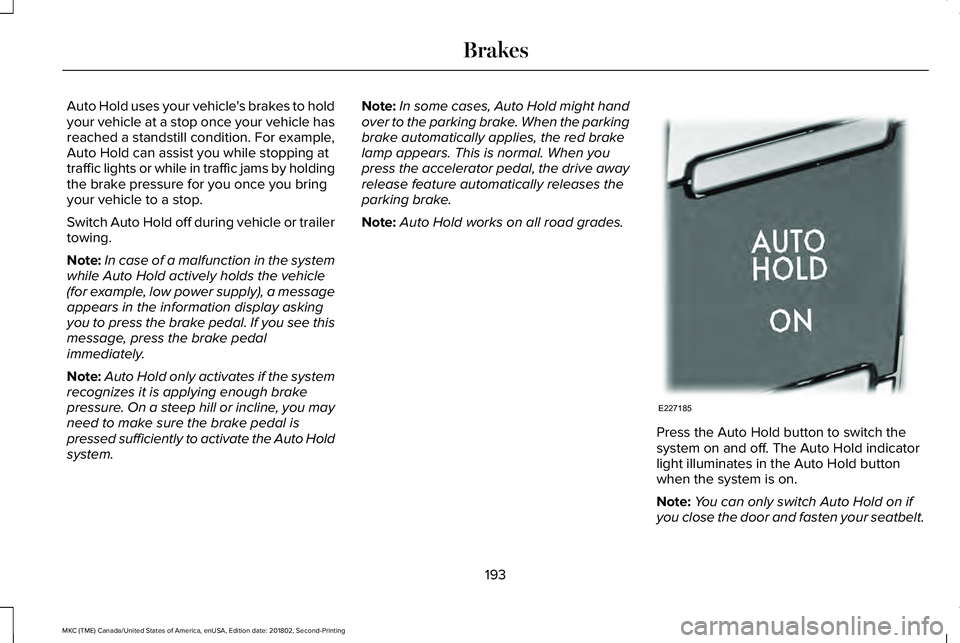
Press the Auto Hold button to switch thesystem on and off. The Auto Hold indicatorlight illuminates in the Auto Hold buttonwhen the system is on.
Note:You can only switch Auto Hold on ifyou close the door and fasten your seatbelt.
193
MKC (TME) Canada/United States of America, enUSA, Edition date: 201802, Second-Printing
BrakesE227185
Page 211 of 581
Note:If the transmission is in reverse (R) andthe luggage compartment door or liftgate isopen, no rear view camera features willdisplay.
Note: When towing, the camera only seeswhat you are towing. This might not provideadequate coverage as it usually provides innormal operation and some objects mightnot be seen. In some vehicles, theguidelines may disappear when you connectthe trailer tow connector.
The camera may not operate correctly underthe following conditions:
•Nighttime or dark areas if one or bothreverse lamps are not operating.
•Mud, water or debris obstructs thecamera's view. Clean the lens with a soft,lint-free cloth and non-abrasive cleaner.
•The rear of your vehicle is hit ordamaged, causing the camera to becomemisaligned.
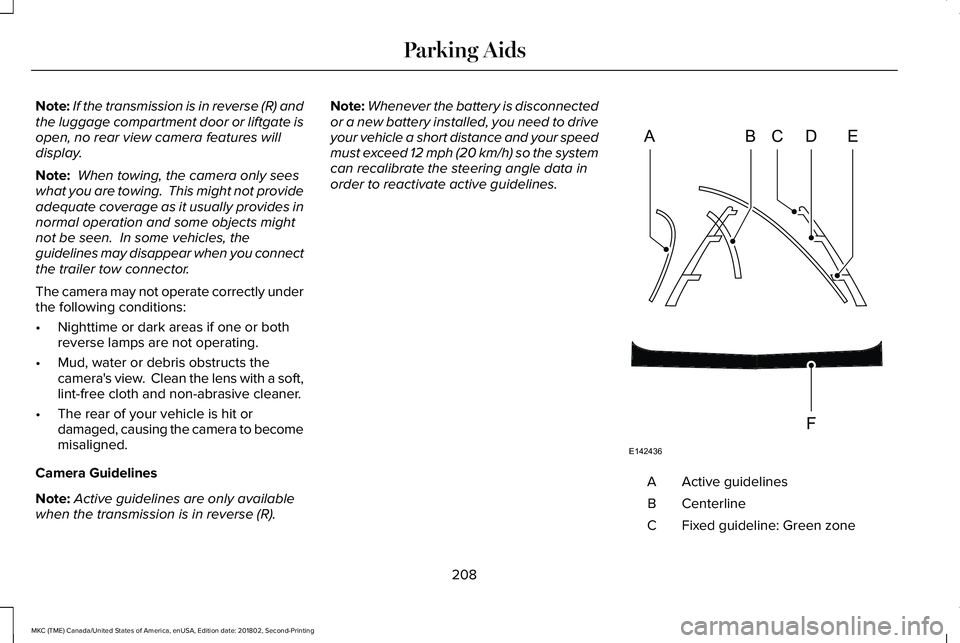
Camera Guidelines
Note:Active guidelines are only availablewhen the transmission is in reverse (R).
Note:Whenever the battery is disconnectedor a new battery installed, you need to driveyour vehicle a short distance and your speedmust exceed 12 mph (20 km/h) so the systemcan recalibrate the steering angle data inorder to reactivate active guidelines.
Active guidelinesA
CenterlineB
Fixed guideline: Green zoneC
208
MKC (TME) Canada/United States of America, enUSA, Edition date: 201802, Second-Printing
Parking AidsABCD
F
E
E142436
Page 214 of 581
Switching Cruise Control Off
Note:You erase the set speed when youswitch the system off.
Press OFF when the system is in stand bymode, or switch the ignition off.
USING ADAPTIVE CRUISE
CONTROL (If Equipped)
WARNING: Always pay close attentionto changing road conditions when usingadaptive cruise control. The system does notreplace attentive driving. Failing to payattention to the road may result in a crash,serious injury or death.
WARNING: Do not use the adaptivecruise control when entering or leaving ahighway, on roads with intersections orroundabouts or non-vehicular traffic or roadsthat are winding, slippery, unpaved, or steepslopes.
WARNING: Do not use the system inpoor visibility, for example fog, heavy rain,spray or snow.
WARNING: Do not use the systemwhen towing a trailer with aftermarket trailerbrake controls. Aftermarket trailer brakes willnot function properly when you switch thesystem on because the brakes areelectronically controlled. Failing to do so mayresult in loss of vehicle control, which couldresult in serious injury.
WARNING: Do not use tire sizes otherthan those recommended because this canaffect the normal operation of the system.Failure to do so may result in a loss of vehiclecontrol, which could result in serious injury.
WARNING: Adaptive cruise controlmay not detect stationary or slow movingvehicles below 6 mph (10 km/h).
WARNING: Adaptive cruise controldoes not detect pedestrians or objects in theroad.
WARNING: Adaptive cruise controldoes not detect oncoming vehicles in thesame lane.
WARNING: Adaptive cruise control isnot a crash warning or avoidance system.
Note:It is your responsibility to stay alert,drive safely and be in control of the vehicleat all times.
The system adjusts your vehicle speed tomaintain the set gap between you and thevehicle in front of you in the same lane. Youcan select four gap settings.
The system uses a radar sensor that projectsa beam directly in front of your vehicle.
211
MKC (TME) Canada/United States of America, enUSA, Edition date: 201802, Second-Printing
Cruise Control
Page 231 of 581
Note:Blocked sensors could affect systemperformance.
If the sensors are blocked, a message mayappear in the information display. SeeInformation Messages (page 113). The alertindicators remain illuminated but the systemdoes not alert you.
System Errors
If the system detects a fault, a warning lampilluminates and a message displays. SeeInformation Messages (page 113).
Switching the System Off and On
You can switch the system off using theinformation display. See GeneralInformation (page 108). When you switch thesystem off, a warning lamp illuminates anda message displays. When you switch thesystem on or off, the alert indicators flashtwice.
Note:The system remembers the last settingwhen you start your vehicle.
Note:The system may not correctly operatewhen towing a trailer. For vehicles with atrailer tow module and tow bar approved byus, the system turns off when you attach atrailer. For vehicles with an aftermarkettrailer tow module or tow bar, werecommend that you switch the system offwhen you attach a trailer.
To permanently switch the system off,contact an authorized dealer.
CROSS TRAFFIC ALERT (If Equipped)
WARNING: Do not use the cross trafficalert system as a replacement for using theinterior and exterior mirrors or looking overyour shoulder before reversing out of aparking space. The cross traffic alert systemis not a replacement for careful driving.
WARNING: The system may notoperate properly during severe weatherconditions, for example snow, ice, heavy rainand spray. Always drive with due care andattention. Failure to take care may result ina crash.
The system is designed to alert you ofvehicles approaching from the sides whenyou shift into reverse (R).
Using the Cross Traffic Alert System
The system is designed to detect vehiclesthat approach with a speed up to 37 mph(60 km/h). Coverage decreases when thesensors are partially, mostly or fullyobstructed. Slowly reversing helps increasethe coverage area and effectiveness.
The system turns on when you start theengine and you shift into reverse (R). Thesystem turns off when you shift out of reverse(R).
228
MKC (TME) Canada/United States of America, enUSA, Edition date: 201802, Second-Printing
Driving Aids