power LINCOLN MKS 2009 Owner's Guide
[x] Cancel search | Manufacturer: LINCOLN, Model Year: 2009, Model line: MKS, Model: LINCOLN MKS 2009Pages: 323, PDF Size: 2.58 MB
Page 125 of 323
Using the power lumbar support
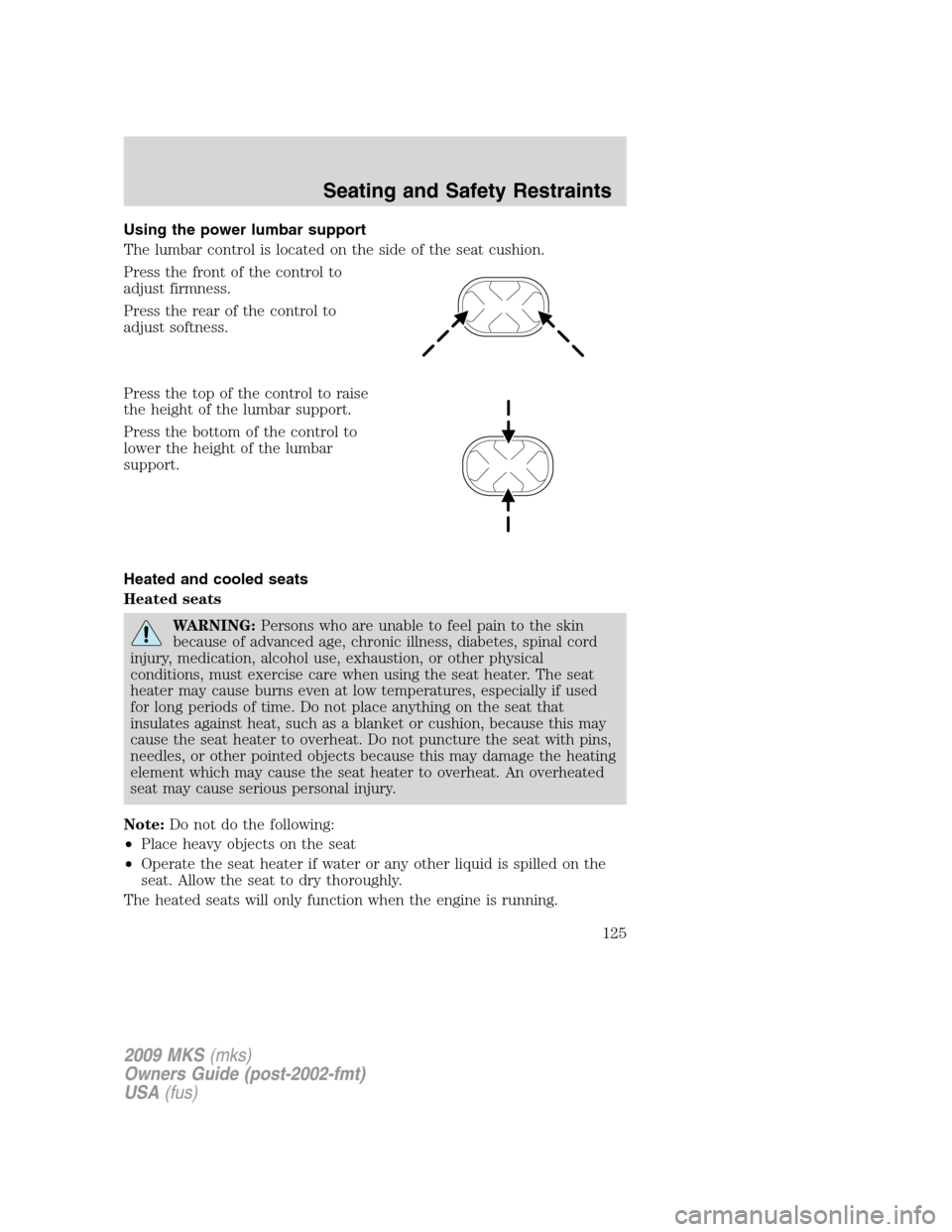
The lumbar control is located on the side of the seat cushion.
Press the front of the control to
adjust firmness.
Press the rear of the control to
adjust softness.
Press the top of the control to raise
the height of the lumbar support.
Press the bottom of the control to
lower the height of the lumbar
support.
Heated and cooled seats
Heated seats
WARNING:Persons who are unable to feel pain to the skin
because of advanced age, chronic illness, diabetes, spinal cord
injury, medication, alcohol use, exhaustion, or other physical
conditions, must exercise care when using the seat heater. The seat
heater may cause burns even at low temperatures, especially if used
for long periods of time. Do not place anything on the seat that
insulates against heat, such as a blanket or cushion, because this may
cause the seat heater to overheat. Do not puncture the seat with pins,
needles, or other pointed objects because this may damage the heating
element which may cause the seat heater to overheat. An overheated
seat may cause serious personal injury.
Note:Do not do the following:
•Place heavy objects on the seat
•Operate the seat heater if water or any other liquid is spilled on the
seat. Allow the seat to dry thoroughly.
The heated seats will only function when the engine is running.
2009 MKS(mks)
Owners Guide (post-2002-fmt)
USA(fus)
Seating and Safety Restraints
125
Page 128 of 323
Memory seats/power mirrors/steering column
This system allows automatic
positioning of the driver seat, power
mirrors, and steering column to two
programmable positions.
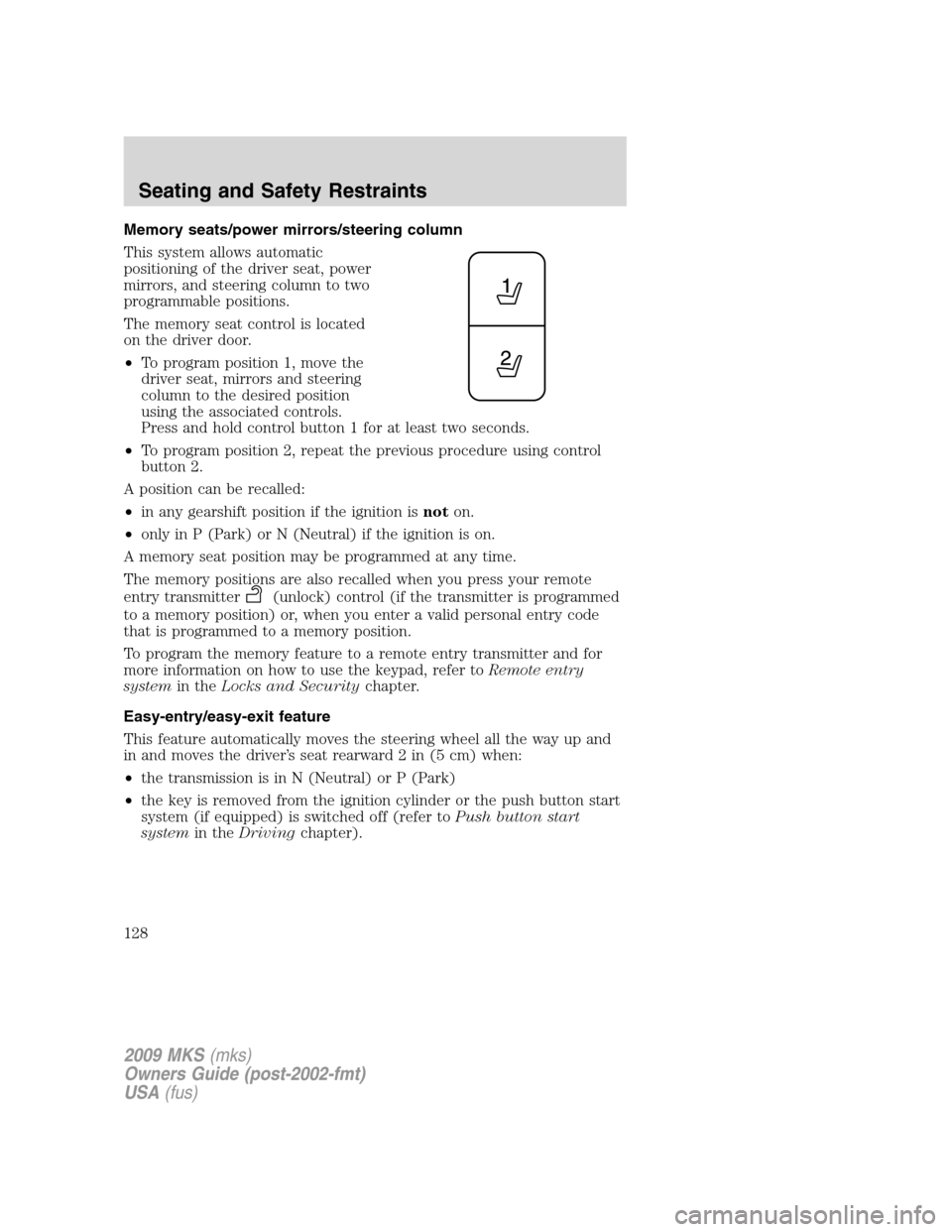
The memory seat control is located
on the driver door.
•To program position 1, move the
driver seat, mirrors and steering
column to the desired position
using the associated controls.
Press and hold control button 1 for at least two seconds.
•To program position 2, repeat the previous procedure using control
button 2.
A position can be recalled:
•in any gearshift position if the ignition isnoton.
•only in P (Park) or N (Neutral) if the ignition is on.
A memory seat position may be programmed at any time.
The memory positions are also recalled when you press your remote
entry transmitter
(unlock) control (if the transmitter is programmed
to a memory position) or, when you enter a valid personal entry code
that is programmed to a memory position.
To program the memory feature to a remote entry transmitter and for
more information on how to use the keypad, refer toRemote entry
systemin theLocks and Securitychapter.
Easy-entry/easy-exit feature
This feature automatically moves the steering wheel all the way up and
in and moves the driver’s seat rearward 2 in (5 cm) when:
•the transmission is in N (Neutral) or P (Park)
•the key is removed from the ignition cylinder or the push button start
system (if equipped) is switched off (refer toPush button start
systemin theDrivingchapter).
2009 MKS(mks)
Owners Guide (post-2002-fmt)
USA(fus)
Seating and Safety Restraints
128
Page 148 of 323
WARNING:Several air bag system components get hot after
inflation. Do not touch them after inflation.
WARNING:If the air bag has deployed,the air bag will not
function again and must be replaced immediately.If the air
bag is not replaced, the unrepaired area will increase the risk of injury
in a collision.
The SRS consists of:
•driver and passenger airbag modules (which include the inflators and
airbags).
•side airbags and Safety Canopy™. Refer toSeat-mounted side airbag
systemandSafety Canopy™ systemlater in this chapter.
•one or more impact and safing sensors.
•driver and front passenger safety belt pretensioner
•a readiness light and tone.
•diagnostic module.
•the electrical wiring which connects the components.
•Front passenger sensing system. Refer toFront passenger sensing
systemlater in this chapter.
•“Passenger airbag off” or “pass airbag off” indicator lamp. Refer to
Front passenger sensing systemlater in this chapter.
The diagnostic module monitors its own internal circuits and the
supplemental airbag electrical system wiring (including the impact
sensors), the system wiring, the airbag system readiness light, the airbag
back up power and the airbag ignitors.
Front passenger sensing system
The front passenger sensing system is designed to meet the regulatory
requirements of Federal Motor Vehicle Safety Standard (FMVSS) 208
and is designed to disable (will not inflate) the front passenger’s frontal
airbag under certain conditions.
The front passenger sensing system works with sensors that are part of
the front passenger’s seat and safety belt. The sensors are designed to
detect the presence of a properly seated occupant and determine if the
front passenger’s frontal airbag should be enabled (may inflate) or
disabled (will not inflate).
2009 MKS(mks)
Owners Guide (post-2002-fmt)
USA(fus)
Seating and Safety Restraints
148
Page 159 of 323
Determining if the system is operational
The SRS uses a readiness light in the instrument cluster or a tone to
indicate the condition of the system. Refer to theAirbag readiness
section in theInstrument Clusterchapter. Routine maintenance of the
airbag is not required.
Any difficulty with the system is indicated by one or more of the
following:
•The readiness airbag light (same light as for front airbag system) will
either flash or stay lit.
•The readiness light will not illuminate immediately after ignition is
switched on.
•A series of five beeps will be heard. The tone pattern will repeat
periodically until the problem and light are repaired.
If any of these things happen, even intermittently, have the SRS serviced
at your an authorized dealer immediately. Unless serviced, the system
may not function properly in the event of a collision or rollover event.
S.O.S. Post Crash Alert
The S.O.S Post Crash Alert automatically flashes the turn signal lamps
and sounds the horn three times at four second intervals in the event of
a serious impact that deploys an airbag (front, side, side curtain or
Safety Canopy™) or the safety belt pretensioners.
The S.O.S. Post Crash Alert can be turned off when any one of the
following actions are taken by the driver or any other person:
•pressing the hazard control button,
•or pressing the panic button on the remote key fob.
The feature will continue to operate until the vehicle runs out of power.
Disposal of airbags and airbag equipped vehicles
For disposal of airbags or airbag equipped vehicles, see your authorized
dealer. Airbags MUST BE disposed of by qualified personnel.
SAFETY RESTRAINTS FOR CHILDREN
See the following sections for directions on how to properly use safety
restraints for children. Also seeAirbag supplemental restraint system
(SRS)in this chapter for special instructions about using airbags.
2009 MKS(mks)
Owners Guide (post-2002-fmt)
USA(fus)
Seating and Safety Restraints
159
Page 182 of 323
This begins with the letters “DOT” and indicates that the tire meets all
federal standards. The next two numbers or letters are the plant code
designating where it was manufactured, the next two are the tire size
code and the last four numbers represent the week and year the tire was
built. For example, the numbers 317 mean the 31st week of 1997. After
2000 the numbers go to four digits. For example, 2501 means the 25th
week of 2001. The numbers in between are identification codes used for
traceability. This information is used to contact customers if a tire defect
requires a recall.
Tire replacement requirements
Your vehicle is equipped with tires designed to provide a safe ride and
handling capability.
WARNING:Only use replacement tires and wheels that are the
same size, load index, speed rating and type (such as P-metric
versus LT-metric or all-season versus all-terrain) as those originally
provided by Ford. The recommended tire and wheel size may be found
on either the Safety Compliance Certification Label or the Tire Label
which is located on the B-Pillar or edge of the driver’s door. If this
information is not found on these labels then you should consult your
Ford dealer. Use of any tire or wheel not recommended by Ford can
affect the safety and performance of your vehicle, which could result in
an increased risk of loss of vehicle control, vehicle rollover, personal
injury and death. Additionally the use of non-recommended tires and
wheels could cause steering, suspension, axle or transfer case/power
transfer unit failure. If you have questions regarding tire replacement,
see an authorized dealer.
2009 MKS(mks)
Owners Guide (post-2002-fmt)
USA(fus)
Tires, Wheels and Loading
182
Page 197 of 323
any tire is under-inflated, carefully drive the vehicle to the nearest
location where air can be added to the tires. Inflate all the tires to the
recommended inflation pressure.
SNOW TIRES AND CHAINS
WARNING:Snow tires must be the same size, load index, speed
rating as those originally provided by Ford. Use of any tire or
wheel not recommended by Ford can affect the safety and
performance of your vehicle, which could result in an increased risk of
loss of vehicle control, vehicle rollover, personal injury and death.
Additionally, the use of non-recommended tires and wheels could
cause steering, suspension, axle or transfer case/power transfer unit
failure.
The tires on your vehicle have all-weather treads to provide traction in
rain and snow. However, in some climates, you may need to use snow
tires and chains. If you need to use chains, it is recommended that steel
wheels (of the same size and specifications) be used, as chains may chip
aluminum wheels.
Follow these guidelines when using snow tires and chains:
•Use only SAE class “S” cables or equivalent on P235/55R18 tires on
the front tires only. SAE class “S” chains or other conventional link
chains may cause damage to the vehicles wheel house and/or body.
Use of optional spike spider type traction devices or equivalent is also
acceptable.
•Do not install tire chains, cables, or optional traction devices on the
rear tires. This could cause damage to the vehicle’s wheel house or
body.
•Do not use tire chains, cables, or optional traction devices with
optional P255/45R19 or 245/45R20 tires.
•Install tire cables securely, verifying that the tire cables do not touch
any wiring, brake lines or fuel lines.
•Drive cautiously. If you hear the cables rub or bang against your
vehicle, stop and re-tighten the cables. If this does not work, remove
the cables to prevent damage to your vehicle.
•If possible, avoid fully loading your vehicle.
•Remove the tire cables when they are no longer needed. Do not use
tire cables on dry roads.
2009 MKS(mks)
Owners Guide (post-2002-fmt)
USA(fus)
Tires, Wheels and Loading
197
Page 205 of 323
Hitches
Do not use hitches that clamp onto the vehicle bumper. Use a load
carrying hitch. You must distribute the load in your trailer so that
10–15% of the total weight of the trailer is on the tongue.
Safety chains
Always connect the trailer’s safety chains to the frame or hook retainers
of the vehicle hitch. To connect the trailer’s safety chains, cross the
chains under the trailer tongue and allow slack for turning corners.
If you use a rental trailer, follow the instructions that the rental agency
gives to you.
Do not attach safety chains to the bumper.
Trailer brakes
Electric brakes and manual, automatic or surge-type trailer brakes are
safe if installed properly and adjusted to the manufacturer’s
specifications. The trailer brakes must meet local and Federal
regulations.
WARNING:Do not connect a trailer’s hydraulic brake system
directly to your vehicle’s brake system. Your vehicle may not
have enough braking power and your chances of having a collision
greatly increase.
WARNING:Do not operate Adaptive Cruise Control (ACC)
when towing a trailer equipped with brakes. Aftermarket trailer
brakes will not function properly when ACC is activated, which may
lead to loss of vehicle control, increasing the risk of serious injury.
The braking system of the tow vehicle is rated for operation at the
GVWR not GCWR.
Trailer lamps
Trailer lamps are required on most towed vehicles. Make sure all running
lights, brake lights, turn signals and hazard lights are working. Do not
connect trailer lamps directly to your vehicle’s tail lamps. This can cause
damage to your vehicle’s electrical system. See your authorized dealer or
trailer rental agency for proper instructions and equipment for hooking
up trailer lamps.
2009 MKS(mks)
Owners Guide (post-2002-fmt)
USA(fus)
Tires, Wheels and Loading
205
Page 207 of 323
RECREATIONAL TOWING
Follow these guidelines for your specific powertrain combination to tow
your vehicle for personal travel (such as behind a motor home or a
truck).
In case of roadside emergency with a disabled vehicle, please refer to
Wrecker towingin theRoadside Emergencieschapter.
These guidelines are designed to prevent damage to your vehicle.
Front Wheel Drive (FWD) vehicles:
Tow your Front Wheel Drive vehicle with all four wheels on the ground
or with the front wheels off the ground by using a tow dolly. If you are
using a tow dolly follow the instructions specified by the equipment
provider.
All Wheel Drive (AWD) vehicles:
Tow your All Wheel Drive vehicle with all four wheels on the ground or
with all four wheels off the ground using a vehicle transport trailer.Do
not tow your All Wheel Drive vehicle with the front wheels off
the ground (by using a tow dolly) and the rear wheels on the
ground.This will cause damage to your AWD system. If you are using a
vehicle transport trailer, follow the instruction specified by the
equipment provider.
Note:If you tow your vehicle with all four wheels on the ground, follow
these instructions:
•Tow only in the forward direction.
•Release the parking brake.
•Place the transmission shift lever in (N) Neutral.
•Place the ignition in the accessory position (refer toStartingin the
Drivingchapter).
•Do not exceed 65 mph (105 km/h)
•Start the engine and allow it to run for five minutes at the beginning
of each day and at each fuel stop.
2009 MKS(mks)
Owners Guide (post-2002-fmt)
USA(fus)
Tires, Wheels and Loading
207
Page 208 of 323
STARTING
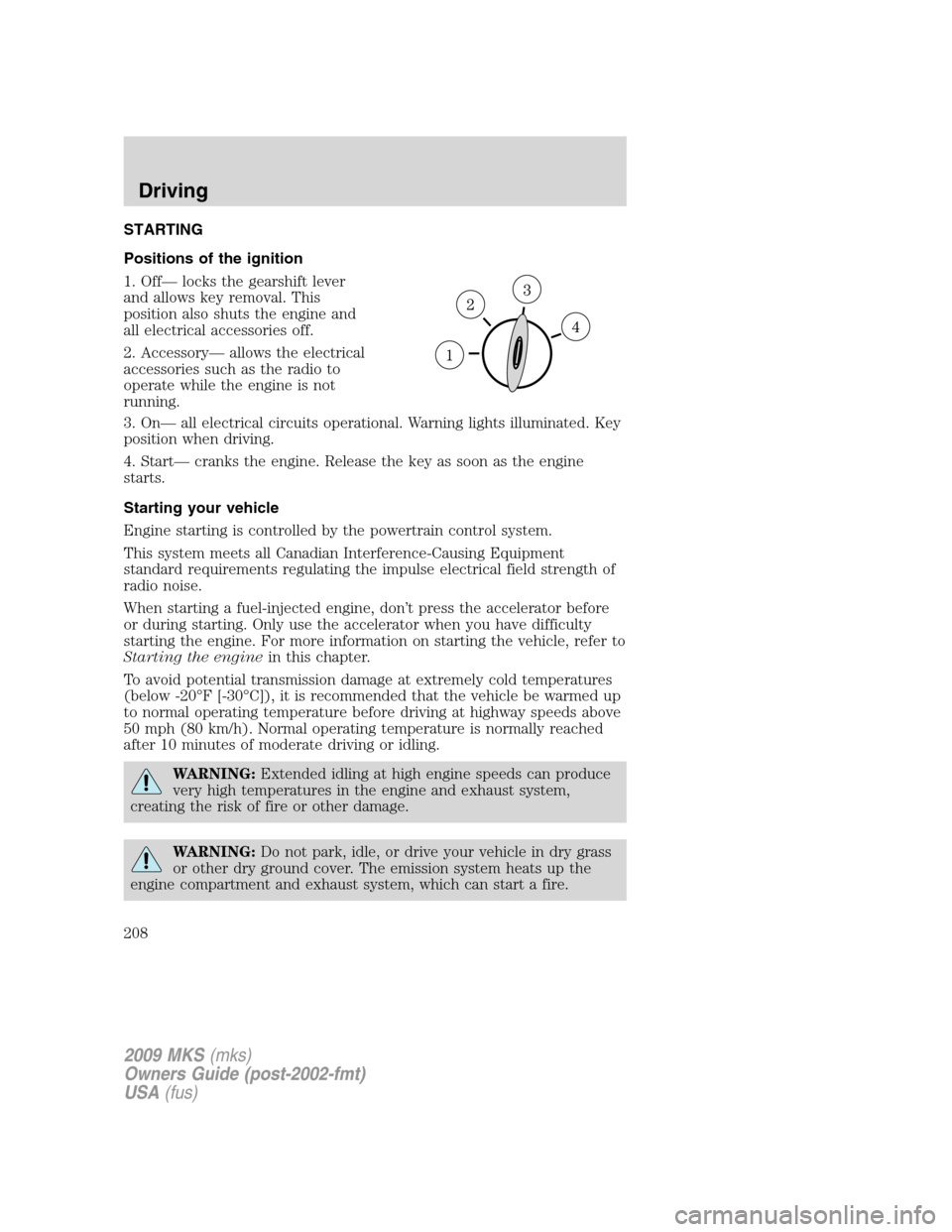
Positions of the ignition
1. Off— locks the gearshift lever
and allows key removal. This
position also shuts the engine and
all electrical accessories off.
2. Accessory— allows the electrical
accessories such as the radio to
operate while the engine is not
running.
3. On— all electrical circuits operational. Warning lights illuminated. Key
position when driving.
4. Start— cranks the engine. Release the key as soon as the engine
starts.
Starting your vehicle
Engine starting is controlled by the powertrain control system.
This system meets all Canadian Interference-Causing Equipment
standard requirements regulating the impulse electrical field strength of
radio noise.
When starting a fuel-injected engine, don’t press the accelerator before
or during starting. Only use the accelerator when you have difficulty
starting the engine. For more information on starting the vehicle, refer to
Starting the enginein this chapter.
To avoid potential transmission damage at extremely cold temperatures
(below -20°F [-30°C]), it is recommended that the vehicle be warmed up
to normal operating temperature before driving at highway speeds above
50 mph (80 km/h). Normal operating temperature is normally reached
after 10 minutes of moderate driving or idling.
WARNING:Extended idling at high engine speeds can produce
very high temperatures in the engine and exhaust system,
creating the risk of fire or other damage.
WARNING:Do not park, idle, or drive your vehicle in dry grass
or other dry ground cover. The emission system heats up the
engine compartment and exhaust system, which can start a fire.
2009 MKS(mks)
Owners Guide (post-2002-fmt)
USA(fus)
Driving
208
Page 211 of 323
3. After idling for a few seconds, apply the brake, shift into gear and
drive.
Note:If the engine does not start on the first try, turn the key to the off
position, wait 10 seconds and try step 2 again. If the engine still fails to
start, press the accelerator to the floor and try step 2 again, keeping the
accelerator on the floor until the engine begins to accelerate above
cranking speeds; this will allow the engine to crank with the fuel shut off
in case the engine is flooded with fuel.
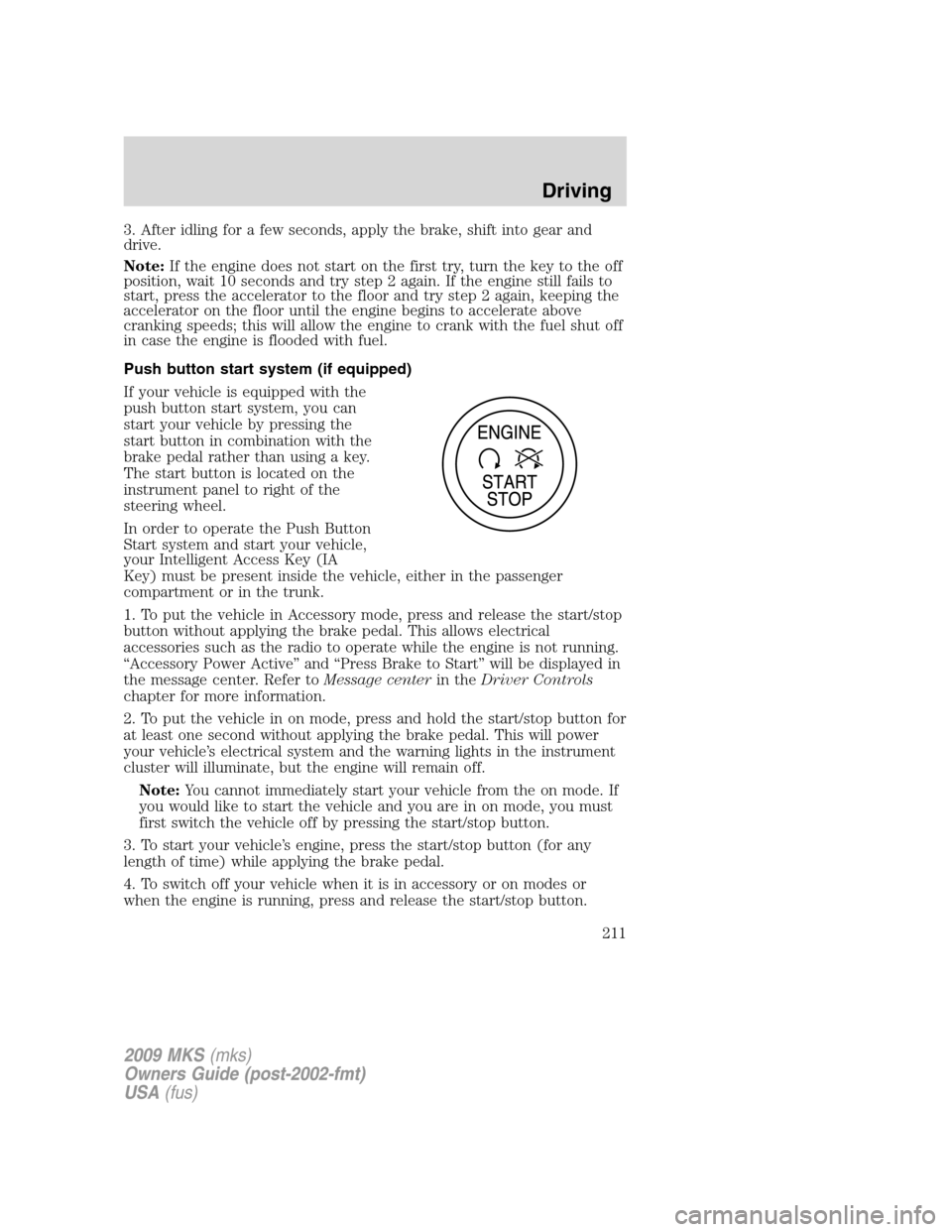
Push button start system (if equipped)
If your vehicle is equipped with the
push button start system, you can
start your vehicle by pressing the
start button in combination with the
brake pedal rather than using a key.
The start button is located on the
instrument panel to right of the
steering wheel.
In order to operate the Push Button
Start system and start your vehicle,
your Intelligent Access Key (IA
Key) must be present inside the vehicle, either in the passenger
compartment or in the trunk.
1. To put the vehicle in Accessory mode, press and release the start/stop
button without applying the brake pedal. This allows electrical
accessories such as the radio to operate while the engine is not running.
“Accessory Power Active” and “Press Brake to Start” will be displayed in
the message center. Refer toMessage centerin theDriver Controls
chapter for more information.
2. To put the vehicle in on mode, press and hold the start/stop button for
at least one second without applying the brake pedal. This will power
your vehicle’s electrical system and the warning lights in the instrument
cluster will illuminate, but the engine will remain off.
Note:You cannot immediately start your vehicle from the on mode. If
you would like to start the vehicle and you are in on mode, you must
first switch the vehicle off by pressing the start/stop button.
3. To start your vehicle’s engine, press the start/stop button (for any
length of time) while applying the brake pedal.
4. To switch off your vehicle when it is in accessory or on modes or
when the engine is running, press and release the start/stop button.
2009 MKS(mks)
Owners Guide (post-2002-fmt)
USA(fus)
Driving
211