power steering LINCOLN MKS 2009 Owners Manual
[x] Cancel search | Manufacturer: LINCOLN, Model Year: 2009, Model line: MKS, Model: LINCOLN MKS 2009Pages: 323, PDF Size: 2.58 MB
Page 1 of 323
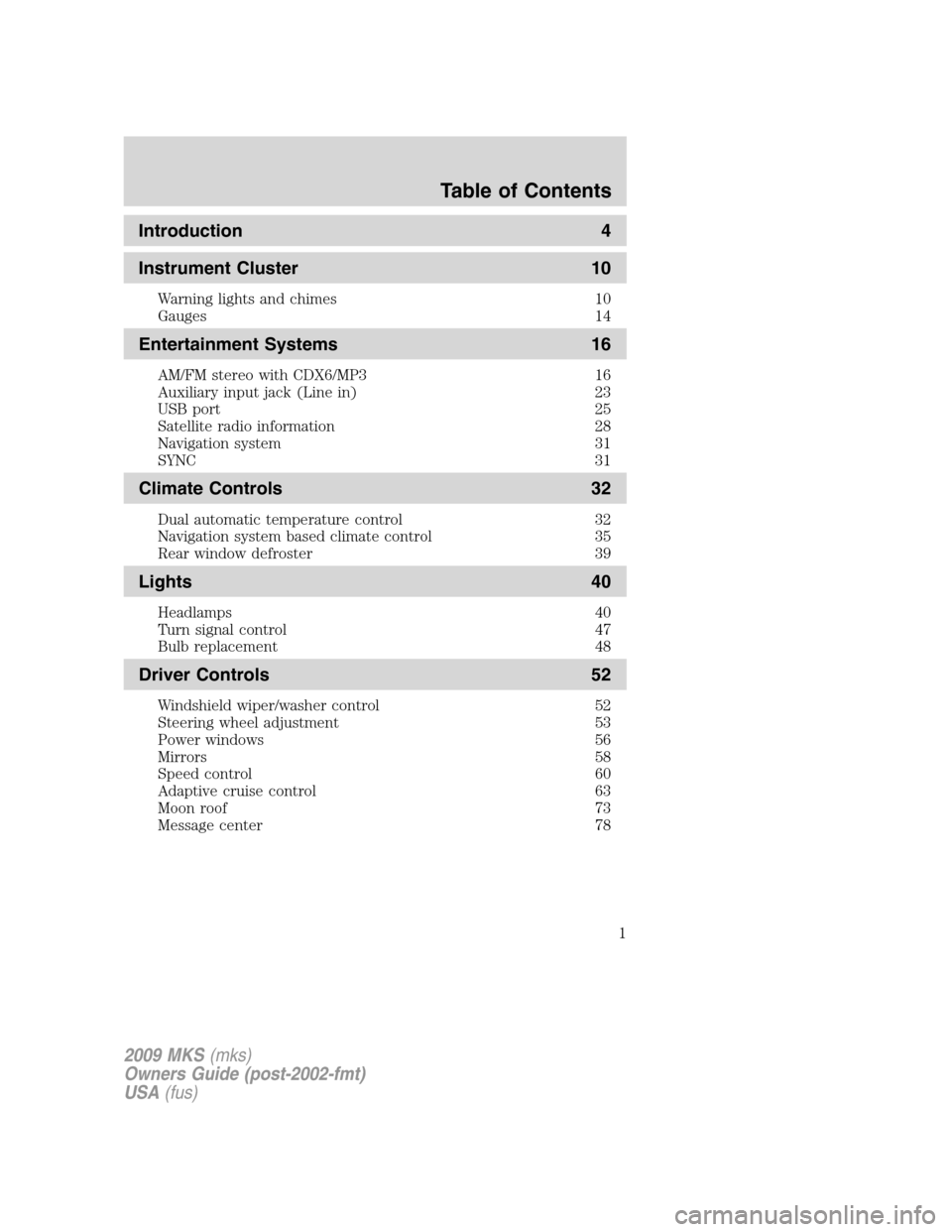
Introduction 4
Instrument Cluster 10
Warning lights and chimes 10
Gauges 14
Entertainment Systems 16
AM/FM stereo with CDX6/MP3 16
Auxiliary input jack (Line in) 23
USB port 25
Satellite radio information 28
Navigation system 31
SYNC 31
Climate Controls 32
Dual automatic temperature control 32
Navigation system based climate control 35
Rear window defroster 39
Lights 40
Headlamps 40
Turn signal control 47
Bulb replacement 48
Driver Controls 52
Windshield wiper/washer control 52
Steering wheel adjustment 53
Power windows 56
Mirrors 58
Speed control 60
Adaptive cruise control 63
Moon roof 73
Message center 78
Table of Contents
1
2009 MKS(mks)
Owners Guide (post-2002-fmt)
USA(fus)
Page 9 of 323
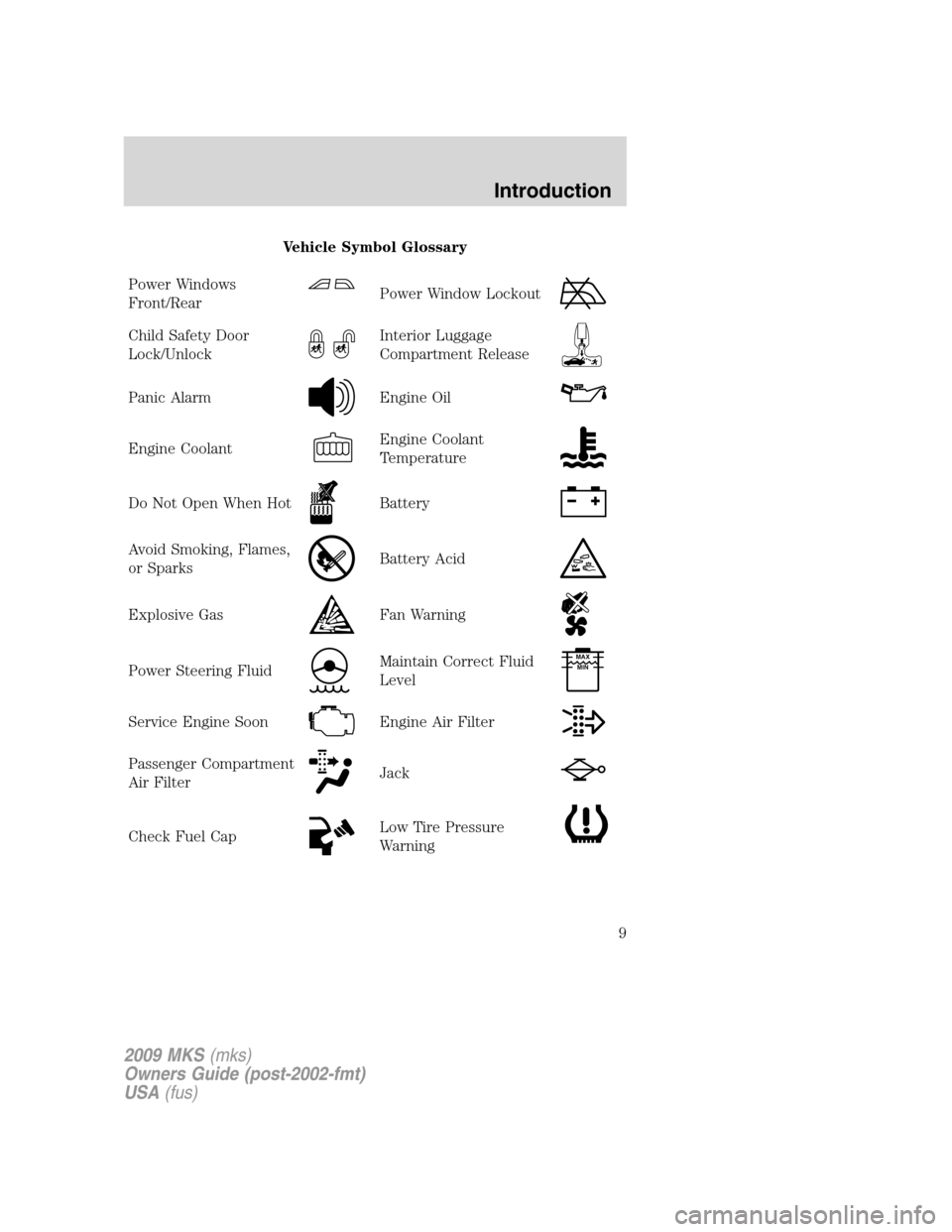
Vehicle Symbol Glossary
Power Windows
Front/Rear
Power Window Lockout
Child Safety Door
Lock/UnlockInterior Luggage
Compartment Release
Panic AlarmEngine Oil
Engine CoolantEngine Coolant
Temperature
Do Not Open When HotBattery
Avoid Smoking, Flames,
or SparksBattery Acid
Explosive GasFan Warning
Power Steering FluidMaintain Correct Fluid
LevelMAX
MIN
Service Engine SoonEngine Air Filter
Passenger Compartment
Air FilterJack
Check Fuel CapLow Tire Pressure
Warning
2009 MKS(mks)
Owners Guide (post-2002-fmt)
USA(fus)
Introduction
9
Page 40 of 323
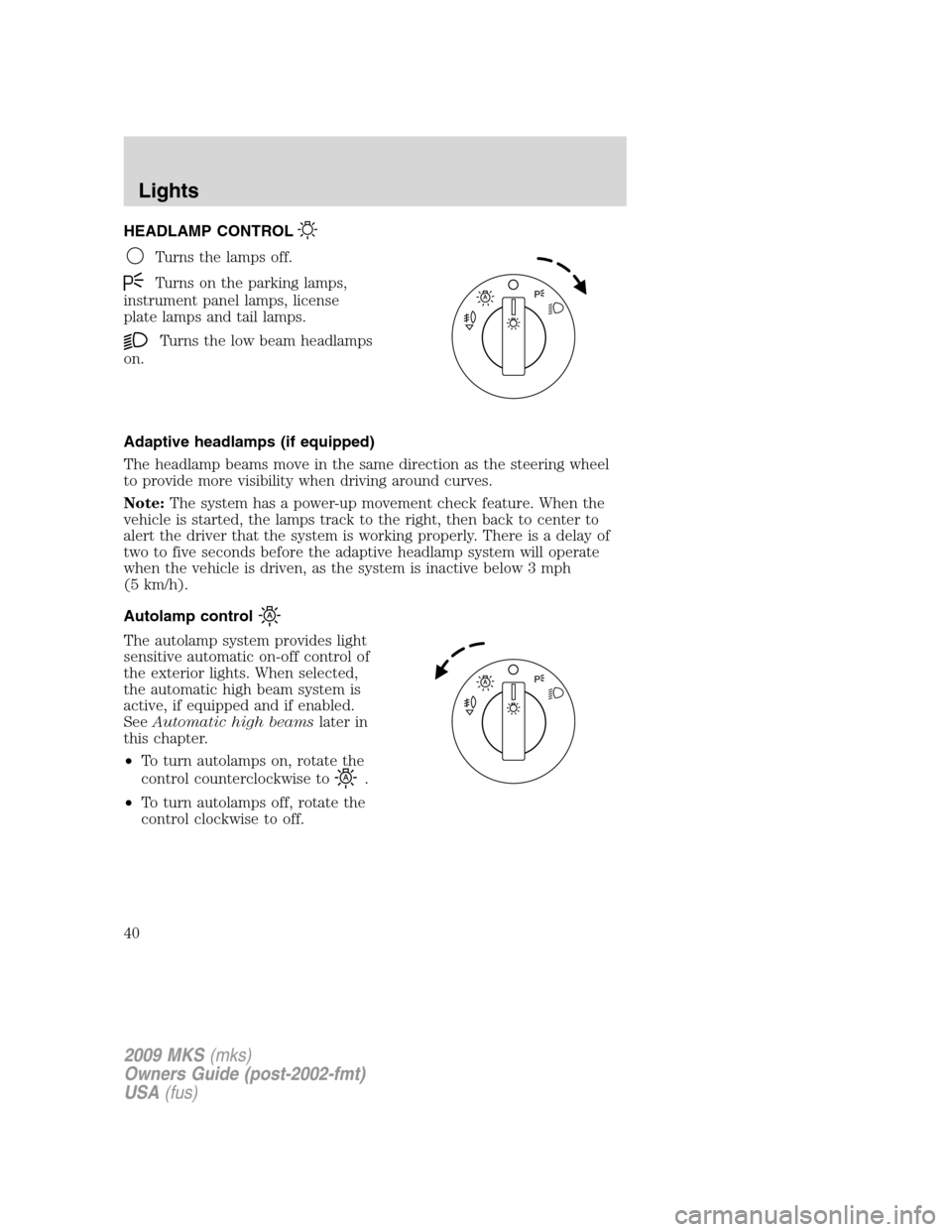
HEADLAMP CONTROL
Turns the lamps off.
Turns on the parking lamps,
instrument panel lamps, license
plate lamps and tail lamps.
Turns the low beam headlamps
on.
Adaptive headlamps (if equipped)
The headlamp beams move in the same direction as the steering wheel
to provide more visibility when driving around curves.
Note:The system has a power-up movement check feature. When the
vehicle is started, the lamps track to the right, then back to center to
alert the driver that the system is working properly. There is a delay of
two to five seconds before the adaptive headlamp system will operate
when the vehicle is driven, as the system is inactive below 3 mph
(5 km/h).
Autolamp control
The autolamp system provides light
sensitive automatic on-off control of
the exterior lights. When selected,
the automatic high beam system is
active, if equipped and if enabled.
SeeAutomatic high beamslater in
this chapter.
•To turn autolamps on, rotate the
control counterclockwise to
.
•To turn autolamps off, rotate the
control clockwise to off.
2009 MKS(mks)
Owners Guide (post-2002-fmt)
USA(fus)
Lights
40
Page 53 of 323
Windshield wiper rainlamp feature
When the windshield wipers are turned on during daylight, and the
headlamp control is in the autolamp position, the exterior lamps will turn
on after a brief delay and will remain on until the wipers are turned off.
POWER TILT/TELESCOPE STEERING COLUMN
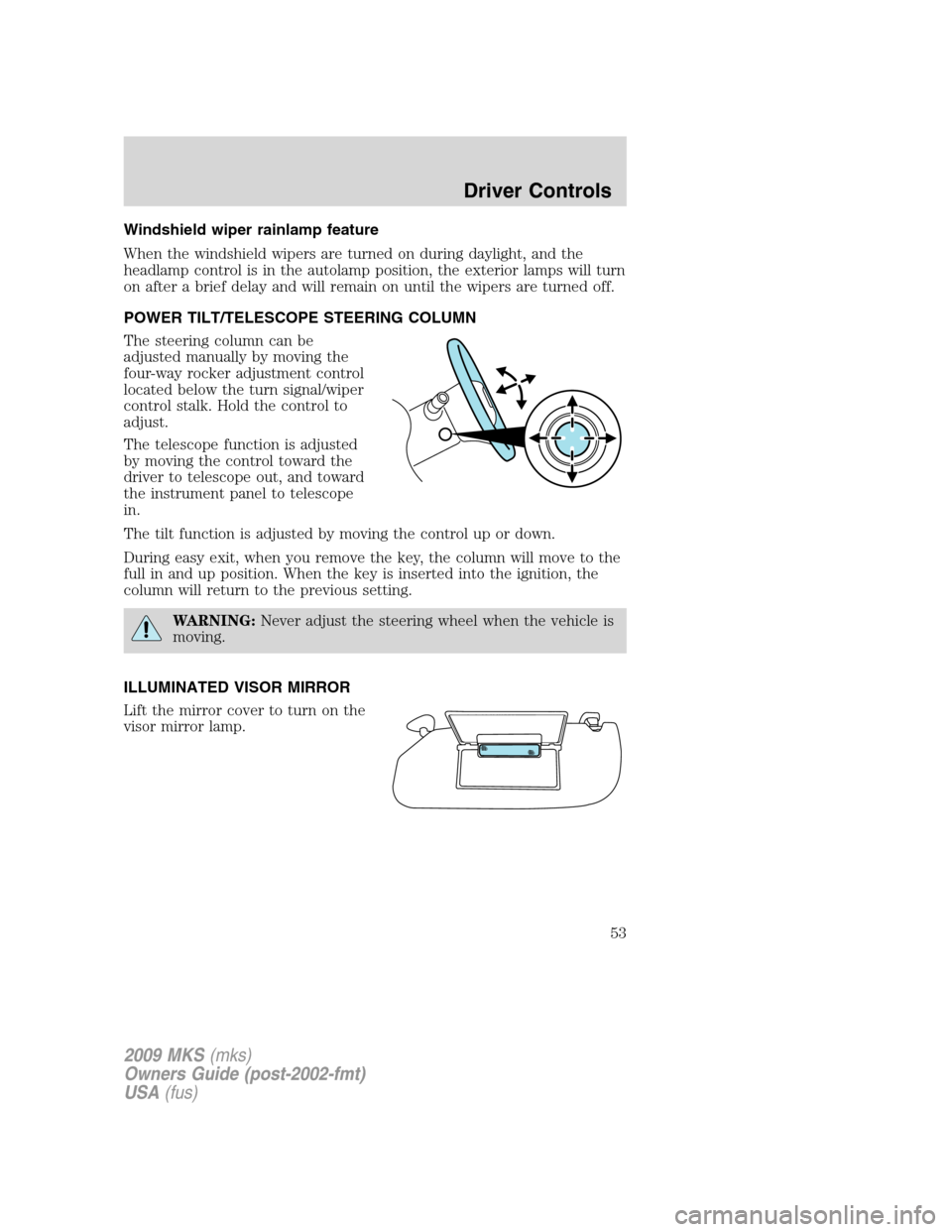
The steering column can be
adjusted manually by moving the
four-way rocker adjustment control
located below the turn signal/wiper
control stalk. Hold the control to
adjust.
The telescope function is adjusted
by moving the control toward the
driver to telescope out, and toward
the instrument panel to telescope
in.
The tilt function is adjusted by moving the control up or down.
During easy exit, when you remove the key, the column will move to the
full in and up position. When the key is inserted into the ignition, the
column will return to the previous setting.
WARNING:Never adjust the steering wheel when the vehicle is
moving.
ILLUMINATED VISOR MIRROR
Lift the mirror cover to turn on the
visor mirror lamp.
2009 MKS(mks)
Owners Guide (post-2002-fmt)
USA(fus)
Driver Controls
53
Page 106 of 323
Memory seats/power mirrors/steering column
The Integrated Keyhead Transmitter IKT or Intelligent Access Key allows
you to recall the memory seat/power mirrors/steering column feature.
Press
on the transmitter or activate the Intelligent Access feature to
automatically move the seat, mirrors and steering column to the desired
memory position.
Note:The seat will not travel to its final position if the key is not in the
ignition (if equipped) and the easy entry feature is enabled.
Activating the memory feature
To activate this feature:
1. Position the seat, mirrors, and steering column to the desired
positions.
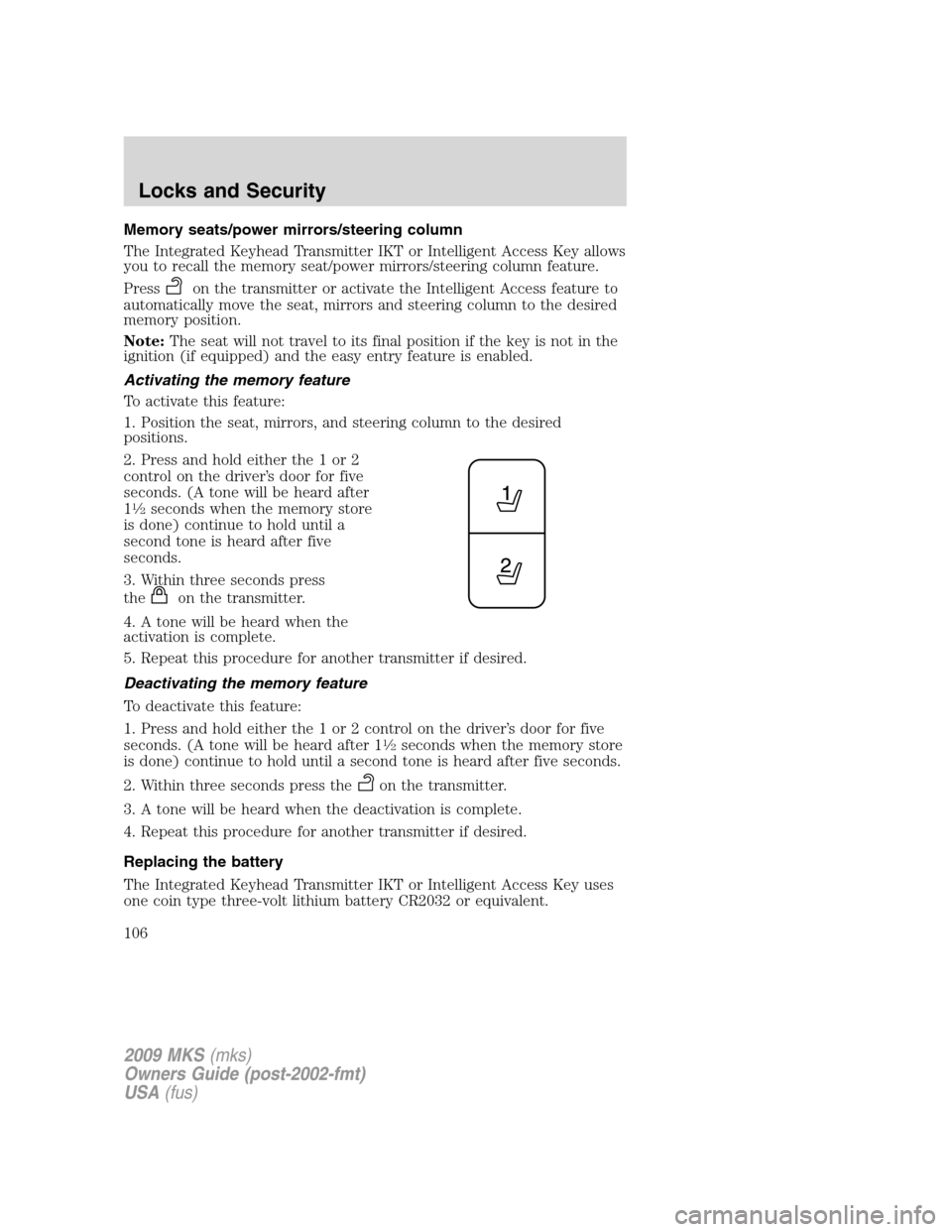
2. Press and hold either the 1 or 2
control on the driver’s door for five
seconds. (A tone will be heard after
1
12seconds when the memory store
is done) continue to hold until a
second tone is heard after five
seconds.
3. Within three seconds press
the
on the transmitter.
4. A tone will be heard when the
activation is complete.
5. Repeat this procedure for another transmitter if desired.
Deactivating the memory feature
To deactivate this feature:
1. Press and hold either the 1 or 2 control on the driver’s door for five
seconds. (A tone will be heard after 1
12seconds when the memory store
is done) continue to hold until a second tone is heard after five seconds.
2. Within three seconds press the
on the transmitter.
3. A tone will be heard when the deactivation is complete.
4. Repeat this procedure for another transmitter if desired.
Replacing the battery
The Integrated Keyhead Transmitter IKT or Intelligent Access Key uses
one coin type three-volt lithium battery CR2032 or equivalent.
2009 MKS(mks)
Owners Guide (post-2002-fmt)
USA(fus)
Locks and Security
106
Page 111 of 323
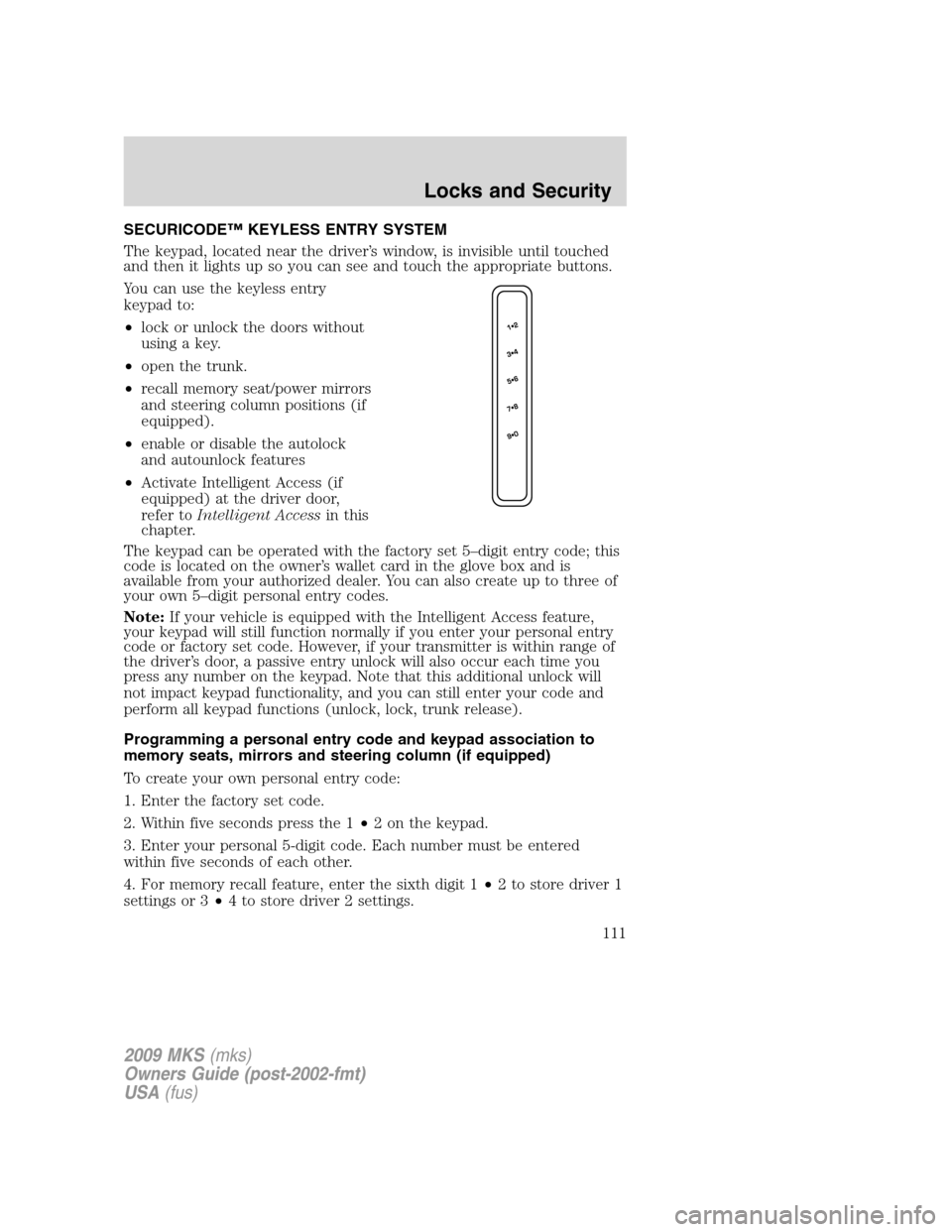
SECURICODE™ KEYLESS ENTRY SYSTEM
The keypad, located near the driver’s window, is invisible until touched
and then it lights up so you can see and touch the appropriate buttons.
You can use the keyless entry
keypad to:
•lock or unlock the doors without
using a key.
•open the trunk.
•recall memory seat/power mirrors
and steering column positions (if
equipped).
•enable or disable the autolock
and autounlock features
•Activate Intelligent Access (if
equipped) at the driver door,
refer toIntelligent Accessin this
chapter.
The keypad can be operated with the factory set 5–digit entry code; this
code is located on the owner’s wallet card in the glove box and is
available from your authorized dealer. You can also create up to three of
your own 5–digit personal entry codes.
Note:If your vehicle is equipped with the Intelligent Access feature,
your keypad will still function normally if you enter your personal entry
code or factory set code. However, if your transmitter is within range of
the driver’s door, a passive entry unlock will also occur each time you
press any number on the keypad. Note that this additional unlock will
not impact keypad functionality, and you can still enter your code and
perform all keypad functions (unlock, lock, trunk release).
Programming a personal entry code and keypad association to
memory seats, mirrors and steering column (if equipped)
To create your own personal entry code:
1. Enter the factory set code.
2. Within five seconds press the 1•2 on the keypad.
3. Enter your personal 5-digit code. Each number must be entered
within five seconds of each other.
4. For memory recall feature, enter the sixth digit 1•2 to store driver 1
settings or 3•4 to store driver 2 settings.
2009 MKS(mks)
Owners Guide (post-2002-fmt)
USA(fus)
Locks and Security
111
Page 128 of 323
Memory seats/power mirrors/steering column
This system allows automatic
positioning of the driver seat, power
mirrors, and steering column to two
programmable positions.
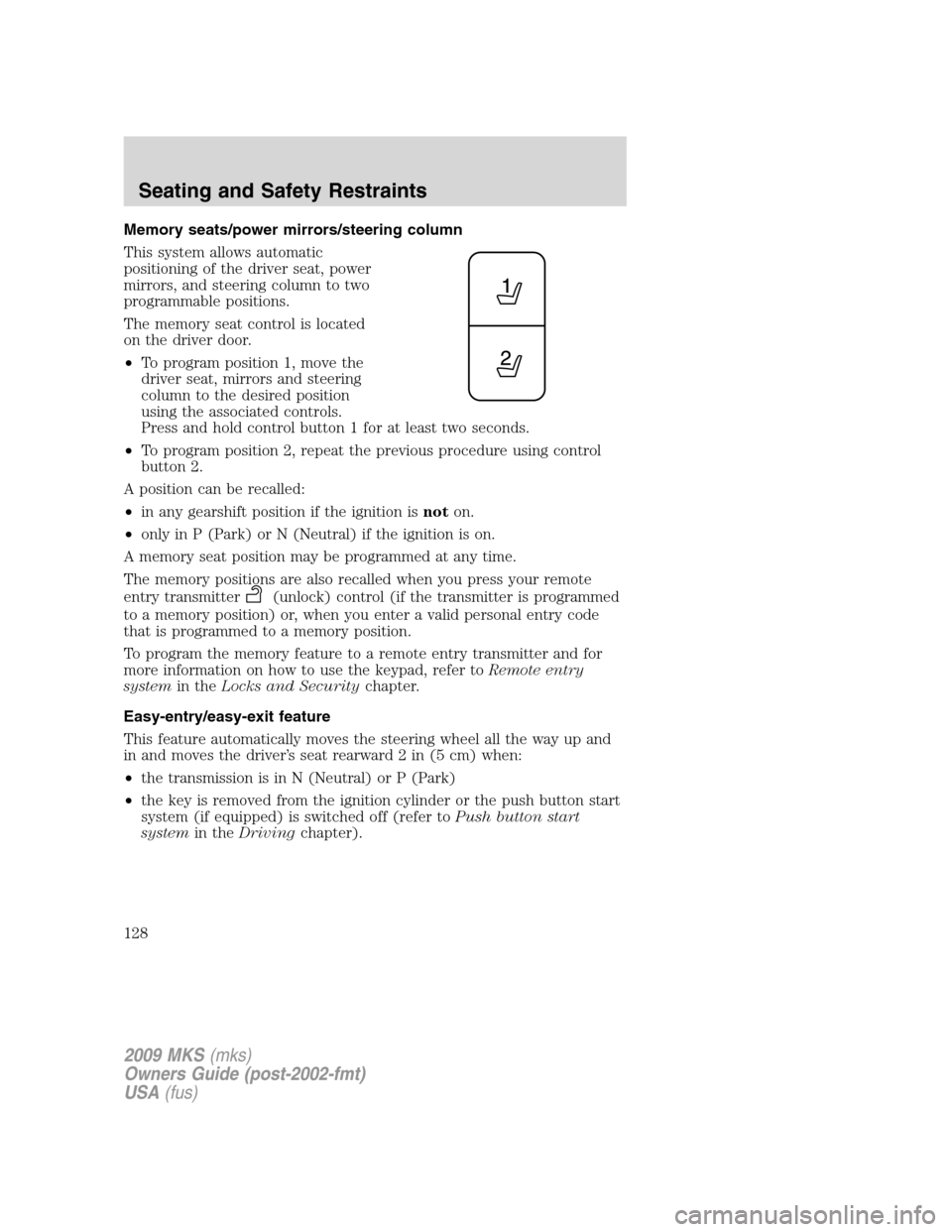
The memory seat control is located
on the driver door.
•To program position 1, move the
driver seat, mirrors and steering
column to the desired position
using the associated controls.
Press and hold control button 1 for at least two seconds.
•To program position 2, repeat the previous procedure using control
button 2.
A position can be recalled:
•in any gearshift position if the ignition isnoton.
•only in P (Park) or N (Neutral) if the ignition is on.
A memory seat position may be programmed at any time.
The memory positions are also recalled when you press your remote
entry transmitter
(unlock) control (if the transmitter is programmed
to a memory position) or, when you enter a valid personal entry code
that is programmed to a memory position.
To program the memory feature to a remote entry transmitter and for
more information on how to use the keypad, refer toRemote entry
systemin theLocks and Securitychapter.
Easy-entry/easy-exit feature
This feature automatically moves the steering wheel all the way up and
in and moves the driver’s seat rearward 2 in (5 cm) when:
•the transmission is in N (Neutral) or P (Park)
•the key is removed from the ignition cylinder or the push button start
system (if equipped) is switched off (refer toPush button start
systemin theDrivingchapter).
2009 MKS(mks)
Owners Guide (post-2002-fmt)
USA(fus)
Seating and Safety Restraints
128
Page 182 of 323
This begins with the letters “DOT” and indicates that the tire meets all
federal standards. The next two numbers or letters are the plant code
designating where it was manufactured, the next two are the tire size
code and the last four numbers represent the week and year the tire was
built. For example, the numbers 317 mean the 31st week of 1997. After
2000 the numbers go to four digits. For example, 2501 means the 25th
week of 2001. The numbers in between are identification codes used for
traceability. This information is used to contact customers if a tire defect
requires a recall.
Tire replacement requirements
Your vehicle is equipped with tires designed to provide a safe ride and
handling capability.
WARNING:Only use replacement tires and wheels that are the
same size, load index, speed rating and type (such as P-metric
versus LT-metric or all-season versus all-terrain) as those originally
provided by Ford. The recommended tire and wheel size may be found
on either the Safety Compliance Certification Label or the Tire Label
which is located on the B-Pillar or edge of the driver’s door. If this
information is not found on these labels then you should consult your
Ford dealer. Use of any tire or wheel not recommended by Ford can
affect the safety and performance of your vehicle, which could result in
an increased risk of loss of vehicle control, vehicle rollover, personal
injury and death. Additionally the use of non-recommended tires and
wheels could cause steering, suspension, axle or transfer case/power
transfer unit failure. If you have questions regarding tire replacement,
see an authorized dealer.
2009 MKS(mks)
Owners Guide (post-2002-fmt)
USA(fus)
Tires, Wheels and Loading
182
Page 197 of 323
any tire is under-inflated, carefully drive the vehicle to the nearest
location where air can be added to the tires. Inflate all the tires to the
recommended inflation pressure.
SNOW TIRES AND CHAINS
WARNING:Snow tires must be the same size, load index, speed
rating as those originally provided by Ford. Use of any tire or
wheel not recommended by Ford can affect the safety and
performance of your vehicle, which could result in an increased risk of
loss of vehicle control, vehicle rollover, personal injury and death.
Additionally, the use of non-recommended tires and wheels could
cause steering, suspension, axle or transfer case/power transfer unit
failure.
The tires on your vehicle have all-weather treads to provide traction in
rain and snow. However, in some climates, you may need to use snow
tires and chains. If you need to use chains, it is recommended that steel
wheels (of the same size and specifications) be used, as chains may chip
aluminum wheels.
Follow these guidelines when using snow tires and chains:
•Use only SAE class “S” cables or equivalent on P235/55R18 tires on
the front tires only. SAE class “S” chains or other conventional link
chains may cause damage to the vehicles wheel house and/or body.
Use of optional spike spider type traction devices or equivalent is also
acceptable.
•Do not install tire chains, cables, or optional traction devices on the
rear tires. This could cause damage to the vehicle’s wheel house or
body.
•Do not use tire chains, cables, or optional traction devices with
optional P255/45R19 or 245/45R20 tires.
•Install tire cables securely, verifying that the tire cables do not touch
any wiring, brake lines or fuel lines.
•Drive cautiously. If you hear the cables rub or bang against your
vehicle, stop and re-tighten the cables. If this does not work, remove
the cables to prevent damage to your vehicle.
•If possible, avoid fully loading your vehicle.
•Remove the tire cables when they are no longer needed. Do not use
tire cables on dry roads.
2009 MKS(mks)
Owners Guide (post-2002-fmt)
USA(fus)
Tires, Wheels and Loading
197
Page 211 of 323
3. After idling for a few seconds, apply the brake, shift into gear and
drive.
Note:If the engine does not start on the first try, turn the key to the off
position, wait 10 seconds and try step 2 again. If the engine still fails to
start, press the accelerator to the floor and try step 2 again, keeping the
accelerator on the floor until the engine begins to accelerate above
cranking speeds; this will allow the engine to crank with the fuel shut off
in case the engine is flooded with fuel.
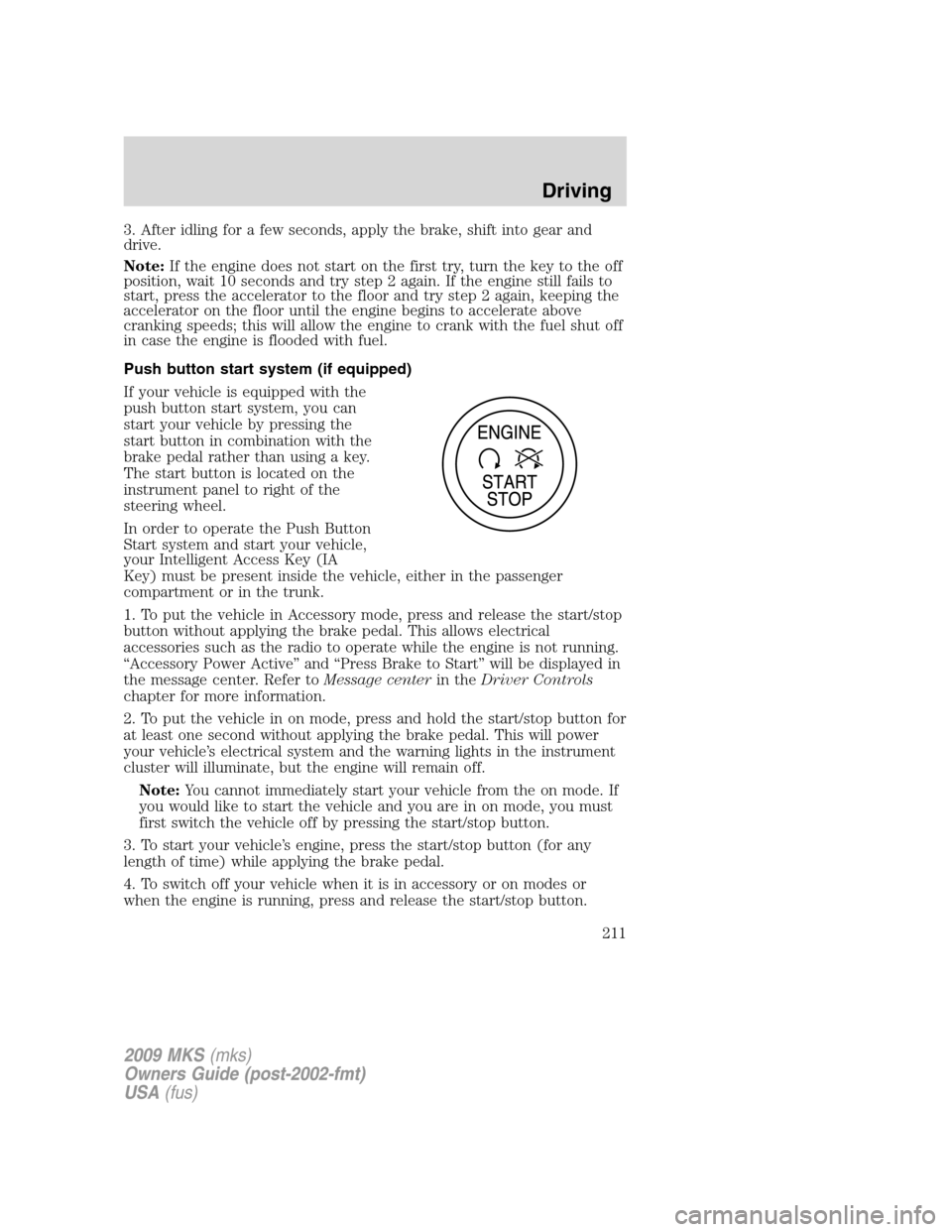
Push button start system (if equipped)
If your vehicle is equipped with the
push button start system, you can
start your vehicle by pressing the
start button in combination with the
brake pedal rather than using a key.
The start button is located on the
instrument panel to right of the
steering wheel.
In order to operate the Push Button
Start system and start your vehicle,
your Intelligent Access Key (IA
Key) must be present inside the vehicle, either in the passenger
compartment or in the trunk.
1. To put the vehicle in Accessory mode, press and release the start/stop
button without applying the brake pedal. This allows electrical
accessories such as the radio to operate while the engine is not running.
“Accessory Power Active” and “Press Brake to Start” will be displayed in
the message center. Refer toMessage centerin theDriver Controls
chapter for more information.
2. To put the vehicle in on mode, press and hold the start/stop button for
at least one second without applying the brake pedal. This will power
your vehicle’s electrical system and the warning lights in the instrument
cluster will illuminate, but the engine will remain off.
Note:You cannot immediately start your vehicle from the on mode. If
you would like to start the vehicle and you are in on mode, you must
first switch the vehicle off by pressing the start/stop button.
3. To start your vehicle’s engine, press the start/stop button (for any
length of time) while applying the brake pedal.
4. To switch off your vehicle when it is in accessory or on modes or
when the engine is running, press and release the start/stop button.
2009 MKS(mks)
Owners Guide (post-2002-fmt)
USA(fus)
Driving
211