parking brake LINCOLN MKS 2011 User Guide
[x] Cancel search | Manufacturer: LINCOLN, Model Year: 2011, Model line: MKS, Model: LINCOLN MKS 2011Pages: 377, PDF Size: 2.84 MB
Page 223 of 377
Four-wheel anti-lock brake system (ABS)
Your vehicle is equipped with an anti-lock braking system (ABS). This
system helps you maintain steering control during emergency stops by
keeping the brakes from locking. Noise from the ABS pump motor and
brake pedal pulsation may be observed during ABS braking and the
brake pedal may suddenly travel a little farther as soon as ABS braking is
done and normal brake operation resumes. These are normal
characteristics of the ABS and should be no reason for concern.
Using ABS
When hard braking is required, apply continuous force on the brake
pedal. Do not pump the brake pedal since this will reduce the
effectiveness of the ABS and will increase your vehicle’s stopping
distance. The ABS will be activated immediately, allowing you to retain
steering control during hard braking and on slippery surfaces. However,
the ABS does not decrease stopping distance.
Brake assist
The brake assist system provides full braking force during panic braking
situations. It detects a rapid application of the brake pedal and uses the
ABS system to achieve maximum braking pressure. Once a panic brake
application is detected, the system will remain activated as long as the
brake pedal is pressed or ABS is engaged. The system is deactivated by
either releasing the brake pedal or coming to a complete stop. When the
system activates, noise from the ABS pump motor and brake pedal
pulsation may be observed; this is normal.
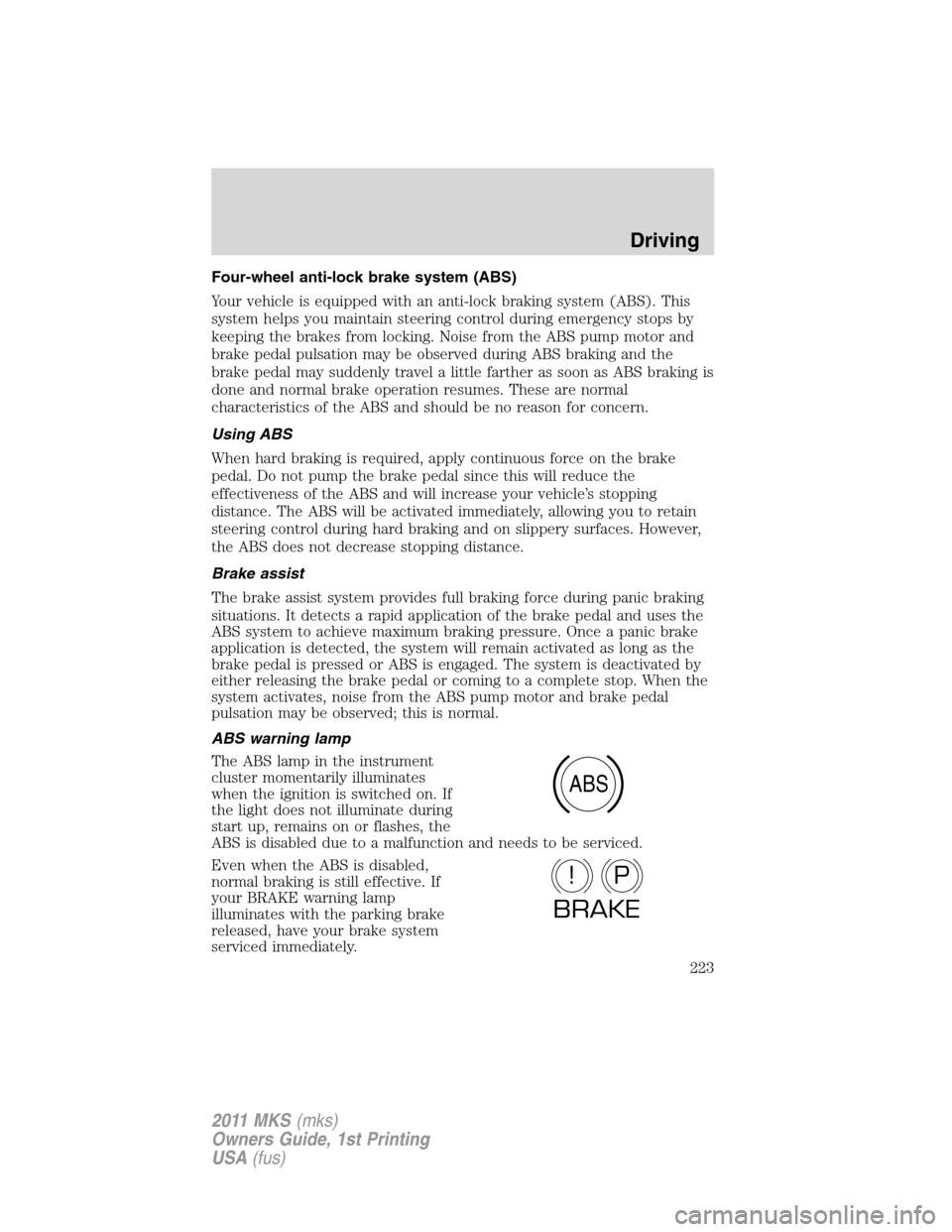
ABS warning lamp
The ABS lamp in the instrument
cluster momentarily illuminates
when the ignition is switched on. If
the light does not illuminate during
start up, remains on or flashes, the
ABS is disabled due to a malfunction and needs to be serviced.
Even when the ABS is disabled,
normal braking is still effective. If
your BRAKE warning lamp
illuminates with the parking brake
released, have your brake system
serviced immediately.
ABS
P!
BRAKE
Driving
223
2011 MKS(mks)
Owners Guide, 1st Printing
USA(fus)
Page 224 of 377
Parking brake
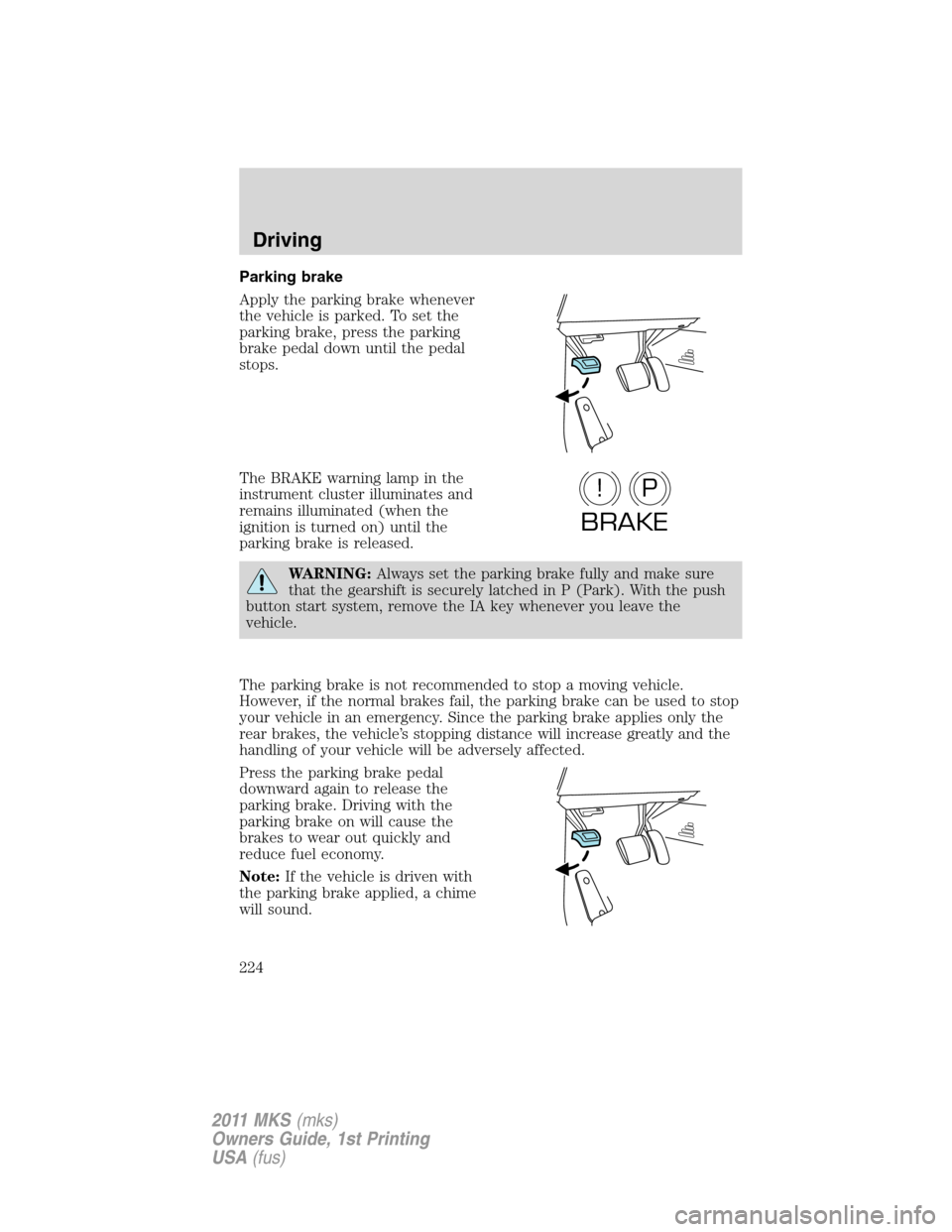
Apply the parking brake whenever
the vehicle is parked. To set the
parking brake, press the parking
brake pedal down until the pedal
stops.
The BRAKE warning lamp in the
instrument cluster illuminates and
remains illuminated (when the
ignition is turned on) until the
parking brake is released.
WARNING:Always set the parking brake fully and make sure
that the gearshift is securely latched in P (Park). With the push
button start system, remove the IA key whenever you leave the
vehicle.
The parking brake is not recommended to stop a moving vehicle.
However, if the normal brakes fail, the parking brake can be used to stop
your vehicle in an emergency. Since the parking brake applies only the
rear brakes, the vehicle’s stopping distance will increase greatly and the
handling of your vehicle will be adversely affected.
Press the parking brake pedal
downward again to release the
parking brake. Driving with the
parking brake on will cause the
brakes to wear out quickly and
reduce fuel economy.
Note:If the vehicle is driven with
the parking brake applied, a chime
will sound.
P!
BRAKE
Driving
224
2011 MKS(mks)
Owners Guide, 1st Printing
USA(fus)
Page 231 of 377
•uneven tire wear
•loose or worn suspension components
•loose or worn steering components
•improper vehicle alignment
A high crown in the road or high crosswinds may also make the steering
seem to wander/pull.
BRAKE-SHIFT INTERLOCK
This vehicle is equipped with a brake-shift interlock feature that prevents
the gearshift lever from being moved from P (Park) when the ignition is
in the on position unless the brake pedal is applied. If you cannot move
the gearshift lever out of P (Park) when the ignition is on and the brake
pedal applied, it is possible that a fuse has blown or the vehicle’s brake
lamps are not operating properly. Refer toFuses and relaysin the
Roadside Emergencieschapter.
If the fuse is not blown and the brake lamps are working properly, you
will need to have your vehicle towed to an authorized dealer.
WARNING:Do not drive your vehicle until you verify that the
brake lamps are working.
WARNING:Always set the parking brake fully and make sure
the gearshift is latched in P (Park). Switch the ignition to off,
and remove the key whenever you leave your vehicle.
WARNING:If the parking brake is fully released, but the brake
warning lamp remains illuminated, the brakes may not be
working properly. See your authorized dealer.
AUTOMATIC TRANSMISSION OPERATION
Understanding the gearshift positions of the 6–speed automatic
transmission
Your vehicle has been designed to improve fuel economy by reducing
fuel usage while coasting or decelerating. When you take your foot off
the accelerator pedal and the vehicle begins to slow down, the torque
converter clutch locks up and aggressively shuts off fuel flow to the
engine while decelerating. This fuel economy benefit may be perceived
as a light to medium braking sensation when removing your foot from
the accelerator pedal.
Driving
231
2011 MKS(mks)
Owners Guide, 1st Printing
USA(fus)
Page 232 of 377
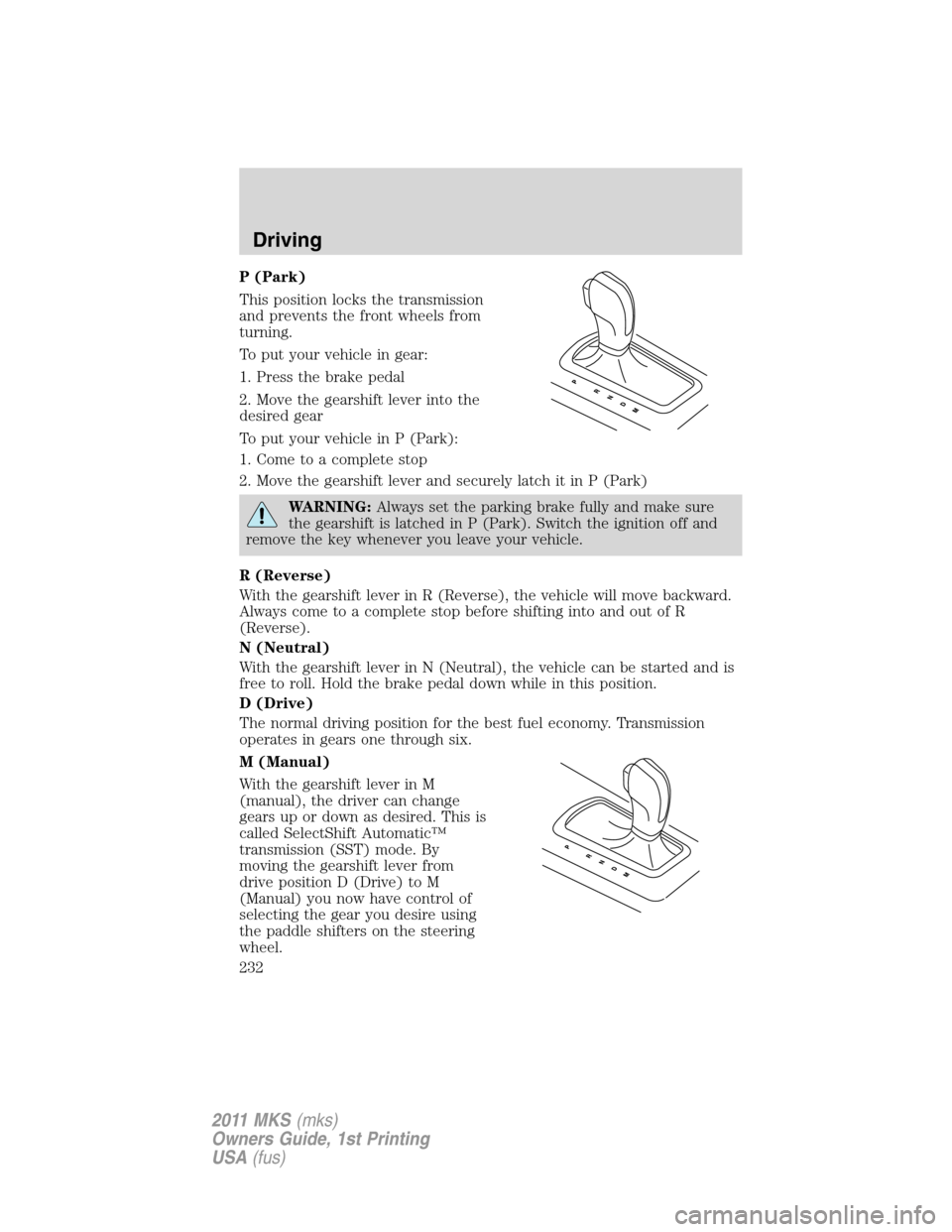
P (Park)
This position locks the transmission
and prevents the front wheels from
turning.
To put your vehicle in gear:
1. Press the brake pedal
2. Move the gearshift lever into the
desired gear
To put your vehicle in P (Park):
1. Come to a complete stop
2. Move the gearshift lever and securely latch it in P (Park)
WARNING:Always set the parking brake fully and make sure
the gearshift is latched in P (Park). Switch the ignition off and
remove the key whenever you leave your vehicle.
R (Reverse)
With the gearshift lever in R (Reverse), the vehicle will move backward.
Always come to a complete stop before shifting into and out of R
(Reverse).
N (Neutral)
With the gearshift lever in N (Neutral), the vehicle can be started and is
free to roll. Hold the brake pedal down while in this position.
D (Drive)
The normal driving position for the best fuel economy. Transmission
operates in gears one through six.
M (Manual)
With the gearshift lever in M
(manual), the driver can change
gears up or down as desired. This is
called SelectShift Automatic™
transmission (SST) mode. By
moving the gearshift lever from
drive position D (Drive) to M
(Manual) you now have control of
selecting the gear you desire using
the paddle shifters on the steering
wheel.
Driving
232
2011 MKS(mks)
Owners Guide, 1st Printing
USA(fus)
Page 236 of 377
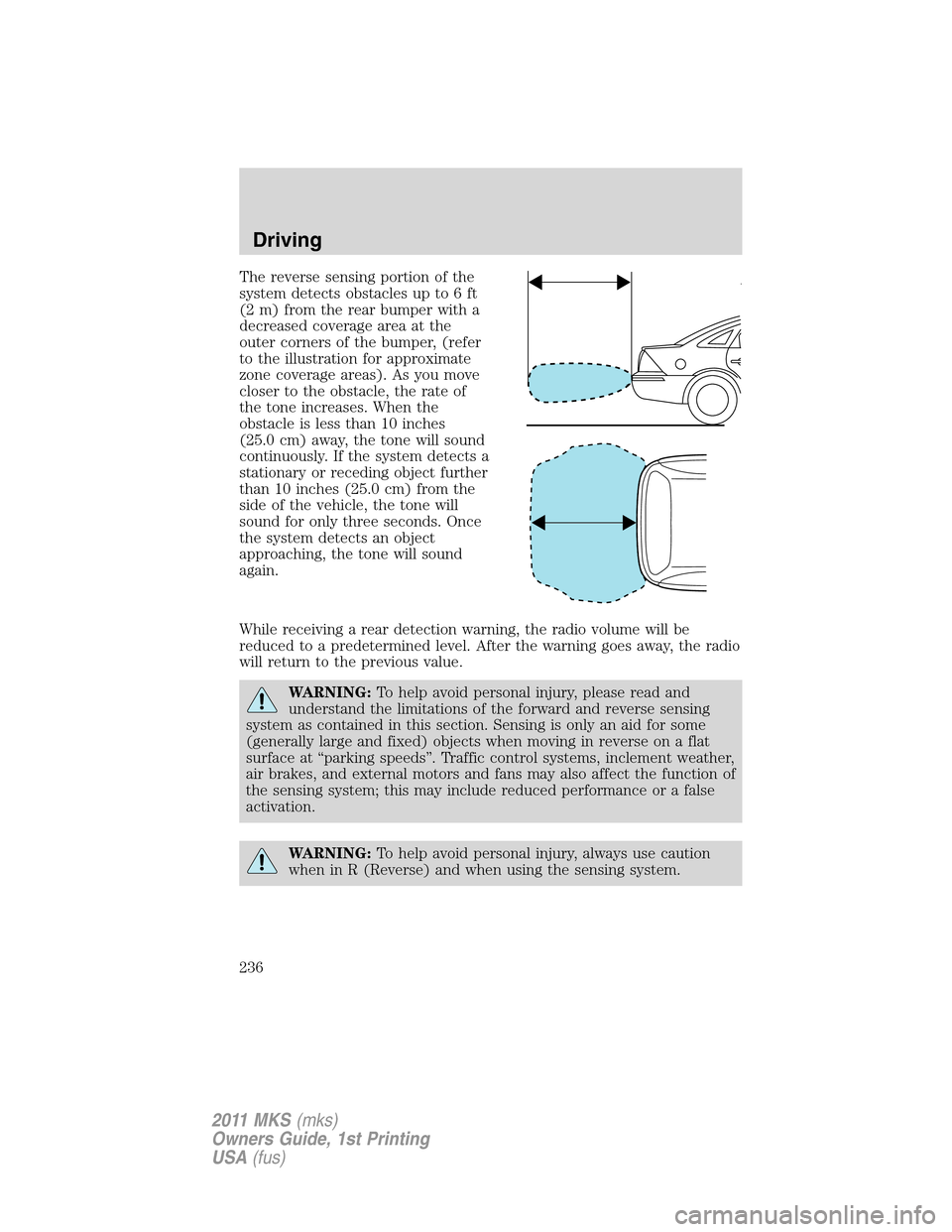
The reverse sensing portion of the
system detects obstacles up to 6 ft
(2 m) from the rear bumper with a
decreased coverage area at the
outer corners of the bumper, (refer
to the illustration for approximate
zone coverage areas). As you move
closer to the obstacle, the rate of
the tone increases. When the
obstacle is less than 10 inches
(25.0 cm) away, the tone will sound
continuously. If the system detects a
stationary or receding object further
than 10 inches (25.0 cm) from the
side of the vehicle, the tone will
sound for only three seconds. Once
the system detects an object
approaching, the tone will sound
again.
While receiving a rear detection warning, the radio volume will be
reduced to a predetermined level. After the warning goes away, the radio
will return to the previous value.
WARNING:To help avoid personal injury, please read and
understand the limitations of the forward and reverse sensing
system as contained in this section. Sensing is only an aid for some
(generally large and fixed) objects when moving in reverse on a flat
surface at “parking speeds”. Traffic control systems, inclement weather,
air brakes, and external motors and fans may also affect the function of
the sensing system; this may include reduced performance or a false
activation.
WARNING:To help avoid personal injury, always use caution
when in R (Reverse) and when using the sensing system.
Driving
236
2011 MKS(mks)
Owners Guide, 1st Printing
USA(fus)
Page 240 of 377
either of the lamps are not operating, stop using the camera system, at
least in the dark, until the lamp(s) are replaced and functioning.
Servicing
•If the image comes on while the vehicle is not in R (Reverse), have
the system inspected by your authorized dealer.
•If the image is not clear, then check if there is anything covering the
lens such as dirt, mud, ice, snow, etc. If the image is still not clear
after cleaning, have your system inspected by your authorized dealer.
ACTIVE PARK ASSIST (APA) (IF EQUIPPED)
Active park assist (APA) will detect an available parallel parking space
and automatically steer the vehicle into the space (hands-free) while you
control the accelerator, gearshift and brakes. The system will visually
and/or audibly instruct the driver to park the vehicle.
WARNING:This system is designed to be a supplementary park
aid. It may not work in all conditions and is not intended to
replace the driver’s attention and judgment. The driver is responsible
for avoiding hazards and maintaining a safe distance and speed, even
when the APA is in use.
Conditions in which the system may not work:
•Something passes between the front bumper and the space such as a
pedestrian or cyclist
•The edge of the vehicle is high from the ground such as a bus, tow
truck, or flat bed truck
Automatic search for parking space
To start, press the APA control
switch (on the center console). The
message center will display ACTIVE
PARK SEARCHING. To designate
what side of the street to search on,
use the turn signal. The arrow
symbols >> and << in the message
center indicate on which side of the
vehicle APA will park. If the turn
signal is not on, the system will
automatically search the passenger
side.
Driving
240
2011 MKS(mks)
Owners Guide, 1st Printing
USA(fus)
Page 244 of 377
•The driver allows the vehicle to roll in the opposite direction of the
transmission (such as rolling forward when R (Reverse) gear is
selected.
•You may be driving in R (Reverse). APA can only look for a parking
space while moving forward.
•There may be an irregular curb along the parking space. APA might
not be able to align the vehicle to curbs that are damaged, very
shallow or covered with material such as debris, leaves, snow, or tarps.
•The vehicles or objects bordering the space may not be positioned
appropriately.
•The vehicle was pulled further up from the parking space than usual
while driving by the space. APA performs best when you drive the
same distance past the entire length of the parking space whenever
parking your vehicle.
•The tires may not be installed and maintained correctly. For example,
one or more tires may not be inflated correctly, may not be of the
same size, or may not be authorized for use on this vehicle.
•The vehicle had a repair or alteration that is not authorized by the
manufacturer.
•One of the parked vehicles has a high altitude attachment (i.e. salt
sprayer, snow plow, moving truck high bed, etc.) High altitude
attachments may not be detected by the system.
•The parking space length or parked objects position have changed
after the vehicle has passed the parking space.
•The temperature around your vehicle changes quickly, such as driving
from a heated garage into the cold or after leaving a car wash. As a
result, the outside air temperature displayed in the vehicle may not be
close enough to the actual temperature. APA relies on correctly
sensing the temperature outside for precisely positioning the vehicle.
COLLISION WARNING SYSTEM (IF EQUIPPED)
The collision warning with brake support, is designed to alert the driver
of certain collision risks with a red warning light located above the
dashboard and an audible warning chime. The brake support assists the
driver in reducing the collision speed, by pre-charging the brakes.
WARNING:This system is designed to be a supplementary
driving aid. It is not intended to replace the driver’s attention,
and judgment, or the need to apply the brakes. This system does NOT
activate the brakes automatically. Failure to press the brake pedal to
activate the brakes may result in a collision.
Driving
244
2011 MKS(mks)
Owners Guide, 1st Printing
USA(fus)
Page 250 of 377
•Be extremely careful when driving on pavement made slippery by
loose sand, water, gravel, snow or ice.
If your vehicle goes off the edge of the pavement
•If your vehicle goes off the edge of the pavement, slow down, but
avoid severe brake application, ease the vehicle back onto the
pavement only after reducing your speed. Do not turn the steering
wheel too sharply while returning to the road surface.
•It may be safer to stay on the apron or shoulder of the road and slow
down gradually before returning to the pavement. You may lose
control if you do not slow down or if you turn the steering wheel too
sharply or abruptly.
•It often may be less risky to strike small objects, such as highway
reflectors, with minor damage to your vehicle rather than attempt a
sudden return to the pavement which could cause the vehicle to slide
sideways out of control or rollover. Remember, your safety and the
safety of others should be your primary concern.
If your vehicle gets stuck
If your vehicle gets stuck in mud or snow it may be rocked out by
shifting between forward and reverse gears, stopping between shifts, in a
steady pattern. Press lightly on the accelerator in each gear.
Your vehicle is equipped with traction control. It may be beneficial to
disengage the traction control system while attempting to rock the
vehicle.
Do not rock the vehicle if the engine is not at normal operating
temperature or damage to the transmission may occur.
Do not rock the vehicle for more than a few minutes or damage
to the transmission and tires may occur or the engine may
overheat.
WARNING:Always set the parking brake fully and make sure
the gearshift is latched in P (Park). Switch the ignition off and
remove the key whenever you leave your vehicle.
WARNING:If the parking brake is fully released, but the brake
warning lamp remains illuminated, the brakes may not be
working properly. See your authorized dealer.
Driving
250
2011 MKS(mks)
Owners Guide, 1st Printing
USA(fus)
Page 268 of 377
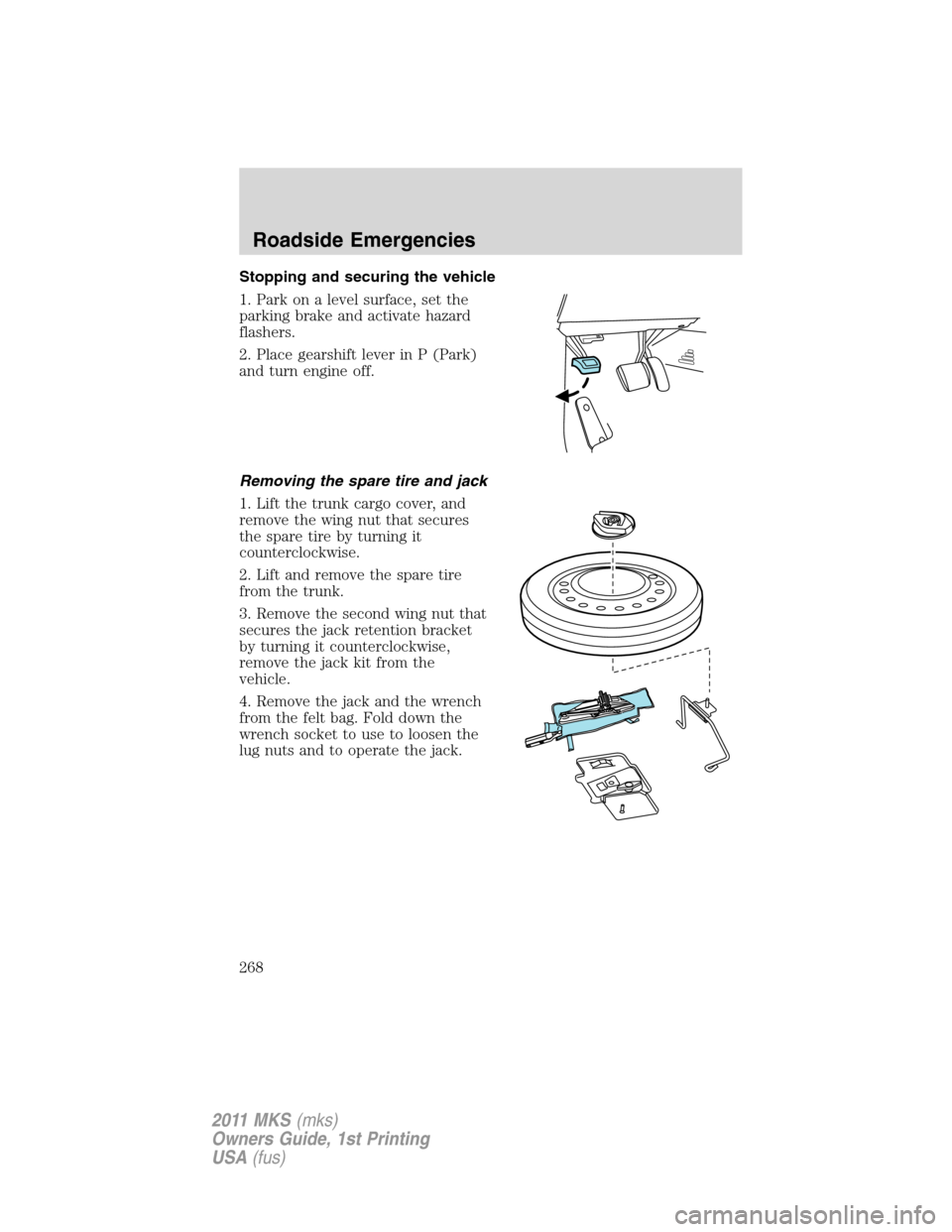
Stopping and securing the vehicle
1. Park on a level surface, set the
parking brake and activate hazard
flashers.
2. Place gearshift lever in P (Park)
and turn engine off.
Removing the spare tire and jack
1. Lift the trunk cargo cover, and
remove the wing nut that secures
the spare tire by turning it
counterclockwise.
2. Lift and remove the spare tire
from the trunk.
3. Remove the second wing nut that
secures the jack retention bracket
by turning it counterclockwise,
remove the jack kit from the
vehicle.
4. Remove the jack and the wrench
from the felt bag. Fold down the
wrench socket to use to loosen the
lug nuts and to operate the jack.
Roadside Emergencies
268
2011 MKS(mks)
Owners Guide, 1st Printing
USA(fus)
Page 269 of 377
Tire change procedure
WARNING:When one of the front wheels is off the ground, the
transmission alone will not prevent the vehicle from moving or
slipping off the jack, even if the vehicle is in P (Park).
WARNING:To help prevent the vehicle from moving when you
change a tire, be sure to place the transmission in P (Park), set
the parking brake and block (in both directions) the wheel that is
diagonally opposite (other side and end of the vehicle) to the tire
being changed.
WARNING:If the vehicle slips off the jack, you or someone else
could be seriously injured.
WARNING:Do not attempt to change a tire on the side of the
vehicle close to moving traffic. Pull far enough off the road to
avoid the danger of being hit when operating the jack or changing the
wheel.
Note:Passengers should not remain in the vehicle when the vehicle is
being jacked.
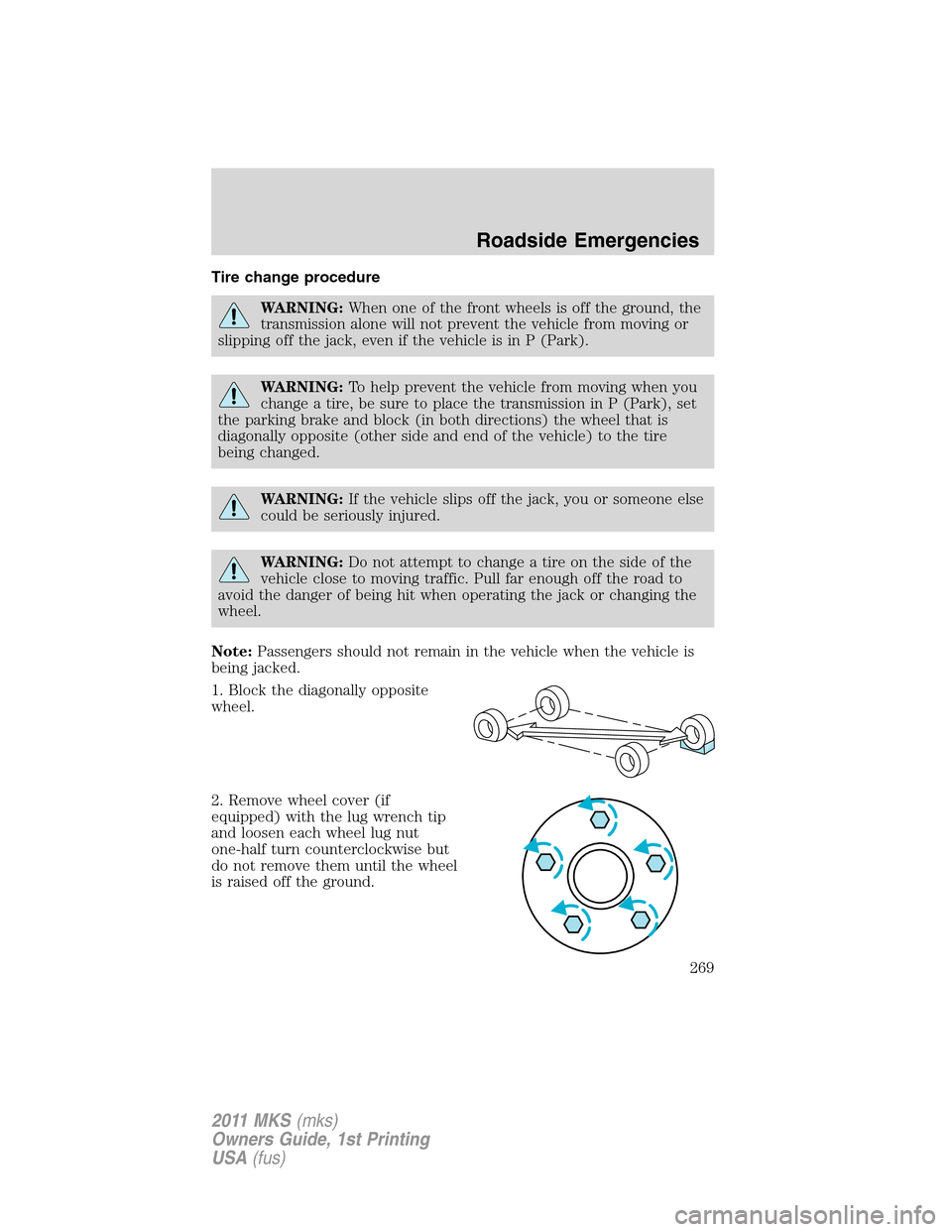
1. Block the diagonally opposite
wheel.
2. Remove wheel cover (if
equipped) with the lug wrench tip
and loosen each wheel lug nut
one-half turn counterclockwise but
do not remove them until the wheel
is raised off the ground.
Roadside Emergencies
269
2011 MKS(mks)
Owners Guide, 1st Printing
USA(fus)