transmission LINCOLN MKS 2011 User Guide
[x] Cancel search | Manufacturer: LINCOLN, Model Year: 2011, Model line: MKS, Model: LINCOLN MKS 2011Pages: 377, PDF Size: 2.84 MB
Page 212 of 377
calculation would be: 635 kg - (2 x 99 kg) - (12 x 45 kg) = 635 - 198 -
540 = -103 kg. You will need to reduce the load weight by at least
240 lb. (104 kg). If you remove 3-100 lb. (45 kg) cement bags, then
the load calculation would be:
1,400 - (2 x 220) - (9 x 100) = 1,400 - 440 - 900 = 60 lb. Now you
have the load capacity to transport the cement and your friend home.
In metric units, the calculation would be: 635 kg - (2 x 99 kg) - (9 x
45 kg) = 635 - 198 - 405 = 32 kg.
The above calculations also assume that the loads are positioned in your
vehicle in a manner that does not overload the Front or the Rear Gross
Axle Weight Rating specified for your vehicle on the Safety Compliance
Certification Label found on the edge of the driver’s door.
TRAILER TOWING
Your vehicle is capable of towing a trailer up to 1,000 lb (454 kg) gross
trailer weight with a maximum tongue load of 100 lb (45 kg). Do not tow
a trailer until your vehicle has been driven at least 500 miles (800 km).
Towing a trailer places an additional load on your vehicle’s engine,
transmission, brakes, tires and suspension. Inspect these components
carefully after towing.
WARNING:Do not exceed the GVWR or the GAWR specified on
the certification label.
WARNING:Towing trailers beyond the maximum recommended
gross trailer weight exceeds the limit of the vehicle and could
result in engine damage, transmission damage, structural damage, loss
of vehicle control, vehicle rollover and personal injury.
Preparing to tow
Use the proper equipment for towing a trailer and make sure it is
properly attached to your vehicle. Contact your authorized dealer or a
reliable trailer dealer as soon as possible if you require assistance.
Hitches
Do not use hitches that clamp onto the vehicle bumper; use a load
carrying hitch. You must distribute the load in your trailer so that
10–15% of the total weight of the trailer is on the tongue.
Tires, Wheels and Loading
212
2011 MKS(mks)
Owners Guide, 1st Printing
USA(fus)
Page 214 of 377
•It is recommended to select the “M” gear position when additional
engine braking is needed. In situations such as prolonged downhill
driving on steep grades (i.e., driving in mountainous areas), additional
engine braking is needed to reduce the load on the vehicle’s regular
brake system to prevent them from overheating. For more information
on transmission operation and gear positions, seeAutomatic
transmission operationin theDrivingchapter.
•Allow more distance for stopping with a trailer attached; anticipate
stops and brake gradually.
Servicing after towing
If you tow a trailer for long distances, your vehicle will require more
frequent service intervals. Refer toSpecial operating conditionsin the
Scheduled Maintenance Guidechapter.
Trailer towing tips
•Practice turning, stopping and backing-up before starting on a trip to
get the feel of the vehicle-trailer combination. When turning, make
wider turns so the trailer wheels will clear curbs and other obstacles.
•To aid in engine/transmission cooling and A/C efficiency during hot
weather while stopped in traffic, place the gearshift lever in P (Park).
•After you have traveled 50 miles (80 km), thoroughly check your
hitch, electrical connections and trailer wheel lug nuts.
•If you are driving down a long or steep hill, shift to the “M” position,
then use the paddle shifters to manually shift to a lower gear. Do not
apply the brakes continuously, as they may overheat and become less
effective. For more information on transmission operation and gear
positions, seeAutomatic transmission operationin theDriving
chapter.
•Vehicles with trailers should not be parked on a grade. If you must
park on a grade, place wheel chocks under the trailer’s wheels.
RECREATIONAL TOWING
Follow these guidelines for your specific powertrain combination to tow
your vehicle for personal travel (such as behind a motor home or a
truck).
Note:Put your climate control system in recirculated air mode to
prevent exhaust fumes from entering the vehicle. Refer to theClimate
Controlschapter for more information.
In case of roadside emergency with a disabled vehicle, please refer to
Wrecker towingin theRoadside Emergencieschapter.
Tires, Wheels and Loading
214
2011 MKS(mks)
Owners Guide, 1st Printing
USA(fus)
Page 215 of 377
These guidelines are designed to prevent damage to your vehicle.
Front-wheel drive (FWD) vehicles:
Tow your FWD vehicle with all four wheels on the ground or with the
front wheels off the ground by using a tow dolly. If you are using a tow
dolly follow the instructions specified by the equipment provider.
All-wheel drive (AWD) vehicles:
Tow your AWD vehicle with all four wheels on the ground or with all four
wheels off the ground using a vehicle transport trailer.Do not tow your
AWD vehicle with the front wheels off the ground (by using a tow
dolly) and the rear wheels on the ground; this will cause damage
to your AWD system.If you are using a vehicle transport trailer, follow
the instruction specified by the equipment provider.
Note:If you tow your vehicle with all four wheels on the ground, follow
these instructions:
•Tow only in the forward direction.
•Release the parking brake.
•Place the transmission shift lever in N (Neutral).
•Place the ignition in the accessory position (refer toStartingin the
Drivingchapter).
•Do not exceed 65 mph (105 km/h)
•Start the engine and allow it to run for five minutes at the beginning
of each day and at each fuel stop.
Tires, Wheels and Loading
215
2011 MKS(mks)
Owners Guide, 1st Printing
USA(fus)
Page 216 of 377
STARTING
Ignition modes
1. Off — This position shuts the engine and all electrical accessories off.
Press and release the START/STOP button without applying the brake
pedal when your vehicle is in accessory or on modes or when the engine
is running.Note:When the vehicle is in motion, a single press and
release of the START/STOP button will not switch off the engine. In
order to switch off the engine while the vehicle is in motion, press and
hold the START/STOP button for at least one second.
2. Accessory — This allows electrical accessories such as the radio to
operate while the engine is not running. Press and release the
START/STOP button without applying the brake pedal. ACCESSORY
POWER ACTIVE and PRESS BRAKE TO START will be displayed in the
message center. Refer toMessage centerin theInstrument Cluster
chapter for more information.
3. On — This will power your vehicle’s electrical system and the warning
lights in the instrument cluster will illuminate, but the engine will remain
off. Press and hold the START/STOP button for at least one second
without applying the brake pedal.
4. Start — Cranks the engine. Press the START/STOP button (for any
length of time) while applying the brake pedal.
Starting your vehicle
This system meets all Canadian interference-causing equipment standard
requirements regulating the impulse electrical field strength of radio
noise.
Don’t press the accelerator before or during starting. Only use the
accelerator when you have difficulty starting the engine. For more
information on starting the vehicle, refer toStarting the enginein this
chapter.
To avoid potential transmission damage at extremely cold temperatures
(below -20°F [-30°C]), it is recommended that the vehicle be warmed up
to normal operating temperature before driving at highway speeds above
50 mph (80 km/h). Normal operating temperature is normally reached
after 10 minutes of moderate driving or idling.
WARNING:Extended idling at high engine speeds can produce
very high temperatures in the engine and exhaust system,
creating the risk of fire or other damage.
Driving
216
2011 MKS(mks)
Owners Guide, 1st Printing
USA(fus)
Page 231 of 377
•uneven tire wear
•loose or worn suspension components
•loose or worn steering components
•improper vehicle alignment
A high crown in the road or high crosswinds may also make the steering
seem to wander/pull.
BRAKE-SHIFT INTERLOCK
This vehicle is equipped with a brake-shift interlock feature that prevents
the gearshift lever from being moved from P (Park) when the ignition is
in the on position unless the brake pedal is applied. If you cannot move
the gearshift lever out of P (Park) when the ignition is on and the brake
pedal applied, it is possible that a fuse has blown or the vehicle’s brake
lamps are not operating properly. Refer toFuses and relaysin the
Roadside Emergencieschapter.
If the fuse is not blown and the brake lamps are working properly, you
will need to have your vehicle towed to an authorized dealer.
WARNING:Do not drive your vehicle until you verify that the
brake lamps are working.
WARNING:Always set the parking brake fully and make sure
the gearshift is latched in P (Park). Switch the ignition to off,
and remove the key whenever you leave your vehicle.
WARNING:If the parking brake is fully released, but the brake
warning lamp remains illuminated, the brakes may not be
working properly. See your authorized dealer.
AUTOMATIC TRANSMISSION OPERATION
Understanding the gearshift positions of the 6–speed automatic
transmission
Your vehicle has been designed to improve fuel economy by reducing
fuel usage while coasting or decelerating. When you take your foot off
the accelerator pedal and the vehicle begins to slow down, the torque
converter clutch locks up and aggressively shuts off fuel flow to the
engine while decelerating. This fuel economy benefit may be perceived
as a light to medium braking sensation when removing your foot from
the accelerator pedal.
Driving
231
2011 MKS(mks)
Owners Guide, 1st Printing
USA(fus)
Page 232 of 377
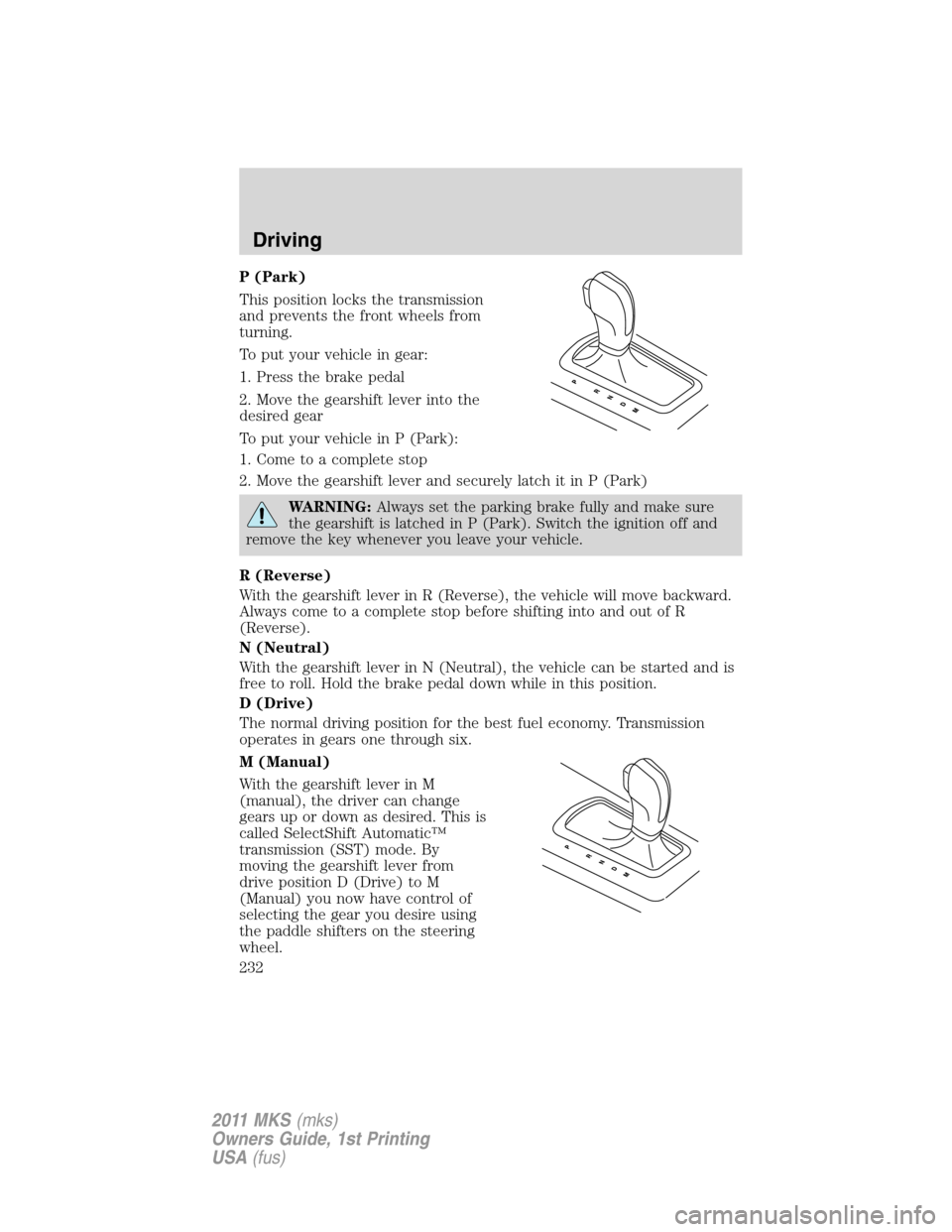
P (Park)
This position locks the transmission
and prevents the front wheels from
turning.
To put your vehicle in gear:
1. Press the brake pedal
2. Move the gearshift lever into the
desired gear
To put your vehicle in P (Park):
1. Come to a complete stop
2. Move the gearshift lever and securely latch it in P (Park)
WARNING:Always set the parking brake fully and make sure
the gearshift is latched in P (Park). Switch the ignition off and
remove the key whenever you leave your vehicle.
R (Reverse)
With the gearshift lever in R (Reverse), the vehicle will move backward.
Always come to a complete stop before shifting into and out of R
(Reverse).
N (Neutral)
With the gearshift lever in N (Neutral), the vehicle can be started and is
free to roll. Hold the brake pedal down while in this position.
D (Drive)
The normal driving position for the best fuel economy. Transmission
operates in gears one through six.
M (Manual)
With the gearshift lever in M
(manual), the driver can change
gears up or down as desired. This is
called SelectShift Automatic™
transmission (SST) mode. By
moving the gearshift lever from
drive position D (Drive) to M
(Manual) you now have control of
selecting the gear you desire using
the paddle shifters on the steering
wheel.
Driving
232
2011 MKS(mks)
Owners Guide, 1st Printing
USA(fus)
Page 233 of 377
To return to normal D (Drive) position, move the shift lever back from M
(manual) to D (Drive). The transmission will operate in gears one
through six.
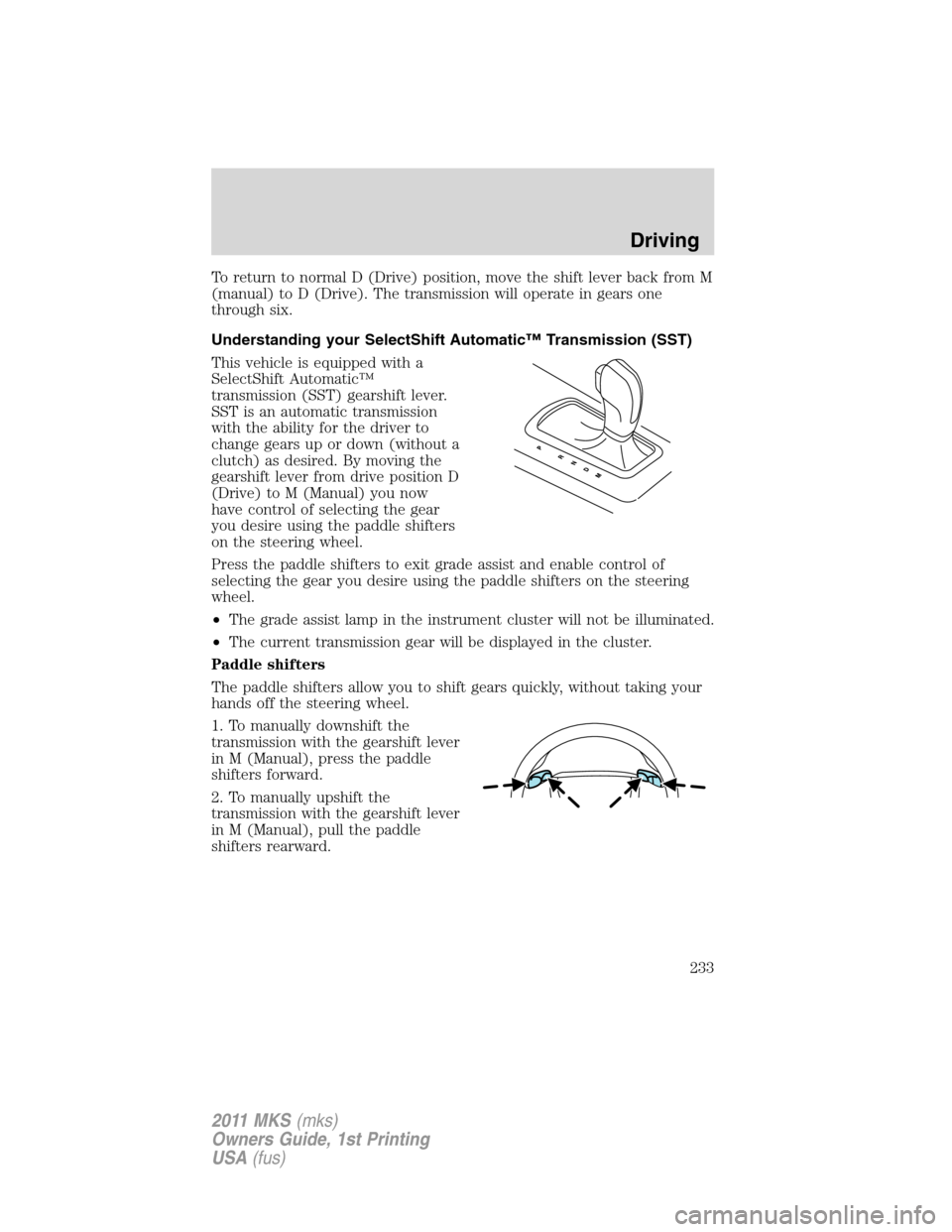
Understanding your SelectShift Automatic™ Transmission (SST)
This vehicle is equipped with a
SelectShift Automatic™
transmission (SST) gearshift lever.
SST is an automatic transmission
with the ability for the driver to
change gears up or down (without a
clutch) as desired. By moving the
gearshift lever from drive position D
(Drive) to M (Manual) you now
have control of selecting the gear
you desire using the paddle shifters
on the steering wheel.
Press the paddle shifters to exit grade assist and enable control of
selecting the gear you desire using the paddle shifters on the steering
wheel.
•The grade assist lamp in the instrument cluster will not be illuminated.
•The current transmission gear will be displayed in the cluster.
Paddle shifters
The paddle shifters allow you to shift gears quickly, without taking your
hands off the steering wheel.
1. To manually downshift the
transmission with the gearshift lever
in M (Manual), press the paddle
shifters forward.
2. To manually upshift the
transmission with the gearshift lever
in M (Manual), pull the paddle
shifters rearward.
Driving
233
2011 MKS(mks)
Owners Guide, 1st Printing
USA(fus)
Page 238 of 377
Note:If the system cannot be turned off, refer toMyKey™in theLocks
and Securitychapter for more information.
The system defaults toenabledevery time the ignition is switched on.
Press the control to disable or enable the system
Keep the sensors (located on the front and rear bumper/fascia)
free from snow, ice and large accumulations of dirt (do not clean
the sensors with sharp objects). If the sensors are covered, it will
affect the accuracy of the sensing system.
If your vehicle sustains damage to the front or rear
bumper/fascia, leaving it misaligned or bent, the sensing zone may
be altered causing inaccurate measurement of obstacles or false
alarms.
REARVIEW CAMERA SYSTEM (IF EQUIPPED)
The rearview camera system,
located on the trunk just above the
license plate, provides a video image
which appears on the navigation
screen of the area behind the
vehicle. It adds assistance to the
driver while reversing or reverse
parking the vehicle.
To use the camera system, place the transmission in R (Reverse); an
image will display on the navigation system screen. The area displayed
on the screen may vary according to the vehicle orientation and/or road
condition.
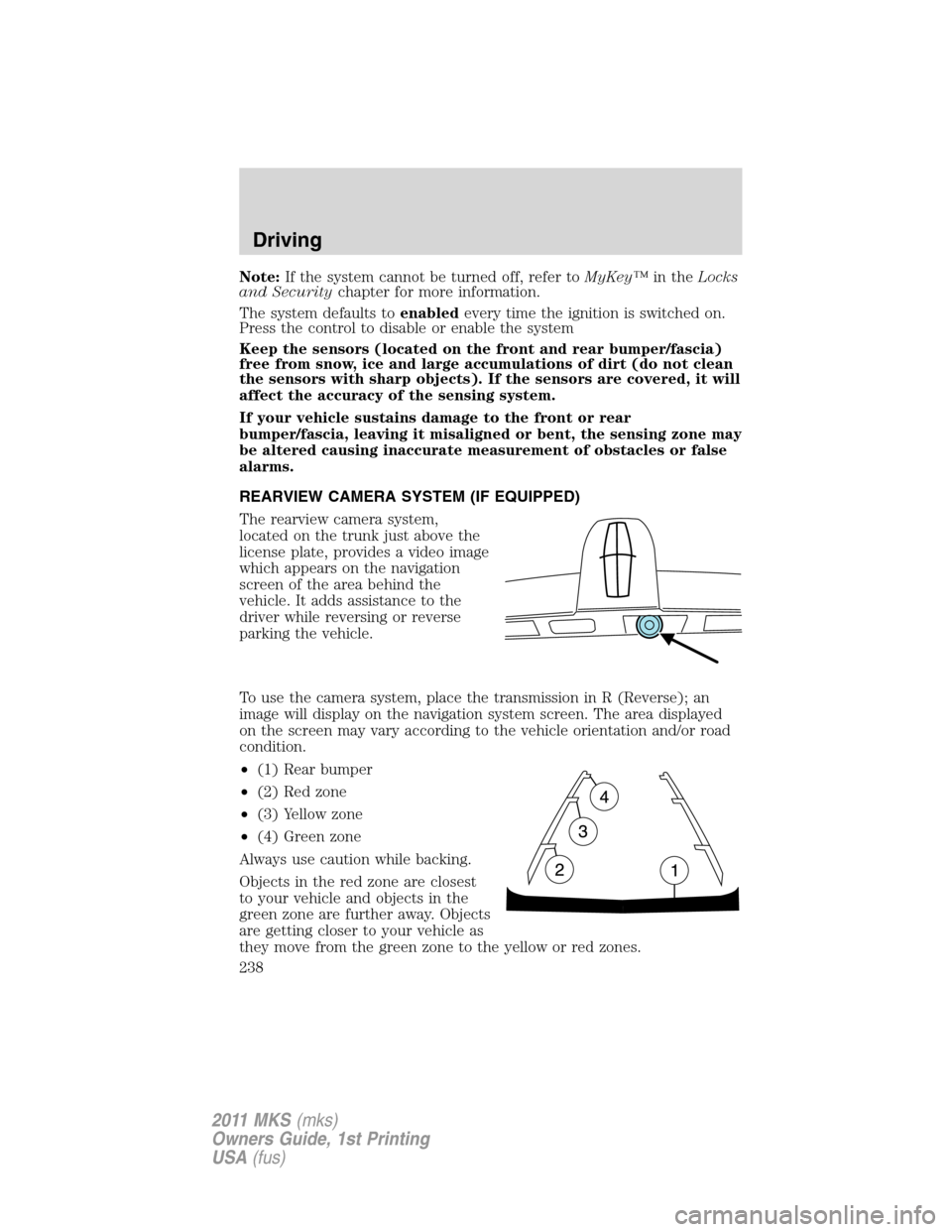
•(1) Rear bumper
•(2) Red zone
•(3) Yellow zone
•(4) Green zone
Always use caution while backing.
Objects in the red zone are closest
to your vehicle and objects in the
green zone are further away. Objects
are getting closer to your vehicle as
they move from the green zone to the yellow or red zones.
Driving
238
2011 MKS(mks)
Owners Guide, 1st Printing
USA(fus)
Page 244 of 377
•The driver allows the vehicle to roll in the opposite direction of the
transmission (such as rolling forward when R (Reverse) gear is
selected.
•You may be driving in R (Reverse). APA can only look for a parking
space while moving forward.
•There may be an irregular curb along the parking space. APA might
not be able to align the vehicle to curbs that are damaged, very
shallow or covered with material such as debris, leaves, snow, or tarps.
•The vehicles or objects bordering the space may not be positioned
appropriately.
•The vehicle was pulled further up from the parking space than usual
while driving by the space. APA performs best when you drive the
same distance past the entire length of the parking space whenever
parking your vehicle.
•The tires may not be installed and maintained correctly. For example,
one or more tires may not be inflated correctly, may not be of the
same size, or may not be authorized for use on this vehicle.
•The vehicle had a repair or alteration that is not authorized by the
manufacturer.
•One of the parked vehicles has a high altitude attachment (i.e. salt
sprayer, snow plow, moving truck high bed, etc.) High altitude
attachments may not be detected by the system.
•The parking space length or parked objects position have changed
after the vehicle has passed the parking space.
•The temperature around your vehicle changes quickly, such as driving
from a heated garage into the cold or after leaving a car wash. As a
result, the outside air temperature displayed in the vehicle may not be
close enough to the actual temperature. APA relies on correctly
sensing the temperature outside for precisely positioning the vehicle.
COLLISION WARNING SYSTEM (IF EQUIPPED)
The collision warning with brake support, is designed to alert the driver
of certain collision risks with a red warning light located above the
dashboard and an audible warning chime. The brake support assists the
driver in reducing the collision speed, by pre-charging the brakes.
WARNING:This system is designed to be a supplementary
driving aid. It is not intended to replace the driver’s attention,
and judgment, or the need to apply the brakes. This system does NOT
activate the brakes automatically. Failure to press the brake pedal to
activate the brakes may result in a collision.
Driving
244
2011 MKS(mks)
Owners Guide, 1st Printing
USA(fus)
Page 249 of 377
If your vehicle is equipped with AWD, a spare tire of a different size
other than the tire provided should never be used. If the spare tire is
installed, the AWD system may disable automatically and enter
front-wheel drive only mode to protect driveline components. This
condition may be indicated by anAWD OFFmessage in the message
center (seeMessage centersection in theInstrument Clusterchapter
for more information). If there is anAWD OFFmessage in the message
center from using the spare tire, this indicator should turn off after
reinstalling the repaired or replaced normal road tire and driving a short
distance. It is recommended to reinstall the repaired or replaced road
tire as soon as possible. Major dissimilar tire sizes between the front and
rear axles could cause the AWD system to stop functioning and default
to front-wheel drive or damage the AWD system.
Note:TheAWD OFFmessage may also be displayed in the message
center if the AWD system has overheated and defaulted to front-wheel
drive. This condition may occur if the vehicle was operated in extreme
conditions with excessive wheel slip, such as deep sand. To resume
normal AWD function as soon as possible, stop the vehicle in a safe
location and allow it to idle. TheAWD OFFmessage will turn off when
the system cools and normal AWD function returns.
Note:Your AWD vehicle is not intended for off-road use. The AWD
feature gives your vehicle some limited off-road capabilities in which
driving surfaces are relatively level, obstruction-free and otherwise
similar to normal on-road driving conditions. Operating your vehicle
under other than those conditions could subject the vehicle to excessive
stress which might result in damage which is not covered under your
warranty.
Driving on slippery surfaces with AWD vehicles
AWD vehicles are specially equipped for driving on sand, snow, mud and
rough roads and have operating characteristics that are somewhat
different from conventional vehicles, both on and off the highway.
When driving at slow speeds off-highway under high outside
temperatures, use a low gear when possible. Lower gear operation will
maximize the engine and transmission cooling capability.
Under severe operating conditions, the A/C may cycle on and off to
protect overheating of the engine.
Basic operating principles
•Drive slower in strong crosswinds which can affect the normal steering
characteristics of your vehicle.
Driving
249
2011 MKS(mks)
Owners Guide, 1st Printing
USA(fus)