lock LINCOLN MKS 2014 Owner's Guide
[x] Cancel search | Manufacturer: LINCOLN, Model Year: 2014, Model line: MKS, Model: LINCOLN MKS 2014Pages: 461, PDF Size: 5.98 MB
Page 79 of 461
Programming a Spare Intelligent Access Key
Note:A maximum of four intelligent access keys can be programmed to
your vehicle. You must take your vehicle and all access keys to your
authorized dealer to be erased and reprogrammed if you would like to
replace a previously programmed access key with a new access key, or if
you already have four access keys programmed to your vehicle.
You must have two previously programmed intelligent access keys inside
your vehicle and the new unprogrammed intelligent access keys readily
accessible. See an authorized dealer to have the spare key programmed
if two previously programmed keys are not available.
Make sure that your vehicle is off before beginning this procedure. Make
sure that all doors are closed before beginning and that they remain
closed throughout the procedure. Perform all steps within 30 seconds of
starting the sequence. Stop and wait for at least one minute before
starting again if any steps are performed out of sequence.
Read and understand the entire procedure before you begin.
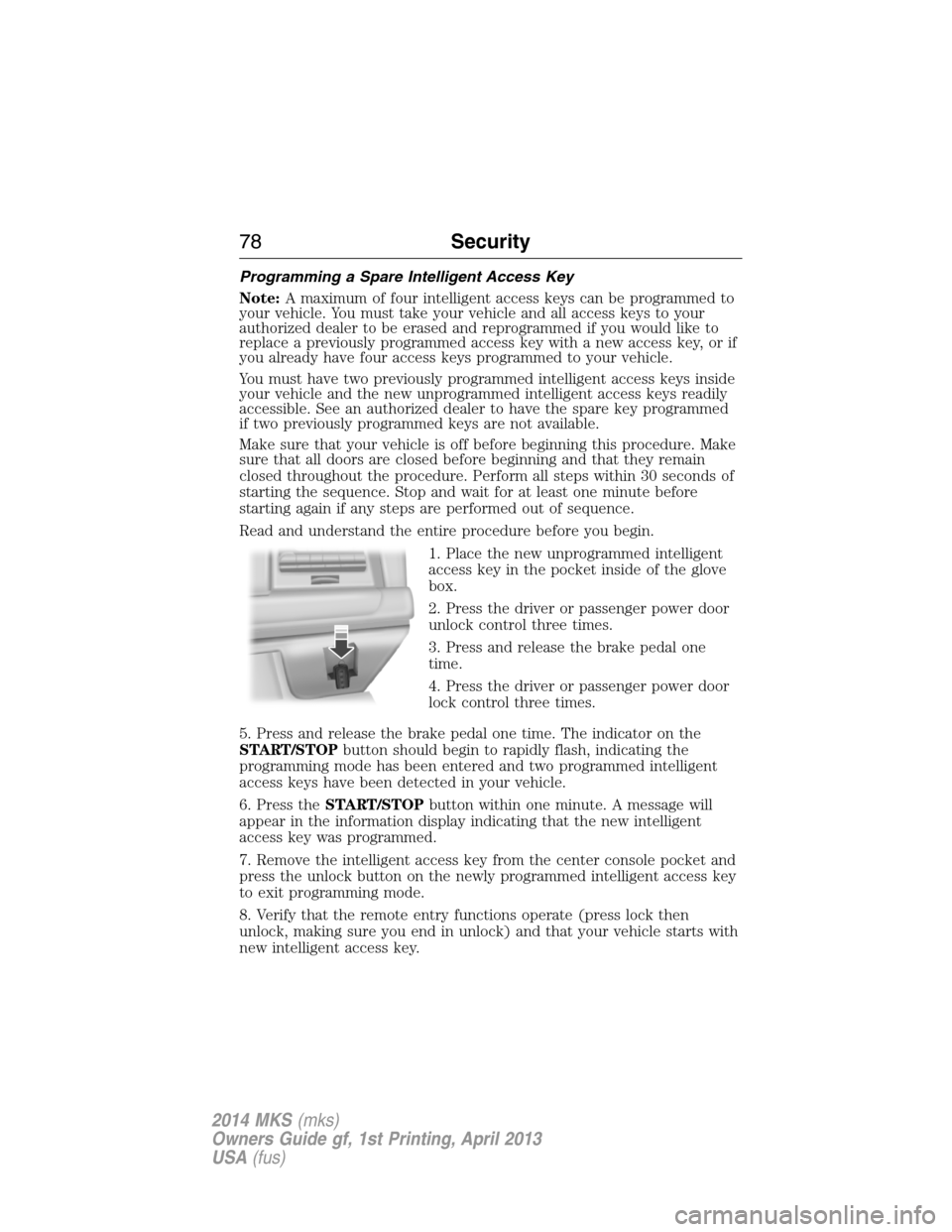
1. Place the new unprogrammed intelligent
access key in the pocket inside of the glove
box.
2. Press the driver or passenger power door
unlock control three times.
3. Press and release the brake pedal one
time.
4. Press the driver or passenger power door
lock control three times.
5. Press and release the brake pedal one time. The indicator on the
START/STOPbutton should begin to rapidly flash, indicating the
programming mode has been entered and two programmed intelligent
access keys have been detected in your vehicle.
6. Press theSTART/STOPbutton within one minute. A message will
appear in the information display indicating that the new intelligent
access key was programmed.
7. Remove the intelligent access key from the center console pocket and
press the unlock button on the newly programmed intelligent access key
to exit programming mode.
8. Verify that the remote entry functions operate (press lock then
unlock, making sure you end in unlock) and that your vehicle starts with
new intelligent access key.
78Security
2014 MKS(mks)
Owners Guide gf, 1st Printing, April 2013
USA(fus)
Page 80 of 461
ANTI-THEFT ALARM
The system will warn you of unauthorized entry to your vehicle.
The turn signal lamps will flash and sound the horn up to a total of 10
times when:
•any door, the hood or the luggage compartment is opened without
using the keypad, the remote control or the intelligent access
transmitter
•the ignition is turned on with an invalid key.
Take all keys and remote controls to an authorized dealer if there is any
potential alarm problem with your vehicle.
Arming the Alarm
The system is ready to arm whenever the ignition is off. Lock your
vehicle to arm the alarm.
The turn signal lamps will flash once after locking your vehicle to
indicate the alarm is in the pre-armed mode. It will become fully armed
in 20 seconds.
Disarming the Alarm
To disarm the alarm, do any of the following:
•Press the power door unlock button within the 20-second pre-armed
mode will.
•Press the unlock button on the remote control.
•Unlock the doors with the keyless entry pad.
•Enter your vehicle using intelligent access.
•Press the panic button on the remote control. The alarm system will
still be armed, but this shuts off the horn and turn lamps when the
alarm is sounding.
Note:If the driver door is unlocked with a key, a tone will sound when
you open the door and a message will appear in the information display.
You will have 12 seconds to disarm the alarm using any of the actions
above, otherwise the alarm will trigger.
Security79
2014 MKS(mks)
Owners Guide gf, 1st Printing, April 2013
USA(fus)
Page 91 of 461
Note:If it appears that automatic control of the high beams is not
functioning properly, check the windshield in front of the camera for
blockage. A clear view of the road is required for proper system
operation. Any windshield damage in the area of the camera field-of-view
should be repaired.
Note:If a blockage is detected (e.g. bird dropping, bug splatter, snow, or
ice) and no changes are observed, the system will go into low beam
mode until the blockage is cleared. A message may also appear in the
instrument cluster display noting the front camera is blocked.
Note:Typical road dust, dirt and water spots will not affect the
automatic high beam system’s performance. However, in cold or
inclement weather conditions, the automatic high beam system’s
availability may be decreased. If the driver wants to change the beam
state independently of the system, the driver may turn the high beams
on or off using the multifunction switch stalk. Automatic control will
resume when conditions are correct.
Note:Modification of the vehicle ride height (e.g. using much larger
tires) may degrade feature performance.
A camera sensor is centrally mounted behind the windshield of the
vehicle, and monitors the conditions to decide when to switch the high
beams off and on.
Once the system is active the high beams will switch on if:
•The ambient light level is low enough that high beams are needed.
•There is no traffic in front of the vehicle.
•Vehicle speed is greater than 25 mph (40 km/h).
•Severe weather is not detected.
The high beams will switch off if:
•An approaching vehicle’s headlights or a preceding vehicle’s tail lamps
are detected.
•The vehicle speed falls below 19 mph (30 km/h).
•The ambient light level is high enough that high beams are not
needed.
•Severe rain, snow or fog is detected.
•The camera is blocked.
90Lighting
2014 MKS(mks)
Owners Guide gf, 1st Printing, April 2013
USA(fus)
Page 95 of 461
POWER WINDOWS
WARNING:Do not leave children unattended in your vehicle
and do not let children play with the power windows. They may
seriously injure themselves.
WARNING:When closing the power windows, you should verify
they are free of obstructions and make sure that children and
pets are not in the proximity of the window openings.
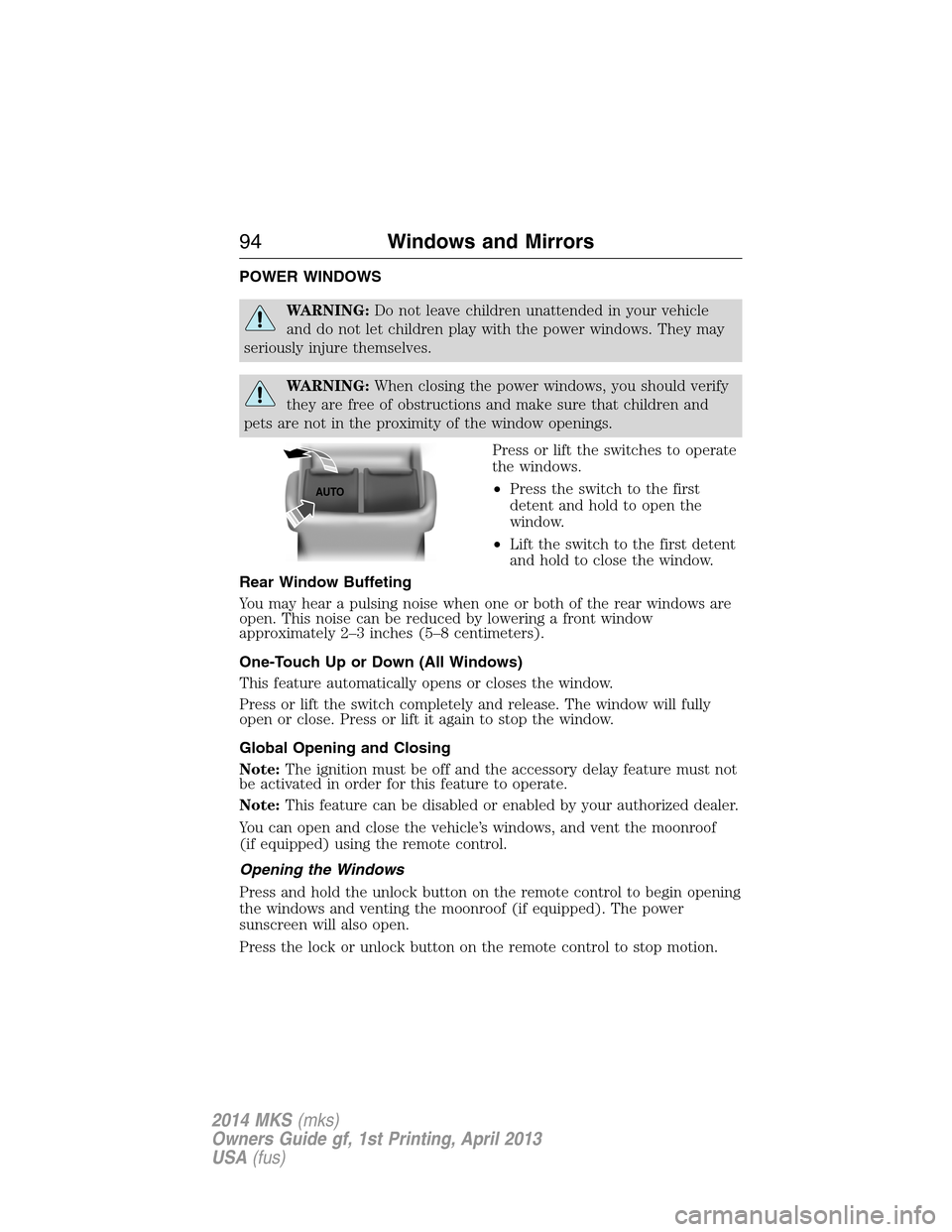
Press or lift the switches to operate
the windows.
•Press the switch to the first
detent and hold to open the
window.
•Lift the switch to the first detent
and hold to close the window.
Rear Window Buffeting
You may hear a pulsing noise when one or both of the rear windows are
open. This noise can be reduced by lowering a front window
approximately 2–3 inches (5–8 centimeters).
One-Touch Up or Down (All Windows)
This feature automatically opens or closes the window.
Press or lift the switch completely and release. The window will fully
open or close. Press or lift it again to stop the window.
Global Opening and Closing
Note:The ignition must be off and the accessory delay feature must not
be activated in order for this feature to operate.
Note:This feature can be disabled or enabled by your authorized dealer.
You can open and close the vehicle’s windows, and vent the moonroof
(if equipped) using the remote control.
Opening the Windows
Press and hold the unlock button on the remote control to begin opening
the windows and venting the moonroof (if equipped). The power
sunscreen will also open.
Press the lock or unlock button on the remote control to stop motion.
AUTO
94Windows and Mirrors
2014 MKS(mks)
Owners Guide gf, 1st Printing, April 2013
USA(fus)
Page 96 of 461
Closing the Windows
WARNING:Before operating power windows and moonroof, you
should verify that they are free of obstructions and ensure that
children and/or pets are not in the proximity of window openings.
Press and hold the lock button on the remote control to begin closing
the windows and moonroof (if equipped).
Press the lock or unlock button the remote control to stop motion.
Bounce-Back
The window will stop automatically while closing and reverse some
distance if there is an obstacle in the way.
Overriding the Bounce-Back Feature
WARNING:When you override the bounce-back feature the
window will not reverse if it detects an obstacle. Take care when
closing the windows to avoid personal injury or damage to your vehicle.
Pull up the window switch and hold within two seconds of the window
reaching the bounce-back position. The window will travel up with no
bounce-back protection. The window will stop if you release the switch
before the window is fully closed.
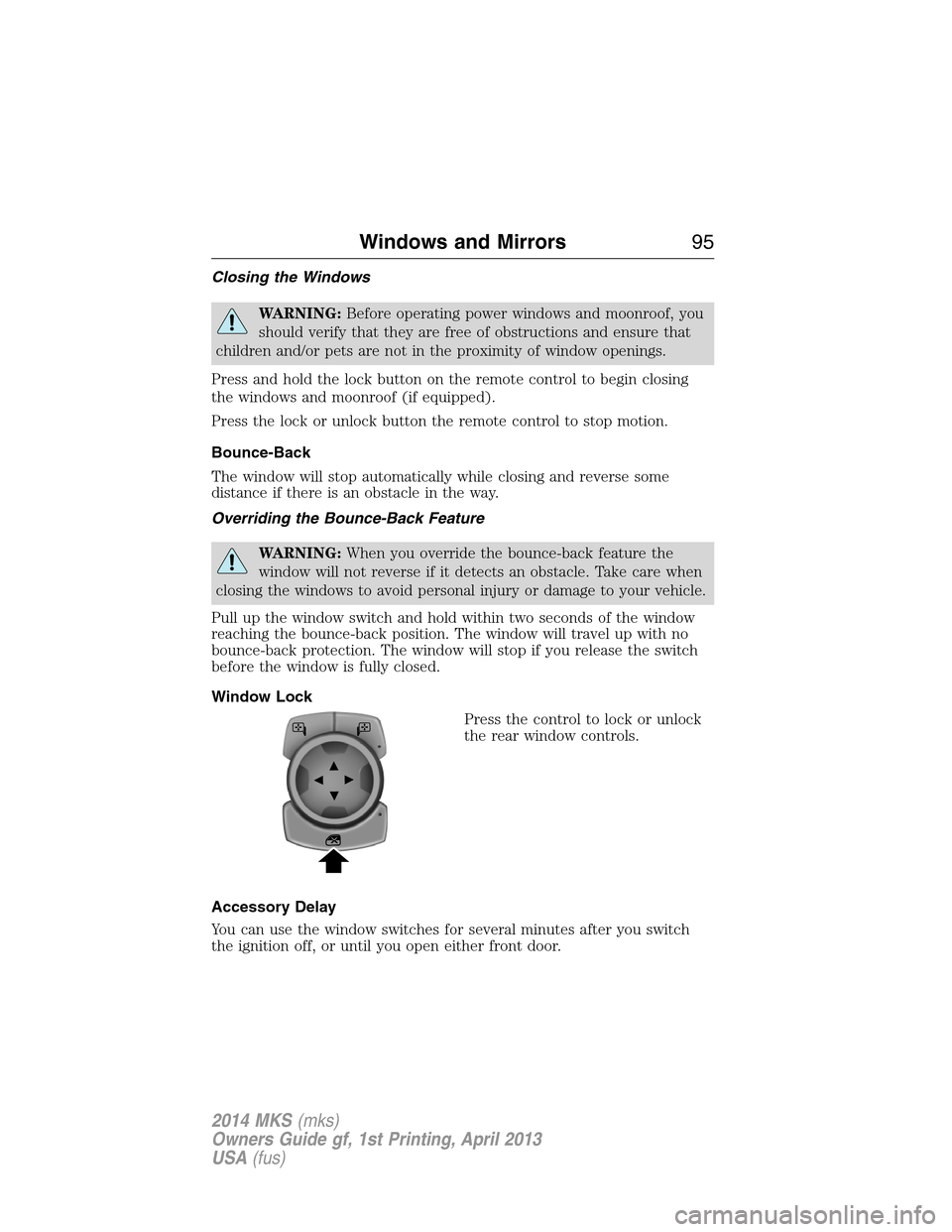
Window Lock
Press the control to lock or unlock
the rear window controls.
Accessory Delay
You can use the window switches for several minutes after you switch
the ignition off, or until you open either front door.
Windows and Mirrors95
2014 MKS(mks)
Owners Guide gf, 1st Printing, April 2013
USA(fus)
Page 99 of 461
INTERIOR MIRROR
WARNING:Do not adjust the mirror when your vehicle is
moving.
Note:Do not clean the housing or glass of any mirror with harsh
abrasives, fuel or other petroleum or ammonia based cleaning products.
You can adjust the interior mirror to your preference. Some mirrors also
have a second pivot point. This lets you move the mirror head up or
down and from side to side.
Auto-Dimming Mirror
Note:Do not block the sensors on the front and back of the mirror.
Mirror performance may be affected. A rear center passenger or raised
rear center head restraint may also block light from reaching the sensor.
The mirror will dim automatically to reduce glare when bright lights are
detected from behind your vehicle. It will automatically return to normal
reflection when you select reverse gear to make sure you have a clear
view when backing up.
SUN VISORS
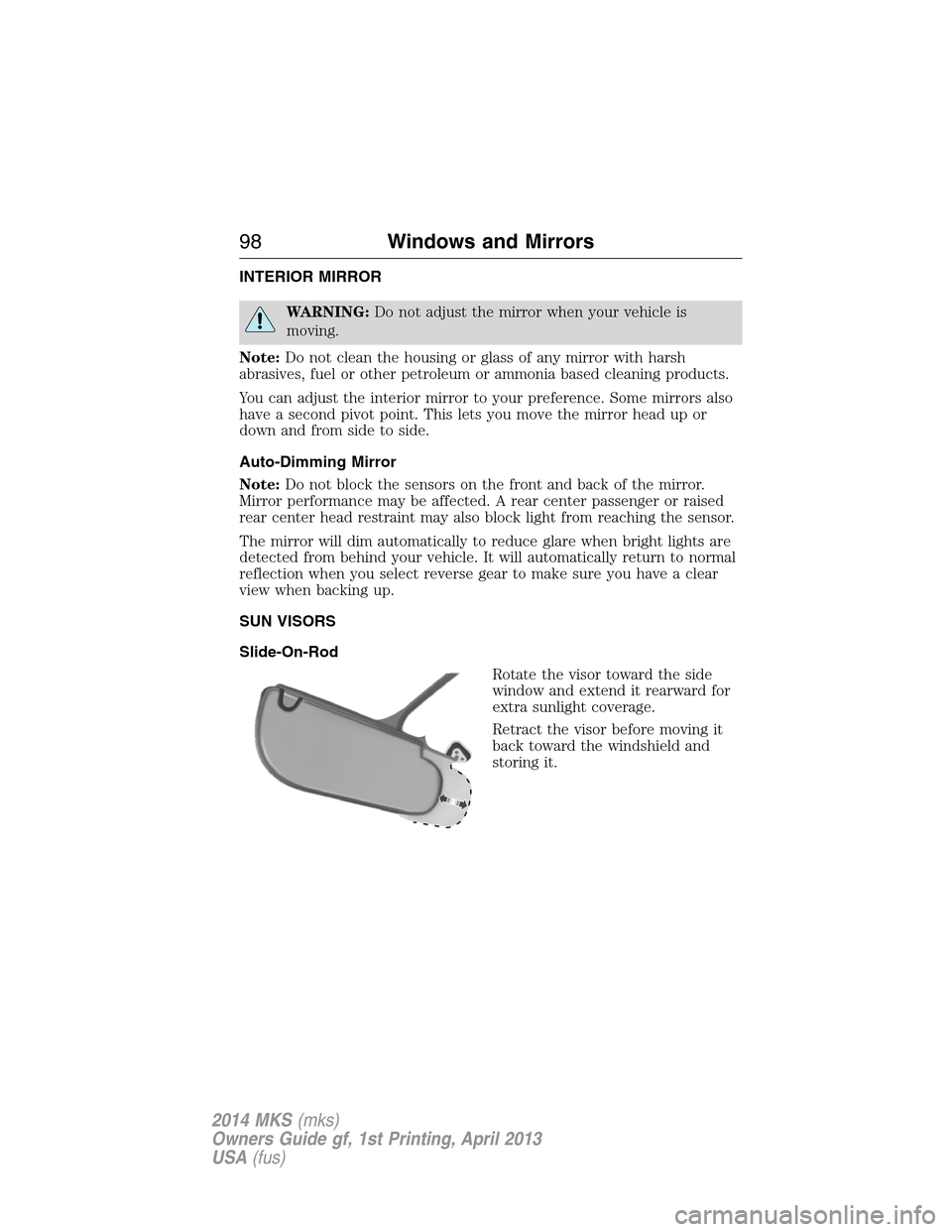
Slide-On-Rod
Rotate the visor toward the side
window and extend it rearward for
extra sunlight coverage.
Retract the visor before moving it
back toward the windshield and
storing it.
98Windows and Mirrors
2014 MKS(mks)
Owners Guide gf, 1st Printing, April 2013
USA(fus)
Page 104 of 461
Adaptive cruise control (if equipped) (RTT)
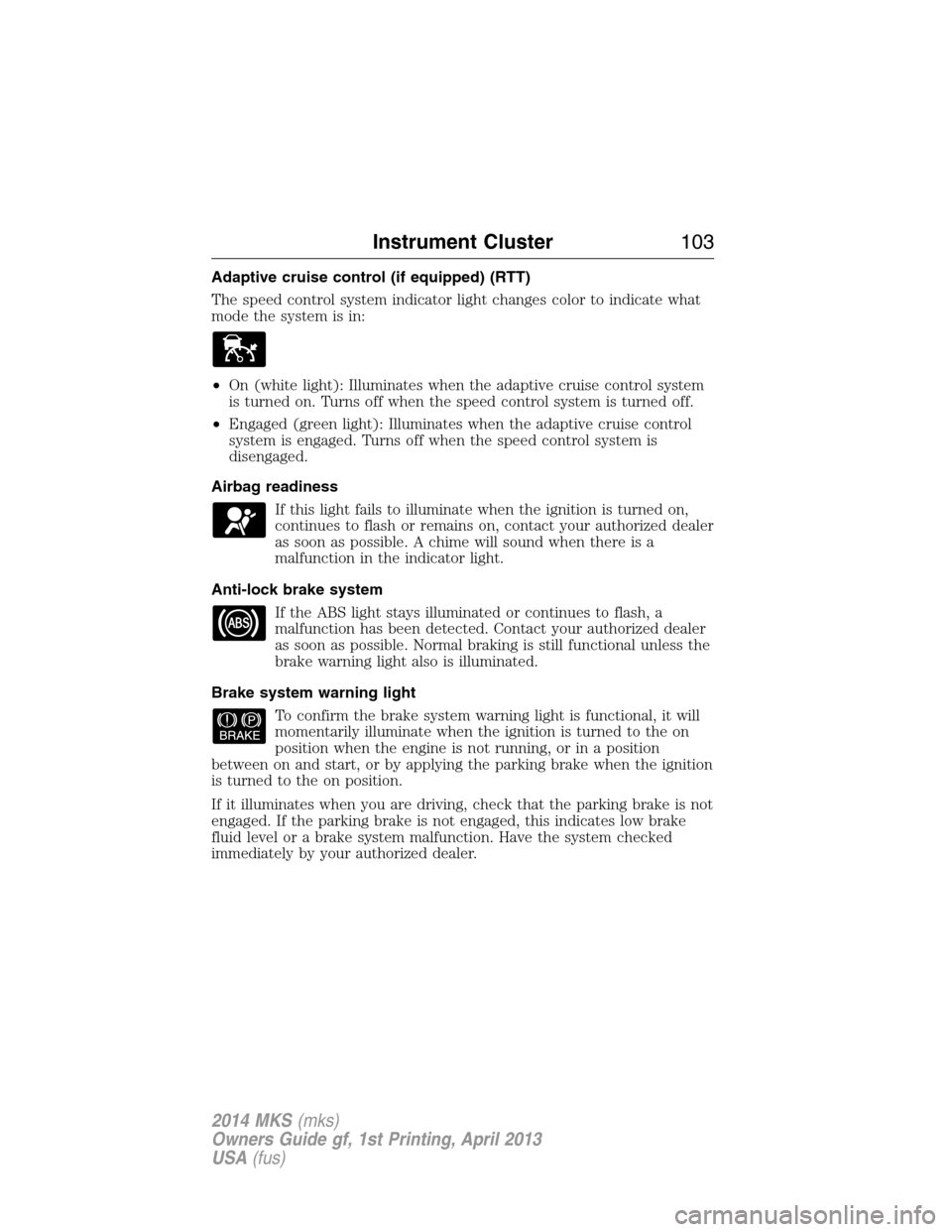
The speed control system indicator light changes color to indicate what
mode the system is in:
•On (white light): Illuminates when the adaptive cruise control system
is turned on. Turns off when the speed control system is turned off.
•Engaged (green light): Illuminates when the adaptive cruise control
system is engaged. Turns off when the speed control system is
disengaged.
Airbag readiness
If this light fails to illuminate when the ignition is turned on,
continues to flash or remains on, contact your authorized dealer
as soon as possible. A chime will sound when there is a
malfunction in the indicator light.
Anti-lock brake system
If the ABS light stays illuminated or continues to flash, a
malfunction has been detected. Contact your authorized dealer
as soon as possible. Normal braking is still functional unless the
brake warning light also is illuminated.
Brake system warning light
To confirm the brake system warning light is functional, it will
momentarily illuminate when the ignition is turned to the on
position when the engine is not running, or in a position
between on and start, or by applying the parking brake when the ignition
is turned to the on position.
If it illuminates when you are driving, check that the parking brake is not
engaged. If the parking brake is not engaged, this indicates low brake
fluid level or a brake system malfunction. Have the system checked
immediately by your authorized dealer.
Instrument Cluster103
2014 MKS(mks)
Owners Guide gf, 1st Printing, April 2013
USA(fus)
Page 113 of 461
Settings
Vehicle
Drive ControlHandling in
DSport / Normal / Comfort
Handling in
SSport / Normal
Auto Engine Off — check enabled / uncheck disabled
DTE
CalculationNormal / Towing
Easy Entry/Exit — check enabled / uncheck disabled
Lighting Adaptive
Head LampsTraffic Set
UpRight Hand
/ Left Hand
Traffic
Auto Highbeam — check enabled
(default) / uncheck disabled
Autolamp
DelayOff or number of seconds
Locks Autolock — check enabled (default) /
uncheck disabled
Autounlock — check enabled (default) /
uncheck disabled
Remote
UnlockingAll doors / Driver’s door
Oil Life Reset Set to XXX % — Hold OK to Reset
Remote StartClimate
ControlAuto / Last Settings
Seats &
Wheel or
Front SeatsAuto / Off
Duration 5 / 10 /15 minutes
System — check enabled (default) /
uncheck disabled
Windows Remote Open or Close
WipersCourtesy Wipe — check enabled
(default) / uncheck disabled
Rain Sensing — check enabled (default)
/ uncheck disabled
11 2Information Displays
2014 MKS(mks)
Owners Guide gf, 1st Printing, April 2013
USA(fus)
Page 115 of 461
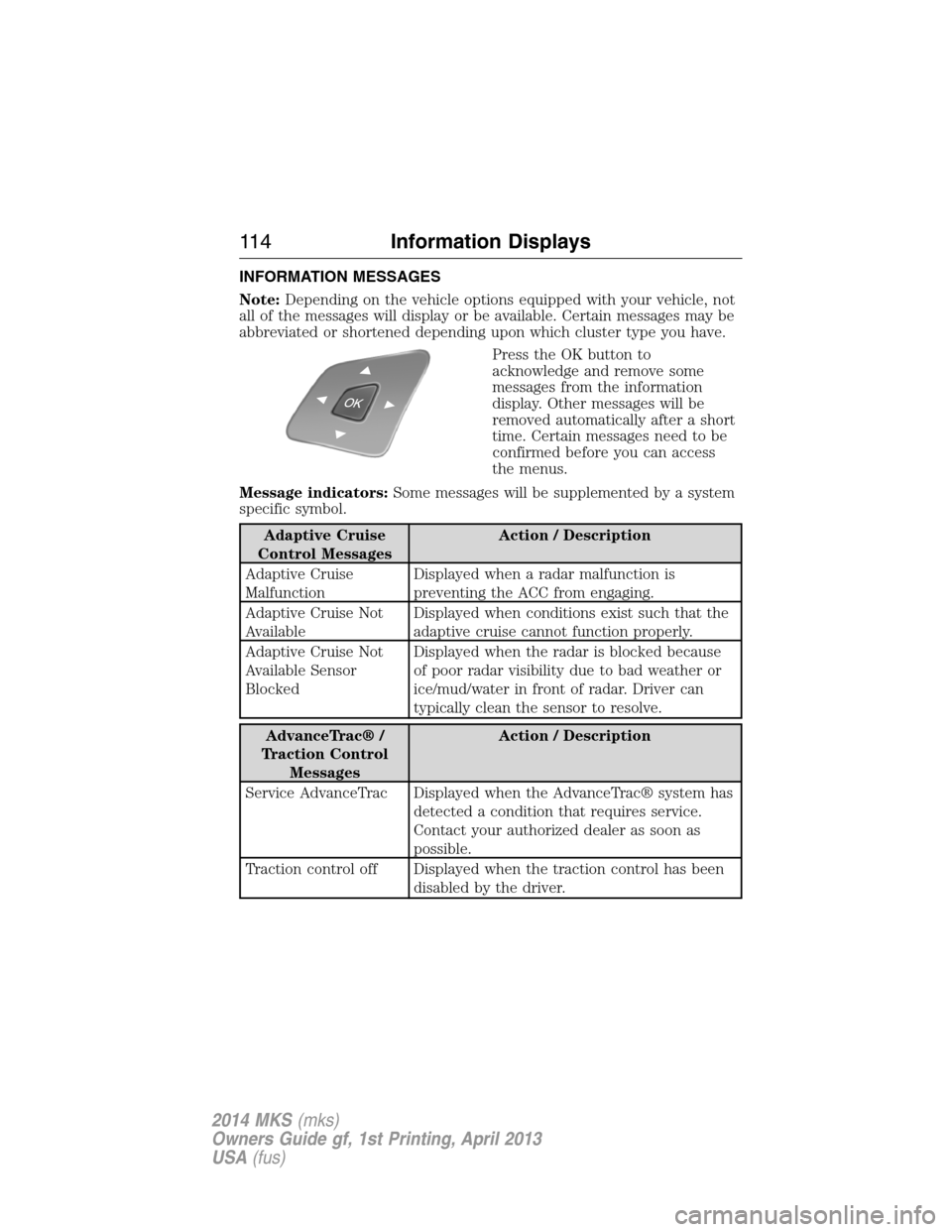
INFORMATION MESSAGES
Note:Depending on the vehicle options equipped with your vehicle, not
all of the messages will display or be available. Certain messages may be
abbreviated or shortened depending upon which cluster type you have.
Press the OK button to
acknowledge and remove some
messages from the information
display. Other messages will be
removed automatically after a short
time. Certain messages need to be
confirmed before you can access
the menus.
Message indicators:Some messages will be supplemented by a system
specific symbol.
Adaptive Cruise
Control MessagesAction / Description
Adaptive Cruise
MalfunctionDisplayed when a radar malfunction is
preventing the ACC from engaging.
Adaptive Cruise Not
AvailableDisplayed when conditions exist such that the
adaptive cruise cannot function properly.
Adaptive Cruise Not
Available Sensor
BlockedDisplayed when the radar is blocked because
of poor radar visibility due to bad weather or
ice/mud/water in front of radar. Driver can
typically clean the sensor to resolve.
AdvanceTrac® /
Traction Control
MessagesAction / Description
Service AdvanceTrac Displayed when the AdvanceTrac® system has
detected a condition that requires service.
Contact your authorized dealer as soon as
possible.
Traction control off Displayed when the traction control has been
disabled by the driver.
11 4Information Displays
2014 MKS(mks)
Owners Guide gf, 1st Printing, April 2013
USA(fus)
Page 118 of 461
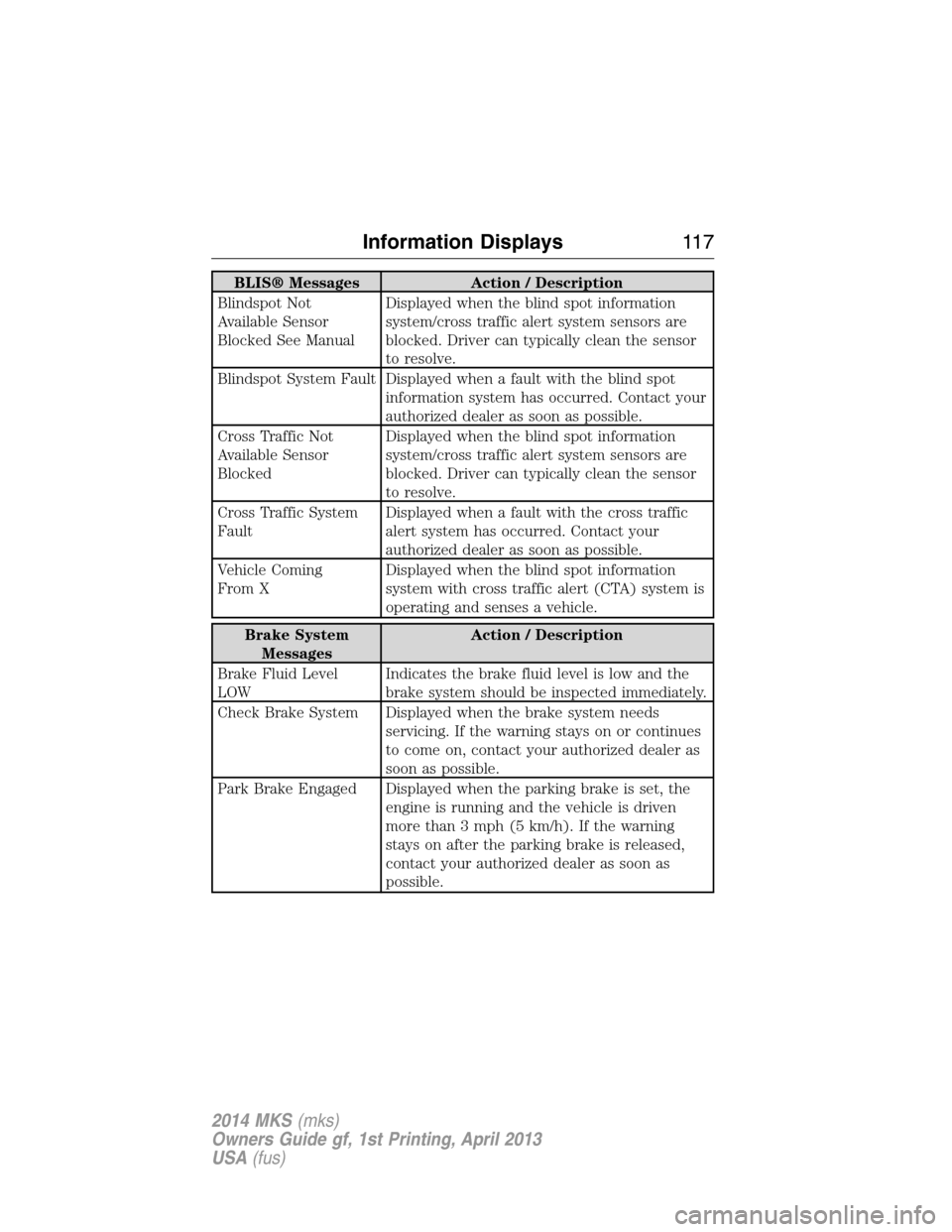
BLIS® Messages Action / Description
Blindspot Not
Available Sensor
Blocked See ManualDisplayed when the blind spot information
system/cross traffic alert system sensors are
blocked. Driver can typically clean the sensor
to resolve.
Blindspot System Fault Displayed when a fault with the blind spot
information system has occurred. Contact your
authorized dealer as soon as possible.
Cross Traffic Not
Available Sensor
BlockedDisplayed when the blind spot information
system/cross traffic alert system sensors are
blocked. Driver can typically clean the sensor
to resolve.
Cross Traffic System
FaultDisplayed when a fault with the cross traffic
alert system has occurred. Contact your
authorized dealer as soon as possible.
Vehicle Coming
From XDisplayed when the blind spot information
system with cross traffic alert (CTA) system is
operating and senses a vehicle.
Brake System
MessagesAction / Description
Brake Fluid Level
LOWIndicates the brake fluid level is low and the
brake system should be inspected immediately.
Check Brake System Displayed when the brake system needs
servicing. If the warning stays on or continues
to come on, contact your authorized dealer as
soon as possible.
Park Brake Engaged Displayed when the parking brake is set, the
engine is running and the vehicle is driven
more than 3 mph (5 km/h). If the warning
stays on after the parking brake is released,
contact your authorized dealer as soon as
possible.
Information Displays11 7
2014 MKS(mks)
Owners Guide gf, 1st Printing, April 2013
USA(fus)