traction control LINCOLN MKS 2015 User Guide
[x] Cancel search | Manufacturer: LINCOLN, Model Year: 2015, Model line: MKS, Model: LINCOLN MKS 2015Pages: 424, PDF Size: 3.96 MB
Page 161 of 424
When you think your vehicle has enough
space in front and behind it, or you hear a
solid tone from the parking aid (accompanied
by a touchscreen display message and a
chime), bring your vehicle to a complete stop.
When automatic steering is finished, the
touch screen displays a message and a chime
sounds, indicating that the active park assist
process is done. The driver is responsible for
checking the parking job and making any
necessary corrections before putting the
transmission in Park (P).
Deactivating the Park Assist Feature
Manually deactivate the system by:
•
Pressing the active park assist button.
• Grabbing the steering wheel.
• Driving above approximately 20 mph (35
km/h) for 30 seconds during an active
park search.
• Driving above 6 mph (10 km/h) during
automatic steering.
• Turning off the traction control system. Certain vehicle conditions can also deactivate
the system, such as:
•
Traction control has activated on a
slippery or loose surface.
• There is an anti-lock brake system
activation or failure.
• Something touches the steering wheel.
If a problem occurs with the system, a
warning message is displayed, followed by
a chime. Occasional system messages may
occur in normal operation. For recurring or
frequent system faults, contact an authorized
dealer to have your vehicle serviced.
Troubleshooting the System The system does not look for a space
The traction control system may be off
The transmission is in Reverse (R); your vehicle must be moving forward to detect a parking space The system does not offer a particular space
Something may be contacting the front bumper or side sensors
There is not enough room on both sides of your vehicle in order to park
There is not enough space for the parking maneuver on the opposite side of the parking space
158
MKS (), enUSA Parking Aids
Page 188 of 424
DRIVE CONTROL
LINCOLN DRIVE CONTROL
Lincoln Drive Control delivers the Lincoln
driving experience through a suite of
sophisticated electronic vehicle systems.
These systems continuously monitor your
driving inputs and the road conditions to
optimize ride comfort, steering, handling,
powertrain response and sound. You can
preset your preferences for these systems
within the information display. Lincoln Drive
Control will respond to your preferences
based on what gear position you select. This
provides a single location to control multiple
systems performance settings.
Lincoln Drive Control consists of the following
systems:
•
Continuously controlled damping
dynamically adjusts the shock absorbers
stiffness in real time to match the road
surface and driver inputs. This system
continuously monitors your vehicle ’s
motion (roll, pitch, bounce), suspension
position, load, speed, road conditions, and
steering to adjust the suspension
damping for optimal vehicle control.
• Electronically power-assisted steering
adjusts steering effort and feel based on
your vehicle speed and your inputs.
• Active noise control utilizes your vehicle
electronics to enhance the acoustic
experience.
• Electronic stability control and traction
control maintain your vehicle control in
adverse conditions or high performance
driving.
• Electronic throttle control enhances the
powertrain response to your inputs.
Note: Active noise control is only available
with EcoBoost™ engines.
These systems have a range of modes which
you can choose from in order to customize
your ideal driving experience: •
Comfort – Provides a more relaxed
driving experience, maximizing comfort.
Your steering effort decreases and the
suspension movement is more fluid.
Comfort mode is ideal when you desire
enhanced traveling comfort.
• Normal – Delivers a balanced
combination of comfortable, controlled
ride and confident handling. This mode
provides an engaging drive experience
and a direct connection to the road
without sacrificing any of the composure
demanded from a luxury vehicle.
• Sport – Provides a sportier driving
experience. The suspension stiffens, with
an emphasis on handling and control. The
engine responds more directly to your
inputs and takes on a more powerful
tone. Sport mode is ideal for use during
more spirited driving.
Using Lincoln Drive Control
You can configure which of the Drive Control
modes are active when your vehicle is in Drive
(D) or in Sport (S). The configuration remains
active until modified from the main menu on
the information display.
To change your vehicle ’s Drive Control
settings from the main menu on the
information display:
185
MKS (), enUSA Driving Aids
Page 208 of 424
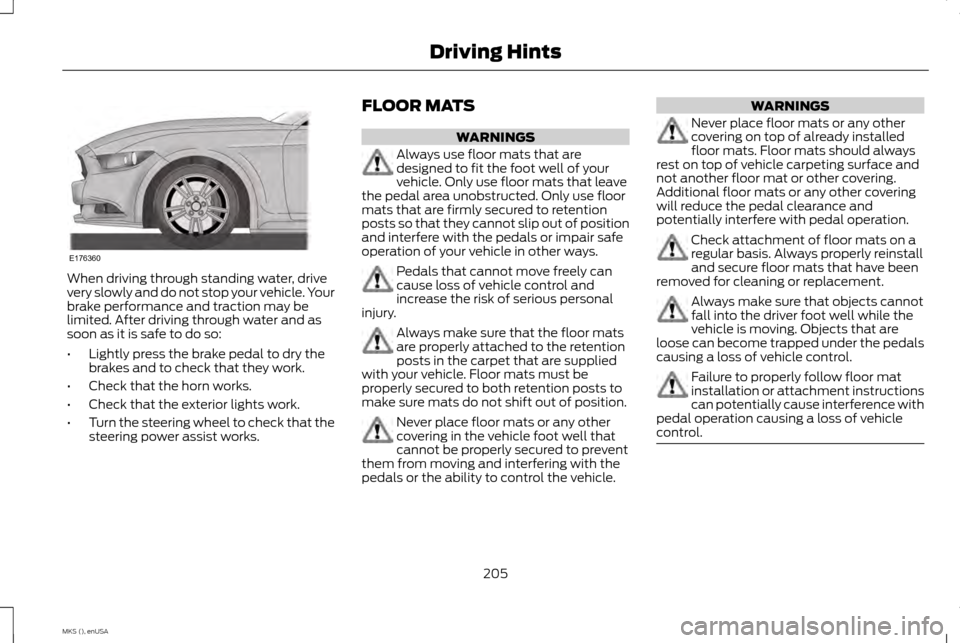
When driving through standing water, drive
very slowly and do not stop your vehicle. Your
brake performance and traction may be
limited. After driving through water and as
soon as it is safe to do so:
•
Lightly press the brake pedal to dry the
brakes and to check that they work.
• Check that the horn works.
• Check that the exterior lights work.
• Turn the steering wheel to check that the
steering power assist works. FLOOR MATS WARNINGS
Always use floor mats that are
designed to fit the foot well of your
vehicle. Only use floor mats that leave
the pedal area unobstructed. Only use floor
mats that are firmly secured to retention
posts so that they cannot slip out of position
and interfere with the pedals or impair safe
operation of your vehicle in other ways. Pedals that cannot move freely can
cause loss of vehicle control and
increase the risk of serious personal
injury. Always make sure that the floor mats
are properly attached to the retention
posts in the carpet that are supplied
with your vehicle. Floor mats must be
properly secured to both retention posts to
make sure mats do not shift out of position. Never place floor mats or any other
covering in the vehicle foot well that
cannot be properly secured to prevent
them from moving and interfering with the
pedals or the ability to control the vehicle. WARNINGS
Never place floor mats or any other
covering on top of already installed
floor mats. Floor mats should always
rest on top of vehicle carpeting surface and
not another floor mat or other covering.
Additional floor mats or any other covering
will reduce the pedal clearance and
potentially interfere with pedal operation. Check attachment of floor mats on a
regular basis. Always properly reinstall
and secure floor mats that have been
removed for cleaning or replacement. Always make sure that objects cannot
fall into the driver foot well while the
vehicle is moving. Objects that are
loose can become trapped under the pedals
causing a loss of vehicle control. Failure to properly follow floor mat
installation or attachment instructions
can potentially cause interference with
pedal operation causing a loss of vehicle
control. 205
MKS (), enUSA Driving HintsE176360
Page 267 of 424
TIRE CARE
Information About Uniform Tire
Quality Grading
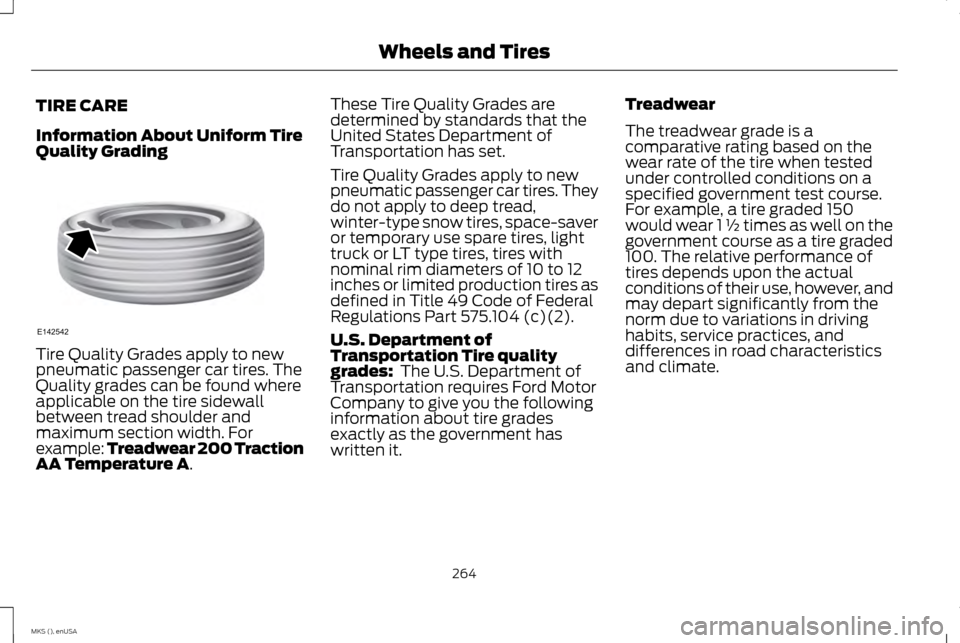
Tire Quality Grades apply to new
pneumatic passenger car tires. The
Quality grades can be found where
applicable on the tire sidewall
between tread shoulder and
maximum section width. For
example: Treadwear 200 Traction
AA Temperature A. These Tire Quality Grades are
determined by standards that the
United States Department of
Transportation has set.
Tire Quality Grades apply to new
pneumatic passenger car tires. They
do not apply to deep tread,
winter-type snow tires, space-saver
or temporary use spare tires, light
truck or LT type tires, tires with
nominal rim diameters of 10 to 12
inches or limited production tires as
defined in Title 49 Code of Federal
Regulations Part 575.104 (c)(2).
U.S. Department of
Transportation Tire quality
grades:
The U.S. Department of
Transportation requires Ford Motor
Company to give you the following
information about tire grades
exactly as the government has
written it. Treadwear
The treadwear grade is a
comparative rating based on the
wear rate of the tire when tested
under controlled conditions on a
specified government test course.
For example, a tire graded 150
would wear 1 ½ times as well on the
government course as a tire graded
100. The relative performance of
tires depends upon the actual
conditions of their use, however, and
may depart significantly from the
norm due to variations in driving
habits, service practices, and
differences in road characteristics
and climate.
264
MKS (), enUSA Wheels and TiresE142542
Page 268 of 424
Traction AA A B C
WARNING
The traction grade assigned to
this tire is based on
straight-ahead braking traction
tests, and does not include
acceleration, cornering,
hydroplaning or peak traction
characteristics. The traction grades, from highest to
lowest are AA, A, B, and C. The
grades represent the tire
’s ability to
stop on wet pavement as measured
under controlled conditions on
specified government test surfaces
of asphalt and concrete. A tire
marked C may have poor traction
performance. Temperature A B C WARNING
The temperature grade for this
tire is established for a tire that
is properly inflated and not
overloaded. Excessive speed,
underinflation, or excessive loading,
either separately or in combination,
can cause heat buildup and possible
tire failure. The temperature grades are A (the
highest), B and C, representing the
tire
’s resistance to the generation of
heat and its ability to dissipate heat
when tested under controlled
conditions on a specified indoor
laboratory test wheel. Sustained
high temperature can cause the
material of the tire to degenerate
and reduce tire life, and excessive
temperature can lead to sudden tire
failure. The grade C corresponds to
a level of performance which all
passenger car tires must meet under the Federal Motor Vehicle Safety
Standard No. 139. Grades B and A
represent higher levels of
performance on the laboratory test
wheel than the minimum required
by law.
Glossary of Tire Terminology
•
Tire label: A label showing the
original equipment tire sizes,
recommended inflation pressure
and the maximum weight the
vehicle can carry.
• Tire Identification Number:
A
number on the sidewall of each
tire providing information about
the tire brand and manufacturing
plant, tire size and date of
manufacture. Also referred to as
DOT code.
• Inflation pressure:
A measure
of the amount of air in a tire.
265
MKS (), enUSA Wheels and Tires
Page 273 of 424
•
Treadwear The treadwear grade
is a comparative rating based on
the wear rate of the tire when
tested under controlled
conditions on a specified
government test course. For
example, a tire graded 150 would
wear one and one-half times as
well on the government course
as a tire graded 100.
• Traction: The traction grades,
from highest to lowest are AA, A,
B, and C. The grades represent
the tire's ability to stop on wet
pavement as measured under
controlled conditions on
specified government test
surfaces of asphalt and concrete.
A tire marked C may have poor
traction performance.
• Temperature:
The temperature
grades are A (the highest), B and
C, representing the tire's
resistance to the generation of
heat and its ability to dissipate
heat when tested under
controlled conditions on a specified indoor laboratory test
wheel.
M. Maximum Inflation Pressure:
Indicates the tire manufacturers'
maximum permissible pressure or
the pressure at which the maximum
load can be carried by the tire. This
pressure is normally higher than the
vehicle manufacturer's
recommended cold inflation
pressure which can be found on the
Safety Compliance Certification
Label (affixed to either the door
hinge pillar, door-latch post, or the
door edge that meets the door-latch
post, next to the driver's seating
position), or Tire Label which is
located on the B-Pillar or the edge
of the driver ’s door. The cold
inflation pressure should never be
set lower than the recommended
pressure on the vehicle label.
The tire suppliers may have
additional markings, notes or
warnings such as standard load or
radial tubeless. Additional Information
Contained on the Tire Sidewall
for LT Type Tires
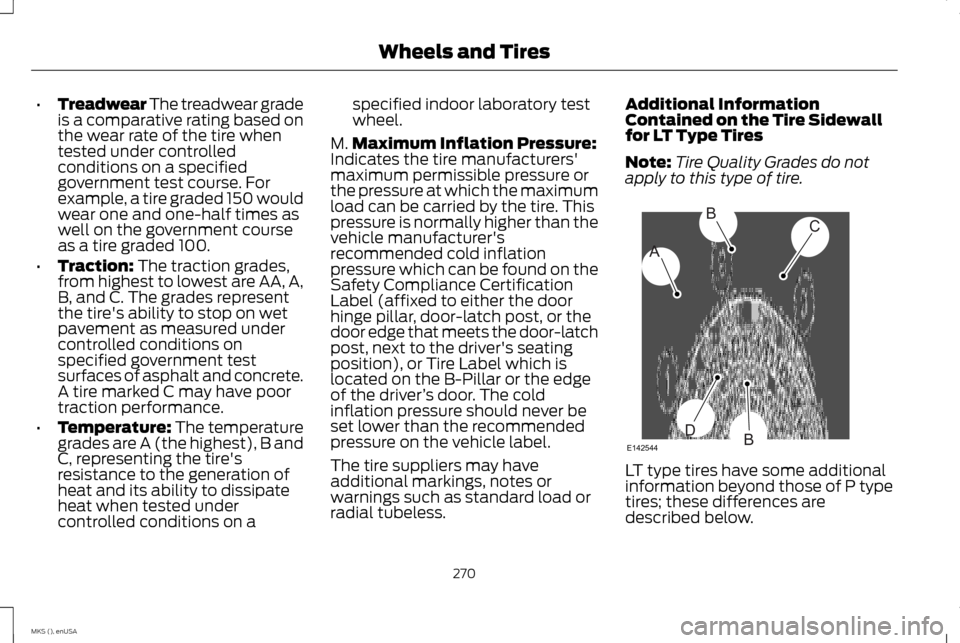
Note:
Tire Quality Grades do not
apply to this type of tire. LT type tires have some additional
information beyond those of P type
tires; these differences are
described below.
270
MKS (), enUSA Wheels and TiresA
BC
BDE142544
Page 282 of 424
Note:
Your vehicle may be equipped
with a dissimilar spare wheel and tire
assembly. A dissimilar spare wheel
and tire assembly is defined as a
spare wheel and tire assembly that
is different in brand, size or
appearance from the road tires and
wheels. If you have a dissimilar spare
wheel and tire assembly it is intended
for temporary use only and should
not be used in a tire rotation.
Note: After having your tires rotated,
inflation pressure must be checked
and adjusted to the vehicle
requirements.
Rotating your tires at the
recommended interval (as indicated
in the Scheduled Maintenance
chapter) will help your tires wear
more evenly, providing better tire
performance and longer tire life.
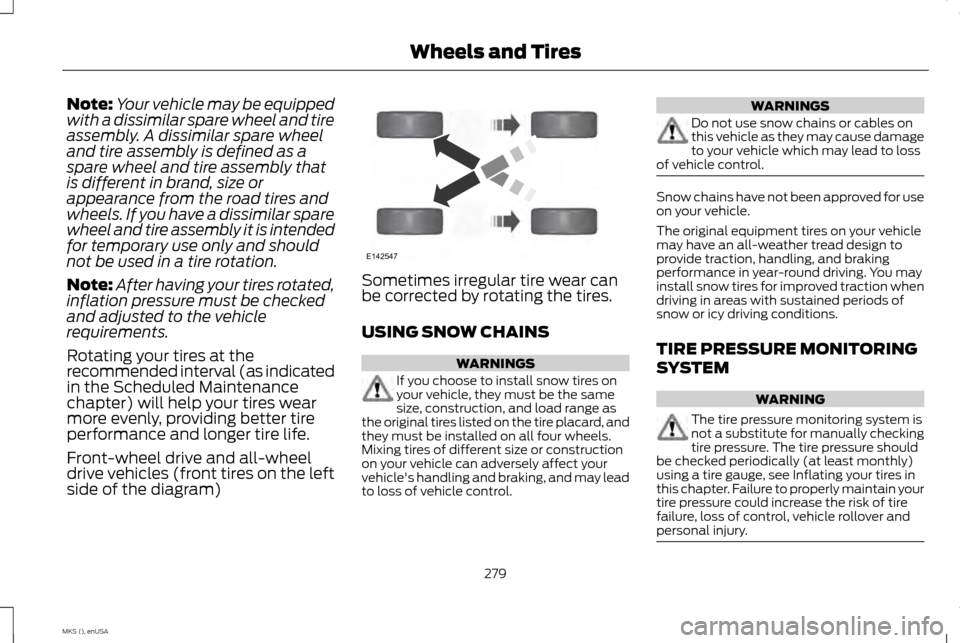
Front-wheel drive and all-wheel
drive vehicles (front tires on the left
side of the diagram) Sometimes irregular tire wear can
be corrected by rotating the tires.
USING SNOW CHAINS
WARNINGS
If you choose to install snow tires on
your vehicle, they must be the same
size, construction, and load range as
the original tires listed on the tire placard, and
they must be installed on all four wheels.
Mixing tires of different size or construction
on your vehicle can adversely affect your
vehicle's handling and braking, and may lead
to loss of vehicle control. WARNINGS
Do not use snow chains or cables on
this vehicle as they may cause damage
to your vehicle which may lead to loss
of vehicle control. Snow chains have not been approved for use
on your vehicle.
The original equipment tires on your vehicle
may have an all-weather tread design to
provide traction, handling, and braking
performance in year-round driving. You may
install snow tires for improved traction when
driving in areas with sustained periods of
snow or icy driving conditions.
TIRE PRESSURE MONITORING
SYSTEM
WARNING
The tire pressure monitoring system is
not a substitute for manually checking
tire pressure. The tire pressure should
be checked periodically (at least monthly)
using a tire gauge, see Inflating your tires in
this chapter. Failure to properly maintain your
tire pressure could increase the risk of tire
failure, loss of control, vehicle rollover and
personal injury. 279
MKS (), enUSA Wheels and TiresE142547
Page 383 of 424
General Operation
Voice Command Control: Functions within
the Windows Automotive-based system may
be accomplished using only voice
commands. Using voice commands while
driving allows you to operate the system
without removing your hands from the wheel.
Prolonged Views of Screen:
Do not access
any function requiring a prolonged view of
the screen while you are driving. Pull over in
a safe and legal manner before attempting
to access a function of the system requiring
prolonged attention. Even occasional short
scans to the screen may be hazardous if your
attention has been diverted away from your
driving task at a critical time.
Volume Setting:
Do not raise the volume
excessively. Keep the volume at a level where
you can still hear outside traffic and
emergency signals while driving. Driving while
unable to hear these sounds could cause an
accident.
Use of Speech Recognition Functions:
Speech recognition software is inherently a
statistical process which is subject to errors.
It is your responsibility to monitor any speech
recognition functions included in the system
and address any errors. Navigation Features:
Any navigation
features included in the system are intended
to provide turn by turn instructions to get you
to a desired destination. Please make certain
all persons using this system carefully read
and follow instructions and safety
information fully.
Distraction Hazard: Any navigation features
may require manual (non-verbal) setup.
Attempting to perform such set-up or insert
data while driving can seriously distract your
attention and could cause an accident or
other serious consequences. Stop the vehicle
in a safe and legal manner before attempting
these operations.
Let Your Judgment Prevail: Any navigation
features are provided only as an aid. Make
your driving decisions based on your
observations of local conditions and existing
traffic regulations. Any such feature is not a
substitute for your personal judgment. Any
route suggestions made by this system
should never replace any local traffic
regulations or your personal judgment or
knowledge of safe driving practices. Route Safety: Do not follow the route
suggestions if doing so would result in an
unsafe or illegal maneuver, if you would be
placed in an unsafe situation, or if you would
be directed into an area that you consider
unsafe. The driver is ultimately responsible
for the safe operation of the vehicle and
therefore, must evaluate whether it is safe
to follow the suggested directions.
Potential Map Inaccuracy:
Maps used by
this system may be inaccurate because of
changes in roads, traffic controls or driving
conditions. Always use good judgment and
common sense when following the
suggested routes.
Emergency Services:
Do not rely on any
navigation features included in the system
to route you to emergency services. Ask local
authorities or an emergency services operator
for these locations. Not all emergency
services such as police, fire stations, hospitals
and clinics are likely to be contained in the
map database for such navigation features.
380
MKS (), enUSA Appendices
Page 423 of 424
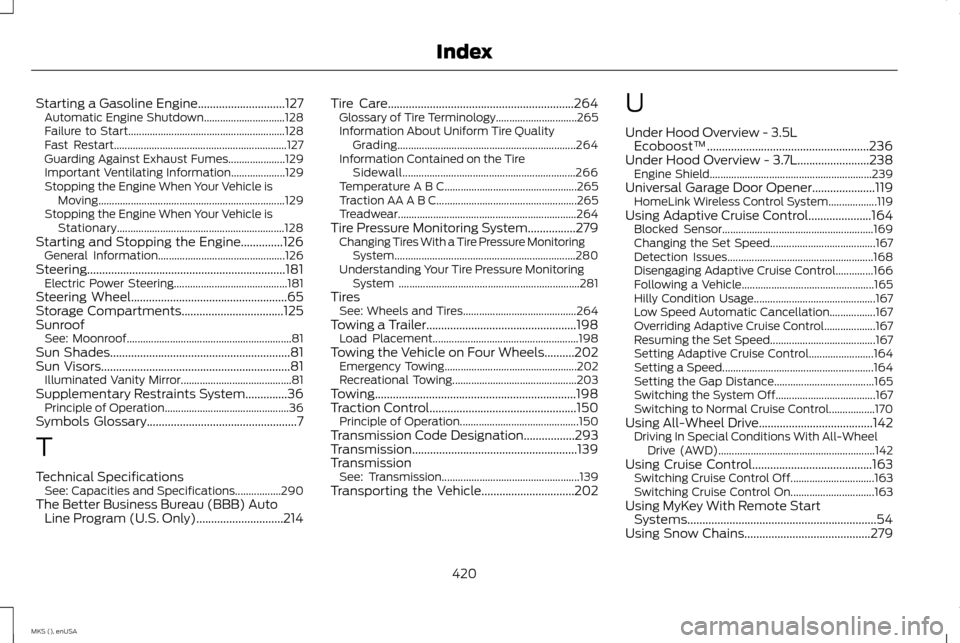
Starting a Gasoline Engine.............................127
Automatic Engine Shutdown.............................. 128
Failure to Start.......................................................... 128
Fast Restart................................................................ 127
Guarding Against Exhaust Fumes..................... 129
Important Ventilating Information.................... 129
Stopping the Engine When Your Vehicle is Moving..................................................................... 129
Stopping the Engine When Your Vehicle is Stationary.............................................................. 128
Starting and Stopping the Engine..............126 General Information............................................... 126
Steering..................................................................181 Electric Power Steering.......................................... 181
Steering Wheel....................................................65
Storage Compartments
..................................125
Sunroof See: Moonroof............................................................. 81
Sun Shades
............................................................81
Sun Visors...............................................................81
Illuminated Vanity Mirror......................................... 81
Supplementary Restraints System
..............36
Principle of Operation.............................................. 36
Symbols Glossary..................................................7
T
Technical Specifications See: Capacities and Specifications.................290
The Better Business Bureau (BBB) Auto Line Program (U.S. Only).............................214 Tire Care..............................................................264
Glossary of Tire Terminology.............................. 265
Information About Uniform Tire Quality Grading.................................................................. 264
Information Contained on the Tire Sidewall................................................................ 266
Temperature A B C................................................. 265
Traction AA A B C.................................................... 265
Treadwear..................................................................264
Tire Pressure Monitoring System
................279
Changing Tires With a Tire Pressure Monitoring
System................................................................... 280
Understanding Your Tire Pressure Monitoring System ................................................................... 281
Tires See: Wheels and Tires.......................................... 264
Towing a Trailer
..................................................198
Load Placement...................................................... 198
Towing the Vehicle on Four Wheels..........202 Emergency Towing................................................. 202
Recreational Towing.............................................. 203
Towing...................................................................198
Traction Control
.................................................150
Principle of Operation............................................ 150
Transmission Code Designation
.................293
Transmission.......................................................139
Transmission See: Transmission................................................... 139
Transporting the Vehicle...............................202 U
Under Hood Overview - 3.5L
Ecoboost™......................................................236
Under Hood Overview - 3.7L........................238 Engine Shield............................................................ 239
Universal Garage Door Opener
.....................119
HomeLink Wireless Control System.................. 119
Using Adaptive Cruise Control
.....................164
Blocked Sensor........................................................ 169
Changing the Set Speed....................................... 167
Detection Issues...................................................... 168
Disengaging Adaptive Cruise Control..............166
Following a Vehicle................................................. 165
Hilly Condition Usage............................................. 167
Low Speed Automatic Cancellation.................167
Overriding Adaptive Cruise Control................... 167
Resuming the Set Speed....................................... 167
Setting Adaptive Cruise Control........................ 164
Setting a Speed........................................................ 164
Setting the Gap Distance..................................... 165
Switching the System Off..................................... 167
Switching to Normal Cruise Control.................170
Using All-Wheel Drive......................................142 Driving In Special Conditions With All-Wheel
Drive (AWD).......................................................... 142
Using Cruise Control........................................163 Switching Cruise Control Off............................... 163
Switching Cruise Control On............................... 163
Using MyKey With Remote Start Systems...............................................................54
Using Snow Chains
..........................................279
420
MKS (), enUSA Index
Page 424 of 424
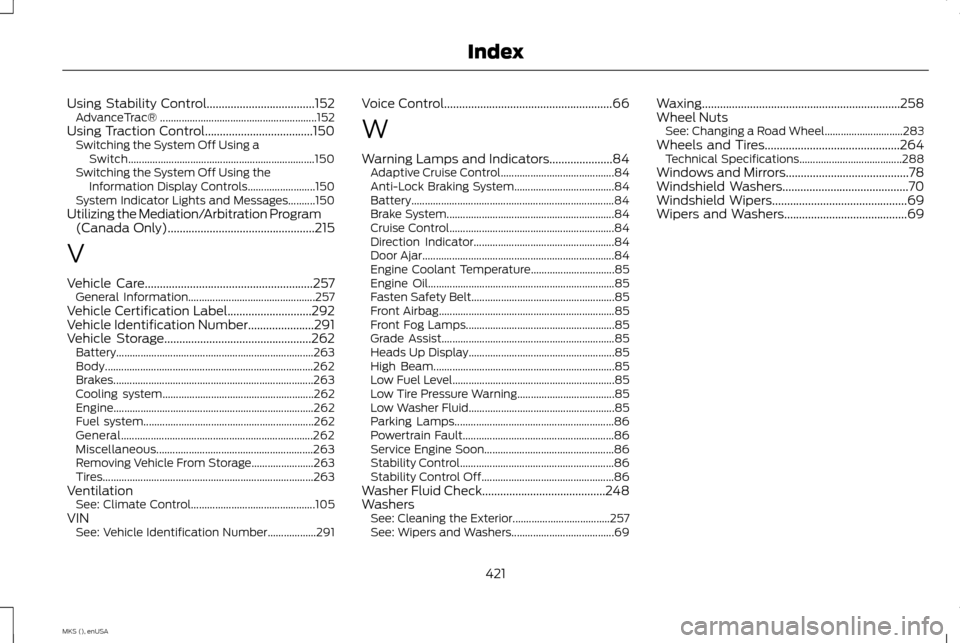
Using Stability Control....................................152
AdvanceTrac® .......................................................... 152
Using Traction Control....................................150 Switching the System Off Using a
Switch..................................................................... 150
Switching the System Off Using the Information Display Controls......................... 150
System Indicator Lights and Messages..........150
Utilizing the Mediation/Arbitration Program (Canada Only).................................................215
V
Vehicle Care
........................................................257
General Information............................................... 257
Vehicle Certification Label
............................292
Vehicle Identification Number......................291
Vehicle Storage
.................................................262
Battery........................................................................\
. 263
Body........................................................................\
..... 262
Brakes........................................................................\
.. 263
Cooling system........................................................ 262
Engine........................................................................\
.. 262
Fuel system............................................................... 262
General....................................................................... 262
Miscellaneous.......................................................... 263
Removing Vehicle From Storage....................... 263
Tires........................................................................\
...... 263
Ventilation See: Climate Control.............................................. 105
VIN See: Vehicle Identification Number.................. 291Voice Control
........................................................66
W
Warning Lamps and Indicators.....................84 Adaptive Cruise Control.......................................... 84
Anti-Lock Braking System..................................... 84
Battery........................................................................\
... 84
Brake System.............................................................. 84
Cruise Control............................................................. 84
Direction Indicator.................................................... 84
Door Ajar....................................................................... 84
Engine Coolant Temperature............................... 85
Engine Oil..................................................................... 85
Fasten Safety Belt..................................................... 85
Front Airbag................................................................. 85
Front Fog Lamps....................................................... 85
Grade Assist................................................................ 85
Heads Up Display...................................................... 85
High Beam................................................................... 85
Low Fuel Level............................................................ 85
Low Tire Pressure Warning.................................... 85
Low Washer Fluid...................................................... 85
Parking Lamps........................................................... 86
Powertrain Fault........................................................ 86
Service Engine Soon................................................ 86
Stability Control......................................................... 86
Stability Control Off................................................. 86
Washer Fluid Check
.........................................248
Washers See: Cleaning the Exterior.................................... 257
See: Wipers and Washers...................................... 69Waxing
..................................................................
258
Wheel Nuts See: Changing a Road Wheel............................. 283
Wheels and Tires.............................................264 Technical Specifications...................................... 288
Windows and Mirrors.........................................78
Windshield Washers
..........................................70
Windshield Wipers.............................................69
Wipers and Washers.........................................69
421
MKS (), enUSA Index