ECU LINCOLN MKS 2016 User Guide
[x] Cancel search | Manufacturer: LINCOLN, Model Year: 2016, Model line: MKS, Model: LINCOLN MKS 2016Pages: 382, PDF Size: 3.81 MB
Page 63 of 382
To program additional personal entry codes,
repeat steps 1 through 3, then for step 4:
•
Press 3·4 to save personal code 2.
• Press
5·6 to save personal code 3.
• Press
7·8 to save personal code 4.
• Press
9·0 to save personal code 5.
You may also program a personal entry code
using the touchscreen.
Tips:
• Do not set a code that uses five of the
same number.
• Do not use five numbers in sequential
order.
• The factory-set five-digit code will work
even if you have set your own personal
code.
Recalling Memory Positions (If
Equipped)
The programmed entry codes recall driver
memory positions as follows:
• Entry code 1 recalls driver 1 memory
positions.
• Entry code 2 recalls driver 2 memory
positions.
• Entry code 3 recalls driver 3 memory
positions. Note:
Personal entry codes 4 and 5 will not
recall memory positions.
Note: The factory-set five-digit code cannot
be associated with a memory setting.
Erasing a Personal Code
1. Enter the factory-set five-digit code.
2. Press and release
1·2 on the keypad
within five seconds.
3. Press and hold
1·2 for two seconds. You
must do this within five seconds of
completing Step 2.
All personal codes are now erased and only
the factory-set five–digit code will work.
Anti-Scan Feature
The keypad will go into an anti-scan mode if
you enter the wrong code seven times (35
consecutive button presses). This mode
disables the keypad for one minute and the
keypad lamp will flash.
The anti-scan feature will turn off after:
• One minute of keypad inactivity.
• Pressing the unlock button on the remote
control. •
Switching the ignition on.
• Unlocking your vehicle using intelligent
access.
Unlocking and Locking the Doors
To Unlock the Driver Door
Enter the factory-set five-digit code or your
personal code. You must press each number
within five seconds of each other. The interior
lamps will illuminate.
Note: All doors will unlock if you disable the
two-stage unlocking feature. See
Locking
and Unlocking (page 56).
To Unlock All Doors
Enter the factory-set five-digit code or your
personal code, then press
3·4 within five
seconds.
To Lock All Doors
Press and hold 7·8 and 9·0 at the same time
(with the driver door closed). You do not
need to enter the keypad code first.
Displaying the Factory Set Code
Note: You will need to have two programmed
intelligent access keys for this procedure.
60
MKS (CLE) Canada/United States of America, enUSA, First Printing Locks
Page 66 of 382
PASSIVE ANTI-THEFT SYSTEM
Note:
The system is not compatible with
non-Ford aftermarket remote start systems.
Use of these systems may result in vehicle
starting problems and a loss of security
protection.
Note: Metallic objects, electronic devices or
a second coded key on the same key chain
may cause vehicle starting problems if they
are too close to the key when starting your
vehicle. Prevent these objects from touching
the coded key while starting your vehicle.
Switch the ignition off, move all objects on the
key chain away from the coded key and restart
your vehicle if a problem occurs.
Note: Do not leave a duplicate coded key in
your vehicle. Always take your keys and lock
all doors when leaving your vehicle. The
system is an engine immobilization system. It
will not start without a coded key programmed
to your vehicle. If you use the wrong key, a
message may appear in the information
display. SecuriLock
The system helps prevent your vehicle from
starting unless you use a coded key
programmed to your vehicle. Using the wrong
key may prevent your vehicle from starting.
A message may appear in the information
display.
If you are unable to start your vehicle with a
correctly coded key, it is not operating
properly. A message may appear in the
information display.
Automatic Arming
Your vehicle arms immediately after
switching the ignition off.
Automatic Disarming
Switching the ignition on with a coded key
disarms your vehicle.
Replacement Keys
Note:
Your vehicle comes equipped with two
intelligent access keys.
The intelligent access key functions as a
programmed key that operates the driver
door lock and activates the intelligent access
with push button start system, as well as a
remote control. If your programmed transmitters are lost or
stolen and you do not have an extra coded
key, you will need to have your vehicle towed
to an authorized dealer. You need to erase
the key codes from your vehicle and program
new coded keys.
Store an extra programmed key away from
your vehicle in a safe place to help prevent
any inconveniences. Contact your authorized
dealer to purchase additional spare or
replacement keys.
Programming a Spare Intelligent Access
Key
Note:
You can program a maximum of four
intelligent access keys to your vehicle.
You must have two previously programmed
intelligent access keys inside your vehicle and
the new unprogrammed intelligent access
keys readily accessible. Contact an
authorized dealer to have the spare key
programmed if two previously programmed
keys are not available.
63
MKS (CLE) Canada/United States of America, enUSA, First Printing Security
Page 67 of 382
Make sure that your vehicle is off before
beginning this procedure. Make sure that you
close all the doors before beginning and that
they remain closed throughout the procedure.
Perform all steps within 30 seconds of
starting the sequence. Stop and wait for at
least one minute before starting again if you
perform any steps out of sequence.
Read and understand the entire procedure
before you begin.
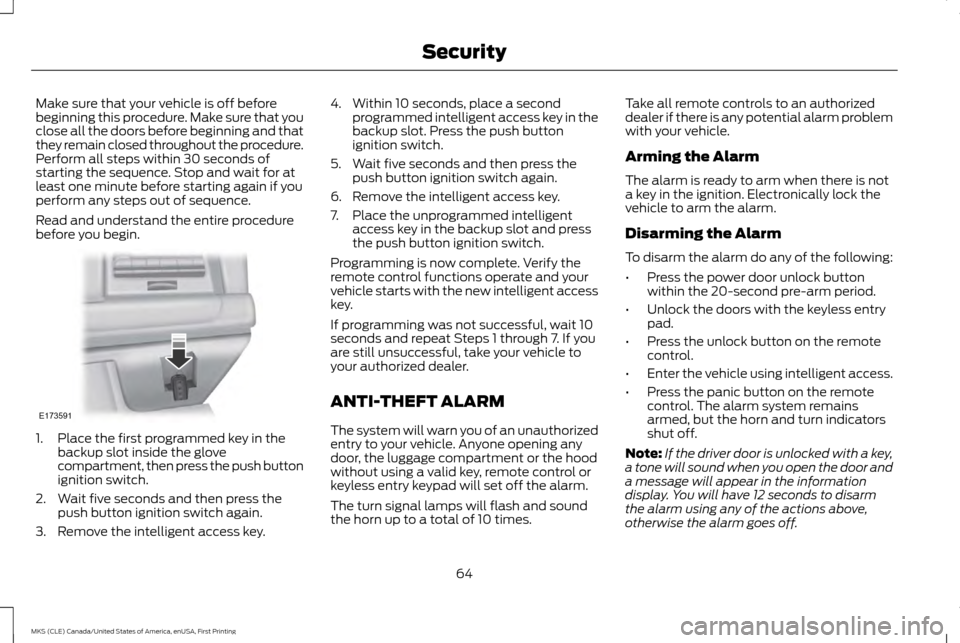
1. Place the first programmed key in the
backup slot inside the glove
compartment, then press the push button
ignition switch.
2. Wait five seconds and then press the push button ignition switch again.
3. Remove the intelligent access key. 4. Within 10 seconds, place a second
programmed intelligent access key in the
backup slot. Press the push button
ignition switch.
5. Wait five seconds and then press the push button ignition switch again.
6. Remove the intelligent access key.
7. Place the unprogrammed intelligent access key in the backup slot and press
the push button ignition switch.
Programming is now complete. Verify the
remote control functions operate and your
vehicle starts with the new intelligent access
key.
If programming was not successful, wait 10
seconds and repeat Steps 1 through 7. If you
are still unsuccessful, take your vehicle to
your authorized dealer.
ANTI-THEFT ALARM
The system will warn you of an unauthorized
entry to your vehicle. Anyone opening any
door, the luggage compartment or the hood
without using a valid key, remote control or
keyless entry keypad will set off the alarm.
The turn signal lamps will flash and sound
the horn up to a total of 10 times. Take all remote controls to an authorized
dealer if there is any potential alarm problem
with your vehicle.
Arming the Alarm
The alarm is ready to arm when there is not
a key in the ignition. Electronically lock the
vehicle to arm the alarm.
Disarming the Alarm
To disarm the alarm do any of the following:
•
Press the power door unlock button
within the 20-second pre-arm period.
• Unlock the doors with the keyless entry
pad.
• Press the unlock button on the remote
control.
• Enter the vehicle using intelligent access.
• Press the panic button on the remote
control. The alarm system remains
armed, but the horn and turn indicators
shut off.
Note: If the driver door is unlocked with a key,
a tone will sound when you open the door and
a message will appear in the information
display. You will have 12 seconds to disarm
the alarm using any of the actions above,
otherwise the alarm goes off.
64
MKS (CLE) Canada/United States of America, enUSA, First Printing SecurityE173591
Page 117 of 382
•
Lumbar adjust: Press and hold the front
of the lumbar control (B) to increase the
firmness of the selected portion of the
seatback. Press and hold the rear of the
lumbar to decrease the firmness.
• Power seat controls (C).
We recommend first selecting the lumbar to
the desired setting and then selecting the
back or cushion massage setting.
MEMORY FUNCTION WARNINGS
Before activating the seat memory,
make sure that the area immediately
surrounding the seat is clear of
obstructions and that all occupants are clear
of moving parts. Do not use the memory function when
your vehicle is moving.
This function automatically recalls the
position of these features.
•
Driver seat.
• Power mirrors.
• Optional power adjustable pedals
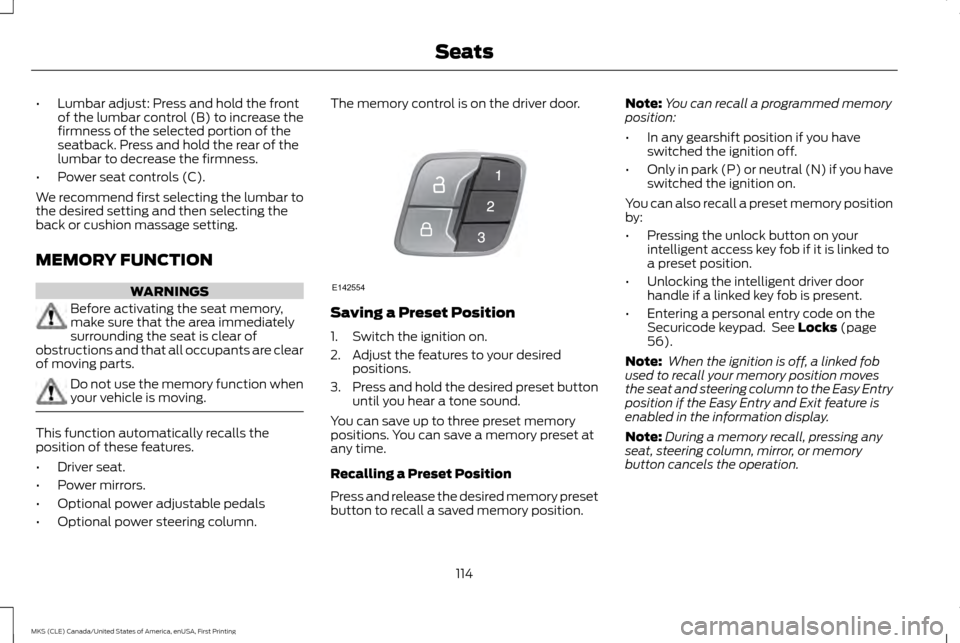
• Optional power steering column. The memory control is on the driver door.
Saving a Preset Position
1. Switch the ignition on.
2. Adjust the features to your desired
positions.
3. Press and hold the desired preset button
until you hear a tone sound.
You can save up to three preset memory
positions. You can save a memory preset at
any time.
Recalling a Preset Position
Press and release the desired memory preset
button to recall a saved memory position. Note:
You can recall a programmed memory
position:
• In any gearshift position if you have
switched the ignition off.
• Only in park (P) or neutral (N) if you have
switched the ignition on.
You can also recall a preset memory position
by:
• Pressing the unlock button on your
intelligent access key fob if it is linked to
a preset position.
• Unlocking the intelligent driver door
handle if a linked key fob is present.
• Entering a personal entry code on the
Securicode keypad. See Locks (page
56).
Note: When the ignition is off, a linked fob
used to recall your memory position moves
the seat and steering column to the Easy Entry
position if the Easy Entry and Exit feature is
enabled in the information display.
Note: During a memory recall, pressing any
seat, steering column, mirror, or memory
button cancels the operation.
114
MKS (CLE) Canada/United States of America, enUSA, First Printing SeatsE142554
Page 122 of 382
HomeLink Wireless Control System
WARNINGS
Make sure that the garage door and
security device are free from
obstruction when you are
programming. Do not program the system
with the vehicle in the garage. Do not use the system with any garage
door opener that does not have the
safety stop and reverse feature as
required by U.S. Federal Safety Standards
(this includes any garage door opener
manufactured before April 1, 1982). A garage
door opener which cannot detect an object,
signaling the door to stop and reverse, does
not meet current federal safety standards.
Using a garage door opener without these
features increases the risk of serious injury or
death. Note:
Make sure you keep the original remote
control transmitter for use in other vehicles as
well as for future system programming.
Note: We recommend that upon the sale or
lease termination of your vehicle, you erase
the programmed function buttons for security
reasons. See Erasing the Function Button
Codes. Note:
You can program a maximum of three
devices. To change or replace any of the three
devices after it has been initially programmed,
you must first erase the current settings. See
Erasing the Function Button Codes
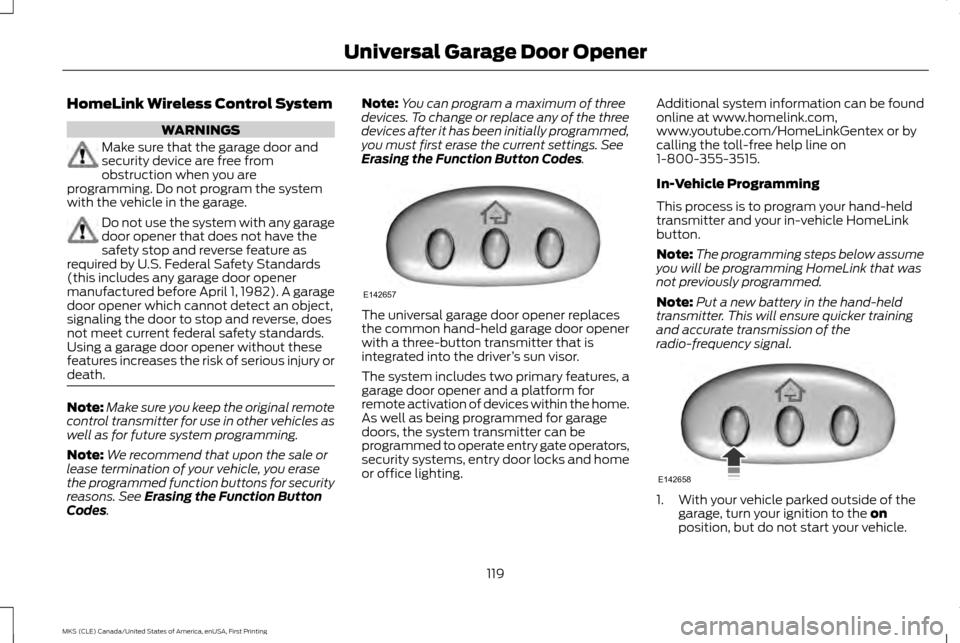
. The universal garage door opener replaces
the common hand-held garage door opener
with a three-button transmitter that is
integrated into the driver
’s sun visor.
The system includes two primary features, a
garage door opener and a platform for
remote activation of devices within the home.
As well as being programmed for garage
doors, the system transmitter can be
programmed to operate entry gate operators,
security systems, entry door locks and home
or office lighting. Additional system information can be found
online at www.homelink.com,
www.youtube.com/HomeLinkGentex or by
calling the toll-free help line on
1-800-355-3515.
In-Vehicle Programming
This process is to program your hand-held
transmitter and your in-vehicle HomeLink
button.
Note:
The programming steps below assume
you will be programming HomeLink that was
not previously programmed.
Note: Put a new battery in the hand-held
transmitter. This will ensure quicker training
and accurate transmission of the
radio-frequency signal. 1. With your vehicle parked outside of the
garage, turn your ignition to the
on
position, but do not start your vehicle.
119
MKS (CLE) Canada/United States of America, enUSA, First Printing Universal Garage Door OpenerE142657 E142658
Page 154 of 382
PARKING BRAKE
WARNINGS
If the parking brake is fully released, but
the brake warning lamp remains
illuminated, then driving your vehicle
could result in reduced braking ability,
increased stopping distances and potential
loss of brakes. See your authorized dealer as
soon as possible. Always set the parking brake fully and
make sure the transmission is placed
in park (P). Failure to set the parking
brake and engage park could result in vehicle
roll-away, property damage or bodily injury.
Turn the ignition to the lock position and
remove the key whenever you leave your
vehicle. To set the parking brake, press the parking
brake pedal down to its fullest extent.
To release the parking brake, press the
parking brake pedal down again. HILL START ASSIST WARNINGS
The system does not replace the
parking brake. When you leave your
vehicle, always apply the parking brake.
Failure to leave your vehicle securely parked
may lead to a crash or injury. See
Parking
Brake (page 151). You must remain in your vehicle when
the system turns on. At all times, you
are responsible for controlling your
vehicle, supervising the system and
intervening, if required. Failure to take care
may result in the loss of control of your
vehicle, serious personal injury or death. The system will turn off if a malfunction
is apparent or if you rev the engine
excessively. Failure to take care may
result in the loss of control of your vehicle,
serious personal injury or death. The system makes it easier to pull away
when your vehicle is on a slope without the
need to use the parking brake.When the system is active, your vehicle
remains stationary on the slope for two to
three seconds after you release the brake
pedal. This allows time to move your foot
from the brake to the accelerator pedal. The
system releases the brakes automatically
once the engine has developed sufficient
torque to prevent your vehicle from rolling
down the slope. This is an advantage when
pulling away on a slope, for example from a
car park ramp, traffic lights or when reversing
uphill into a parking space.
Note:
The system only functions when you
bring your vehicle to a complete standstill in
an uphill gear (for example, drive (D) when
facing uphill or reverse (R) when facing
downhill).
Note: There is no warning light to indicate the
system is either on or off.
Using Hill Start Assist
1. Press the brake pedal to bring your vehicle to a complete standstill. Keep the
brake pedal pressed.
2. If the sensors detect that your vehicle is on a slope, the system activates
automatically.
151
MKS (CLE) Canada/United States of America, enUSA, First Printing Brakes
Page 164 of 382
If a problem occurs with the system, a
warning message is displayed, followed by
a chime. Occasional system messages may
occur in normal operation. For recurring or
frequent system faults, contact an authorized
dealer to have your vehicle serviced.
Troubleshooting the System The system does not look for a space
The traction control system may be off.
The transmission is in reverse (R); your vehicle must be moving forward to detect a parking space. The system does not offer a particular space
The sensors may be covered (for example, snow, ice or dirt buildup). Covered sensors can affect the system's functionality
There is not enough room in the parking space for your vehicle to safely park.
There is not enough space for the parking maneuver on the opposite side of the parking space.
The parking space is farther than 5 ft (1.5 m) or closer than 16 in (40 cm) away.
Your vehicle is going faster than
22 mph (35 km/h).
The transmission is in reverse (R). Your vehicle must be moving forward to be able to detect a parking space.
161
MKS (CLE) Canada/United States of America, enUSA, First Printing Parking Aids
Page 212 of 382
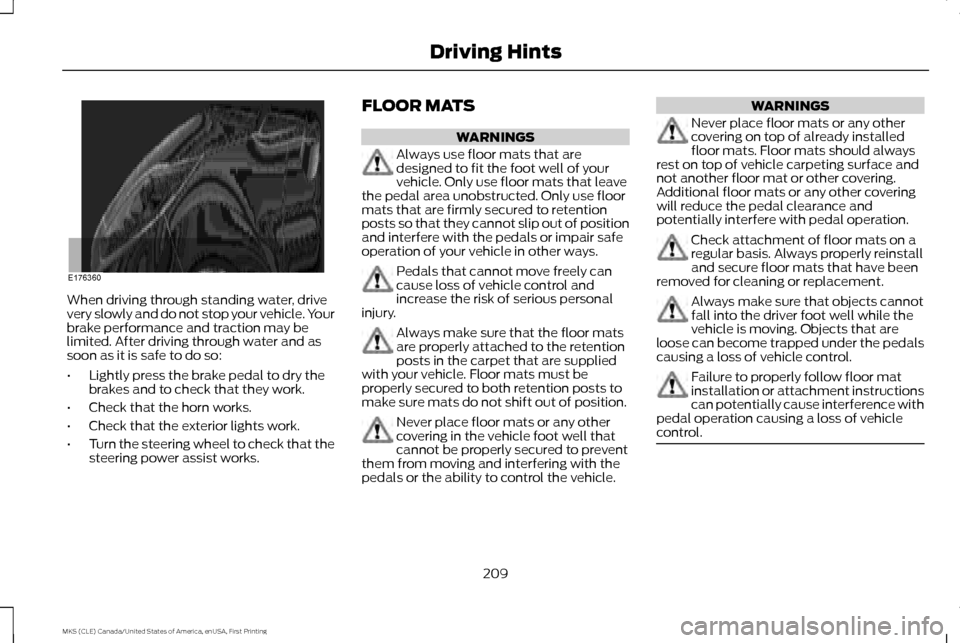
When driving through standing water, drive
very slowly and do not stop your vehicle. Your
brake performance and traction may be
limited. After driving through water and as
soon as it is safe to do so:
•
Lightly press the brake pedal to dry the
brakes and to check that they work.
• Check that the horn works.
• Check that the exterior lights work.
• Turn the steering wheel to check that the
steering power assist works. FLOOR MATS WARNINGS
Always use floor mats that are
designed to fit the foot well of your
vehicle. Only use floor mats that leave
the pedal area unobstructed. Only use floor
mats that are firmly secured to retention
posts so that they cannot slip out of position
and interfere with the pedals or impair safe
operation of your vehicle in other ways. Pedals that cannot move freely can
cause loss of vehicle control and
increase the risk of serious personal
injury. Always make sure that the floor mats
are properly attached to the retention
posts in the carpet that are supplied
with your vehicle. Floor mats must be
properly secured to both retention posts to
make sure mats do not shift out of position. Never place floor mats or any other
covering in the vehicle foot well that
cannot be properly secured to prevent
them from moving and interfering with the
pedals or the ability to control the vehicle. WARNINGS
Never place floor mats or any other
covering on top of already installed
floor mats. Floor mats should always
rest on top of vehicle carpeting surface and
not another floor mat or other covering.
Additional floor mats or any other covering
will reduce the pedal clearance and
potentially interfere with pedal operation. Check attachment of floor mats on a
regular basis. Always properly reinstall
and secure floor mats that have been
removed for cleaning or replacement. Always make sure that objects cannot
fall into the driver foot well while the
vehicle is moving. Objects that are
loose can become trapped under the pedals
causing a loss of vehicle control. Failure to properly follow floor mat
installation or attachment instructions
can potentially cause interference with
pedal operation causing a loss of vehicle
control. 209
MKS (CLE) Canada/United States of America, enUSA, First Printing Driving HintsE176360
Page 220 of 382
1. Contact your Sales Representative or
Service Advisor at your selling or servicing
authorized dealer.
2. If your inquiry or concern remains unresolved, contact the Sales Manager,
Service Manager or Customer Relations
Manager.
3. If you require assistance or clarification on Lincoln Motor Company policies,
please contact the Lincoln Client
Relationship Center.
In order to help us serve you better, please
have the following information available
when contacting a Client Relationship Center:
• Vehicle Identification Number.
• Your telephone number (home and
business).
• The name of the authorized dealer and
city where located.
• The vehicle ’s current odometer reading.
In some states, you must directly notify
Lincoln in writing before pursuing remedies
under your state ’s warranty laws. Lincoln is
also allowed a final repair attempt in some
states. In the United States, a warranty dispute must
be submitted to the BBB AUTO LINE before
taking action under the Magnuson-Moss
Warranty Act, or to the extent allowed by
state law, before pursuing replacement or
repurchase remedies provided by certain
state laws. This dispute handling procedure
is not required prior to enforcing state created
rights or other rights which are independent
of the Magnuson-Moss Warranty Act or state
replacement or repurchase laws.
IN CALIFORNIA (U.S. ONLY)
California Civil Code Section 1793.2(d)
requires that, if a manufacturer or its
representative is unable to repair a motor
vehicle to conform to the vehicle
’s applicable
express warranty after a reasonable number
of attempts, the manufacturer shall be
required to either replace the vehicle with
one substantially identical or repurchase the
vehicle and reimburse the buyer in an amount
equal to the actual price paid or payable by
the consumer (less a reasonable allowance
for consumer use). The consumer has the
right to choose whether to receive a refund
or replacement vehicle. California Civil Code Section 1793.22(b)
presumes that the manufacturer has had a
reasonable number of attempts to conform
the vehicle to its applicable express
warranties if, within the first 18 months of
ownership of a new vehicle or the first 18000
miles (29 000 km), whichever occurs first:
1. Two or more repair attempts are made
on the same non-conformity likely to
cause death or serious bodily injury OR
2. Four or more repair attempts are made on the same nonconformity (a defect or
condition that substantially impairs the
use, value or safety of the vehicle) OR
3. The vehicle is out of service for repair of nonconformities for a total of more than
30 calendar days (not necessarily all at
one time).
In the case of 1 or 2 above, the consumer
must also notify the manufacturer of the
need for the repair of the nonconformity at
the following address:
Ford Motor Company
16800 Executive Plaza Drive
Mail Drop 3NE-B
Dearborn, MI 48126
217
MKS (CLE) Canada/United States of America, enUSA, First Printing Customer Assistance
Page 224 of 382
If you believe that your vehicle has
a defect which could cause a crash
or could cause injury or death, you
should immediately inform the
National Highway Traffic Safety
Administration (NHTSA) in addition
to notifying Ford Motor Company.
If NHTSA receives similar
complaints, it may open an
investigation, and if it finds that a
safety defect exists in a group of
vehicles, it may order a recall and
remedy campaign. However, NHTSA
cannot become involved in
individual problems between you,
your dealer, or Ford Motor Company.
To contact NHTSA, you may call the
Vehicle Safety Hotline toll-free at
1-888-327-4236 (TTY:
1-800-424-9153); go to
http://www.safercar.gov; or write
to:
Administrator
1200 New Jersey Avenue, Southeast
Washington, D.C. 20590
You can also obtain other
information about motor vehicle
safety from
http://www.safercar.gov.
REPORTING SAFETY DEFECTS
(CANADA ONLY)
If you believe that your vehicle has a defect
which could cause a crash or could cause
injury or death, you should immediately
inform Transport Canada and Ford of
Canada. Transport Canada Contact Information
www.tc.gc.ca/eng/motorvehiclesafety/safevehicles-defectinvestigations-index-76.htm (English)
Website
www.tc.gc.ca/fra/securiteautomobile/VehiculesSecuritaires-Enquetes-index-76.htm (French)
Website
1–800–333–0510
Phone
221
MKS (CLE) Canada/United States of America, enUSA, First Printing Customer Assistance