lock LINCOLN MKT 2010 Owner's Manual
[x] Cancel search | Manufacturer: LINCOLN, Model Year: 2010, Model line: MKT, Model: LINCOLN MKT 2010Pages: 430, PDF Size: 3.32 MB
Page 67 of 430
Radio Display Condition Action Required
NO SIGNAL Loss of signal from
the SIRIUS satellite or
SIRIUS tower to the
vehicle antenna.You are in a location
that is blocking the
SIRIUS signal (i.e.,
tunnel, under an
overpass, dense foliage,
etc). The system is
working properly. When
you move into an open
area, the signal should
return.
UPDATING Update of channel
programming in
progress.No action required. The
process may take up to
three minutes.
CALL SIRIUS
1–888–539–7474Satellite service has
been deactivated by
SIRIUS Satellite
Radio.Call SIRIUS at
1–888–539–7474 to
re-activate or resolve
subscription issues.
FAMILY ENTERTAINMENT DVD SYSTEM (IF EQUIPPED)
WARNING:Driving while distracted can result in loss of vehicle
control, accident and injury. Ford strongly recommends that
drivers use extreme caution when using any device that may take their
focus off the road. The driver’s primary responsibility is the safe
operation of their vehicle. Only use cell phones and other devices not
essential to the driving task when it is safe to do so.
Your vehicle may be equipped with a Family Entertainment System
(FES) which allows you to listen to audio CDs, MP3 discs, watch DVDs
and to plug in and play a variety of standard video game systems. The
headrest-mounted DVD players are capable of playing standard DVDs,
CDs, MP3s and are compatible with Video CD, HDCD, Hybrid SACD
(play CD layer only), SVCD, DVD-video, JPEGs, up to MPEG-4 files, MP3
files and WMA media. Please review this material to become familiar with
the FES features and controls as well as the very important safety
information.
Entertainment Systems
67
2010 MKT(mkt)
Owners Guide, 1st Printing
USA(fus)
Page 77 of 430
Additional infrared wireless headphones may be purchased for use with
the system. Also, wired headphones may be purchased and plugged in
where indicated on the left and right hand sides of the system. Refer to
Wired Headphonesfollowing.
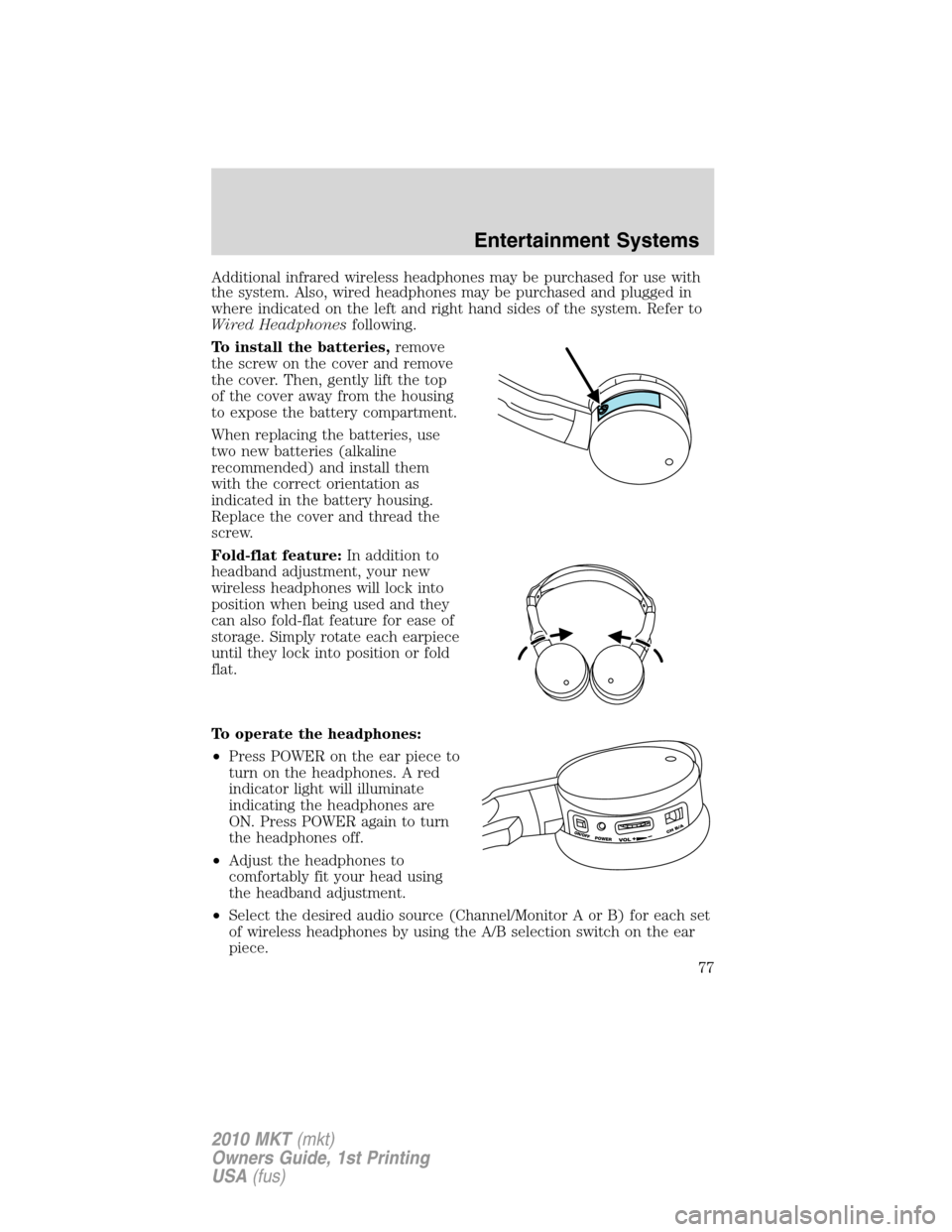
To install the batteries,remove
the screw on the cover and remove
the cover. Then, gently lift the top
of the cover away from the housing
to expose the battery compartment.
When replacing the batteries, use
two new batteries (alkaline
recommended) and install them
with the correct orientation as
indicated in the battery housing.
Replace the cover and thread the
screw.
Fold-flat feature:In addition to
headband adjustment, your new
wireless headphones will lock into
position when being used and they
can also fold-flat feature for ease of
storage. Simply rotate each earpiece
until they lock into position or fold
flat.
To operate the headphones:
•Press POWER on the ear piece to
turn on the headphones. A red
indicator light will illuminate
indicating the headphones are
ON. Press POWER again to turn
the headphones off.
•Adjust the headphones to
comfortably fit your head using
the headband adjustment.
•Select the desired audio source (Channel/Monitor A or B) for each set
of wireless headphones by using the A/B selection switch on the ear
piece.
Entertainment Systems
77
2010 MKT(mkt)
Owners Guide, 1st Printing
USA(fus)
Page 84 of 430
4. Press/to chose from Sharpness, Brightness, contrast, color
(gamma), hue, saturation and luma-delay.
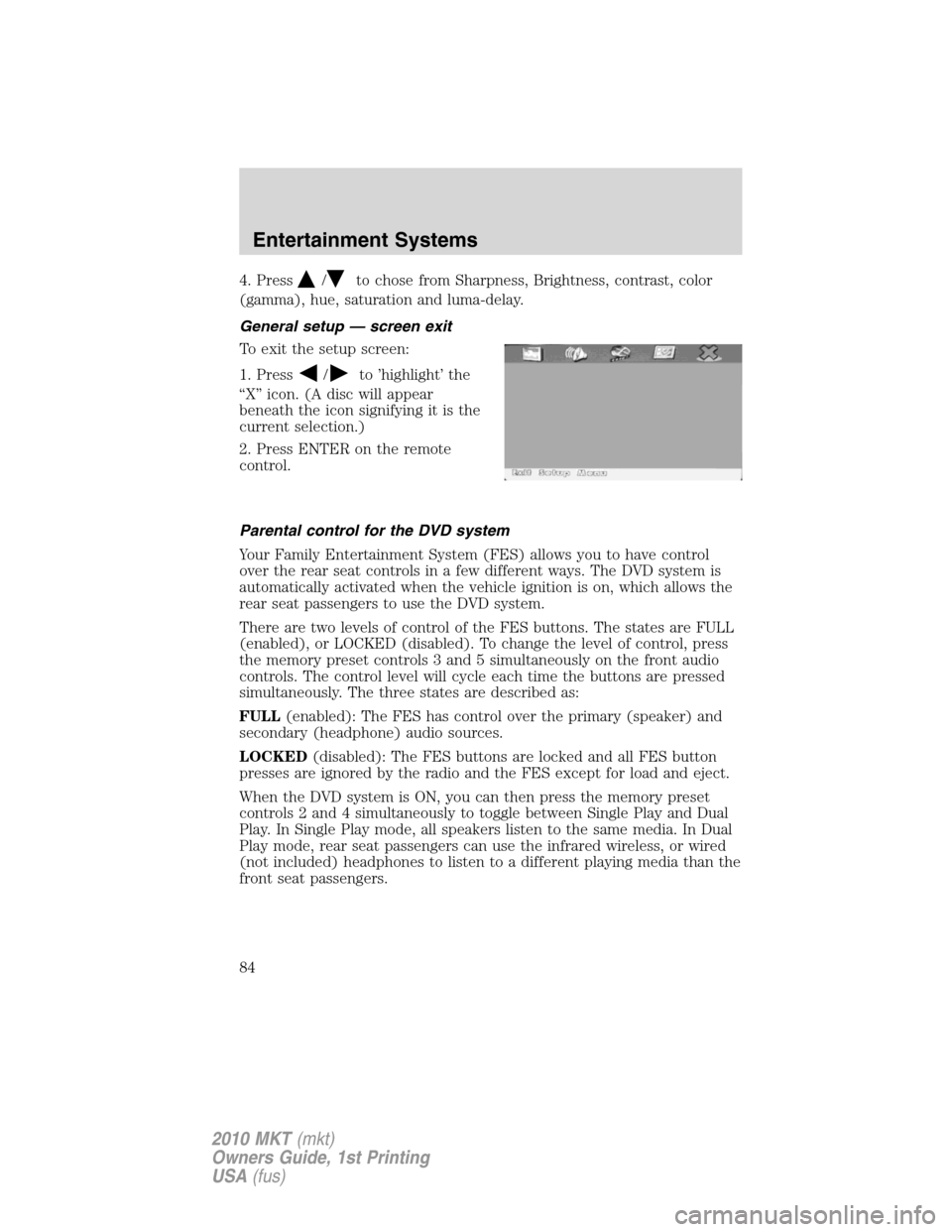
General setup — screen exit
To exit the setup screen:
1. Press
/to ’highlight’ the
“X” icon. (A disc will appear
beneath the icon signifying it is the
current selection.)
2. Press ENTER on the remote
control.
Parental control for the DVD system
Your Family Entertainment System (FES) allows you to have control
over the rear seat controls in a few different ways. The DVD system is
automatically activated when the vehicle ignition is on, which allows the
rear seat passengers to use the DVD system.
There are two levels of control of the FES buttons. The states are FULL
(enabled), or LOCKED (disabled). To change the level of control, press
the memory preset controls 3 and 5 simultaneously on the front audio
controls. The control level will cycle each time the buttons are pressed
simultaneously. The three states are described as:
FULL(enabled): The FES has control over the primary (speaker) and
secondary (headphone) audio sources.
LOCKED(disabled): The FES buttons are locked and all FES button
presses are ignored by the radio and the FES except for load and eject.
When the DVD system is ON, you can then press the memory preset
controls 2 and 4 simultaneously to toggle between Single Play and Dual
Play. In Single Play mode, all speakers listen to the same media. In Dual
Play mode, rear seat passengers can use the infrared wireless, or wired
(not included) headphones to listen to a different playing media than the
front seat passengers.
Entertainment Systems
84
2010 MKT(mkt)
Owners Guide, 1st Printing
USA(fus)
Page 94 of 430
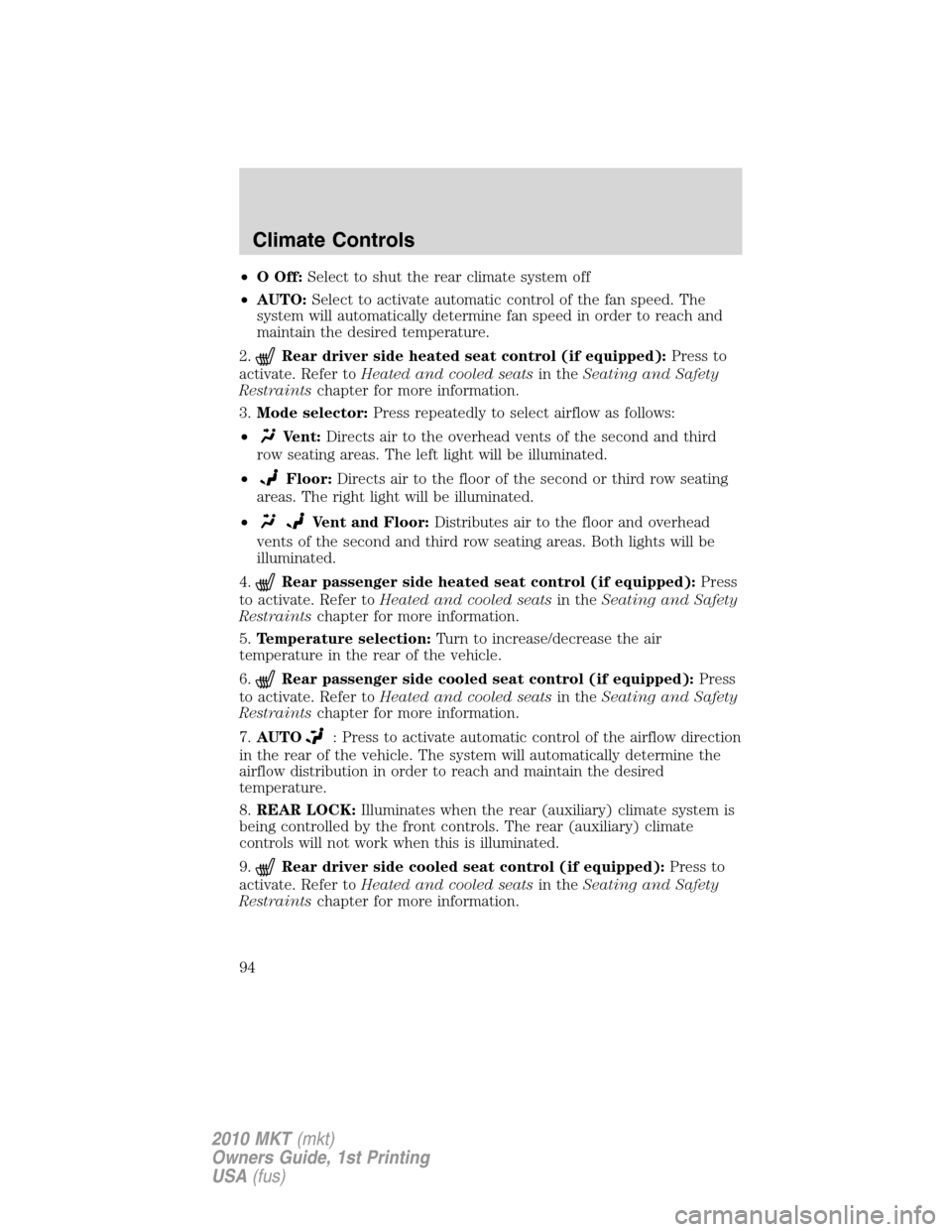
•OOff:Select to shut the rear climate system off
•AUTO:Select to activate automatic control of the fan speed. The
system will automatically determine fan speed in order to reach and
maintain the desired temperature.
2.
Rear driver side heated seat control (if equipped):Press to
activate. Refer toHeated and cooled seatsin theSeating and Safety
Restraintschapter for more information.
3.Mode selector:Press repeatedly to select airflow as follows:
•
Vent:Directs air to the overhead vents of the second and third
row seating areas. The left light will be illuminated.
•
Floor:Directs air to the floor of the second or third row seating
areas. The right light will be illuminated.
•
Vent and Floor:Distributes air to the floor and overhead
vents of the second and third row seating areas. Both lights will be
illuminated.
4.
Rear passenger side heated seat control (if equipped):Press
to activate. Refer toHeated and cooled seatsin theSeating and Safety
Restraintschapter for more information.
5.Temperature selection:Turn to increase/decrease the air
temperature in the rear of the vehicle.
6.
Rear passenger side cooled seat control (if equipped):Press
to activate. Refer toHeated and cooled seatsin theSeating and Safety
Restraintschapter for more information.
7.AUTO
: Press to activate automatic control of the airflow direction
in the rear of the vehicle. The system will automatically determine the
airflow distribution in order to reach and maintain the desired
temperature.
8.REAR LOCK:Illuminates when the rear (auxiliary) climate system is
being controlled by the front controls. The rear (auxiliary) climate
controls will not work when this is illuminated.
9.
Rear driver side cooled seat control (if equipped):Press to
activate. Refer toHeated and cooled seatsin theSeating and Safety
Restraintschapter for more information.
Climate Controls
94
2010 MKT(mkt)
Owners Guide, 1st Printing
USA(fus)
Page 97 of 430
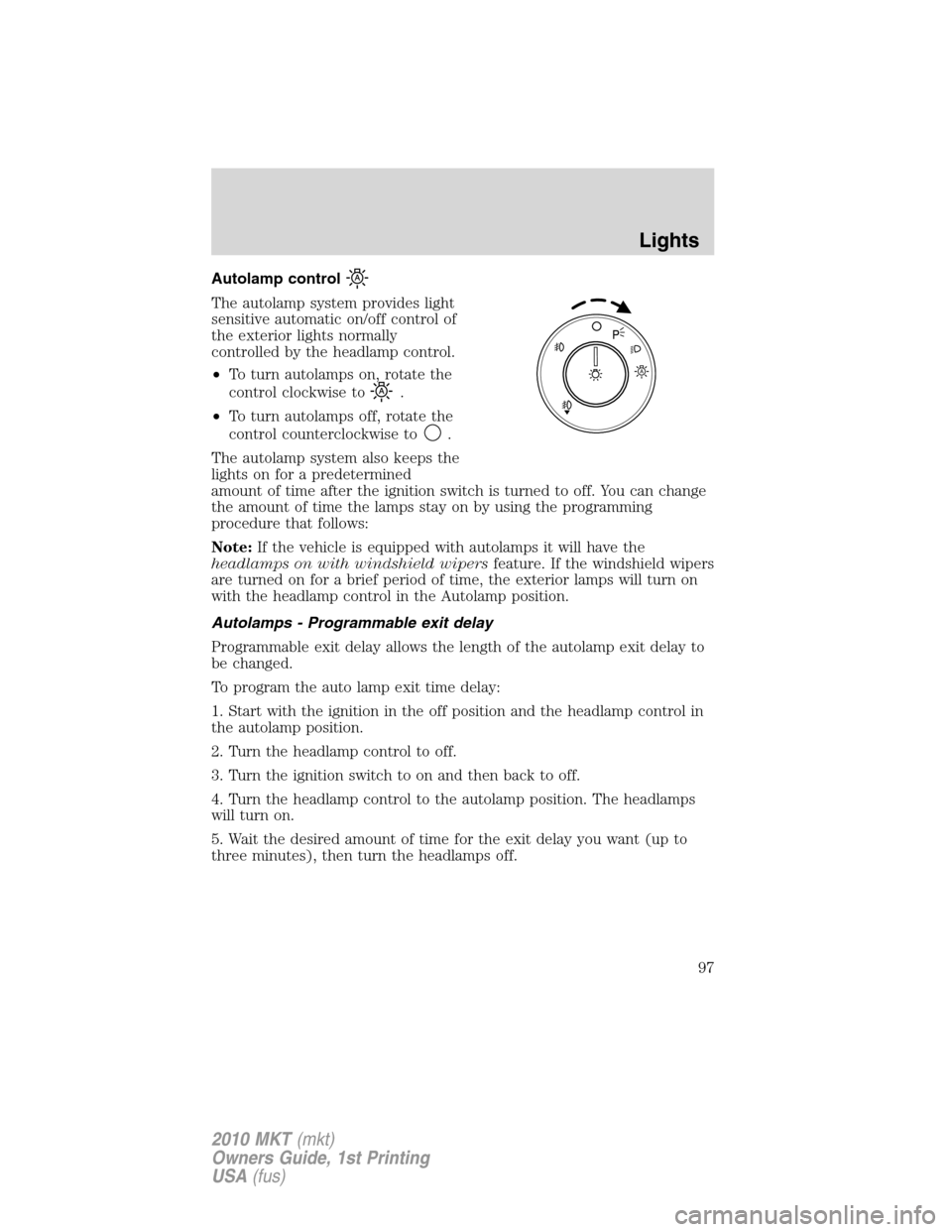
Autolamp control
The autolamp system provides light
sensitive automatic on/off control of
the exterior lights normally
controlled by the headlamp control.
•To turn autolamps on, rotate the
control clockwise to
.
•To turn autolamps off, rotate the
control counterclockwise to
.
The autolamp system also keeps the
lights on for a predetermined
amount of time after the ignition switch is turned to off. You can change
the amount of time the lamps stay on by using the programming
procedure that follows:
Note:If the vehicle is equipped with autolamps it will have the
headlamps on with windshield wipersfeature. If the windshield wipers
are turned on for a brief period of time, the exterior lamps will turn on
with the headlamp control in the Autolamp position.
Autolamps - Programmable exit delay
Programmable exit delay allows the length of the autolamp exit delay to
be changed.
To program the auto lamp exit time delay:
1. Start with the ignition in the off position and the headlamp control in
the autolamp position.
2. Turn the headlamp control to off.
3. Turn the ignition switch to on and then back to off.
4. Turn the headlamp control to the autolamp position. The headlamps
will turn on.
5. Wait the desired amount of time for the exit delay you want (up to
three minutes), then turn the headlamps off.
A
Lights
97
2010 MKT(mkt)
Owners Guide, 1st Printing
USA(fus)
Page 100 of 430
Deactivating high beams
The automatic high beams will deactivate if any of the following events
occur:
•An approaching vehicle’s headlights or a preceding vehicle’s tail lamps
are detected.
•The headlamp control is moved out of the autolamps position.
•The vehicle speed falls below 27 mph (43 km/h).
•The ambient light level is high enough that high beams are not
needed.
•Severe rain, snow or fog is detected.
•The camera is blocked.
Note:Activating the multi-function lever will put the headlamps in
manual high beam mode (constant or flash-to-pass) until the lever is
returned to the neutral position. To manually override the auto high
beam and go to low beam, the headlamp control must be taken out of
the
(autolamp) position. For severe fog on freeways, or severe fog
in low traffic situations, use of fog lamps is recommended.
Setting auto high beam sensitivity
The automatic high beam system has two sensitivity settings. The default
setting is near. If you would like the high beams to turn off when traffic
is further away, the sensitivity setting can be changed to far. The
procedure is as follows:
Preconditions:
•Vehicle is at a stop.
•Ignition is in the on position.
•The headlamp control is in the
position.
•High-beams are off.
Programming Sequence:
1. Turn the headlamp control from
(on) to(autolamp) three
times within two seconds, ending in
(on).
2. Cycle flash-to-pass three times using the multi-function lever.
3. The high beams will flash momentarily to confirm that the sensitivity
setting has been changed.
Lights
100
2010 MKT(mkt)
Owners Guide, 1st Printing
USA(fus)
Page 101 of 430
Note: The programming sequence will end if either of the following
occur:
•The vehicle speed is not zero.
•The battery voltage is out of normal range.
Troubleshooting
If the automatic high beam camera becomes blocked, the high beams will
not come on automatically. They will only activate when they are
manually turned on with the multi-function lever.
Typical road dust, dirt and water spots will not affect the automatic high
beam system’s performance.
For significant blockages (e.g. bird dropping, bug splatter, snow, or ice),
the automatic high beam system uses a blocked sensor computer
program. If it detects a blockage, it will be monitored for two minutes. If
no changes are observed, the system will go into low beam mode until
the blockage is cleared.
If it appears that automatic control of the high beams is not functioning,
check the windshield in front of the camera for blockage.
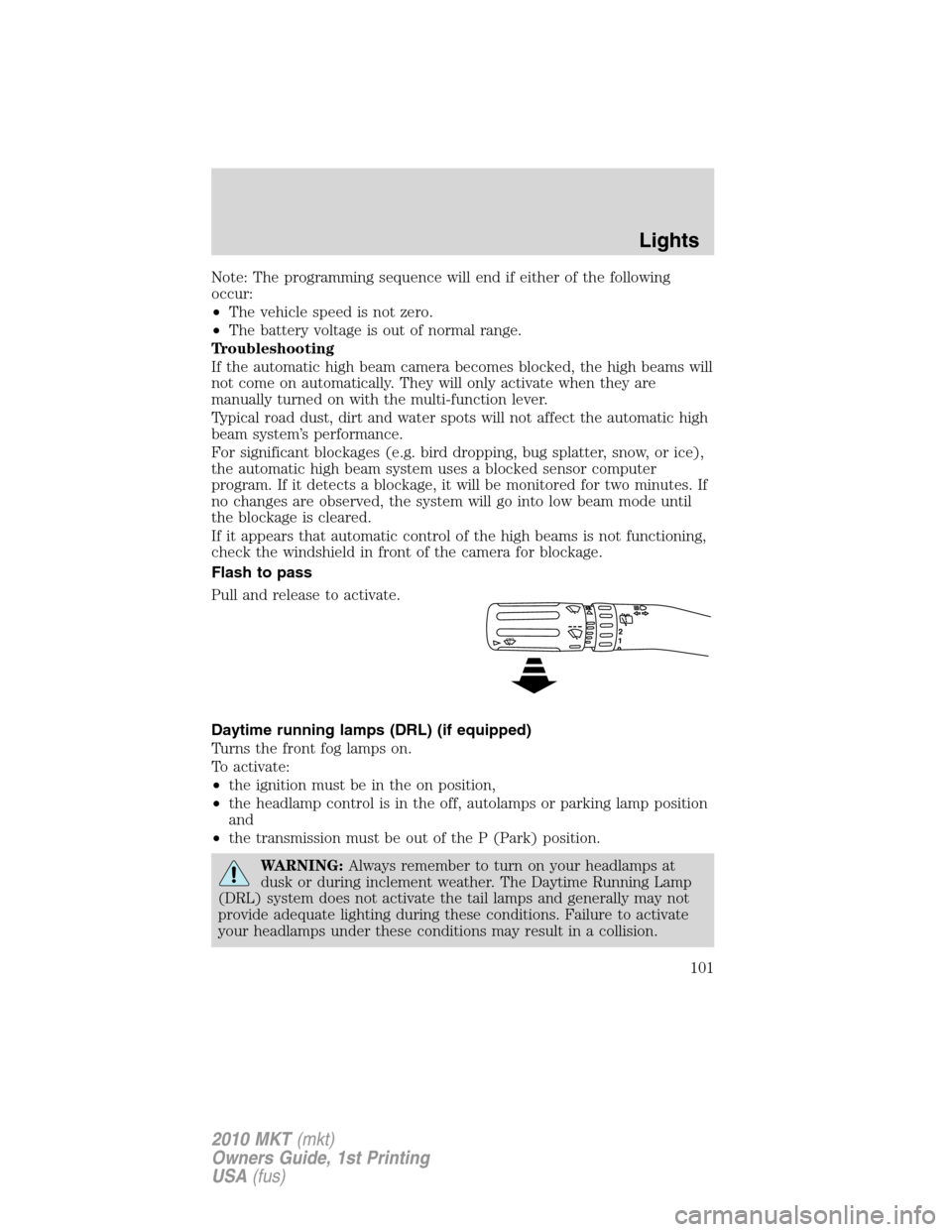
Flash to pass
Pull and release to activate.
Daytime running lamps (DRL) (if equipped)
Turns the front fog lamps on.
To activate:
•the ignition must be in the on position,
•the headlamp control is in the off, autolamps or parking lamp position
and
•the transmission must be out of the P (Park) position.
WARNING:Always remember to turn on your headlamps at
dusk or during inclement weather. The Daytime Running Lamp
(DRL) system does not activate the tail lamps and generally may not
provide adequate lighting during these conditions. Failure to activate
your headlamps under these conditions may result in a collision.
12
Lights
101
2010 MKT(mkt)
Owners Guide, 1st Printing
USA(fus)
Page 103 of 430
3. Turn on the headlamps to illuminate the wall or screen and open the
hood.
To see a clearer light pattern for adjusting, you may want to block the
light from one headlamp while adjusting the other.
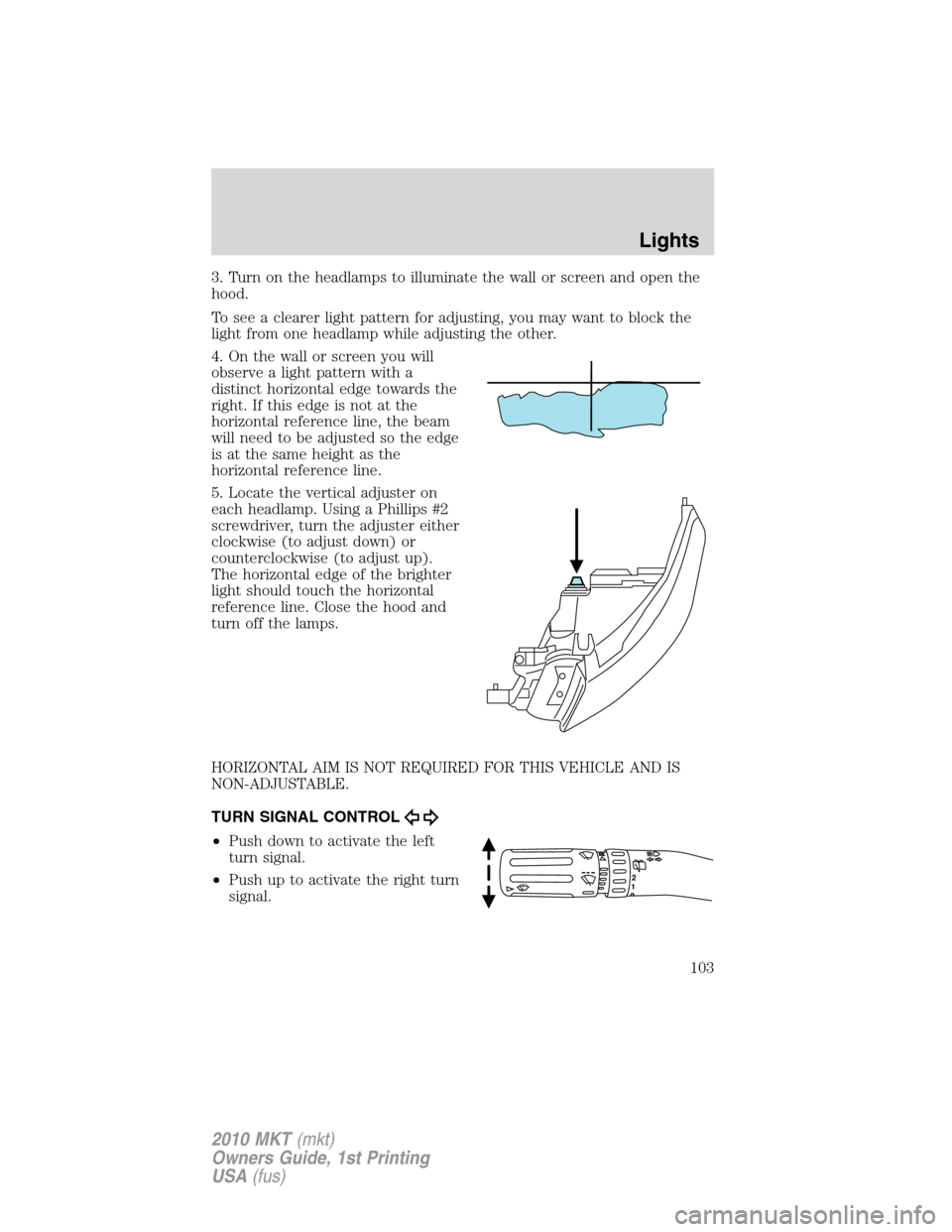
4. On the wall or screen you will
observe a light pattern with a
distinct horizontal edge towards the
right. If this edge is not at the
horizontal reference line, the beam
will need to be adjusted so the edge
is at the same height as the
horizontal reference line.
5. Locate the vertical adjuster on
each headlamp. Using a Phillips #2
screwdriver, turn the adjuster either
clockwise (to adjust down) or
counterclockwise (to adjust up).
The horizontal edge of the brighter
light should touch the horizontal
reference line. Close the hood and
turn off the lamps.
HORIZONTAL AIM IS NOT REQUIRED FOR THIS VEHICLE AND IS
NON-ADJUSTABLE.
TURN SIGNAL CONTROL
•Push down to activate the left
turn signal.
•Push up to activate the right turn
signal.
12
Lights
103
2010 MKT(mkt)
Owners Guide, 1st Printing
USA(fus)
Page 108 of 430
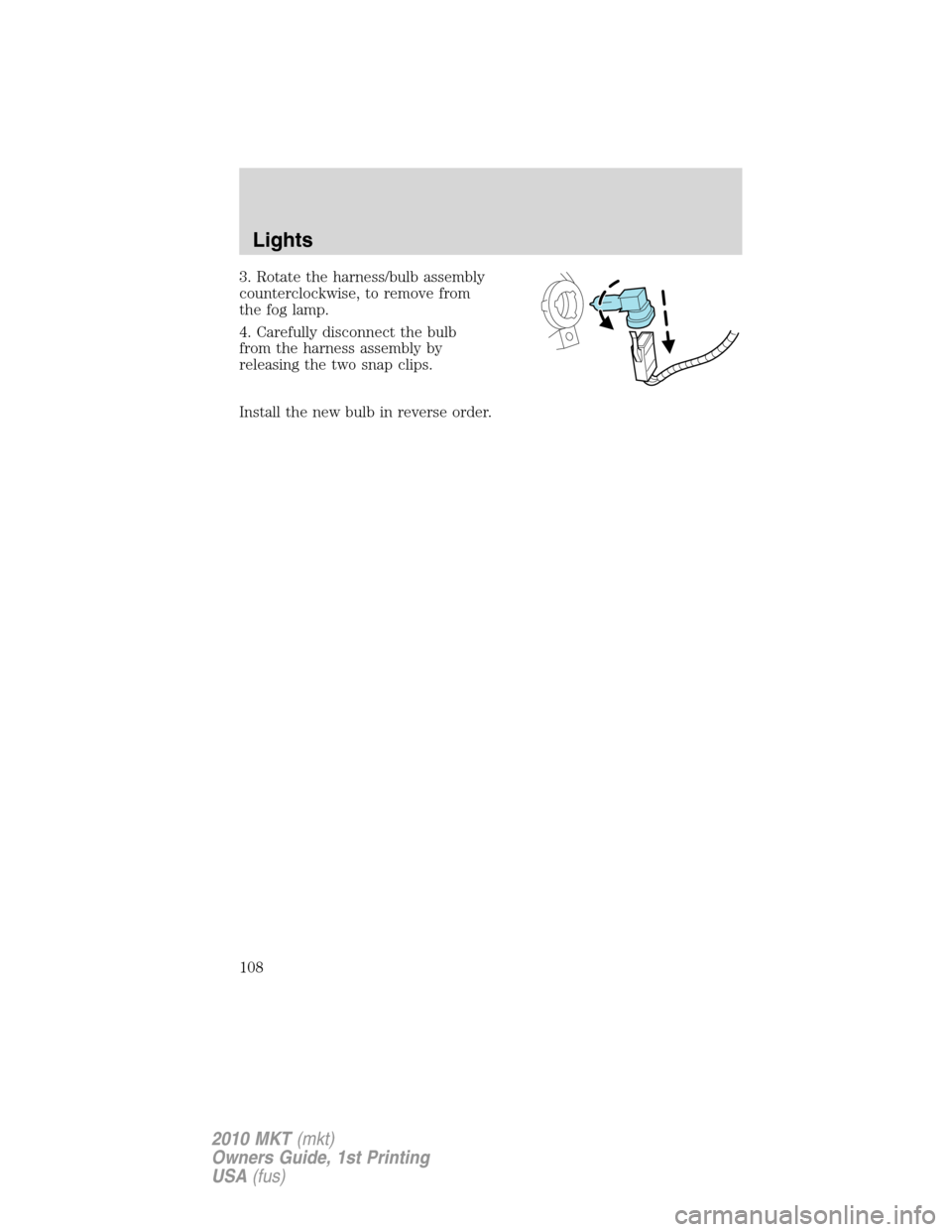
3. Rotate the harness/bulb assembly
counterclockwise, to remove from
the fog lamp.
4. Carefully disconnect the bulb
from the harness assembly by
releasing the two snap clips.
Install the new bulb in reverse order.
Lights
108
2010 MKT(mkt)
Owners Guide, 1st Printing
USA(fus)
Page 119 of 430
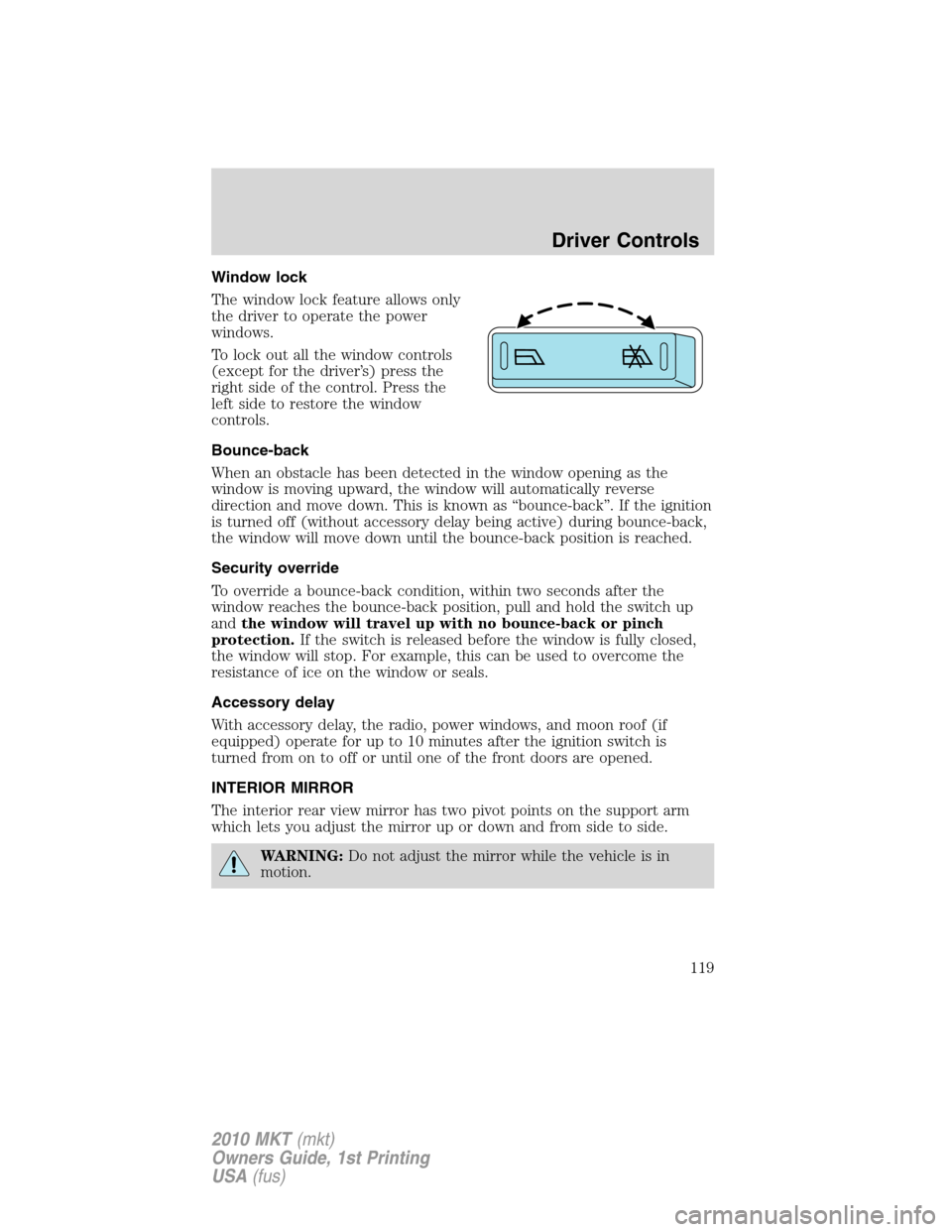
Window lock
The window lock feature allows only
the driver to operate the power
windows.
To lock out all the window controls
(except for the driver’s) press the
right side of the control. Press the
left side to restore the window
controls.
Bounce-back
When an obstacle has been detected in the window opening as the
window is moving upward, the window will automatically reverse
direction and move down. This is known as “bounce-back”. If the ignition
is turned off (without accessory delay being active) during bounce-back,
the window will move down until the bounce-back position is reached.
Security override
To override a bounce-back condition, within two seconds after the
window reaches the bounce-back position, pull and hold the switch up
andthe window will travel up with no bounce-back or pinch
protection.If the switch is released before the window is fully closed,
the window will stop. For example, this can be used to overcome the
resistance of ice on the window or seals.
Accessory delay
With accessory delay, the radio, power windows, and moon roof (if
equipped) operate for up to 10 minutes after the ignition switch is
turned from on to off or until one of the front doors are opened.
INTERIOR MIRROR
The interior rear view mirror has two pivot points on the support arm
which lets you adjust the mirror up or down and from side to side.
WARNING:Do not adjust the mirror while the vehicle is in
motion.
Driver Controls
119
2010 MKT(mkt)
Owners Guide, 1st Printing
USA(fus)