tow LINCOLN MKT 2011 User Guide
[x] Cancel search | Manufacturer: LINCOLN, Model Year: 2011, Model line: MKT, Model: LINCOLN MKT 2011Pages: 454, PDF Size: 3.82 MB
Page 109 of 454
Note:Do not operate the washer when the washer reservoir is empty.
This may cause the washer pump to overheat. Check the washer fluid
level frequently. Do not operate the wipers when the windshield is dry.
This may scratch the glass, damage the wiper blades and cause the wiper
motor to burn out. Before operating the wiper on a dry windshield,
always use the windshield washer. In freezing weather, be sure the wiper
blades are not frozen to the windshield before operating the wipers.
Windshield wiper rainlamp feature
When the windshield wipers are turned on during daylight, and the
headlamp control is in the autolamp position, the exterior lamps will turn
on after a brief delay and will remain on until the wipers are turned off.
Rear window wiper/washer controls
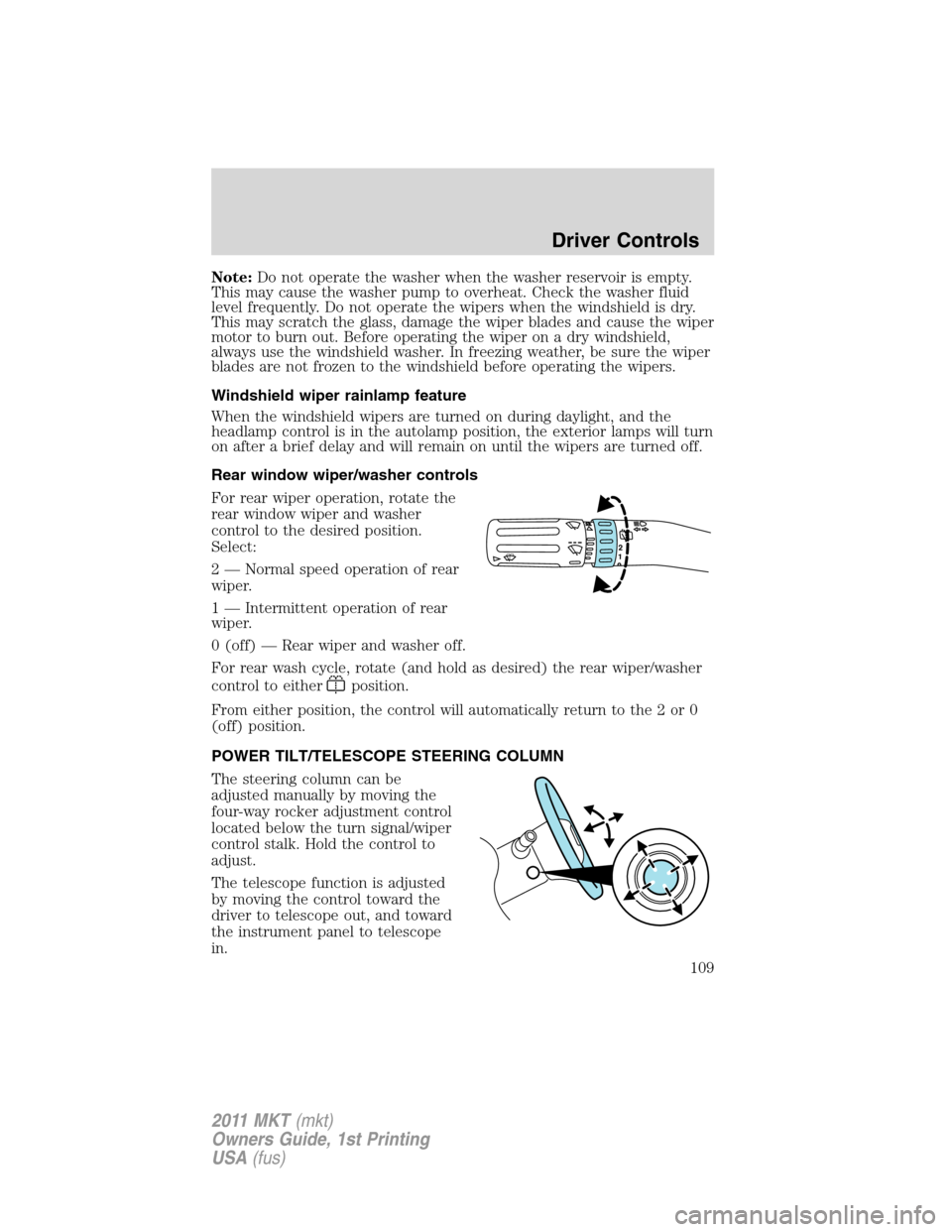
For rear wiper operation, rotate the
rear window wiper and washer
control to the desired position.
Select:
2 — Normal speed operation of rear
wiper.
1 — Intermittent operation of rear
wiper.
0 (off) — Rear wiper and washer off.
For rear wash cycle, rotate (and hold as desired) the rear wiper/washer
control to either
position.
From either position, the control will automatically return to the 2 or 0
(off) position.
POWER TILT/TELESCOPE STEERING COLUMN
The steering column can be
adjusted manually by moving the
four-way rocker adjustment control
located below the turn signal/wiper
control stalk. Hold the control to
adjust.
The telescope function is adjusted
by moving the control toward the
driver to telescope out, and toward
the instrument panel to telescope
in.
12
Driver Controls
109
2011 MKT(mkt)
Owners Guide, 1st Printing
USA(fus)
Page 110 of 454
The tilt function is adjusted by moving the control up or down.
During easy exit, when the ignition is switched off, the column will move
to the full in and up position. When the ignition is put in accessory
mode, the column will return to the previous setting.
WARNING:Never adjust the steering wheel when the vehicle is
moving.
ILLUMINATED VISOR MIRROR
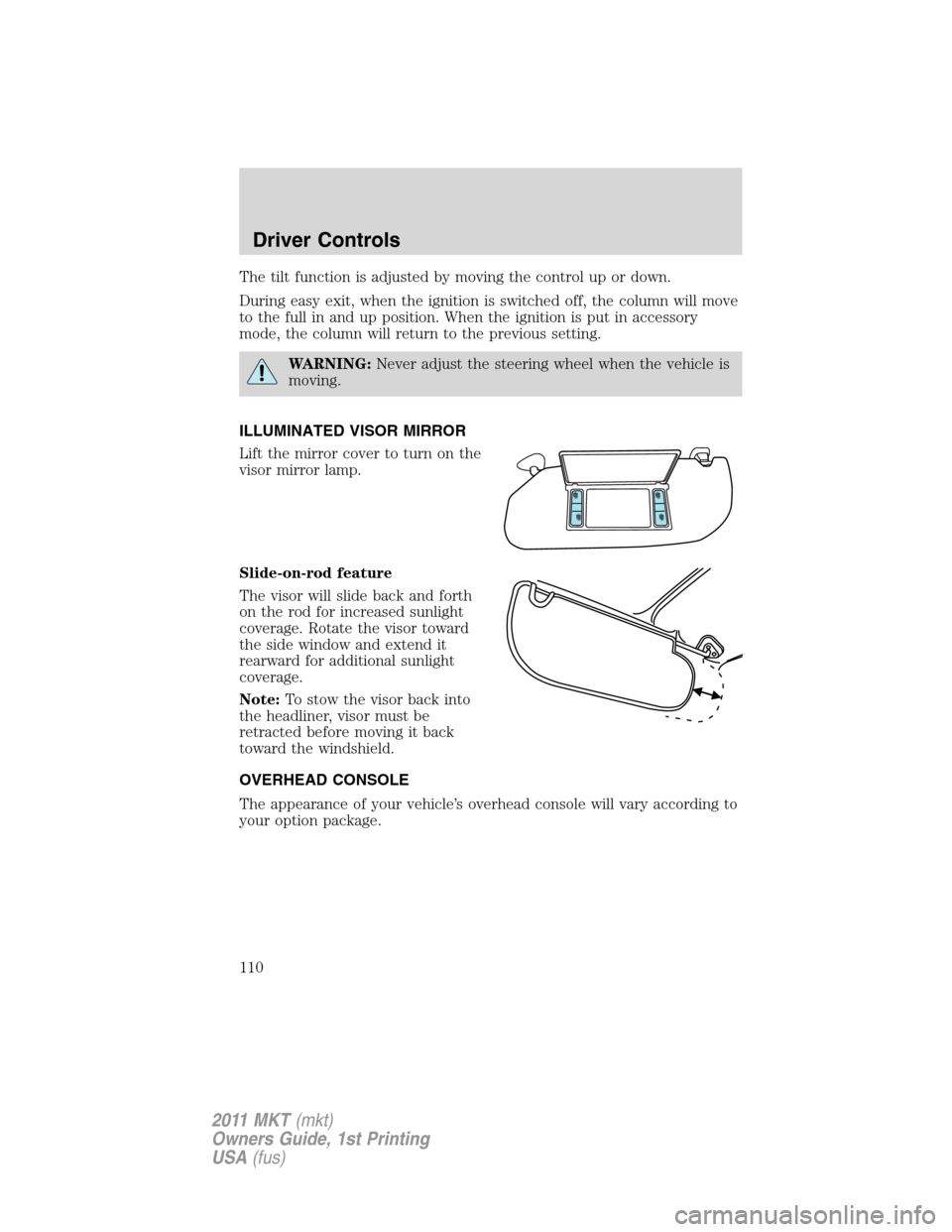
Lift the mirror cover to turn on the
visor mirror lamp.
Slide-on-rod feature
The visor will slide back and forth
on the rod for increased sunlight
coverage. Rotate the visor toward
the side window and extend it
rearward for additional sunlight
coverage.
Note:To stow the visor back into
the headliner, visor must be
retracted before moving it back
toward the windshield.
OVERHEAD CONSOLE
The appearance of your vehicle’s overhead console will vary according to
your option package.
Driver Controls
110
2011 MKT(mkt)
Owners Guide, 1st Printing
USA(fus)
Page 120 of 454
Signal indicator mirrors
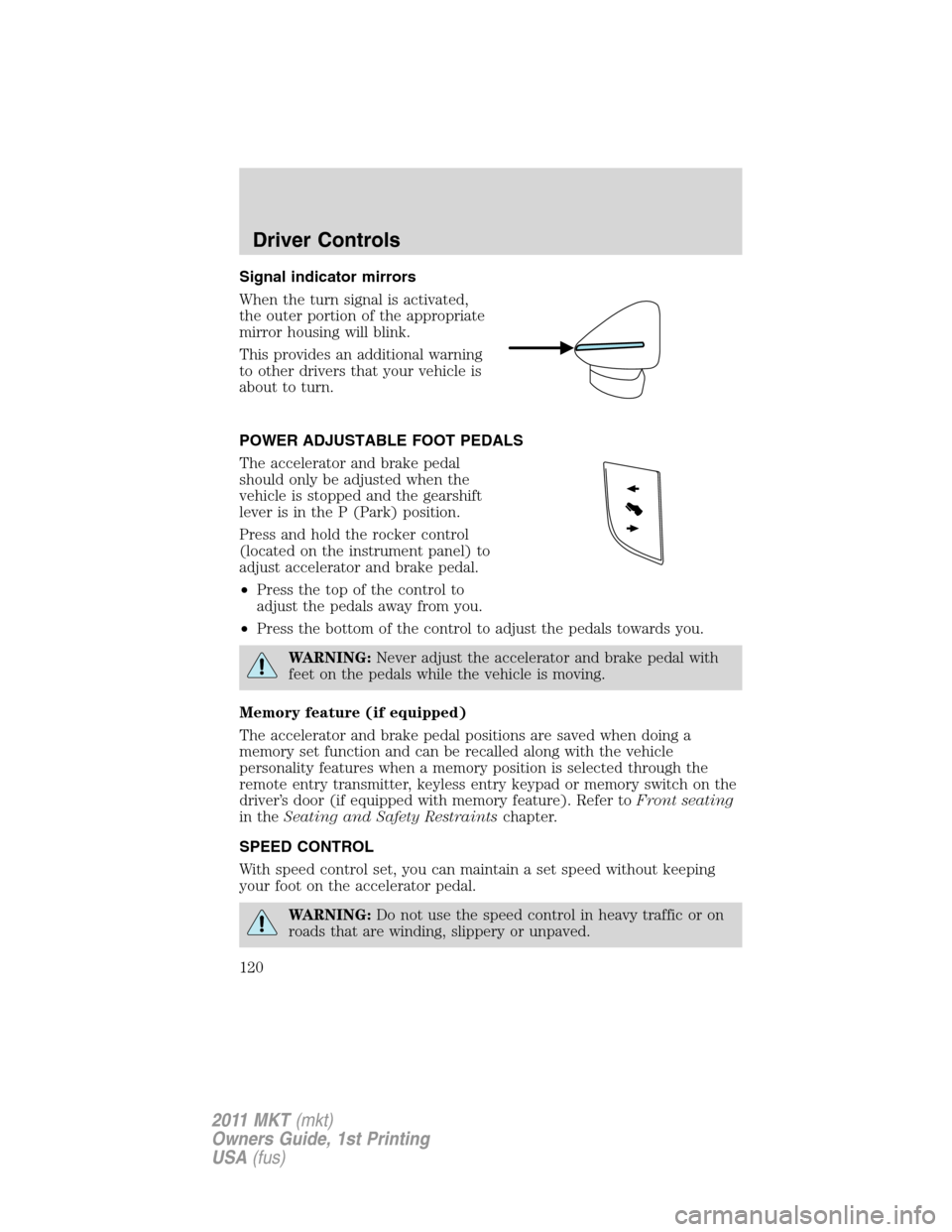
When the turn signal is activated,
the outer portion of the appropriate
mirror housing will blink.
This provides an additional warning
to other drivers that your vehicle is
about to turn.
POWER ADJUSTABLE FOOT PEDALS
The accelerator and brake pedal
should only be adjusted when the
vehicle is stopped and the gearshift
lever is in the P (Park) position.
Press and hold the rocker control
(located on the instrument panel) to
adjust accelerator and brake pedal.
•Press the top of the control to
adjust the pedals away from you.
•Press the bottom of the control to adjust the pedals towards you.
WARNING:Never adjust the accelerator and brake pedal with
feet on the pedals while the vehicle is moving.
Memory feature (if equipped)
The accelerator and brake pedal positions are saved when doing a
memory set function and can be recalled along with the vehicle
personality features when a memory position is selected through the
remote entry transmitter, keyless entry keypad or memory switch on the
driver’s door (if equipped with memory feature). Refer toFront seating
in theSeating and Safety Restraintschapter.
SPEED CONTROL
With speed control set, you can maintain a set speed without keeping
your foot on the accelerator pedal.
WARNING:Do not use the speed control in heavy traffic or on
roads that are winding, slippery or unpaved.
Driver Controls
120
2011 MKT(mkt)
Owners Guide, 1st Printing
USA(fus)
Page 130 of 454
Blocked sensor
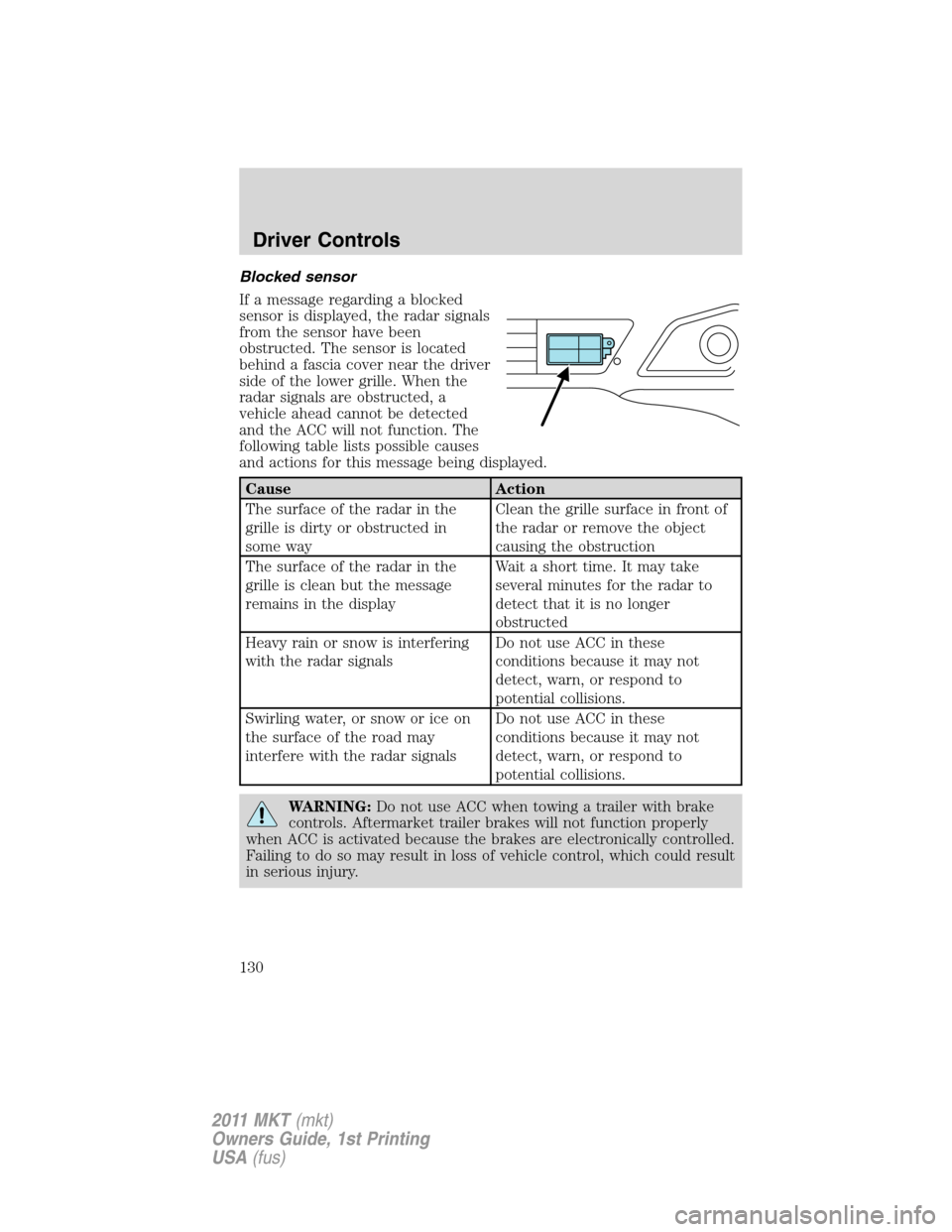
If a message regarding a blocked
sensor is displayed, the radar signals
from the sensor have been
obstructed. The sensor is located
behind a fascia cover near the driver
side of the lower grille. When the
radar signals are obstructed, a
vehicle ahead cannot be detected
and the ACC will not function. The
following table lists possible causes
and actions for this message being displayed.
Cause Action
The surface of the radar in the
grille is dirty or obstructed in
some wayClean the grille surface in front of
the radar or remove the object
causing the obstruction
The surface of the radar in the
grille is clean but the message
remains in the displayWait a short time. It may take
several minutes for the radar to
detect that it is no longer
obstructed
Heavy rain or snow is interfering
with the radar signalsDo not use ACC in these
conditions because it may not
detect, warn, or respond to
potential collisions.
Swirling water, or snow or ice on
the surface of the road may
interfere with the radar signalsDo not use ACC in these
conditions because it may not
detect, warn, or respond to
potential collisions.
WARNING:Do not use ACC when towing a trailer with brake
controls. Aftermarket trailer brakes will not function properly
when ACC is activated because the brakes are electronically controlled.
Failing to do so may result in loss of vehicle control, which could result
in serious injury.
Driver Controls
130
2011 MKT(mkt)
Owners Guide, 1st Printing
USA(fus)
Page 142 of 454
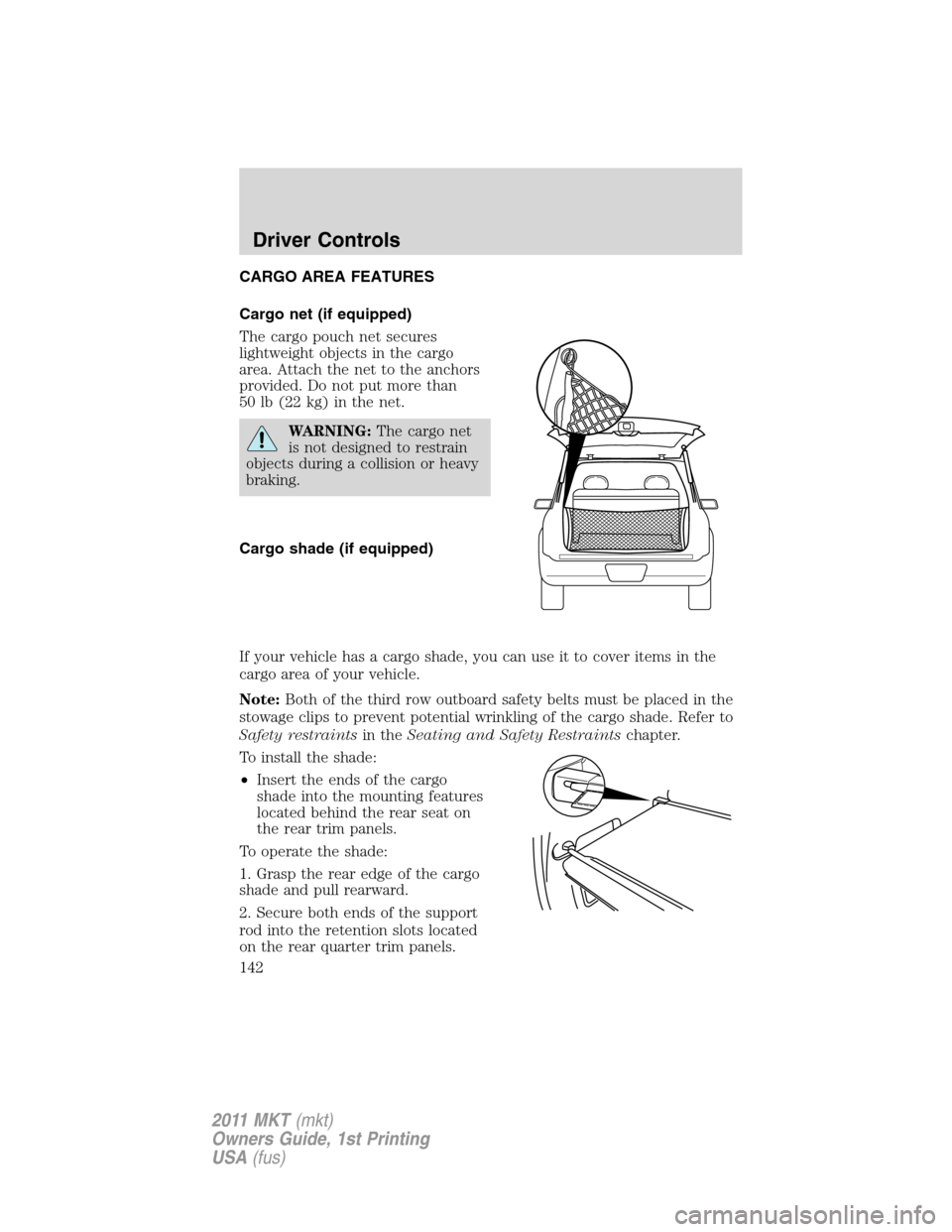
CARGO AREA FEATURES
Cargo net (if equipped)
The cargo pouch net secures
lightweight objects in the cargo
area. Attach the net to the anchors
provided. Do not put more than
50 lb (22 kg) in the net.
WARNING:The cargo net
is not designed to restrain
objects during a collision or heavy
braking.
Cargo shade (if equipped)
If your vehicle has a cargo shade, you can use it to cover items in the
cargo area of your vehicle.
Note:Both of the third row outboard safety belts must be placed in the
stowage clips to prevent potential wrinkling of the cargo shade. Refer to
Safety restraintsin theSeating and Safety Restraintschapter.
To install the shade:
•Insert the ends of the cargo
shade into the mounting features
located behind the rear seat on
the rear trim panels.
To operate the shade:
1. Grasp the rear edge of the cargo
shade and pull rearward.
2. Secure both ends of the support
rod into the retention slots located
on the rear quarter trim panels.
Driver Controls
142
2011 MKT(mkt)
Owners Guide, 1st Printing
USA(fus)
Page 151 of 454
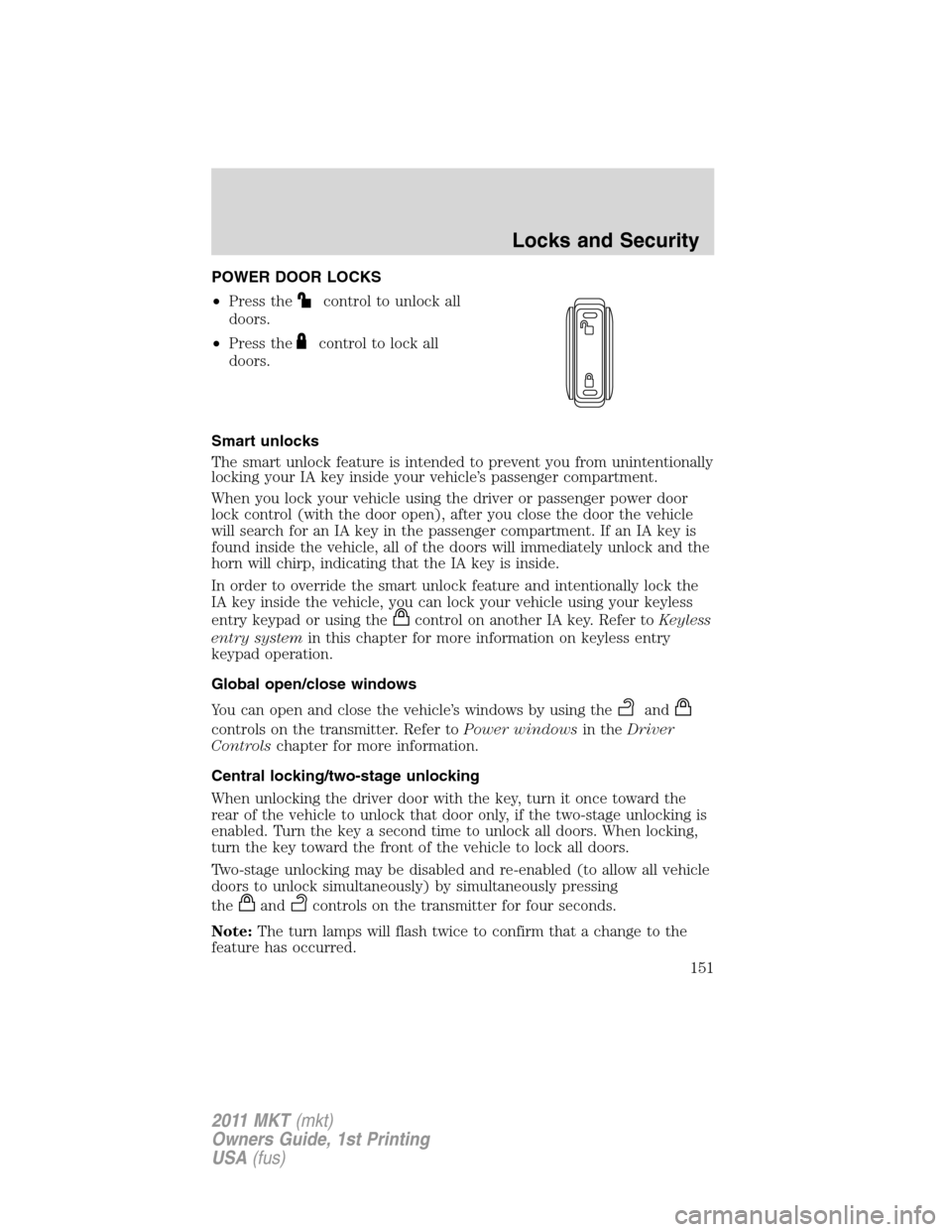
POWER DOOR LOCKS
•Press the
control to unlock all
doors.
•Press the
control to lock all
doors.
Smart unlocks
The smart unlock feature is intended to prevent you from unintentionally
locking your IA key inside your vehicle’s passenger compartment.
When you lock your vehicle using the driver or passenger power door
lock control (with the door open), after you close the door the vehicle
will search for an IA key in the passenger compartment. If an IA key is
found inside the vehicle, all of the doors will immediately unlock and the
horn will chirp, indicating that the IA key is inside.
In order to override the smart unlock feature and intentionally lock the
IA key inside the vehicle, you can lock your vehicle using your keyless
entry keypad or using the
control on another IA key. Refer toKeyless
entry systemin this chapter for more information on keyless entry
keypad operation.
Global open/close windows
You can open and close the vehicle’s windows by using the
and
controls on the transmitter. Refer toPower windowsin theDriver
Controlschapter for more information.
Central locking/two-stage unlocking
When unlocking the driver door with the key, turn it once toward the
rear of the vehicle to unlock that door only, if the two-stage unlocking is
enabled. Turn the key a second time to unlock all doors. When locking,
turn the key toward the front of the vehicle to lock all doors.
Two-stage unlocking may be disabled and re-enabled (to allow all vehicle
doors to unlock simultaneously) by simultaneously pressing
the
andcontrols on the transmitter for four seconds.
Note:The turn lamps will flash twice to confirm that a change to the
feature has occurred.
Locks and Security
151
2011 MKT(mkt)
Owners Guide, 1st Printing
USA(fus)
Page 156 of 454
REMOTE ENTRY SYSTEM
The intelligent access keys (IA key) comply with part 15 of the FCC
rules and with RSS-210 of Industry Canada. Operation is subject to the
following two conditions: (1) This device may not cause harmful
interference, and (2) This device must accept any interference received,
including interference that may cause undesired operation.
Changes or modifications not expressly approved by the party
responsible for compliance could void the user’s authority to
operate the equipment.
The typical operating range for your transmitter is approximately 33 feet
(10 meters). A decrease in operating range could be caused by:
•weather conditions,
•nearby radio towers,
•structures around the vehicle, or
•other vehicles parked next to your vehicle.
The transmitter allows you to:
•remotely unlock the vehicle doors
.
•remotely lock all the vehicle doors
.
•remotely open the power liftgate
.
•activate the personal alarm
.
•arm and disarm the perimeter anti-theft system.
•operate the illuminated entry feature.
•activate the global opening windows feature.
Refer toIntelligent Accessin this section for more features.
The remote entry lock/unlock feature operates in any ignition position
except while the vehicle is in the start position. The panic feature
operates with the ignition off.
If there are problems with the remote entry system, make sure to take
ALL intelligent access keyswith you to the authorized dealer in order
to aid in troubleshooting the problem.
Locks and Security
156
2011 MKT(mkt)
Owners Guide, 1st Printing
USA(fus)
Page 166 of 454
Automatic disarming
The vehicle is disarmed immediately after the ignition is turned on.
Replacement of intelligent access keys
Note:Your vehicle comes equipped with two intelligent access keys.
The Intelligent Access Key functions as both a programmed key that
operates the driver door lock, activates Intelligent Access with Push
Button Start systems as well as a remote keyless entry transmitter. A
maximum of four intelligent access keys can be programmed to your
vehicle.
If your Intelligent Access Key are lost or stolen and you don’t have an
extra key, you will need to have your vehicle towed to an authorized
dealer. The key codes need to be erased from your vehicle and new keys
will need to be programmed.
Replacing intelligent access keys can be very costly. Store an extra
programmed key away from the vehicle in a safe place to help prevent
any inconveniences. Please visit an authorized dealer to purchase
additional spare or replacement keys.
Programming spare intelligent access keys
You must have two previously programmed intelligent access keys inside
the vehicle and the new unprogrammed intelligent access keys readily
accessible. If two previously programmed keys are not available, you
must take your vehicle to your authorized dealer to have the spare
key(s) programmed.
Note:A maximum of four intelligent access keys can be programmed to
your vehicle. If you would like to replace a previously programmed
access key with a new access key, or if you already have four access keys
programmed to your vehicle, you must take your vehicle and all access
keys to your authorized dealer to be erased and reprogrammed.
Ensure that the vehicle is off before beginning this procedure. Ensure
that all doors are closed before beginning this procedure and that all
doors remain closed throughout the procedure. Perform this procedure
exactly as described below, and perform all steps within 30 seconds of
starting the sequence. If any steps are performed out of sequence, stop
and wait for at least one minute before starting again.
Please read and understand the entire procedure before you begin.
1. Place the new unprogrammed intelligent access key in the pocket
inside the center console utility compartment.
Locks and Security
166
2011 MKT(mkt)
Owners Guide, 1st Printing
USA(fus)
Page 168 of 454
When you press the lock control twice within three seconds on your
transmitter, the horn will chirp once to let you know that all doors, the
hood and the liftgate are closed. If any of these are not closed, the horn
will chirp twice to warn you that a door, the hood or the liftgate is still
open.
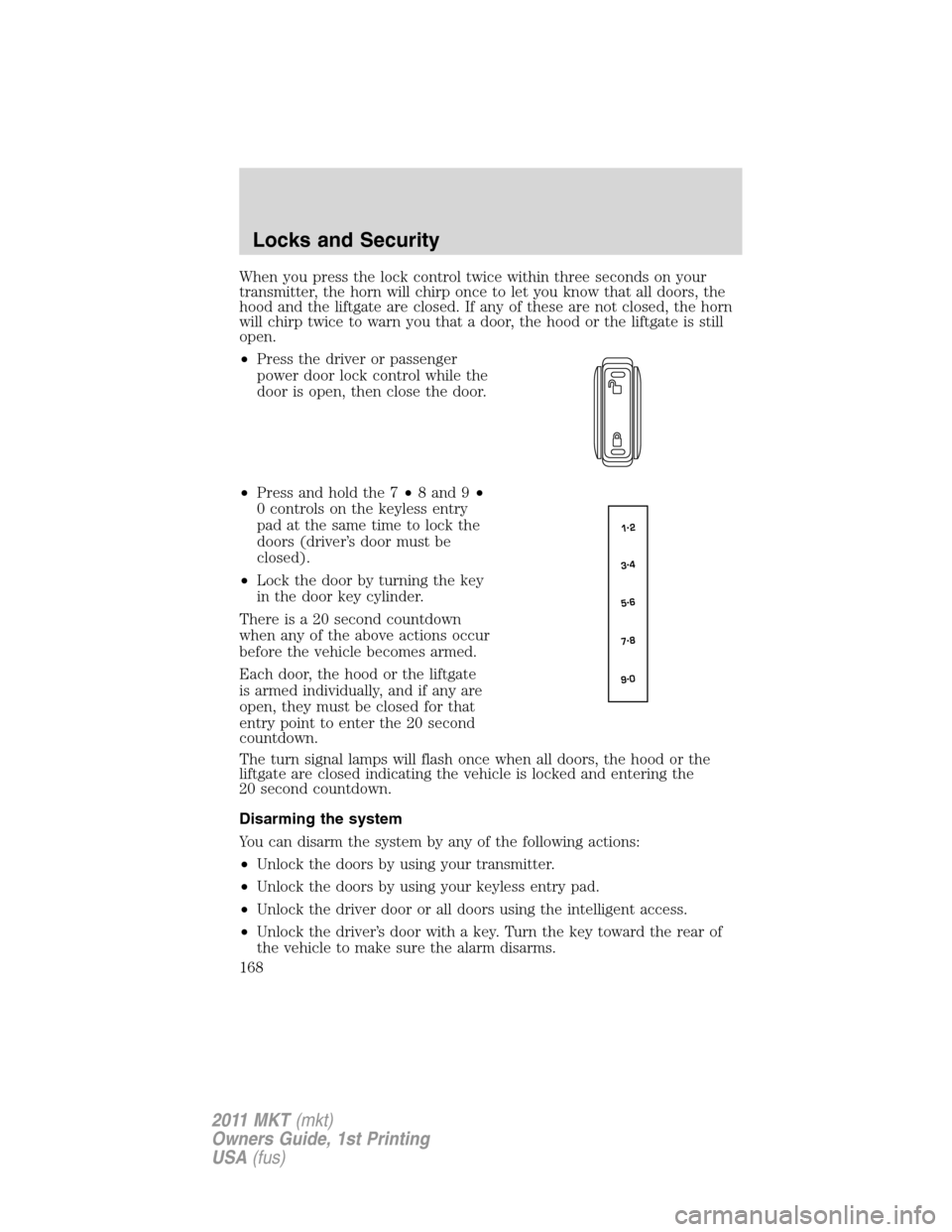
•Press the driver or passenger
power door lock control while the
door is open, then close the door.
•Press and hold the 7•8 and 9•
0 controls on the keyless entry
pad at the same time to lock the
doors (driver’s door must be
closed).
•Lock the door by turning the key
in the door key cylinder.
There is a 20 second countdown
when any of the above actions occur
before the vehicle becomes armed.
Each door, the hood or the liftgate
is armed individually, and if any are
open, they must be closed for that
entry point to enter the 20 second
countdown.
The turn signal lamps will flash once when all doors, the hood or the
liftgate are closed indicating the vehicle is locked and entering the
20 second countdown.
Disarming the system
You can disarm the system by any of the following actions:
•Unlock the doors by using your transmitter.
•Unlock the doors by using your keyless entry pad.
•Unlock the driver door or all doors using the intelligent access.
•Unlock the driver’s door with a key. Turn the key toward the rear of
the vehicle to make sure the alarm disarms.
Locks and Security
168
2011 MKT(mkt)
Owners Guide, 1st Printing
USA(fus)
Page 173 of 454
Tilting head restraints (if equipped)
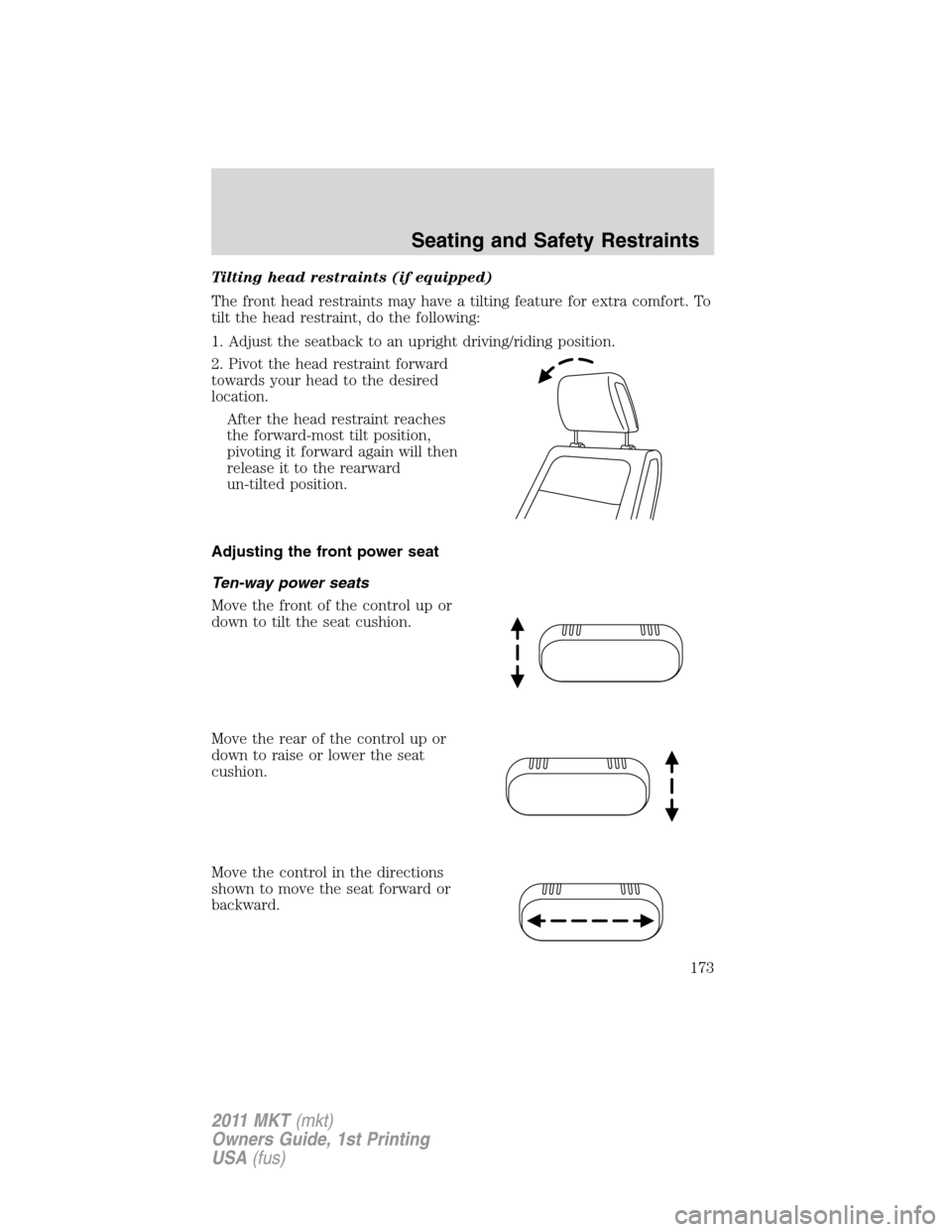
The front head restraints may have a tilting feature for extra comfort. To
tilt the head restraint, do the following:
1. Adjust the seatback to an upright driving/riding position.
2. Pivot the head restraint forward
towards your head to the desired
location.
After the head restraint reaches
the forward-most tilt position,
pivoting it forward again will then
release it to the rearward
un-tilted position.
Adjusting the front power seat
Ten-way power seats
Move the front of the control up or
down to tilt the seat cushion.
Move the rear of the control up or
down to raise or lower the seat
cushion.
Move the control in the directions
shown to move the seat forward or
backward.
Seating and Safety Restraints
173
2011 MKT(mkt)
Owners Guide, 1st Printing
USA(fus)