lock LINCOLN MKT 2013 Owners Manual
[x] Cancel search | Manufacturer: LINCOLN, Model Year: 2013, Model line: MKT, Model: LINCOLN MKT 2013Pages: 494, PDF Size: 5.97 MB
Page 368 of 494
FORD ESP EXTENDED SERVICE PLANS (U.S. ONLY)
More than 32 million Ford and Lincoln owners have discovered the
powerful protection of Ford ESP. It is the only extended service plan
backed by Ford Motor Company, and provides “peace of mind” protection
beyond the New Vehicle Limited Warranty coverage.
Up to 500+ Covered Vehicle Components
There are four, new-vehicle Extended Service Plans with different levels
of coverage. Ask your dealer for details.
PremiumCare –Our most comprehensive coverage. With over 500
covered components, this plan is so complete that we generally only
discuss what’s not covered!
ExtraCare –Covers 113 components, and includes many high-tech
items.
BaseCare –Covers 84 components.
PowertrainCare –Covers 29 critical components.
Ford ESP is honored by all Ford and Lincoln Dealers in the U.S.
and CanadaIt’s the only extended service plan authorized and backed
by Ford Motor Company. That means you get:
•Reliable, quality service anywhere you go.
•Factory-trained technicians.
•Ford Authorized Parts used with every covered repair.
Rental car reimbursement
If your vehicle is kept overnight for covered repairs,you are
eligible for rental car coverage, including Bumper-to-Bumper warranty
repairs, or manufacturer’s recalls.
Transferable coverage
If you sell your vehicle before your Ford ESP coverage expires, you can
transfer any remaining coverage to the new owner. Whenever you’re
ready to sell your car, prospective buyers may feel better about taking a
risk on your used vehicle. Ford ESP may add resale value!
Plus,exclusive 24/7 roadside assistance,including:
•Towing, flat-tire change and battery jump starts.
•Out-of-fuel and lock-out assistance.
•Travel expense reimbursement for lodging, meals and rental car.
•Destination assistance for taxi, shuttle, rental car coverage and
emergency transportation.
368Ford Extended Service Plan
2013 MKT(mkt)
Owners Guide gf, 1st Printing
USA(fus)
Page 374 of 494
additives not approved by Ford and are not recommended as part of
normal maintenance. Please consult yourWarranty Manualfor
complete warranty information.
Oils, Fluids and Flushing
In many cases, fluid discoloration is a normal operating characteristic
and, by itself, does not necessarily indicate a concern or that the fluid
needs to be changed. However, discolored fluids that also show signs of
overheating and/or foreign material contamination should be inspected
immediately by a qualified expert such as the factory-trained technicians
at your dealership. Your vehicle’s oils and fluids should be changed at the
specified intervals or in conjunction with a repair. Flushing is a viable
way to change fluid for many vehicle sub-systems during scheduled
maintenance. It is critical that systems are flushed only with new fluid
that is the same as that required to fill and operate the system, or using
a Ford-approved flushing chemical.
Owner Checks and Services
Certain basic maintenance checks and inspections should be performed
every month or at six months intervals.
Check Every Month
Engine oil level.
Function of all interior and exterior lights.
Tires (including spare) for wear and proper pressure.
Windshield washer fluid level.
Check Every Six Months
Battery connections. Clean if necessary.
Body and door drain holes for obstructions. Clean if necessary.
Cooling system fluid level and coolant strength.
Door weatherstrips for wear. Lubricate if necessary.
Hinges, latches and outside locks for proper operation. Lubricate if
necessary.
Parking brake for proper operation.
Safety belts and seat latches for wear and function.
Safety warning lamps (brake, ABS, airbag, safety belt) for operation.
Washer spray and wiper operation. Clean or replace blades as
necessary.
374Scheduled Maintenance
2013 MKT(mkt)
Owners Guide gf, 1st Printing
USA(fus)
Page 391 of 494
INTRODUCTION
WARNING:Driving while distracted can result in loss of vehicle
control, accident and injury. Ford strongly recommends that
drivers use extreme caution when using any device or feature that may
take their focus off the road. Your primary responsibility is the safe
operation of the vehicle. We recommend against the use of any
handheld device while driving, encourage the use of voice-operated
systems when possible and that you become aware of applicable state
and local laws that may affect use of electronic devices while driving.
Note:Some features are not available while the vehicle is moving.
This system uses a four-corner strategy to provide quick access to
vehicle features and settings. The comprehensive touchscreen provides
easy interaction with your cellular phone, multimedia, climate control
and navigation system. The corners display any active modes within
those menus, such as your phone being connected or the climate
temperature.
Press to select any of the following:
•Clock
•Sound
•Settings
•Display
•Vehicle
•Help
Press to select any of the following:
•SYNC Services
•Notifications
•SYNC Apps
•SIRIUS Travel Link
•Calendar
If the icon is yellow, refer toNotificationsin theInformationsection of
this chapter.
MyLincoln Touch™391
2013 MKT(mkt)
Owners Guide gf, 1st Printing
USA(fus)
Page 415 of 494
When you select: You can:
Browse View a list of all available stations. Scroll and
select the desired station.
You can also lock or skip unwanted channels
or view the song/artist on other stations.
Scan Hear a brief sampling of channels.
Replay Replay audio on the current channel. You can
replay approximately 45 minutes of audio as
long as you have remained tuned to the
current station. If you change stations, the
previous audio is erased.
While in replay mode:
Press and release the seek buttons to hear the
previous or next song.
Press and hold the seek buttons to advance to
reverse or fast forward in the current track.
Press play or pause to play or pause the
audio.
Press Replay again to return to live audio if
you had been using the replay feature to
replay audio.
MyLincoln Touch™415
2013 MKT(mkt)
Owners Guide gf, 1st Printing
USA(fus)
Page 416 of 494
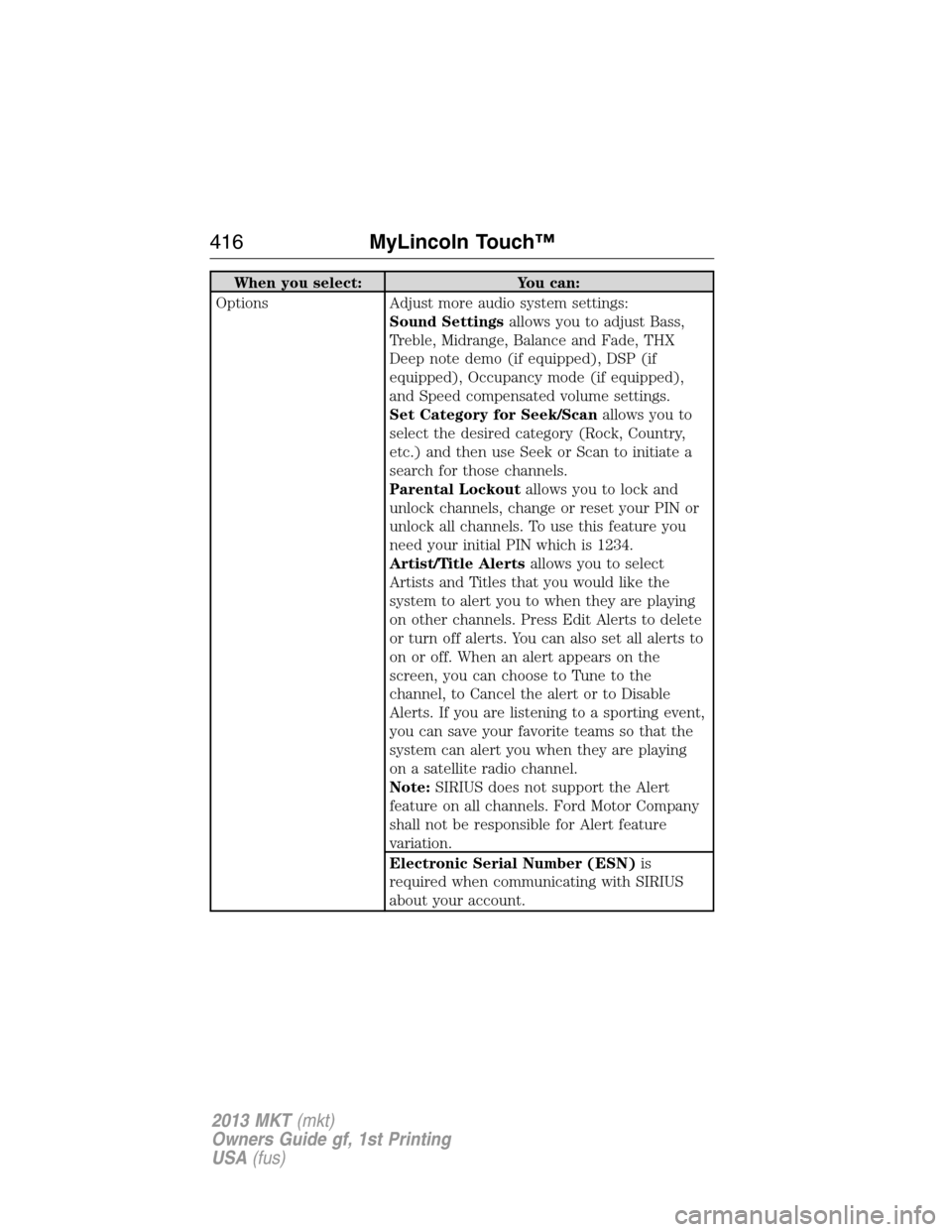
When you select: You can:
Options Adjust more audio system settings:
Sound Settingsallows you to adjust Bass,
Treble, Midrange, Balance and Fade, THX
Deep note demo (if equipped), DSP (if
equipped), Occupancy mode (if equipped),
and Speed compensated volume settings.
Set Category for Seek/Scanallows you to
select the desired category (Rock, Country,
etc.) and then use Seek or Scan to initiate a
search for those channels.
Parental Lockoutallows you to lock and
unlock channels, change or reset your PIN or
unlock all channels. To use this feature you
need your initial PIN which is 1234.
Artist/Title Alertsallows you to select
Artists and Titles that you would like the
system to alert you to when they are playing
on other channels. Press Edit Alerts to delete
or turn off alerts. You can also set all alerts to
on or off. When an alert appears on the
screen, you can choose to Tune to the
channel, to Cancel the alert or to Disable
Alerts. If you are listening to a sporting event,
you can save your favorite teams so that the
system can alert you when they are playing
on a satellite radio channel.
Note:SIRIUS does not support the Alert
feature on all channels. Ford Motor Company
shall not be responsible for Alert feature
variation.
Electronic Serial Number (ESN)is
required when communicating with SIRIUS
about your account.
416MyLincoln Touch™
2013 MKT(mkt)
Owners Guide gf, 1st Printing
USA(fus)
Page 420 of 494
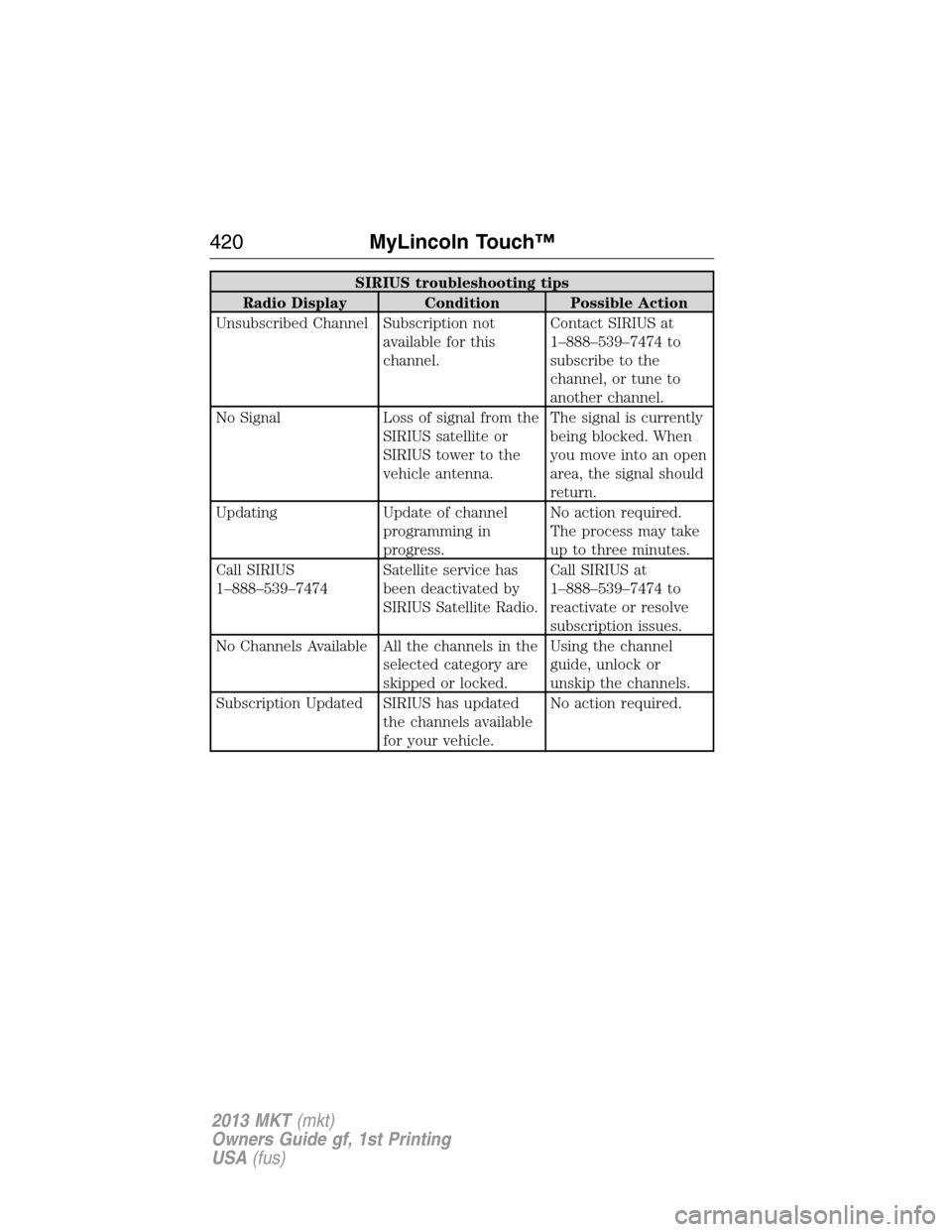
SIRIUS troubleshooting tips
Radio Display Condition Possible Action
Unsubscribed Channel Subscription not
available for this
channel.Contact SIRIUS at
1–888–539–7474 to
subscribe to the
channel, or tune to
another channel.
No Signal Loss of signal from the
SIRIUS satellite or
SIRIUS tower to the
vehicle antenna.The signal is currently
being blocked. When
you move into an open
area, the signal should
return.
Updating Update of channel
programming in
progress.No action required.
The process may take
up to three minutes.
Call SIRIUS
1–888–539–7474Satellite service has
been deactivated by
SIRIUS Satellite Radio.Call SIRIUS at
1–888–539–7474 to
reactivate or resolve
subscription issues.
No Channels Available All the channels in the
selected category are
skipped or locked.Using the channel
guide, unlock or
unskip the channels.
Subscription Updated SIRIUS has updated
the channels available
for your vehicle.No action required.
420MyLincoln Touch™
2013 MKT(mkt)
Owners Guide gf, 1st Printing
USA(fus)
Page 436 of 494
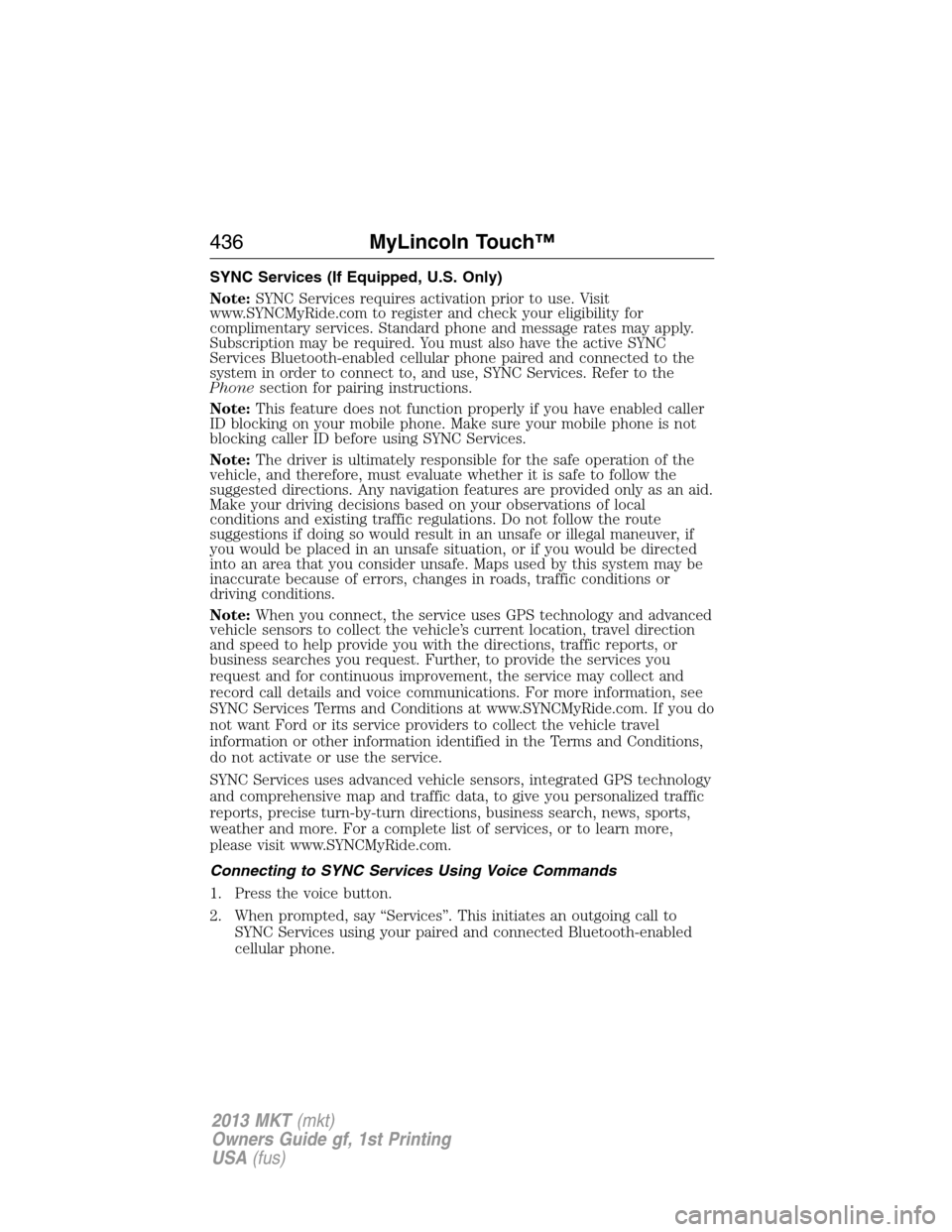
SYNC Services (If Equipped, U.S. Only)
Note:SYNC Services requires activation prior to use. Visit
www.SYNCMyRide.com to register and check your eligibility for
complimentary services. Standard phone and message rates may apply.
Subscription may be required. You must also have the active SYNC
Services Bluetooth-enabled cellular phone paired and connected to the
system in order to connect to, and use, SYNC Services. Refer to the
Phonesection for pairing instructions.
Note:This feature does not function properly if you have enabled caller
ID blocking on your mobile phone. Make sure your mobile phone is not
blocking caller ID before using SYNC Services.
Note:The driver is ultimately responsible for the safe operation of the
vehicle, and therefore, must evaluate whether it is safe to follow the
suggested directions. Any navigation features are provided only as an aid.
Make your driving decisions based on your observations of local
conditions and existing traffic regulations. Do not follow the route
suggestions if doing so would result in an unsafe or illegal maneuver, if
you would be placed in an unsafe situation, or if you would be directed
into an area that you consider unsafe. Maps used by this system may be
inaccurate because of errors, changes in roads, traffic conditions or
driving conditions.
Note:When you connect, the service uses GPS technology and advanced
vehicle sensors to collect the vehicle’s current location, travel direction
and speed to help provide you with the directions, traffic reports, or
business searches you request. Further, to provide the services you
request and for continuous improvement, the service may collect and
record call details and voice communications. For more information, see
SYNC Services Terms and Conditions at www.SYNCMyRide.com. If you do
not want Ford or its service providers to collect the vehicle travel
information or other information identified in the Terms and Conditions,
do not activate or use the service.
SYNC Services uses advanced vehicle sensors, integrated GPS technology
and comprehensive map and traffic data, to give you personalized traffic
reports, precise turn-by-turn directions, business search, news, sports,
weather and more. For a complete list of services, or to learn more,
please visit www.SYNCMyRide.com.
Connecting to SYNC Services Using Voice Commands
1. Press the voice button.
2. When prompted, say “Services”. This initiates an outgoing call to
SYNC Services using your paired and connected Bluetooth-enabled
cellular phone.
436MyLincoln Touch™
2013 MKT(mkt)
Owners Guide gf, 1st Printing
USA(fus)
Page 445 of 494
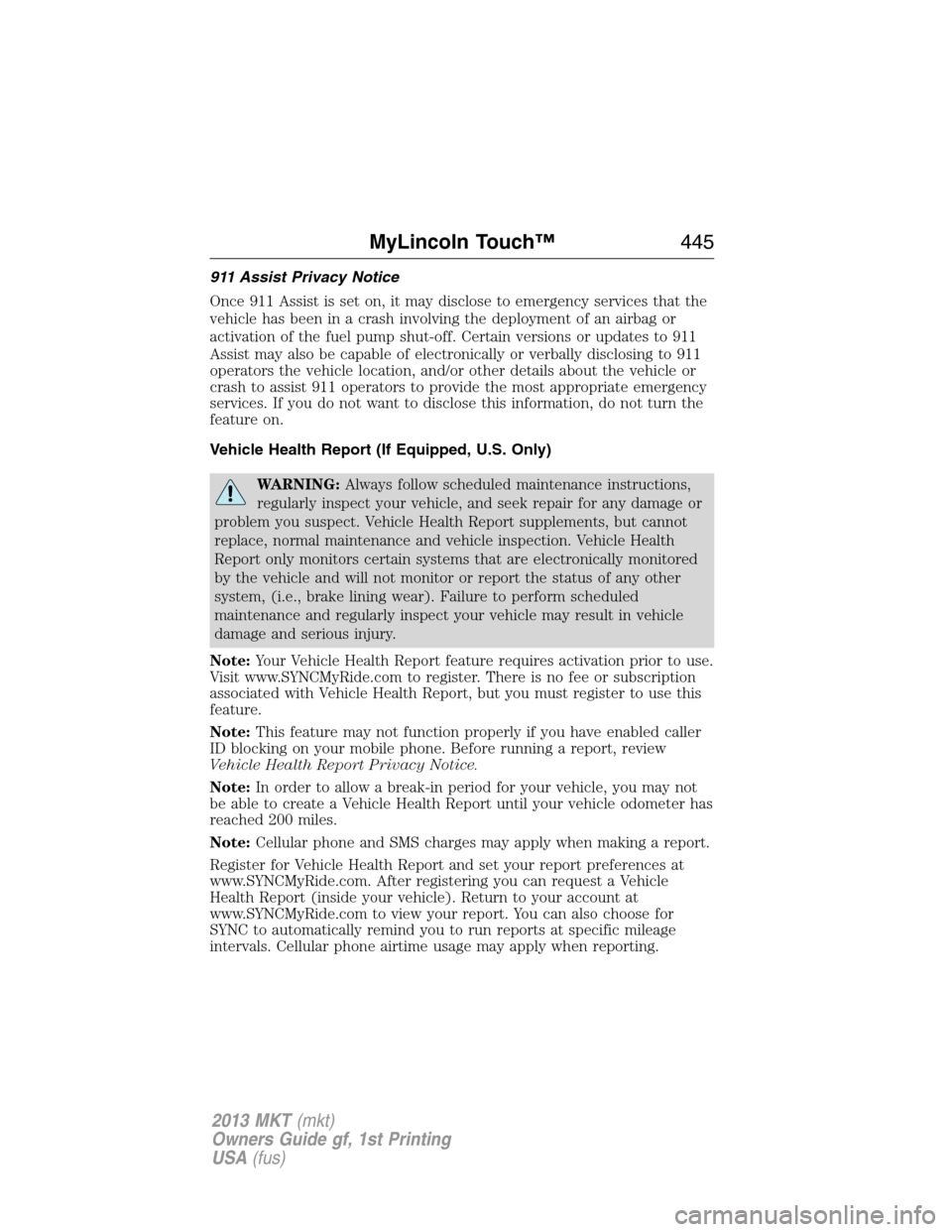
911 Assist Privacy Notice
Once 911 Assist is set on, it may disclose to emergency services that the
vehicle has been in a crash involving the deployment of an airbag or
activation of the fuel pump shut-off. Certain versions or updates to 911
Assist may also be capable of electronically or verbally disclosing to 911
operators the vehicle location, and/or other details about the vehicle or
crash to assist 911 operators to provide the most appropriate emergency
services. If you do not want to disclose this information, do not turn the
feature on.
Vehicle Health Report (If Equipped, U.S. Only)
WARNING:Always follow scheduled maintenance instructions,
regularly inspect your vehicle, and seek repair for any damage or
problem you suspect. Vehicle Health Report supplements, but cannot
replace, normal maintenance and vehicle inspection. Vehicle Health
Report only monitors certain systems that are electronically monitored
by the vehicle and will not monitor or report the status of any other
system, (i.e., brake lining wear). Failure to perform scheduled
maintenance and regularly inspect your vehicle may result in vehicle
damage and serious injury.
Note:Your Vehicle Health Report feature requires activation prior to use.
Visit www.SYNCMyRide.com to register. There is no fee or subscription
associated with Vehicle Health Report, but you must register to use this
feature.
Note:This feature may not function properly if you have enabled caller
ID blocking on your mobile phone. Before running a report, review
Vehicle Health Report Privacy Notice.
Note:In order to allow a break-in period for your vehicle, you may not
be able to create a Vehicle Health Report until your vehicle odometer has
reached 200 miles.
Note:Cellular phone and SMS charges may apply when making a report.
Register for Vehicle Health Report and set your report preferences at
www.SYNCMyRide.com. After registering you can request a Vehicle
Health Report (inside your vehicle). Return to your account at
www.SYNCMyRide.com to view your report. You can also choose for
SYNC to automatically remind you to run reports at specific mileage
intervals. Cellular phone airtime usage may apply when reporting.
MyLincoln Touch™445
2013 MKT(mkt)
Owners Guide gf, 1st Printing
USA(fus)
Page 446 of 494
The system allows you to check your vehicle’s overall health in the form
of diagnostic report card. The Vehicle Health Report contains valuable
information such as:
•Vehicle Diagnostic Information
•Scheduled maintenance
•Open Recalls and Field Service Actions
•Unserviced items from vehicle inspections by your authorized dealer
Making a Report
To run a report by touchscreen, touch the information button >
SYNC Apps > Vehicle Health Report.
To run a report by voice command, press the voice button on
the steering wheel and, when prompted, say “Vehicle Health
Report”.
Vehicle Health Report Privacy Notice
When you run a Vehicle Health Report, Ford Motor Company may collect
your cellular phone number (to process your report request) and
diagnostic information about your vehicle. Certain versions or updates to
Vehicle Health Report may also collect additional vehicle information.
Ford may use the vehicle information it collects for any purpose. If you
do not want to disclose your cellular phone number or vehicle
information, do not run the feature or set up your Vehicle Health Report
profile at www.SYNCMyRide.com. Refer to www.SYNCMyRide.com -
Vehicle Health Report Terms and Conditions, and Privacy Statement - for
more information.
MENU
Under the menu setting, you can set your clock, access and make
adjustments to the display, sound and vehicle settings as well as access
settings for specific modes or the help feature.
Setting the Clock
Note:The date is set by your vehicle’s GPS; you cannot manually set the
date.
Note:If the battery has been disconnected, the vehicle needs to acquire
a GPS signal to update the clock. Once your vehicle acquires the signal,
it may take a few minutes for the update to display the correct time.
1. Press MENU > Clock.
446MyLincoln Touch™
2013 MKT(mkt)
Owners Guide gf, 1st Printing
USA(fus)
Page 448 of 494
Sound
Press Menu > Sound to access settings for:
Sound settings
Bass THX Deep Note Demo*
Treble DSP*
Midrange Occupancy Mode*
Balance and Fade Speed Compensated Volume
*If equipped
Ambient Lighting (If Equipped)
When activated, ambient lighting illuminates footwells and cupholders
with a choice of colors. To access and make adjustments:
1. Press Menu > Vehicle > Ambient Lighting.
2. Touch the desired color.
3. Use the scroll bar to increase or decrease the intensity.
To turn the feature on or off, press the power button.
Rear View Camera (If Equipped)
This menu allows you to access settings for your rear view camera.
Press Menu > Vehicle > Reverse camera, then select from the following
settings
•Rear Camera Delay
•Guideline
•Visual Park Aid Alert
Valet Mode
Note:If you are locked out and need to reset the PIN, you can enter
3681 and the system unlocks.
Valet mode allows you to lock the system so that none of your
information on the system can be accessed until it is unlocked with the
correct PIN.
1. Press Menu > Vehicle > Valet Mode.
2. Select Enable Valet Mode.
3. When prompted, enter a four-digit PIN.
After you press Continue, the system is locked until the correct PIN is
entered again.
448MyLincoln Touch™
2013 MKT(mkt)
Owners Guide gf, 1st Printing
USA(fus)