battery LINCOLN MKT 2013 Owners Manual
[x] Cancel search | Manufacturer: LINCOLN, Model Year: 2013, Model line: MKT, Model: LINCOLN MKT 2013Pages: 494, PDF Size: 5.97 MB
Page 7 of 494
Battery.............................................305
Checking the wiper blades...............................307
Air filter(s)..........................................308
Adjusting the headlamps................................310
Changing a bulb......................................312
Vehicle Care 316
Cleaning products.....................................316
Cleaning the exterior...................................316
Waxing.............................................318
Repairing minor paint damage............................318
Cleaning the engine...................................318
Cleaning the windows and wiper blades.....................319
Cleaning the interior...................................319
Cleaning the instrument panel and instrument cluster lens.......320
Cleaning leather seats..................................321
Cleaning the alloy wheels...............................321
Vehicle storage.......................................322
Wheels and Tires 325
Tire care...........................................327
Tire Pressure Monitoring System (TPMS)....................344
Changing a road wheel.................................348
Technical specifications.................................356
Wheel lug nut torque..................................356
Capacities and Specifications 357
Engine specifications...................................357
Engine drivebelt......................................358
Part numbers........................................363
Vehicle identification number.............................363
Vehicle certification label................................364
Transmission code designation............................365
Table of Contents7
2013 MKT(mkt)
Owners Guide gf, 1st Printing
USA(fus)
Page 10 of 494
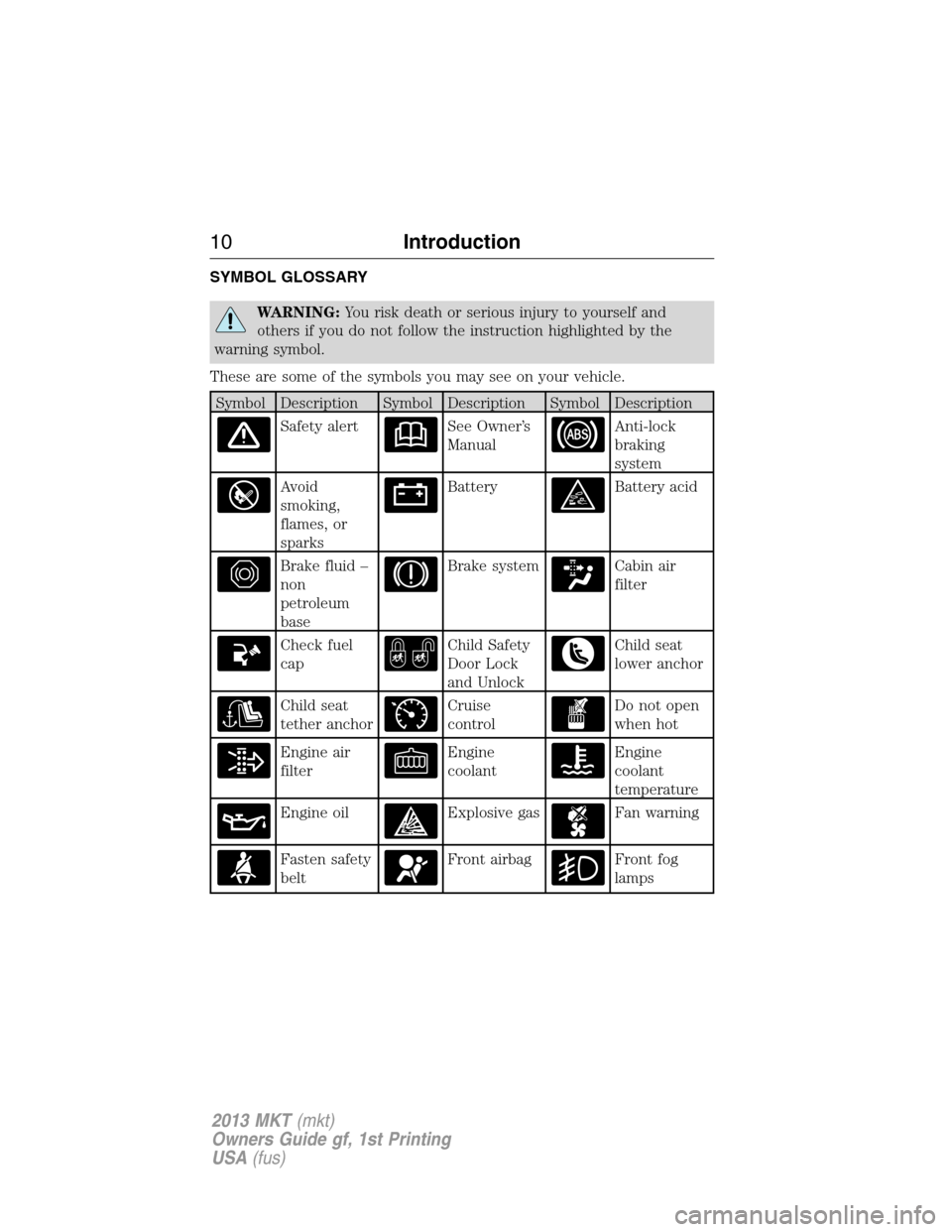
SYMBOL GLOSSARY
WARNING:You risk death or serious injury to yourself and
others if you do not follow the instruction highlighted by the
warning symbol.
These are some of the symbols you may see on your vehicle.
Symbol Description Symbol Description Symbol Description
Safety alertSee Owner’s
ManualAnti-lock
braking
system
Avoid
smoking,
flames, or
sparksBatteryBattery acid
Brake fluid –
non
petroleum
baseBrake systemCabin air
filter
Check fuel
capChild Safety
Door Lock
and UnlockChild seat
lower anchor
Child seat
tether anchorCruise
controlDo not open
when hot
Engine air
filterEngine
coolantEngine
coolant
temperature
Engine oilExplosive gasFan warning
Fasten safety
beltFront airbagFront fog
lamps
10Introduction
2013 MKT(mkt)
Owners Guide gf, 1st Printing
USA(fus)
Page 62 of 494
handle, by activating the exterior power trunk or liftgate button, or a
button on the transmitter itself). If excessive radio frequency interface is
present in the area, or if the transmitter battery is low, it may be
necessary to mechanically unlock your door. The mechanical key blade in
your intelligent access key can be used to open the driver’s door in this
situation. Refer toRemote Controlin this chapter for more information
on the location and use of the mechanical key blade.
REMOTE CONTROL
Intelligent Access Key
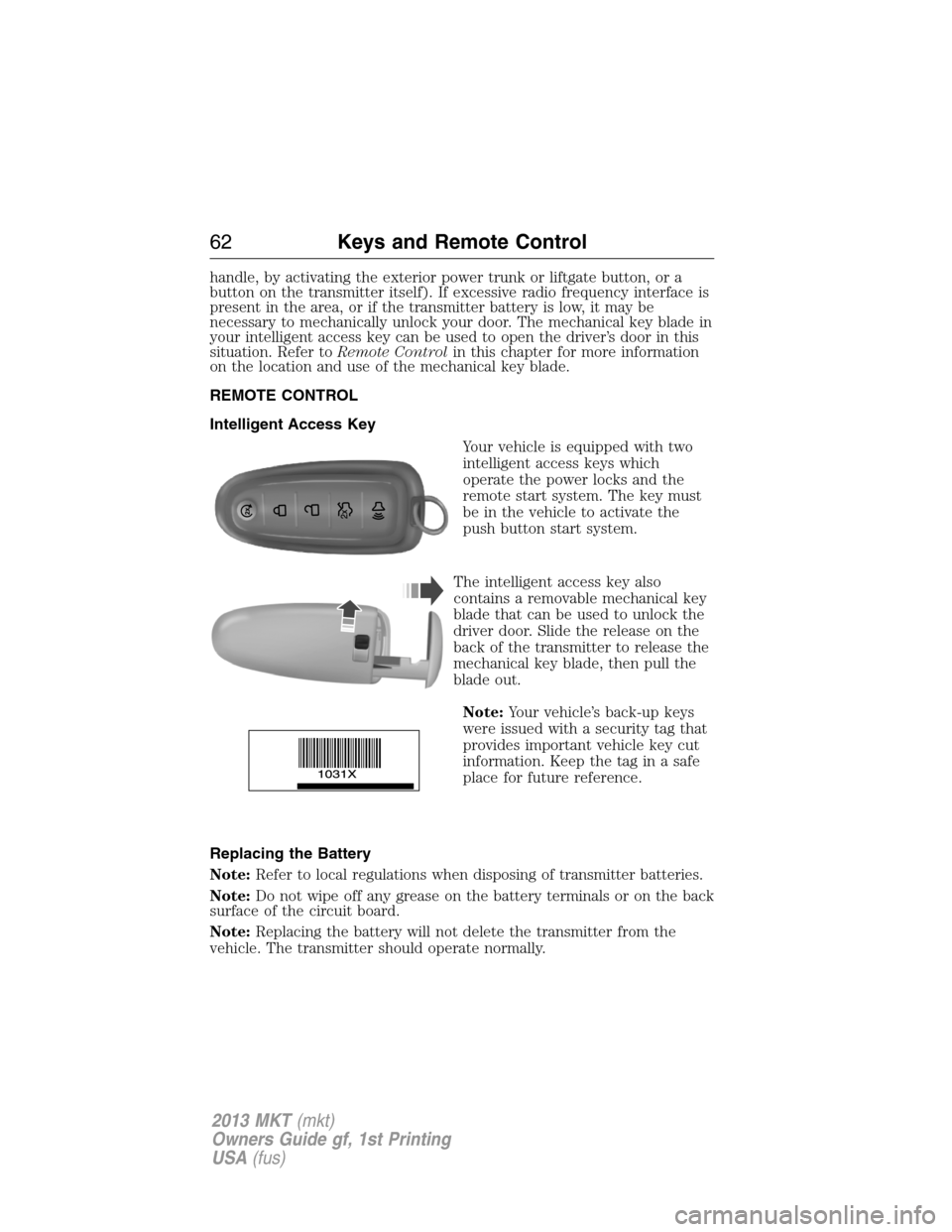
Your vehicle is equipped with two
intelligent access keys which
operate the power locks and the
remote start system. The key must
be in the vehicle to activate the
push button start system.
The intelligent access key also
contains a removable mechanical key
blade that can be used to unlock the
driver door. Slide the release on the
back of the transmitter to release the
mechanical key blade, then pull the
blade out.
Note:Your vehicle’s back-up keys
were issued with a security tag that
provides important vehicle key cut
information. Keep the tag in a safe
place for future reference.
Replacing the Battery
Note:Refer to local regulations when disposing of transmitter batteries.
Note:Do not wipe off any grease on the battery terminals or on the back
surface of the circuit board.
Note:Replacing the battery will not delete the transmitter from the
vehicle. The transmitter should operate normally.
62Keys and Remote Control
2013 MKT(mkt)
Owners Guide gf, 1st Printing
USA(fus)
Page 63 of 494
The remote control uses one coin-type three-volt lithium battery CR2032
or equivalent.
Intelligent Access Transmitter
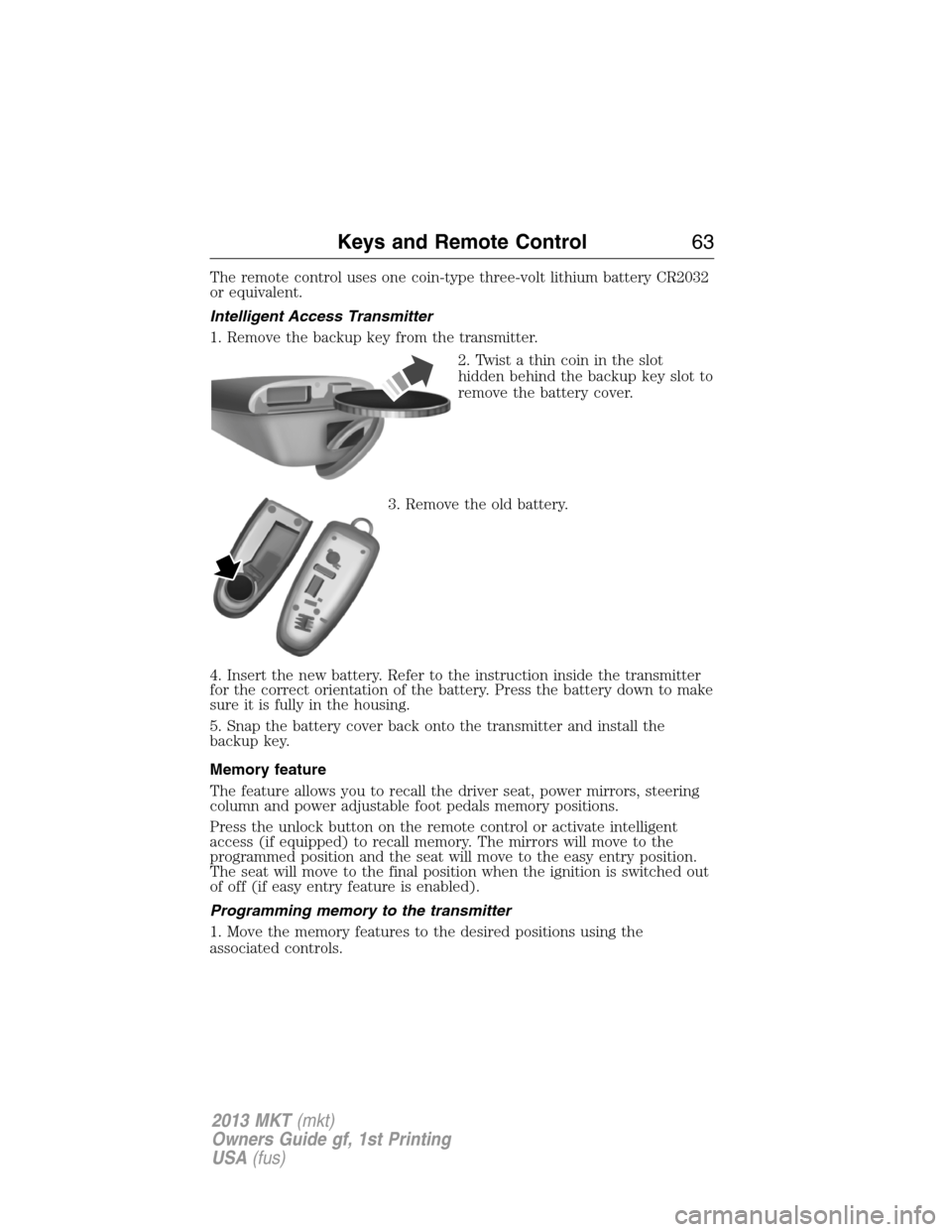
1. Remove the backup key from the transmitter.
2. Twist a thin coin in the slot
hidden behind the backup key slot to
remove the battery cover.
3. Remove the old battery.
4. Insert the new battery. Refer to the instruction inside the transmitter
for the correct orientation of the battery. Press the battery down to make
sure it is fully in the housing.
5. Snap the battery cover back onto the transmitter and install the
backup key.
Memory feature
The feature allows you to recall the driver seat, power mirrors, steering
column and power adjustable foot pedals memory positions.
Press the unlock button on the remote control or activate intelligent
access (if equipped) to recall memory. The mirrors will move to the
programmed position and the seat will move to the easy entry position.
The seat will move to the final position when the ignition is switched out
of off (if easy entry feature is enabled).
Programming memory to the transmitter
1. Move the memory features to the desired positions using the
associated controls.
Keys and Remote Control63
2013 MKT(mkt)
Owners Guide gf, 1st Printing
USA(fus)
Page 65 of 494
Note:Do not use remote start if your vehicle is low on fuel.
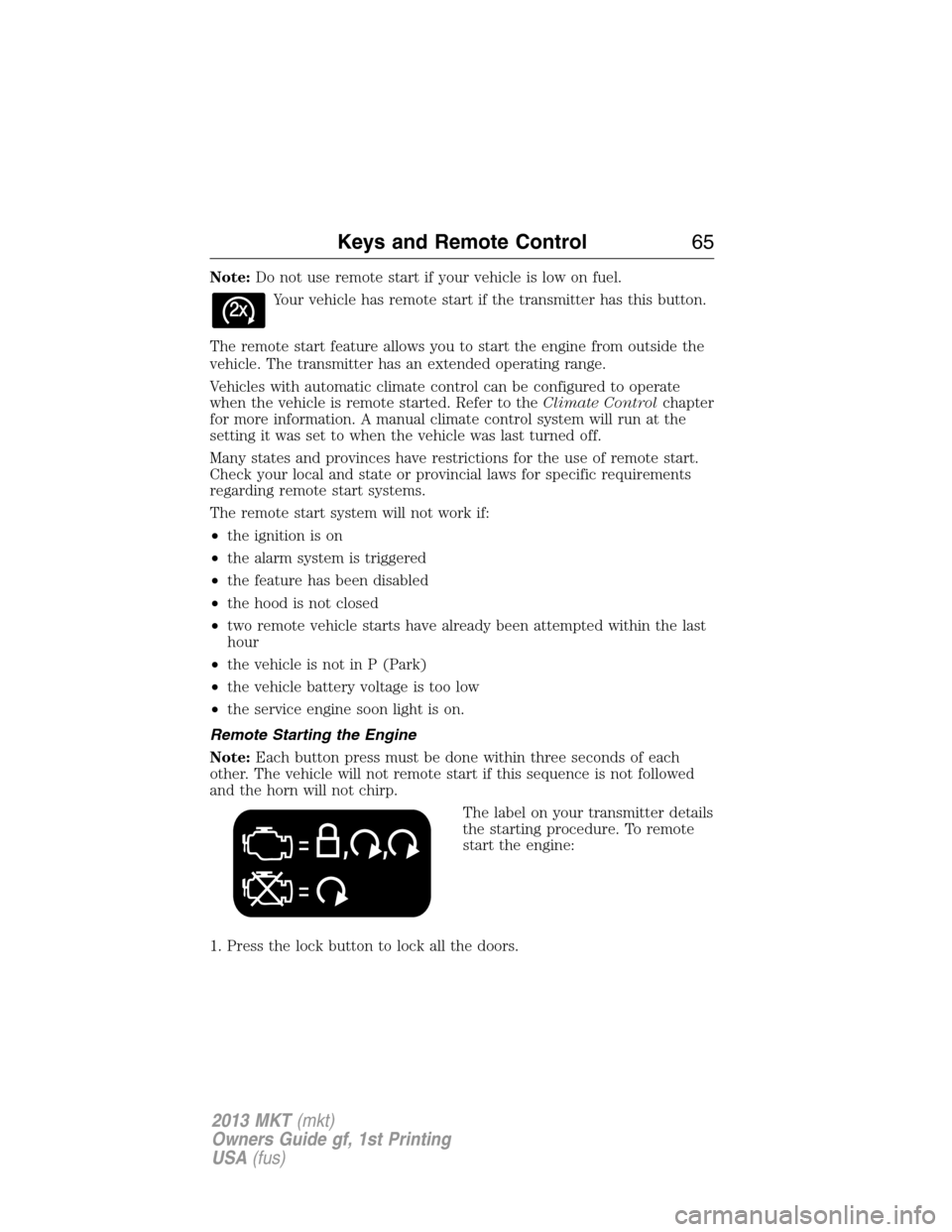
Your vehicle has remote start if the transmitter has this button.
The remote start feature allows you to start the engine from outside the
vehicle. The transmitter has an extended operating range.
Vehicles with automatic climate control can be configured to operate
when the vehicle is remote started. Refer to theClimate Controlchapter
for more information. A manual climate control system will run at the
setting it was set to when the vehicle was last turned off.
Many states and provinces have restrictions for the use of remote start.
Check your local and state or provincial laws for specific requirements
regarding remote start systems.
The remote start system will not work if:
•the ignition is on
•the alarm system is triggered
•the feature has been disabled
•the hood is not closed
•two remote vehicle starts have already been attempted within the last
hour
•the vehicle is not in P (Park)
•the vehicle battery voltage is too low
•the service engine soon light is on.
Remote Starting the Engine
Note:Each button press must be done within three seconds of each
other. The vehicle will not remote start if this sequence is not followed
and the horn will not chirp.
The label on your transmitter details
the starting procedure. To remote
start the engine:
1. Press the lock button to lock all the doors.
Keys and Remote Control65
2013 MKT(mkt)
Owners Guide gf, 1st Printing
USA(fus)
Page 76 of 494
•the vehicle is locked using the keyless entry keypad
•after 25 seconds of illumination.
The lights will not turn off if:
•they have been turned on with the dimmer control
•any door is open.
Illuminated Exit
The interior dome lamps, parking lamps and puddle lamps (if equipped)
will illuminate when all doors are closed and the ignition is turned off.
The lights will turn off if all the doors remain closed and:
•25 seconds elapse
•the START/STOP button is pressed.
Battery Saver
If the courtesy lamps, dome lamps or headlamps are left on, the battery
saver will shut them off 10 minutes after the ignition has been turned off.
Accessory Mode Battery Saver for Intelligent Access Keys
If you shut off the engine and leave the ignition in the on or accessory
mode, the ignition will shut off after 30 minutes.
LIFTGATE
WARNING:It is extremely dangerous to ride in a cargo area,
inside or outside of a vehicle. In a collision, people riding in these
areas are more likely to be seriously injured or killed. Do not allow
people to ride in any area of your vehicle that is not equipped with
seats and safety belts. Be sure everyone in your vehicle is in a seat and
using a safety belt properly.
Power Liftgate
WARNING:Make sure all persons are clear of the power liftgate
area before using the power liftgate control.
WARNING:Keep keys out of reach of children. Do not allow
children to play near an open or moving power liftgate.
76Locks
2013 MKT(mkt)
Owners Guide gf, 1st Printing
USA(fus)
Page 77 of 494
Note:Cycling the ignition while the liftgate is power closing and is
6–10 inches (15–24 cm) from being latched may cause the liftgate to
reverse to full open position. Make sure that the liftgate is closed before
operating or moving the vehicle, especially in an enclosure, like a garage
or a parking structure. The liftgate or its components could be damaged.
Note:Do not drive with the liftgate open without first disabling the
power function and securing the liftgate to the vehicle.
Note:In case of operation in extreme cold -40°F (-40°C), or on extreme
inclines, manual operation of the liftgate is suggested.
The power liftgate can be enabled or disabled using the information
display. The remote control and instrument panel button will still operate
the liftgate regardless of the setting.
Opening and Closing the Power Liftgate
Note:The liftgate movement direction can be reversed with a second
press of the instrument panel, or the control button on the liftgate, or a
second double press of the transmitter button.
The liftgate will only operate with the vehicle in P (Park).
A chime will sound three times as the liftgate begins to power close. A
single chime indicates a problem with the close request, caused by:
•the ignition is on and the transmission is not in P (Park);
•or the battery voltage is below the minimum operating voltage;
•or the vehicle speed is at or above 3 mph (5 km/h).
If the liftgate reverses and starts to close after an open request, a fast
continuous chime indicates excessive load on the gate or a possible strut
failure. See your authorized dealer if you still have a fast chime after the
load is removed.
To open or close from the instrument panel:Press the
instrument panel button.
To open or close with the remote control:Press the remote
control button twice within three seconds.
Locks77
2013 MKT(mkt)
Owners Guide gf, 1st Printing
USA(fus)
Page 79 of 494
Resetting the Power Liftgate
The liftgate may not operate properly and may need to be reset if any of
these conditions occur:
•a low voltage or dead battery
•disconnected battery
•the liftgate is manually closed and left ajar (unlatched)
To reset the power liftgate:
1. Disconnect the battery for 20 seconds then, reconnect the battery.
2. Manually close and fully latch the liftgate.
3. Power open the liftgate by using the transmitter, or the instrument
panel control button.
Manual Operation
WARNING:Make sure that the liftgate is closed to prevent
exhaust fumes from being drawn into the vehicle. This will also
prevent passengers and cargo from falling out. If you must drive with
the liftgate door open, keep the vehicle well ventilated so outside air
comes into the vehicle.
Note:Be careful when opening or closing the liftgate in a garage or
other enclosed area to avoid damaging the liftgate.
Note:Do not hang anything (bike rack, etc.) from the spoiler, glass or
liftgate. This could damage the liftgate and its components.
Note:Do not leave the liftgate open while driving. This could damage
the liftgate and its components.
The liftgate area is only intended for cargo, not passengers.
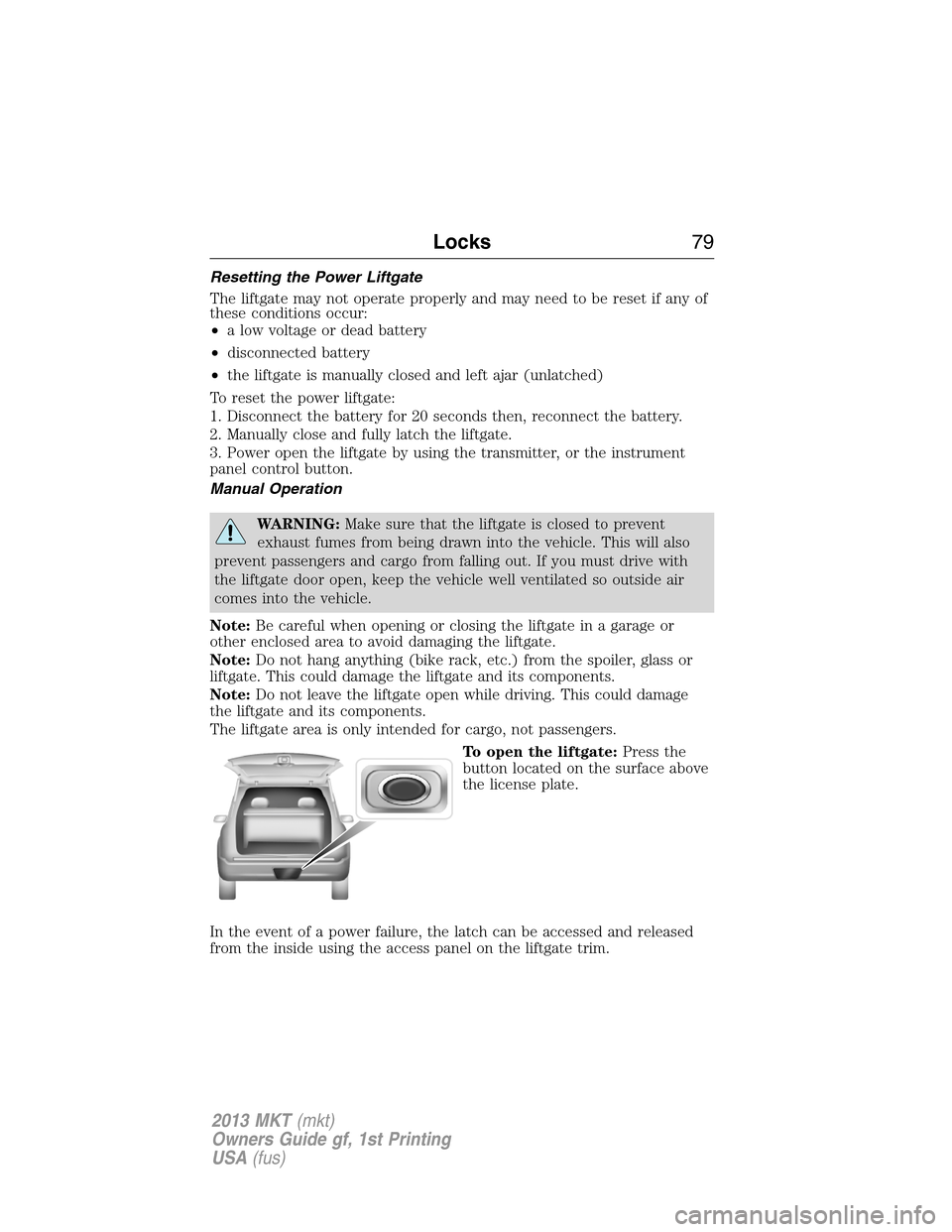
To open the liftgate:Press the
button located on the surface above
the license plate.
In the event of a power failure, the latch can be accessed and released
from the inside using the access panel on the liftgate trim.
Locks79
2013 MKT(mkt)
Owners Guide gf, 1st Printing
USA(fus)
Page 110 of 494
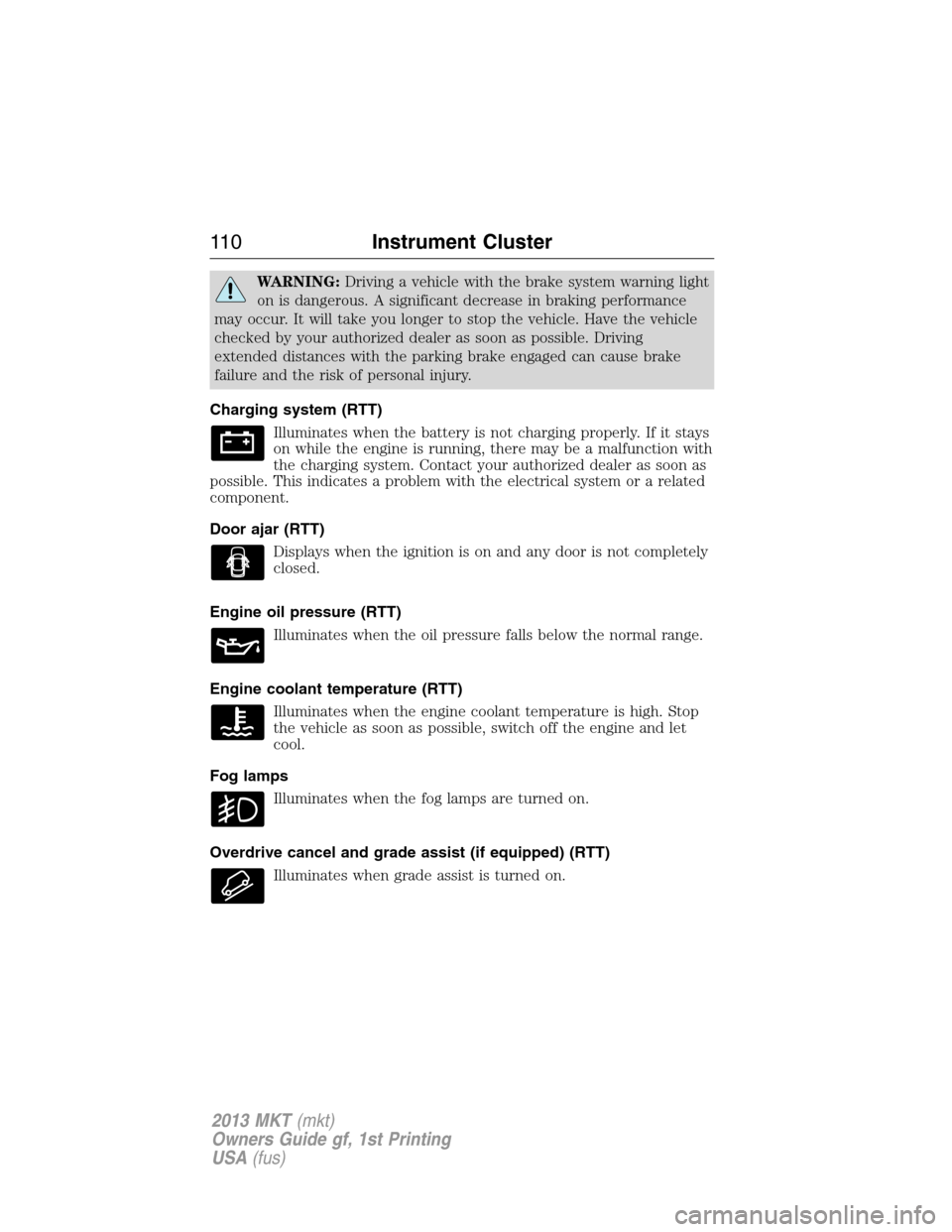
WARNING:Driving a vehicle with the brake system warning light
on is dangerous. A significant decrease in braking performance
may occur. It will take you longer to stop the vehicle. Have the vehicle
checked by your authorized dealer as soon as possible. Driving
extended distances with the parking brake engaged can cause brake
failure and the risk of personal injury.
Charging system (RTT)
Illuminates when the battery is not charging properly. If it stays
on while the engine is running, there may be a malfunction with
the charging system. Contact your authorized dealer as soon as
possible. This indicates a problem with the electrical system or a related
component.
Door ajar (RTT)
Displays when the ignition is on and any door is not completely
closed.
Engine oil pressure (RTT)
Illuminates when the oil pressure falls below the normal range.
Engine coolant temperature (RTT)
Illuminates when the engine coolant temperature is high. Stop
the vehicle as soon as possible, switch off the engine and let
cool.
Fog lamps
Illuminates when the fog lamps are turned on.
Overdrive cancel and grade assist (if equipped) (RTT)
Illuminates when grade assist is turned on.
11 0Instrument Cluster
2013 MKT(mkt)
Owners Guide gf, 1st Printing
USA(fus)
Page 122 of 494
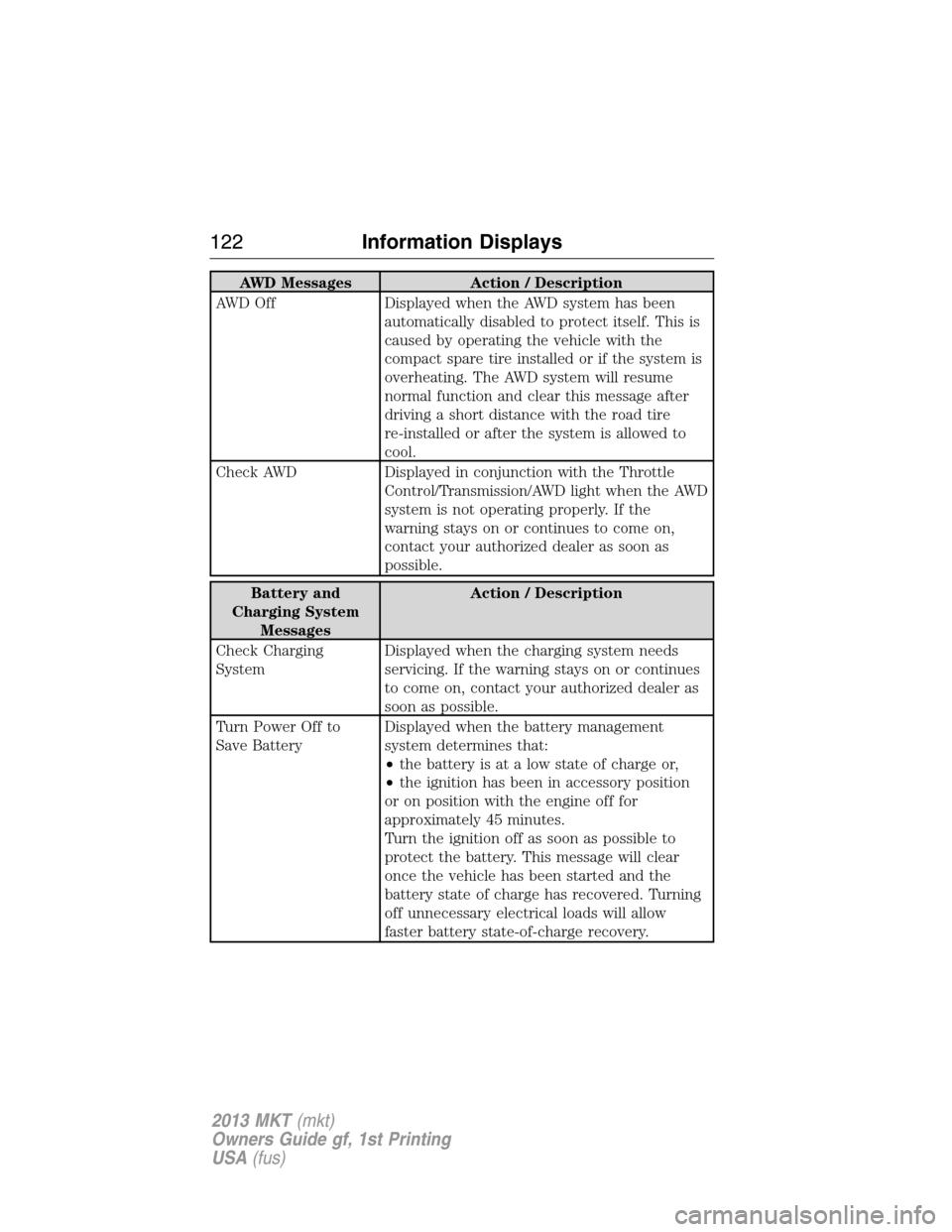
AWD Messages Action / Description
AWD Off Displayed when the AWD system has been
automatically disabled to protect itself. This is
caused by operating the vehicle with the
compact spare tire installed or if the system is
overheating. The AWD system will resume
normal function and clear this message after
driving a short distance with the road tire
re-installed or after the system is allowed to
cool.
Check AWD Displayed in conjunction with the Throttle
Control/Transmission/AWD light when the AWD
system is not operating properly. If the
warning stays on or continues to come on,
contact your authorized dealer as soon as
possible.
Battery and
Charging System
MessagesAction / Description
Check Charging
SystemDisplayed when the charging system needs
servicing. If the warning stays on or continues
to come on, contact your authorized dealer as
soon as possible.
Turn Power Off to
Save BatteryDisplayed when the battery management
system determines that:
•the battery is at a low state of charge or,
•the ignition has been in accessory position
or on position with the engine off for
approximately 45 minutes.
Turn the ignition off as soon as possible to
protect the battery. This message will clear
once the vehicle has been started and the
battery state of charge has recovered. Turning
off unnecessary electrical loads will allow
faster battery state-of-charge recovery.
122Information Displays
2013 MKT(mkt)
Owners Guide gf, 1st Printing
USA(fus)