light LINCOLN MKT 2014 Manual PDF
[x] Cancel search | Manufacturer: LINCOLN, Model Year: 2014, Model line: MKT, Model: LINCOLN MKT 2014Pages: 498, PDF Size: 7.3 MB
Page 219 of 498
Note:It is your responsibility to stay alert, drive safely and be in control
of the vehicle at all times.
The system adjusts your speed to maintain a proper distance between
you and the vehicle in front of you in the same lane. You can select from
one of four GAP settings. The controls are located on the steering wheel.
At startup, the system sets the gap to the last selected setting. Once
activated, you can deactivate the system at any time by pressing the
brake pedal, pressing the steering wheelOFFcontrol or pressing the
CNCL
control. In addition, you can temporarily increase the vehicle speed
above the current speed by manually pressing on the accelerator pedal.
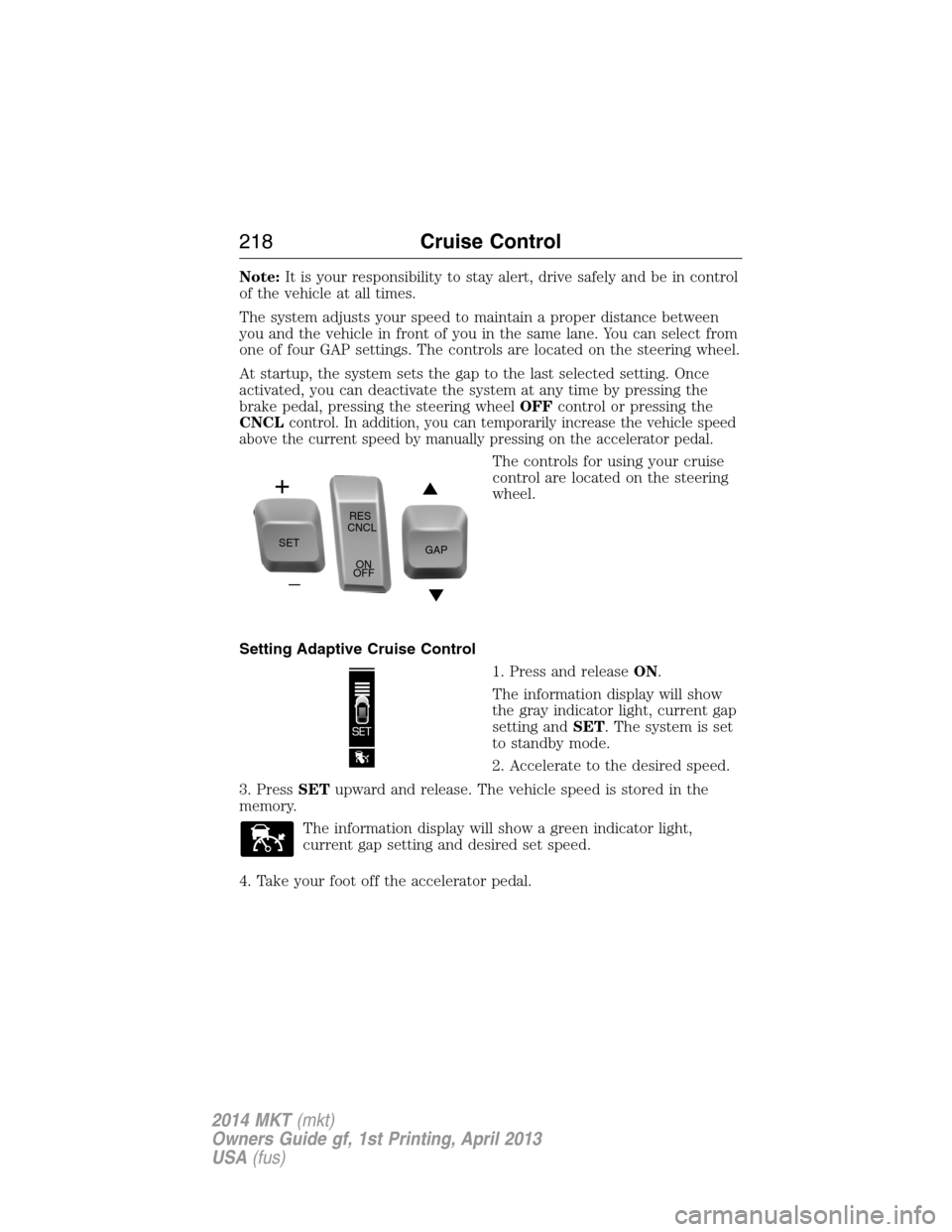
The controls for using your cruise
control are located on the steering
wheel.
Setting Adaptive Cruise Control
1. Press and releaseON.
The information display will show
the gray indicator light, current gap
setting andSET. The system is set
to standby mode.
2. Accelerate to the desired speed.
3. PressSETupward and release. The vehicle speed is stored in the
memory.
The information display will show a green indicator light,
current gap setting and desired set speed.
4. Take your foot off the accelerator pedal.
SETRES
CNCL
ON
OFFGAP
218Cruise Control
2014 MKT(mkt)
Owners Guide gf, 1st Printing, April 2013
USA(fus)
Page 220 of 498
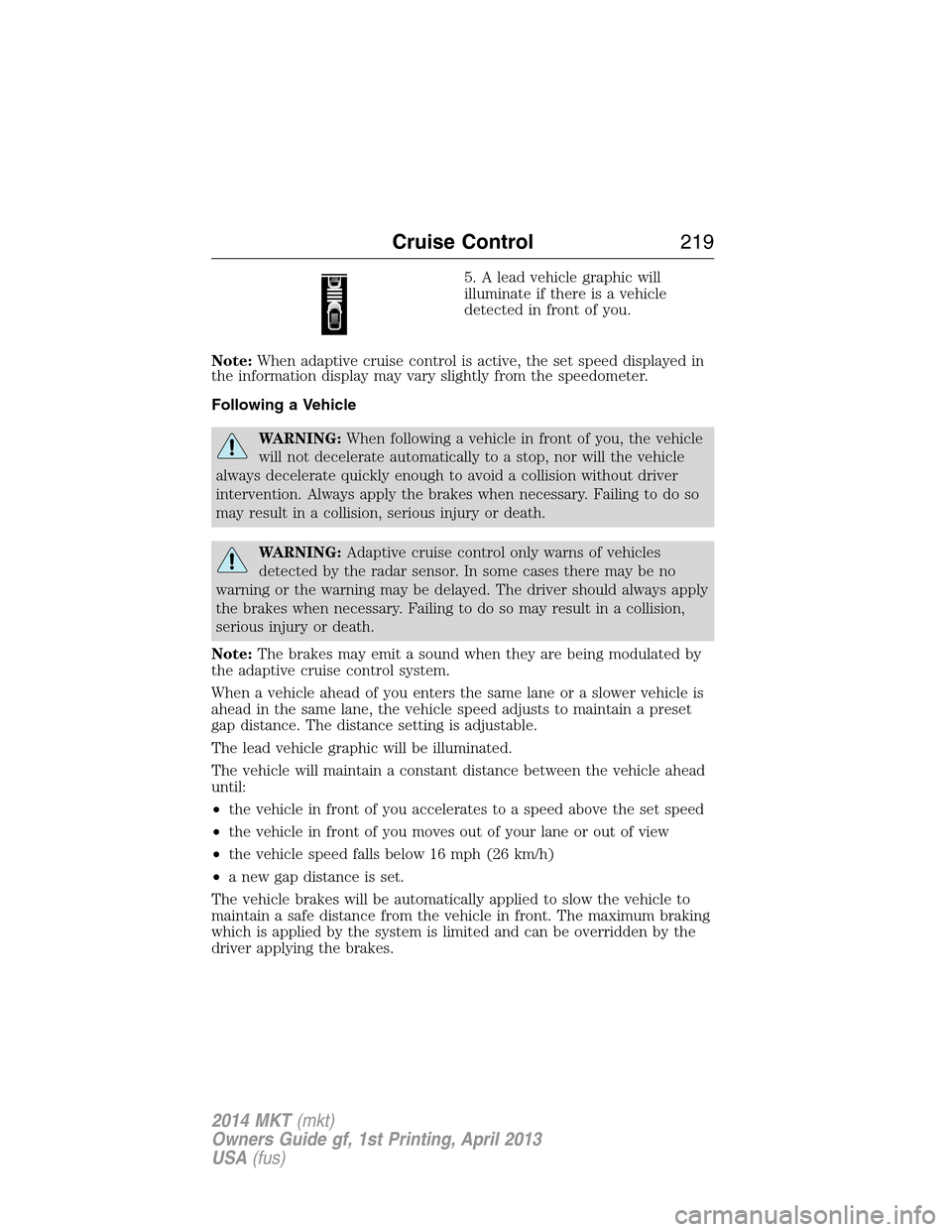
5. A lead vehicle graphic will
illuminate if there is a vehicle
detected in front of you.
Note:When adaptive cruise control is active, the set speed displayed in
the information display may vary slightly from the speedometer.
Following a Vehicle
WARNING:When following a vehicle in front of you, the vehicle
will not decelerate automatically to a stop, nor will the vehicle
always decelerate quickly enough to avoid a collision without driver
intervention. Always apply the brakes when necessary. Failing to do so
may result in a collision, serious injury or death.
WARNING:Adaptive cruise control only warns of vehicles
detected by the radar sensor. In some cases there may be no
warning or the warning may be delayed. The driver should always apply
the brakes when necessary. Failing to do so may result in a collision,
serious injury or death.
Note:The brakes may emit a sound when they are being modulated by
the adaptive cruise control system.
When a vehicle ahead of you enters the same lane or a slower vehicle is
ahead in the same lane, the vehicle speed adjusts to maintain a preset
gap distance. The distance setting is adjustable.
The lead vehicle graphic will be illuminated.
The vehicle will maintain a constant distance between the vehicle ahead
until:
•the vehicle in front of you accelerates to a speed above the set speed
•the vehicle in front of you moves out of your lane or out of view
•the vehicle speed falls below 16 mph (26 km/h)
•a new gap distance is set.
The vehicle brakes will be automatically applied to slow the vehicle to
maintain a safe distance from the vehicle in front. The maximum braking
which is applied by the system is limited and can be overridden by the
driver applying the brakes.
Cruise Control219
2014 MKT(mkt)
Owners Guide gf, 1st Printing, April 2013
USA(fus)
Page 222 of 498
When you are overriding the system, the green indicator light
illuminates and the follow vehicle does not show in the
information display. The system will resume operation when
you release the accelerator pedal. The vehicle speed will decrease to the
set speed, or a lower speed if following a slower vehicle.
Changing the Set Speed
There are three ways to change the set speed:
•Accelerate or brake to the desired speed and pressSETupward and
release.
•Increase or decrease the speed by holdingSETupward or downward
until the desired set speed is shown on the information display.
The vehicle speed will gradually change to the selected speed.
•Increase or decrease the speed in increments of 1 mph (2 km/h) by
briefly pressingSETupward or downward.
The system may apply the brakes to slow the vehicle down to the new
set speed. The set speed will display continuously in the information
display while the system is active.
Resuming the Set Speed
Note:Resume should only be used if you are aware of the set speed and
intend to return to it.
Press and releaseRES. The vehicle will return to the previously set
speed. The set speed will display continuously in the information display
while the system is active.
Low Speed Automatic Cancellation
The system is not functional at vehicle speeds below 16 mph (26 km/h).
An audible alarm sounds and the automatic braking released if the
vehicle drops below this speed.
Hilly Condition Usage
Note:An audible alarm sounds and the system shuts down if it is
applying brakes for an extended period of time. This allows the brakes to
cool down. The system will function normally again when the brakes
have cooled down.
You should select a lower gear position when the system is active in
situations such as prolonged downhill driving on steep grades, for
example driving in mountainous areas. Your vehicle needs additional
engine braking in these situations to reduce the load on the vehicle’s
regular brake system to prevent them from overheating.
Cruise Control221
2014 MKT(mkt)
Owners Guide gf, 1st Printing, April 2013
USA(fus)
Page 225 of 498
Cause Action
The surface of the radar in the
grille is dirty or obstructed in
some way.Clean the grille surface in front of
the radar or remove the object
causing the obstruction.
The surface of the radar in the
grille is clean but the message
remains in the display.Wait a short time. It may take
several minutes for the radar to
detect that it is no longer
obstructed.
Heavy rain or snow is interfering
with the radar signals.Do not use the system in these
conditions because it may not
detect any vehicle ahead.
Swirling water, or snow or ice on
the surface of the road may
interfere with the radar signals.Do not use system in these
conditions because it may not
detect any vehicle ahead.
You are in a desert or remote area
with no other vehicles and no
roadside objects.Wait a short time or switch to
normal cruise control.
Due to the nature of radar technology, it is possible to get a blockage
warning and not be blocked. This can happen, for example, when driving
in sparse rural or desert environments. A false blocked condition will
either self-clear or clear after a key cycle.
Switching to Normal Cruise Control
WARNING:Normal cruise control will not brake due to slower
vehicles. Always be aware of which mode is selected and apply
the brakes when necessary.
You can manually change from adaptive cruise control to normal cruise
control through the information display.
The cruise control indicator light will replace the adaptive
cruise control indicator light if normal cruise control is selected.
The gap setting will not be displayed, the system will not
automatically respond to lead vehicles and automatic braking will not be
activated. The system will default to adaptive cruise control when the
engine is started.
224Cruise Control
2014 MKT(mkt)
Owners Guide gf, 1st Printing, April 2013
USA(fus)
Page 228 of 498
The system detects unintentional drifting toward the outside of the lane
and alerts and/or aids the driver to stay in the lane through the steering
system and instrument cluster display. The system automatically detects
and tracks the road lane markings using a camera that is mounted
behind the interior rear view mirror.
Note:The system works above 40 mph (64 km/h).
Note:The system works as long as one lane marking can be detected by
the camera.
Note:If the camera is blocked or if the windshield is damaged, the
system may not function.
Note:When Aid mode is on and the system detects no driver steering
activity for a short period after system activation, the system alerts the
driver to keep their hands on the steering wheel. The system may detect
a light touch or grip on the steering wheel as hands-off driving.
Switching the System On and Off
Press the button located on the center console to switch the
system on or off.
Note:The system on/off setting is stored until it is manual changed,
unless a MyKey® is detected. If a MyKey® is detected, the system is
defaulted to on and the mode is set to Alert.
Note:If a MyKey® is detected, pressing the button will not affect the
on/off status of the system. Only the Mode and Intensity settings can be
changed when a MyKey® is present.
System Settings
The system has one standard feature setting and one optional setting
menu available. To view or adjust the settings, refer to theInformation
Displayschapter. The last-known selection for each of these settings is
stored by the system. You do not need to readjust your settings each
time you turn on the system.
Mode (if equipped):This setting allows the driver to select which of
the system features will be enabled.
Note:Some vehicle are only equipped with the alert function only.
Driving Aids227
2014 MKT(mkt)
Owners Guide gf, 1st Printing, April 2013
USA(fus)
Page 231 of 498
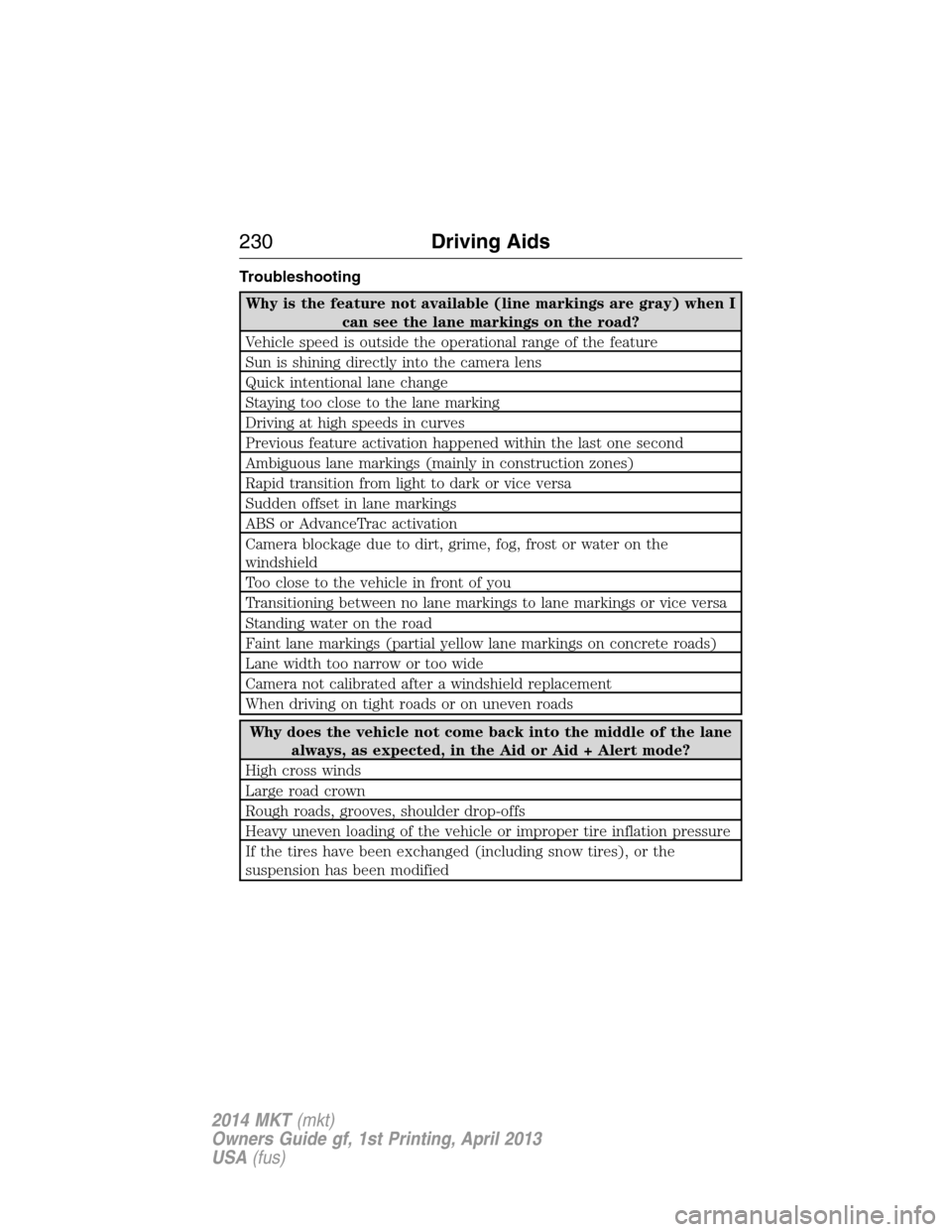
Troubleshooting
Why is the feature not available (line markings are gray) when I
can see the lane markings on the road?
Vehicle speed is outside the operational range of the feature
Sun is shining directly into the camera lens
Quick intentional lane change
Staying too close to the lane marking
Driving at high speeds in curves
Previous feature activation happened within the last one second
Ambiguous lane markings (mainly in construction zones)
Rapid transition from light to dark or vice versa
Sudden offset in lane markings
ABS or AdvanceTrac activation
Camera blockage due to dirt, grime, fog, frost or water on the
windshield
Too close to the vehicle in front of you
Transitioning between no lane markings to lane markings or vice versa
Standing water on the road
Faint lane markings (partial yellow lane markings on concrete roads)
Lane width too narrow or too wide
Camera not calibrated after a windshield replacement
When driving on tight roads or on uneven roads
Why does the vehicle not come back into the middle of the lane
always, as expected, in the Aid or Aid + Alert mode?
High cross winds
Large road crown
Rough roads, grooves, shoulder drop-offs
Heavy uneven loading of the vehicle or improper tire inflation pressure
If the tires have been exchanged (including snow tires), or the
suspension has been modified
230Driving Aids
2014 MKT(mkt)
Owners Guide gf, 1st Printing, April 2013
USA(fus)
Page 234 of 498
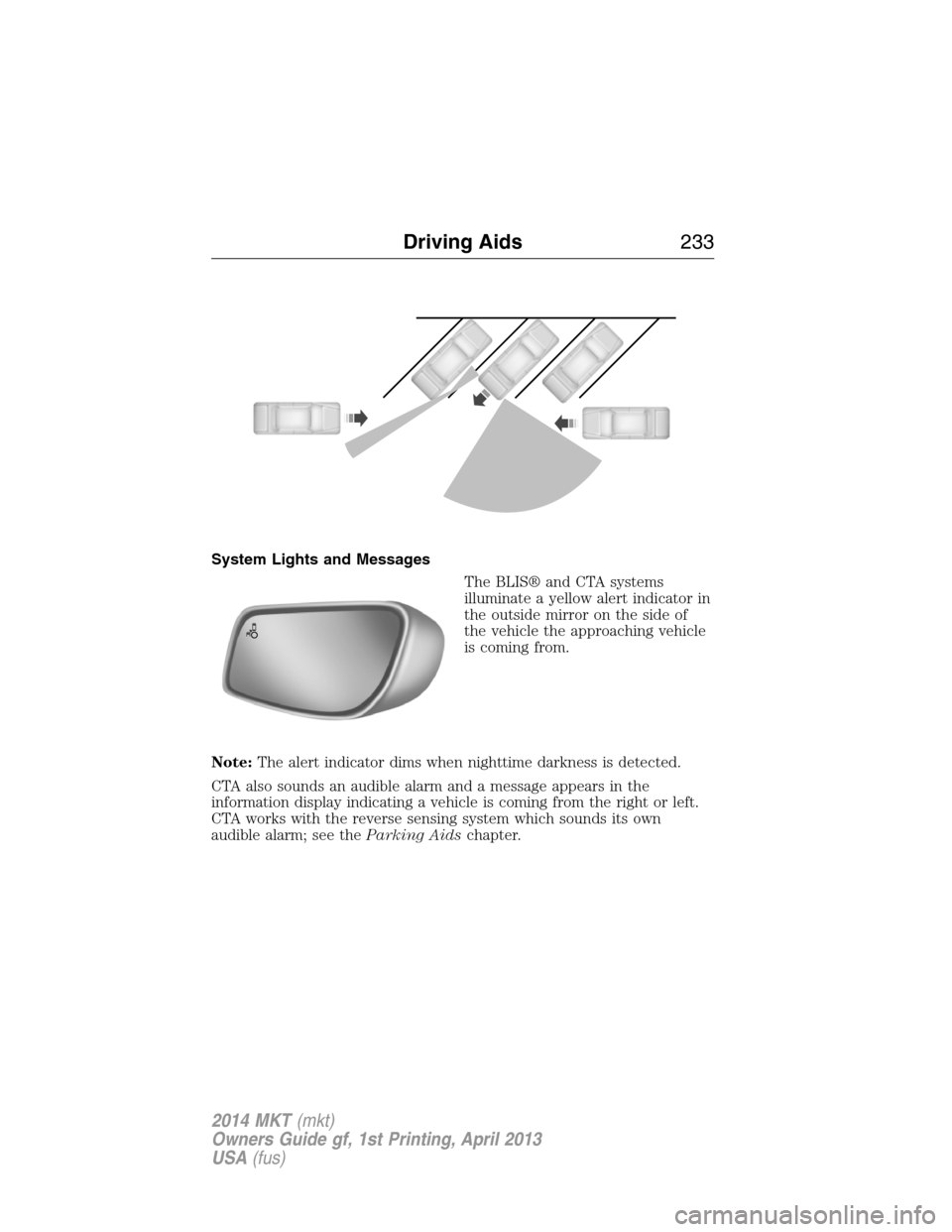
System Lights and Messages
The BLIS® and CTA systems
illuminate a yellow alert indicator in
the outside mirror on the side of
the vehicle the approaching vehicle
is coming from.
Note:The alert indicator dims when nighttime darkness is detected.
CTA also sounds an audible alarm and a message appears in the
information display indicating a vehicle is coming from the right or left.
CTA works with the reverse sensing system which sounds its own
audible alarm; see theParking Aidschapter.
Driving Aids233
2014 MKT(mkt)
Owners Guide gf, 1st Printing, April 2013
USA(fus)
Page 238 of 498
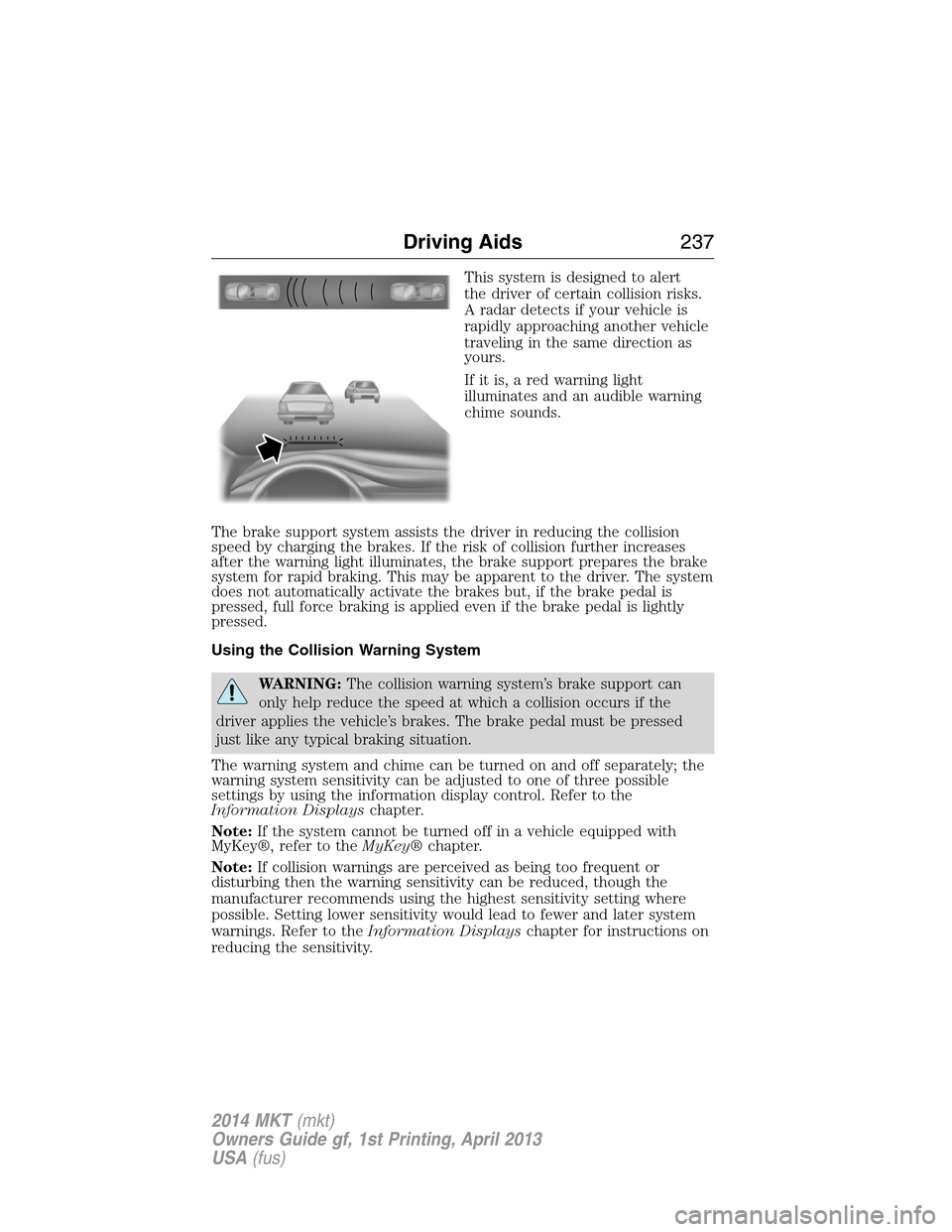
This system is designed to alert
the driver of certain collision risks.
A radar detects if your vehicle is
rapidly approaching another vehicle
traveling in the same direction as
yours.
If it is, a red warning light
illuminates and an audible warning
chime sounds.
The brake support system assists the driver in reducing the collision
speed by charging the brakes. If the risk of collision further increases
after the warning light illuminates, the brake support prepares the brake
system for rapid braking. This may be apparent to the driver. The system
does not automatically activate the brakes but, if the brake pedal is
pressed, full force braking is applied even if the brake pedal is lightly
pressed.
Using the Collision Warning System
WARNING:The collision warning system’s brake support can
only help reduce the speed at which a collision occurs if the
driver applies the vehicle’s brakes. The brake pedal must be pressed
just like any typical braking situation.
The warning system and chime can be turned on and off separately; the
warning system sensitivity can be adjusted to one of three possible
settings by using the information display control. Refer to the
Information Displayschapter.
Note:If the system cannot be turned off in a vehicle equipped with
MyKey®, refer to theMyKey®chapter.
Note:If collision warnings are perceived as being too frequent or
disturbing then the warning sensitivity can be reduced, though the
manufacturer recommends using the highest sensitivity setting where
possible. Setting lower sensitivity would lead to fewer and later system
warnings. Refer to theInformation Displayschapter for instructions on
reducing the sensitivity.
Driving Aids237
2014 MKT(mkt)
Owners Guide gf, 1st Printing, April 2013
USA(fus)
Page 244 of 498
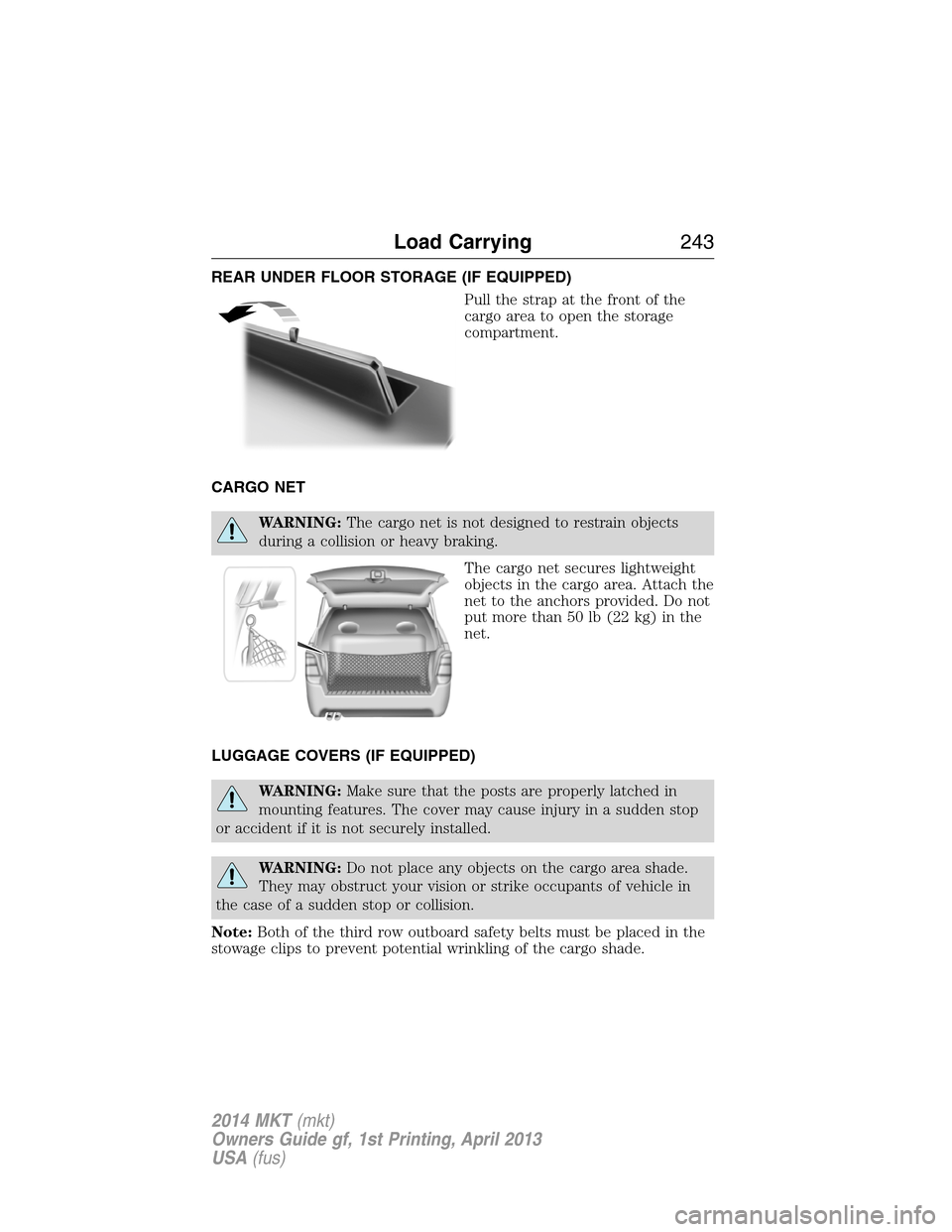
REAR UNDER FLOOR STORAGE (IF EQUIPPED)
Pull the strap at the front of the
cargo area to open the storage
compartment.
CARGO NET
WARNING:The cargo net is not designed to restrain objects
during a collision or heavy braking.
The cargo net secures lightweight
objects in the cargo area. Attach the
net to the anchors provided. Do not
put more than 50 lb (22 kg) in the
net.
LUGGAGE COVERS (IF EQUIPPED)
WARNING:Make sure that the posts are properly latched in
mounting features. The cover may cause injury in a sudden stop
or accident if it is not securely installed.
WARNING:Do not place any objects on the cargo area shade.
They may obstruct your vision or strike occupants of vehicle in
the case of a sudden stop or collision.
Note:Both of the third row outboard safety belts must be placed in the
stowage clips to prevent potential wrinkling of the cargo shade.
Load Carrying243
2014 MKT(mkt)
Owners Guide gf, 1st Printing, April 2013
USA(fus)
Page 253 of 498
TOWING A TRAILER
WARNING:Do not exceed the GVWR or the GAWR specified on
the certification label.
WARNING:Towing trailers beyond the maximum recommended
gross trailer weight exceeds the limit of your vehicle and could
result in engine damage, transmission damage, structural damage, loss
of vehicle control, vehicle rollover and personal injury.
Note:For information on electrical items such as fuses or relays, see the
Fuseschapter.
Your vehicle’s load capacity designation is by weight, not by volume, so
you cannot necessarily use all available space when loading a vehicle.
Towing a trailer places an extra load on your vehicle’s engine,
transmission, axle, brakes, tires and suspension. Inspect these
components periodically during, and after, any towing operation.
Load Placement
To help minimize how trailer movement affects your vehicle when
driving:
•Load the heaviest items closest to the trailer floor.
•Load the heaviest items centered between the left and right side
trailer tires.
•Load the heaviest items above the trailer axles or just slightly forward
toward the trailer tongue. Do not allow the final trailer tongue weight
to go above or below 10–15% of the loaded trailer weight.
•Select a tow bar with the correct rise or drop. When both the loaded
vehicle and trailer are connected, the trailer frame should be level, or
slightly angled down toward your vehicle, when viewed from the side.
When driving with a trailer or payload, a slight takeoff vibration or
shudder may be present due to the increased payload weight. You can
find more information about proper trailer loading and setting your
vehicle up for towing underLoad limitin theLoad Carryingchapter
and in theRV & Trailer Towing Guide,available at an authorized
dealer.
252Towing
2014 MKT(mkt)
Owners Guide gf, 1st Printing, April 2013
USA(fus)