instrument cluster LINCOLN MKT 2015 Owners Manual
[x] Cancel search | Manufacturer: LINCOLN, Model Year: 2015, Model line: MKT, Model: LINCOLN MKT 2015Pages: 500, PDF Size: 4.94 MB
Page 4 of 500
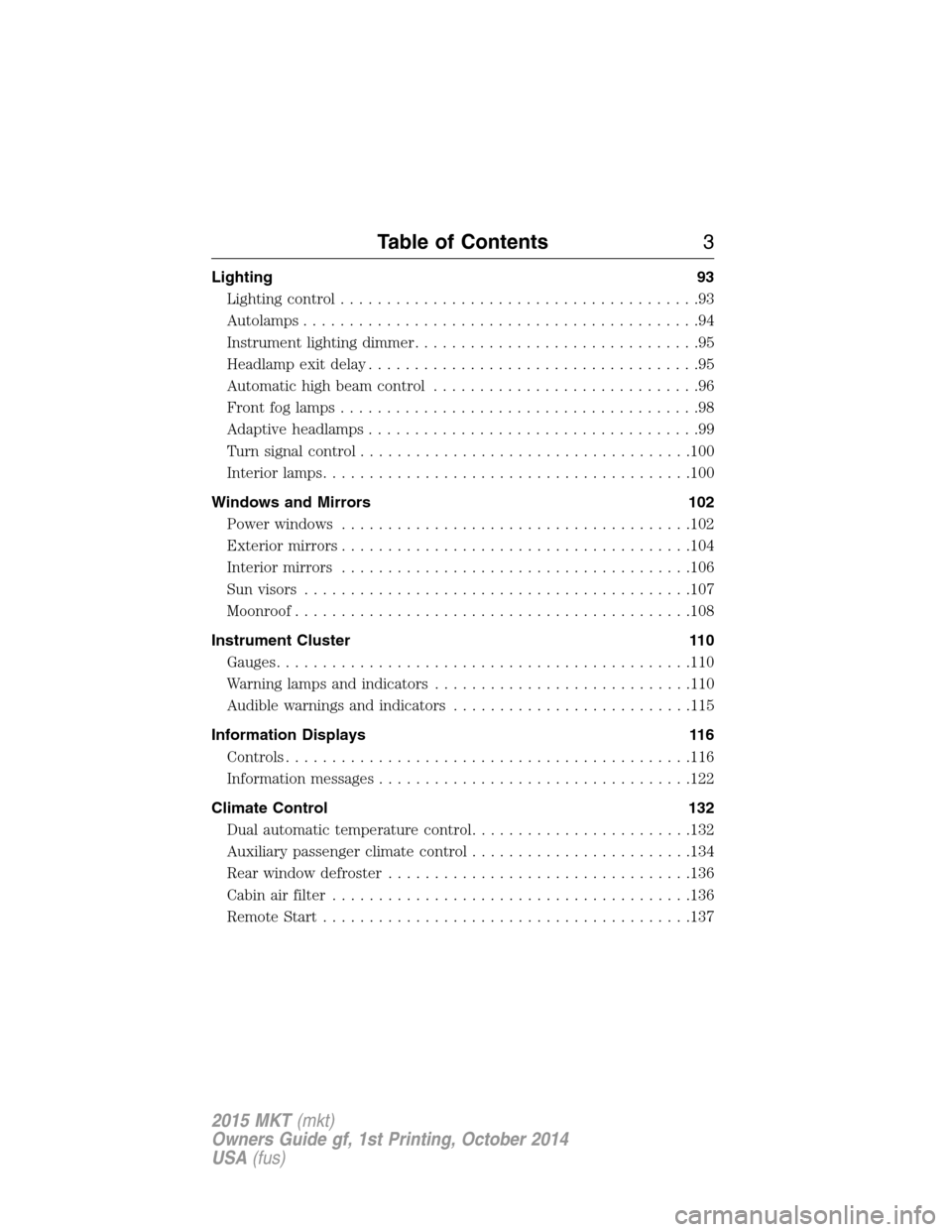
Lighting 93
Lighting control.......................................93
Autolamps...........................................94
Instrument lighting dimmer...............................95
Headlamp exit delay....................................95
Automatic high beam control.............................96
Frontfoglamps.......................................98
Adaptive headlamps....................................99
Turn signal control....................................100
Interior lamps........................................100
Windows and Mirrors 102
Power windows......................................102
Exteriormirrors......................................104
Interior mirrors......................................106
Sun visors..........................................107
Moonroof...........................................108
Instrument Cluster 110
Gauges.............................................110
Warning lamps and indicators............................110
Audible warnings and indicators..........................115
Information Displays 116
Controls............................................116
Information messages..................................122
Climate Control 132
Dual automatic temperature control........................132
Auxiliary passenger climate control........................134
Rear window defroster.................................136
Cabin air filter.......................................136
Remote Start........................................137
Table of Contents3
2015 MKT(mkt)
Owners Guide gf, 1st Printing, October 2014
USA(fus)
Page 8 of 500
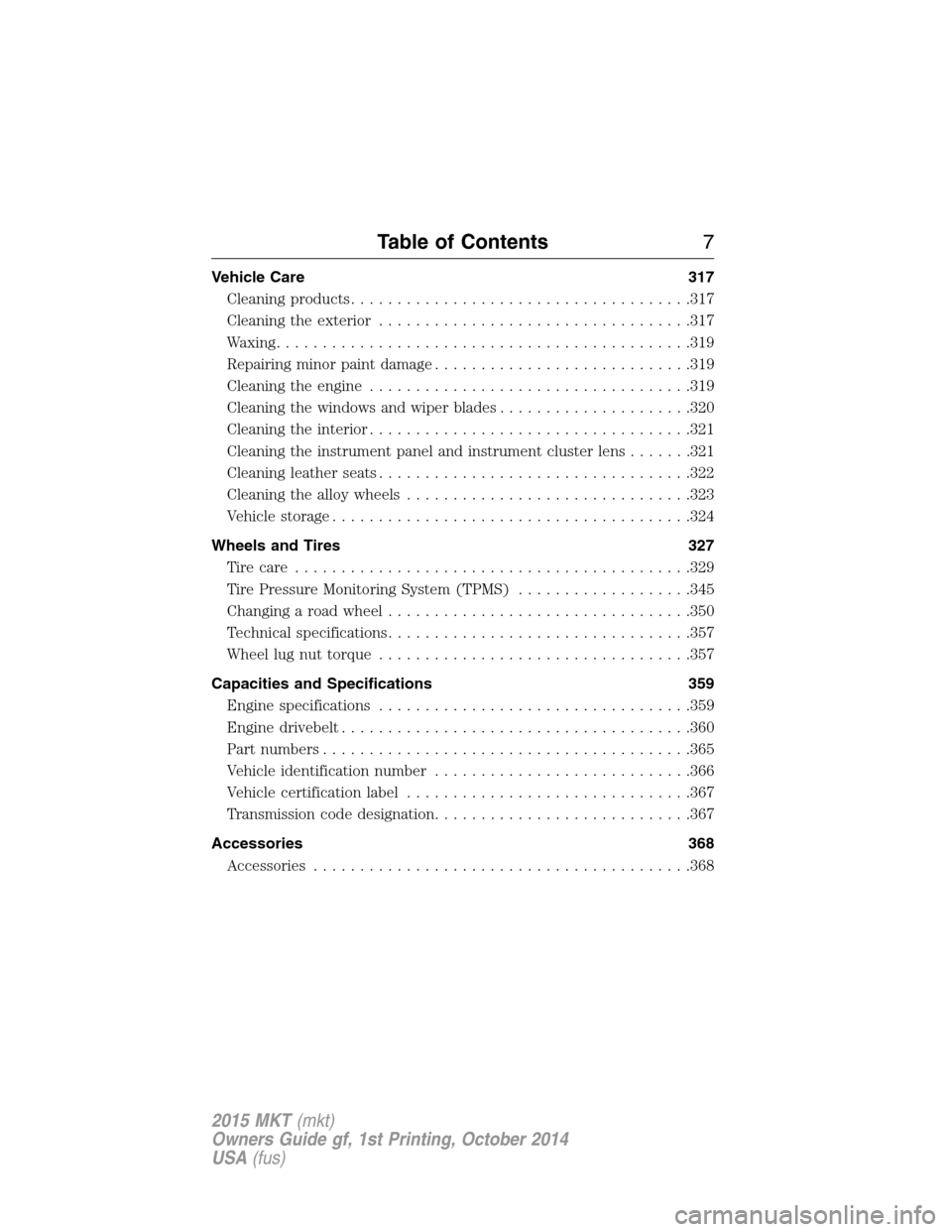
Vehicle Care 317
Cleaning products.....................................317
Cleaning the exterior..................................317
Waxing.............................................319
Repairing minor paint damage............................319
Cleaning the engine...................................319
Cleaning the windows and wiper blades.....................320
Cleaning the interior...................................321
Cleaning the instrument panel and instrument cluster lens.......321
Cleaning leather seats..................................322
Cleaning the alloy wheels...............................323
Vehiclestorage.......................................324
Wheels and Tires 327
Tire care...........................................329
Tire Pressure Monitoring System (TPMS)...................345
Changing a road wheel.................................350
Technical specifications.................................357
Wheel lug nut torque..................................357
Capacities and Specifications 359
Engine specifications..................................359
Engine drivebelt......................................360
Part numbers........................................365
Vehicle identification number............................366
Vehicle certification label...............................367
Transmission code designation............................367
Accessories 368
Accessories.........................................368
Table of Contents7
2015 MKT(mkt)
Owners Guide gf, 1st Printing, October 2014
USA(fus)
Page 58 of 500
If there are lodged objects or cargo is interfering with the seat, take the
following steps to remove the obstruction:
•Pull the vehicle over.
•Turn the vehicle off.
•Driver and adult passengers should check for any objects lodged
underneath the front passenger seat or cargo interfering with the seat.
•Remove the obstruction(s) (if found).
•Restart the vehicle.
•Wait at least two minutes and verify that the airbag readiness light in
the instrument cluster is no longer illuminated.
•If the airbag readiness light in the instrument cluster remains
illuminated, this may or may not be a problem due to the front
passenger sensing system.
Do not attempt to repair or service the system. Take your vehicle
immediately to an authorized dealer.
If it is necessary to modify an advanced front airbag system to
accommodate a person with disabilities, contact the Ford Customer
Relationship Center at the phone number shown in theCustomer
Assistancesection of this owner’s manual.
SIDE AIRBAGS
WARNING:Do not place objects or mount equipment on or near
the airbag cover, on the side of the seatbacks (of the front seats),
or in front seat areas that may come into contact with a deploying
airbag. Failure to follow these instructions may increase the risk of
personal injury in the event of a crash.
WARNING:Do not use accessory seat covers. The use of
accessory seat covers may prevent the deployment of the side
airbags and increase the risk of injury in an accident.
WARNING:Do not lean your head on the door. The side airbag
could injure you as it deploys from the side of the seatback.
Supplementary Restraints System57
2015 MKT(mkt)
Owners Guide gf, 1st Printing, October 2014
USA(fus)
Page 62 of 500
CRASH SENSORS AND AIRBAG INDICATOR
WARNING:Modifying or adding equipment to the front end of
your vehicle (including frame, bumper, front end body structure
and tow hooks) may affect the performance of the airbag system,
increasing the risk of injury. Do not modify the front end of your
vehicle.
Your vehicle has a collection of crash and occupant sensors which
provide information to the restraints control module. The restraints
control module deploys (activates) the front safety belt pretensioners,
rear inflatable safety belts, driver airbag, passenger airbag, seat mounted
side airbags, and the Safety Canopy. Based on the type of accident
(frontal impact, side impact or rollover) the restraints control module
will deploy the appropriate safety devices.
The restraints control module also monitors the readiness of the above
safety devices plus the crash and occupant sensors. The readiness of the
safety system is indicated by a warning indicator light in the instrument
cluster or by a backup tone if the warning light is not working. See the
Instrument Clusterchapter. Routine maintenance of the airbag is not
required.
A difficulty with the system is indicated by one or more of the following:
•The readiness light will either flash or stay lit.
•The readiness light will not illuminate immediately after the
ignition is turned on.
•A series of five beeps will be heard. The tone pattern will repeat
periodically until the problem or light is repaired.
If any of these things happen, even intermittently, have the supplemental
restraint system serviced at an authorized dealer immediately. Unless
serviced, the system may not function properly in the event of a crash.
The safety belt pretensioners, rear inflatable safety belts and the airbag
supplemental restraint system are designed to activate when the vehicle
sustains frontal or sideways deceleration sufficient to cause the restraints
control module to deploy a safety device or when a certain likelihood of
a rollover event is detected by the rollover sensor.
Supplementary Restraints System61
2015 MKT(mkt)
Owners Guide gf, 1st Printing, October 2014
USA(fus)
Page 80 of 500
Obstacle Detection
When closing:The system will reverse to full open when it detects an
obstacle. A chime will sound three times as the liftgate begins to reopen.
Remove the obstacle to close the liftgate can be closed under power.
Note:Entering the vehicle while the liftgate is closing can cause the
vehicle to bounce and activate obstacle detection. To prevent this, allow
the power liftgate to fully close before entering the vehicle. Before
driving off, check the instrument cluster for a liftgate or door ajar
message and/or warning indicator. Driving off without first checking for
the liftgate or door ajar message and/or warning indicator could result in
the liftgate being left open, unintentionally, while you are driving.
When opening:The system will stop and a chime will sound three times
when it detects an obstacle. Remove the obstacle to operate the liftgate.
Resetting the Power Liftgate
The liftgate may not operate properly and may need to be reset if any of
these conditions occur:
•a low voltage or dead battery
•disconnected battery
•the liftgate is manually closed and left ajar (unlatched)
To reset the power liftgate:
1. Disconnect the battery for 20 seconds then, reconnect the battery.
2. Manually close and fully latch the liftgate.
3. Power open the liftgate by using the transmitter, or the instrument
panel control button.
Manual Operation
WARNING:Make sure to close and latch the liftgate to prevent
drawing exhaust fumes into your vehicle. This will also prevent
passengers and cargo from falling out. If you must drive with the
liftgate open, keep the vents or windows open so outside air comes into
your vehicle. Failure to follow this warning could result in serious
personal injury.
Note:Be careful when opening or closing the liftgate in a garage or
other enclosed area to avoid damaging the liftgate.
Note:Do not hang anything (bike rack, etc.) from the spoiler, glass or
liftgate. This could damage the liftgate and its components.
Locks79
2015 MKT(mkt)
Owners Guide gf, 1st Printing, October 2014
USA(fus)
Page 96 of 500
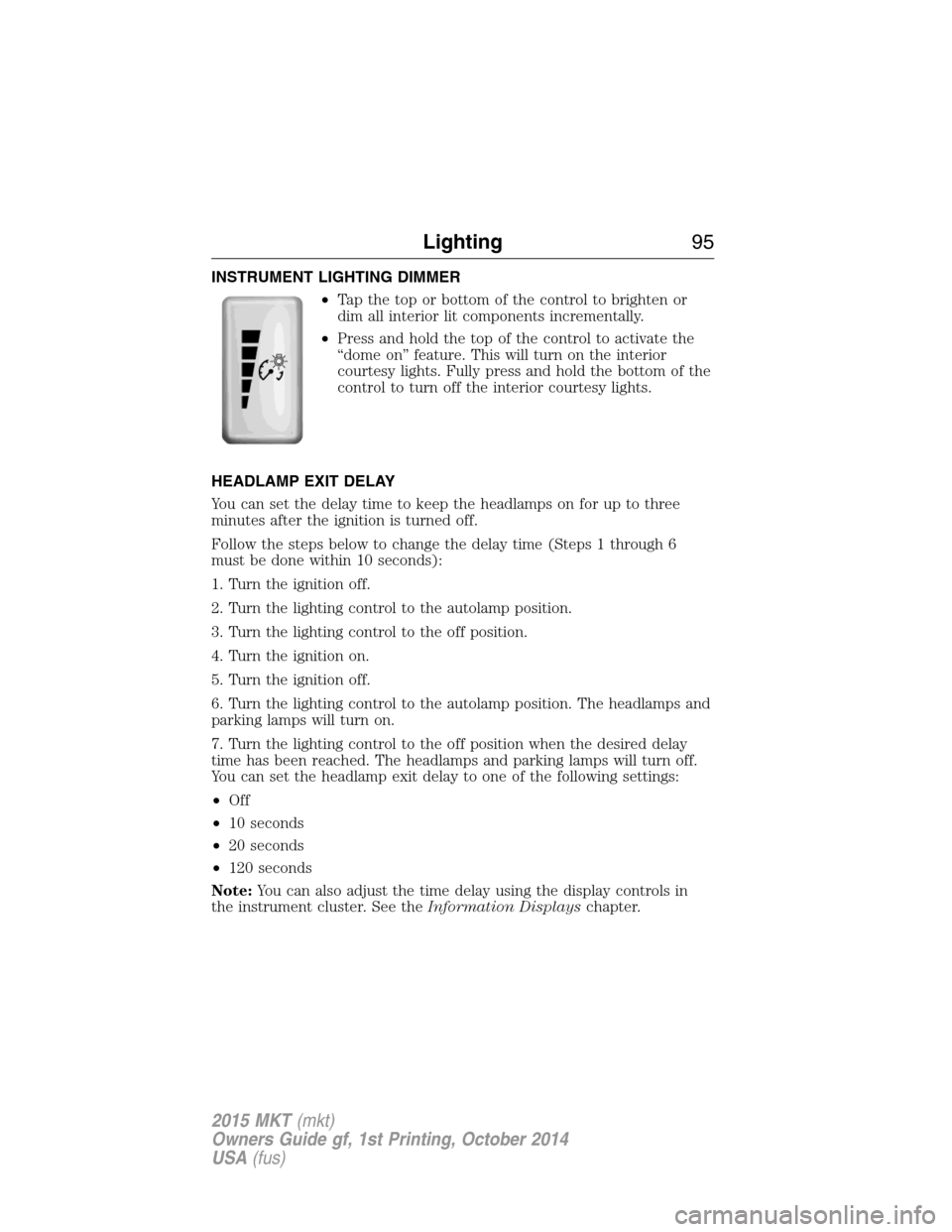
INSTRUMENT LIGHTING DIMMER
•Tap the top or bottom of the control to brighten or
dim all interior lit components incrementally.
•Press and hold the top of the control to activate the
“dome on” feature. This will turn on the interior
courtesy lights. Fully press and hold the bottom of the
control to turn off the interior courtesy lights.
HEADLAMP EXIT DELAY
You can set the delay time to keep the headlamps on for up to three
minutes after the ignition is turned off.
Follow the steps below to change the delay time (Steps 1 through 6
must be done within 10 seconds):
1. Turn the ignition off.
2. Turn the lighting control to the autolamp position.
3. Turn the lighting control to the off position.
4. Turn the ignition on.
5. Turn the ignition off.
6. Turn the lighting control to the autolamp position. The headlamps and
parking lamps will turn on.
7. Turn the lighting control to the off position when the desired delay
time has been reached. The headlamps and parking lamps will turn off.
You can set the headlamp exit delay to one of the following settings:
•Off
•10 seconds
•20 seconds
•120 seconds
Note:You can also adjust the time delay using the display controls in
the instrument cluster. See theInformation Displayschapter.
Lighting95
2015 MKT(mkt)
Owners Guide gf, 1st Printing, October 2014
USA(fus)
Page 97 of 500
DAYTIME RUNNING LAMPS (IF EQUIPPED)
WARNING:Always remember to turn on your headlamps at
dusk or during inclement weather. The Daytime Running Lamp
(DRL) system does not activate the tail lamps and generally may not
provide adequate lighting during these conditions. Failure to activate
your headlamps under these conditions may result in a collision.
The system will turn the front fog lamps on in low light situations.
The following conditions must be met to activate this feature:
•Switch the ignition on.
•Switch the lighting control to the off, autolamp or parking lamp
position.
•The transmission must be in a gear other than P (Park).
AUTOMATIC HIGH BEAM CONTROL (IF EQUIPPED)
The system will automatically turn on your high beams if it is dark
enough and no other traffic is present. When it detects an approaching
vehicle’s headlights, a preceding vehicle’s tail lamps or street lighting, the
system will turn off the high beams (low beams remain on) before they
distract other drivers.
Note:If it appears that automatic control of the high beams is not
functioning properly, check the windshield in front of the camera for
blockage. A clear view of the road is required for proper system
operation. Any windshield damage in the area of the camera field-of-view
should be repaired.
Note:If a blockage is detected (e.g. bird dropping, bug splatter, snow, or
ice) and no changes are observed, the system will go into low beam
mode until the blockage is cleared. A message may also appear in the
instrument cluster display noting the front camera is blocked.
Note:Typical road dust, dirt and water spots will not affect the
automatic high beam system’s performance. However, in cold or
inclement weather conditions, the automatic high beam system’s
availability may be decreased. If the driver wants to change the beam
state independently of the system, the driver may turn the high beams
on or off using the multifunction switch stalk. Automatic control will
resume when conditions are correct.
96Lighting
2015 MKT(mkt)
Owners Guide gf, 1st Printing, October 2014
USA(fus)
Page 111 of 500
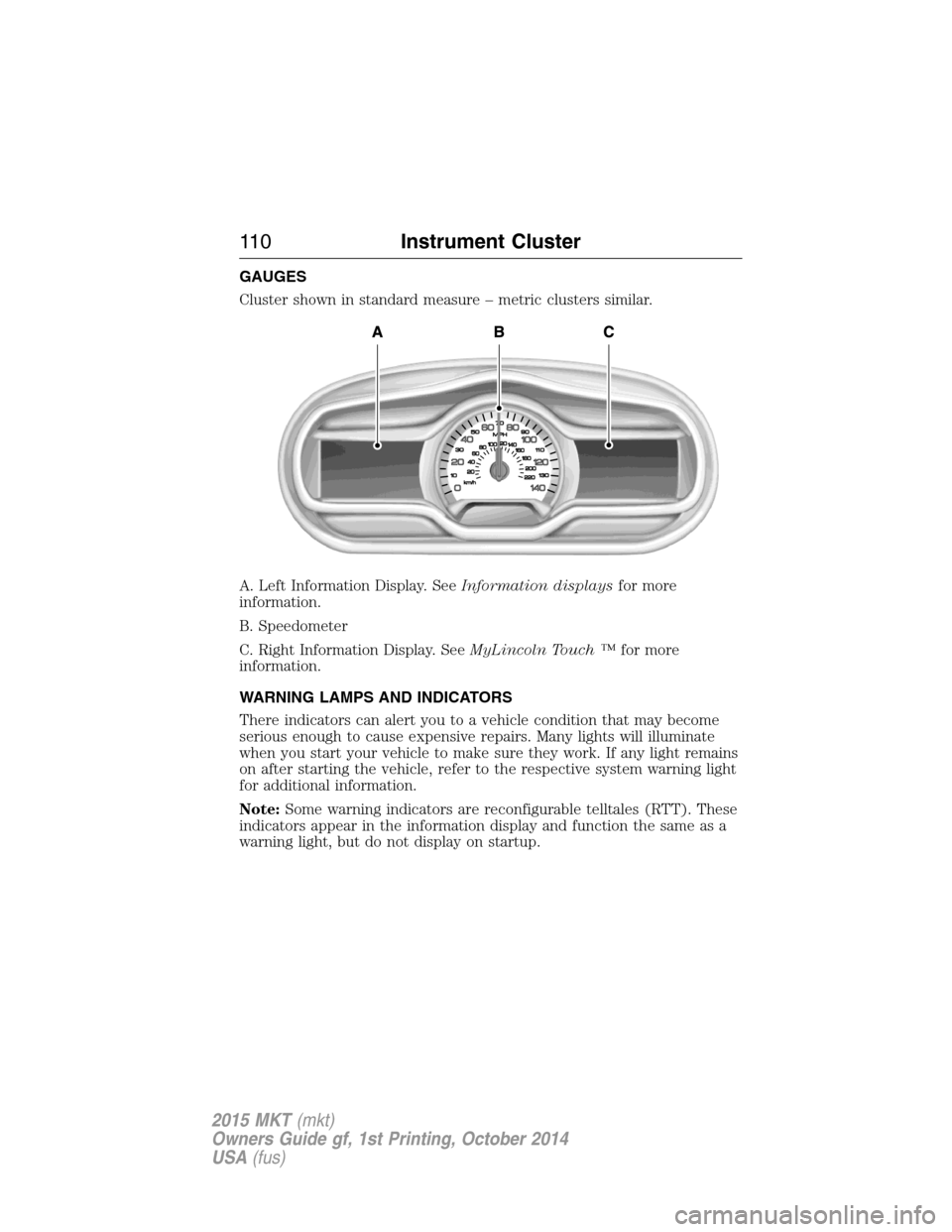
GAUGES
Cluster shown in standard measure – metric clusters similar.
A. Left Information Display. SeeInformation displaysfor more
information.
B. Speedometer
C. Right Information Display. SeeMyLincoln Touch ™for more
information.
WARNING LAMPS AND INDICATORS
There indicators can alert you to a vehicle condition that may become
serious enough to cause expensive repairs. Many lights will illuminate
when you start your vehicle to make sure they work. If any light remains
on after starting the vehicle, refer to the respective system warning light
for additional information.
Note:Some warning indicators are reconfigurable telltales (RTT). These
indicators appear in the information display and function the same as a
warning light, but do not display on startup.
11 0Instrument Cluster
2015 MKT(mkt)
Owners Guide gf, 1st Printing, October 2014
USA(fus)
Page 112 of 500
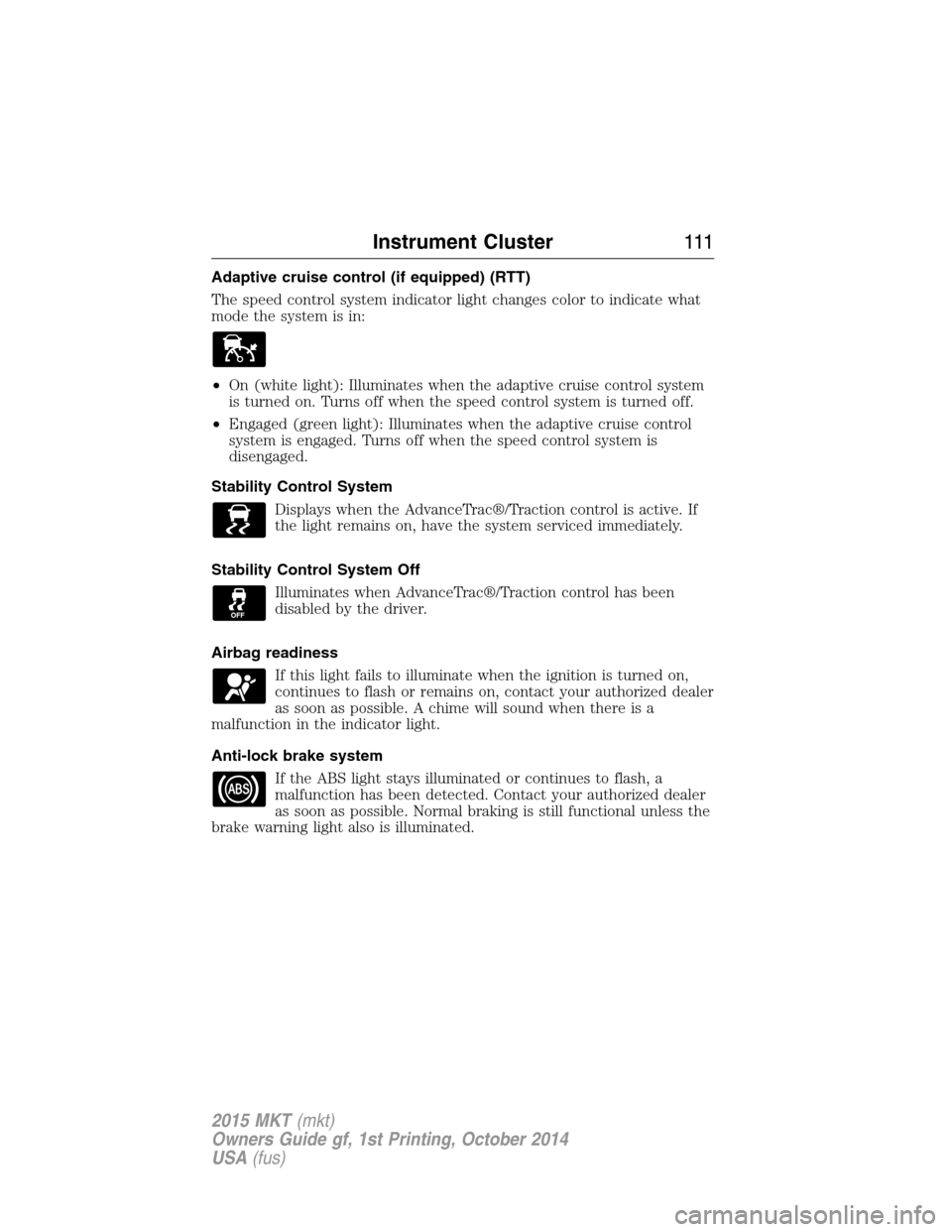
Adaptive cruise control (if equipped) (RTT)
The speed control system indicator light changes color to indicate what
mode the system is in:
•On (white light): Illuminates when the adaptive cruise control system
is turned on. Turns off when the speed control system is turned off.
•Engaged (green light): Illuminates when the adaptive cruise control
system is engaged. Turns off when the speed control system is
disengaged.
Stability Control System
Displays when the AdvanceTrac®/Traction control is active. If
the light remains on, have the system serviced immediately.
Stability Control System Off
Illuminates when AdvanceTrac®/Traction control has been
disabled by the driver.
Airbag readiness
If this light fails to illuminate when the ignition is turned on,
continues to flash or remains on, contact your authorized dealer
as soon as possible. A chime will sound when there is a
malfunction in the indicator light.
Anti-lock brake system
If the ABS light stays illuminated or continues to flash, a
malfunction has been detected. Contact your authorized dealer
as soon as possible. Normal braking is still functional unless the
brake warning light also is illuminated.
Instrument Cluster111
2015 MKT(mkt)
Owners Guide gf, 1st Printing, October 2014
USA(fus)
Page 113 of 500
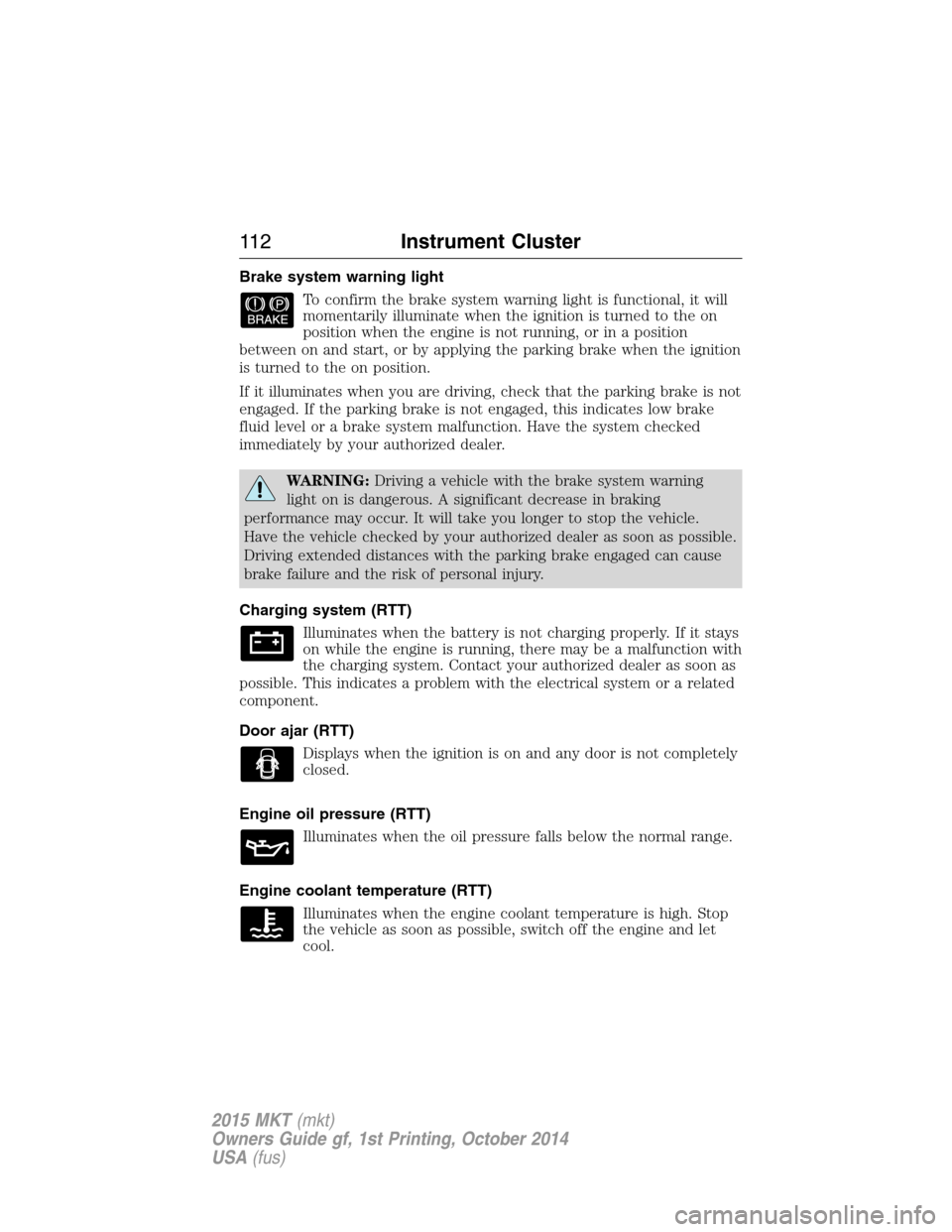
Brake system warning light
To confirm the brake system warning light is functional, it will
momentarily illuminate when the ignition is turned to the on
position when the engine is not running, or in a position
between on and start, or by applying the parking brake when the ignition
is turned to the on position.
If it illuminates when you are driving, check that the parking brake is not
engaged. If the parking brake is not engaged, this indicates low brake
fluid level or a brake system malfunction. Have the system checked
immediately by your authorized dealer.
WARNING:Driving a vehicle with the brake system warning
light on is dangerous. A significant decrease in braking
performance may occur. It will take you longer to stop the vehicle.
Have the vehicle checked by your authorized dealer as soon as possible.
Driving extended distances with the parking brake engaged can cause
brake failure and the risk of personal injury.
Charging system (RTT)
Illuminates when the battery is not charging properly. If it stays
on while the engine is running, there may be a malfunction with
the charging system. Contact your authorized dealer as soon as
possible. This indicates a problem with the electrical system or a related
component.
Door ajar (RTT)
Displays when the ignition is on and any door is not completely
closed.
Engine oil pressure (RTT)
Illuminates when the oil pressure falls below the normal range.
Engine coolant temperature (RTT)
Illuminates when the engine coolant temperature is high. Stop
the vehicle as soon as possible, switch off the engine and let
cool.
11 2Instrument Cluster
2015 MKT(mkt)
Owners Guide gf, 1st Printing, October 2014
USA(fus)