window LINCOLN MKT 2015 Owners Manual
[x] Cancel search | Manufacturer: LINCOLN, Model Year: 2015, Model line: MKT, Model: LINCOLN MKT 2015Pages: 500, PDF Size: 4.94 MB
Page 3 of 500
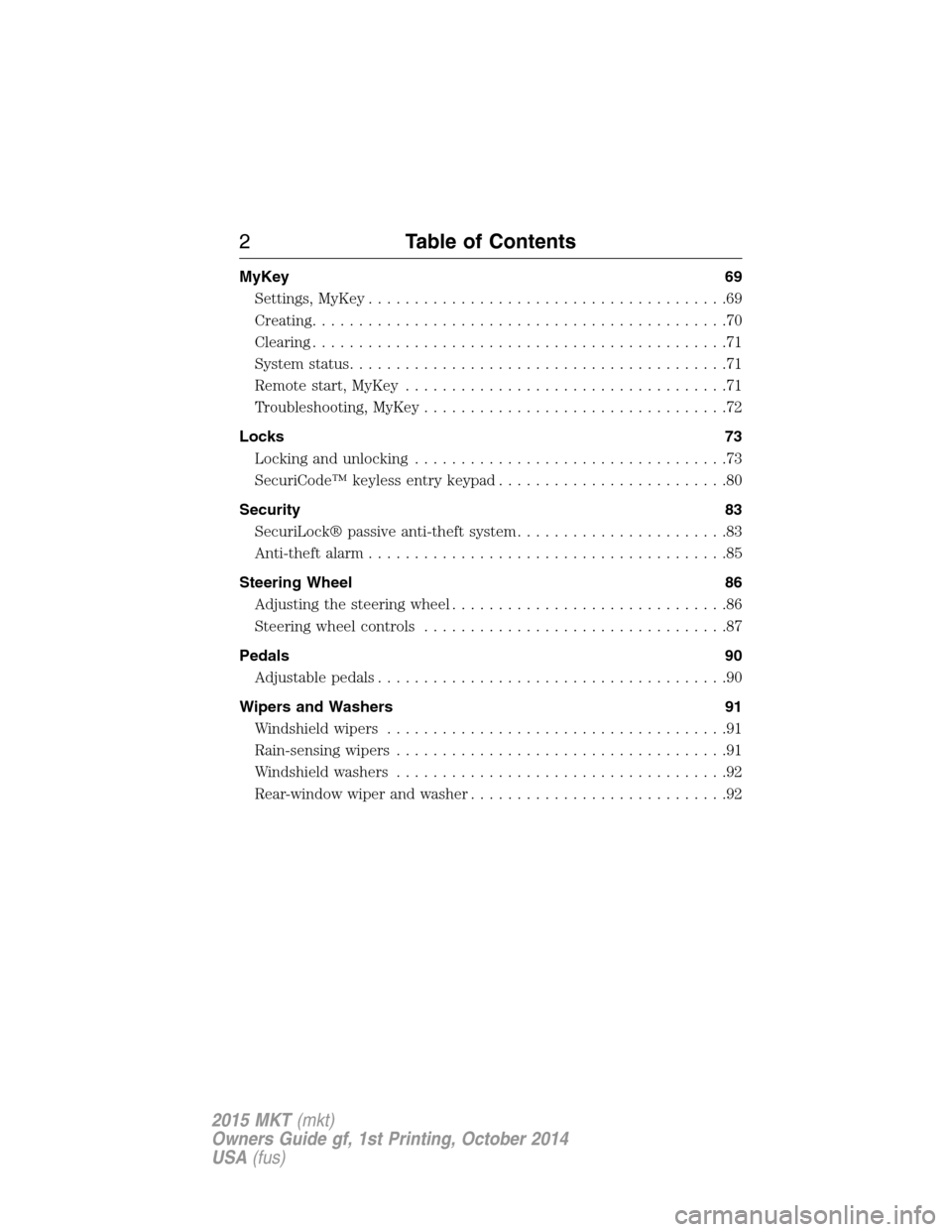
MyKey 69
Settings, MyKey.......................................69
Creating.............................................70
Clearing.............................................71
System status.........................................71
Remote start, MyKey...................................71
Troubleshooting, MyKey.................................72
Locks 73
Locking and unlocking..................................73
SecuriCode™ keyless entry keypad.........................80
Security 83
SecuriLock® passive anti-theft system.......................83
Anti-theft alarm.......................................85
Steering Wheel 86
Adjusting the steering wheel..............................86
Steering wheel controls.................................87
Pedals 90
Adjustable pedals......................................90
Wipers and Washers 91
Windshield wipers.....................................91
Rain-sensing wipers....................................91
Windshield washers....................................92
Rear-window wiper and washer............................92
2Table of Contents
2015 MKT(mkt)
Owners Guide gf, 1st Printing, October 2014
USA(fus)
Page 4 of 500
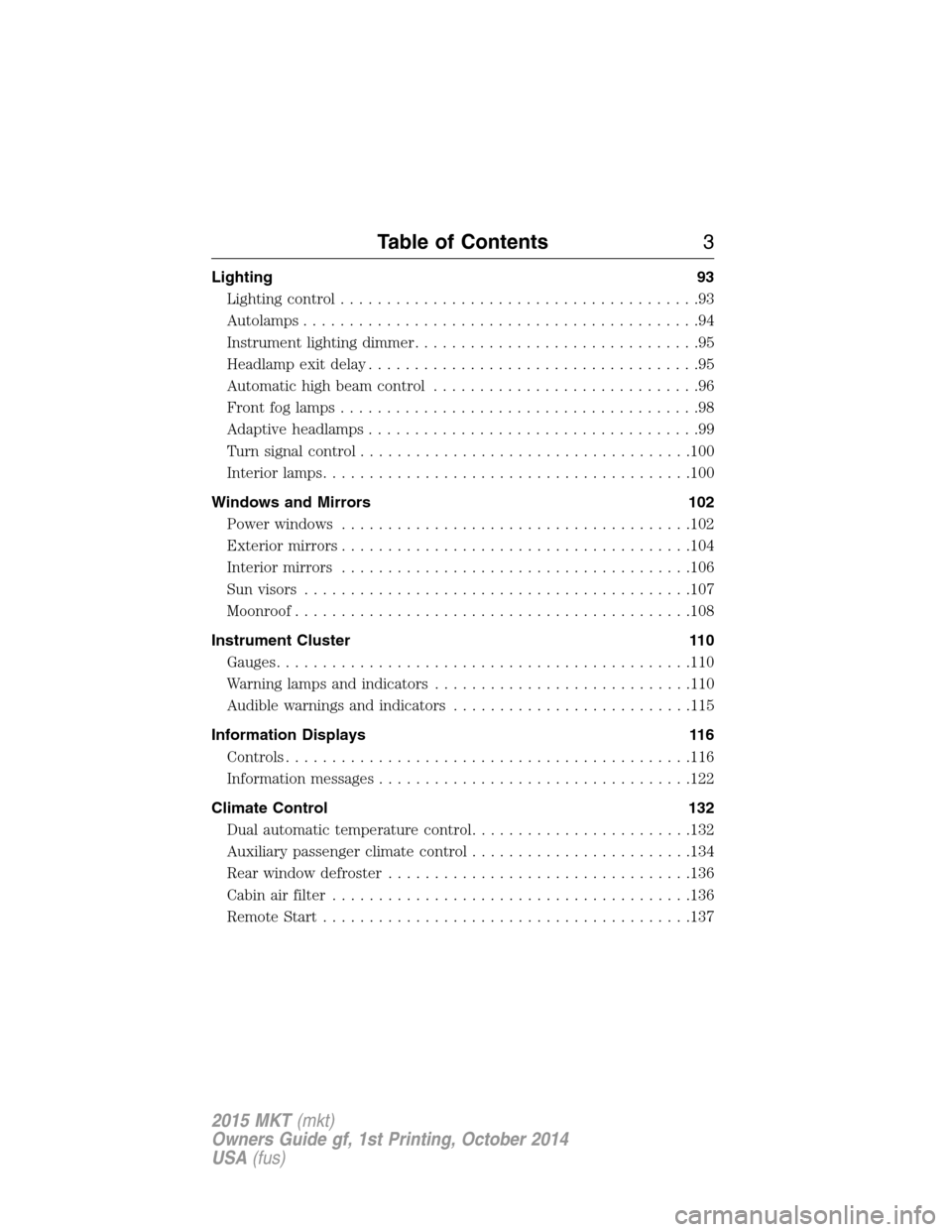
Lighting 93
Lighting control.......................................93
Autolamps...........................................94
Instrument lighting dimmer...............................95
Headlamp exit delay....................................95
Automatic high beam control.............................96
Frontfoglamps.......................................98
Adaptive headlamps....................................99
Turn signal control....................................100
Interior lamps........................................100
Windows and Mirrors 102
Power windows......................................102
Exteriormirrors......................................104
Interior mirrors......................................106
Sun visors..........................................107
Moonroof...........................................108
Instrument Cluster 110
Gauges.............................................110
Warning lamps and indicators............................110
Audible warnings and indicators..........................115
Information Displays 116
Controls............................................116
Information messages..................................122
Climate Control 132
Dual automatic temperature control........................132
Auxiliary passenger climate control........................134
Rear window defroster.................................136
Cabin air filter.......................................136
Remote Start........................................137
Table of Contents3
2015 MKT(mkt)
Owners Guide gf, 1st Printing, October 2014
USA(fus)
Page 8 of 500
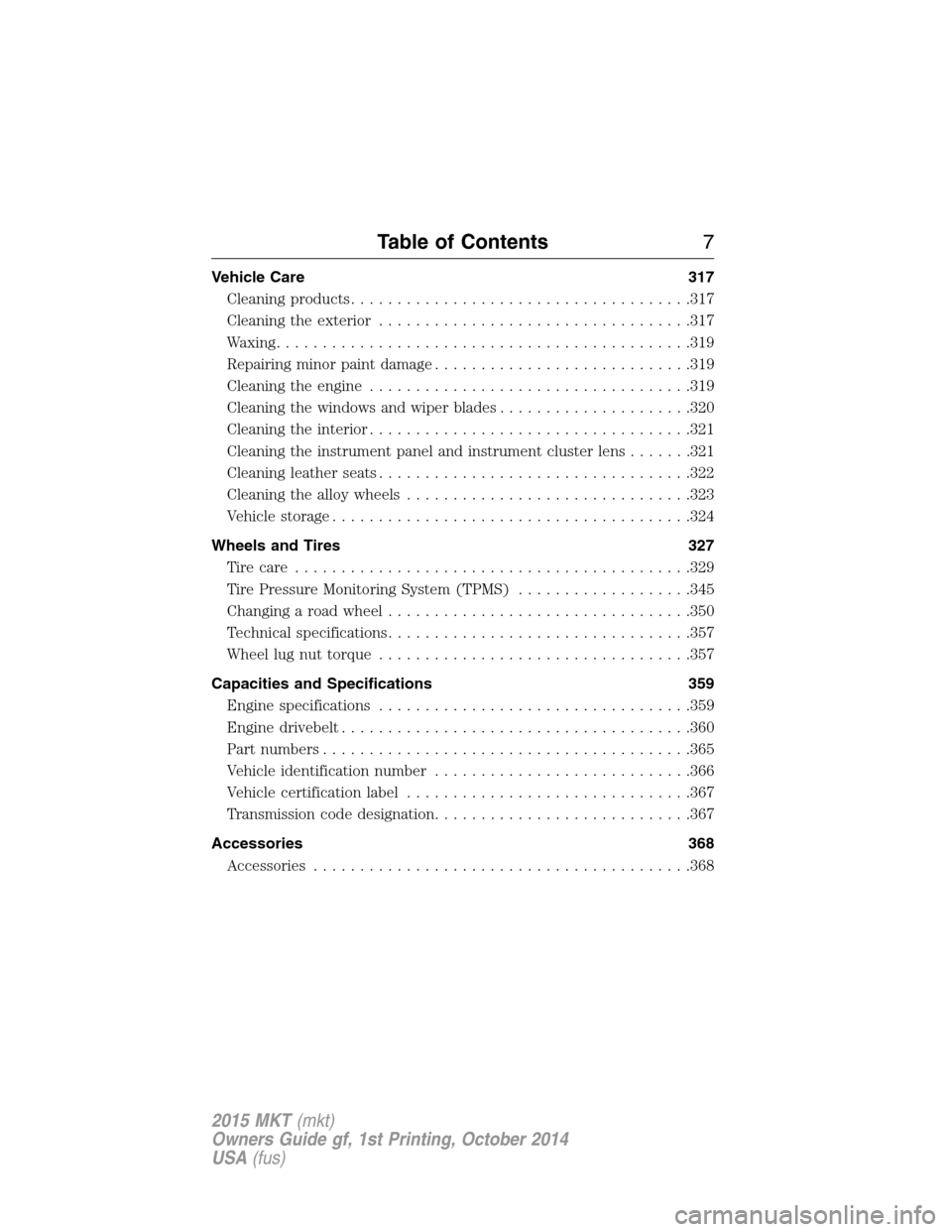
Vehicle Care 317
Cleaning products.....................................317
Cleaning the exterior..................................317
Waxing.............................................319
Repairing minor paint damage............................319
Cleaning the engine...................................319
Cleaning the windows and wiper blades.....................320
Cleaning the interior...................................321
Cleaning the instrument panel and instrument cluster lens.......321
Cleaning leather seats..................................322
Cleaning the alloy wheels...............................323
Vehiclestorage.......................................324
Wheels and Tires 327
Tire care...........................................329
Tire Pressure Monitoring System (TPMS)...................345
Changing a road wheel.................................350
Technical specifications.................................357
Wheel lug nut torque..................................357
Capacities and Specifications 359
Engine specifications..................................359
Engine drivebelt......................................360
Part numbers........................................365
Vehicle identification number............................366
Vehicle certification label...............................367
Transmission code designation............................367
Accessories 368
Accessories.........................................368
Table of Contents7
2015 MKT(mkt)
Owners Guide gf, 1st Printing, October 2014
USA(fus)
Page 11 of 500
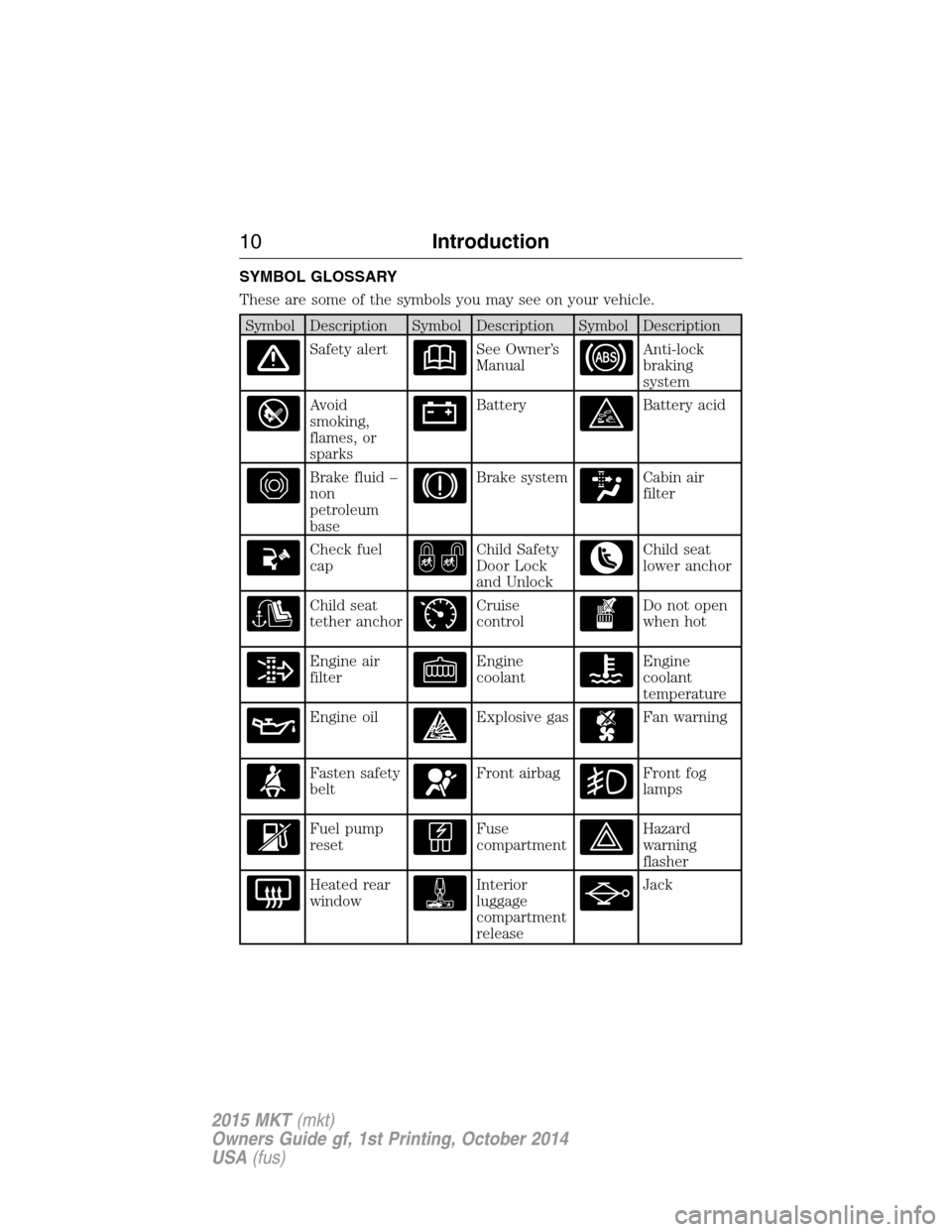
SYMBOL GLOSSARY
These are some of the symbols you may see on your vehicle.
Symbol Description Symbol Description Symbol Description
Safety alertSee Owner’s
ManualAnti-lock
braking
system
Avoid
smoking,
flames, or
sparksBatteryBattery acid
Brake fluid –
non
petroleum
baseBrake systemCabin air
filter
Check fuel
capChild Safety
Door Lock
and UnlockChild seat
lower anchor
Child seat
tether anchorCruise
controlDo not open
when hot
Engine air
filterEngine
coolantEngine
coolant
temperature
Engine oilExplosive gasFan warning
Fasten safety
beltFront airbagFront fog
lamps
Fuel pump
resetFuse
compartmentHazard
warning
flasher
Heated rear
windowInterior
luggage
compartment
releaseJack
10Introduction
2015 MKT(mkt)
Owners Guide gf, 1st Printing, October 2014
USA(fus)
Page 12 of 500
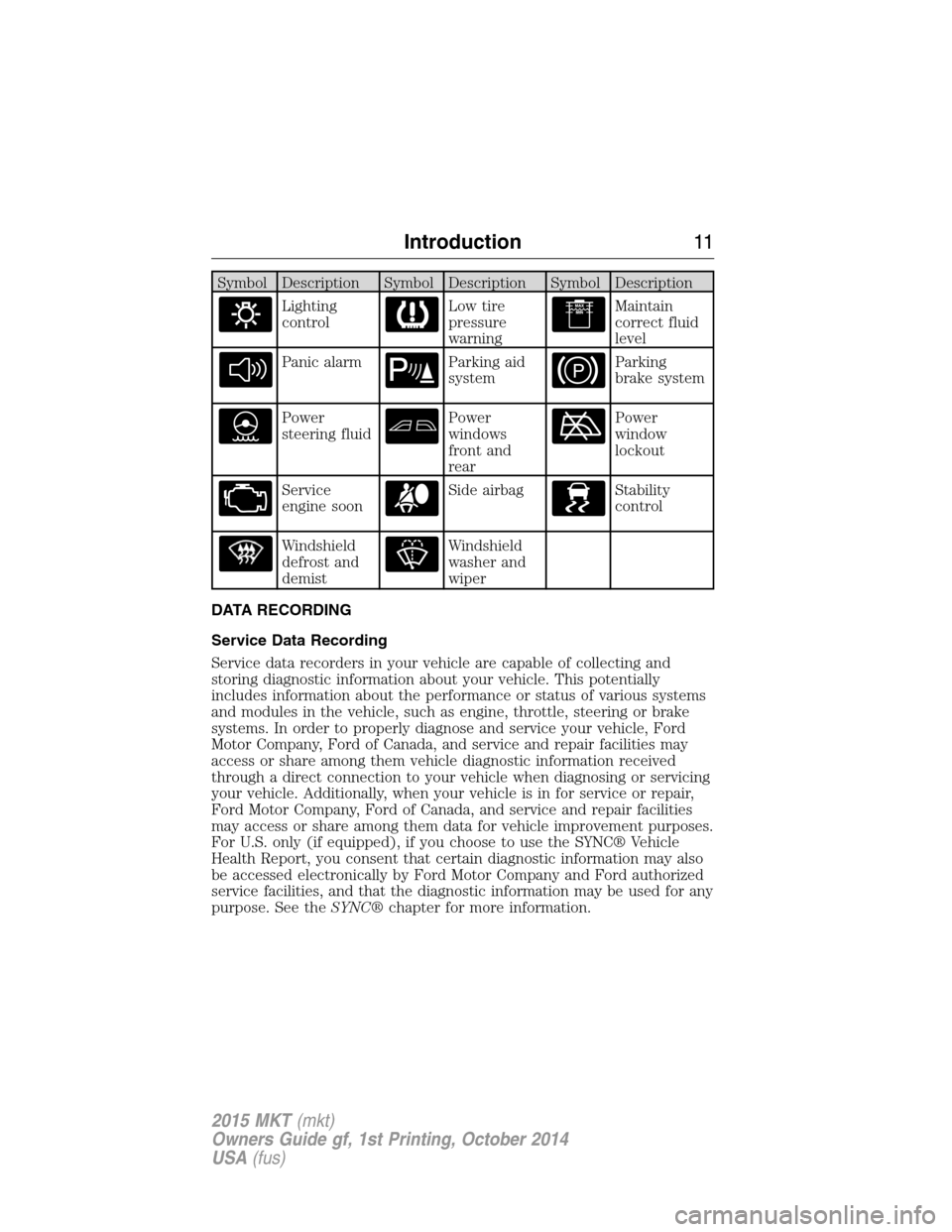
Symbol Description Symbol Description Symbol Description
Lighting
controlLow tire
pressure
warningMaintain
correct fluid
level
Panic alarmParking aid
systemParking
brake system
Power
steering fluidPower
windows
front and
rearPower
window
lockout
Service
engine soonSide airbagStability
control
Windshield
defrost and
demistWindshield
washer and
wiper
DATA RECORDING
Service Data Recording
Service data recorders in your vehicle are capable of collecting and
storing diagnostic information about your vehicle. This potentially
includes information about the performance or status of various systems
and modules in the vehicle, such as engine, throttle, steering or brake
systems. In order to properly diagnose and service your vehicle, Ford
Motor Company, Ford of Canada, and service and repair facilities may
access or share among them vehicle diagnostic information received
through a direct connection to your vehicle when diagnosing or servicing
your vehicle. Additionally, when your vehicle is in for service or repair,
Ford Motor Company, Ford of Canada, and service and repair facilities
may access or share among them data for vehicle improvement purposes.
For U.S. only (if equipped), if you choose to use the SYNC® Vehicle
Health Report, you consent that certain diagnostic information may also
be accessed electronically by Ford Motor Company and Ford authorized
service facilities, and that the diagnostic information may be used for any
purpose. See theSYNC®chapter for more information.
Introduction11
2015 MKT(mkt)
Owners Guide gf, 1st Printing, October 2014
USA(fus)
Page 61 of 500
The Safety Canopy will deploy during significant side crashes or when a
certain likelihood of a rollover event is detected by the rollover sensor.
The Safety Canopy is mounted to the roof side-rail sheet metal, behind
the headliner, above each row of seats. In certain sideways crashes or
rollover events, the Safety Canopy will be activated, regardless of which
seats are occupied. The Safety Canopy is designed to inflate between the
side window area and occupants to further enhance protection provided
in side impact crashes and rollover events.
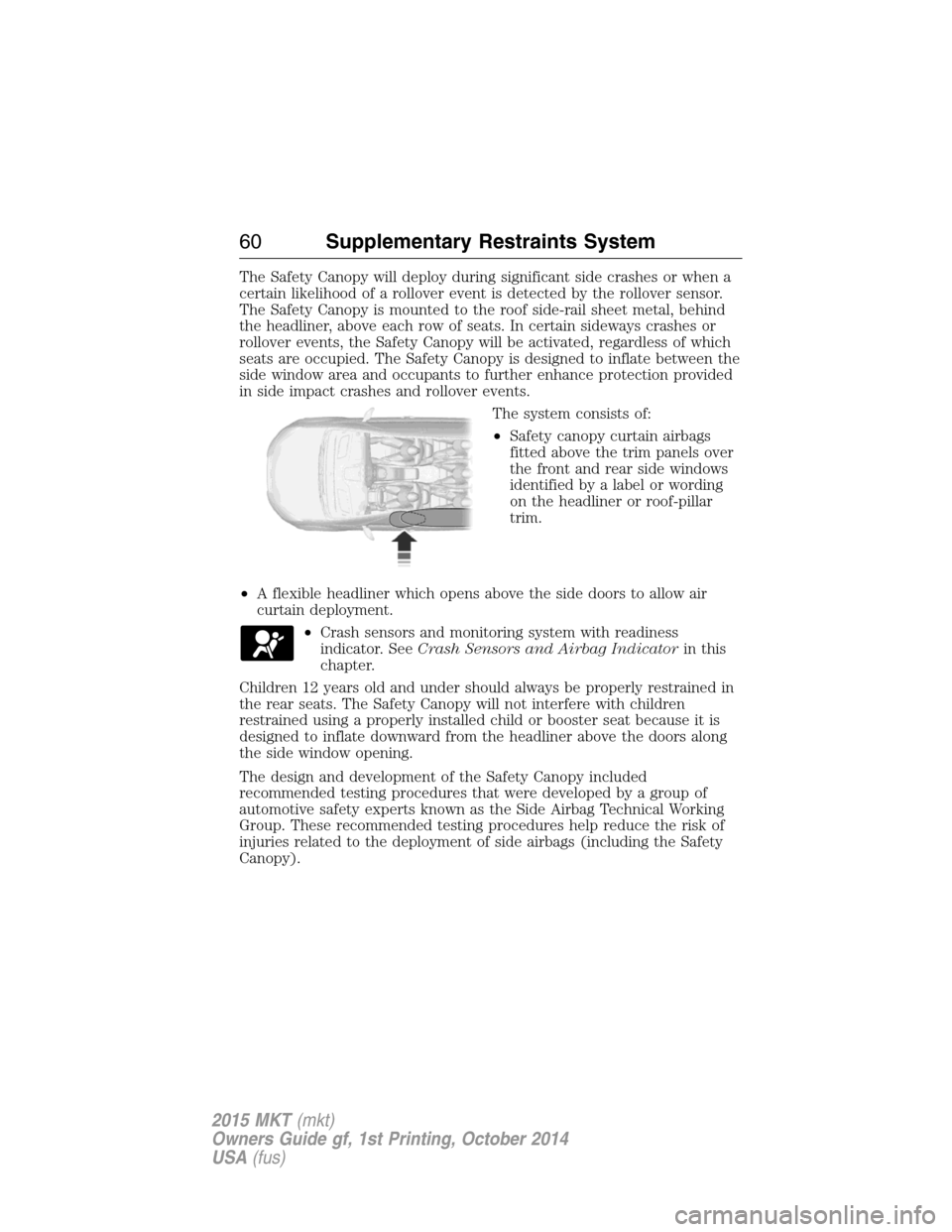
The system consists of:
•Safety canopy curtain airbags
fitted above the trim panels over
the front and rear side windows
identified by a label or wording
on the headliner or roof-pillar
trim.
•A flexible headliner which opens above the side doors to allow air
curtain deployment.
•Crash sensors and monitoring system with readiness
indicator. SeeCrash Sensors and Airbag Indicatorin this
chapter.
Children 12 years old and under should always be properly restrained in
the rear seats. The Safety Canopy will not interfere with children
restrained using a properly installed child or booster seat because it is
designed to inflate downward from the headliner above the doors along
the side window opening.
The design and development of the Safety Canopy included
recommended testing procedures that were developed by a group of
automotive safety experts known as the Side Airbag Technical Working
Group. These recommended testing procedures help reduce the risk of
injuries related to the deployment of side airbags (including the Safety
Canopy).
60Supplementary Restraints System
2015 MKT(mkt)
Owners Guide gf, 1st Printing, October 2014
USA(fus)
Page 69 of 500
The power windows will not work during the remote start and the radio
will not turn on automatically.
The parking lamps will remain on and your vehicle will run for 5, 10, or
15 minutes, depending on the setting. See theInformation Displays
chapter to select the duration of the remote start system.
Extending the Vehicle Run Time
Repeat Steps 1 and 2 with your vehicle still running to extend the run
time for another remote start duration. If the duration is set to last
10 minutes, the duration will extend by another 10 minutes beginning
after what is left of the first activation time. For example, if your vehicle
had been running from the first remote start for five minutes, your
vehicle will continue to run now for a total of 15 minutes.
Wait at least five seconds before remote starting after a vehicle
shutdown.
Turning the Vehicle Off After Remote Starting
Press the button once. The parking lamps will turn off.
You may have to be closer to your vehicle than when starting due to
ground reflection and the added noise of the running vehicle.
You can disable or enable the remote start system through the
information display. Refer to theInformation Displaychapter.
REPLACING A LOST KEY OR REMOTE CONTROL
You can purchase replacement or additional keys or remote controls from
an authorized dealer. A dealer can program the transmitters to your
vehicle or you may be able to program them yourself. See theSecurity
chapter for information on programming your transmitters.
68Keys and Remote Control
2015 MKT(mkt)
Owners Guide gf, 1st Printing, October 2014
USA(fus)
Page 80 of 500
Obstacle Detection
When closing:The system will reverse to full open when it detects an
obstacle. A chime will sound three times as the liftgate begins to reopen.
Remove the obstacle to close the liftgate can be closed under power.
Note:Entering the vehicle while the liftgate is closing can cause the
vehicle to bounce and activate obstacle detection. To prevent this, allow
the power liftgate to fully close before entering the vehicle. Before
driving off, check the instrument cluster for a liftgate or door ajar
message and/or warning indicator. Driving off without first checking for
the liftgate or door ajar message and/or warning indicator could result in
the liftgate being left open, unintentionally, while you are driving.
When opening:The system will stop and a chime will sound three times
when it detects an obstacle. Remove the obstacle to operate the liftgate.
Resetting the Power Liftgate
The liftgate may not operate properly and may need to be reset if any of
these conditions occur:
•a low voltage or dead battery
•disconnected battery
•the liftgate is manually closed and left ajar (unlatched)
To reset the power liftgate:
1. Disconnect the battery for 20 seconds then, reconnect the battery.
2. Manually close and fully latch the liftgate.
3. Power open the liftgate by using the transmitter, or the instrument
panel control button.
Manual Operation
WARNING:Make sure to close and latch the liftgate to prevent
drawing exhaust fumes into your vehicle. This will also prevent
passengers and cargo from falling out. If you must drive with the
liftgate open, keep the vents or windows open so outside air comes into
your vehicle. Failure to follow this warning could result in serious
personal injury.
Note:Be careful when opening or closing the liftgate in a garage or
other enclosed area to avoid damaging the liftgate.
Note:Do not hang anything (bike rack, etc.) from the spoiler, glass or
liftgate. This could damage the liftgate and its components.
Locks79
2015 MKT(mkt)
Owners Guide gf, 1st Printing, October 2014
USA(fus)
Page 81 of 500
Note:Do not leave the liftgate open while driving. This could damage
the liftgate and its components.
The liftgate area is only intended for cargo, not passengers.
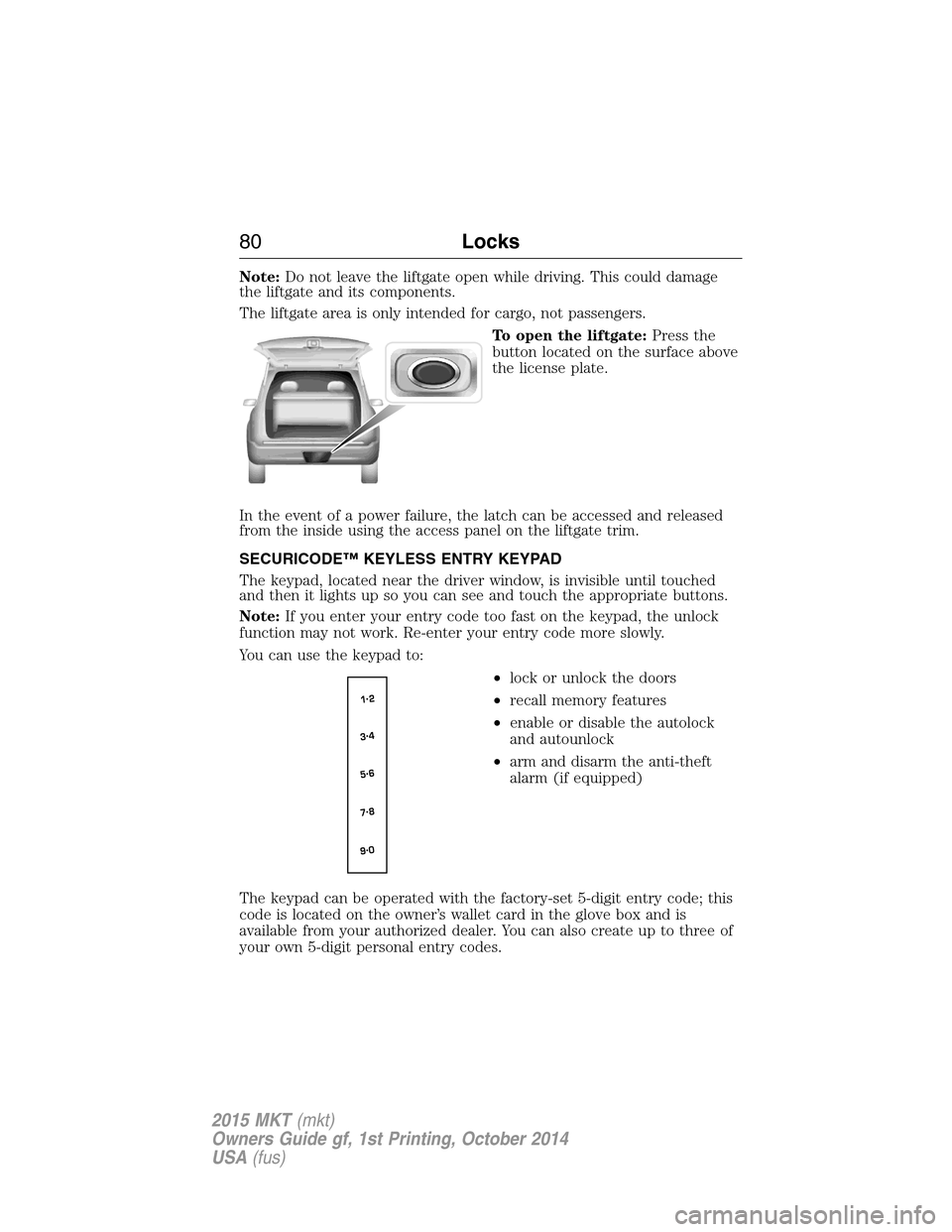
To open the liftgate:Press the
button located on the surface above
the license plate.
In the event of a power failure, the latch can be accessed and released
from the inside using the access panel on the liftgate trim.
SECURICODE™ KEYLESS ENTRY KEYPAD
The keypad, located near the driver window, is invisible until touched
and then it lights up so you can see and touch the appropriate buttons.
Note:If you enter your entry code too fast on the keypad, the unlock
function may not work. Re-enter your entry code more slowly.
You can use the keypad to:
•lock or unlock the doors
•recall memory features
•enable or disable the autolock
and autounlock
•arm and disarm the anti-theft
alarm (if equipped)
The keypad can be operated with the factory-set 5-digit entry code; this
code is located on the owner’s wallet card in the glove box and is
available from your authorized dealer. You can also create up to three of
your own 5-digit personal entry codes.
80Locks
2015 MKT(mkt)
Owners Guide gf, 1st Printing, October 2014
USA(fus)
Page 93 of 500
WINDSHIELD WASHERS
Note:Do not operate the wipers on a dry windshield. This may scratch
the glass, damage the wiper blades or cause the wiper motor to burn out.
Always use the windshield washer before wiping a dry windshield.
Note:Do not operate the washer when the washer reservoir is empty.
This may cause the washer pump to overheat.
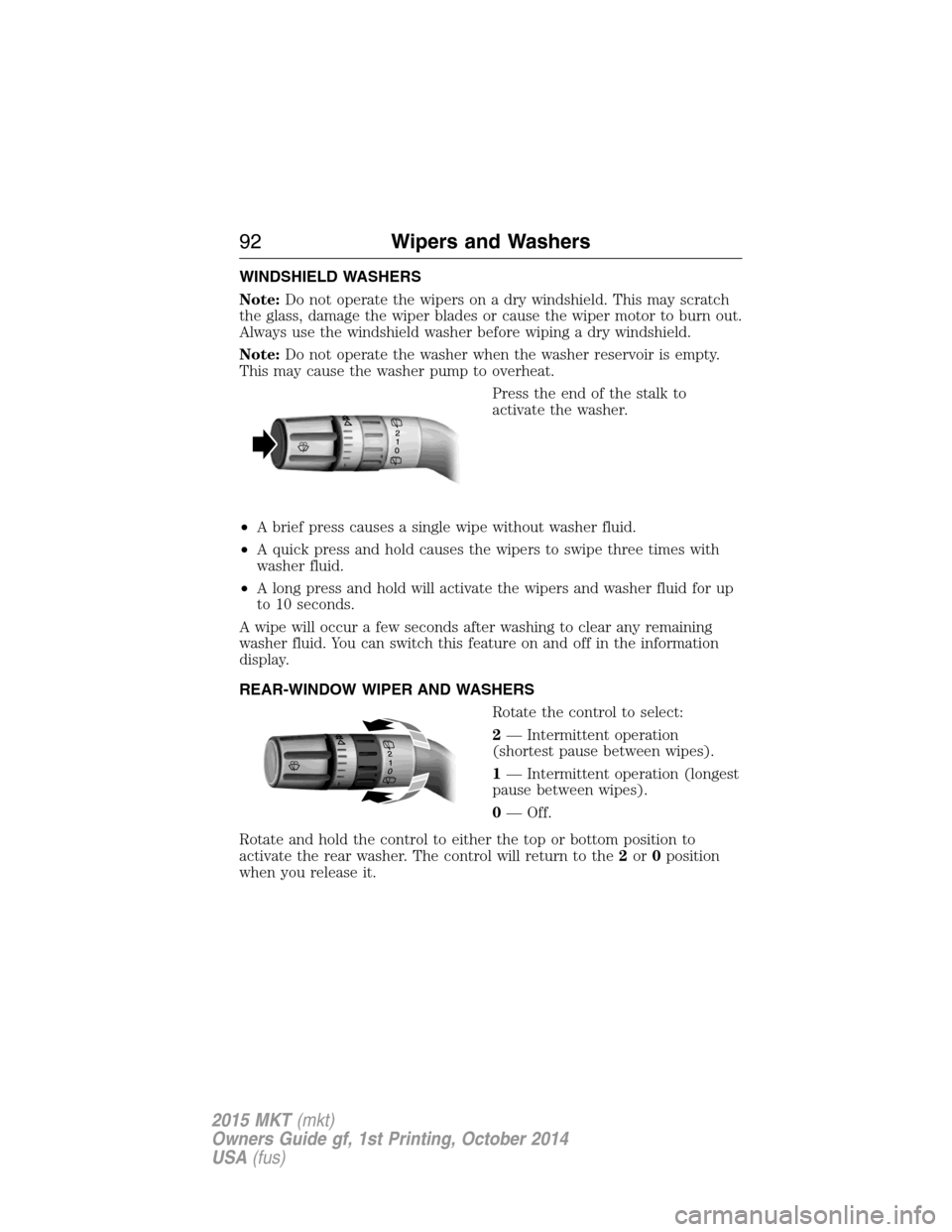
Press the end of the stalk to
activate the washer.
•A brief press causes a single wipe without washer fluid.
•A quick press and hold causes the wipers to swipe three times with
washer fluid.
•A long press and hold will activate the wipers and washer fluid for up
to 10 seconds.
A wipe will occur a few seconds after washing to clear any remaining
washer fluid. You can switch this feature on and off in the information
display.
REAR-WINDOW WIPER AND WASHERS
Rotate the control to select:
2— Intermittent operation
(shortest pause between wipes).
1— Intermittent operation (longest
pause between wipes).
0— Off.
Rotate and hold the control to either the top or bottom position to
activate the rear washer. The control will return to the2or0position
when you release it.
92Wipers and Washers
2015 MKT(mkt)
Owners Guide gf, 1st Printing, October 2014
USA(fus)