wheel LINCOLN MKT 2016 Service Manual
[x] Cancel search | Manufacturer: LINCOLN, Model Year: 2016, Model line: MKT, Model: LINCOLN MKT 2016Pages: 452, PDF Size: 4.69 MB
Page 207 of 452
Note:
When towing, the camera only sees
what you are towing. This might not provide
adequate coverage as it usually provides in
normal operation and some objects might
not be seen. In some vehicles, the guidelines
may disappear when you connect the trailer
tow connector.
The camera may not operate correctly under
the following conditions:
• Nighttime or dark areas if one or both
reverse lamps are not operating.
• Mud, water or debris obstructs the
camera's view. Clean the lens with a soft,
lint-free cloth and non-abrasive cleaner.
• The rear of your vehicle is hit or
damaged, causing the camera to become
misaligned.
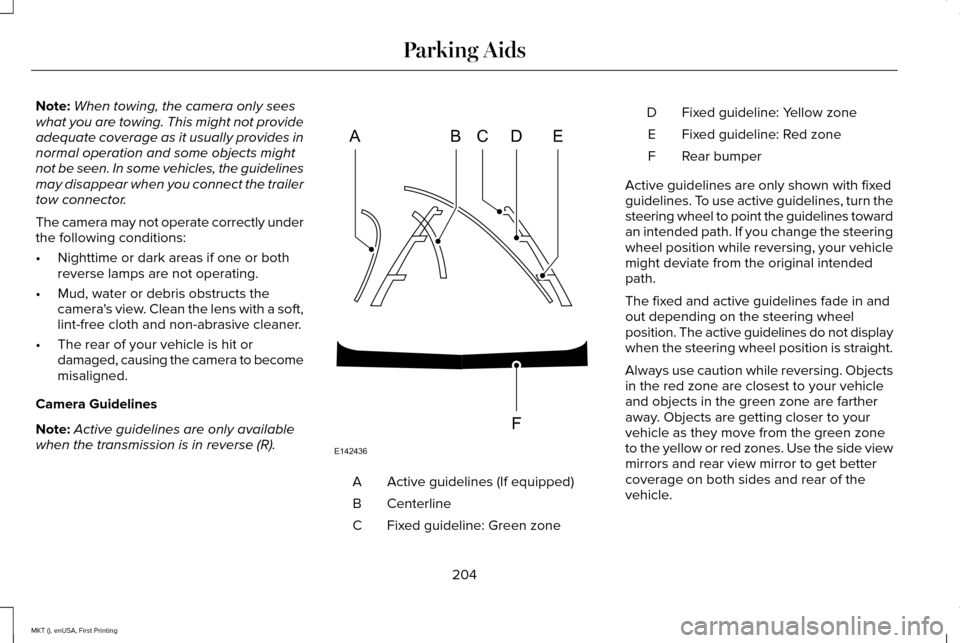
Camera Guidelines
Note: Active guidelines are only available
when the transmission is in reverse (R). Active guidelines (If equipped)
A
Centerline
B
Fixed guideline: Green zone
C Fixed guideline: Yellow zone
D
Fixed guideline: Red zone
E
Rear bumper
F
Active guidelines are only shown with fixed
guidelines. To use active guidelines, turn the
steering wheel to point the guidelines toward
an intended path. If you change the steering
wheel position while reversing, your vehicle
might deviate from the original intended
path.
The fixed and active guidelines fade in and
out depending on the steering wheel
position. The active guidelines do not display
when the steering wheel position is straight.
Always use caution while reversing. Objects
in the red zone are closest to your vehicle
and objects in the green zone are farther
away. Objects are getting closer to your
vehicle as they move from the green zone
to the yellow or red zones. Use the side view
mirrors and rear view mirror to get better
coverage on both sides and rear of the
vehicle.
204
MKT (), enUSA, First Printing Parking AidsABCD
F
E
E142436
Page 209 of 452

PRINCIPLE OF OPERATION
Cruise control lets you maintain a set speed
without keeping your foot on the accelerator
pedal. You can use cruise control when your
vehicle speed is greater than 20 mph
(30 km/h).
USING CRUISE CONTROL WARNINGS
Do not use cruise control on winding
roads, in heavy traffic or when the road
surface is slippery. This could result in loss
of vehicle control, serious injury or death. When you are going downhill, your
vehicle speed may increase above the
set speed. The system will not apply the
brakes but a warning displays. The cruise controls are on the steering
wheel.
Switching Cruise Control On
Press and release
ON.
The indicator appears in the
instrument cluster.
Setting the Cruise Speed
1. Drive to desired speed.
2. Press and release
SET+.
3. Take your foot off the accelerator pedal.
Note: The indicator will change color. Note:
Cruise control will disengage if the
vehicle speed decreases more than 10 mph
(16 km/h)
below the set speed while driving
uphill.
Changing the Set Speed
• Press and release
SET+ or SET-. When
you select kph as the display
measurement in the information display,
the set speed changes in approximately
2 kph increments. When you select mph
as the display measurement in the
information display, the set speed
changes in approximately 1 mph
increments.
• Press the accelerator or brake pedal until
you reach the desired speed. Press and
release
SET+.
• Press and hold
SET+ or SET-. Release
the control when you reach the desired
speed.
Note: If you accelerate by pressing the
accelerator pedal, the set speed will not
change. When you release the accelerator
pedal, your vehicle returns to the speed that
you previously set.
206
MKT (), enUSA, First Printing Cruise ControlE173610 E71340
Page 210 of 452
Canceling the Set Speed
Press and release CNCL or tap the brake
pedal. The set speed does not erase.
Resuming the Set Speed
Press and release
RES.
Switching Cruise Control Off
Press and release
OFF when the system is
in stand by mode or switch the ignition off.
Note: You erase the set speed when you
switch the system off.
USING ADAPTIVE CRUISE
CONTROL
(If Equipped) WARNINGS
Always pay close attention to changing
road conditions when using adaptive
cruise control. The system does not replace
attentive driving. Failing to pay attention to
the road may result in a crash, serious injury
or death. WARNINGS
Adaptive cruise control is not a crash
warning or avoidance system.
Adaptive cruise control does not detect
stationary or slow moving vehicles
below
6 mph (10 km/h). Adaptive cruise control does not detect
pedestrians or objects in the road.
Adaptive cruise control does not detect
oncoming vehicles in the same lane.
Do not use adaptive cruise control on
winding roads, in heavy traffic or when
the road surface is slippery. This could result
in loss of vehicle control, serious injury or
death. Do not use adaptive cruise control
when towing a trailer that has trailer
brakes. The auto-brake component of the
adaptive cruise control system does not
operate the trailer brakes. Using adaptive
cruise control when towing a trailer that has
trailer brakes may result in the loss of vehicle
control, which could result in serious injury. WARNINGS
Do not use tire sizes other than those
recommended because this can affect
the normal operation of the system. Failing
to do so may result in a loss of vehicle
control, which could result in serious injury. The system adjusts your vehicle speed to
maintain the set gap between you and the
vehicle in front of you in the same lane.
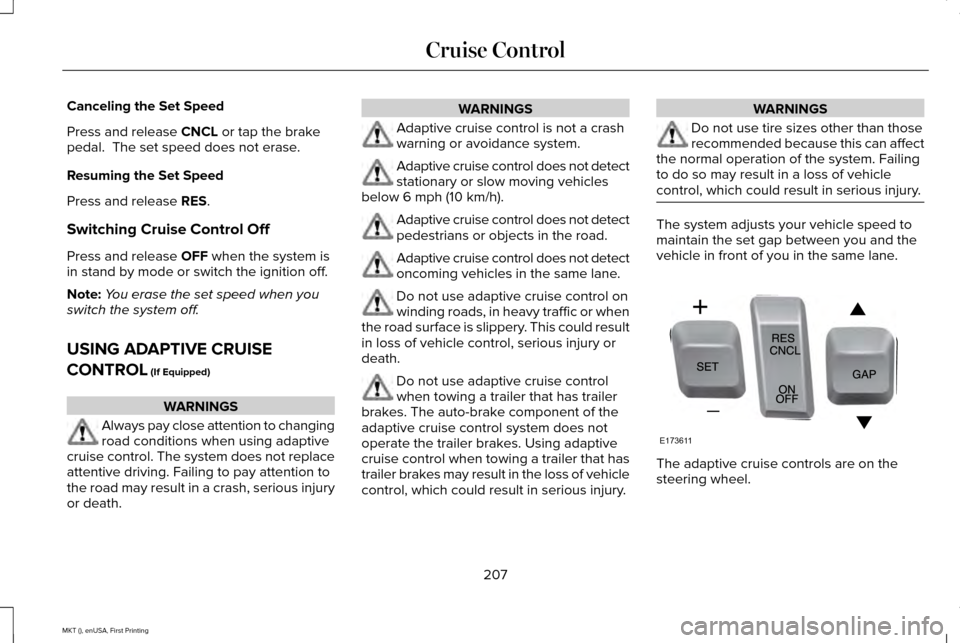
The adaptive cruise controls are on the
steering wheel.
207
MKT (), enUSA, First Printing Cruise ControlE173611
Page 218 of 452
DRIVER ALERT (If Equipped)
WARNING
The driver alert system is designed to
aid you. It is not intended to replace
your attention and judgment. You are still
responsible to drive with due care and
attention. Note:
The system will store the on or off
setting in the information display menu
through ignition cycles.
Note: If enabled in the menu, the system will
be active at speeds above 40 mph (64 km/h).
When below the activation speed, the
information display will inform you that the
system is unavailable.
Note: The system works as long as one lane
marking can be detected by the camera.
Note: If the camera is blocked or if the
windshield is damaged, the system may not
function.
Note: The system may not be available in
poor weather or other low visibility
conditions. The system automatically monitors your
driving behavior using various inputs
including the front camera sensor.
If the system detects that your driving
alertness is reduced below a certain
threshold, the system will alert you using a
chime and a message in the information
display.
Using Driver Alert
Switching the system on and off
You may switch the system on or off through
the information display by selecting Settings
then Driver Assist then Driver Alert in the
menu. When activated, the system will
monitor your alertness level based upon your
driving behavior in relation to the lane
markings, and other factors.
System Warnings
Note:
The system will not issue warnings
below approximately
40 mph (64 km/h). The warning system is in two stages. At first
the system issues a temporary warning that
you need to take a rest. This message will
only appear for a short time. If the system
detects further reduction in driving alertness,
another warning may be issued which will
remain in the information display for a longer
time. Press OK on the steering wheel control
to clear the warning.
System Display
When active the system will run automatically
in the background and only issue a warning
if required. You can view the status at any
time using the information display.
See
General Information (page 108).
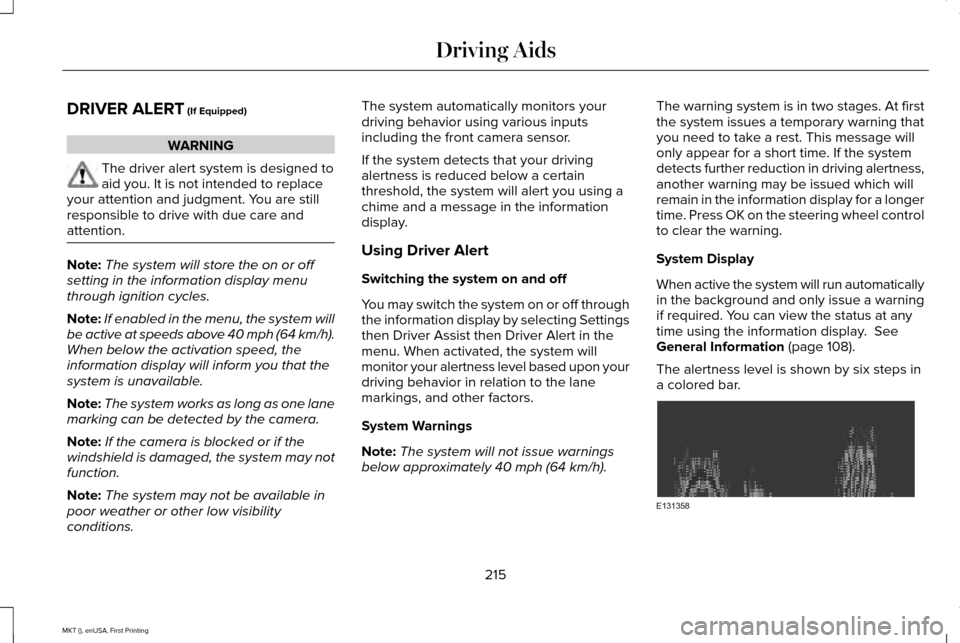
The alertness level is shown by six steps in
a colored bar. 215
MKT (), enUSA, First Printing Driving AidsE131358
Page 220 of 452
Note:
The system may not function if the
camera is blocked or there is damage to the
windshield.
Note: When Aid mode is on and the system
detects no steering activity for a short period,
the system will alert you to put your hands
on the steering wheel. The system may
detect a light grip or touch on the steering
wheel as hands off driving.
The system notifies you to stay in your lane
through the steering system and the
instrument cluster display when the front
camera detects an unintentional drift out of
your lane is likely to occur. The system
automatically detects and tracks the road
lane markings using a camera mounted
behind the interior rear view mirror.
Switching the System On and Off
Note: The system on or off setting is stored
until it is manually changed, unless a MyKey
is detected. If the system detects a MyKey
it defaults to on and the mode is set to Alert.
Note: If a MyKey is detected, pressing the
button will not affect the on or off status of
the system. Press the button located on the
center console to switch the
system on or off.
System Settings
The system has optional setting menus
available. To view or adjust the settings, See
General Information (page 108). The system
stores the last-known selection for each of
these settings. You do not need to readjust
your settings each time you turn on the
system.
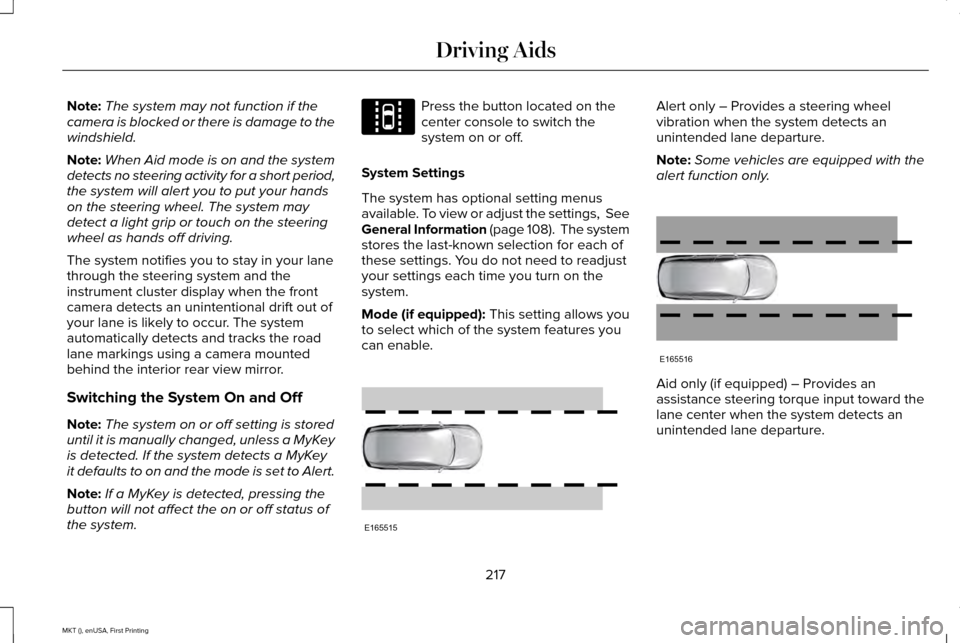
Mode (if equipped): This setting allows you
to select which of the system features you
can enable. Alert only – Provides a steering wheel
vibration when the system detects an
unintended lane departure.
Note:
Some vehicles are equipped with the
alert function only. Aid only (if equipped) – Provides an
assistance steering torque input toward the
lane center when the system detects an
unintended lane departure.
217
MKT (), enUSA, First Printing Driving AidsE144813 E165515 E165516
Page 221 of 452
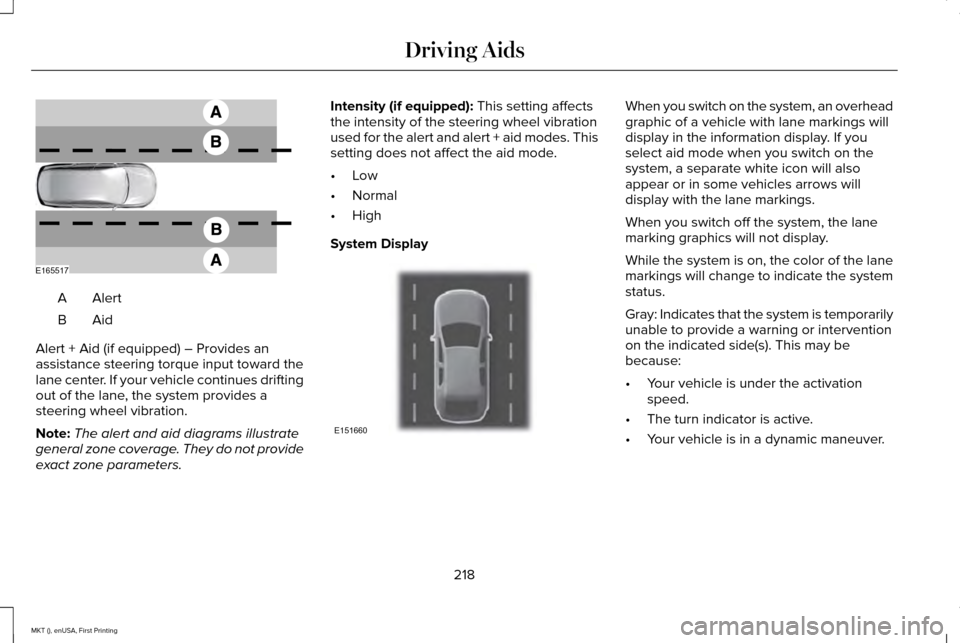
AlertA
AidB
Alert + Aid (if equipped) – Provides an
assistance steering torque input toward the
lane center. If your vehicle continues drifting
out of the lane, the system provides a
steering wheel vibration.
Note: The alert and aid diagrams illustrate
general zone coverage. They do not provide
exact zone parameters. Intensity (if equipped): This setting affects
the intensity of the steering wheel vibration
used for the alert and alert + aid modes. This
setting does not affect the aid mode.
• Low
• Normal
• High
System Display When you switch on the system, an overhead
graphic of a vehicle with lane markings will
display in the information display. If you
select aid mode when you switch on the
system, a separate white icon will also
appear or in some vehicles arrows will
display with the lane markings.
When you switch off the system, the lane
marking graphics will not display.
While the system is on, the color of the lane
markings will change to indicate the system
status.
Gray: Indicates that the system is temporarily
unable to provide a warning or intervention
on the indicated side(s). This may be
because:
•
Your vehicle is under the activation
speed.
• The turn indicator is active.
• Your vehicle is in a dynamic maneuver.
218
MKT (), enUSA, First Printing Driving AidsE165517 E151660
Page 235 of 452
System Limitations
WARNING
The collision warning system
’s brake
support can only help reduce the
speed at which a collision occurs if the driver
applies the vehicle ’s brakes. The brake pedal
must be pressed just like any typical braking
situation. Due to the nature of radar technology, there
may be certain instances where vehicles do
not provide a collision warning. These
include:
•
Stationary vehicles or vehicles moving
below 6 mph (10 km/h).
• Pedestrians or objects in the roadway.
• Oncoming vehicles in the same lane.
• Severe weather conditions (see blocked
sensor section).
• Debris build-up on the grille near the
headlamps (see blocked sensor section).
• Small distance to vehicle ahead.
• Steering wheel and pedal movements
are large (very active driving style). If the front end of the vehicle is hit or
damaged, the radar sensing zone may be
altered causing missed or false collision
warnings. See your authorized dealer to have
your collision warning radar checked for
proper coverage and operation.
DRIVE CONTROL (If Equipped)
LINCOLN DRIVE CONTROL
Lincoln Drive Control delivers the Lincoln
driving experience through a suite of
sophisticated electronic vehicle systems.
These systems continuously monitor your
driving inputs and the road conditions to
optimize ride comfort, steering, handling,
powertrain response and sound. You can
preset your preferences for these systems
within the information display. Lincoln Drive
Control will respond to your preferences
based on what gear position you select. This
provides a single location to control multiple
systems performance settings. Lincoln Drive Control consists of the
following systems:
•
Continuously controlled damping
dynamically adjusts the shock absorbers
stiffness in real time to match the road
surface and driver inputs. This system
continuously monitors your vehicle ’s
motion (roll, pitch, bounce), suspension
position, load, speed, road conditions,
and steering to adjust the suspension
damping for optimal vehicle control.
• Electronically power-assisted steering
adjusts steering effort and feel based on
your vehicle speed and your inputs.
• Active noise control utilizes your vehicle
electronics to enhance the acoustic
experience.
• Electronic stability control and traction
control maintain your vehicle control in
adverse conditions or high performance
driving.
• Electronic throttle control enhances the
powertrain response to your inputs.
232
MKT (), enUSA, First Printing Driving Aids
Page 243 of 452
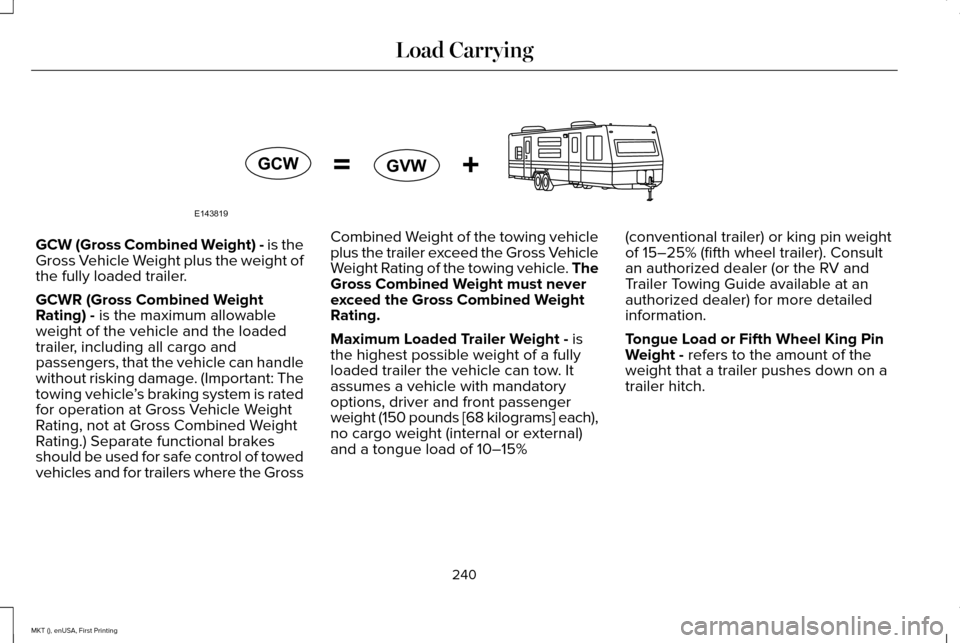
GCW (Gross Combined Weight) - is the
Gross Vehicle Weight plus the weight of
the fully loaded trailer.
GCWR (Gross Combined Weight
Rating) - is the maximum allowable
weight of the vehicle and the loaded
trailer, including all cargo and
passengers, that the vehicle can handle
without risking damage. (Important: The
towing vehicle ’s braking system is rated
for operation at Gross Vehicle Weight
Rating, not at Gross Combined Weight
Rating.) Separate functional brakes
should be used for safe control of towed
vehicles and for trailers where the Gross Combined Weight of the towing vehicle
plus the trailer exceed the Gross Vehicle
Weight Rating of the towing vehicle. The
Gross Combined Weight must never
exceed the Gross Combined Weight
Rating.
Maximum Loaded Trailer Weight -
is
the highest possible weight of a fully
loaded trailer the vehicle can tow. It
assumes a vehicle with mandatory
options, driver and front passenger
weight (150 pounds [68 kilograms] each),
no cargo weight (internal or external)
and a tongue load of 10–15% (conventional trailer) or king pin weight
of 15–25% (fifth wheel trailer). Consult
an authorized dealer (or the RV and
Trailer Towing Guide available at an
authorized dealer) for more detailed
information.
Tongue Load or Fifth Wheel King Pin
Weight - refers to the amount of the
weight that a trailer pushes down on a
trailer hitch.
240
MKT (), enUSA, First Printing Load CarryingE143819GCW
GVW
Page 244 of 452
Examples: For a 5000 pound (2268
kilogram) conventional trailer, multiply
5000 by 0.10 and 0.15 to obtain a proper
tongue load range of 500 to 750 pounds
(227 to 340 kilograms). For an 11500
pound (5216 kilogram) fifth wheel trailer,
multiply by 0.15 and 0.25 to obtain a
proper king pin load range of 1725 to
2875 pounds (782 to 1304 kilograms). WARNINGS
Do not exceed the GVWR or the
GAWR specified on the Safety
Compliance Certification Label. Do not use replacement tires with
lower load carrying capacities than
the original tires because they may
lower the vehicle ’s GVWR and GAWR
limitations. Replacement tires with a
higher limit than the original tires do not
increase the GVWR and GAWR
limitations. Exceeding any vehicle weight
rating limitation could result in
serious damage to the vehicle and/or
personal injury. Steps for determining the correct load
limit:
1.
Locate the statement "The combined
weight of occupants and cargo
should never exceed XXX kg or XXX
lb." on your vehicle ’s placard.
2. Determine the combined weight of
the driver and passengers that will
be riding in your vehicle.
3. Subtract the combined weight of the
driver and passengers from XXX kg
or XXX lb.
4. The resulting figure equals the available amount of cargo and
luggage load capacity. For example,
if the “XXX” amount equals 1,400 lb.
and there will be five 150 lb.
passengers in your vehicle, the
amount of available cargo and
luggage load capacity is 650 lb.
(1400-750 (5 x 150) = 650 lb.). 5.
Determine the combined weight of
luggage and cargo being loaded on
the vehicle. That weight may not
safely exceed the available cargo
and luggage load capacity calculated
in Step 4.
6. If your vehicle will be towing a trailer,
load from your trailer will be
transferred to your vehicle. Consult
this manual to determine how this
reduces the available cargo and
luggage load capacity of your
vehicle.
The following gives you a few examples
on how to calculate the available amount
of cargo and luggage load capacity:
*Suppose your vehicle has a 1400-pound
(635-kilogram) cargo and luggage
capacity. You decide to go golfing. Is
there enough load capacity to carry you,
four of your friends and all the golf bags?
You and four friends average 220
pounds (99 kilograms) each and the golf
bags weigh approximately 30 pounds
(13.5 kilograms) each. The calculation
would be: 1400 - (5 x 220) - (5 x 30) =
241
MKT (), enUSA, First Printing Load Carrying
Page 247 of 452
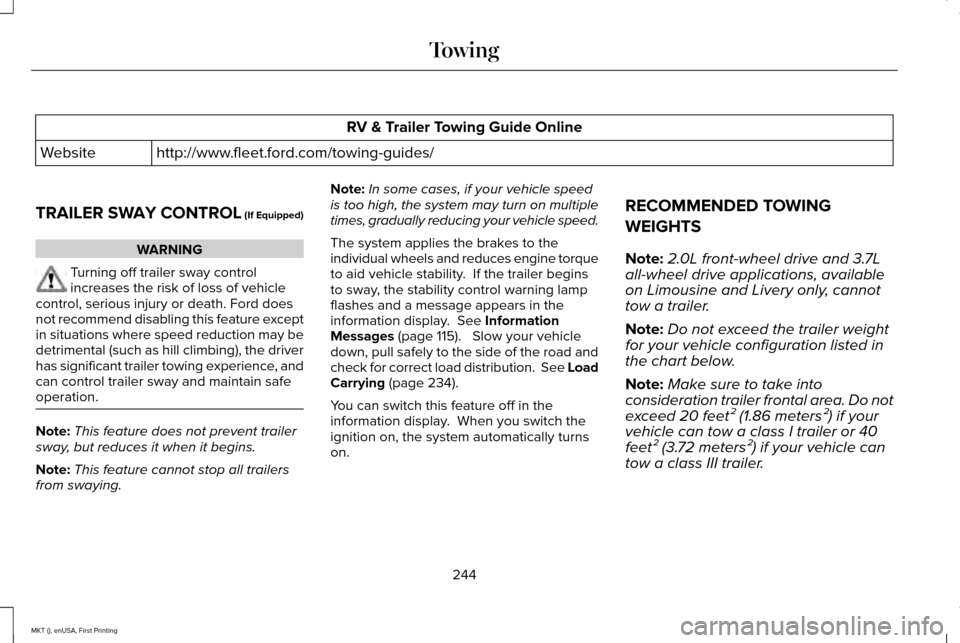
RV & Trailer Towing Guide Online
http://www.fleet.ford.com/towing-guides/
Website
TRAILER SWAY CONTROL (If Equipped) WARNING
Turning off trailer sway control
increases the risk of loss of vehicle
control, serious injury or death. Ford does
not recommend disabling this feature except
in situations where speed reduction may be
detrimental (such as hill climbing), the driver
has significant trailer towing experience, and
can control trailer sway and maintain safe
operation. Note:
This feature does not prevent trailer
sway, but reduces it when it begins.
Note: This feature cannot stop all trailers
from swaying. Note:
In some cases, if your vehicle speed
is too high, the system may turn on multiple
times, gradually reducing your vehicle speed.
The system applies the brakes to the
individual wheels and reduces engine torque
to aid vehicle stability. If the trailer begins
to sway, the stability control warning lamp
flashes and a message appears in the
information display. See Information
Messages (page 115). Slow your vehicle
down, pull safely to the side of the road and
check for correct load distribution. See Load
Carrying
(page 234).
You can switch this feature off in the
information display. When you switch the
ignition on, the system automatically turns
on. RECOMMENDED TOWING
WEIGHTS
Note:
2.0L front-wheel drive and 3.7L
all-wheel drive applications, available
on Limousine and Livery only, cannot
tow a trailer.
Note: Do not exceed the trailer weight
for your vehicle configuration listed in
the chart below.
Note: Make sure to take into
consideration trailer frontal area. Do not
exceed 20 feet² (1.86 meters²) if your
vehicle can tow a class I trailer or 40
feet² (3.72 meters²) if your vehicle can
tow a class III trailer.
244
MKT (), enUSA, First Printing Towing