center console LINCOLN MKT 2016 Owners Manual
[x] Cancel search | Manufacturer: LINCOLN, Model Year: 2016, Model line: MKT, Model: LINCOLN MKT 2016Pages: 452, PDF Size: 4.69 MB
Page 6 of 452
Universal Garage Door Opener
Universal Garage Door Opener................152
Auxiliary Power Points
Auxiliary Power Points..................................157
Storage Compartments
Center Console.............................................159
Overhead Console
.......................................160
Starting and Stopping the Engine
General Information.......................................161
Keyless Starting
..............................................161
Starting a Gasoline Engine.........................162
Engine Block Heater....................................165
Fuel and Refueling
Safety Precautions........................................167
Fuel Quality.....................................................168
Fuel Filler Funnel Location.........................169
Running Out of Fuel
.....................................169
Refueling..........................................................170 Fuel Consumption
.........................................172
Emission Control System.............................173
Transmission
Automatic Transmission
...............................177
All-Wheel Drive
Using All-Wheel Drive...................................181
Brakes
General Information
.....................................190
Hints on Driving With Anti-Lock Brakes..........................................................190
Parking Brake..................................................191
Traction Control
Principle of Operation
..................................192
Using Traction Control
.................................192
Stability Control
Principle of Operation..................................194
Using Stability Control.................................195 Parking Aids
Principle of Operation
..................................196
Rear Parking Aid
............................................197
Active Park Assist..........................................197
Rear View Camera.......................................203
Cruise Control
Principle of Operation.................................206
Using Cruise Control...................................206
Using Adaptive Cruise Control.................207
Driving Aids
Driver Alert......................................................215
Lane Keeping System..................................216
Blind Spot Information System..................221
Cross Traffic Alert.........................................224
Steering..........................................................228
Collision Warning System..........................229
Drive Control.................................................232
Load Carrying
Rear Under Floor Storage..........................234
Cargo Nets
.....................................................234
3
MKT (), enUSA, First Printing Table of Contents
Page 104 of 452

Rotate the sun visor toward the side window
and extend it rearward for extra shade.
Illuminated Vanity Mirror
Lift the cover to switch the lamp on.
MOONROOF (If Equipped)
WARNINGS
Do not let children play with the
moonroof or leave them unattended in
the vehicle. They may seriously hurt
themselves. WARNINGS
When closing the moonroof, you
should verify that it is free of
obstructions and make sure that children and
pets are not in the proximity of the roof
opening. Note:
Do not attempt to move the sunshades
manually or sunshade damage or
malfunction may occur. The sunshade track
clips are designed to release the sunshade
crossbar in order to prevent damage to the
system. If this happens, you may need to
slide the sunshade crossbar ends back into
position to regain proper function. Contact
an authorized dealer for proper moonroof
or sunshade operating, diagnostic or repair
instructions.
Note: If the moonroof is excessively
operated, the glass and shade motors go
into a fail-safe jog mode. This mode allows
manual intermittent operation to prevent
overheating or damage to the motor. The
motors return to normal operation after a
period of idle time. The moonroof and sunshade controls are on
the overhead console and have a one-touch
open and close feature. There is only one
control in the center position if the vehicle
has a fixed glass roof. To stop it during
one-touch operation, press the control a
second time.
Opening the Sunshade and Moonroof
Note:
The moonroof only opens after the
sunshades completely open. Press and release the control to open the
sunshade. The front and rear sunshades
open simultaneously.
Press and release the control to open the
moonroof. The moonroof stops short of the
fully opened position.
101
MKT (), enUSA, First Printing Windows and MirrorsE162197 E210724
Page 160 of 452
12 Volt DC Power Point
WARNINGS
Do not plug optional electrical
accessories into the cigar lighter
socket. Incorrect use of the cigar lighter can
cause damage not covered by the vehicle
warranty, and can result in fire or serious
injury. Do not use a power point for operating
a cigar lighter. Incorrect use of the
power points can cause damage not covered
by the vehicle warranty, and can result in fire
or serious injury. Note:
When you switch the ignition on, you
can use the socket to power 12 volt
appliances with a maximum current rating
of 15 amps.
If the power supply does not work after you
switch the ignition off, switch the ignition on.
Note: Do not hang any accessory from the
accessory plug.
Note: Do not use the power point over the
vehicle capacity of 12 volt DC 180 watts or
a fuse may blow. Note:
Always keep the power point caps
closed when not in use.
Do not insert objects other than an accessory
plug into the power point. This will damage
the power point and blow the fuse.
Run the vehicle for full capacity use of the
power point.
To prevent the battery from running out of
charge:
• Do not use the power point longer than
necessary when the vehicle is not
running.
• Do not leave devices plugged in
overnight or when you park your vehicle
for extended periods.
Locations
Power points may be in the following
locations:
• Near the floor inside the front console
bin.
• Inside the center console.
• On the rear of the center console.
• Inside the luggage compartment. 110 Volt AC Power Point (If Equipped) WARNING
Do not keep electrical devices plugged
in the power point whenever the
device is not in use. Do not use any
extension cord with the 110 volt AC power
point, since it will defeat the safety protection
design. Doing so may cause the power point
to overload due to powering multiple devices
that can reach beyond the 150 watt load limit
and could result in fire or serious injury. Note:
The power point will turn off when the
ignition is switched off or the battery voltage
drops below 11 volts.
Use the power point for powering electric
devices that require up to 150 watts. It is on
the rear of the center console.
157
MKT (), enUSA, First Printing Auxiliary Power Points
Page 162 of 452
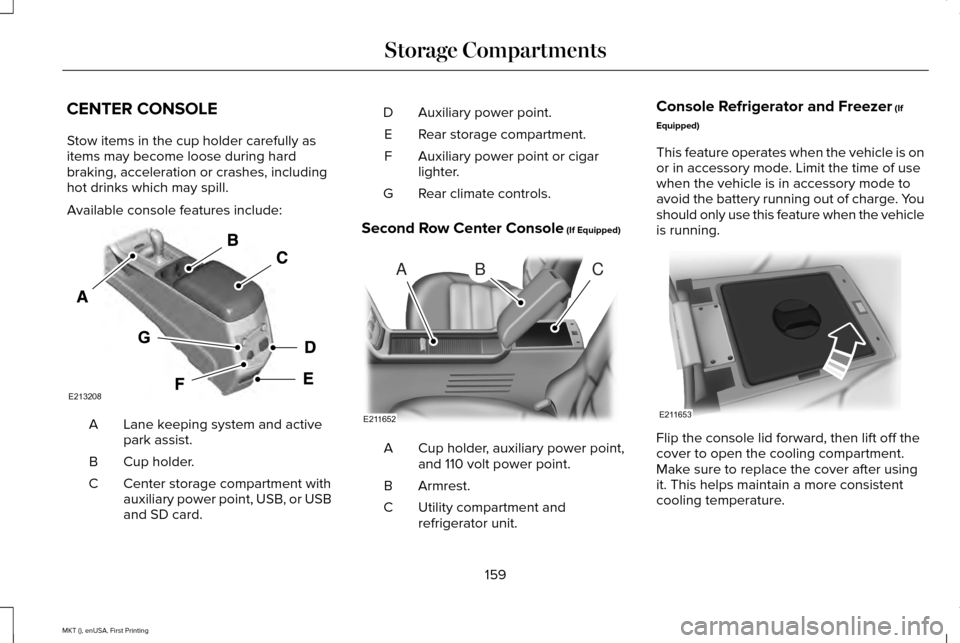
CENTER CONSOLE
Stow items in the cup holder carefully as
items may become loose during hard
braking, acceleration or crashes, including
hot drinks which may spill.
Available console features include:
Lane keeping system and active
park assist.
A
Cup holder.
B
Center storage compartment with
auxiliary power point, USB, or USB
and SD card.
C Auxiliary power point.
D
Rear storage compartment.
E
Auxiliary power point or cigar
lighter.
F
Rear climate controls.
G
Second Row Center Console (If Equipped) Cup holder, auxiliary power point,
and 110 volt power point.
A
Armrest.
B
Utility compartment and
refrigerator unit.
C Console Refrigerator and Freezer
(If
Equipped)
This feature operates when the vehicle is on
or in accessory mode. Limit the time of use
when the vehicle is in accessory mode to
avoid the battery running out of charge. You
should only use this feature when the vehicle
is running. Flip the console lid forward, then lift off the
cover to open the cooling compartment.
Make sure to replace the cover after using
it. This helps maintain a more consistent
cooling temperature.
159
MKT (), enUSA, First Printing Storage CompartmentsE213208 ABC
E211652 E211653
Page 183 of 452
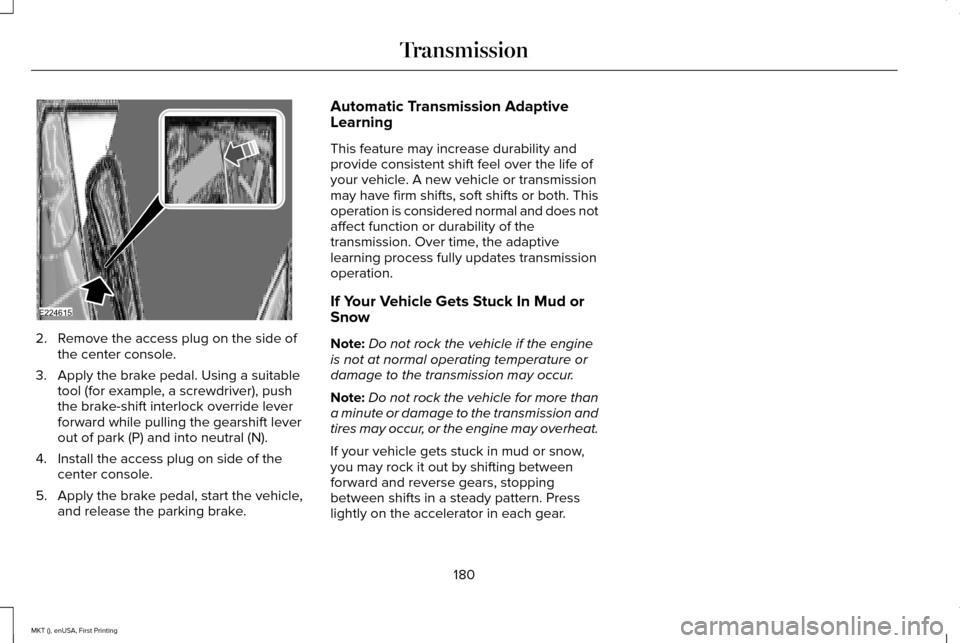
2. Remove the access plug on the side of
the center console.
3. Apply the brake pedal. Using a suitable tool (for example, a screwdriver), push
the brake-shift interlock override lever
forward while pulling the gearshift lever
out of park (P) and into neutral (N).
4. Install the access plug on side of the center console.
5. Apply the brake pedal, start the vehicle, and release the parking brake. Automatic Transmission Adaptive
Learning
This feature may increase durability and
provide consistent shift feel over the life of
your vehicle. A new vehicle or transmission
may have firm shifts, soft shifts or both. This
operation is considered normal and does not
affect function or durability of the
transmission. Over time, the adaptive
learning process fully updates transmission
operation.
If Your Vehicle Gets Stuck In Mud or
Snow
Note:
Do not rock the vehicle if the engine
is not at normal operating temperature or
damage to the transmission may occur.
Note: Do not rock the vehicle for more than
a minute or damage to the transmission and
tires may occur, or the engine may overheat.
If your vehicle gets stuck in mud or snow,
you may rock it out by shifting between
forward and reverse gears, stopping
between shifts in a steady pattern. Press
lightly on the accelerator in each gear.
180
MKT (), enUSA, First Printing TransmissionE224615
Page 197 of 452
PRINCIPLE OF OPERATION
WARNINGS
Vehicle modifications involving braking
system, aftermarket roof racks,
suspension, steering system, tire
construction and wheel and tire size may
change the handling characteristics of your
vehicle and may adversely affect the
performance of the electronic stability control
system. In addition, installing any stereo
loudspeakers may interfere with and
adversely affect the electronic stability
control system. Install any aftermarket stereo
loudspeaker as far as possible from the front
center console, the tunnel, and the front
seats in order to minimize the risk of
interfering with the electronic stability control
sensors. Reducing the effectiveness of the
electronic stability control system could lead
to an increased risk of loss of vehicle control,
vehicle rollover, personal injury and death. WARNINGS
Remember that even advanced
technology cannot defy the laws of
physics. It’ s always possible to lose control
of a vehicle due to inappropriate driver input
for the conditions. Aggressive driving on any
road condition can cause you to lose control
of your vehicle increasing the risk of personal
injury or property damage. Activation of the
electronic stability control system is an
indication that at least some of the tires have
exceeded their ability to grip the road; this
could reduce the operator’ s ability to control
the vehicle potentially resulting in a loss of
vehicle control, vehicle rollover, personal
injury and death. If your electronic stability
control system activates, SLOW DOWN. The system automatically turns on each time
you switch the ignition on.
If a driving condition activates either the
stability control or the traction control system
you may experience the following conditions:
•
The stability and traction control light
flashes.
• Your vehicle slows down. •
Reduced engine power.
• A vibration in the brake pedal.
• The brake pedal is stiffer than usual.
• If the driving condition is severe and your
foot is not on the brake, the brake pedal
may move as the systems applies higher
brake forces.
The stability control system has several
features built into it to help you maintain
control of your vehicle:
Electronic Stability Control
The system enhances your vehicle ’s ability
to prevent skids or lateral slides by applying
brakes to one or more of the wheels
individually and, if necessary, reducing
engine power.
Roll Stability Control
The system enhances your vehicle ’s ability
to prevent rollovers by detecting your
vehicle ’s roll motion and the rate at which it
changes by applying the brakes to one or
more wheels individually.
194
MKT (), enUSA, First Printing Stability Control
Page 220 of 452
Note:
The system may not function if the
camera is blocked or there is damage to the
windshield.
Note: When Aid mode is on and the system
detects no steering activity for a short period,
the system will alert you to put your hands
on the steering wheel. The system may
detect a light grip or touch on the steering
wheel as hands off driving.
The system notifies you to stay in your lane
through the steering system and the
instrument cluster display when the front
camera detects an unintentional drift out of
your lane is likely to occur. The system
automatically detects and tracks the road
lane markings using a camera mounted
behind the interior rear view mirror.
Switching the System On and Off
Note: The system on or off setting is stored
until it is manually changed, unless a MyKey
is detected. If the system detects a MyKey
it defaults to on and the mode is set to Alert.
Note: If a MyKey is detected, pressing the
button will not affect the on or off status of
the system. Press the button located on the
center console to switch the
system on or off.
System Settings
The system has optional setting menus
available. To view or adjust the settings, See
General Information (page 108). The system
stores the last-known selection for each of
these settings. You do not need to readjust
your settings each time you turn on the
system.
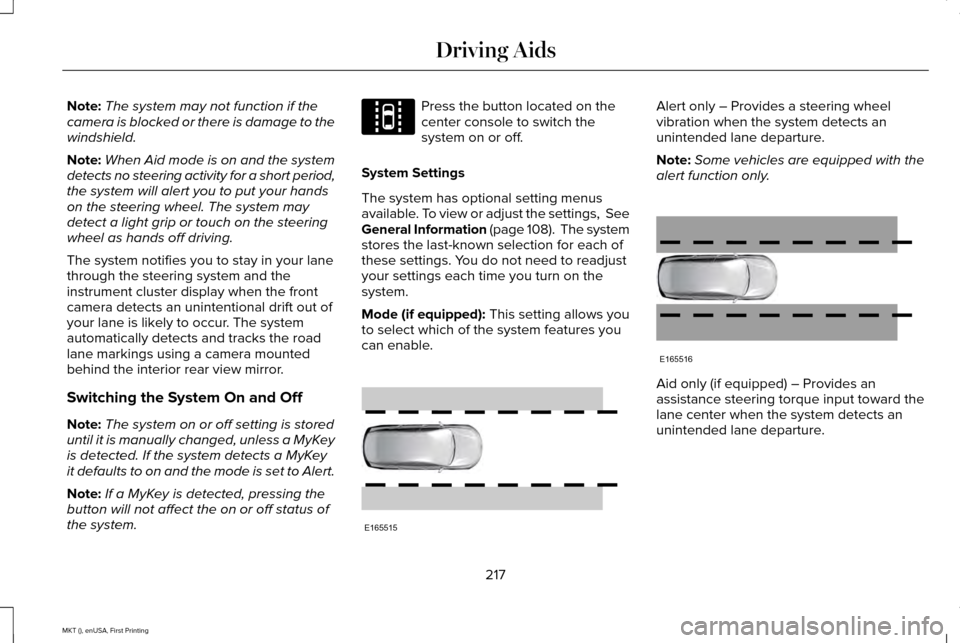
Mode (if equipped): This setting allows you
to select which of the system features you
can enable. Alert only – Provides a steering wheel
vibration when the system detects an
unintended lane departure.
Note:
Some vehicles are equipped with the
alert function only. Aid only (if equipped) – Provides an
assistance steering torque input toward the
lane center when the system detects an
unintended lane departure.
217
MKT (), enUSA, First Printing Driving AidsE144813 E165515 E165516
Page 384 of 452
VOL: Press to adjust the volume.
A
MEDIA:
Scroll through available audio system modes.
B
Display:
Shows the status of the current mode selected.
C
CLOCK:
Press to display the clock.
D
SEEK:
Select the next or previous stored radio frequency station, SIRIUS radi\
o channel or CD track.
E
USB PORT The USB port allows you to plug in media
playing devices, memory sticks and charge
devices (if supported). See your SYNC
information. MEDIA HUB
You can locate the media hub inside the
center console or on the instrument panel.
See your SYNC information.
381
MKT (), enUSA, First Printing Audio SystemE176344 E211463
Page 443 of 452
Auxiliary Power Points..................................157
110 Volt AC Power Point.....................................157
12 Volt DC Power Point......................................157
Locations................................................................157
AWD See: All-Wheel Drive............................................181
B
Battery See: Changing the 12V Battery.......................303
Blind Spot Information System..................221 Switching the System Off and On..................224
System Errors......................................................223
Using the System...............................................222
Bonnet Lock See: Opening and Closing the Hood............287
Booster Seats..................................................30
Types of Booster Seats........................................31
Brake Fluid Check.......................................302
Brakes..............................................................190 General Information............................................190
Breaking-In.....................................................253
Bulb Specification Chart
.............................309
C
Cabin Air Filter
................................................131 California Proposition 65................................11
Capacities and Specifications - 2.0L
EcoBoost™...................................................360
Specifications.......................................................361
Capacities and Specifications - 3.5L Ecoboost™....................................................365
Specifications......................................................366
Capacities and Specifications - 3.7L.........371 Specifications......................................................372
Capacities and Specifications....................351
Cargo Nets
.....................................................234
Car Wash See: Cleaning the Exterior................................
313
Center Console
.............................................159
Console Refrigerator and Freezer..................159
Second Row Center Console...........................159
Changing a Bulb...........................................307 Front Direction Indicator Lamp.......................308
Front Fog Lamp...................................................307
High Intensity Discharge Headlamp..............
307
LED Lamps...........................................................308
License Plate Lamp............................................308
Changing a Fuse..........................................285 Fuses.....................................................................285
Changing a Road Wheel.............................342 Dissimilar Spare Wheel and Tire Assembly
Information.......................................................343
Tire Change Procedure....................................344 Changing the 12V Battery
..........................303
Changing the Engine Air Filter....................311
Changing the Wiper Blades......................305 Front Wiper Blades............................................305
Rear Wiper Blade...............................................305
Checking MyKey System Status.................67
Checking the Wiper Blades.......................305
Child Restraint and Seatbelt Maintenance..................................................45
Child Restraint Positioning
...........................33
Child Safety.......................................................16
General Information..............................................16
Child Safety Locks..........................................34 Left-Hand Side.......................................................35
Right-Hand Side....................................................35
Cleaning Leather Seats
...............................318
Cleaning Products.........................................312
Cleaning the Alloy Wheels..........................318
Cleaning the Engine
.....................................314
Cleaning the Exterior....................................313 Exterior Chrome Parts........................................313
Exterior Plastic Parts...........................................314
Stripes or Graphics..............................................314
Underbody............................................................314
Cleaning the Instrument Panel and Instrument Cluster Lens............................317
440
MKT (), enUSA, First Printing Index
Page 448 of 452
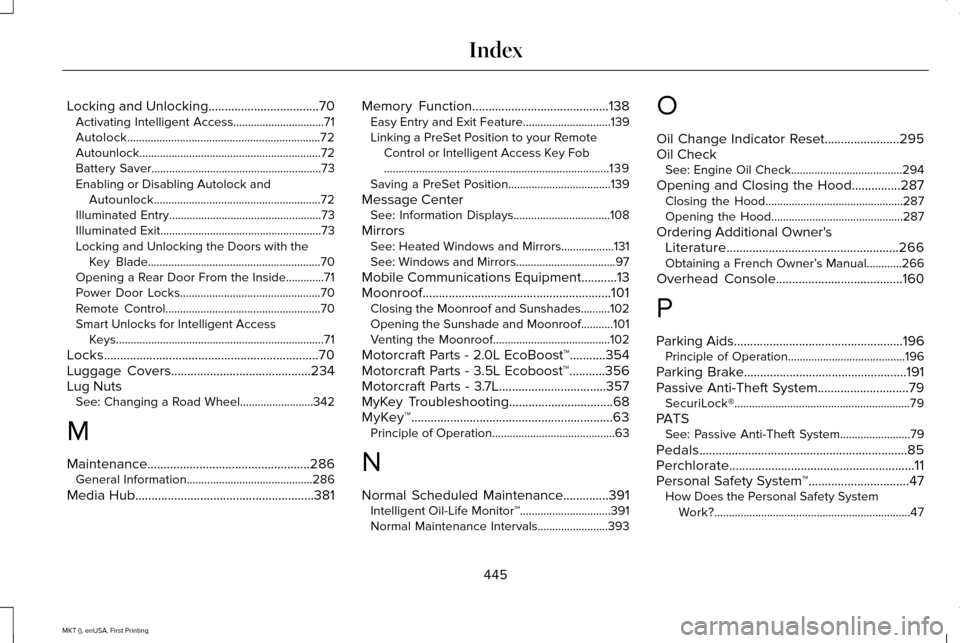
Locking and Unlocking..................................70
Activating Intelligent Access...............................71
Autolock..................................................................72
Autounlock ..............................................................72
Battery Saver..........................................................73
Enabling or Disabling Autolock and Autounlock.........................................................72
Illuminated Entry....................................................73
Illuminated Exit.......................................................73
Locking and Unlocking the Doors with the Key Blade...........................................................70
Opening a Rear Door From the Inside.............71
Power Door Locks................................................70
Remote Control.....................................................70
Smart Unlocks for Intelligent Access Keys.......................................................................71
Locks..................................................................70
Luggage Covers...........................................234
Lug Nuts See: Changing a Road Wheel.........................342
M
Maintenance..................................................286 General Information...........................................286
Media Hub
.......................................................381 Memory Function..........................................138
Easy Entry and Exit Feature..............................139
Linking a PreSet Position to your Remote
Control or Intelligent Access Key Fob
........................................................................\
.....139
Saving a PreSet Position...................................139
Message Center See: Information Displays.................................
108
Mirrors See: Heated Windows and Mirrors..................
131
See: Windows and Mirrors..................................97
Mobile Communications Equipment...........13
Moonroof..........................................................101 Closing the Moonroof and Sunshades..........
102
Opening the Sunshade and Moonroof...........101
Venting the Moonroof........................................102
Motorcraft Parts - 2.0L EcoBoost™...........354
Motorcraft Parts - 3.5L Ecoboost™...........356
Motorcraft Parts - 3.7L.................................357
MyKey Troubleshooting
................................68
MyKey™..............................................................63 Principle of Operation..........................................63
N
Normal Scheduled Maintenance
..............391
Intelligent Oil-Life Monitor™...............................391
Normal Maintenance Intervals........................393 O
Oil Change Indicator Reset.......................295
Oil Check
See: Engine Oil Check......................................
294
Opening and Closing the Hood...............287 Closing the Hood...............................................287
Opening the Hood.............................................287
Ordering Additional Owner's Literature.....................................................266
Obtaining a French Owner’ s Manual............266
Overhead Console
.......................................160
P
Parking Aids
....................................................196
Principle of Operation........................................196
Parking Brake..................................................191
Passive Anti-Theft System............................79 SecuriLock®............................................................79
PATS See: Passive Anti-Theft System........................79
Pedals................................................................85
Perchlorate.........................................................11
Personal Safety System ™
...............................47
How Does the Personal Safety System
Work?...................................................................47
445
MKT (), enUSA, First Printing Index