check oil LINCOLN MKT 2016 Owners Manual
[x] Cancel search | Manufacturer: LINCOLN, Model Year: 2016, Model line: MKT, Model: LINCOLN MKT 2016Pages: 452, PDF Size: 4.69 MB
Page 7 of 452
Luggage Covers...........................................234
Load Limit.......................................................235
Towing
Towing a Trailer.............................................243
Trailer Sway Control....................................244
Recommended Towing Weights...............244
Essential Towing Checks ............................
246
Transporting the Vehicle............................249
Towing the Vehicle on Four Wheels - 2.0L EcoBoost™..................................................250
Towing the Vehicle on Four Wheels - 3.5L Ecoboost™/3.7L..........................................251
Driving Hints
Breaking-In.....................................................253
Economical Driving
......................................253
Driving Through Water
...............................253
Floor Mats
......................................................254
Roadside Emergencies
Roadside Assistance
...................................256
Hazard Warning Flashers...........................257 Fuel Shutoff....................................................257
Jump Starting the Vehicle
..........................258
Customer Assistance
Getting the Services You Need.................261
In California (U.S. Only)...............................262
The Better Business Bureau (BBB) Auto Line Program (U.S. Only)........................263
Utilizing the Mediation/Arbitration Program (Canada Only)...........................................264
Getting Assistance Outside the U.S. and Canada
.......................................................265
Ordering Additional Owner's Literature....................................................266
Reporting Safety Defects (U.S. Only).......267
Reporting Safety Defects (Canada Only)............................................................267
Fuses
Fuse Specification Chart
............................269
Changing a Fuse..........................................285
Maintenance
General Information
.....................................286 Opening and Closing the Hood...............287
Under Hood Overview - 2.0L
EcoBoost™..................................................288
Under Hood Overview - 3.5L Ecoboost™..................................................290
Under Hood Overview - 3.7L....................292
Engine Oil Dipstick - 2.0L EcoBoost™......294
Engine Oil Dipstick - 3.5L Ecoboost™/ 3.7L..............................................................294
Engine Oil Check.........................................294
Oil Change Indicator Reset.......................295
Engine Coolant Check
................................296
Automatic Transmission Fluid Check - 2.0L EcoBoost™..................................................300
Automatic Transmission Fluid Check - 3.5L Ecoboost™/3.7L.........................................300
Brake Fluid Check.......................................302
Power Steering Fluid Check
......................303
Washer Fluid Check....................................303
Changing the 12V Battery
..........................303
Checking the Wiper Blades.......................305
Changing the Wiper Blades......................305
Adjusting the Headlamps
..........................306
Removing a Headlamp...............................307
4
MKT (), enUSA, First Printing Table of Contents
Page 11 of 452
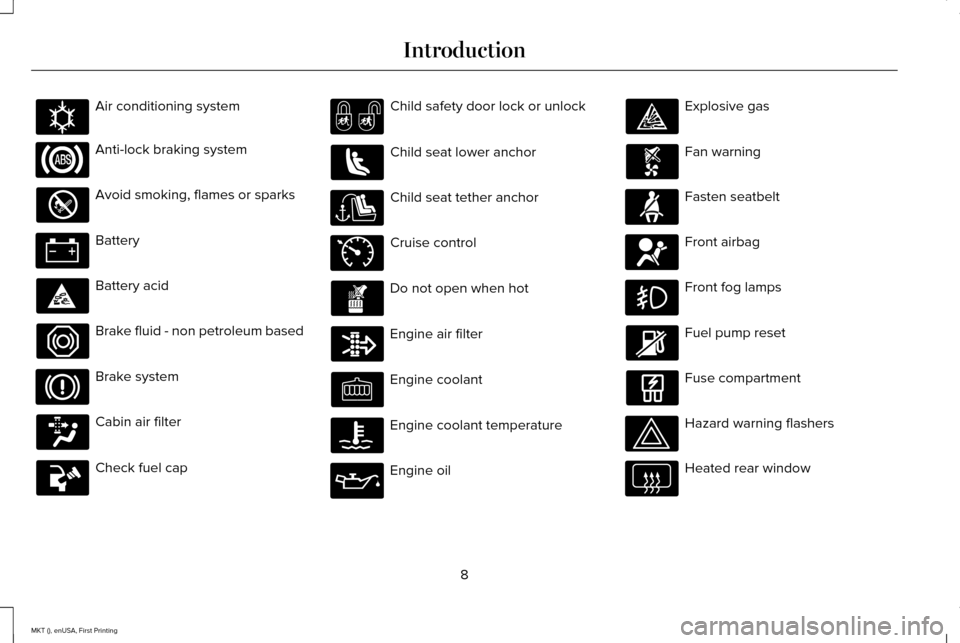
Air conditioning system
Anti-lock braking system
Avoid smoking, flames or sparks
Battery
Battery acid
Brake fluid - non petroleum based
Brake system
Cabin air filter
Check fuel cap Child safety door lock or unlock
Child seat lower anchor
Child seat tether anchor
Cruise control
Do not open when hot
Engine air filter
Engine coolant
Engine coolant temperature
Engine oil Explosive gas
Fan warning
Fasten seatbelt
Front airbag
Front fog lamps
Fuel pump reset
Fuse compartment
Hazard warning flashers
Heated rear window
8
MKT (), enUSA, First Printing IntroductionE162384 E71340
Page 108 of 452
WARNING
Driving your vehicle with the warning
lamp on is dangerous. A significant
decrease in braking performance may occur.
It will take you longer to stop your vehicle.
Have your vehicle checked by your
authorized dealer immediately. Driving
extended distances with the parking brake
engaged can cause brake failure and the risk
of personal injury. Charging System
Illuminates when the battery is not
charging properly.
If it stays on when the engine is
running, there may be a malfunction with the
charging system. Contact your authorized
dealer as soon as possible. This indicates a
problem with the electrical system or a
related component.
Cruise Control (If Equipped) The speed control system indicator
light changes color to indicate
what mode the system is in: •
On (gray light): Illuminates when you
switch the speed control system on.
Turns off when you switch the speed
control system off.
• Engaged (white light): Illuminates when
you engage the speed control system.
Turns off when you disengage the speed
control.
Direction Indicator Illuminates when the left or right
turn signal or the hazard warning
flasher is turned on. If the
indicators stay on or flash faster, check for a
burned out bulb.
See Changing a Bulb
(page 307).
Door Ajar Displays when the ignition is on
and any door is not completely
closed.Engine Coolant Temperature Illuminates when the engine
coolant temperature is high. Stop
the vehicle as soon as possible,
switch off the engine and let cool.
See
Engine Coolant Check (page 296).
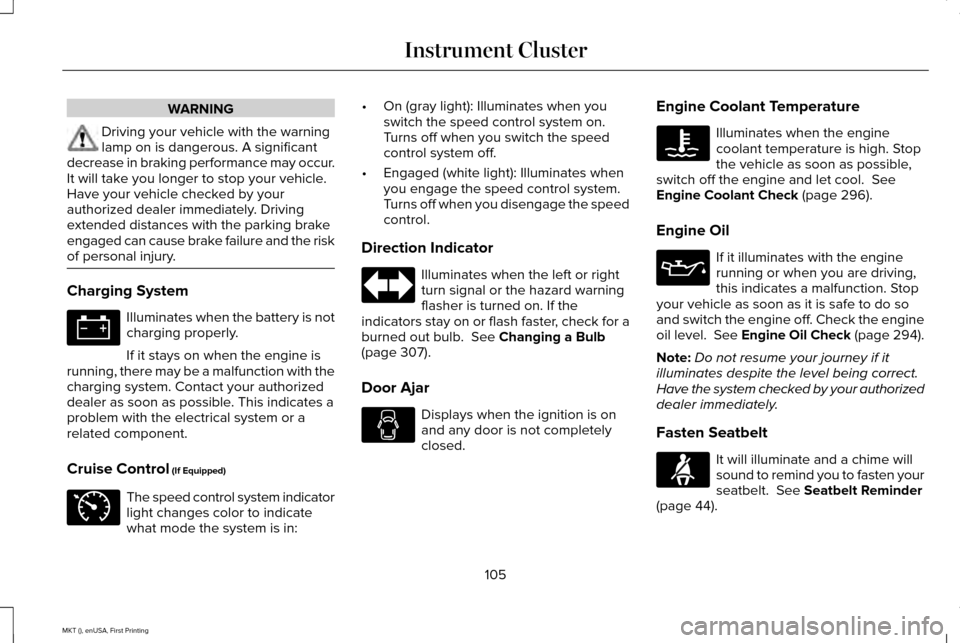
Engine Oil If it illuminates with the engine
running or when you are driving,
this indicates a malfunction. Stop
your vehicle as soon as it is safe to do so
and switch the engine off. Check the engine
oil level. See Engine Oil Check (page 294).
Note: Do not resume your journey if it
illuminates despite the level being correct.
Have the system checked by your authorized
dealer immediately.
Fasten Seatbelt It will illuminate and a chime will
sound to remind you to fasten your
seatbelt.
See Seatbelt Reminder
(page 44).
105
MKT (), enUSA, First Printing Instrument Cluster E71340
Page 125 of 452

Lane Keeping System
Action
Message
The system has malfunctioned. Contact an authorized dealer as soon as po\
ssible.
Lane Keeping Sys. Malfunction Service
Required
The system has detected a condition that has caused the system to be tem\
porarily unavailable.
Front Camera Temporarily Not Available
The system has detected a condition that requires the windshield to be c\
leaned to operateproperly.
Front Camera Low Visibility Clean Screen
The system has malfunctioned. Contact an authorized dealer as soon as po\
ssible.
Front Camera Malfunction Service
Required
The system requests the driver to keep their hands on the steering wheel.
Keep Hands on Steering Wheel
Maintenance Action
Message
Stop your vehicle as soon as safely possible, turn off the engine. Check the oil level. If the warningstays on or continues to come on with your engine running, contact an au\
thorized dealer as soon as possible.
Low Engine Oil Pressure
The engine oil life remaining is 10% or less. See Engine Oil Check (page 294).
Change Engine Oil Soon
The oil life left reaches 0%.
See Engine Oil Check (page 294).
Oil Change Required
122
MKT (), enUSA, First Printing Information Displays
Page 291 of 452
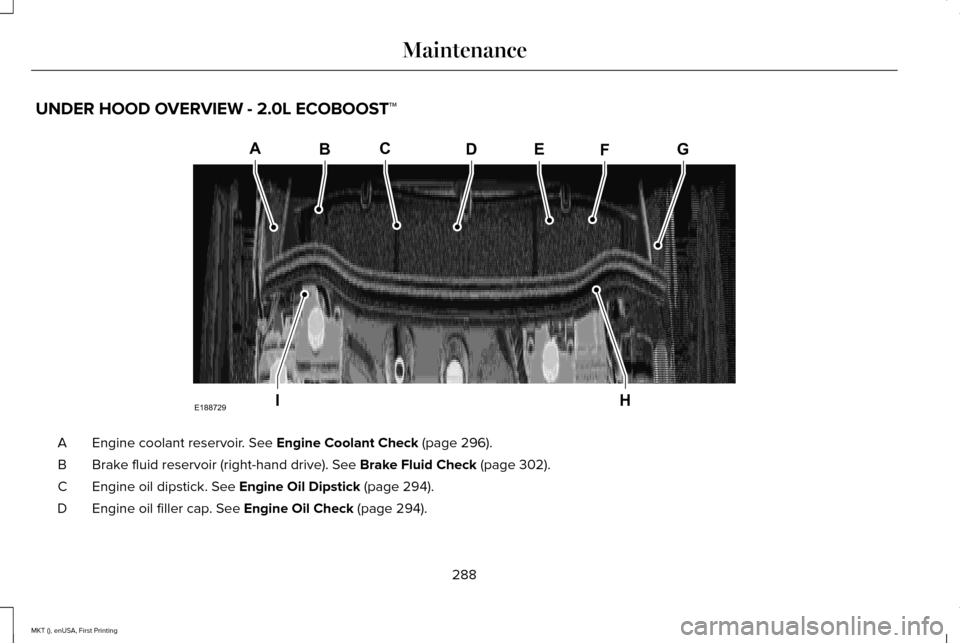
UNDER HOOD OVERVIEW - 2.0L ECOBOOST™
Engine coolant reservoir. See Engine Coolant Check (page 296).
A
Brake fluid reservoir (right-hand drive).
See Brake Fluid Check (page 302).
B
Engine oil dipstick.
See Engine Oil Dipstick (page 294).
C
Engine oil filler cap.
See Engine Oil Check (page 294).
D
288
MKT (), enUSA, First Printing MaintenanceA
IH
EBCDFG
E188729
Page 294 of 452
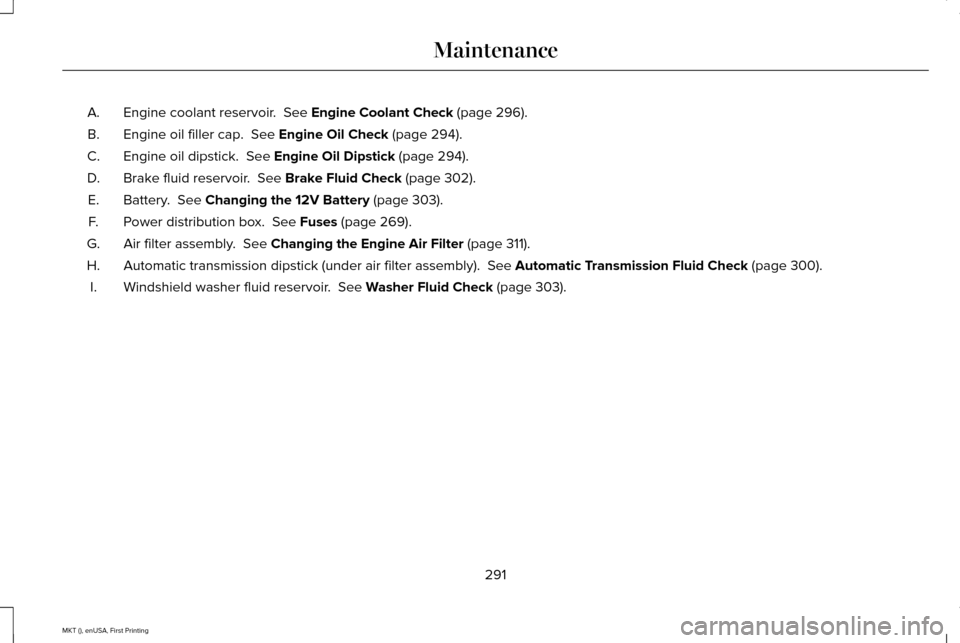
Engine coolant reservoir. See Engine Coolant Check (page 296).
A.
Engine oil filler cap.
See Engine Oil Check (page 294).
B.
Engine oil dipstick.
See Engine Oil Dipstick (page 294).
C.
Brake fluid reservoir.
See Brake Fluid Check (page 302).
D.
Battery.
See Changing the 12V Battery (page 303).
E.
Power distribution box.
See Fuses (page 269).
F.
Air filter assembly.
See Changing the Engine Air Filter (page 311).
G.
Automatic transmission dipstick (under air filter assembly).
See Automatic Transmission Fluid Check (page 300).
H.
Windshield washer fluid reservoir.
See Washer Fluid Check (page 303).
I.
291
MKT (), enUSA, First Printing Maintenance
Page 295 of 452
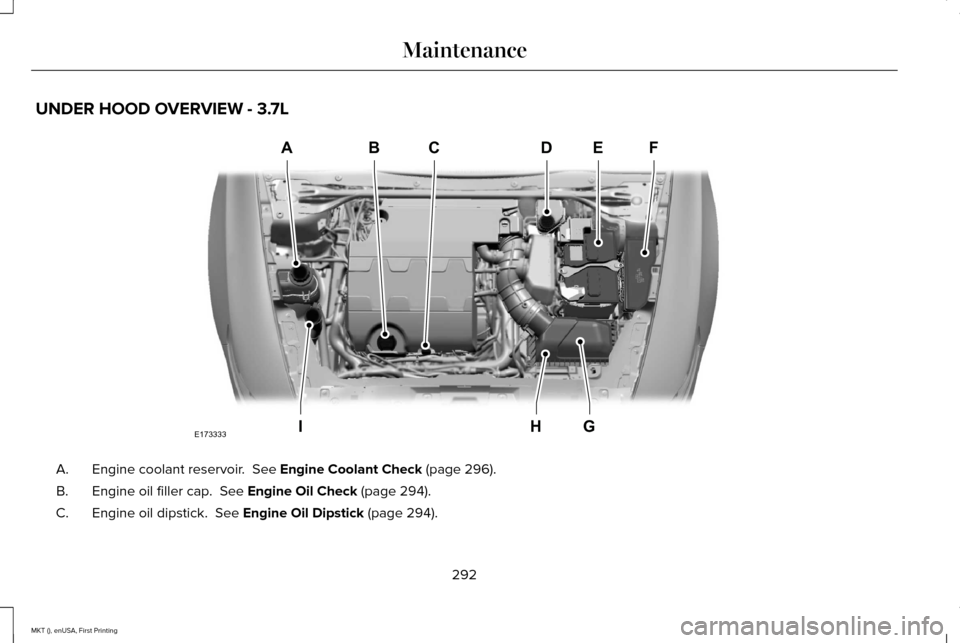
UNDER HOOD OVERVIEW - 3.7L
Engine coolant reservoir. See Engine Coolant Check (page 296).
A.
Engine oil filler cap.
See Engine Oil Check (page 294).
B.
Engine oil dipstick.
See Engine Oil Dipstick (page 294).
C.
292
MKT (), enUSA, First Printing MaintenanceABCD
GHI
EF
E173333
Page 296 of 452
Brake fluid reservoir. See Brake Fluid Check (page 302).
D.
Battery.
See Changing the 12V Battery (page 303).
E.
Power distribution box.
See Fuses (page 269).
F.
Air filter assembly.
See Changing the Engine Air Filter (page 311).
G.
Automatic transmission dipstick (under air filter assembly).
See Automatic Transmission Fluid Check (page 300).
H.
Windshield washer fluid reservoir.
See Washer Fluid Check (page 303).
I.
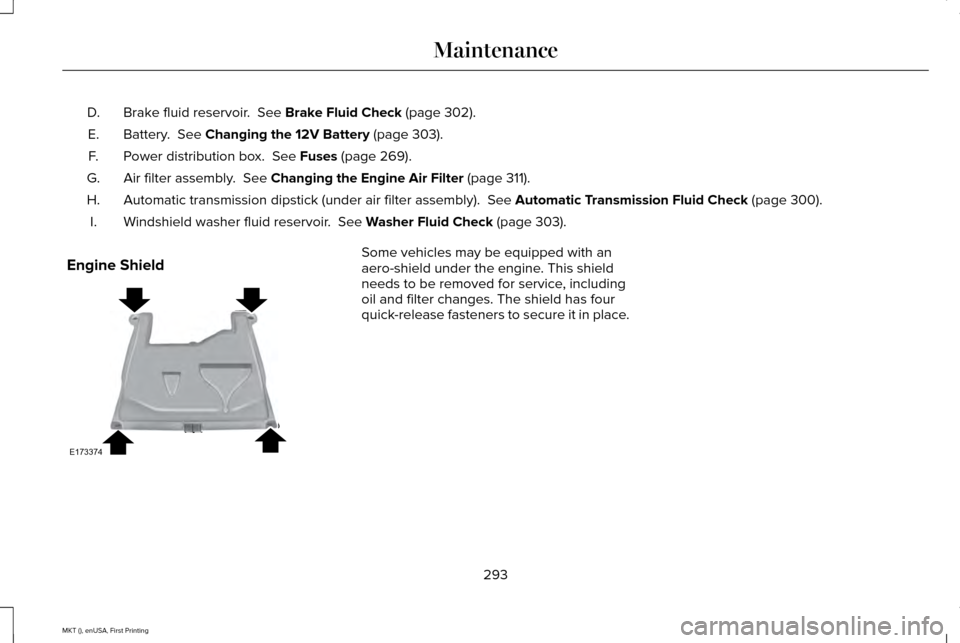
Engine Shield Some vehicles may be equipped with an
aero-shield under the engine. This shield
needs to be removed for service, including
oil and filter changes. The shield has four
quick-release fasteners to secure it in place.
293
MKT (), enUSA, First Printing MaintenanceE173374
Page 297 of 452
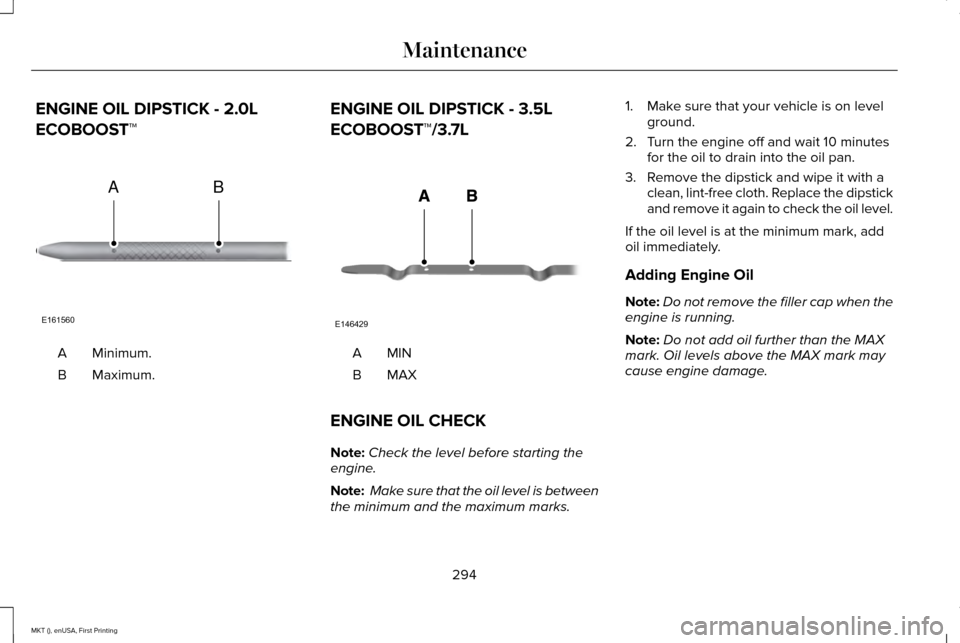
ENGINE OIL DIPSTICK - 2.0L
ECOBOOST™
Minimum.
A
Maximum.
B ENGINE OIL DIPSTICK - 3.5L
ECOBOOST™/3.7L
MINA
MAXB
ENGINE OIL CHECK
Note: Check the level before starting the
engine.
Note: Make sure that the oil level is between
the minimum and the maximum marks. 1. Make sure that your vehicle is on level
ground.
2. Turn the engine off and wait 10 minutes for the oil to drain into the oil pan.
3. Remove the dipstick and wipe it with a clean, lint-free cloth. Replace the dipstick
and remove it again to check the oil level.
If the oil level is at the minimum mark, add
oil immediately.
Adding Engine Oil
Note: Do not remove the filler cap when the
engine is running.
Note: Do not add oil further than the MAX
mark. Oil levels above the MAX mark may
cause engine damage.
294
MKT (), enUSA, First Printing MaintenanceE161560
AB E146429
Page 323 of 452
•
Cover interior trim to prevent fading.
• Keep all rubber parts free from oil and
solvents.
Engine
• Change the engine oil and filter prior to
storage because used engine oil contains
contaminates which may cause engine
damage.
• Start the engine every 15 days for a
minimum of 15 minutes. Run at fast idle
with the climate controls set to defrost
until the engine reaches normal
operating temperature.
• With your foot on the brake, shift through
all the gears while the engine is running.
• We recommend that you change the
engine oil before you use your vehicle
again.
Fuel system
• Fill the fuel tank with high-quality fuel
until the first automatic shutoff of the fuel
pump nozzle. Cooling system
•
Protect against freezing temperatures.
• When removing your vehicle from
storage, check coolant fluid level.
Confirm that there are no cooling system
leaks and that fluid is at the
recommended level.
Battery
• Check and recharge as necessary. Keep
connections clean.
• If storing your vehicle for more than 30
days without recharging the battery, we
recommend that you disconnect the
battery cables to maintain battery charge
for quick starting.
Note: It is necessary to reset memory
features if battery cables are disconnected.
Brakes
• Make sure the brakes and parking brake
release fully.
Tires
• Maintain recommended air pressure. Miscellaneous
•
Make sure all linkages, cables, levers and
pins under your vehicle are covered with
grease to prevent rust.
• Move vehicles at least 25 ft (7.5 m) every
15 days to lubricate working parts and
prevent corrosion.
Removing Vehicle From Storage
When your vehicle is ready to come out of
storage, do the following:
• Wash your vehicle to remove any dirt or
grease film build-up on window surfaces.
• Check windshield wipers for any
deterioration.
• Check under the hood for any foreign
material that may have collected during
storage such as mice or squirrel nests.
• Check the exhaust for any foreign
material that may have collected during
storage.
• Check tire pressures and set tire inflation
per the Tire Label.
320
MKT (), enUSA, First Printing Vehicle Care