instrument panel LINCOLN MKT 2016 Owners Manual
[x] Cancel search | Manufacturer: LINCOLN, Model Year: 2016, Model line: MKT, Model: LINCOLN MKT 2016Pages: 452, PDF Size: 4.69 MB
Page 8 of 452
Changing a Bulb...........................................307
Bulb Specification Chart.............................309
Changing the Engine Air Filter....................311
Vehicle Care
General Information
......................................312
Cleaning Products
.........................................312
Cleaning the Exterior....................................313
Waxing..............................................................314
Cleaning the Engine
.....................................314
Cleaning the Windows and Wiper Blades..........................................................315
Cleaning the Interior.....................................315
Cleaning the Instrument Panel and Instrument Cluster Lens...........................317
Cleaning Leather Seats
...............................318
Repairing Minor Paint Damage..................318
Cleaning the Alloy Wheels..........................318
Vehicle Storage.............................................319
Wheels and Tires
General Information.....................................322
Tire Care
.........................................................324 Using Snow Chains......................................337
Tire Pressure Monitoring System.............338
Changing a Road Wheel.............................342
Technical Specifications.............................349
Capacities and Specifications
Engine Specifications - 2.0L
EcoBoost™...................................................351
Engine Specifications - 3.5L Ecoboost™..................................................352
Engine Specifications - 3.7L.......................353
Motorcraft Parts - 2.0L EcoBoost™...........354
Motorcraft Parts - 3.5L Ecoboost™...........356
Motorcraft Parts - 3.7L.................................357
Vehicle Identification Number..................358
Vehicle Certification Label.........................358
Transmission Code Designation..............359
Capacities and Specifications - 2.0L EcoBoost™..................................................360
Capacities and Specifications - 3.5L Ecoboost™
..................................................365
Capacities and Specifications - 3.7L.........371 Audio System
General Information.....................................377
Audio Unit
.......................................................378
USB Port
..........................................................381
Media Hub
.......................................................381
Accessories
Accessories...................................................382
Extended Service Plan (ESP)
Extended Service Plan (ESP).....................384
Scheduled Maintenance
General Maintenance Information
...........387
Normal Scheduled Maintenance
..............391
Special Operating Conditions Scheduled Maintenance.............................................395
Scheduled Maintenance Record..............399
Appendices
End User License Agreement....................419
5
MKT (), enUSA, First Printing Table of Contents
Page 54 of 452
FRONT PASSENGER SENSING
SYSTEM
WARNINGS
Even with Advanced Restraints
Systems, children 12 and under should
be properly restrained in a rear seating
position. Failure to follow this could seriously
increase the risk of injury or death. Sitting improperly out of position or
with the seatback reclined too far can
take off weight from the seat cushion and
affect the decision of the front passenger
sensing system, resulting in serious injury or
death in a crash. Always sit upright against
your seatback, with your feet on the floor. Any alteration or modification to the
front passenger seat may affect the
performance of the front passenger sensing
system which could seriously increase the
risk of injury or death. This system works with sensors that are part
of the front passenger seat and seatbelt to
detect the presence of a properly-seated
occupant and determine if the front
passenger frontal airbag should be enabled
(may inflate) or not.
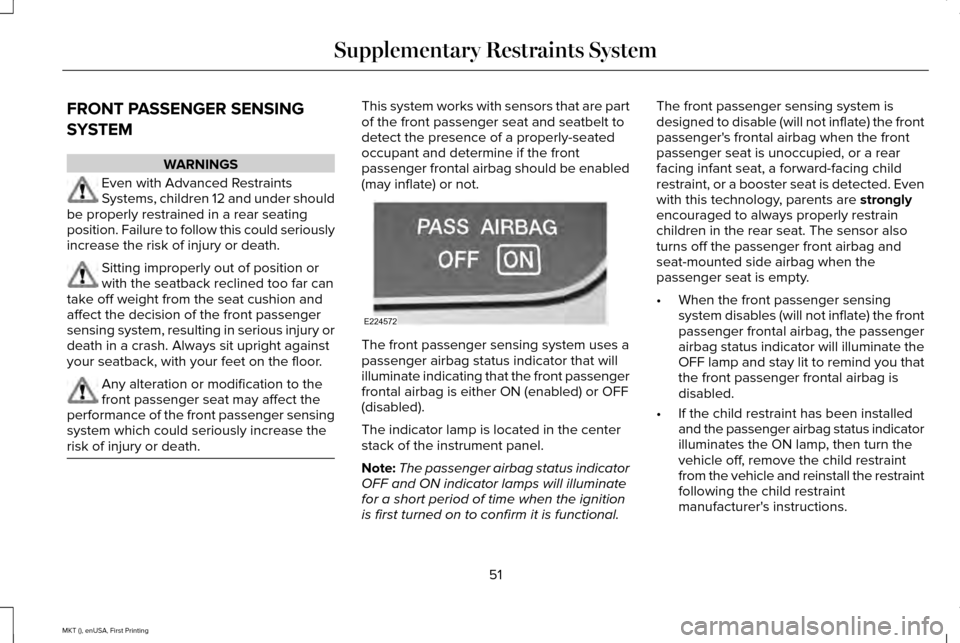
The front passenger sensing system uses a
passenger airbag status indicator that will
illuminate indicating that the front passenger
frontal airbag is either ON (enabled) or OFF
(disabled).
The indicator lamp is located in the center
stack of the instrument panel.
Note:
The passenger airbag status indicator
OFF and ON indicator lamps will illuminate
for a short period of time when the ignition
is first turned on to confirm it is functional. The front passenger sensing system is
designed to disable (will not inflate) the front
passenger's frontal airbag when the front
passenger seat is unoccupied, or a rear
facing infant seat, a forward-facing child
restraint, or a booster seat is detected. Even
with this technology, parents are strongly
encouraged to always properly restrain
children in the rear seat. The sensor also
turns off the passenger front airbag and
seat-mounted side airbag when the
passenger seat is empty.
• When the front passenger sensing
system disables (will not inflate) the front
passenger frontal airbag, the passenger
airbag status indicator will illuminate the
OFF lamp and stay lit to remind you that
the front passenger frontal airbag is
disabled.
• If the child restraint has been installed
and the passenger airbag status indicator
illuminates the ON lamp, then turn the
vehicle off, remove the child restraint
from the vehicle and reinstall the restraint
following the child restraint
manufacturer's instructions.
51
MKT (), enUSA, First Printing Supplementary Restraints SystemE224572
Page 64 of 452
Remote Starting your Vehicle
Note:
You must press each button within
three seconds of each other. If you do not
follow this sequence, your vehicle does not
start remotely, the direction indicators do
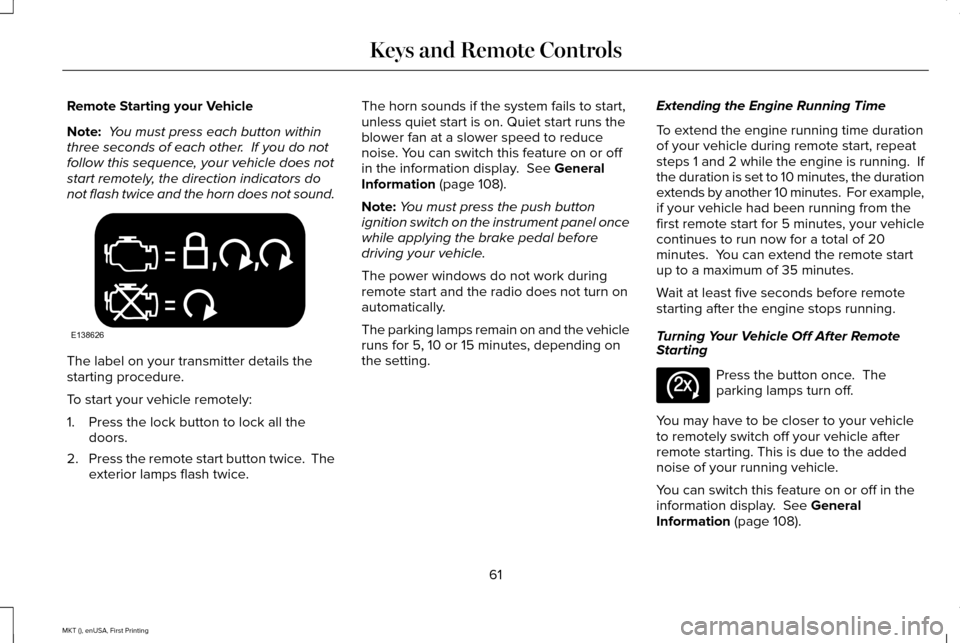
not flash twice and the horn does not sound. The label on your transmitter details the
starting procedure.
To start your vehicle remotely:
1. Press the lock button to lock all the
doors.
2. Press the remote start button twice. The
exterior lamps flash twice. The horn sounds if the system fails to start,
unless quiet start is on. Quiet start runs the
blower fan at a slower speed to reduce
noise. You can switch this feature on or off
in the information display. See General
Information (page 108).
Note: You must press the push button
ignition switch on the instrument panel once
while applying the brake pedal before
driving your vehicle.
The power windows do not work during
remote start and the radio does not turn on
automatically.
The parking lamps remain on and the vehicle
runs for 5, 10 or 15 minutes, depending on
the setting. Extending the Engine Running Time
To extend the engine running time duration
of your vehicle during remote start, repeat
steps 1 and 2 while the engine is running. If
the duration is set to 10 minutes, the duration
extends by another 10 minutes. For example,
if your vehicle had been running from the
first remote start for 5 minutes, your vehicle
continues to run now for a total of 20
minutes. You can extend the remote start
up to a maximum of 35 minutes.
Wait at least five seconds before remote
starting after the engine stops running.
Turning Your Vehicle Off After Remote
Starting
Press the button once. The
parking lamps turn off.
You may have to be closer to your vehicle
to remotely switch off your vehicle after
remote starting. This is due to the added
noise of your running vehicle.
You can switch this feature on or off in the
information display.
See General
Information (page 108).
61
MKT (), enUSA, First Printing Keys and Remote ControlsE138626 E138625
Page 77 of 452
WARNINGS
Keep keys out of reach of children. Do
not allow children to operate or play
near an open or moving power liftgate. You
should supervise the operation of the power
liftgate at all times. Note:
Make sure that you close the liftgate
before operating or moving your vehicle,
especially in an enclosure, like a garage or
a parking structure. This could damage the
liftgate and its components.
Note: Do not hang anything, for example a
bike rack, from the glass or liftgate. This
could damage the liftgate and its
components.
The liftgate only operates with the
transmission in park (P). Three warning tones sound as the liftgate
begins to power close. If there is a problem
with the open or close request, one of the
following may occur:
•
One tone sounds if the ignition is on and
the transmission is not in park (P).
• Three tones sound if the battery voltage
is below the minimum operating voltage.
• One tone sounds if the vehicle speed is
at or above 3 mph (5 km/h).
If the liftgate starts to close after it has fully
opened, this indicates there may be
excessive weight on the liftgate or a possible
gas strut failure. A repetitive tone sounds
and the liftgate closes under control. Remove
any excessive weight from the liftgate. If the
liftgate continues to close after opening,
have the system checked by an authorized
dealer.
Opening and Closing the Liftgate WARNING
Make sure all persons are clear of the
power liftgate area before using the
power liftgate control. Note:
Be careful when opening or closing
the liftgate in a garage or other enclosed
area to avoid damaging the liftgate.
Note: Do not leave the liftgate open while
driving. This could damage the liftgate and
its components.
From the Instrument Panel Press the button on the instrument
panel.
With the Remote Control Press the button twice within three
seconds.
With the Outside Control Button
Opening the Liftgate
1. Unlock the liftgate with the remote control or power door unlock control. If
an intelligent access key is within
3 ft
(1 m) of the liftgate, the liftgate unlocks
when you press the liftgate release
button.
74
MKT (), enUSA, First Printing Locks E138630
Page 79 of 452
Stopping the Liftgate Movement
You can stop the liftgate movement by doing
any of the following:
•
Pressing the liftgate control button.
• Pressing the liftgate button on the remote
control twice.
• Pressing the liftgate button on the
instrument panel.
• Activating the obstacle detection feature.
Setting the Liftgate Open Height
1. Open the liftgate.
2. Stop the liftgate by pressing the control button on the liftgate when it reaches the
desired height.
Note: When the liftgate has stopped moving,
you can also manually move it to the desired
height.
3. Press and hold the liftgate control button
on the liftgate until a tone sounds,
indicating programming is complete.
Note: You can only use the liftgate control
button to program the height. Note:
You cannot program the height if the
liftgate position is too low.
The new open liftgate height is recalled
when the power liftgate is opened. To
change the programmed height, repeat the
above procedure. Once you open the power
liftgate, you can manually move it to a
different height.
Note: The system recalls the new
programmed height, even if you disconnect
the battery.
When operating the power liftgate after you
have programmed a lower height than fully
open, you can fully open the liftgate by
manually pushing it upward to the maximum
open position.
Obstacle Detection
When Closing
The system stops when it detects an
obstacle. Three tones sound and the system
reverses to open. When you remove the
obstacle, you can power close the liftgate. Note:
Entering your vehicle when the liftgate
is closing can activate obstacle detection.
To prevent this, allow the power liftgate to
fully close before you enter your vehicle.
Before driving off, check the instrument
cluster for a liftgate or door ajar message or
warning indicator. Failure to do this could
result in unintentionally leaving the liftgate
open while driving.
When Opening
The system stops when it detects an
obstacle and two short tones sound. When
you remove the obstacle, you can continue
to operate the liftgate.
KEYLESS ENTRY
SECURICODE™ Keyless Entry Keypad
The keypad is near the driver window. It
illuminates when touched.
Note: If you enter your entry code too fast
on the keypad, the unlock function may not
work. Enter your entry code again more
slowly.
76
MKT (), enUSA, First Printing Locks
Page 92 of 452
GENERAL INFORMATION
Condensation in Lamp Assemblies
Exterior lamps have vents to accommodate
normal changes in air pressure.
Condensation can be a natural by-product
of this design. When moist air enters the
lamp assembly through the vents, there is a
possibility that condensation can occur when
the temperature is cold. When normal
condensation occurs, a fine mist can form on
the interior of the lens. The fine mist
eventually clears and exits through the vents
during normal operation.
Clearing time may take as long as 48 hours
under dry weather conditions.
Examples of acceptable condensation are:
•
The presence of a fine mist (no streaks,
drip marks or large droplets).
• A fine mist covers less than 50% of the
lens. Examples of unacceptable condensation are:
•
A water puddle inside the lamp.
• Streaks, drip marks or large droplets
present on the interior of the lens.
If you see any unacceptable condensation,
have your vehicle checked by an authorized
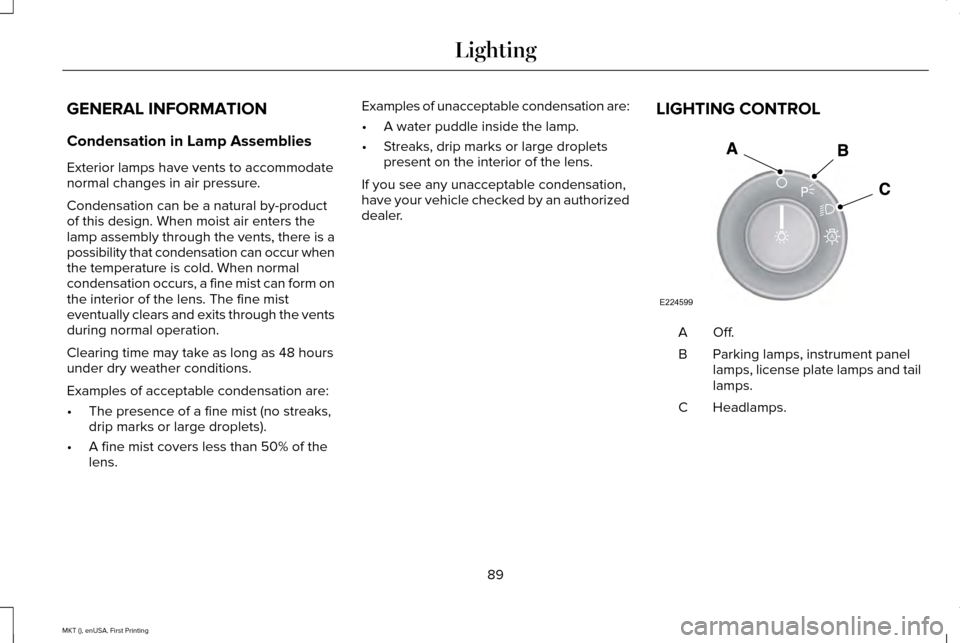
dealer. LIGHTING CONTROL Off.A
Parking lamps, instrument panel
lamps, license plate lamps and tail
lamps.
B
Headlamps.
C
89
MKT (), enUSA, First Printing LightingE224599
A
Page 94 of 452
The headlamps remain on for a period of
time after you switch the ignition off. Use the
information display controls to adjust the
period of time that the headlamps remain
on. See Information Displays (page 108).
Note: With the headlamps in the autolamps
position, you cannot switch the high beam
headlamps on until the autolamps system
turns the low beam headlamps on.
Windshield Wiper Activated Headlamps
The windshield wiper activated headlamps
turn on within 10 seconds when you switch
the windshield wipers on and the lighting
control is in the autolamps position. They
turn off approximately 60 seconds after you
switch the windshield wipers off.
The headlamps do not turn on by wiper
activation:
• During a mist wipe.
• When the wipers are on to clear washer
fluid during a wash condition.
• If the wipers are in intermittent mode. Note:
If you switch autolamps and
autowipers on, the headlamps will
automatically turn on when the windshield
wipers continuously operate.
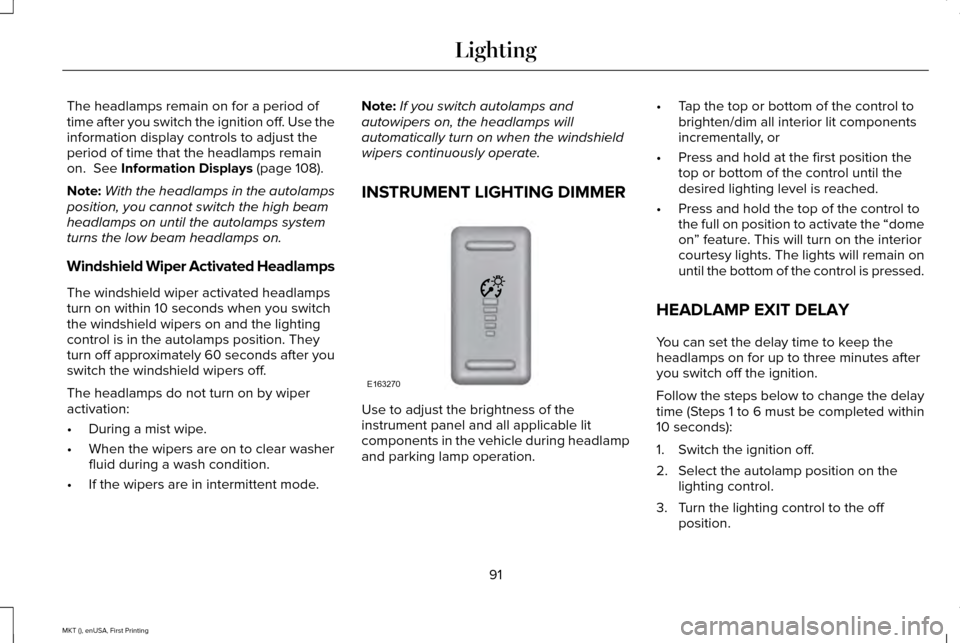
INSTRUMENT LIGHTING DIMMER Use to adjust the brightness of the
instrument panel and all applicable lit
components in the vehicle during headlamp
and parking lamp operation.•
Tap the top or bottom of the control to
brighten/dim all interior lit components
incrementally, or
• Press and hold at the first position the
top or bottom of the control until the
desired lighting level is reached.
• Press and hold the top of the control to
the full on position to activate the “dome
on” feature. This will turn on the interior
courtesy lights. The lights will remain on
until the bottom of the control is pressed.
HEADLAMP EXIT DELAY
You can set the delay time to keep the
headlamps on for up to three minutes after
you switch off the ignition.
Follow the steps below to change the delay
time (Steps 1 to 6 must be completed within
10 seconds):
1. Switch the ignition off.
2. Select the autolamp position on the lighting control.
3. Turn the lighting control to the off position.
91
MKT (), enUSA, First Printing LightingE163270
Page 131 of 452
Recirculated air: Press to switch between outside air and recirculated air. The air currently in the passenger compartment recirculates.
This can reduce the time needed to cool the interior and reduce unwanted\
odors from entering your vehicle.
D
Note: Recirculated air may also turn on and off automatically in instrument pan\
el or instrument panel and floor airflow modes during
hot weather to improve cooling efficiency.
MAX A/C:
Adjust for maximum cooling. Recirculated air flows through the instrument panel vents, air conditioni\
ng automatically
turns on and the fan automatically adjusts to the highest speed.
E
A/C:
Press to switch the air conditioning on or off. Air conditioning cools your vehicle using outside air. To improve the time to reach
a comfortable temperature in hot weather, drive with the windows open until you feel cold air through the air ve\
nts.
F
Note:
In certain conditions (for example, maximum defrost), the air conditioning compressor may continue to ope\
rate even though
the air conditioning is switched off.
Power:
Press to switch the system on and off. When the system is off, it prevents outside air from entering the vehicle.
G
AUTO:
Press to switch on automatic operation. Adjust to select the desired te\
mperature. Fan speed, air distribution, air conditioning
operation, and outside or recirculated air are automatically adjusted to\
heat or cool the vehicle to maintain the desired temperature .
You can also switch off dual zone mode by pressing and holding for more t\
han two seconds.
H
Heated rear window:
Press to switch the heated rear window on and off. See Heated Windows and Mirrors (page 131).
I
Defrost:
Select to distribute air through the windshield air vents. Air distribu\
tion to the instrument panel and footwell vents turns
off. You can also use this setting to defrost and clear the windshield of a th\
in covering of ice.
J
128
MKT (), enUSA, First Printing Climate Control
Page 132 of 452
HINTS ON CONTROLLING THE
INTERIOR CLIMATE
General Hints
Note:
Prolonged use of recirculated air may
cause the windows to fog up.
Note: You may feel a small amount of air
from the footwell air vents regardless of the
air distribution setting.
Note: To reduce humidity build-up inside
your vehicle, do not drive with the system
switched off or with recirculated air always
switched on.
Note: Do not place objects under the front
seats as this may interfere with the airflow
to the rear seats.
Note: Remove any snow, ice or leaves from
the air intake area at the base of the
windshield.
Note: To improve the time to reach a
comfortable temperature in hot weather,
drive with the windows open until you feel
cold air through the air vents. Automatic Climate Control
Note:
Adjusting the settings when your
vehicle interior is extremely hot or cold is not
necessary. The system automatically adjusts
to heat or cool the cabin to your selected
temperature as quickly as possible. For the
system to function efficiently, the instrument
panel and side air vents should be fully
open.
Note: If you select AUTO during cold outside
temperatures, the system directs airflow to
the windshield and side window vents. In
addition, the fan may run at a slower speed
until the engine warms up.
Note: If you select AUTO during hot outside
temperatures, or when the inside of the
vehicle is hot, the system automatically uses
recirculated air to maximize interior cooling.
When the interior reaches the selected
temperature, the system automatically
switches to using outside air.
Heating the Interior Quickly
1. Select the
AUTO function. 2. Adjust the temperature function to the
desired setting.
Recommended Settings for Heating
1. Select the
AUTO function.
2. Adjust the temperature function to the desired setting. Use 72°F (22°C) as a
starting point, then adjust the setting as
necessary.
Cooling the Interior Quickly
1. Select the
MAX A/C function.
Recommended Settings for Cooling
1. Select the
AUTO function.
2. Adjust the temperature function to the desired setting. Use 72°F (22°C) as a
starting point, then adjust the setting as
necessary.
Side Window Defogging in Cold
Weather
1. Press the defrost button.
129
MKT (), enUSA, First Printing Climate Control
Page 134 of 452

Air distribution control: Adjust to turn airflow from the instrument panel or footwell vents on o\
r off. You can distribute air through
any combination of these vents.
C
Temperature control:
Control the temperature of the air circulated in your vehicle.
D
Climate controlled seats:
Press to switch the climate controlled seats on and off. See Seats (page 133).
E
AUTO:
Press to switch on automatic operation. Adjust to select the desired te\
mperature.
F
Fan speed control lock:
When illuminated, you can only operate the rear passenger settings thro\
ugh the front controls.
G
HEATED WINDOWS AND MIRRORS
Heated Rear Window
Note: Make sure the engine is running
before operating the heated windows. Press the button to clear the
heated rear window of thin ice and
fog. The heated rear window will
automatically turn off after a short period of
time. Start the engine before you switch the
heated rear window on.
Note: Do not use razor blades or other sharp
objects to clean or remove decals from the
inside of the heated rear window. The
vehicle warranty does not cover damage
caused to the heated rear window grid lines. Heated Exterior Mirror
(If Equipped)
When you switch the heated rear window
on, the heated exterior mirrors will
automatically turn on.
Note: Do not remove ice from the mirrors
with a scraper or adjust the mirror glass
when it is frozen in place.
Note: Do not clean the mirror housing or
glass with harsh abrasives, fuel or other
petroleum-based cleaning products. CABIN AIR FILTER
Your vehicle is equipped with a cabin air
filter, which gives you and your passengers
the following benefits:
•
It improves your driving comfort by
reducing particle concentration.
• It improves the interior compartment
cleanliness.
• It protects the climate control
components from particle deposits.
You can locate the cabin air filter behind the
glove box.
131
MKT (), enUSA, First Printing Climate ControlE184884