tow LINCOLN MKT 2017 User Guide
[x] Cancel search | Manufacturer: LINCOLN, Model Year: 2017, Model line: MKT, Model: LINCOLN MKT 2017Pages: 558, PDF Size: 4.59 MB
Page 47 of 558
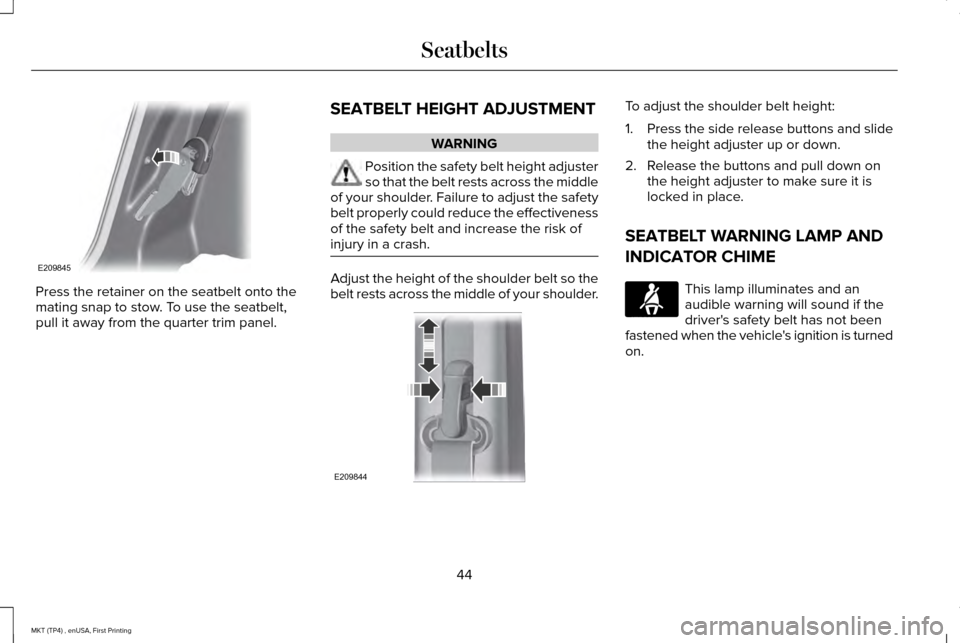
Press the retainer on the seatbelt onto the
mating snap to stow. To use the seatbelt,
pull it away from the quarter trim panel.
SEATBELT HEIGHT ADJUSTMENT WARNING
Position the safety belt height adjuster
so that the belt rests across the middle
of your shoulder. Failure to adjust the safety
belt properly could reduce the effectiveness
of the safety belt and increase the risk of
injury in a crash. Adjust the height of the shoulder belt so the
belt rests across the middle of your shoulder. To adjust the shoulder belt height:
1.
Press the side release buttons and slide
the height adjuster up or down.
2. Release the buttons and pull down on the height adjuster to make sure it is
locked in place.
SEATBELT WARNING LAMP AND
INDICATOR CHIME This lamp illuminates and an
audible warning will sound if the
driver's safety belt has not been
fastened when the vehicle's ignition is turned
on.
44
MKT (TP4) , enUSA, First Printing SeatbeltsE209845 E209844 E71880
Page 60 of 558
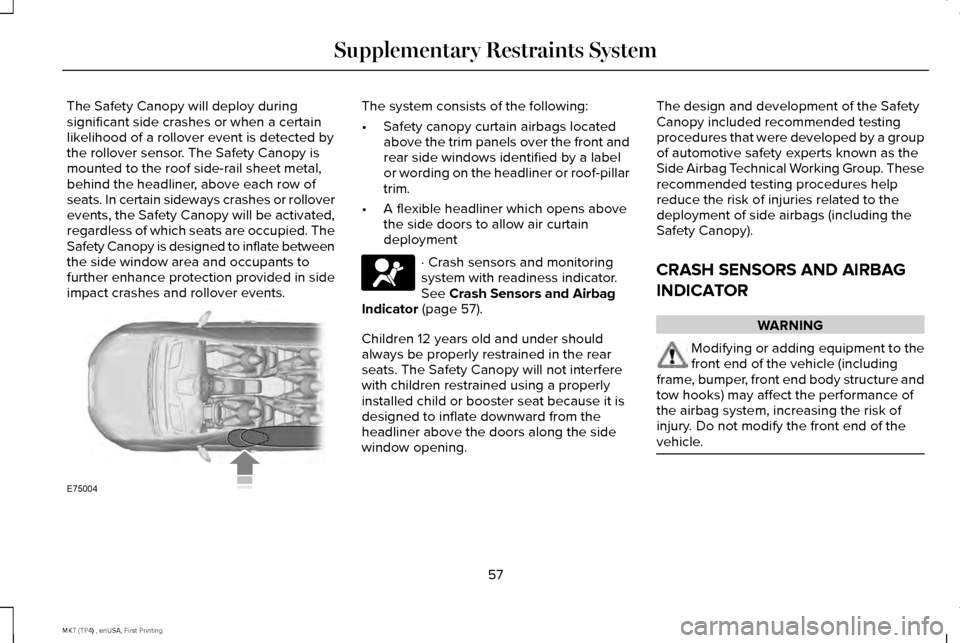
The Safety Canopy will deploy during
significant side crashes or when a certain
likelihood of a rollover event is detected by
the rollover sensor. The Safety Canopy is
mounted to the roof side-rail sheet metal,
behind the headliner, above each row of
seats. In certain sideways crashes or rollover
events, the Safety Canopy will be activated,
regardless of which seats are occupied. The
Safety Canopy is designed to inflate between
the side window area and occupants to
further enhance protection provided in side
impact crashes and rollover events. The system consists of the following:
•
Safety canopy curtain airbags located
above the trim panels over the front and
rear side windows identified by a label
or wording on the headliner or roof-pillar
trim.
• A flexible headliner which opens above
the side doors to allow air curtain
deployment · Crash sensors and monitoring
system with readiness indicator.
See Crash Sensors and Airbag
Indicator (page 57).
Children 12 years old and under should
always be properly restrained in the rear
seats. The Safety Canopy will not interfere
with children restrained using a properly
installed child or booster seat because it is
designed to inflate downward from the
headliner above the doors along the side
window opening. The design and development of the Safety
Canopy included recommended testing
procedures that were developed by a group
of automotive safety experts known as the
Side Airbag Technical Working Group. These
recommended testing procedures help
reduce the risk of injuries related to the
deployment of side airbags (including the
Safety Canopy).
CRASH SENSORS AND AIRBAG
INDICATOR
WARNING
Modifying or adding equipment to the
front end of the vehicle (including
frame, bumper, front end body structure and
tow hooks) may affect the performance of
the airbag system, increasing the risk of
injury. Do not modify the front end of the
vehicle. 57
MKT (TP4) , enUSA, First Printing Supplementary Restraints SystemE75004 E67017
Page 63 of 558
GENERAL INFORMATION ON
RADIO FREQUENCIES
This device complies with Part 15 of the FCC
Rules and with Industry Canada
license-exempt RSS standard(s). Operation
is subject to the following two conditions: (1)
This device may not cause harmful
interference, and (2) This device must accept
any interference received, including
interference that may cause undesired
operation.
Note:
Changes or modifications not
expressively approved by the party
responsible for compliance could void the
user's authority to operate the equipment.
The term IC before the radio certification
number only signifies that Industry Canada
technical specifications were met. The typical operating range for your
transmitter is approximately 33 feet (10
meters). Vehicles with the remote start
feature will have a greater range. One of the
following could cause a decrease in
operating range:
•
weather conditions
• nearby radio towers
• structures around the vehicle
• other vehicles parked next to your
vehicle
Other short-distance radio transmitters, such
as amateur radios, medical equipment,
wireless headphones, remote controls and
alarm systems may operate on the same
frequency as your remote control. If other
transmitters are operating on those
frequencies, you may not be able to use your
remote control. Using your remote control
near some types of electronic equipment,
such as USB devices, computers or cell
phones can interfere with remote operation.
Operating your remote control near metal or
metallic-finished purses, bags or clothing can
interfere with remote operation. You can lock
and unlock the doors with the key. Note:
Make sure to lock your vehicle before
leaving it unattended.
Note: If you are in range, the remote control
will operate if you press any button
unintentionally.
Intelligent Access
The system uses a radio frequency signal to
communicate with your vehicle and authorize
your vehicle to unlock when one of the
following conditions are met:
• You touch the inside of any exterior door
handle within
3 ft (1 m) proximity of an
intelligent access key.
• You press the luggage compartment
button.
• You press a button on the transmitter.
If excessive radio frequency interference is
present in the area or if the transmitter
battery is low, you may need to mechanically
unlock your door. You can use the
mechanical key blade in your intelligent
access key to open the driver door in this
situation.
See Remote Control (page 61).
60
MKT (TP4) , enUSA, First Printing Keys and Remote Controls
Page 75 of 558
LOCKING AND UNLOCKING
You can use the power door lock control or
the remote control to lock and unlock your
vehicle.
Power Door Locks
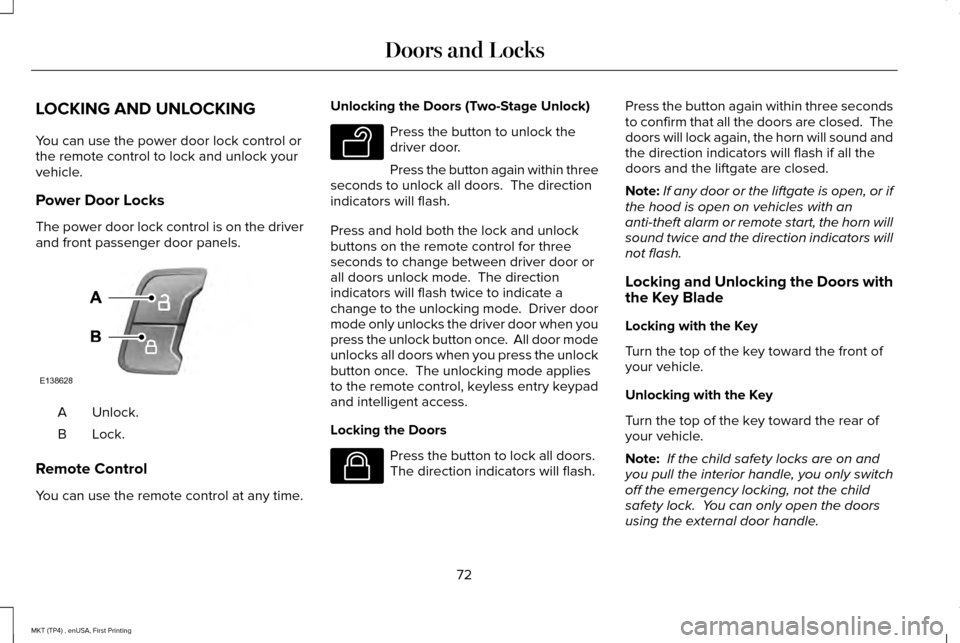
The power door lock control is on the driver
and front passenger door panels.
Unlock.
A
Lock.B
Remote Control
You can use the remote control at any time. Unlocking the Doors (Two-Stage Unlock) Press the button to unlock the
driver door.
Press the button again within three
seconds to unlock all doors. The direction
indicators will flash.
Press and hold both the lock and unlock
buttons on the remote control for three
seconds to change between driver door or
all doors unlock mode. The direction
indicators will flash twice to indicate a
change to the unlocking mode. Driver door
mode only unlocks the driver door when you
press the unlock button once. All door mode
unlocks all doors when you press the unlock
button once. The unlocking mode applies
to the remote control, keyless entry keypad
and intelligent access.
Locking the Doors Press the button to lock all doors.
The direction indicators will flash.Press the button again within three seconds
to confirm that all the doors are closed. The
doors will lock again, the horn will sound and
the direction indicators will flash if all the
doors and the liftgate are closed.
Note:
If any door or the liftgate is open, or if
the hood is open on vehicles with an
anti-theft alarm or remote start, the horn will
sound twice and the direction indicators will
not flash.
Locking and Unlocking the Doors with
the Key Blade
Locking with the Key
Turn the top of the key toward the front of
your vehicle.
Unlocking with the Key
Turn the top of the key toward the rear of
your vehicle.
Note: If the child safety locks are on and
you pull the interior handle, you only switch
off the emergency locking, not the child
safety lock. You can only open the doors
using the external door handle.
72
MKT (TP4) , enUSA, First Printing Doors and LocksE138628 E138629 E138623
Page 91 of 558
WINDSHIELD WIPERS
Note:
Fully defrost the windshield before you
switch the windshield wipers on.
Note: Make sure you switch the windshield
wipers off before entering a car wash.
Note: Clean the windshield and wiper blades
if they begin to leave streaks or smears. If
that does not resolve the issue, install new
wiper blades. See Changing the Wiper
Blades (page 303).
Note: Do not operate the wipers on a dry
windshield. This may scratch the glass,
damage the wiper blades or cause the wiper
motor to burn out. Always use the windshield
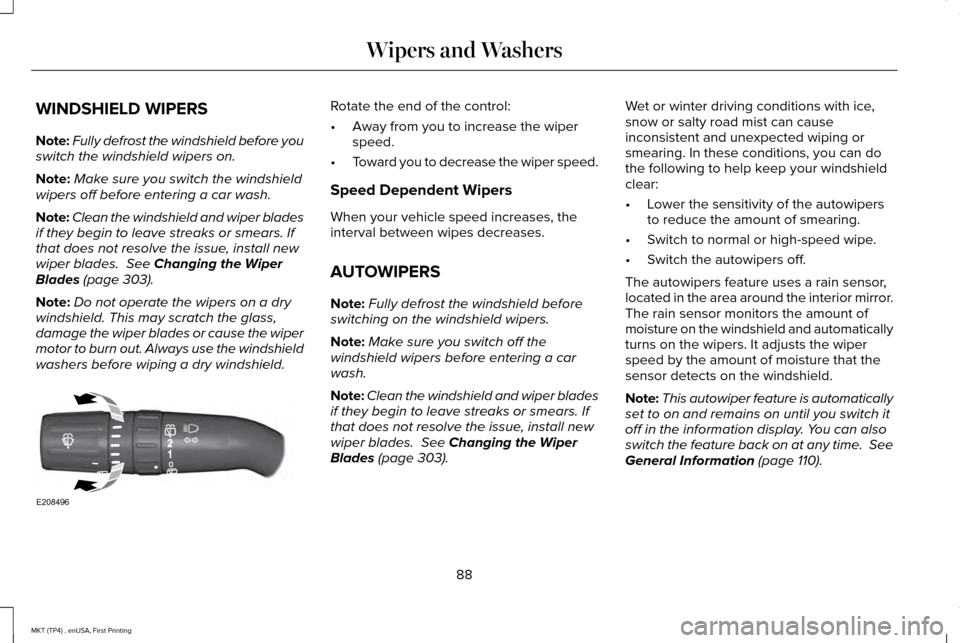
washers before wiping a dry windshield. Rotate the end of the control:
•
Away from you to increase the wiper
speed.
• Toward you to decrease the wiper speed.
Speed Dependent Wipers
When your vehicle speed increases, the
interval between wipes decreases.
AUTOWIPERS
Note: Fully defrost the windshield before
switching on the windshield wipers.
Note: Make sure you switch off the
windshield wipers before entering a car
wash.
Note: Clean the windshield and wiper blades
if they begin to leave streaks or smears. If
that does not resolve the issue, install new
wiper blades.
See Changing the Wiper
Blades (page 303). Wet or winter driving conditions with ice,
snow or salty road mist can cause
inconsistent and unexpected wiping or
smearing. In these conditions, you can do
the following to help keep your windshield
clear:
•
Lower the sensitivity of the autowipers
to reduce the amount of smearing.
• Switch to normal or high-speed wipe.
• Switch the autowipers off.
The autowipers feature uses a rain sensor,
located in the area around the interior mirror.
The rain sensor monitors the amount of
moisture on the windshield and automatically
turns on the wipers. It adjusts the wiper
speed by the amount of moisture that the
sensor detects on the windshield.
Note: This autowiper feature is automatically
set to on and remains on until you switch it
off in the information display. You can also
switch the feature back on at any time. See
General Information (page 110).
88
MKT (TP4) , enUSA, First Printing Wipers and WashersE208496
Page 92 of 558
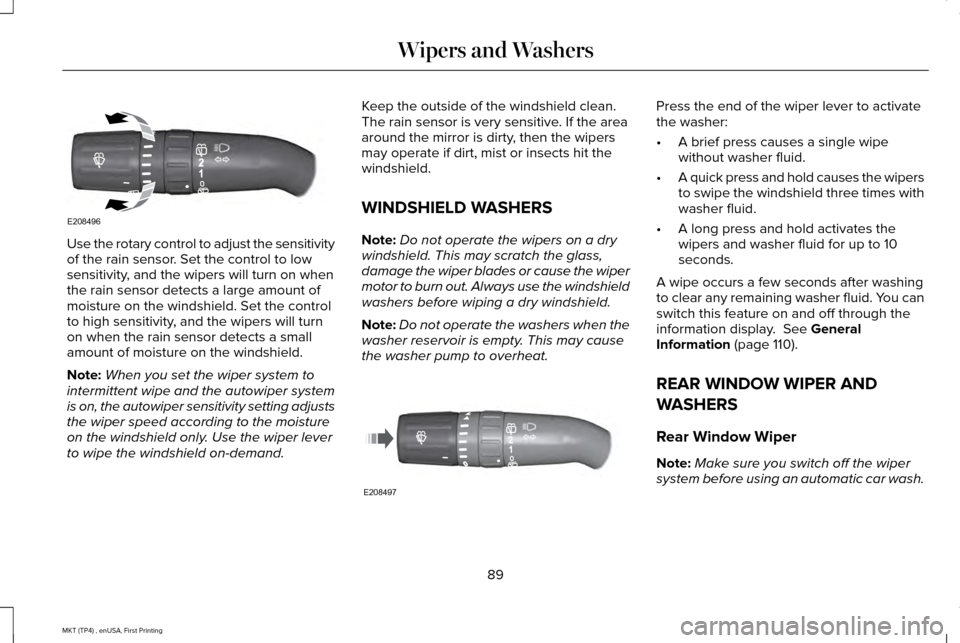
Use the rotary control to adjust the sensitivity
of the rain sensor. Set the control to low
sensitivity, and the wipers will turn on when
the rain sensor detects a large amount of
moisture on the windshield. Set the control
to high sensitivity, and the wipers will turn
on when the rain sensor detects a small
amount of moisture on the windshield.
Note:
When you set the wiper system to
intermittent wipe and the autowiper system
is on, the autowiper sensitivity setting adjusts
the wiper speed according to the moisture
on the windshield only. Use the wiper lever
to wipe the windshield on-demand. Keep the outside of the windshield clean.
The rain sensor is very sensitive. If the area
around the mirror is dirty, then the wipers
may operate if dirt, mist or insects hit the
windshield.
WINDSHIELD WASHERS
Note:
Do not operate the wipers on a dry
windshield. This may scratch the glass,
damage the wiper blades or cause the wiper
motor to burn out. Always use the windshield
washers before wiping a dry windshield.
Note: Do not operate the washers when the
washer reservoir is empty. This may cause
the washer pump to overheat. Press the end of the wiper lever to activate
the washer:
•
A brief press causes a single wipe
without washer fluid.
• A quick press and hold causes the wipers
to swipe the windshield three times with
washer fluid.
• A long press and hold activates the
wipers and washer fluid for up to 10
seconds.
A wipe occurs a few seconds after washing
to clear any remaining washer fluid. You can
switch this feature on and off through the
information display. See General
Information (page 110).
REAR WINDOW WIPER AND
WASHERS
Rear Window Wiper
Note: Make sure you switch off the wiper
system before using an automatic car wash.
89
MKT (TP4) , enUSA, First Printing Wipers and WashersE208496 E208497
Page 95 of 558
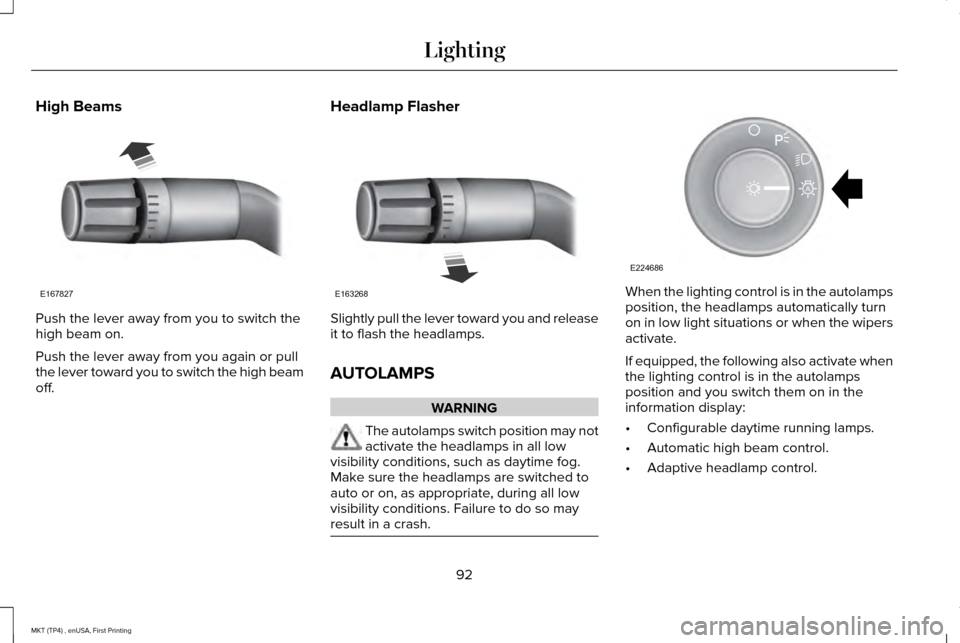
High Beams
Push the lever away from you to switch the
high beam on.
Push the lever away from you again or pull
the lever toward you to switch the high beam
off.
Headlamp Flasher Slightly pull the lever toward you and release
it to flash the headlamps.
AUTOLAMPS
WARNING
The autolamps switch position may not
activate the headlamps in all low
visibility conditions, such as daytime fog.
Make sure the headlamps are switched to
auto or on, as appropriate, during all low
visibility conditions. Failure to do so may
result in a crash. When the lighting control is in the autolamps
position, the headlamps automatically turn
on in low light situations or when the wipers
activate.
If equipped, the following also activate when
the lighting control is in the autolamps
position and you switch them on in the
information display:
•
Configurable daytime running lamps.
• Automatic high beam control.
• Adaptive headlamp control.
92
MKT (TP4) , enUSA, First Printing LightingE167827 E163268 E224686
A
Page 96 of 558
The headlamps remain on for a period of
time after you switch the ignition off. Use the
information display controls to adjust the
period of time that the headlamps remain
on. See Information Displays (page 110).
Note: With the headlamps in the autolamps
position, you cannot switch the high beam
headlamps on until the autolamps system
turns the low beam headlamps on.
Windshield Wiper Activated Headlamps
The windshield wiper activated headlamps
turn on within 10 seconds when you switch
the windshield wipers on and the lighting
control is in the autolamps position. They
turn off approximately 60 seconds after you
switch the windshield wipers off.
The headlamps do not turn on by wiper
activation:
• During a mist wipe.
• When the wipers are on to clear washer
fluid during a wash condition.
• If the wipers are in intermittent mode. Note:
If you switch autolamps and
autowipers on, the headlamps will
automatically turn on when the windshield
wipers continuously operate.
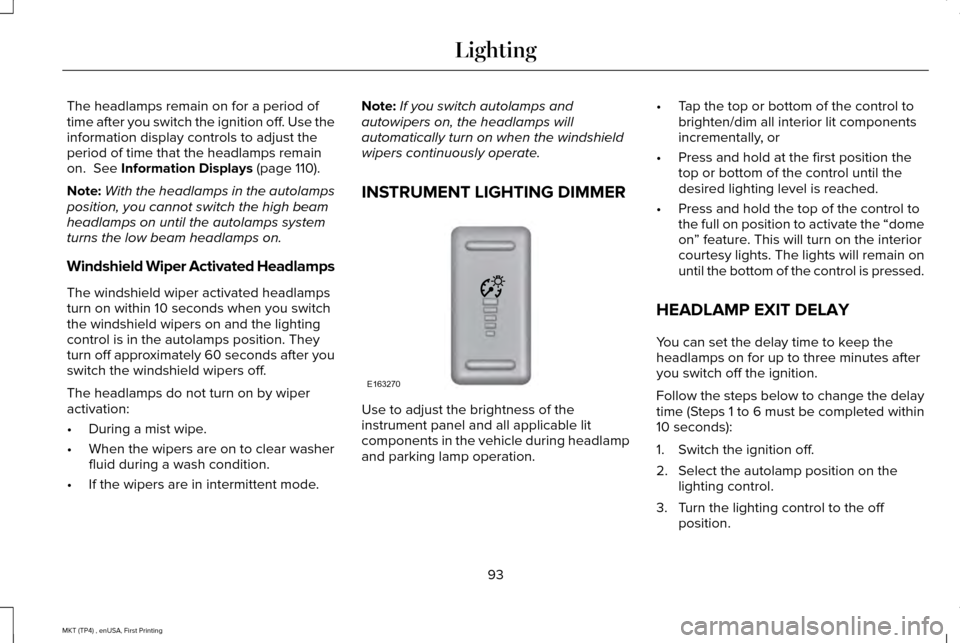
INSTRUMENT LIGHTING DIMMER Use to adjust the brightness of the
instrument panel and all applicable lit
components in the vehicle during headlamp
and parking lamp operation.•
Tap the top or bottom of the control to
brighten/dim all interior lit components
incrementally, or
• Press and hold at the first position the
top or bottom of the control until the
desired lighting level is reached.
• Press and hold the top of the control to
the full on position to activate the “dome
on” feature. This will turn on the interior
courtesy lights. The lights will remain on
until the bottom of the control is pressed.
HEADLAMP EXIT DELAY
You can set the delay time to keep the
headlamps on for up to three minutes after
you switch off the ignition.
Follow the steps below to change the delay
time (Steps 1 to 6 must be completed within
10 seconds):
1. Switch the ignition off.
2. Select the autolamp position on the lighting control.
3. Turn the lighting control to the off position.
93
MKT (TP4) , enUSA, First Printing LightingE163270
Page 99 of 558
FRONT FOG LAMPS
Pull the lighting control toward you to switch
the fog lamps on.
You can switch the fog lamps on when the
lighting control is in any position except off
and the high beam is not on.
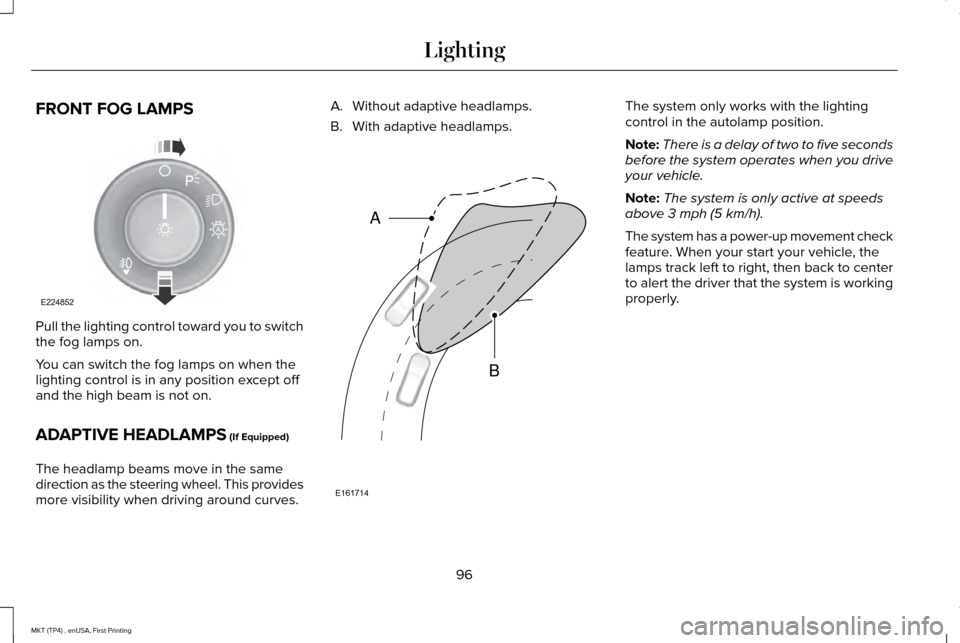
ADAPTIVE HEADLAMPS (If Equipped)
The headlamp beams move in the same
direction as the steering wheel. This provides
more visibility when driving around curves. A. Without adaptive headlamps.
B. With adaptive headlamps. The system only works with the lighting
control in the autolamp position.
Note:
There is a delay of two to five seconds
before the system operates when you drive
your vehicle.
Note: The system is only active at speeds
above
3 mph (5 km/h).
The system has a power-up movement check
feature. When your start your vehicle, the
lamps track left to right, then back to center
to alert the driver that the system is working
properly.
96
MKT (TP4) , enUSA, First Printing LightingE224852
A E161714
B
A
Page 104 of 558

Fold-Away Exterior Mirrors
Push the mirror toward the door window
glass. Make sure that you fully engage the
mirror in its support when returning it to its
original position.
Heated Exterior Mirrors
See Heated Windows and Mirrors (page
134).
Memory Mirrors
You can save and recall the mirror positions
through the memory function. See Memory
Function
(page 141).
Auto-dimming Feature
The driver exterior mirror automatically dims
with the auto-dimming interior mirror.
Direction Indicator Mirrors
While the vehicle is running, the
forward-facing portion of the appropriate
mirror housing blinks when you switch on
the direction indicator. Puddle Lamps
The lamps on the bottom part of the mirror
housing light when you use your transmitter
to unlock the doors or when you open a
door.
Integrated Blind Spot Mirror
(If Equipped)
WARNING
Objects in the blind spot mirror are
closer than they appear.
Blind spot mirrors have an integrated convex
mirror built into the upper outboard corner
of the exterior mirrors. They can assist you
by increasing visibility along the side of your
vehicle.
Check the main mirror first before a lane
change, then check the blind spot mirror. If
no vehicles are present in the blind spot
mirror and the traffic in the adjacent lane is
at a safe distance, signal that you are going
to change lanes. Glance over your shoulder
to verify traffic is clear, and carefully change
lanes.
101
MKT (TP4) , enUSA, First Printing Windows and MirrorsA
B
C
E138665