light LINCOLN MKT 2017 Manual PDF
[x] Cancel search | Manufacturer: LINCOLN, Model Year: 2017, Model line: MKT, Model: LINCOLN MKT 2017Pages: 558, PDF Size: 4.59 MB
Page 232 of 558
System Lights, Messages and Audible
Alerts
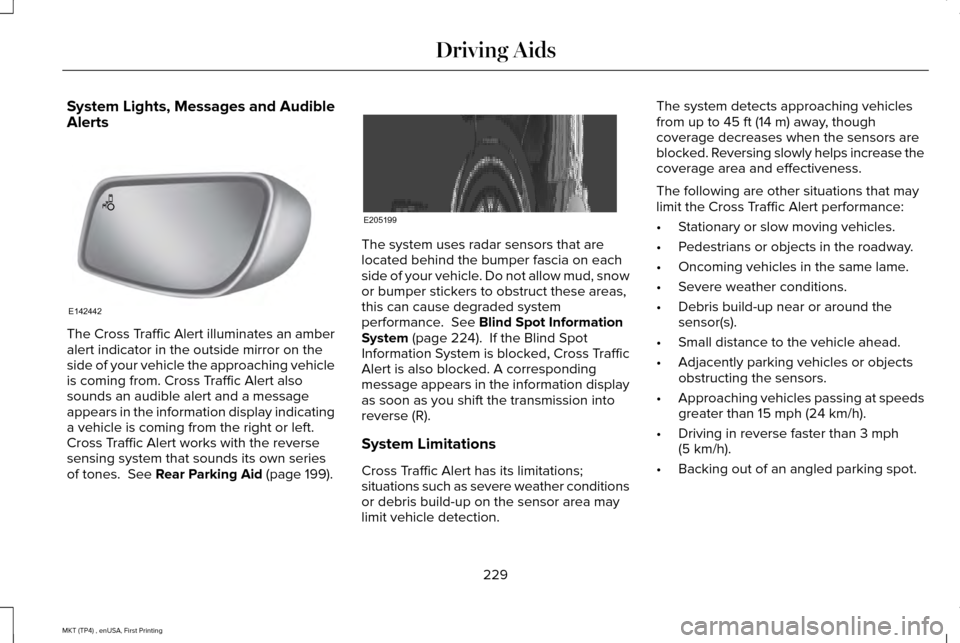
The Cross Traffic Alert illuminates an amber
alert indicator in the outside mirror on the
side of your vehicle the approaching vehicle
is coming from. Cross Traffic Alert also
sounds an audible alert and a message
appears in the information display indicating
a vehicle is coming from the right or left.
Cross Traffic Alert works with the reverse
sensing system that sounds its own series
of tones. See Rear Parking Aid (page 199). The system uses radar sensors that are
located behind the bumper fascia on each
side of your vehicle. Do not allow mud, snow
or bumper stickers to obstruct these areas,
this can cause degraded system
performance.
See Blind Spot Information
System (page 224). If the Blind Spot
Information System is blocked, Cross Traffic
Alert is also blocked. A corresponding
message appears in the information display
as soon as you shift the transmission into
reverse (R).
System Limitations
Cross Traffic Alert has its limitations;
situations such as severe weather conditions
or debris build-up on the sensor area may
limit vehicle detection. The system detects approaching vehicles
from up to
45 ft (14 m) away, though
coverage decreases when the sensors are
blocked. Reversing slowly helps increase the
coverage area and effectiveness.
The following are other situations that may
limit the Cross Traffic Alert performance:
• Stationary or slow moving vehicles.
• Pedestrians or objects in the roadway.
• Oncoming vehicles in the same lame.
• Severe weather conditions.
• Debris build-up near or around the
sensor(s).
• Small distance to the vehicle ahead.
• Adjacently parking vehicles or objects
obstructing the sensors.
• Approaching vehicles passing at speeds
greater than
15 mph (24 km/h).
• Driving in reverse faster than
3 mph
(5 km/h).
• Backing out of an angled parking spot.
229
MKT (TP4) , enUSA, First Printing Driving AidsE142442 E205199
Page 235 of 558
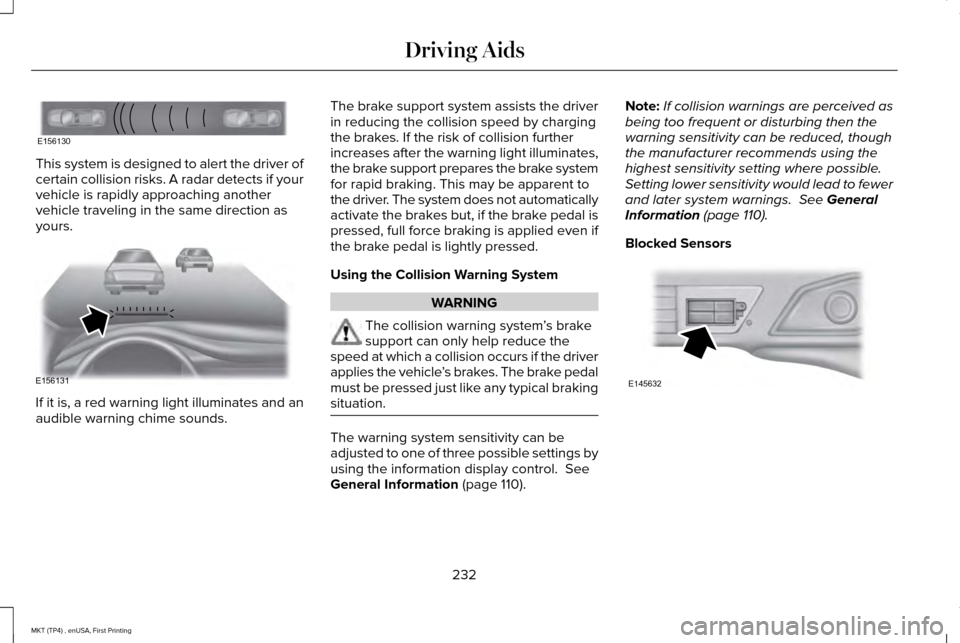
This system is designed to alert the driver of
certain collision risks. A radar detects if your
vehicle is rapidly approaching another
vehicle traveling in the same direction as
yours.
If it is, a red warning light illuminates and an
audible warning chime sounds. The brake support system assists the driver
in reducing the collision speed by charging
the brakes. If the risk of collision further
increases after the warning light illuminates,
the brake support prepares the brake system
for rapid braking. This may be apparent to
the driver. The system does not automatically
activate the brakes but, if the brake pedal is
pressed, full force braking is applied even if
the brake pedal is lightly pressed.
Using the Collision Warning System
WARNING
The collision warning system
’s brake
support can only help reduce the
speed at which a collision occurs if the driver
applies the vehicle ’s brakes. The brake pedal
must be pressed just like any typical braking
situation. The warning system sensitivity can be
adjusted to one of three possible settings by
using the information display control. See
General Information (page 110). Note:
If collision warnings are perceived as
being too frequent or disturbing then the
warning sensitivity can be reduced, though
the manufacturer recommends using the
highest sensitivity setting where possible.
Setting lower sensitivity would lead to fewer
and later system warnings.
See General
Information (page 110).
Blocked Sensors 232
MKT (TP4) , enUSA, First Printing Driving AidsE156130 E156131 E145632
Page 239 of 558
REAR UNDER FLOOR STORAGE (If
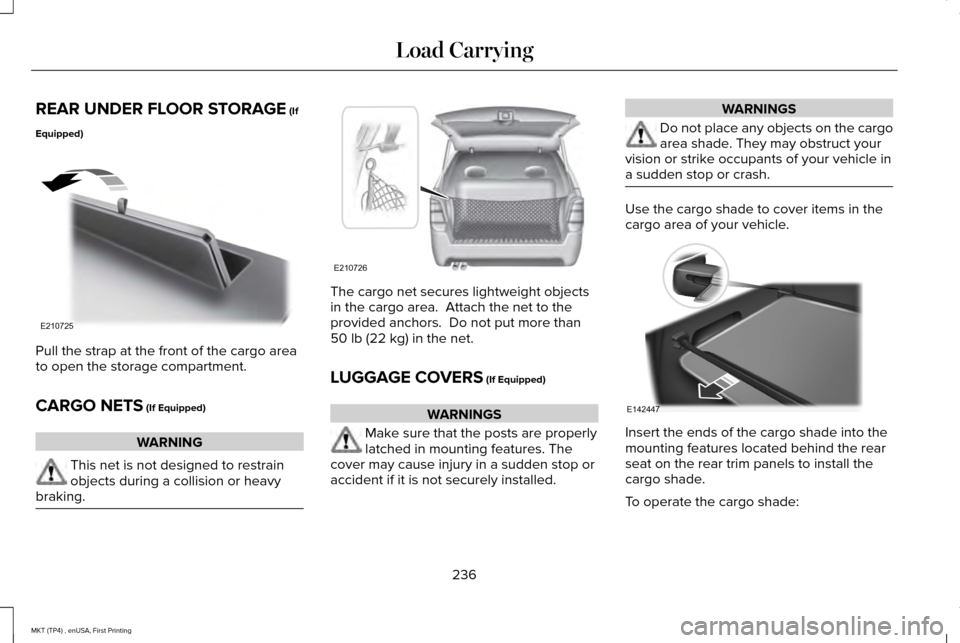
Equipped) Pull the strap at the front of the cargo area
to open the storage compartment.
CARGO NETS
(If Equipped)
WARNING
This net is not designed to restrain
objects during a collision or heavy
braking. The cargo net secures lightweight objects
in the cargo area. Attach the net to the
provided anchors. Do not put more than
50 lb (22 kg)
in the net.
LUGGAGE COVERS
(If Equipped) WARNINGS
Make sure that the posts are properly
latched in mounting features. The
cover may cause injury in a sudden stop or
accident if it is not securely installed. WARNINGS
Do not place any objects on the cargo
area shade. They may obstruct your
vision or strike occupants of your vehicle in
a sudden stop or crash. Use the cargo shade to cover items in the
cargo area of your vehicle.
Insert the ends of the cargo shade into the
mounting features located behind the rear
seat on the rear trim panels to install the
cargo shade.
To operate the cargo shade:
236
MKT (TP4) , enUSA, First Printing Load CarryingE210725 E210726 E142447
Page 245 of 558
TOWING A TRAILER
WARNINGS
Do not exceed the GVWR or the
GAWR specified on the certification
label. Towing trailers beyond the
maximum recommended gross
trailer weight exceeds the limit of your
vehicle and could result in engine
damage, transmission damage,
structural damage, loss of vehicle
control, vehicle rollover and personal
injury. Note:
Your vehicle may have electrical
items, such as fuses or relays, related
to towing. See Fuses (page 267). Your vehicle's load capacity designation
is by weight, not by volume, so you
cannot necessarily use all available
space when loading a vehicle or trailer.
Towing a trailer places an extra load on
your vehicle's engine, transmission, axle,
brakes, tires and suspension. Inspect
these components periodically during,
and after, any towing operation.
Load Placement
To help minimize how trailer movement
affects your vehicle when driving:
•
Load the heaviest items closest to
the trailer floor.
• Load the heaviest items centered
between the left and right side trailer
tires. •
Load the heaviest items above the
trailer axles or just slightly forward
toward the trailer tongue. Do not
allow the final trailer tongue weight
to go above or below 10-15% of the
loaded trailer weight.
• Select a ball mount with the correct
rise or drop. When both the loaded
vehicle and trailer are connected, the
trailer frame should be level, or
slightly angled down toward your
vehicle, when viewed from the side.
When driving with a trailer or payload, a
slight takeoff vibration or shudder may
be present due to the increased payload
weight. Additional information regarding
proper trailer loading and setting your
vehicle up for towing is located in the
Load Carrying chapter. See Load Limit
(page 237).
You can also find information in the
RV
& Trailer Towing Guide available at your
authorized dealer, or online.
242
MKT (TP4) , enUSA, First Printing Towing
Page 248 of 558
ESSENTIAL TOWING CHECKS
Follow these guidelines for safe towing:
•
Do not tow a trailer until you drive your
vehicle at least 1000 miles (1600
kilometers).
• Consult your local motor vehicle laws for
towing a trailer.
• See the instructions included with towing
accessories for the proper installation
and adjustment specifications.
• Service your vehicle more frequently if
you tow a trailer. See your scheduled
maintenance information.
• If you use a rental trailer, follow the
instructions the rental agency gives you.
You can find information on load
specification terms found on the tire label
and Safety Compliance label as well as
instructions on calculating your vehicle's load
in the Load Carrying chapter. See Load Limit
(page 237).
Remember to account for the trailer tongue
weight as part of your vehicle load when
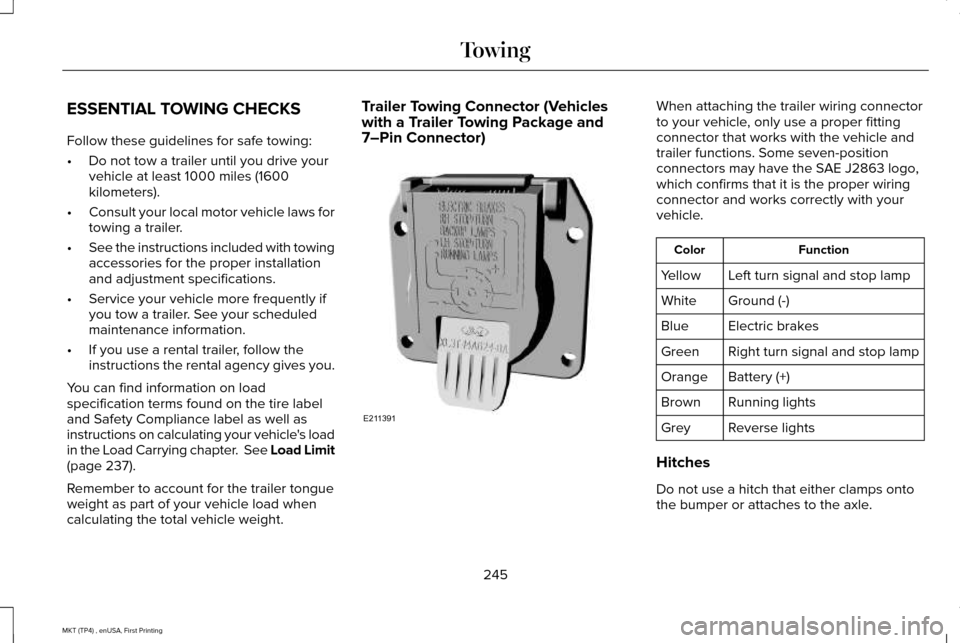
calculating the total vehicle weight. Trailer Towing Connector (Vehicles
with a Trailer Towing Package and
7–Pin Connector) When attaching the trailer wiring connector
to your vehicle, only use a proper fitting
connector that works with the vehicle and
trailer functions. Some seven-position
connectors may have the SAE J2863 logo,
which confirms that it is the proper wiring
connector and works correctly with your
vehicle.
Function
Color
Left turn signal and stop lamp
Yellow
Ground (-)
White
Electric brakes
Blue
Right turn signal and stop lamp
Green
Battery (+)
Orange
Running lights
Brown
Reverse lights
Grey
Hitches
Do not use a hitch that either clamps onto
the bumper or attaches to the axle.
245
MKT (TP4) , enUSA, First Printing TowingE211391
Page 250 of 558
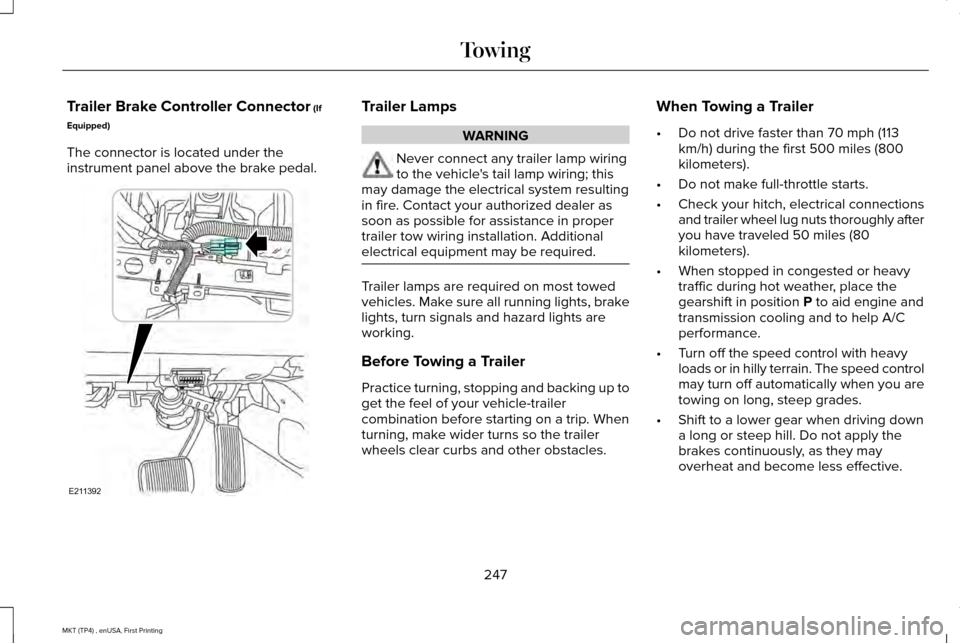
Trailer Brake Controller Connector (If
Equipped)
The connector is located under the
instrument panel above the brake pedal. Trailer Lamps
WARNING
Never connect any trailer lamp wiring
to the vehicle's tail lamp wiring; this
may damage the electrical system resulting
in fire. Contact your authorized dealer as
soon as possible for assistance in proper
trailer tow wiring installation. Additional
electrical equipment may be required. Trailer lamps are required on most towed
vehicles. Make sure all running lights, brake
lights, turn signals and hazard lights are
working.
Before Towing a Trailer
Practice turning, stopping and backing up to
get the feel of your vehicle-trailer
combination before starting on a trip. When
turning, make wider turns so the trailer
wheels clear curbs and other obstacles.When Towing a Trailer
•
Do not drive faster than 70 mph (113
km/h) during the first 500 miles (800
kilometers).
• Do not make full-throttle starts.
• Check your hitch, electrical connections
and trailer wheel lug nuts thoroughly after
you have traveled 50 miles (80
kilometers).
• When stopped in congested or heavy
traffic during hot weather, place the
gearshift in position
P to aid engine and
transmission cooling and to help A/C
performance.
• Turn off the speed control with heavy
loads or in hilly terrain. The speed control
may turn off automatically when you are
towing on long, steep grades.
• Shift to a lower gear when driving down
a long or steep hill. Do not apply the
brakes continuously, as they may
overheat and become less effective.
247
MKT (TP4) , enUSA, First Printing TowingE211392
Page 254 of 558
BREAKING-IN
You need to break in new tires for
approximately 300 mi (480 km). During this
time, your vehicle may exhibit some unusual
driving characteristics.
Avoid driving too fast during the first 1,000 mi
(1,600 km)
. Vary your speed frequently and
change up through the gears early. Do not
labor the engine.
Do not tow during the first
1,000 mi
(1,600 km).
ECONOMICAL DRIVING
Fuel economy is affected by several things
such as how you drive, the conditions you
drive under and how you maintain your
vehicle.
There are some things to keep in mind that
may improve your fuel economy:
• Accelerate and slow down in a smooth,
moderate fashion.
• Drive at steady speeds. •
Anticipate stops; slowing down may
eliminate the need to stop.
• Combine errands and minimize
stop-and-go driving (When running
errands, go to the furthest destination
first and then work your way back home).
• Close the windows for high-speed
driving.
• Drive at reasonable speeds.
• Keep the tires properly inflated and use
only the recommended size.
• Use the recommended engine oil.
• Perform all regularly scheduled
maintenance.
There are also some things you may want to
avoid doing because they reduce your fuel
economy:
• Avoid sudden or hard accelerations.
• Avoid revving the engine before turning
off the car.
• Avoid long idle periods.
• Do not warm up your vehicle on cold
mornings. •
Reduce the use of air conditioning and
heat.
• Avoid using speed control in hilly terrain.
• Do not rest your foot on the brake pedal
while driving.
• Avoid carrying unnecessary weight.
• Avoid adding particular accessories to
your vehicle (e.g. bug deflectors,
rollbars/light bars, running boards, ski
racks).
• Avoid driving with the wheels out of
alignment.
DRIVING THROUGH WATER WARNING
Do not drive through flowing or deep
water as you may lose control of your
vehicle. Note:
Driving through standing water can
cause vehicle damage.
Note: Engine damage can occur if water
enters the air filter.
251
MKT (TP4) , enUSA, First Printing Driving Hints
Page 255 of 558
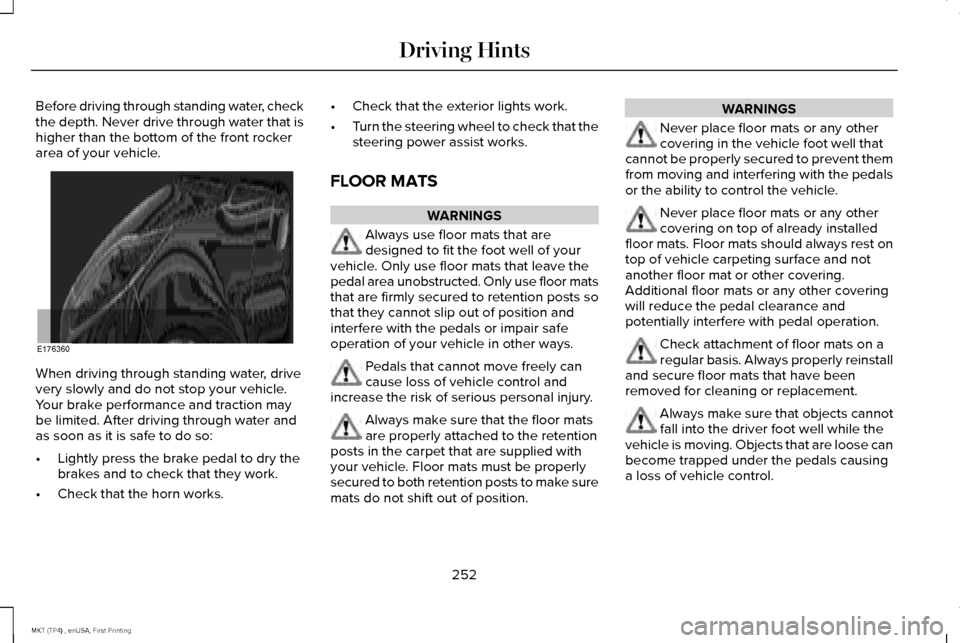
Before driving through standing water, check
the depth. Never drive through water that is
higher than the bottom of the front rocker
area of your vehicle.
When driving through standing water, drive
very slowly and do not stop your vehicle.
Your brake performance and traction may
be limited. After driving through water and
as soon as it is safe to do so:
•
Lightly press the brake pedal to dry the
brakes and to check that they work.
• Check that the horn works. •
Check that the exterior lights work.
• Turn the steering wheel to check that the
steering power assist works.
FLOOR MATS WARNINGS
Always use floor mats that are
designed to fit the foot well of your
vehicle. Only use floor mats that leave the
pedal area unobstructed. Only use floor mats
that are firmly secured to retention posts so
that they cannot slip out of position and
interfere with the pedals or impair safe
operation of your vehicle in other ways. Pedals that cannot move freely can
cause loss of vehicle control and
increase the risk of serious personal injury. Always make sure that the floor mats
are properly attached to the retention
posts in the carpet that are supplied with
your vehicle. Floor mats must be properly
secured to both retention posts to make sure
mats do not shift out of position. WARNINGS
Never place floor mats or any other
covering in the vehicle foot well that
cannot be properly secured to prevent them
from moving and interfering with the pedals
or the ability to control the vehicle. Never place floor mats or any other
covering on top of already installed
floor mats. Floor mats should always rest on
top of vehicle carpeting surface and not
another floor mat or other covering.
Additional floor mats or any other covering
will reduce the pedal clearance and
potentially interfere with pedal operation. Check attachment of floor mats on a
regular basis. Always properly reinstall
and secure floor mats that have been
removed for cleaning or replacement. Always make sure that objects cannot
fall into the driver foot well while the
vehicle is moving. Objects that are loose can
become trapped under the pedals causing
a loss of vehicle control.
252
MKT (TP4) , enUSA, First Printing Driving HintsE176360
Page 259 of 558
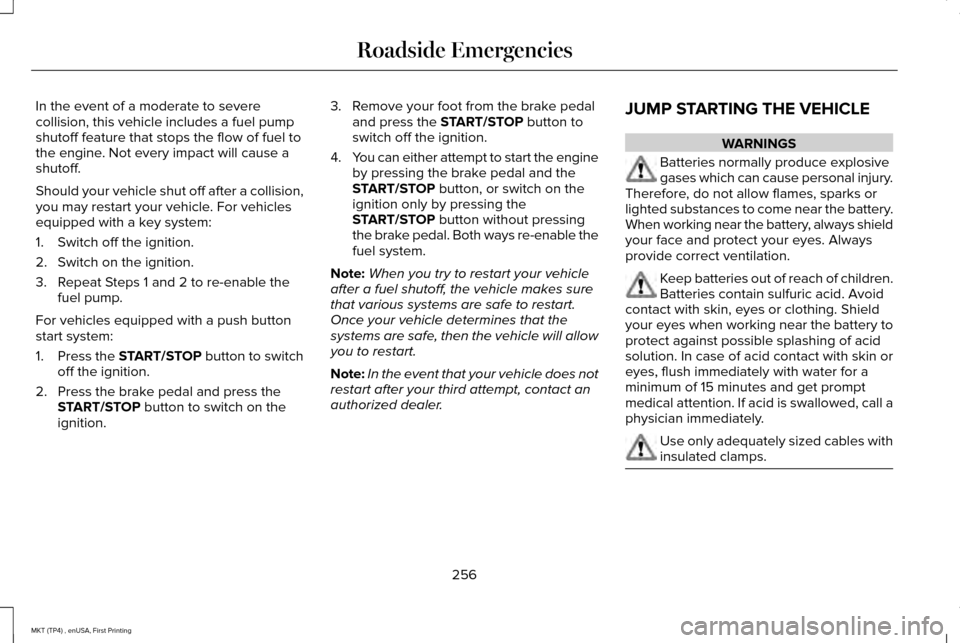
In the event of a moderate to severe
collision, this vehicle includes a fuel pump
shutoff feature that stops the flow of fuel to
the engine. Not every impact will cause a
shutoff.
Should your vehicle shut off after a collision,
you may restart your vehicle. For vehicles
equipped with a key system:
1. Switch off the ignition.
2. Switch on the ignition.
3. Repeat Steps 1 and 2 to re-enable the
fuel pump.
For vehicles equipped with a push button
start system:
1. Press the START/STOP button to switch
off the ignition.
2. Press the brake pedal and press the START/STOP button to switch on the
ignition. 3. Remove your foot from the brake pedal
and press the
START/STOP button to
switch off the ignition.
4. You can either attempt to start the engine
by pressing the brake pedal and the
START/STOP
button, or switch on the
ignition only by pressing the
START/STOP
button without pressing
the brake pedal. Both ways re-enable the
fuel system.
Note: When you try to restart your vehicle
after a fuel shutoff, the vehicle makes sure
that various systems are safe to restart.
Once your vehicle determines that the
systems are safe, then the vehicle will allow
you to restart.
Note: In the event that your vehicle does not
restart after your third attempt, contact an
authorized dealer. JUMP STARTING THE VEHICLE WARNINGS
Batteries normally produce explosive
gases which can cause personal injury.
Therefore, do not allow flames, sparks or
lighted substances to come near the battery.
When working near the battery, always shield
your face and protect your eyes. Always
provide correct ventilation. Keep batteries out of reach of children.
Batteries contain sulfuric acid. Avoid
contact with skin, eyes or clothing. Shield
your eyes when working near the battery to
protect against possible splashing of acid
solution. In case of acid contact with skin or
eyes, flush immediately with water for a
minimum of 15 minutes and get prompt
medical attention. If acid is swallowed, call a
physician immediately. Use only adequately sized cables with
insulated clamps.
256
MKT (TP4) , enUSA, First Printing Roadside Emergencies
Page 272 of 558
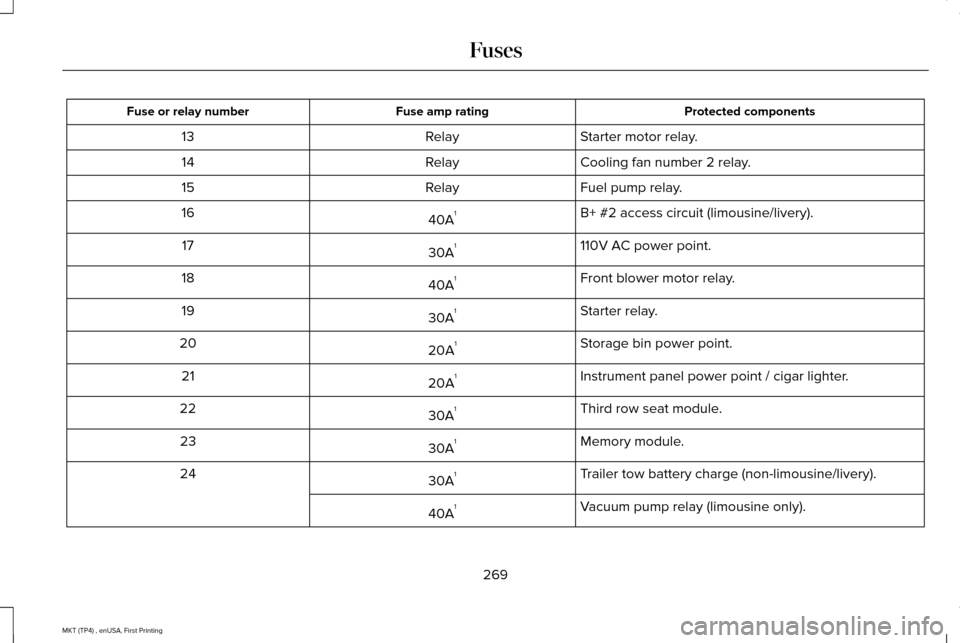
Protected components
Fuse amp rating
Fuse or relay number
Starter motor relay.
Relay
13
Cooling fan number 2 relay.
Relay
14
Fuel pump relay.
Relay
15
B+ #2 access circuit (limousine/livery).
40A 1
16
110V AC power point.
30A 1
17
Front blower motor relay.
40A 1
18
Starter relay.
30A 1
19
Storage bin power point.
20A 1
20
Instrument panel power point / cigar lighter.
20A 1
21
Third row seat module.
30A 1
22
Memory module.
30A 1
23
Trailer tow battery charge (non-limousine/livery).
30A 1
24
Vacuum pump relay (limousine only).
40A 1
269
MKT (TP4) , enUSA, First Printing Fuses