light LINCOLN MKT 2017 Owners Manual
[x] Cancel search | Manufacturer: LINCOLN, Model Year: 2017, Model line: MKT, Model: LINCOLN MKT 2017Pages: 558, PDF Size: 4.59 MB
Page 443 of 558
•
Pool
• Wi-Fi
Attractions include nearby landmarks,
amusement parks, historic buildings and
more. cityseeker can provide information
such as star rating, reviews, hour of operation
and admission price.
SiriusXM Traffic and Travel Link
SiriusXM Traffic and Travel Link is available
on vehicles equipped with navigation and
only in select markets. You must activate and
subscribe to receive SiriusXM Traffic and
Travel Link information. It helps you locate
the best gas prices, find movie listings, get
current traffic alerts, view the weather map,
get accurate ski conditions and see current
sports scores. See Apps (page 440).
The system calculates a reasonable efficient
route based on available speed limits, traffic,
and road conditions. You may know a local
short cut that is more efficient at a given time
than the route provided by SYNC 3, but you
should expect a slight difference in minutes
or miles with the SYNC 3 route. Navigation Map Updates
Annual navigation map updates are available
for purchase through your dealership, by
calling 1-866-462-8837 in the United States
and Canada or 01-800-557-5539 in Mexico.
You can also visit:
Website
www.navigation.com/sync
You need to specify the make and model of
your vehicle to determine if there is an
update available.
HERE is the digital map provider for the
navigation application. If you find map data
errors, you may report them directly to HERE
by going to www.here.com/mapcreator.
HERE evaluates all reported map errors and
responds with the result of their investigation
by e-mail.
Map coverage includes the USA (including
Puerto Rico and the US Virgin Islands),
Canada and Mexico. APPS
The system enables voice, steering wheel,
and touch screen control of SYNC 3 AppLink
enabled smartphone apps. Once an app is
running through AppLink, you can control
main features of the app through voice
commands and steering wheel controls.
Note:
Available AppLink enabled apps will
vary by market.
Note: You must pair and connect your
smartphone via Bluetooth to SYNC 3 to
access AppLink.
Note: iPhone users need to connect the
phone to the USB port.
Note: For information on available apps,
supported smartphone devices and
troubleshooting tips please visit: Websites
owner.lincoln.com
www.syncmyride.ca
440
MKT (TP4) , enUSA, First Printing SYNC™ 3
Page 461 of 558
Ambient Lighting (If Equipped)
Tap a color once to active ambient lighting.
This sets the color to the highest intensity.
You can drag the colors up and down to
increase or decrease the intensity.
To switch ambient lighting off, press the
active color once or drag the active color all
the way down to zero intensity. Vehicle
Note:
You vehicle may not have all of these
features.
You can select the following features to
update their settings. Door Keypad Code
Select this button to add or erase a personal
door keypad code. To add or erase a
personal code, you first need to enter the
five-digit factory set code. You can find this
code on the owner's wallet card in the glove
box or from your authorized dealer.
Camera Settings
To make adjustments using the touchscreen, select: Action and Description
Message
Camera Settings
Then select from the following: You can enable or disable this option using the slider.
Rear Camera Delay
You can find more information on the rear-view camera system in the parki\
ng aids chapter of your owner manual.
458
MKT (TP4) , enUSA, First Printing SYNC™ 3
Page 462 of 558
Onboard Modem Serial Number (ESN)
Selecting this button on the settings menu
shows you the ESN number for your system.
You need this number for certain
registrations such as Satellite Radio.
Display
To make adjustments using the touchscreen, select: Action and Description
Menu Item
Make the screen display brighter or dimmer.
Brightness
You can select:
Mode
The screen automatically switches between day and night modes based on t\
he outside
light level.
Auto
The screen displays with a light background to enhance daytime viewing.
Day
The screen displays with a darker background to make nighttime viewing easier.
Night
The screen goes black and does not display anything. To switch the screen back on,
simply tap the screen.
Off
Enable this option to automatically dim the display brightness based on \
ambient lighting conditions.
Auto Dim
Voice Control
You can adjust the voice control settings by
selecting the following options.
459
MKT (TP4) , enUSA, First Printing SYNC™ 3
Page 464 of 558
Cell phone issues
Possible solution
Possible cause
Issue
Refer to your device's manual about audio adjustments.
The audio control settings on your cell
phone may be affecting SYNC 3
performance.
There is background noise
during a phone call.
Try switching your cell phone off, resetting it or removing the battery,
then try again.
Possible cell phone malfunction.
During a call, I can hear the
other person but they
cannot hear me.
Make sure that the microphone for SYNC 3 is not set to off. Look for
the microphone icon on the phone screen.
To restart your system, shut down the engine, open and close the
door, and then lock the door and wait for 2-3 minutes. Make sure that
your SYNC 3 screen is black and the lighted USB port is off.
The system may need to be restarted.
During a call, I cannot hear
the other person and they
cannot hear me.
Check your cell phone's compatibility.
This is a cell phone-dependent feature.
SYNC 3 is not able to
download my phonebook. Make sure you allow SYNC 3 to retrieve contacts from your phone.
Refer to your cell manual.
Possible cell phone malfunction. You must switch on your cell phone and the automatic phonebook
download feature on SYNC 3.
Try switching your cell phone off, resetting it or removing the battery,
then try again.
461
MKT (TP4) , enUSA, First Printing SYNC™ 3
Page 487 of 558
Make sure to change your vehicle
’s oils and
fluids at the specified intervals or in
conjunction with a repair. Flushing is a viable
way to change fluid for many vehicle
sub-systems during scheduled maintenance. It is critical that systems are flushed only with
new fluid that is the same as that required
to fill and operate the system or using a
Ford-approved flushing chemical.
Owner Checks and Services
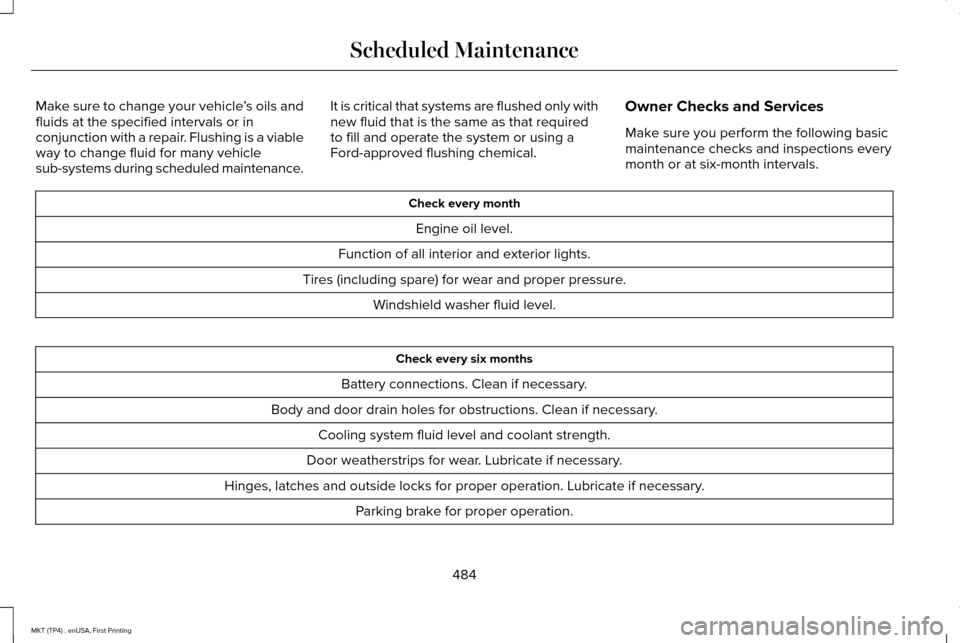
Make sure you perform the following basic
maintenance checks and inspections every
month or at six-month intervals. Check every month
Engine oil level.
Function of all interior and exterior lights.
Tires (including spare) for wear and proper pressure. Windshield washer fluid level. Check every six months
Battery connections. Clean if necessary.
Body and door drain holes for obstructions. Clean if necessary. Cooling system fluid level and coolant strength.
Door weatherstrips for wear. Lubricate if necessary.
Hinges, latches and outside locks for proper operation. Lubricate if necessary. Parking brake for proper operation.
484
MKT (TP4) , enUSA, First Printing Scheduled Maintenance
Page 545 of 558
Website
www.sunatraffic.com.au/termsandcondi- tions/
2. Intellectual Property
SUNA Products and/or Services are for your
personal use. You may not record, or
retransmit the content, nor use the content
in association with any other traffic
information or route guidance service or
device not approved by Intelematics. You
obtain no right of ownership in any
Intellectual Property Rights (including
copyright) in the data that is used to provide
SUNA Products and/or Services.
3. Appropriate Use SUNA Products and/or Services are intended
as an aid to personal motoring and travel
planning, and do not provide comprehensive
or accurate information on all occasions. On
occasions, you may experience additional
delay as a result of using SUNA Products
and/or Services. You acknowledge that it is
not intended, or suitable, for use in
applications where time of arrival or driving
directions may impact the safety of the public
or yourself.
4. Use of SUNA Products and Services
while driving
You, and other authorised drivers of the
vehicle in which SUNA Products and/or
Services are available or installed and active,
remain at all times responsible for observing
all relevant laws and codes of safe driving.
In particular, you agree to only actively
operate SUNA Products and/or Services
when the Vehicle is at a complete stop and
it is safe to do so.
5. Service Continuity and Reception of the
SUNA Traffic ChannelWe will use reasonable endeavours to
provide the SUNA Traffic Channel 24 hours
a day, 365 days a year. The SUNA Traffic
Channel may occasionally be unavailable for
technical reasons or for planned
maintenance. We will try to perform
maintenance at times when congestion is
light. We reserve the right to withdraw SUNA
Products and/or Services at any time.
Also, we cannot assure the uninterrupted
reception of the SUNA Traffic Channel
RDS-TMC signal at any particular location.
6. Limitation of Liability
Neither Intelematics (nor its suppliers or the
manufacturer of your device (the
“Suppliers”)) shall be liable to you or to any
third party for any damages either direct,
indirect, incidental, consequential or
otherwise arising out of the use of or inability
to use SUNA Products and/or Services even
if Intelematics or a Supplier has been advised
of the possibility of such damages. You also
acknowledge that the neither Intelematics
nor any Supplier guarantees nor make any
warranties that relate to the availability,
accuracy or completeness of SUNA Products
542
MKT (TP4) , enUSA, First Printing Appendices
Page 548 of 558
A
A/C
See: Climate Control..........................................130
About This Manual............................................7
ABS See: Brakes...........................................................192
ABS driving hints See: Hints on Driving With Anti-Lock
Brakes................................................................192
Accessories....................................................477 Exterior Style........................................................477
Interior Style.........................................................477
Lifestyle.................................................................477
Peace of Mind......................................................477
Accessories See: Replacement Parts Recommendation.....12
ACC See: Using Adaptive Cruise Control..............210
Active Park Assist..........................................199 Automatic Steering into Parking Space........201
Deactivating the Park Assist Feature............202
Troubleshooting the System...........................
203
Using Active Park Assist..................................200
Adaptive Headlamps
.....................................96
Adjusting the Headlamps...........................304 Horizontal Aim Adjustment..............................305
Vertical Aim Adjustment...................................
304 Adjusting the Pedals......................................87
Adjusting the Steering Wheel......................84
Easy Entry and Exit Feature...............................84
End of Travel Position..........................................84
Memory Feature....................................................84
AFS See: Adaptive Headlamps..................................
96
Airbag Disposal
...............................................59
Air Conditioning See: Climate Control..........................................130
Air Filter See: Changing the Engine Air Filter...............310
Alarm See: Anti-Theft Alarm...........................................83
All-Wheel Drive
..............................................184
Ambient Lighting............................................98
Anti-Theft Alarm..............................................83
Arming the Alarm..................................................83
Disarming the Alarm............................................83
Appendices.....................................................514
Apps
.................................................................440
........................................................................\
.........440
SiriusXM Traffic and Travel Link......................
442
At a Glance
........................................................16
Audible Warnings and Indicators..............109
Headlamps On Warning Chime.......................109
Keyless Warning Alert........................................109
Parking Brake On Warning Chime..................
109 Audio Control
..................................................85
MEDIA......................................................................85
Seek, Next or Previous........................................85
Audio System
..................................................371
General Information............................................371
Audio Unit
.......................................................372
Rear Seat Audio Controls.................................374
Autolamps........................................................92 Windshield Wiper Activated Headlamps........93
Automatic Climate Control
.........................130
Automatic High Beam Control....................94
Activating the System..........................................95
Manually Overriding the System......................
95
Automatic Transmission..............................180 Automatic Transmission Adaptive
Learning............................................................183
Brake-Shift Interlock...........................................182
If Your Vehicle Gets Stuck In Mud or Snow..................................................................183
SelectShift Automatic ™ Transmission..............181
Understanding the Positions of Your Automatic Transmission................................180
Automatic Transmission Fluid Check - 3.5L Ecoboost™/3.7L...........................................298
Adding Transmission Fluid .............................
300
Checking the Transmission Fluid Level........299
Autowipers.......................................................88
545
MKT (TP4) , enUSA, First Printing Index
Page 550 of 558
Under Hood..........................................................313
Cleaning the Instrument Panel and Instrument Cluster Lens............................316
Cleaning the Interior.....................................314 Cleaning Black Label or Presidential
Interior................................................................315
Cleaning the Wheels....................................317
Cleaning the Windows and Wiper Blades............................................................314
Clearing All MyKeys.......................................67
Climate.............................................................418
Climate Control
..............................................130
Climate Controlled Seats............................153 Cooled Seats........................................................153
Heated Seats........................................................153
Collision Warning System...........................231 PRINCIPLE OF OPERATION.............................
231
Coolant Check See: Engine Coolant Check............................
294
Crash Sensors and Airbag Indicator
..........57
Creating a MyKey...........................................66 Programming/Changing Configurable
Settings...............................................................66
Cross Traffic Alert.........................................227 False Alerts..........................................................230
Switching the System Off and On..................230
System Errors......................................................230 System Lights, Messages and Audible
Alerts.................................................................229
System Limitations.............................................229
Using the System...............................................227
Cruise Control
.................................................85
Principle of Operation.......................................209
Type 1.......................................................................85
Type 2......................................................................86
Cruise control See: Using Cruise Control...............................209
Customer Assistance
..................................259
D
Data Recording
..................................................9
Event Data Recording...........................................10
Service Data Recording.........................................9
Daytime Running Lamps
...............................94
Direction Indicators........................................97
Lane Change..........................................................97
Doors and Locks.............................................72
Drive Control
.................................................234
LINCOLN DRIVE CONTROL............................234
Driver Alert
......................................................218
Using Driver Alert................................................218
Driver and Passenger Airbags.....................51 Children and Airbags...........................................52 Proper Driver and Front Passenger Seating
Adjustment.........................................................52
Driving Aids....................................................218
Driving Hints...................................................251
Driving Through Water
................................251
DRL See: Daytime Running Lamps...........................94
E
Economical Driving
.......................................251
Emission Control System.............................177 On-Board Diagnostics (OBD-II)........................178
Readiness for Inspection and Maintenance
(I/M) Testing......................................................179
End User License Agreement
....................514
VEHICLE SOFTWARE END USER LICENSE
AGREEMENT (EULA) .....................................514
Engine Block Heater....................................168 Using the Engine Block Heater.......................169
Engine Coolant Check................................294 Adding Coolant...................................................294
Coolant Change.................................................296
Engine Coolant Temperature
Management...................................................298
Fail-Safe Cooling................................................296
Recycled Coolant...............................................296
Severe Climates.................................................296
547
MKT (TP4) , enUSA, First Printing Index
Page 553 of 558
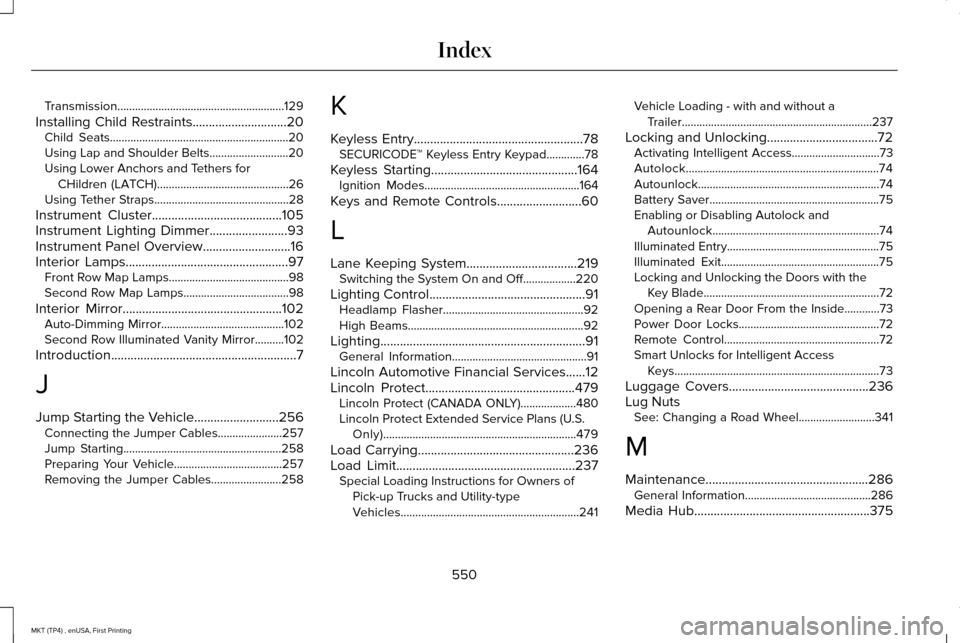
Transmission.........................................................129
Installing Child Restraints.............................20 Child Seats.............................................................20
Using Lap and Shoulder Belts...........................20
Using Lower Anchors and Tethers for
CHildren (LATCH).............................................26
Using Tether Straps..............................................28
Instrument Cluster........................................105
Instrument Lighting Dimmer........................93
Instrument Panel Overview...........................16
Interior Lamps..................................................97 Front Row Map Lamps.........................................98
Second Row Map Lamps....................................98
Interior Mirror.................................................102 Auto-Dimming Mirror..........................................102
Second Row Illuminated Vanity Mirror..........102
Introduction
.........................................................7
J
Jump Starting the Vehicle
..........................256
Connecting the Jumper Cables......................257
Jump Starting......................................................258
Preparing Your Vehicle.....................................257
Removing the Jumper Cables........................258 K
Keyless Entry....................................................78
SECURICODE™ Keyless Entry Keypad.............78
Keyless Starting
.............................................164
Ignition Modes.....................................................164
Keys and Remote Controls..........................60
L
Lane Keeping System..................................219 Switching the System On and Off..................220
Lighting Control
................................................91
Headlamp Flasher................................................92
High Beams............................................................92
Lighting...............................................................91 General Information..............................................91
Lincoln Automotive Financial Services......12
Lincoln Protect..............................................479 Lincoln Protect (CANADA ONLY)...................480
Lincoln Protect Extended Service Plans (U.S.
Only)..................................................................479
Load Carrying
................................................236
Load Limit.......................................................237
Special Loading Instructions for Owners of
Pick-up Trucks and Utility-type
Vehicles.............................................................241 Vehicle Loading - with and without a
Trailer.................................................................237
Locking and Unlocking..................................72 Activating Intelligent Access..............................
73
Autolock..................................................................74
Autounlock..............................................................74
Battery Saver..........................................................75
Enabling or Disabling Autolock and Autounlock.........................................................74
Illuminated Entry....................................................75
Illuminated Exit......................................................75
Locking and Unlocking the Doors with the Key Blade............................................................72
Opening a Rear Door From the Inside............73
Power Door Locks................................................72
Remote Control.....................................................72
Smart Unlocks for Intelligent Access Keys......................................................................73
Luggage Covers
...........................................236
Lug Nuts See: Changing a Road Wheel..........................341
M
Maintenance..................................................286 General Information...........................................286
Media Hub
......................................................375
550
MKT (TP4) , enUSA, First Printing Index
Page 556 of 558
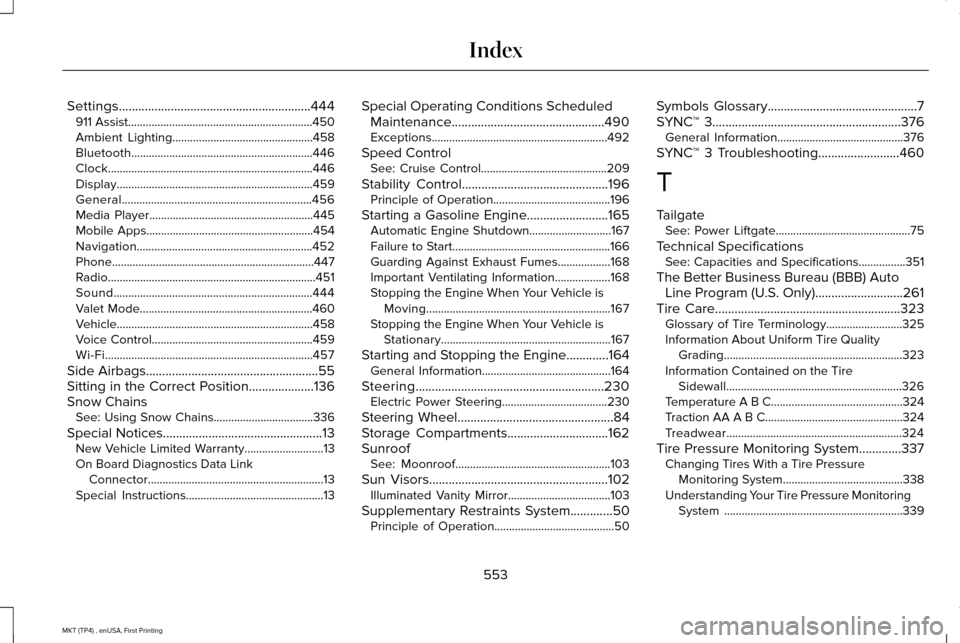
Settings...........................................................444
911 Assist...............................................................450
Ambient Lighting................................................458
Bluetooth..............................................................446
Clock......................................................................446
Display...................................................................459
General.................................................................456
Media Player........................................................445
Mobile Apps.........................................................454
Navigation............................................................452
Phone.....................................................................447
Radio.......................................................................451
Sound....................................................................444
Valet Mode...........................................................460
Vehicle...................................................................458
Voice Control.......................................................459
Wi-Fi.......................................................................457
Side Airbags.....................................................55
Sitting in the Correct Position....................136
Snow Chains See: Using Snow Chains..................................336
Special Notices.................................................13
New Vehicle Limited Warranty...........................13
On Board Diagnostics Data Link Connector............................................................13
Special Instructions...............................................13 Special Operating Conditions Scheduled
Maintenance...............................................490
Exceptions............................................................492
Speed Control See: Cruise Control...........................................209
Stability Control.............................................196 Principle of Operation........................................196
Starting a Gasoline Engine.........................165 Automatic Engine Shutdown............................167
Failure to Start......................................................166
Guarding Against Exhaust Fumes..................168
Important Ventilating Information...................168
Stopping the Engine When Your Vehicle is
Moving...............................................................167
Stopping the Engine When Your Vehicle is Stationary..........................................................167
Starting and Stopping the Engine.............164 General Information............................................164
Steering..........................................................230 Electric Power Steering....................................
230
Steering Wheel................................................84
Storage Compartments...............................162
Sunroof See: Moonroof.....................................................103
Sun Visors
.......................................................102
Illuminated Vanity Mirror...................................103
Supplementary Restraints System.............50 Principle of Operation.........................................50 Symbols Glossary
..............................................7
SYNC™ 3..........................................................376 General Information...........................................376
SYNC™ 3 Troubleshooting.........................460
T
Tailgate See: Power Liftgate..............................................75
Technical Specifications See: Capacities and Specifications................351
The Better Business Bureau (BBB) Auto Line Program (U.S. Only) ...........................
261
Tire Care.........................................................323
Glossary of Tire Terminology..........................325
Information About Uniform Tire Quality Grading.............................................................323
Information Contained on the Tire Sidewall............................................................326
Temperature A B C.............................................324
Traction AA A B C...............................................324
Treadwear............................................................324
Tire Pressure Monitoring System.............337 Changing Tires With a Tire Pressure
Monitoring System.........................................338
Understanding Your Tire Pressure Monitoring System .............................................................339
553
MKT (TP4) , enUSA, First Printing Index