driver door ajar LINCOLN MKT 2017 Owners Manual
[x] Cancel search | Manufacturer: LINCOLN, Model Year: 2017, Model line: MKT, Model: LINCOLN MKT 2017Pages: 558, PDF Size: 4.59 MB
Page 81 of 558
Stopping the Liftgate Movement
You can stop the liftgate movement by doing
any of the following:
•
Pressing the liftgate control button.
• Pressing the liftgate button on the remote
control twice.
• Pressing the liftgate button on the
instrument panel.
• Activating the obstacle detection feature.
Setting the Liftgate Open Height
1. Open the liftgate.
2. Stop the liftgate by pressing the control button on the liftgate when it reaches the
desired height.
Note: When the liftgate has stopped moving,
you can also manually move it to the desired
height.
3. Press and hold the liftgate control button
on the liftgate until a tone sounds,
indicating programming is complete.
Note: You can only use the liftgate control
button to program the height. Note:
You cannot program the height if the
liftgate position is too low.
The new open liftgate height is recalled
when the power liftgate is opened. To
change the programmed height, repeat the
above procedure. Once you open the power
liftgate, you can manually move it to a
different height.
Note: The system recalls the new
programmed height, even if you disconnect
the battery.
When operating the power liftgate after you
have programmed a lower height than fully
open, you can fully open the liftgate by
manually pushing it upward to the maximum
open position.
Obstacle Detection
When Closing
The system stops when it detects an
obstacle. Three tones sound and the system
reverses to open. When you remove the
obstacle, you can power close the liftgate. Note:
Entering your vehicle when the liftgate
is closing can activate obstacle detection.
To prevent this, allow the power liftgate to
fully close before you enter your vehicle.
Before driving off, check the instrument
cluster for a liftgate or door ajar message or
warning indicator. Failure to do this could
result in unintentionally leaving the liftgate
open while driving.
When Opening
The system stops when it detects an
obstacle and two short tones sound. When
you remove the obstacle, you can continue
to operate the liftgate.
KEYLESS ENTRY
SECURICODE™ Keyless Entry Keypad
The keypad is near the driver window. It
illuminates when touched.
Note: If you enter your entry code too fast
on the keypad, the unlock function may not
work. Enter your entry code again more
slowly.
78
MKT (TP4) , enUSA, First Printing Doors and Locks
Page 126 of 558

Collision Warning System
Action
Message
There is a system malfunction with the collision warning system. The sys\
tem will be disabled.Contact an authorized dealer as soon as possible.
Collision Warning Malfunction
The collision warning system radar is blocked because of poor radar visibility due to bad weatheror ice/mud/water in front of the radar. Driver can typically clean the sensor to resolve. Contact an authorized dealer as soon as possible.
Collision Warning Not Available Sensor
Blocked See Manual
There is a system malfunction with the collision warning system. The sys\
tem will be disabled.Contact an authorized dealer as soon as possible.
Collision Warning Not Available
Doors and Locks Action
Message
The door listed is not completely closed.
X Door Ajar
The luggage compartment is not completely closed.
Trunk Ajar
The driver’s door is opened, your vehicle is in park and the engine is on.
Engine ON
123
MKT (TP4) , enUSA, First Printing Information Displays
Page 208 of 558
REAR VIEW CAMERA
WARNINGS
The rear view camera system is a
reverse aid supplement device that still
requires the driver to use it in conjunction
with the interior and exterior mirrors for
maximum coverage. Objects that are close to either corner
of the bumper or under the bumper,
might not be seen on the screen due to the
limited coverage of the camera system. Reverse your vehicle as slow as
possible, higher speeds may limit your
reaction time to stop your vehicle. Use caution when the rear cargo door
is ajar. If the rear cargo door is ajar, the
camera will be out of position and the video
image may be incorrect. All guidelines
disappear when the rear cargo door is ajar.
Some vehicles may not come equipped with
guidelines. Do not switch the camera features on
or off when your vehicle is moving. The rear view camera system provides a
video image of the area behind your vehicle.
During operation, lines appear in the display
which represent your vehicle
’s path and
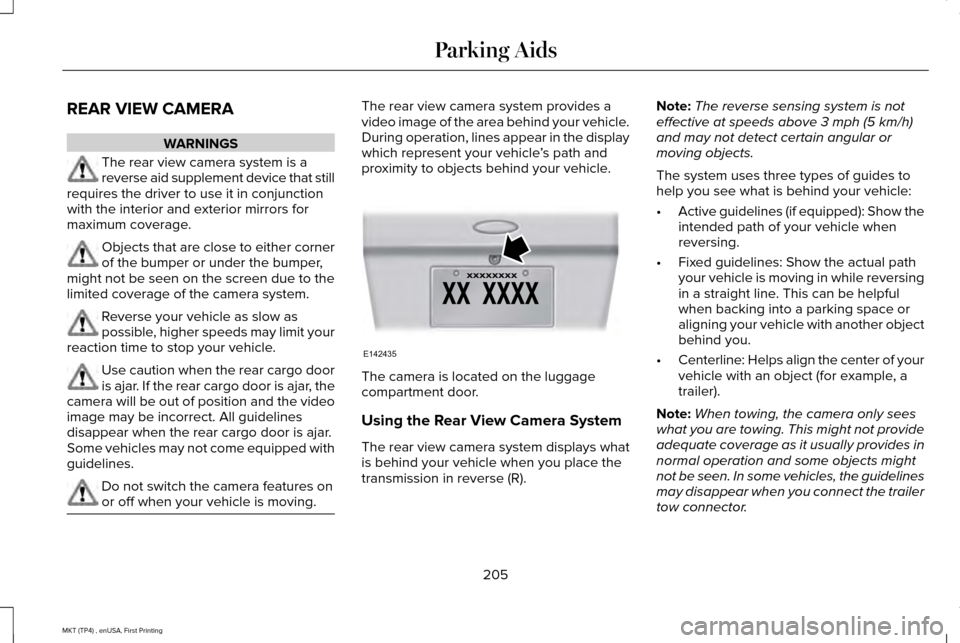
proximity to objects behind your vehicle. The camera is located on the luggage
compartment door.
Using the Rear View Camera System
The rear view camera system displays what
is behind your vehicle when you place the
transmission in reverse (R).Note:
The reverse sensing system is not
effective at speeds above 3 mph (5 km/h)
and may not detect certain angular or
moving objects.
The system uses three types of guides to
help you see what is behind your vehicle:
• Active guidelines (if equipped): Show the
intended path of your vehicle when
reversing.
• Fixed guidelines: Show the actual path
your vehicle is moving in while reversing
in a straight line. This can be helpful
when backing into a parking space or
aligning your vehicle with another object
behind you.
• Centerline: Helps align the center of your
vehicle with an object (for example, a
trailer).
Note: When towing, the camera only sees
what you are towing. This might not provide
adequate coverage as it usually provides in
normal operation and some objects might
not be seen. In some vehicles, the guidelines
may disappear when you connect the trailer
tow connector.
205
MKT (TP4) , enUSA, First Printing Parking AidsE142435